ignition TOYOTA YARIS 2016 Workshop Manual
[x] Cancel search | Manufacturer: TOYOTA, Model Year: 2016, Model line: YARIS, Model: TOYOTA YARIS 2016Pages: 592, PDF Size: 10.44 MB
Page 184 of 592
182
YARIS_SEDAN_OM_OM99M18z_(U)
3-4. Switches and Controls
Windshield Wipers and Washer
The ignition must be switched ON to use the wipers.
Because heavy ice and snow can jam the wiper blades, the wiper motor is
protected from motor breakdown, overheating and possible fire by a circuit
breaker. This mechanism will automatically stop operation of the blades, but
only for about 5 minutes.
If this happens, turn off the wiper switch and park off the right-of-way, and
remove the snow and ice.
After 5 minutes, turn on the switch and the blades should operate normally. If
they do not resume functioning, consult your Toyota dealer as soon as possi-
ble. Drive to the side of the road and park off the right-of-way. Wait until the
weather clears before trying to drive with the wipers inoperative.
WARNING
■Use only windshield washer fluid or plain water in the reservoir
Using radiator antifreeze as washer fluid is dangerous. If sprayed on the
windshield, it will dirty the windshield, affect your visibility, and could result
in an accident.
■ Only use windshield washer fluid mixed with anti-freeze protection in
freezing weather conditions
Using windshield washer fluid without anti-freeze protection in freezing
weather conditions is dangerous as it could freeze on the windshield and
block your vision which could cause an accident. In addition, make sure the
windshield is sufficiently warmed using the defroster before spraying the
washer fluid.
YARIS_SEDAN_OM_OM99M18z_(U).book Page 182 Monday, June 1, 2015 9:22 PM
Page 187 of 592
185
YARIS_SEDAN_OM_OM99M18z_(U)
3-4. Switches and Controls
3
When Driving
Rear Window Defogger
The ignition must be switched ON to use the defogger.
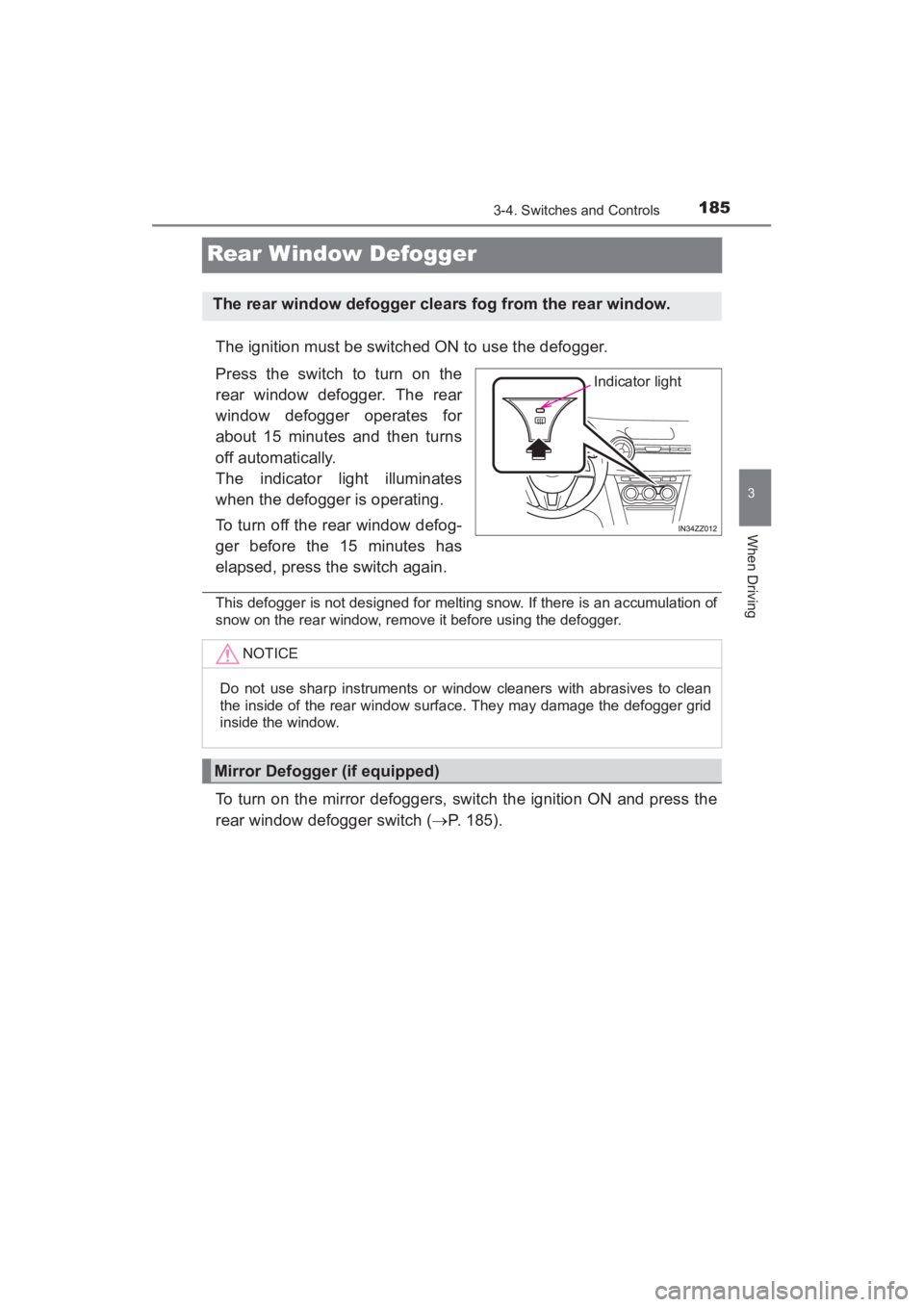
Press the switch to turn on the
rear window defogger. The rear
window defogger operates for
about 15 minutes and then turns
off automatically.
The indicator light illuminates
when the defogger is operating.
To turn off the rear window defog-
ger before the 15 minutes has
elapsed, press the switch again.
This defogger is not designed for melting snow. If there is an accumulation of
snow on the rear window, remove it before using the defogger.
To turn on the mirror defoggers, switch the ignition ON and press the
rear window defogger switch (→P. 185).
The rear window defogger clears fog from the rear window.
Indicator light
NOTICE
Do not use sharp instruments or window cleaners with abrasives to clean
the inside of the rear window surface. They may damage the defogger grid
inside the window.
Mirror Defogger (if equipped)
YARIS_SEDAN_OM_OM99M18z_(U).book Page 185 Monday, June 1, 2015 9:22 PM
Page 197 of 592
YARIS_SEDAN_OM_OM99M18z_(U)
1953-6. ABS/TCS/DSC
3
When Driving
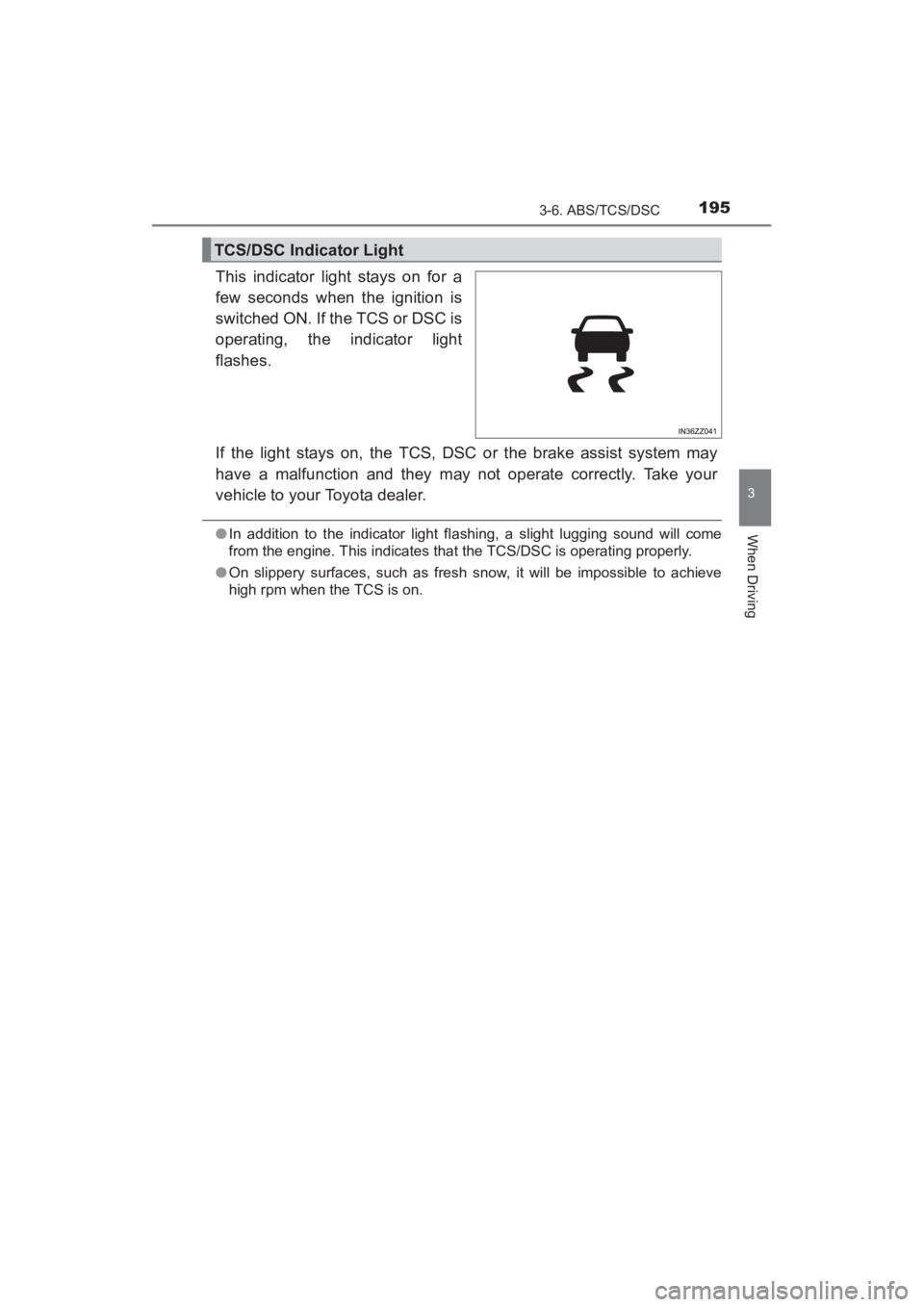
This indicator light stays on for a
few seconds when the ignition is
switched ON. If the TCS or DSC is
operating, the indicator light
flashes.
If the light stays on, the TCS, DSC or the brake assist system may
have a malfunction and they may not operate correctly. Take your
vehicle to your Toyota dealer.
●In addition to the indicator light fl ashing, a slight lugging sound will come
from the engine. This indicates that the TCS/DSC is operating properly.
● On slippery surfaces, such as fresh snow, it will be impossible to achieve
high rpm when the TCS is on.
TCS/DSC Indicator Light
YARIS_SEDAN_OM_OM99M18z_(U).book Page 195 Monday, June 1, 2015 9:22 PM
Page 199 of 592
YARIS_SEDAN_OM_OM99M18z_(U)
1973-6. ABS/TCS/DSC
3
When Driving
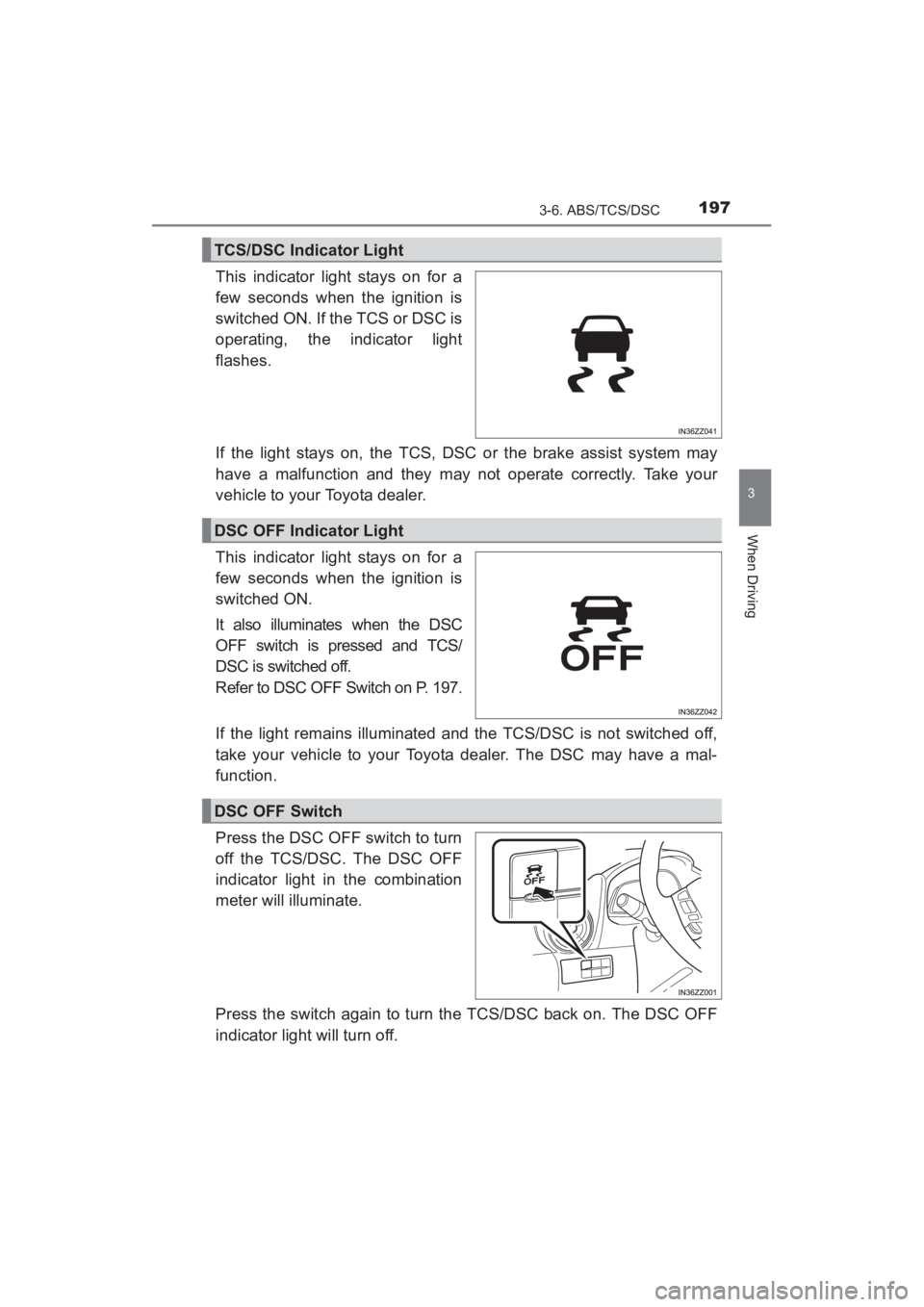
This indicator light stays on for a
few seconds when the ignition is
switched ON. If the TCS or DSC is
operating, the indicator light
flashes.
If the light stays on, the TCS, DSC or the brake assist system may
have a malfunction and they may not operate correctly. Take your
vehicle to your Toyota dealer.
This indicator light stays on for a
few seconds when the ignition is
switched ON.
It also illuminates when the DSC
OFF switch is pressed and TCS/
DSC is switched off.
Refer to DSC OFF Switch on P. 197.
If the light remains illuminated and the TCS/DSC is not switched off,
take your vehicle to your Toyota dealer. The DSC may have a mal-
function.
Press the DSC OFF switch to turn
off the TCS/DSC. The DSC OFF
indicator light in the combination
meter will illuminate.
Press the switch again to turn the TCS/DSC back on. The DSC OFF
indicator light will turn off.
TCS/DSC Indicator Light
DSC OFF Indicator Light
DSC OFF Switch
YARIS_SEDAN_OM_OM99M18z_(U).book Page 197 Monday, June 1, 2015 9:22 PM
Page 200 of 592
198
YARIS_SEDAN_OM_OM99M18z_(U)
3-6. ABS/TCS/DSC
●When DSC is on and you attempt to free the vehicle when it is stuck, or
drive it out of freshly fallen snow, the TCS (part of the DSC system) will acti-
vate. Depressing the accelerator will not increase engine power and freeing
the vehicle may be difficult. When this happens, turn off the TCS/DSC.
● If the TCS/DSC is off when the engine is turned off, it automatically activates
when the ignition is switched ON.
● Leaving the TCS/DSC on will provide the best traction.
● If the DSC OFF switch is pressed and held for 10 seconds or more, the DSC
OFF switch malfunction detection function operates and the DSC system
activates automatically. The DSC OFF indicator light turns off while the DSC
system is operative.
● Vehicles with Smart City Brake Support (SCBS):
If the Smart City Brake Support (SCBS) operates with the TCS/DSC turned
off, the TCS/DSC becomes operational automatically.
YARIS_SEDAN_OM_OM99M18z_(U).book Page 198 Monday, June 1, 2015 9:22 PM
Page 202 of 592
200
YARIS_SEDAN_OM_OM99M18z_(U)
3-7. Fuel Economy Monitor
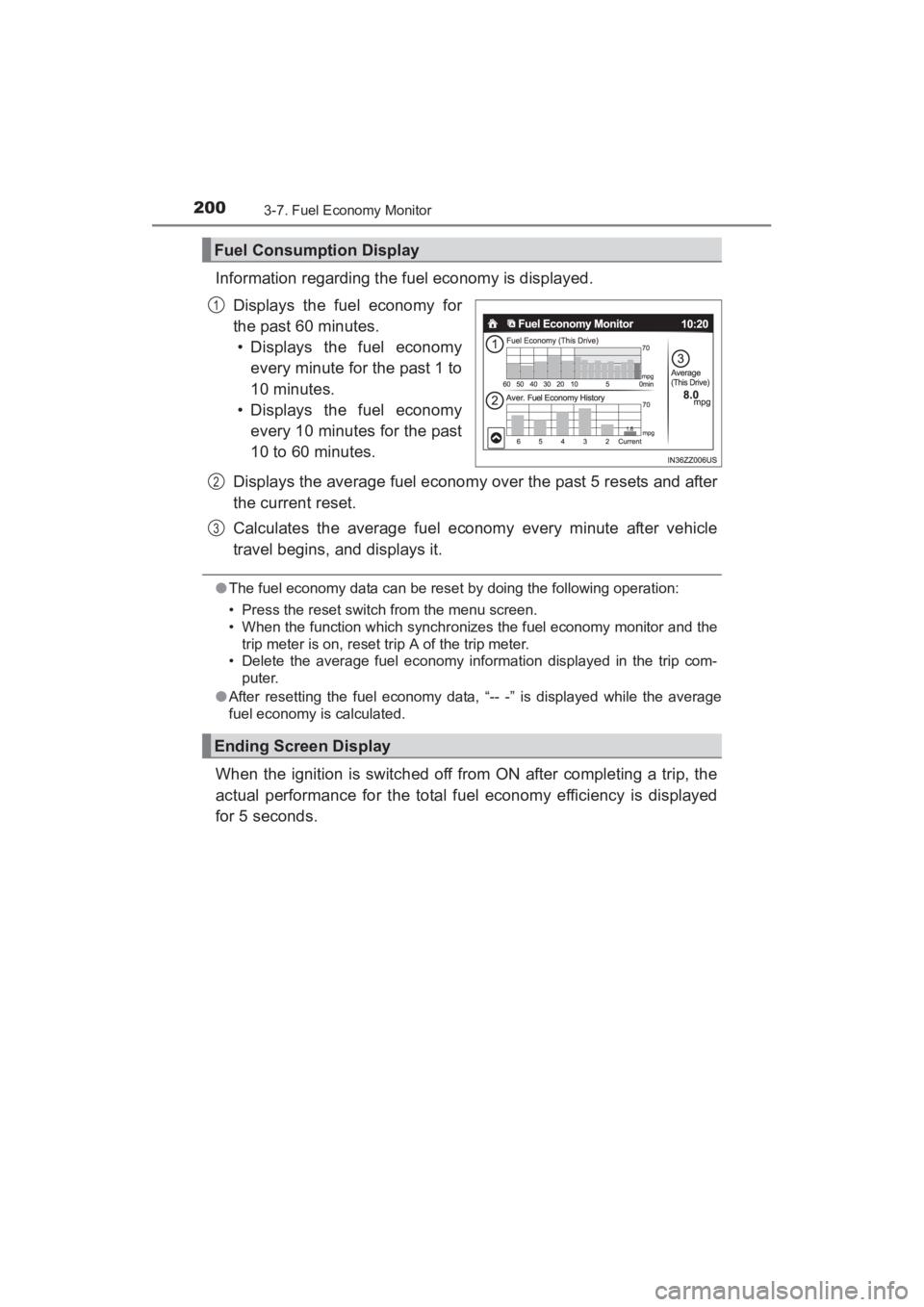
Information regarding the fuel economy is displayed.Displays the fuel economy for
the past 60 minutes.• Displays the fuel economy every minute for the past 1 to
10 minutes.
• Displays the fuel economy
every 10 minutes for the past
10 to 60 minutes.
Displays the average fuel economy over the past 5 resets and after
the current reset.
Calculates the average fuel economy every minute after vehicle
travel begins, and displays it.
● The fuel economy data can be reset by doing the following operation:
• Press the reset switch from the menu screen.
• When the function which synchronizes the fuel economy monitor and the
trip meter is on, reset trip A of the trip meter.
• Delete the average fuel economy information displayed in the trip com-
puter.
● After resetting the fuel economy data, “-- -” is displayed while the average
fuel economy is calculated.
When the ignition is switched off from ON after completing a trip, the
actual performance for the total fuel economy efficiency is displayed
for 5 seconds.
Fuel Consumption Display
1
Ending Screen Display
2
3
YARIS_SEDAN_OM_OM99M18z_(U).book Page 200 Monday, June 1, 2015 9:22 PM
Page 203 of 592
201
YARIS_SEDAN_OM_OM99M18z_(U)
3-8. Drive Selection
3
When Driving
Drive Selection (Automatic Transaxle)∗
●When the sport mode is selected, driving at higher engine speeds increases
and it may increase fuel consumption. Toyota recommends that you cancel
the sport mode on normal driving.
● Drive mode cannot be switched in the following conditions:
• ABS/TCS/DSC is operating
• Steering wheel is being operated abruptly
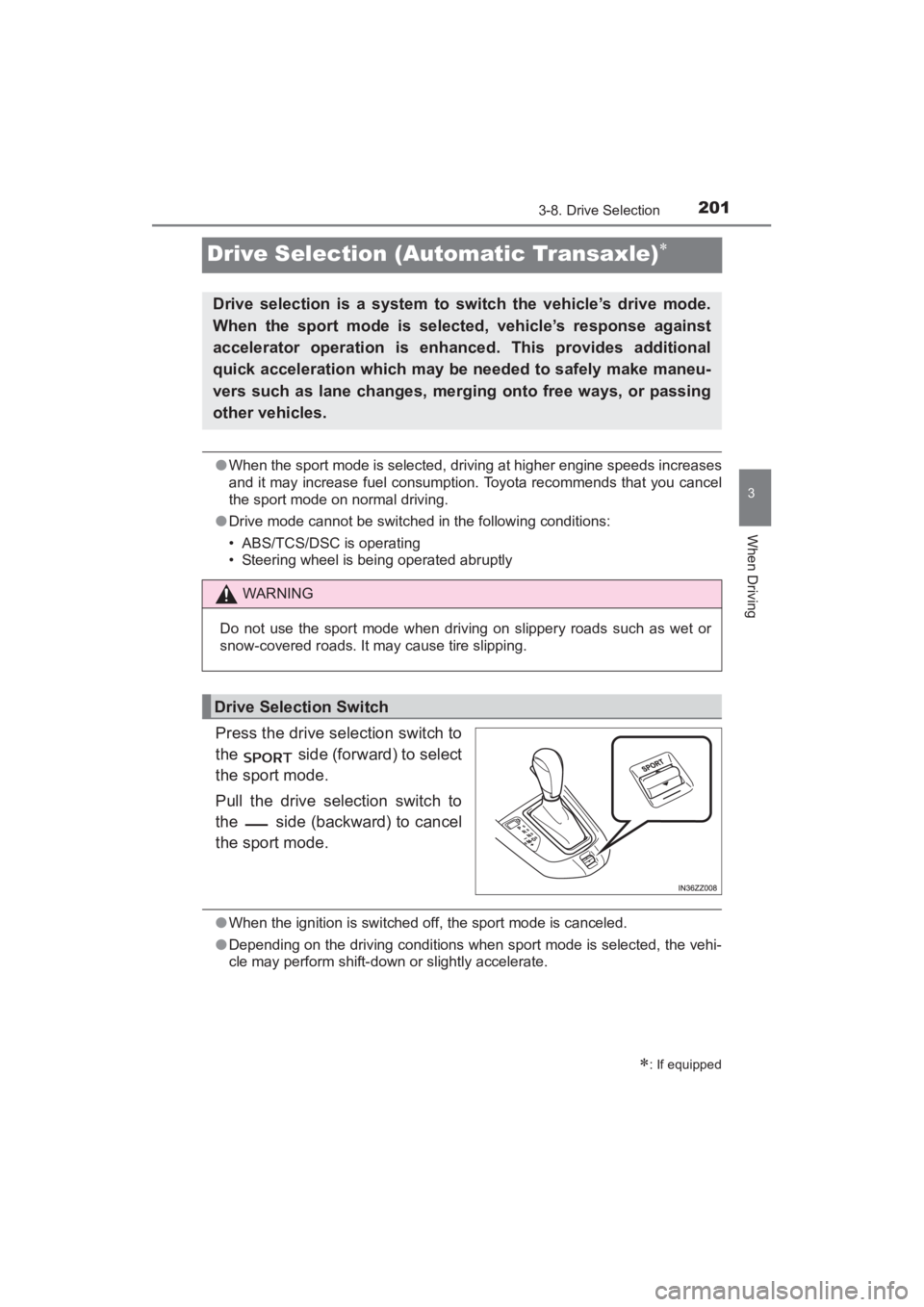
Press the drive selection switch to
the side (forward) to select
the sport mode.
Pull the drive selection switch to
the side (backward) to cancel
the sport mode.
●When the ignition is switched off, the sport mode is canceled.
● Depending on the driving conditions when sport mode is selected, the vehi-
cle may perform shift-down or slightly accelerate.
∗: If equipped
Drive selection is a system to switch the vehicle’s drive mode.
When the sport mode is selected, vehicle’s response against
accelerator operation is enhanced. This provides additional
quick acceleration which may be needed to safely make maneu-
vers such as lane changes, merging onto free ways, or passing
other vehicles.
WARNING
Do not use the sport mode when driving on slippery roads such as wet or
snow-covered roads. It may cause tire slipping.
Drive Selection Switch
YARIS_SEDAN_OM_OM99M18z_(U).book Page 201 Monday, June 1, 2015 9:22 PM
Page 216 of 592
214
YARIS_SEDAN_OM_OM99M18z_(U)
3-11. Cruise Control
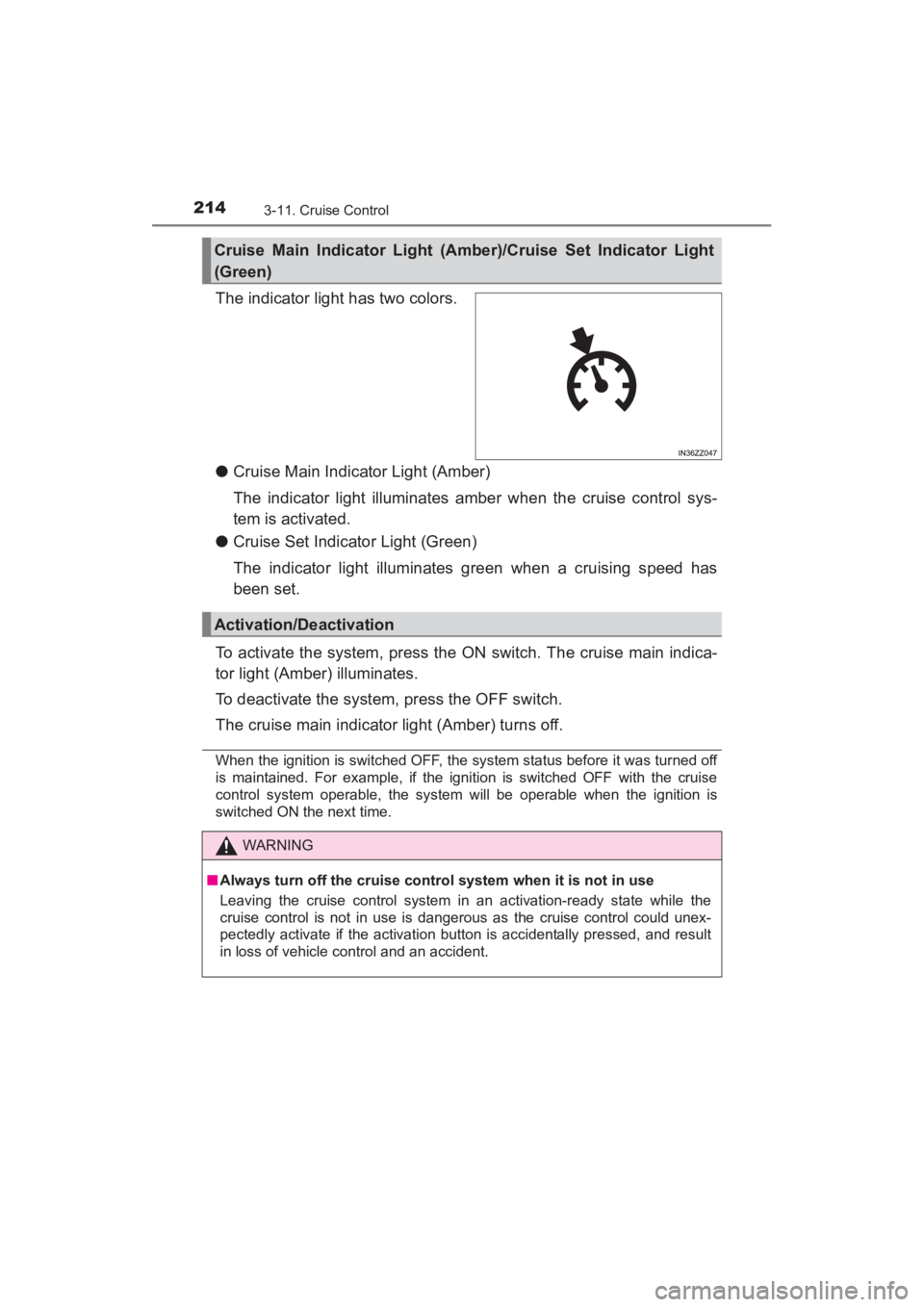
The indicator light has two colors.
●Cruise Main Indicator Light (Amber)
The indicator light illuminates amber when the cruise control sys-
tem is activated.
● Cruise Set Indicator Light (Green)
The indicator light illuminates green when a cruising speed has
been set.
To activate the system, press the ON switch. The cruise main indica-
tor light (Amber) illuminates.
To deactivate the system, press the OFF switch.
The cruise main indicator light (Amber) turns off.
When the ignition is switched OFF, the system status before it was turned off
is maintained. For example, if the ignition is switched OFF with the cruise
control system operable, the system will be operable when the ignition is
switched ON the next time.
Cruise Main Indicator Light (Amber)/Cruise Set Indicator Light
(Green)
Activation/Deactivation
WARNING
■ Always turn off the cruise control system when it is not in use
Leaving the cruise control system in an activation-ready state while the
cruise control is not in use is dangerous as the cruise control could unex-
pectedly activate if the activation button is accidentally pressed, and result
in loss of vehicle control and an accident.
YARIS_SEDAN_OM_OM99M18z_(U).book Page 214 Monday, June 1, 2015 9:22 PM
Page 223 of 592
YARIS_SEDAN_OM_OM99M18z_(U)
2213-12. Tire Pressure Monitoring System
3
When Driving
In the following cases, system initialization must be performed so that
the system operates normally.
●A tire pressure is adjusted.
● Tire rotation is performed.
● A tire or wheel is replaced.
● The battery is replaced or completely drained.
● The tire pressure monitoring system warning light is illuminated.
■Initialization method
Park the car in a safe place and firmly apply the parking brake.
Let the tires cool, then adjust the tire pressure of all four (4) tires
to the specified pressure indicated on the tire pressure label
located on the door jamb of the driver’s door (door open).
Refer to Tires on P. 570.
Switch the ignition ON.
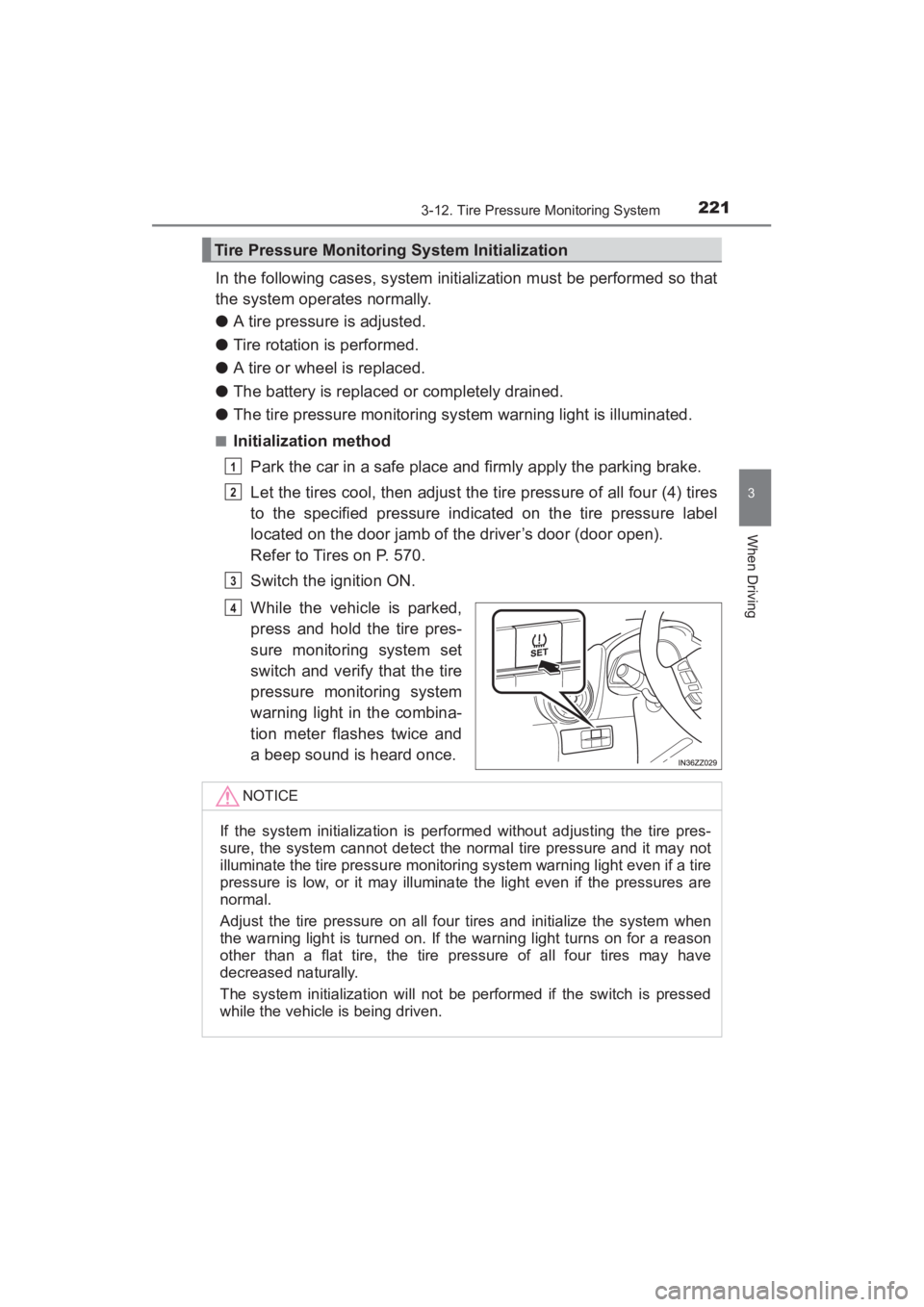
While the vehicle is parked,
press and hold the tire pres-
sure monitoring system set
switch and verify that the tire
pressure monitoring system
warning light in the combina-
tion meter flashes twice and
a beep sound is heard once.
Tire Pressure Monitoring System Initialization
1
2
3
4
NOTICE
If the system initialization is performed without adjusting the tire pres-
sure, the system cannot detect the normal tire pressure and it may not
illuminate the tire pressure monitoring system warning light even if a tire
pressure is low, or it may illuminate the light even if the pressures are
normal.
Adjust the tire pressure on all four tires and initialize the system when
the warning light is turned on. If the warning light turns on for a reason
other than a flat tire, the tire pressure of all four tires may have
decreased naturally.
The system initialization will not be performed if the switch is pressed
while the vehicle is being driven.
YARIS_SEDAN_OM_OM99M18z_(U).book Page 221 Monday, June 1, 2015 9:22 PM
Page 225 of 592
YARIS_SEDAN_OM_OM99M18z_(U)
2233-13. Rear View Monitor
3
When Driving
Shift the shift lever to R with the ignition switched ON to switch the dis-
play to the rear view monitor display.
When the shift lever is shifted from R to another shift lever position, the
screen returns to the previous display.NOTICE
●
Do not apply excessive force to the camera. The camera position and
angle may deviate.
● Do not disassemble, modify, or remove it as it may no longer be water-
proof.
● The camera cover is made of plastic. Do not apply degreasing agents,
organic solvents, wax, or glass coating agents to the camera cover. If any
are spilled on the cover, wipe off with a soft cloth immediately.
● Do not rub the cover excessively, or polish it using an abrasive compound
or a hard brush. The cover may be damaged affecting the image.
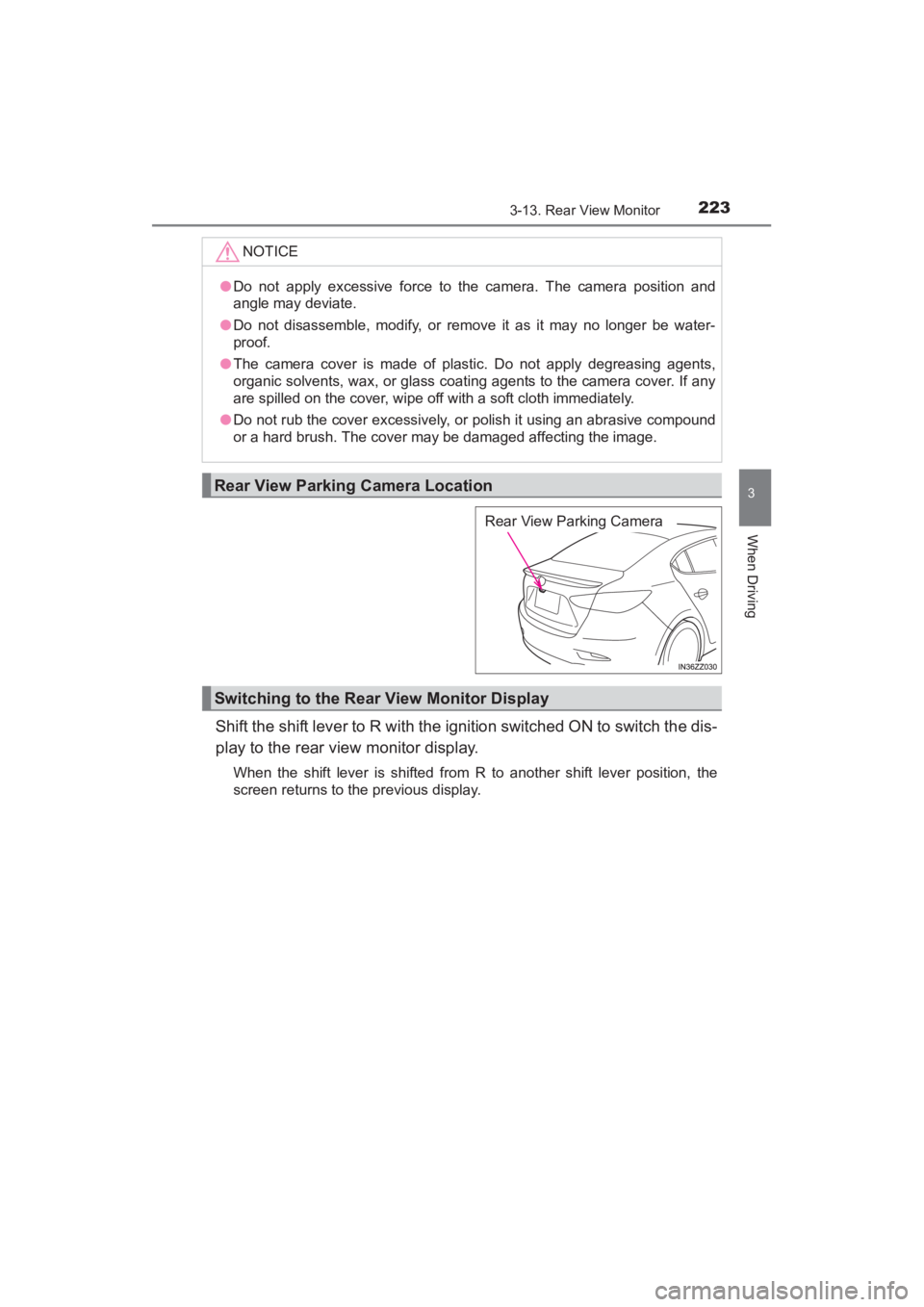
Rear View Parking Camera Location
Rear View Parking Camera
Switching to the Rear View Monitor Display
YARIS_SEDAN_OM_OM99M18z_(U).book Page 223 Monday, June 1, 2015 9:22 PM