AUX TOYOTA YARIS 2016 Owners Manual
[x] Cancel search | Manufacturer: TOYOTA, Model Year: 2016, Model line: YARIS, Model: TOYOTA YARIS 2016Pages: 592, PDF Size: 10.44 MB
Page 6 of 592
TABLE OF CONTENTS4
YARIS_SEDAN_OM_OM99M18z_(U)3-6. ABS/TCS/DSC
Antilock Brake System (ABS) .............................. 193
Traction Control System (TCS) .............................. 194
Dynamic Stability Control (DSC) .............................. 196
3-7. Fuel Economy Monitor Fuel Economy Monitor ...... 199
3-8. Drive Selection Drive Selection (Automatic Transaxle) ..... 201
3-9. Power Steering Power Steering.................. 203
3-10. Active Safety System Active Safety System ........ 204
Smart City Brake Support (SCBS) ............................ 205
Laser Sensor ..................... 211
3-11. Cruise Control Cruise Control ................... 213
3-12. Tire Pressure Monitoring System
Tire Pressure Monitoring System ............................ 218
3-13. Rear View Monitor Rear View Monitor............. 222 4-1. Climate Control System
Operating Tips ................... 234
Vent Operation .................. 235
Manual Type ...................... 237
4-2. Audio System Antenna ............................. 244
Operating Tips for Audio System ............................ 245
Audio Set (Type A) ............ 259
Audio Set (Type B) ............ 275
Audio Control Switch Operation......................... 299
AUX/USB/iPod mode......... 302
4-3. Bluetooth
®
Bluetooth®......................... 324
Bluetooth® Hands-Free
(Type A)........................... 360
Bluetooth
® Hands-Free
(Type B)........................... 371
Bluetooth
® Audio
(Type A)........................... 384
Bluetooth
® Audio
(Type B)........................... 388
Troubleshooting ................. 401
4-4. Interior Equipment Sunvisors ........................... 406
Interior Lights ..................... 407
Accessory Sockets ............ 410
Cup Holder ........................ 411
Bottle Holder ...................... 412
Storage Compartments ..... 413
4Interior Features
YARIS_SEDAN_OM_OM99M18z_(U).book Page 4 Monday, June 1, 2015 9:22 PM
Page 88 of 592
86
YARIS_SEDAN_OM_OM99M18z_(U)
2-1. Keys
Keys
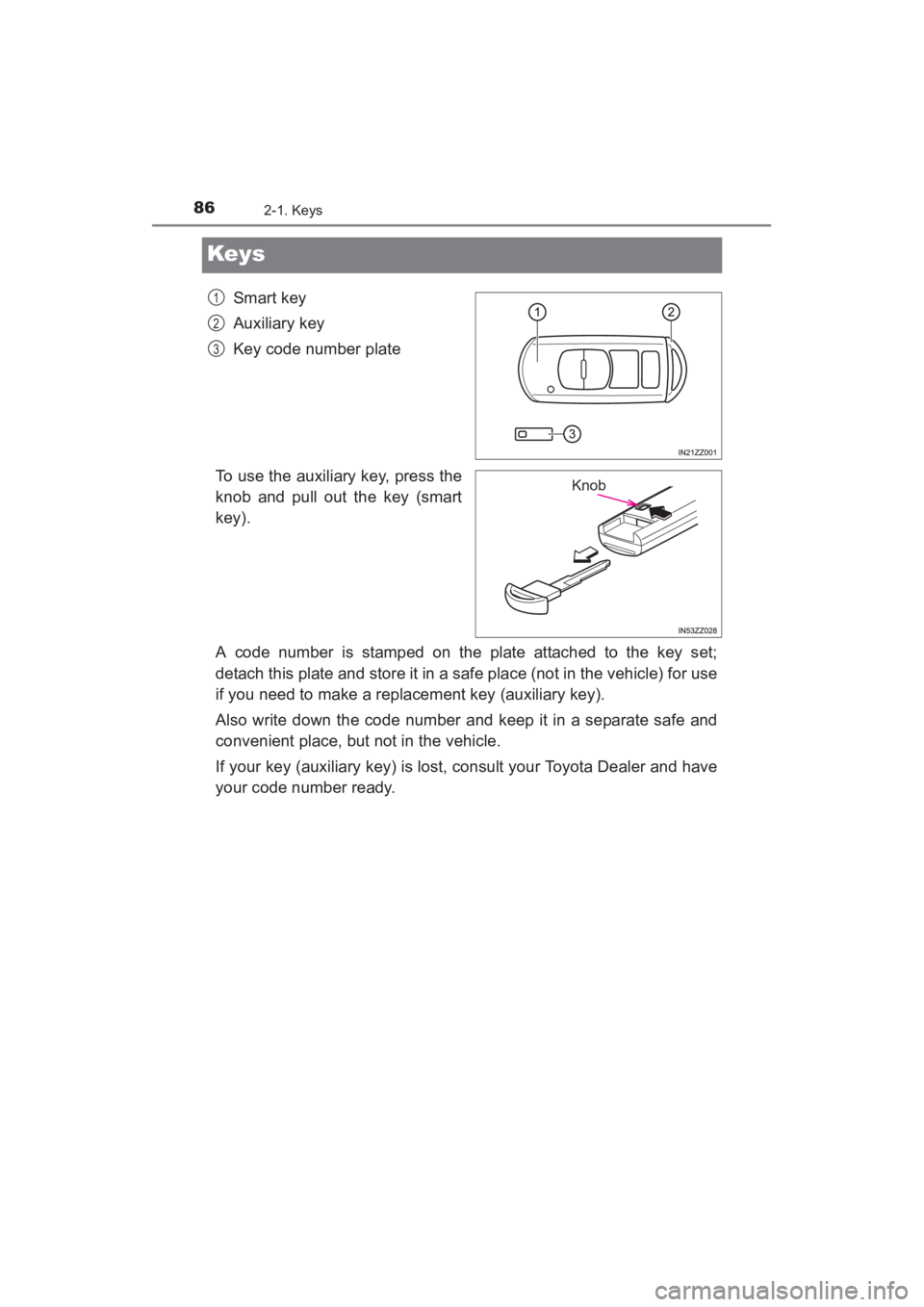
Smart key
Auxiliary key
Key code number plate
To use the auxiliary key, press the
knob and pull out the key (smart
key).
A code number is stamped on the plate attached to the key set;
detach this plate and store it in a safe place (not in the vehicle) for use
if you need to make a replacement key (auxiliary key).
Also write down the code number and keep it in a separate safe and
convenient place, but not in the vehicle.
If your key (auxiliary key) is lost, consult your Toyota Dealer and have
your code number ready.1
2
3
Knob
YARIS_SEDAN_OM_OM99M18z_(U).book Page 86 Monday, June 1, 2015 9:22 PM
Page 126 of 592
124
YARIS_SEDAN_OM_OM99M18z_(U)
2-7. Security System
Close the windows securely.
Switch the ignition OFF.
Make sure the hood, the doors, and the trunk lid are closed.
Press the lock button on the smart key or lock the driver’s door from
the outside with the auxiliary key.
The hazard warning lights will flash once.
The following method will also arm the theft deterrent system:
Press the door-lock switch “ ” while any door is open and then
close all of the doors.
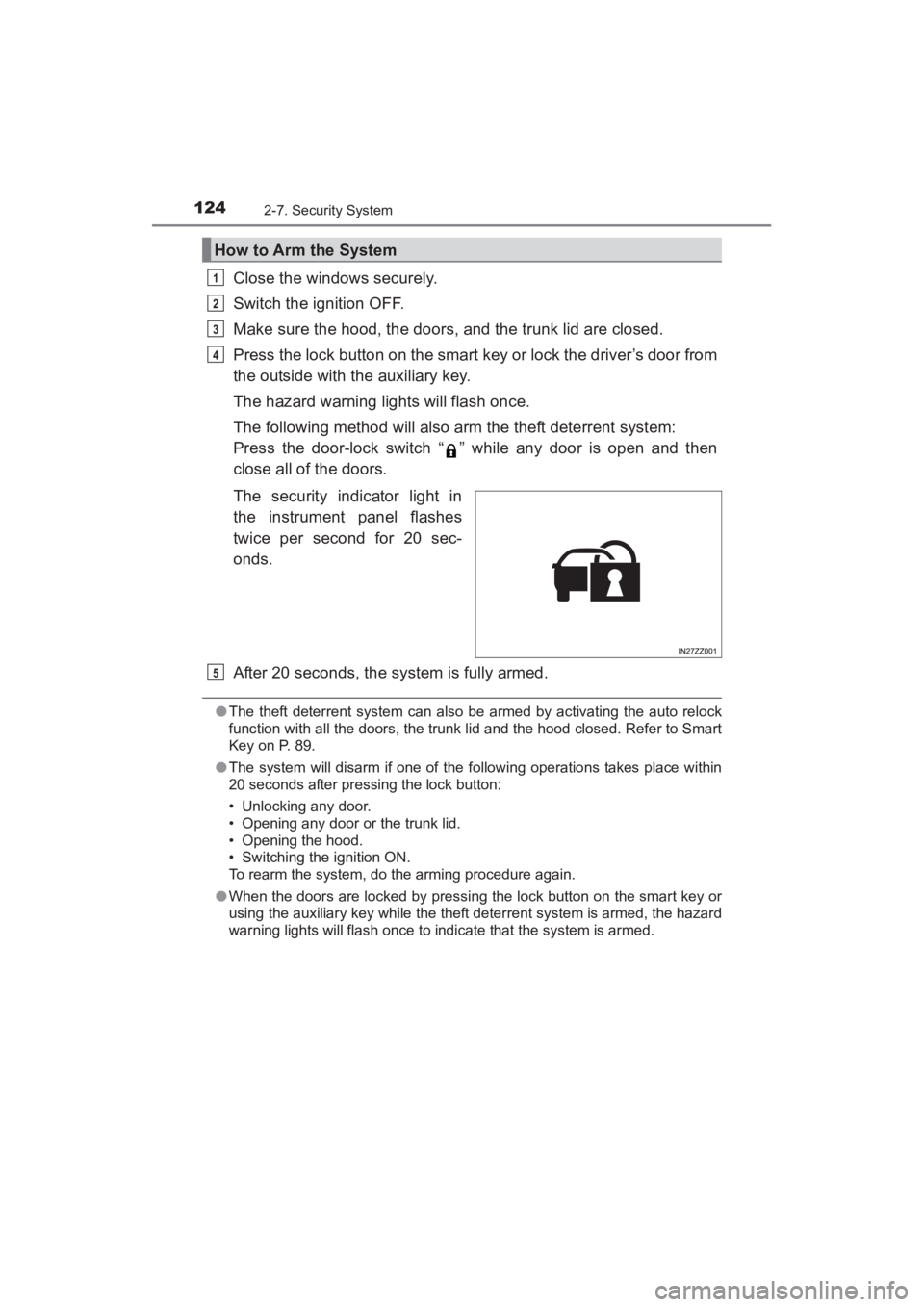
The security indicator light in
the instrument panel flashes
twice per second for 20 sec-
onds.
After 20 seconds, the system is fully armed.
●The theft deterrent system can also be armed by activating the auto relock
function with all the doors, the trunk lid and the hood closed. Refer to Smart
Key on P. 89.
● The system will disarm if one of the following operations takes place within
20 seconds after pressing the lock button:
• Unlocking any door.
• Opening any door or the trunk lid.
• Opening the hood.
• Switching the ignition ON.
To rearm the system, do the arming procedure again.
● When the doors are locked by pressing the lock button on the smart key or
using the auxiliary key while the theft deterrent system is armed, the hazard
warning lights will flash once to indicate that the system is armed.
How to Arm the System
1
2
3
4
5
YARIS_SEDAN_OM_OM99M18z_(U).book Page 124 Monday, June 1, 2015 9:22 PM
Page 194 of 592
192
YARIS_SEDAN_OM_OM99M18z_(U)
3-5. Brake
WARNING
■Do not rely completely on Hill Launch Assist (HLA)
Hill Launch Assist (HLA) is an auxiliary device for accelerating from a stop
on a slope. The system only operates for about two seconds and therefore,
relying only on the system, when accelerating from a stop is dangerous
because the vehicle may move (roll) unexpectedly and cause an accident.
The vehicle could roll depending on the vehicle’s load or if it is towing some-
thing. In addition, for vehicles with a manual transaxle, the vehicle could still
roll depending on how the clutch pedal or the accelerator pedal is operated.
Always confirm the safety around the v ehicle before starting to drive the
vehicle.
YARIS_SEDAN_OM_OM99M18z_(U).book Page 192 Monday, June 1, 2015 9:22 PM
Page 235 of 592
233
YARIS_SEDAN_OM_OM99M18z_(U)
4Interior Features
4-1. Climate Control SystemOperating Tips .................. 234
Vent Operation .................. 235
Manual Type ..................... 237
4-2. Audio System Antenna............................. 244
Operating Tips for Audio System ............................ 245
Audio Set (Type A)............ 259
Audio Set (Type B)............ 275
Audio Control Switch Operation ........................ 299
AUX/USB/iPod mode ........ 302
4-3. Bluetooth
®
Bluetooth®......................... 324
Bluetooth® Hands-Free
(Type A) .......................... 360
Bluetooth
® Hands-Free
(Type B) .......................... 371
Bluetooth
® Audio
(Type A) .......................... 384
Bluetooth
® Audio
(Type B) .......................... 388
Troubleshooting ................ 401
4-4. Interior Equipment Sunvisors .......................... 406
Interior Lights .................... 407
Accessory Sockets............ 410
Cup Holder ........................ 411
Bottle Holder ..................... 412
Storage Compartments ..... 413
YARIS_SEDAN_OM_OM99M18z_(U).book Page 233 Monday, June 1, 2015 9:22 PM
Page 261 of 592
259
YARIS_SEDAN_OM_OM99M18z_(U)
4-2. Audio System
4
Interior Features
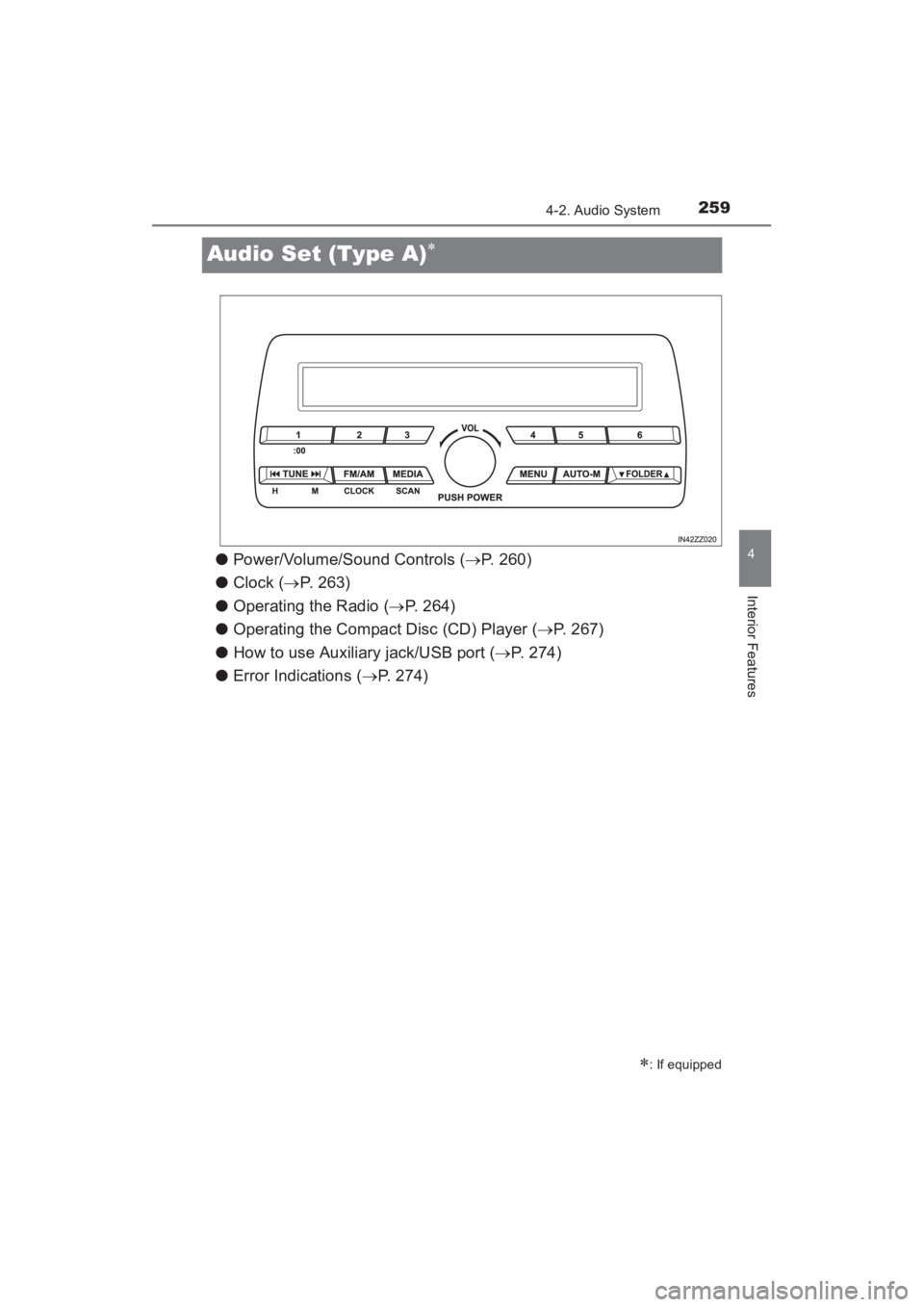
Audio Set (Type A)∗
●Power/Volume/Sound Controls ( →P. 260)
● Clock ( →P. 263)
● Operating the Radio ( →P. 264)
● Operating the Compact Disc (CD) Player ( →P. 267)
● How to use Auxiliary jack/USB port ( →P. 274)
● Error Indications ( →P. 274)
∗: If equipped
YARIS_SEDAN_OM_OM99M18z_(U).book Page 259 Monday, June 1, 2015 9:22 PM
Page 276 of 592
274
YARIS_SEDAN_OM_OM99M18z_(U)
4-2. Audio System
Audio can be heard from the vehicle’s speakers by connecting a com-
mercially- available portable audio unit to the auxiliary jack.
Use a commercially-available, non- impedance (3.5∅) stereo mini
plug cable. Contact your Toyota dealer for details.
In addition, audio can be played from the vehicle audio device by con-
necting a USB device or an iPod to the USB port.
Refer to AUX/USB/iPod mode on P. 302.
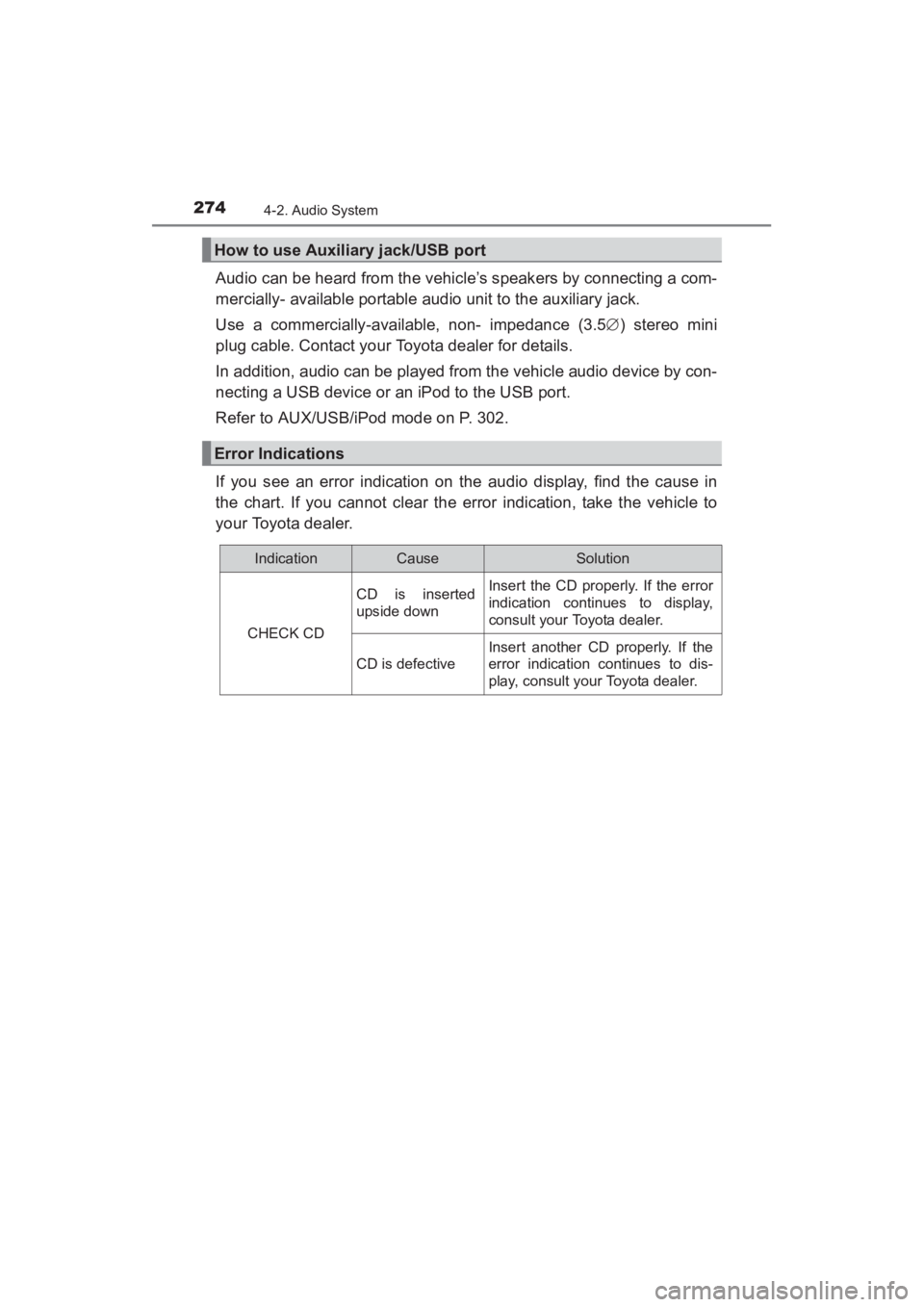
If you see an error indication on the audio display, find the cause in
the chart. If you cannot clear the error indication, take the vehicle to
your Toyota dealer.
How to use Auxiliary jack/USB port
Error Indications
IndicationCauseSolution
CHECK CD
CD is inserted
upside downInsert the CD properly. If the error
indication continues to display,
consult your Toyota dealer.
CD is defective
Insert another CD properly. If the
error indication continues to dis-
play, consult your Toyota dealer.
YARIS_SEDAN_OM_OM99M18z_(U).book Page 274 Monday, June 1, 2015 9:22 PM
Page 297 of 592
YARIS_SEDAN_OM_OM99M18z_(U)
2954-2. Audio System
4
Interior Features
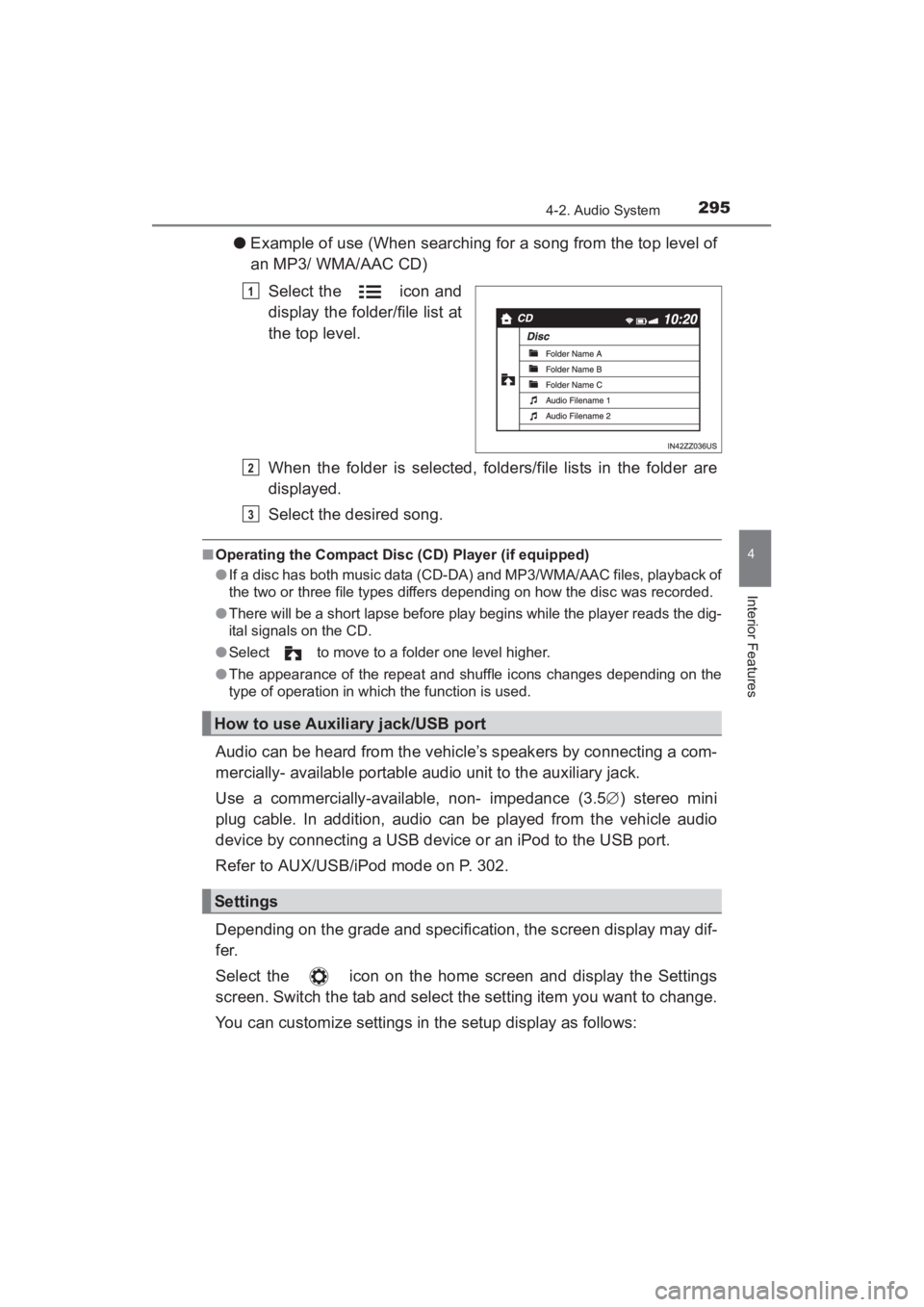
●Example of use (When searching for a song from the top level of
an MP3/ WMA/AAC CD)
Select the icon and
display the folder/file list at
the top level.
When the folder is selected, folders/file lists in the folder are
displayed.
Select the desired song.
■Operating the Compact Disc (CD) Player (if equipped)
●If a disc has both music data (CD-DA) and MP3/WMA/AAC files, playback of
the two or three file types differs depending on how the disc was recorded.
● There will be a short lapse before play begins while the player reads the dig-
ital signals on the CD.
● Select to move to a folder one level higher.
● The appearance of the repeat and shuffle icons changes depending on the
type of operation in which the function is used.
Audio can be heard from the vehicle’s speakers by connecting a com-
mercially- available portable audio unit to the auxiliary jack.
Use a commercially-available, non- impedance (3.5 ∅) stereo mini
plug cable. In addition, audio can be played from the vehicle audio
device by connecting a USB device or an iPod to the USB port.
Refer to AUX/USB/iPod mode on P. 302.
Depending on the grade and specification, the screen display may dif-
fer.
Select the icon on the home screen and display the Settings
screen. Switch the tab and select the setting item you want to change.
You can customize settings in the setup display as follows:
1
How to use Auxiliary jack/USB port
Settings
2
3
YARIS_SEDAN_OM_OM99M18z_(U).book Page 295 Monday, June 1, 2015 9:22 PM
Page 304 of 592
302
YARIS_SEDAN_OM_OM99M18z_(U)
4-2. Audio System
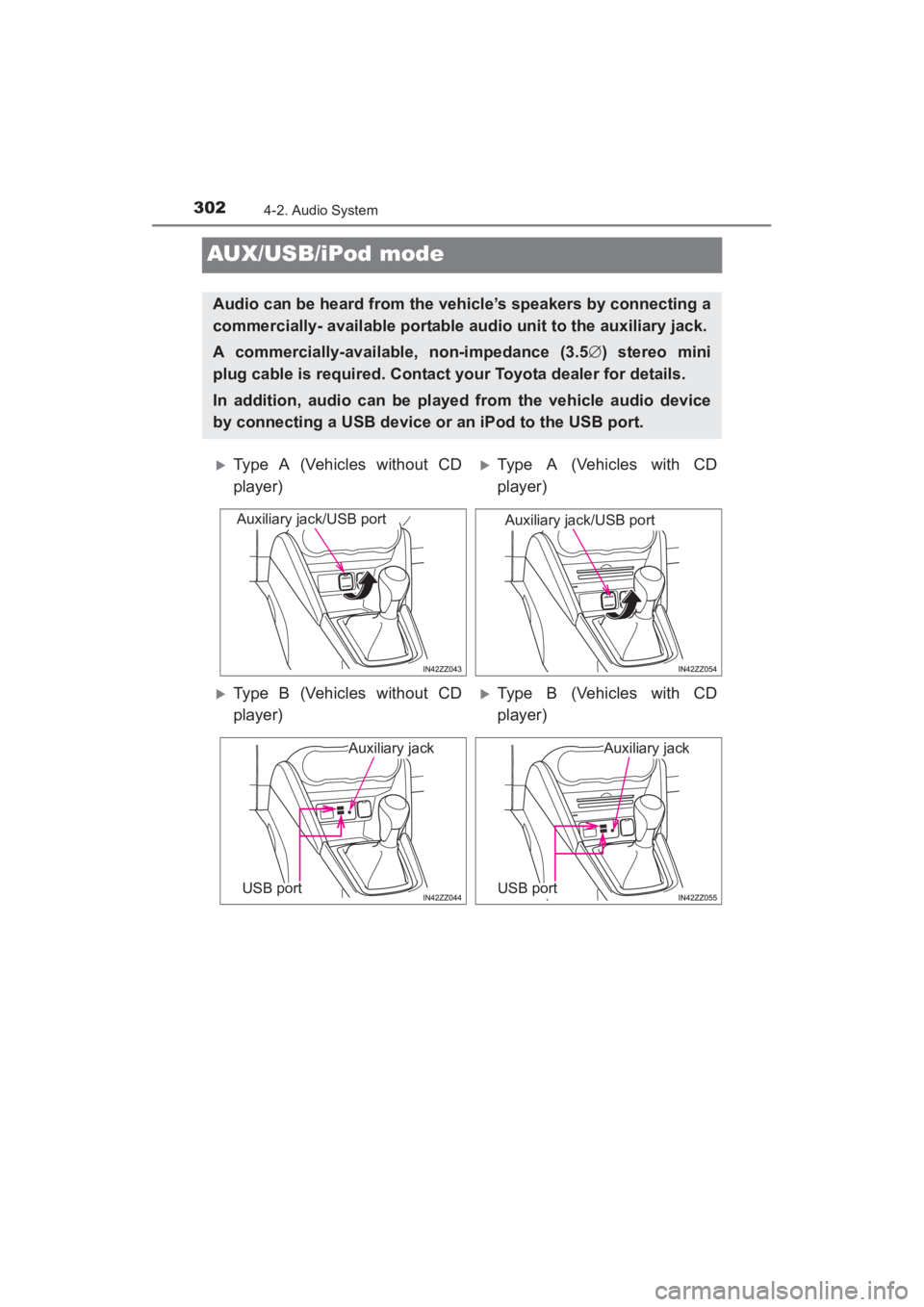
AUX/USB/iPod mode
Audio can be heard from the vehicle’s speakers by connecting a
commercially- available portable audio unit to the auxiliary jack.
A commercially-available, non-impedance (3.5∅) stereo mini
plug cable is required. Contact your Toyota dealer for details.
In addition, audio can be played from the vehicle audio device
by connecting a USB device or an iPod to the USB port.
XType A (Vehicles without CD
player)XType A (Vehicles with CD
player)
XType B (Vehicles without CD
player)XType B (Vehicles with CD
player)
Auxiliary jack/USB portAuxiliary jack/USB port
Auxiliary jack
USB port
Auxiliary jack
USB port
YARIS_SEDAN_OM_OM99M18z_(U).book Page 302 Monday, June 1, 2015 9:22 PM
Page 305 of 592
YARIS_SEDAN_OM_OM99M18z_(U)
3034-2. Audio System
4
Interior Features
How to use AUX mode (Type A) (→P. 305)
How to use USB mode (Type A) ( →P. 306)
How to use iPod mode (Type A) ( →P. 3 1 1 )
How to use AUX mode (Type B) ( →P. 316)
How to use USB mode (Type B) ( →P. 316)
■AUX/USB/iPod mode
●Type B only:
The SD card slot is for the navigation system. For vehicles with the naviga-
tion system, the SD card (Toyota genuine) with stored map data is inserted
into the SD card slot and used.
● This mode may not be usable depending on the portable audio device to be
connected.
● Before using the auxiliary jack/USB port, refer to the instruction manual for
the portable audio device.
● Use a commercially-available, non- impedance (3.5 ∅) stereo mini plug for
connecting the portable audio unit to the auxiliary jack. Before using the
auxiliary jack, read the manufacturer’s instructions for connecting a portable
audio unit to the auxiliary jack.
● To prevent discharging of the battery, do not use the auxiliary input for long
periods with the engine off or idling.
● When connecting a device to the auxiliary jack or USB port, noise may
occur depending on the connected device. If the device is connected to the
vehicle’s accessory socket, the noise can be reduced by unplugging it from
the accessory socket.
WARNING
■Do not adjust the portable audio unit or a similar product while driving
the vehicle
Adjusting the portable audio unit or a similar product while driving the vehi-
cle is dangerous as it could distract your attention from the vehicle opera-
tion which could lead to a serious accident. Always adjust the portable
audio unit or a similar product while the vehicle is stopped.
NOTICE
●Always close the auxiliary jack/USB port lid when it is not in use. If foreign
matter or liquid penetrates the auxiliary jack/ USB port, it may cause a
malfunction.
● Depending on the portable audio device, noise may occur when the device
is connected to the vehicle accessory socket. (If noise occurs, do not use
the accessory socket.)
1
2
3
4
5
YARIS_SEDAN_OM_OM99M18z_(U).book Page 303 Monday, June 1, 2015 9:22 PM