ad blue TOYOTA YARIS 2016 Owners Manual
[x] Cancel search | Manufacturer: TOYOTA, Model Year: 2016, Model line: YARIS, Model: TOYOTA YARIS 2016Pages: 592, PDF Size: 10.44 MB
Page 6 of 592
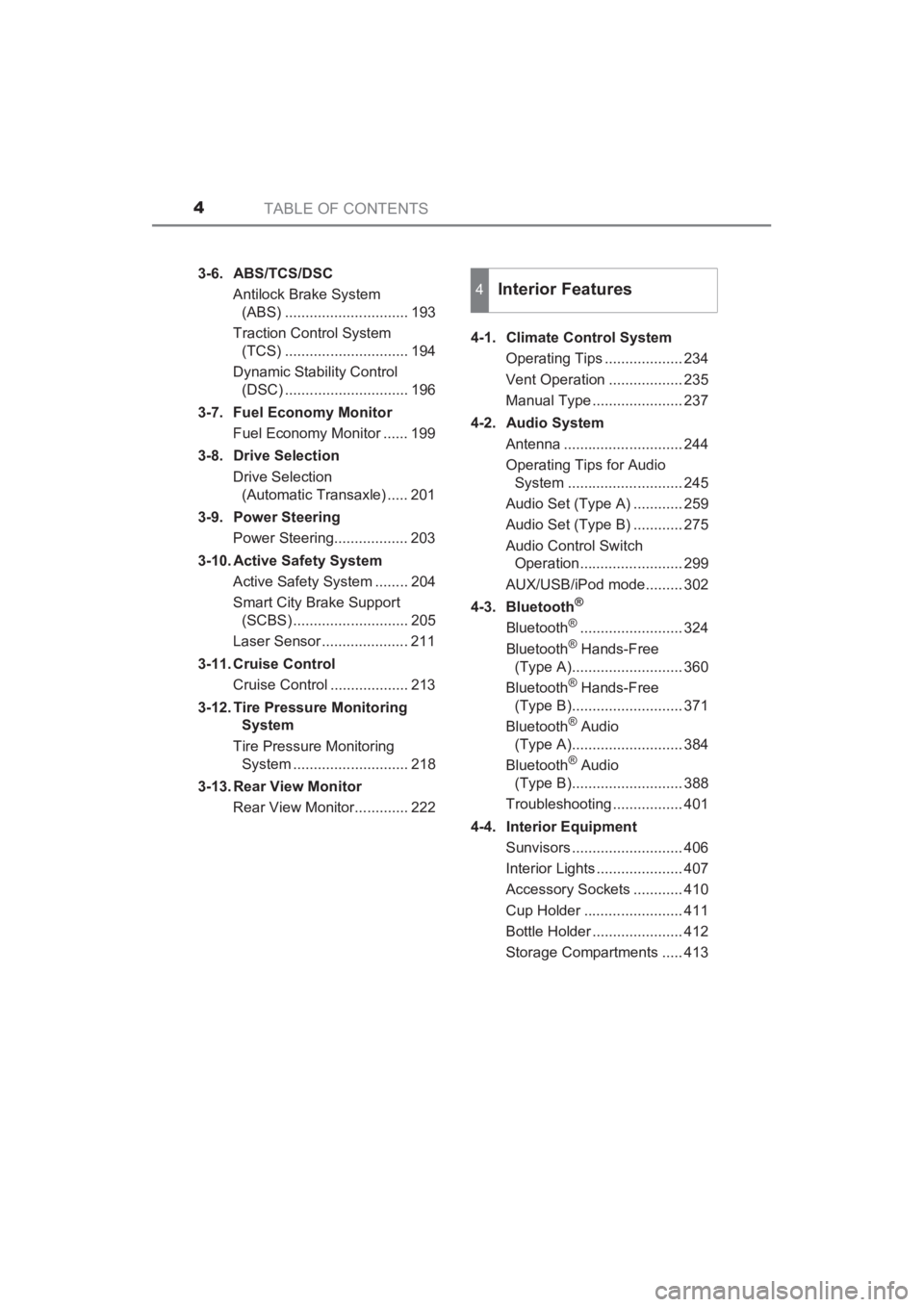
TABLE OF CONTENTS4
YARIS_SEDAN_OM_OM99M18z_(U)3-6. ABS/TCS/DSC
Antilock Brake System (ABS) .............................. 193
Traction Control System (TCS) .............................. 194
Dynamic Stability Control (DSC) .............................. 196
3-7. Fuel Economy Monitor Fuel Economy Monitor ...... 199
3-8. Drive Selection Drive Selection (Automatic Transaxle) ..... 201
3-9. Power Steering Power Steering.................. 203
3-10. Active Safety System Active Safety System ........ 204
Smart City Brake Support (SCBS) ............................ 205
Laser Sensor ..................... 211
3-11. Cruise Control Cruise Control ................... 213
3-12. Tire Pressure Monitoring System
Tire Pressure Monitoring System ............................ 218
3-13. Rear View Monitor Rear View Monitor............. 222 4-1. Climate Control System
Operating Tips ................... 234
Vent Operation .................. 235
Manual Type ...................... 237
4-2. Audio System Antenna ............................. 244
Operating Tips for Audio System ............................ 245
Audio Set (Type A) ............ 259
Audio Set (Type B) ............ 275
Audio Control Switch Operation......................... 299
AUX/USB/iPod mode......... 302
4-3. Bluetooth
®
Bluetooth®......................... 324
Bluetooth® Hands-Free
(Type A)........................... 360
Bluetooth
® Hands-Free
(Type B)........................... 371
Bluetooth
® Audio
(Type A)........................... 384
Bluetooth
® Audio
(Type B)........................... 388
Troubleshooting ................. 401
4-4. Interior Equipment Sunvisors ........................... 406
Interior Lights ..................... 407
Accessory Sockets ............ 410
Cup Holder ........................ 411
Bottle Holder ...................... 412
Storage Compartments ..... 413
4Interior Features
YARIS_SEDAN_OM_OM99M18z_(U).book Page 4 Monday, June 1, 2015 9:22 PM
Page 160 of 592
158
YARIS_SEDAN_OM_OM99M18z_(U)
3-2. Combination Meter and Display
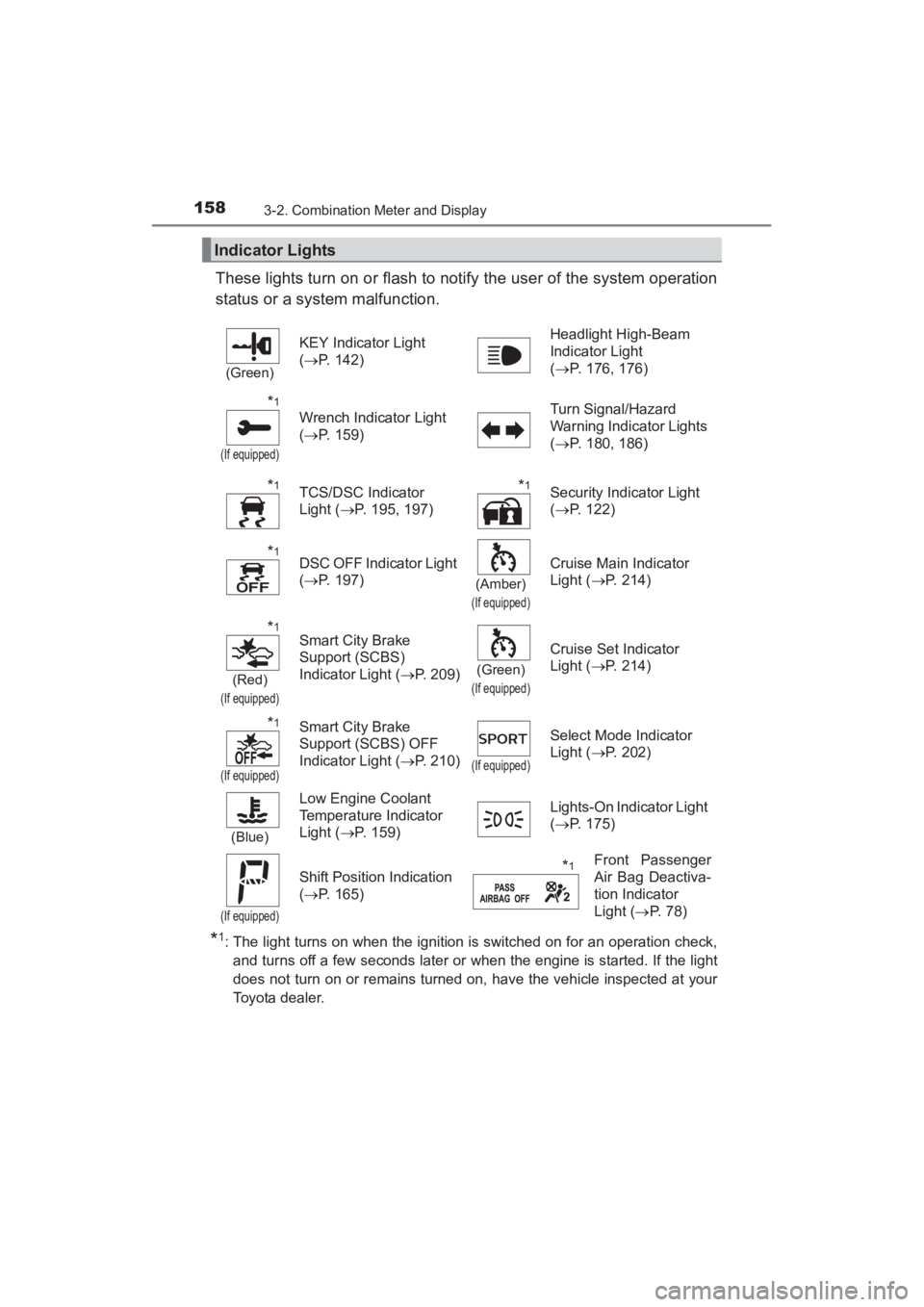
These lights turn on or flash to notify the user of the system operation
status or a system malfunction.
*1: The light turns on when the ignition is switched on for an operation check,and turns off a few seconds later or when the engine is started. If the light
does not turn on or remains turned on, have the vehicle inspected at your
Toyota dealer.
Indicator Lights
(Green)
KEY Indicator Light
(→ P. 142) Headlight High-Beam
Indicator Light
(
→ P. 176, 176)
*1
(If equipped)
Wrench Indicator Light
(→ P. 159) Turn Signal/Hazard
Warning Indicator Lights
(
→ P. 180, 186)
*1TCS/DSC Indicator
Light ( →P. 195, 197)*1Security Indicator Light
(→ P. 122)
*1DSC OFF Indicator Light
(→ P. 197)
(Amber)
(If equipped)
Cruise Main Indicator
Light ( →P. 214)
*1
(Red)
(If equipped)
Smart City Brake
Support (SCBS)
Indicator Light ( →P. 209)
(Green)
(If equipped)
Cruise Set Indicator
Light ( →P. 214)
*1
(If equipped)
Smart City Brake
Support (SCBS) OFF
Indicator Light ( →P. 210)
(If equipped)
Select Mode Indicator
Light ( →P. 202)
(Blue)
Low Engine Coolant
Temperature Indicator
Light ( →P. 159) Lights-On Indicator Light
(
→ P. 175)
(If equipped)
Shift Position Indication
(→ P. 165)*1Front Passenger
Air Bag Deactiva-
tion Indicator
Light ( →P. 78)
sec_03-02.fm Page 158 Wednesday, June 3, 2015 1:43 PM
Page 161 of 592
YARIS_SEDAN_OM_OM99M18z_(U)
1593-2. Combination Meter and Display
3
When Driving
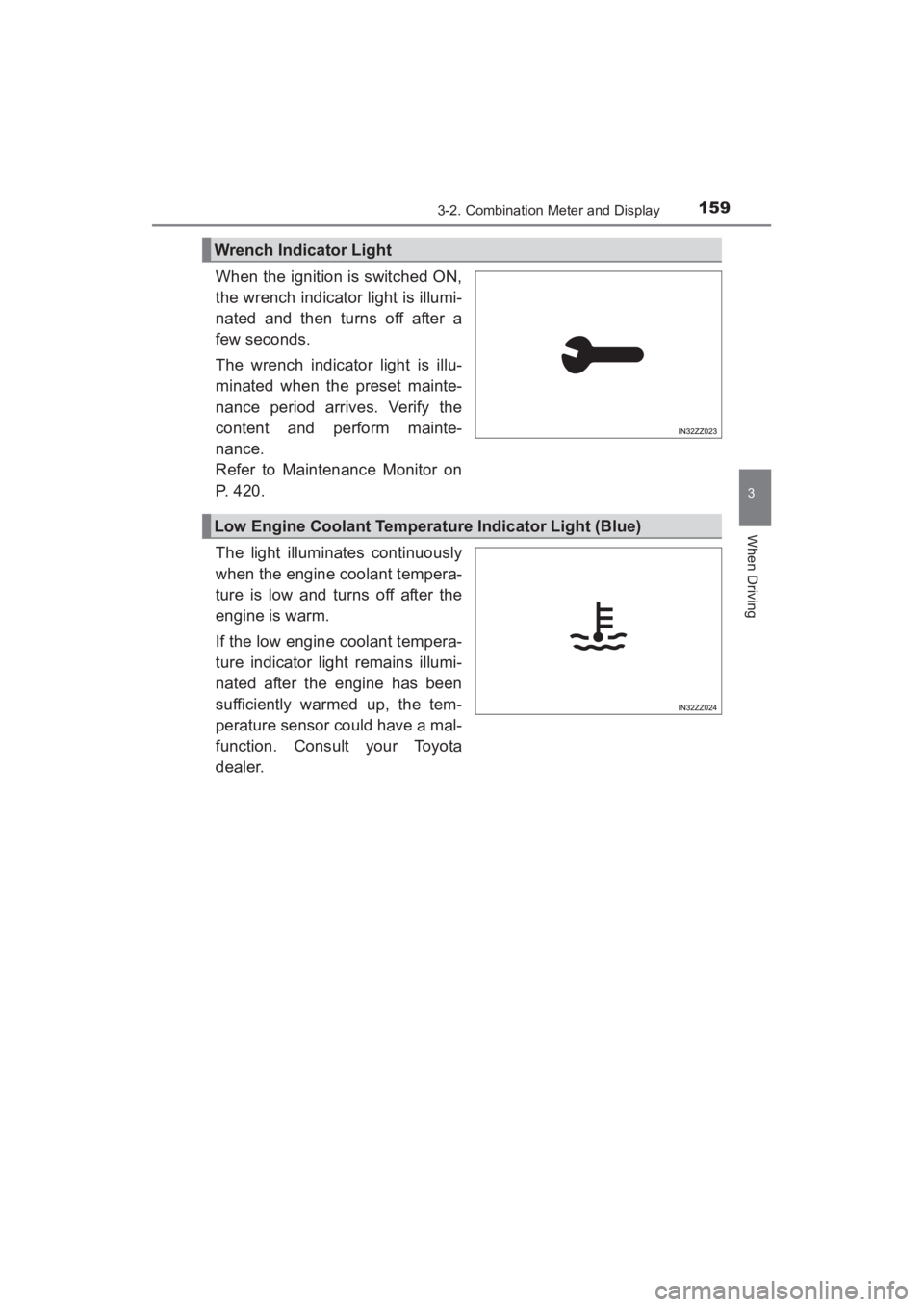
When the ignition is switched ON,
the wrench indicator light is illumi-
nated and then turns off after a
few seconds.
The wrench indicator light is illu-
minated when the preset mainte-
nance period arrives. Verify the
content and perform mainte-
nance.
Refer to Maintenance Monitor on
P. 420.
The light illuminates continuously
when the engine coolant tempera-
ture is low and turns off after the
engine is warm.
If the low engine coolant tempera-
ture indicator light remains illumi-
nated after the engine has been
sufficiently warmed up, the tem-
perature sensor could have a mal-
function. Consult your Toyota
dealer.
Wrench Indicator Light
Low Engine Coolant Temperature Indicator Light (Blue)
YARIS_SEDAN_OM_OM99M18z_(U).book Page 159 Monday, June 1, 2015 9:22 PM
Page 235 of 592
233
YARIS_SEDAN_OM_OM99M18z_(U)
4Interior Features
4-1. Climate Control SystemOperating Tips .................. 234
Vent Operation .................. 235
Manual Type ..................... 237
4-2. Audio System Antenna............................. 244
Operating Tips for Audio System ............................ 245
Audio Set (Type A)............ 259
Audio Set (Type B)............ 275
Audio Control Switch Operation ........................ 299
AUX/USB/iPod mode ........ 302
4-3. Bluetooth
®
Bluetooth®......................... 324
Bluetooth® Hands-Free
(Type A) .......................... 360
Bluetooth
® Hands-Free
(Type B) .......................... 371
Bluetooth
® Audio
(Type A) .......................... 384
Bluetooth
® Audio
(Type B) .......................... 388
Troubleshooting ................ 401
4-4. Interior Equipment Sunvisors .......................... 406
Interior Lights .................... 407
Accessory Sockets............ 410
Cup Holder ........................ 411
Bottle Holder ..................... 412
Storage Compartments ..... 413
YARIS_SEDAN_OM_OM99M18z_(U).book Page 233 Monday, June 1, 2015 9:22 PM
Page 264 of 592
262
YARIS_SEDAN_OM_OM99M18z_(U)
4-2. Audio System
●ALC (Automatic volume adjustment)
The automatic level control (ALC) changes the audio volume auto-
matically according to the vehicle speed. The faster the vehicle
speed, the higher the volume increases. ALC has ALC OFF and
ALC LEVEL 1 to 7 modes. At ALC LEVEL 7, the amount that the
volume can increase is at the maximum. Select the mode according
to the driving conditions.
● BEEP (Audio operation sound)
The setting for the operation sound when pressing and holding a
button can be changed. The initial setting is ON. Set to OFF to
mute the operation sound.
● BT SETUP mode (if equipped)
Music and other audio such as voice data recorded on portable
audio devices and mobile phones available on the market which
are equipped with the Bluetooth
® transmission function can be lis-
tened to via wireless transmission over the vehicle’s speakers.
Using the BT SETUP mode, these devices can be programmed to
the Bluetooth
® unit or changed ( →P. 327).
● 12Hr< >24Hr (12 Hr/24 Hr time adjustment)
Rotating the audio control dial switches the display between 12 and
24-hour clock time ( →P. 263).
If not operated for several seconds, the display returns to the previous dis-
play. To reset bass, treble, fade, and balance, press the menu button ( )
for 2 seconds.
The unit will beep and “CLEAR” will be displayed.
YARIS_SEDAN_OM_OM99M18z_(U).book Page 262 Monday, June 1, 2015 9:22 PM
Page 281 of 592
YARIS_SEDAN_OM_OM99M18z_(U)
2794-2. Audio System
4
Interior Features
■Return to previous screen
Touch the .
■Displaying the home screen
Touch the .
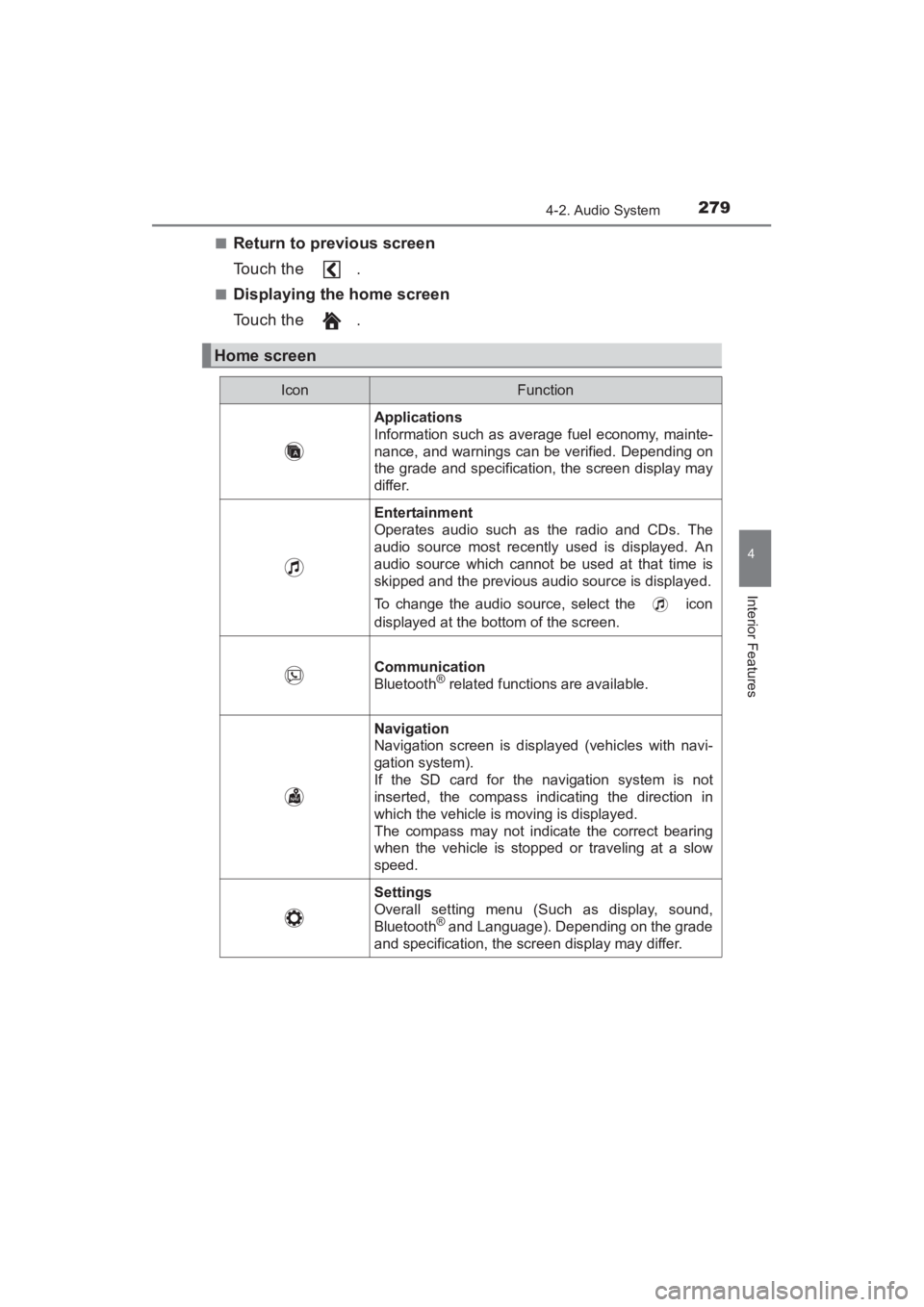
Home screen
IconFunction
Applications
Information such as average fuel economy, mainte-
nance, and warnings can be verified. Depending on
the grade and specification, the screen display may
differ.
Entertainment
Operates audio such as the radio and CDs. The
audio source most recently used is displayed. An
audio source which cannot be used at that time is
skipped and the previous audio source is displayed.
To change the audio source, select the icon
displayed at the bottom of the screen.
Communication
Bluetooth® related functions are available.
Navigation
Navigation screen is displayed (vehicles with navi-
gation system).
If the SD card for the navigation system is not
inserted, the compass indicating the direction in
which the vehicle is moving is displayed.
The compass may not indicate the correct bearing
when the vehicle is stopped or traveling at a slow
speed.
Settings
Overall setting menu (Such as display, sound,
Bluetooth
® and Language). Depending on the grade
and specification, the screen display may differ.
YARIS_SEDAN_OM_OM99M18z_(U).book Page 279 Monday, June 1, 2015 9:22 PM
Page 298 of 592
296
YARIS_SEDAN_OM_OM99M18z_(U)
4-2. Audio System
Ta bItemFunction
Display Refer to Volume/Display/Sound Controls on P. 280.
Safety
Smart City Brake Support
Blind Spot Monitoring Vol-
umeRefer to Customizable Fea-
tures on P. 572.
SoundRefer to Volume/Display/Sound Controls on P. 280.
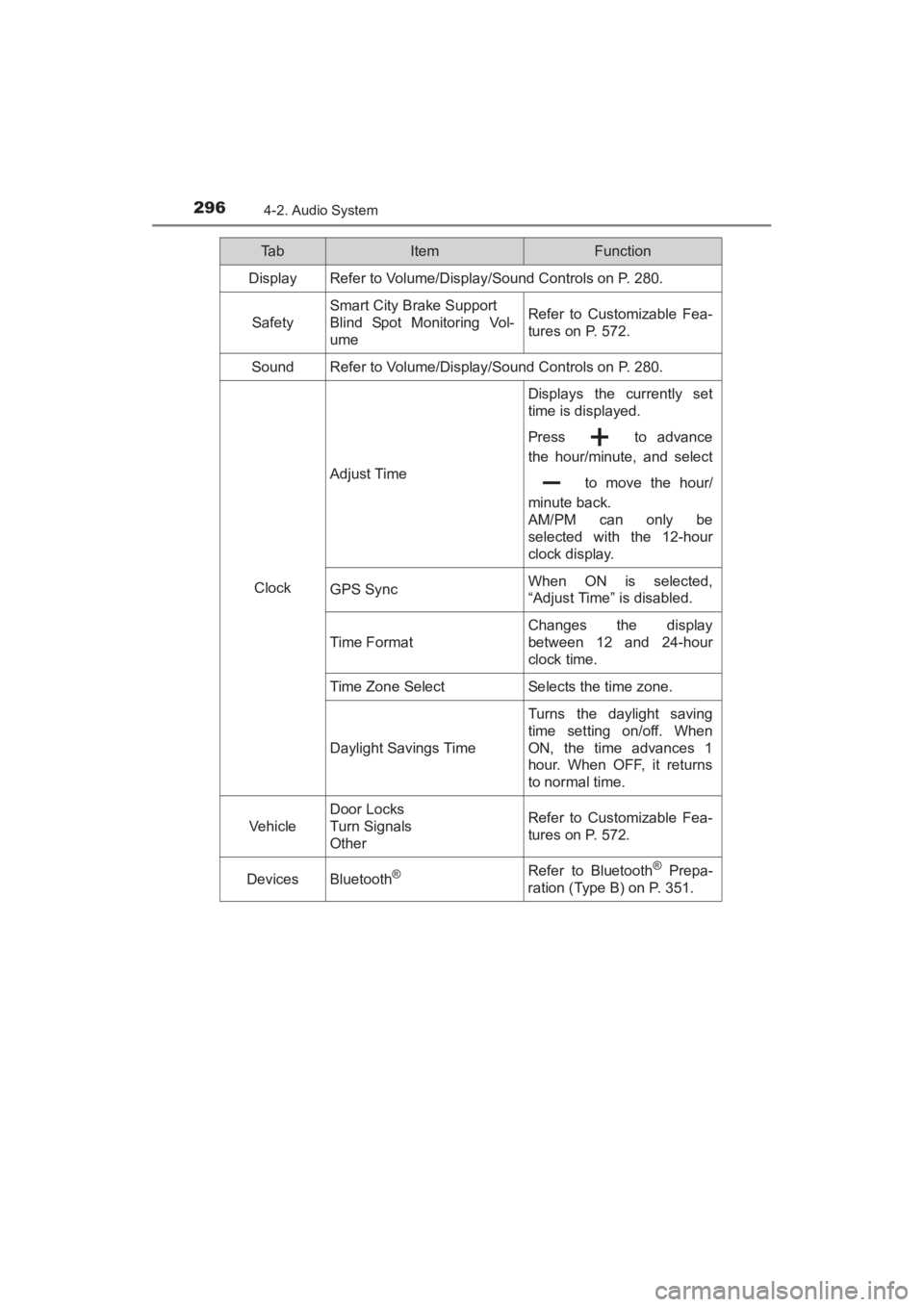
Clock
Adjust Time
Displays the currently set
time is displayed.
Press to advance
the hour/minute, and select to move the hour/
minute back.
AM/PM can only be
selected with the 12-hour
clock display.
GPS SyncWhen ON is selected,
“Adjust Time” is disabled.
Time F ormat
Changes the display
between 12 and 24-hour
clock time.
Time Zone SelectSelects the time zone.
Daylight Savings Time
Turns the daylight saving
time setting on/off. When
ON, the time advances 1
hour. When OFF, it returns
to normal time.
Vehicle
Door Locks
Turn Signals
OtherRefer to Customizable Fea-
tures on P. 572.
DevicesBluetooth®Refer to Bluetooth® Prepa-
ration (Type B) on P. 351.
YARIS_SEDAN_OM_OM99M18z_(U).book Page 296 Monday, June 1, 2015 9:22 PM
Page 303 of 592
YARIS_SEDAN_OM_OM99M18z_(U)
3014-2. Audio System
4
Interior Features
■USB Audio/Bluetooth® Audio /CD
Press the seek switch ( ) to skip forward to the beginning of
the next track.
Press the seek switch ( ) within a few seconds after playback
begins to track down to the beginning of the previous track.
Press the seek switch ( ) after a few seconds have elapsed to
start playback from the beginning of the current track. Press and
hold the seek switch ( , ) to continuously switch the
tracks up or down.
■Pandora®/Aha™/Stitcher™ Radio (Type B)
Press the seek switch ( ) to skip forward to the beginning of
the next track.
Press and hold the seek switch ( ) to evaluate the playback of
the current song as “Like”.
Press and hold the seek switch ( ) to evaluate the playback of
the current song as “Dislike”.
YARIS_SEDAN_OM_OM99M18z_(U).book Page 301 Monday, June 1, 2015 9:22 PM
Page 326 of 592
324
YARIS_SEDAN_OM_OM99M18z_(U)
4-3. Bluetooth®
Bluetooth®
■Bluetooth® Hands-Free outline
When a Bluetooth
® device (mobile phone) is connected to the vehi-
cle’s Bluetooth® unit via radio wave transmission, a call can be
made or received by pressing the talk button, pickup button, or
hang-up button on the audio remote control switch, or by operating
the center display. For example, even if a device (mobile phone) is
in your coat pocket, a call can be made without taking the device
(mobile phone) out and operating it directly.
■Bluetooth® audio outline
When a portable audio unit equipped with the Bluetooth
® communi-
cation function is paired to the vehicle, you can listen to music
stored on the paired portable audio device from the vehicle’s speak-
ers. It is not necessary to connect the portable audio device to the
vehicle’s external input terminal. After programming, operate the
vehicle audio control panel to play/ stop the audio.
■Applicable Bluetooth® specification (Recommended)
Type A: Ver. 2.0
Type B: Ver. 1.1/1.2/2.0 + EDR/2.1 + EDR/3.0 (conformity)
■ Bluetooth® audio outline
● For your safety, a device can be paired only when the vehicle is parked. If
the vehicle starts to move, the pairing procedure will end. Park the vehicle in
a safe place before pairing.
● The communication range of a Bluetooth
® equipped device is about 32 ft.
(10 m) or less.
● Basic audio operation is available using voice commands even if Bluetooth
®
is not connected.
YARIS_SEDAN_OM_OM99M18z_(U).book Page 324 Monday, June 1, 2015 9:22 PM
Page 327 of 592
YARIS_SEDAN_OM_OM99M18z_(U)
3254-3. Bluetooth®
4
Interior Features
NOTICE
Some Bluetooth® mobile devices are not compatible with the vehicle. Con-
sult your Toyota dealer, Scion Customer Experience (U.S.A. Only), Toyota
Canada Customer Interaction Centre (Canada Only) or Web support center
for information regarding Bluetooth
® mobile device compatibility:
● U.S.A.
Phone: 1-866-70-SCION or 1-866-707-2466 (Toll-free)
Web: http://www.scion.com/BeSpoke
● Canada
Phone: 1-888-TOYOTA-8 or 1-888-869-6828 (Toll-free)
Web: www.toyota.ca
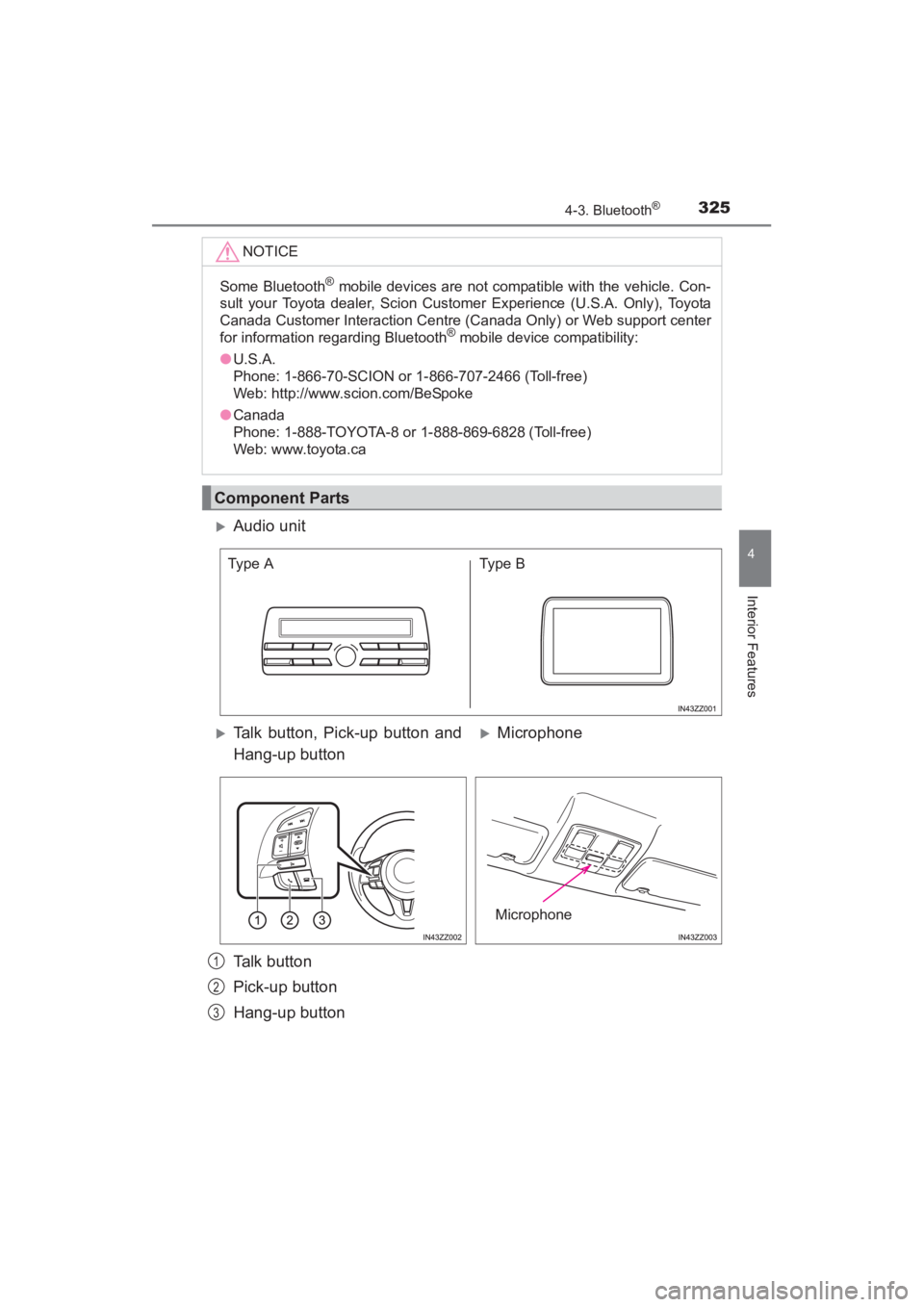
Component Parts
XAudio unit
XTalk button, Pick-up button and
Hang-up buttonXMicrophone
Talk button
Pick-up button
Hang-up button
Type A Type B
Microphone
1
2
3
YARIS_SEDAN_OM_OM99M18z_(U).book Page 325 Monday, June 1, 2015 9:22 PM