ad blue TOYOTA YARIS 2016 User Guide
[x] Cancel search | Manufacturer: TOYOTA, Model Year: 2016, Model line: YARIS, Model: TOYOTA YARIS 2016Pages: 592, PDF Size: 10.44 MB
Page 328 of 592
326
YARIS_SEDAN_OM_OM99M18z_(U)
4-3. Bluetooth®
■Microphone (hands-free)
The microphone is used for speaking voice commands or when
making a Hands-free call.
■Talk button, Pick-Up button and Hang-Up button (hands-free)
The basic functions of Bluetooth
® Hands-Free can be used for such
things as making calls or hanging up using the talk, pick-up and
hang-up buttons on the steering wheel.
■Commander switch (Type B)
The commander switch is used for volume adjustment and display
operation. Tilt or turn the commander knob to move the cursor.
Press the commander knob to select the icon.
■Volume adjustment
The power/volume dial of the audio unit
*1 or the volume dial of the
commander switch
*2 is used to adjust the volume. Turn the dial to
the right to increase volume, to the left to decrease it.
The volume can also be adjusted using the volume button on the
steering wheel.
*1Type A
*2Type B
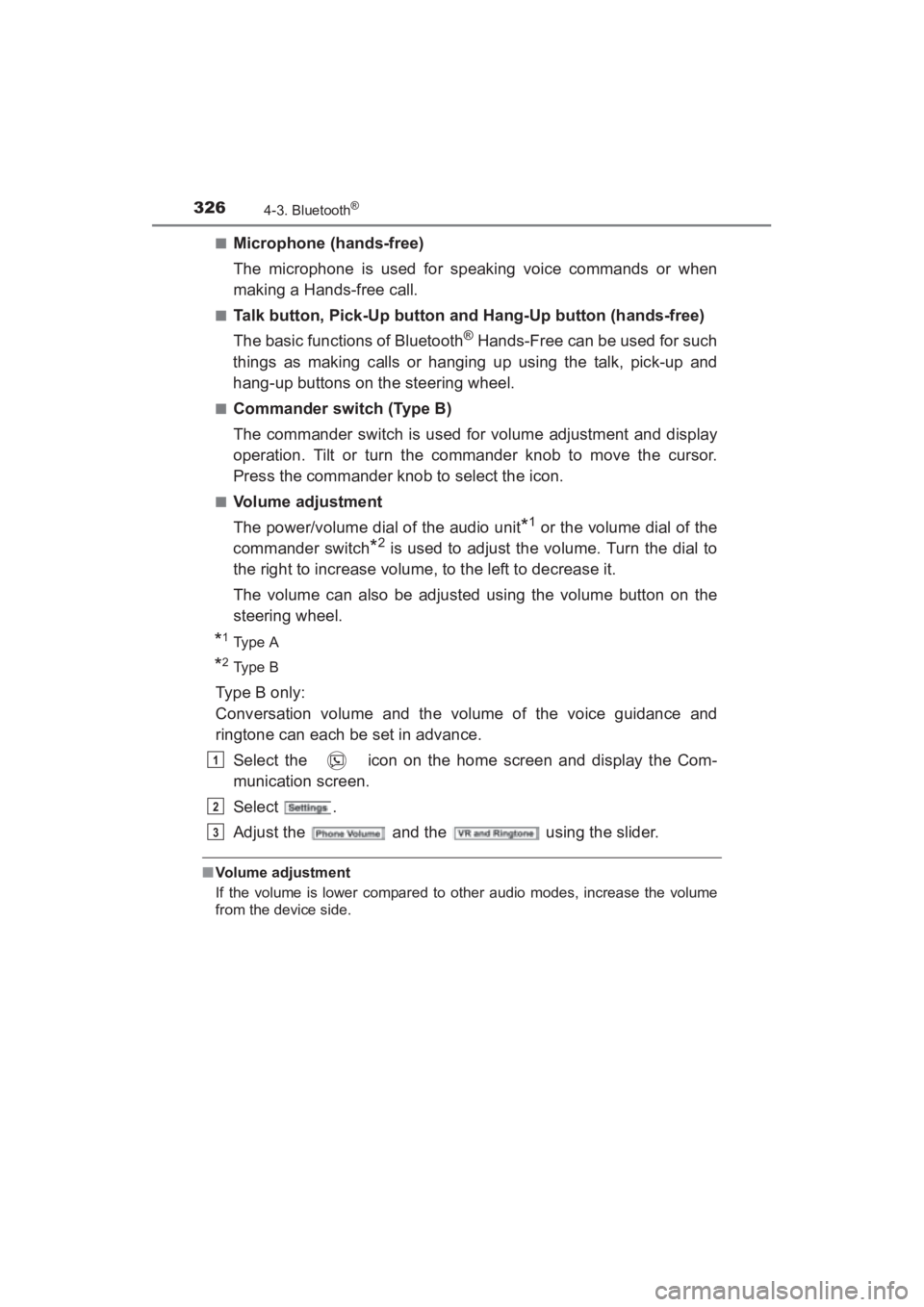
Type B only:
Conversation volume and the volume of the voice guidance and
ringtone can each be set in advance.
Select the icon on the home screen and display the Com-
munication screen.
Select .
Adjust the and the using the slider.
■Volume adjustment
If the volume is lower compared to other audio modes, increase the volume
from the device side.
1
2
3
YARIS_SEDAN_OM_OM99M18z_(U).book Page 326 Monday, June 1, 2015 9:22 PM
Page 329 of 592
YARIS_SEDAN_OM_OM99M18z_(U)
3274-3. Bluetooth®
4
Interior Features
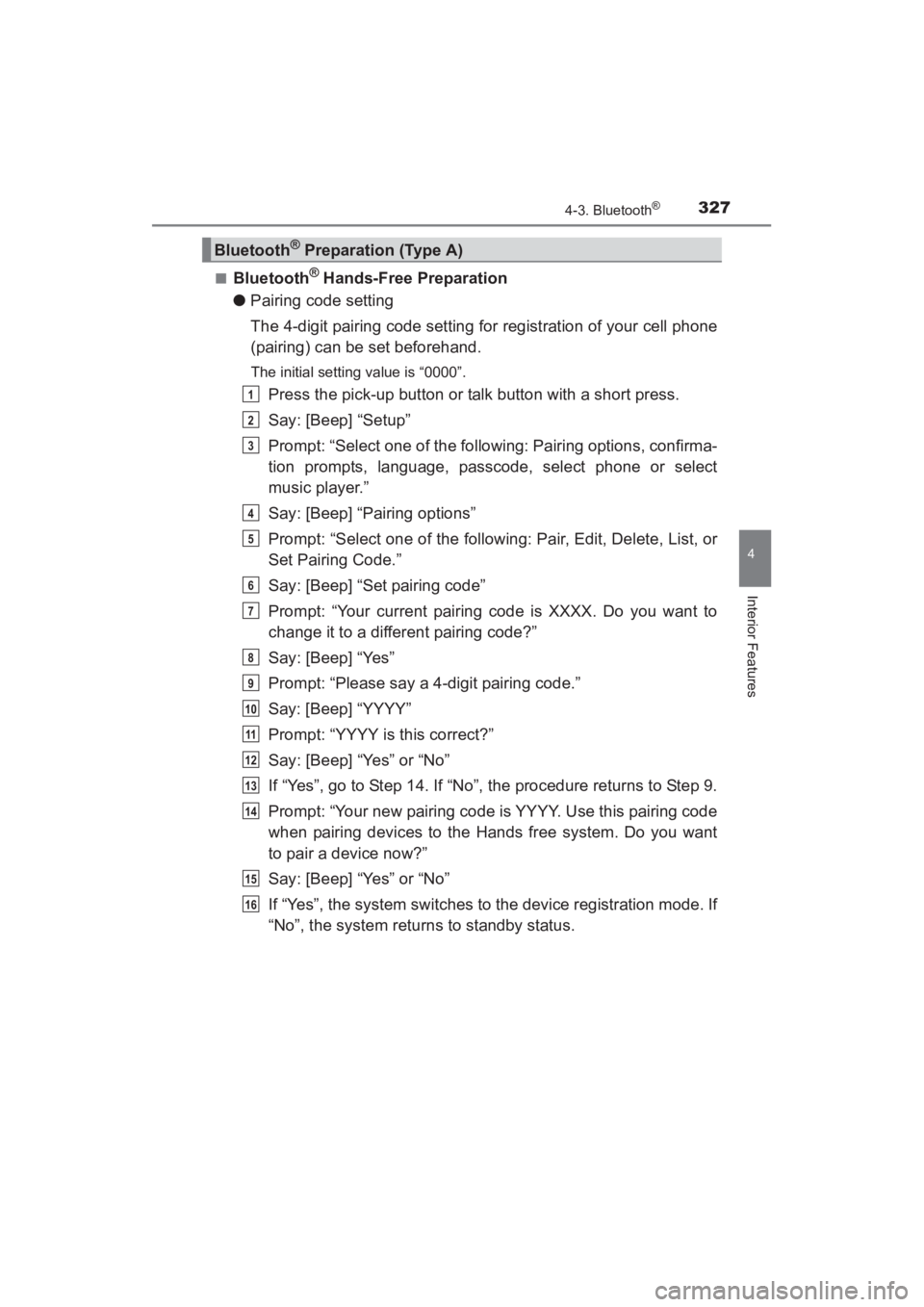
■Bluetooth® Hands-Free Preparation
● Pairing code setting
The 4-digit pairing code setting for registration of your cell phone
(pairing) can be set beforehand.
The initial setting value is “0000”.
Press the pick-up button or talk button with a short press.
Say: [Beep] “Setup”
Prompt: “Select one of the following: Pairing options, confirma-
tion prompts, language, passcode, select phone or select
music player.”
Say: [Beep] “Pairing options”
Prompt: “Select one of the following: Pair, Edit, Delete, List, or
Set Pairing Code.”
Say: [Beep] “Set pairing code”
Prompt: “Your current pairing code is XXXX. Do you want to
change it to a different pairing code?”
Say: [Beep] “Yes”
Prompt: “Please say a 4-digit pairing code.”
Say: [Beep] “YYYY”
Prompt: “YYYY is this correct?”
Say: [Beep] “Yes” or “No”
If “Yes”, go to Step 14. If “No”, the procedure returns to Step 9.
Prompt: “Your new pairing code is YYYY. Use this pairing code
when pairing devices to the Hands free system. Do you want
to pair a device now?”
Say: [Beep] “Yes” or “No”
If “Yes”, the system switches to the device registration mode. If
“No”, the system returns to standby status.
Bluetooth® Preparation (Type A)
1
2
3
4
5
6
7
8
9
10
11
12
13
14
15
16
YARIS_SEDAN_OM_OM99M18z_(U).book Page 327 Monday, June 1, 2015 9:22 PM
Page 330 of 592
328
YARIS_SEDAN_OM_OM99M18z_(U)
4-3. Bluetooth®
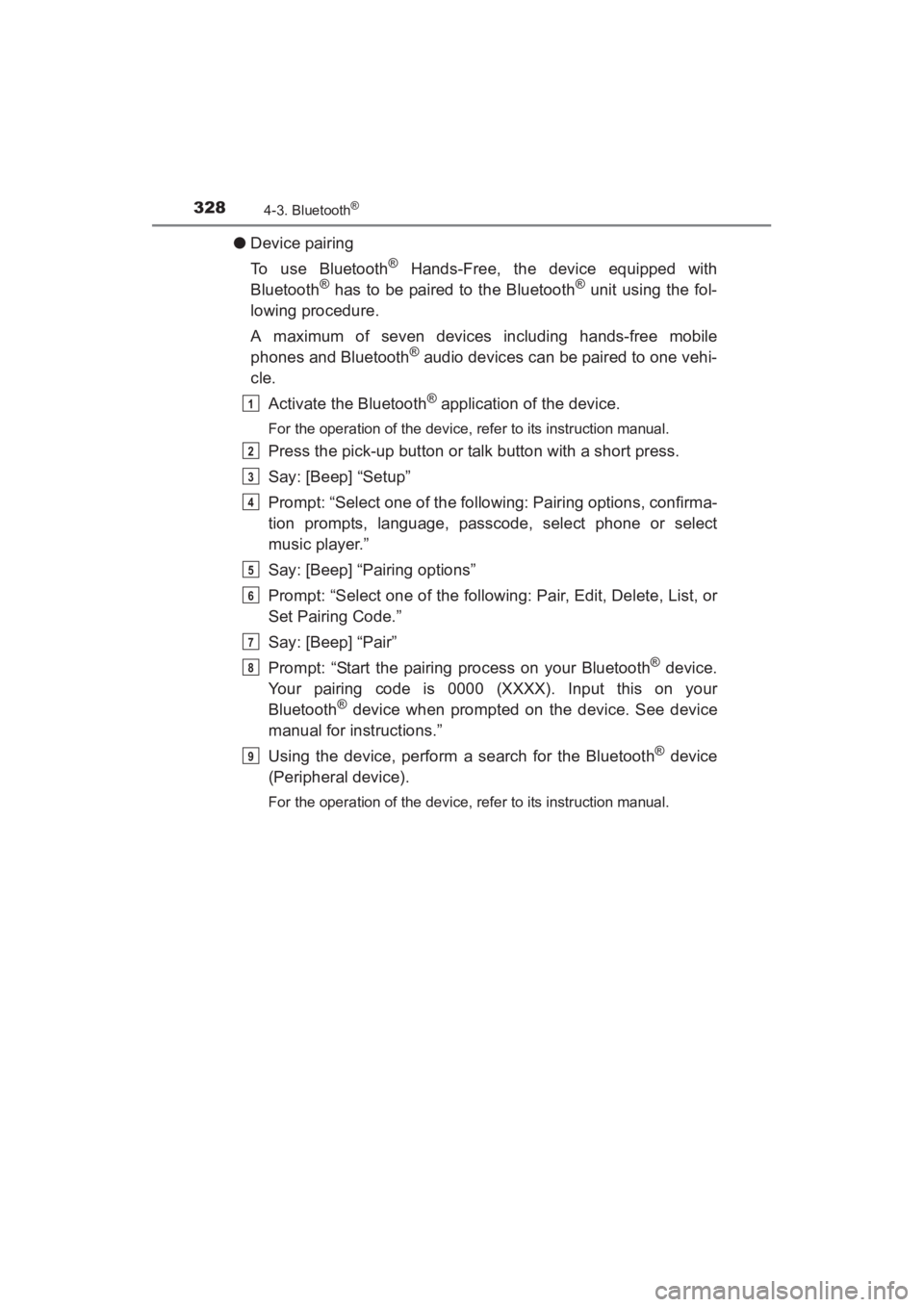
●Device pairing
To use Bluetooth
® Hands-Free, the device equipped with
Bluetooth® has to be paired to the Bluetooth® unit using the fol-
lowing procedure.
A maximum of seven devices including hands-free mobile
phones and Bluetooth
® audio devices can be paired to one vehi-
cle.
Activate the Bluetooth
® application of the device.
For the operation of the device, refer to its instruction manual.
Press the pick-up button or talk button with a short press.
Say: [Beep] “Setup”
Prompt: “Select one of the following: Pairing options, confirma-
tion prompts, language, passcode, select phone or select
music player.”
Say: [Beep] “Pairing options”
Prompt: “Select one of the following: Pair, Edit, Delete, List, or
Set Pairing Code.”
Say: [Beep] “Pair”
Prompt: “Start the pairing process on your Bluetooth
® device.
Your pairing code is 0000 (XXXX). Input this on your
Bluetooth
® device when prompted on the device. See device
manual for instructions.”
Using the device, perform a search for the Bluetooth
® device
(Peripheral device).
For the operation of the device, refer to its instruction manual.
1
2
3
4
5
6
7
8
9
YARIS_SEDAN_OM_OM99M18z_(U).book Page 328 Monday, June 1, 2015 9:22 PM
Page 331 of 592
YARIS_SEDAN_OM_OM99M18z_(U)
3294-3. Bluetooth®
4
Interior Features
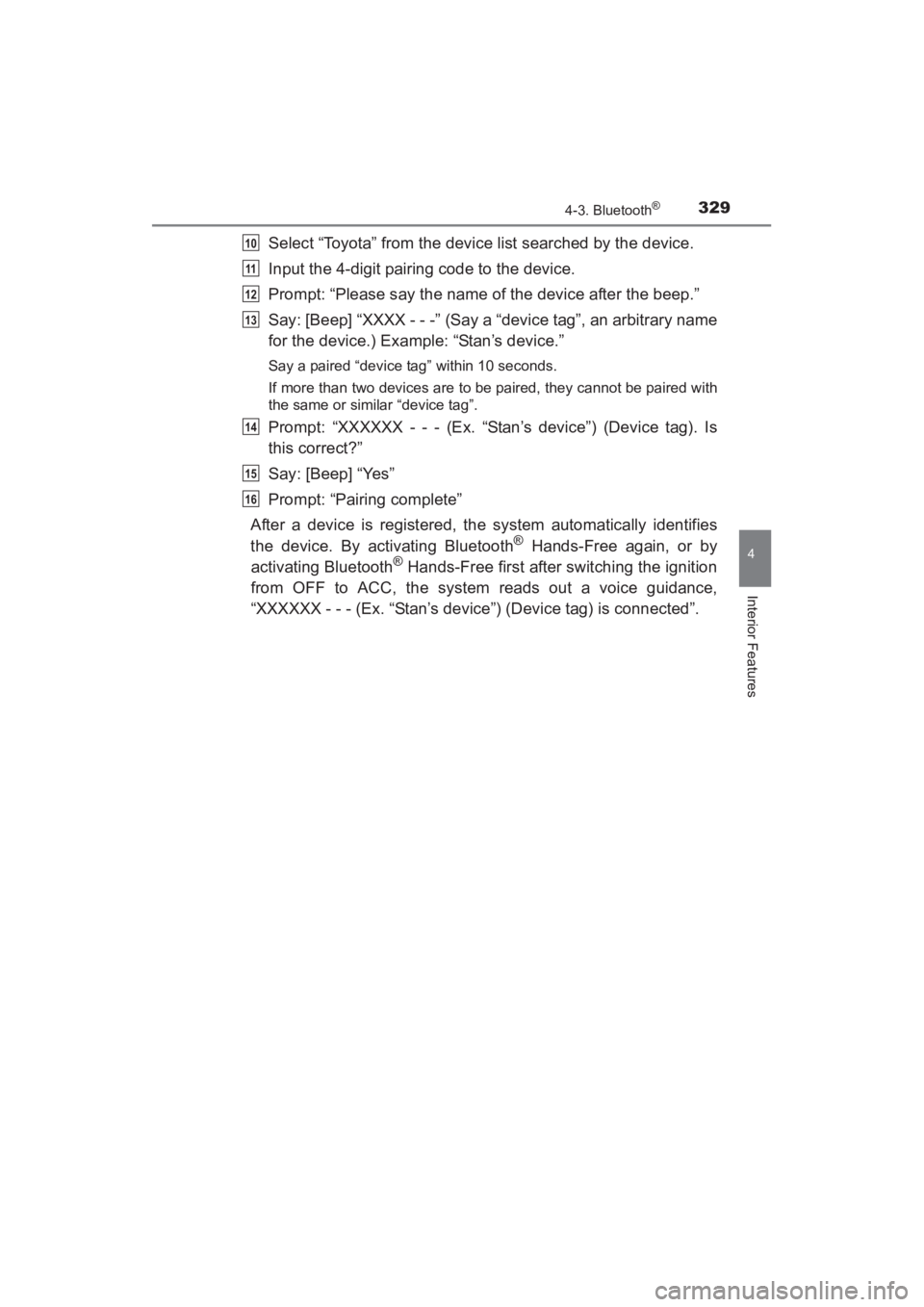
Select “Toyota” from the device list searched by the device.
Input the 4-digit pairing code to the device.
Prompt: “Please say the name of the device after the beep.”
Say: [Beep] “XXXX - - -” (Say a “device tag”, an arbitrary name
for the device.) Example: “Stan’s device.”
Say a paired “device tag” within 10 seconds.
If more than two devices are to be paired, they cannot be paired with
the same or similar “device tag”.
Prompt: “XXXXXX - - - (Ex. “Stan’s device”) (Device tag). Is
this correct?”
Say: [Beep] “Yes”
Prompt: “Pairing complete”
After a device is registered, the system automatically identifies
the device. By activating Bluetooth
® Hands-Free again, or by
activating Bluetooth® Hands-Free first after switching the ignition
from OFF to ACC, the system reads out a voice guidance,
“XXXXXX - - - (Ex. “Stan’s device”) (Device tag) is connected”.
10
11
12
13
14
15
16
YARIS_SEDAN_OM_OM99M18z_(U).book Page 329 Monday, June 1, 2015 9:22 PM
Page 332 of 592
330
YARIS_SEDAN_OM_OM99M18z_(U)
4-3. Bluetooth®
●Registered device read-out
Bluetooth
® Hands-Free can read-out the devices registered to its
system.
Do this function only when parked. It is too distracting to attempt while
driving and you may make too many errors to be effective.
Press the pick-up button or talk button with a short press.
Say: [Beep] “Setup”
Prompt: “Select one of the following: Pairing options, confirma-
tion prompts, language, passcode, select phone or select
music player.”
Say: [Beep] “Pairing options”
Prompt: “Select one of the following: Pair, Edit, Delete, List, or
Set Pairing Code”
Say: [Beep] “List”
Prompt: “XXXXX..., XXXXX..., XXXXX... (Ex. Device A, device
B, device C)” (The voice guidance reads out the device tags
registered to the hands-free system.)
Press the talk button with a short press during the read-out at
the desired device, and then say one of the following voice
commands to execute it.
• “Select phone”: Selects device (Mobile phone) when the talk button is short- pressed.
• “Select music player”: Selects device (Music player) when the talk button is short-pressed.
• “Edit”: Edits device when the talk button is short-pressed.
• “Continue”: Continues the list readout.
• “Delete”: Deletes the registered device when the talk button is short-pressed.
• “Previous”: Returns to the previous device in read-out when the talk button is short-pressed.
Prompt: “End of list, would you like to start from the begin-
ning?”
Say: [Beep] “No”
Prompt: “Returning to main menu.”1
2
3
4
5
6
7
8
9
10
YARIS_SEDAN_OM_OM99M18z_(U).book Page 330 Monday, June 1, 2015 9:22 PM
Page 333 of 592
YARIS_SEDAN_OM_OM99M18z_(U)
3314-3. Bluetooth®
4
Interior Features
●Device selection
If several devices have been paired, the Bluetooth
® unit links the
device last paired. If you would like to link a different paired
device, it is necessary to change the link. The order of device pri-
ority after the link has been changed is maintained even when
the ignition is switched off.
Hands-free phone:
Press the pick-up button or talk button with a short press.
Say: [Beep] “Setup”
Prompt: “Select one of the following: Pairing options, confirma-
tion prompts, language, passcode, select phone or select
music player.”
Say: [Beep] “Select phone”
Prompt: “Please say the name of the device you would like to
select.
Available devices are XXXXX... (Ex. device A), XXXXX... (Ex.
device B), XXXXX... (Ex. device C). Which device please?”
Say: [Beep] “XXXXX... (Ex. Device B)”
Prompt: “XXXXX... (Ex. Device B). Is this correct?”
Say: [Beep] “Yes” or “No”
If “Yes”, go to Step 10. If “No”, the procedure returns to Step 5.
Prompt: “XXXXX... (Ex. Device B) selected.”
Music player: Press the pick-up button or talk button with a short press.
Say: [Beep] “Setup”
Prompt: “Select one of the following: Pairing options, confirma-
tion prompts, language, passcode, select phone or select
music player.”
Say: [Beep] “Select music player”
Prompt: “Please say the name of the device you would like to
select.
Available devices are XXXXX... (Ex. device A), XXXXX... (Ex.
device B), XXXXX... (Ex. device C). Which device please?”
Say: [Beep] “XXXXX... (Ex. Device B)”
Prompt: “XXXXX... (Ex. Device B). Is this correct?”
1
2
3
4
5
6
7
8
9
10
1
2
3
4
5
6
7
YARIS_SEDAN_OM_OM99M18z_(U).book Page 331 Monday, June 1, 2015 9:22 PM
Page 334 of 592
![TOYOTA YARIS 2016 User Guide 332
YARIS_SEDAN_OM_OM99M18z_(U)
4-3. Bluetooth®
Say: [Beep] “Yes” or “No”
If “Yes”, go to Step 10. If “No”, the procedure returns to Step 5.
Prompt: “XXXXX... (Ex. Device B) selecte](/img/14/60787/w960_60787-333.png "TOYOTA YARIS 2016 User Guide 332
YARIS_SEDAN_OM_OM99M18z_(U)
4-3. Bluetooth®
Say: [Beep] “Yes” or “No”
If “Yes”, go to Step 10. If “No”, the procedure returns to Step 5.
Prompt: “XXXXX... (Ex. Device B) selecte")
332
YARIS_SEDAN_OM_OM99M18z_(U)
4-3. Bluetooth®
Say: [Beep] “Yes” or “No”
If “Yes”, go to Step 10. If “No”, the procedure returns to Step 5.
Prompt: “XXXXX... (Ex. Device B) selected.”
● Deleting a device
Registered devices (Mobile phone) can be deleted individually or
collectively.
Do this function only when parked. It is too distracting to attempt while
driving and you may make too many errors to be effective.
Press the pick-up button or talk button with a short press.
Say: [Beep] “Setup”
Prompt: “Select one of the following: Pairing options, confirma-
tion prompts, language, passcode, select phone or select
music player.”
Say: [Beep] “Pairing options”
Prompt: “Select one of the following: Pair, Edit, Delete, List, or
Set Pairing Code.”
A registered device (Mobile phone) can be deleted using the registra-
tion list.
Say: [Beep] “Delete”
Prompt: “Please say the name of the device you would like to
delete.
Available devices are XXXXX... (Ex. device A), XXXXX... (Ex.
device B), XXXXX... (Ex. device C), or all. Which device
please?”
Say: [Beep] “X” (Say the number of the device to be deleted.)
Say “All” to delete all devices (Mobile phone).
Prompt: “Deleting XXXXX... (Ex. device B...) (Registered
device tag). Is this correct?”
Say: [Beep] “Yes”
Prompt: “Deleted”
8
9
10
1
2
3
4
5
6
7
8
9
10
11
YARIS_SEDAN_OM_OM99M18z_(U).book Page 332 Monday, June 1, 2015 9:22 PM
Page 335 of 592
![TOYOTA YARIS 2016 User Guide YARIS_SEDAN_OM_OM99M18z_(U)
3334-3. Bluetooth®
4
Interior Features
●Registered device editing
Press the pick-up button or talk button with a short press.
Say: [Beep] “Setup”
Prompt: “Select o](/img/14/60787/w960_60787-334.png "TOYOTA YARIS 2016 User Guide YARIS_SEDAN_OM_OM99M18z_(U)
3334-3. Bluetooth®
4
Interior Features
●Registered device editing
Press the pick-up button or talk button with a short press.
Say: [Beep] “Setup”
Prompt: “Select o")
YARIS_SEDAN_OM_OM99M18z_(U)
3334-3. Bluetooth®
4
Interior Features
●Registered device editing
Press the pick-up button or talk button with a short press.
Say: [Beep] “Setup”
Prompt: “Select one of the following: Pairing options, confirma-
tion prompts, language, passcode, select phone or select
music player.”
Say: [Beep] “Pairing options”
Prompt: “Select one of the following: Pair, Edit, Delete, List, or
Set Pairing Code.”
Say: [Beep] “Edit”
Prompt: “Please say the name of the device you would like to
edit. Available devices are XXXXX... (Ex. device A), XXXXX...
(Ex. device B), XXXXX... (Ex. device C). Which device
please?”
Say: [Beep] “X” (Say the number of the device to be edited.)
Prompt: “New name please?”
Say: [Beep] “XXXXX... (Ex. Device C)” (Speak a “device tag”
an arbitrary name for the device.)
Prompt: “XXXXX... (Ex. device C) (Device tag), is this cor-
rect?”
Say: [Beep] “Yes”
Prompt: “New name saved.”
1
2
3
4
5
6
7
8
9
10
11
12
13
YARIS_SEDAN_OM_OM99M18z_(U).book Page 333 Monday, June 1, 2015 9:22 PM
Page 336 of 592
334
YARIS_SEDAN_OM_OM99M18z_(U)
4-3. Bluetooth®
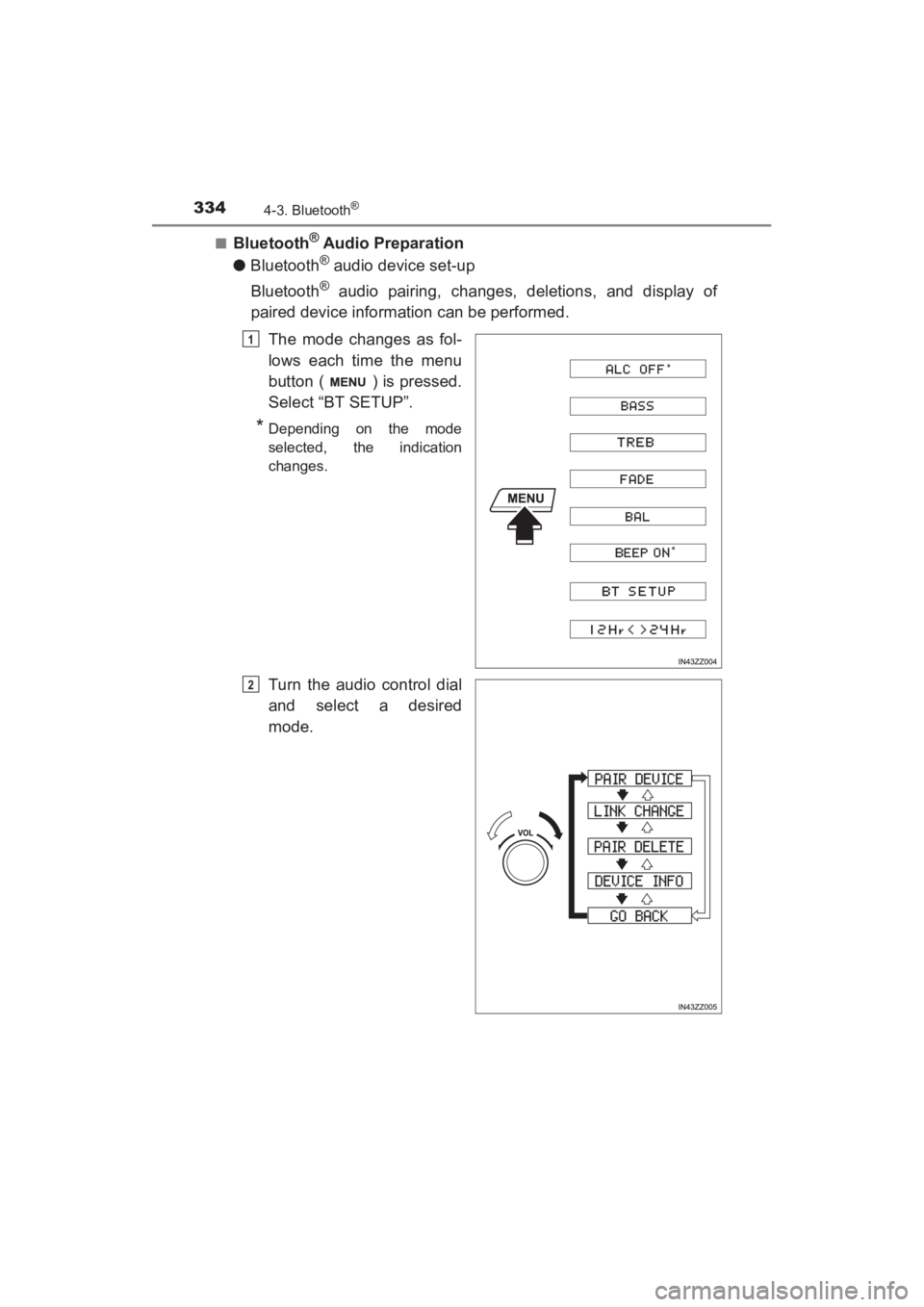
■Bluetooth® Audio Preparation
● Bluetooth
® audio device set-up
Bluetooth
® audio pairing, changes, deletions, and display of
paired device information can be performed.
The mode changes as fol-
lows each time the menu
button ( ) is pressed.
Select “BT SETUP”.
*Depending on the mode
selected, the indication
changes.
Turn the audio control dial
and select a desired
mode.
1
2
YARIS_SEDAN_OM_OM99M18z_(U).book Page 334 Monday, June 1, 2015 9:22 PM
Page 337 of 592
YARIS_SEDAN_OM_OM99M18z_(U)
3354-3. Bluetooth®
4
Interior Features
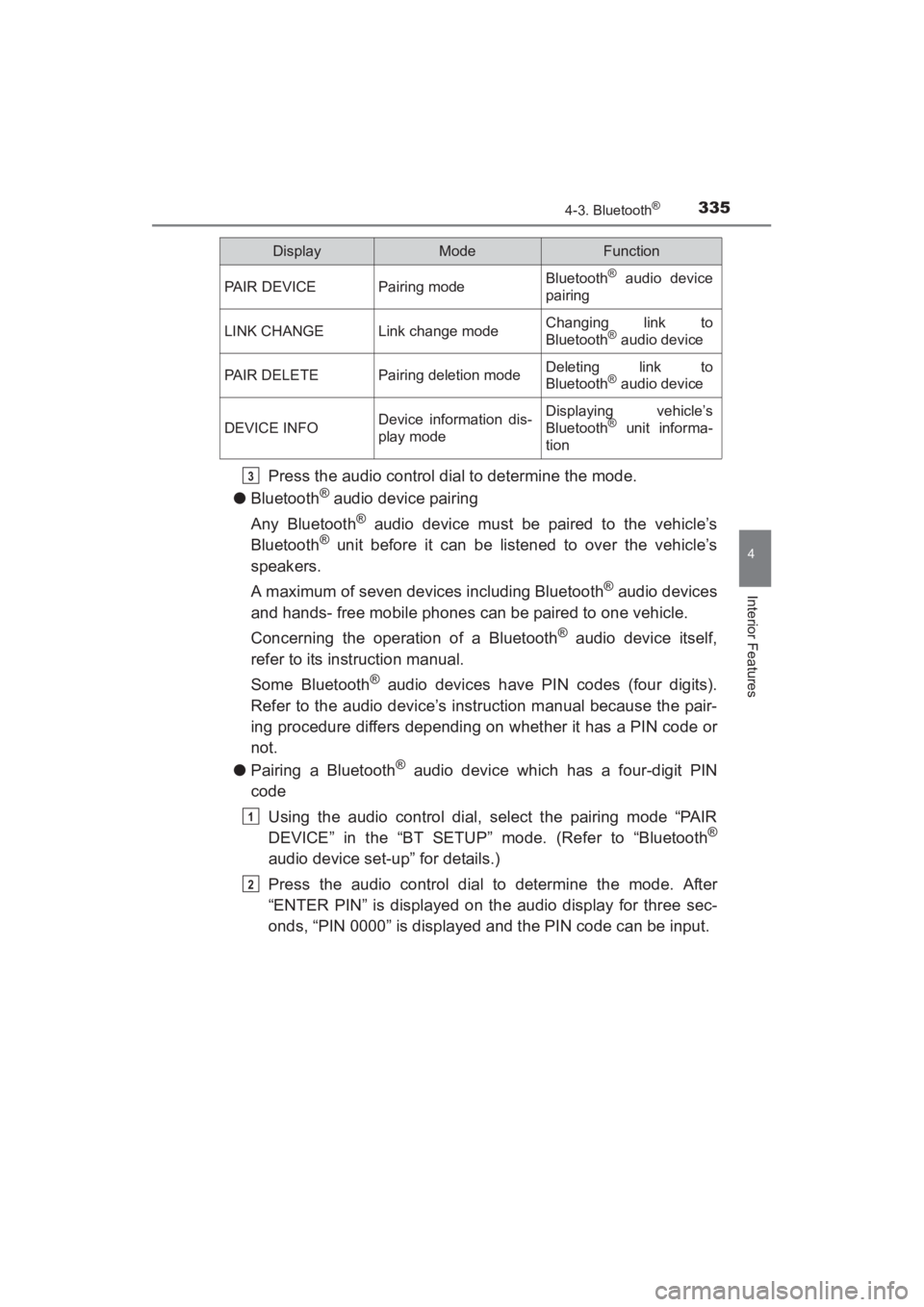
Press the audio control dial to determine the mode.
● Bluetooth
® audio device pairing
Any Bluetooth
® audio device must be paired to the vehicle’s
Bluetooth® unit before it can be listened to over the vehicle’s
speakers.
A maximum of seven devices including Bluetooth
® audio devices
and hands- free mobile phones can be paired to one vehicle.
Concerning the operation of a Bluetooth
® audio device itself,
refer to its instruction manual.
Some Bluetooth
® audio devices have PIN codes (four digits).
Refer to the audio device’s instruction manual because the pair-
ing procedure differs depending on whether it has a PIN code or
not.
● Pairing a Bluetooth
® audio device which has a four-digit PIN
code
Using the audio control dial, select the pairing mode “PAIR
DEVICE” in the “BT SETUP” mode. (Refer to “Bluetooth
®
audio device set-up” for details.)
Press the audio control dial to determine the mode. After
“ENTER PIN” is displayed on the audio display for three sec-
onds, “PIN 0000” is displayed and the PIN code can be input.
DisplayModeFunction
PAIR DEVICEPairing modeBluetooth® audio device
pairing
LINK CHANGELink change modeChanging link to
Bluetooth® audio device
PAIR DELETEPairing deletion modeDeleting link to
Bluetooth® audio device
DEVICE INFODevice information dis-
play modeDisplaying vehicle’s
Bluetooth® unit informa-
tion
3
1
2
YARIS_SEDAN_OM_OM99M18z_(U).book Page 335 Monday, June 1, 2015 9:22 PM