ECO mode TOYOTA YARIS 2017 User Guide
[x] Cancel search | Manufacturer: TOYOTA, Model Year: 2017, Model line: YARIS, Model: TOYOTA YARIS 2017Pages: 549, PDF Size: 33.09 MB
Page 155 of 549
1553-5. Opening and closing the windows
3
Operation of each component
YARIS_F_OM_Europe_OM52J20E
■The power windows can be operated when
Vehicles without a smart entry & start system
The engine switch is in the “ON” position.
Vehicles with a smart entry & start system
The engine switch is in IGNITION ON mode.
■ Operating the power windows after turning the engine off
Vehicles without a smart entry & start system
The power windows can be operated for approximately 45 seconds even
after the engine switch is turned to the “ACC” or “LOCK” position. They can-
not, however, be operated once either front door is opened.
Vehicles with a smart entry & start system
The power windows can be operated for approximately 45 seconds even
after the engine switch is turned to ACCESSORY mode or turned off. They
cannot, however, be operated once either front door is opened.
■ Jam protection function (driver’s window only)
If an object becomes caught between the window and the window frame, win-
dow travel is stopped and the window is opened slightly.
Page 156 of 549
1563-5. Opening and closing the windows
YARIS_F_OM_Europe_OM52J20E
■ When the power window does not close normally
If the jam protection function is operating abnormally and a window cannot be
closed, perform the following operations using the power window switch on
the driver’s door.
● After stopping the vehicle, the window can be closed by holding the power
window switch in the one-touch closing position while the engine switch is
turned to the “ON” position (vehicles without a smart entry & start system) or
IGNITION ON mode (vehicles with a smart entry & start system).
● If the window still cannot be closed even by carrying out the operation as
explained above, initialize the function by performing the following proce-
dure.
Hold the power window switch in the one-touch closing position. Continue
holding the switch for a further 6 seconds after the window has closed.
Hold the power window switch in the one-touch opening position. Con-
tinue holding the switch for a further 2 seconds after the window has
opened completely.
Hold the power window switch in the one-touch closing position once
again. Continue holding the switch for a further 2 seconds after the win-
dow has closed.
If you release the switch while the window is moving, start again from the
beginning.
If the window continues to close but then re-open slightly even after perform-
ing the above procedure correctly, have the vehicle inspected by any autho-
rized Toyota dealer or repairer, or another duly qualified and equipped
professional.
1
2
3
Page 163 of 549
1634-1. Before driving
4
Driving
YARIS_F_OM_Europe_OM52J20E
■Driving in the rain
● Drive carefully when it is raining, because visibility will be reduced, the win-
dows may become fogged-up, and the road will be slippery.
● Drive carefully when it starts to rain, because the road surface will be espe-
cially slippery.
● Refrain from high speeds when driving on an expressway in the rain,
because there may be a layer of water between the tires and the road sur-
face, preventing the steering and brakes from operating properly.
■ Engine speed while driving (vehicles with a Multidrive)
In the following conditions, the engine speed may become high while driving.
This is due to automatic up-shifting control or down-shifting implementation to
meet driving conditions. It does not indicate sudden acceleration.
● The vehicle is judged to be driving uphill or downhill
● When the accelerator pedal is released
● When the brake pedal is depressed while sport mode is selected
■ Breaking in your new Toyota
To extend the life of the vehicle, observing the following precautions is rec-
ommended:
● For the first 300 km (186 miles):
Avoid sudden stops.
● For the first 800 km (500 miles):
Do not tow a trailer.
● For the first 1000 km (621 miles):
• Do not drive at extremely high speeds.
• Avoid sudden acceleration.
• Do not drive continuously in low gears.
• Do not drive at a constant speed for extended periods.
Page 164 of 549
1644-1. Before driving
YARIS_F_OM_Europe_OM52J20E
■ Idling time before stopping the diesel engine
To prevent damage to the turbocharger, allow the engine to idle immediately
after high-speed driving or driving up a hill.
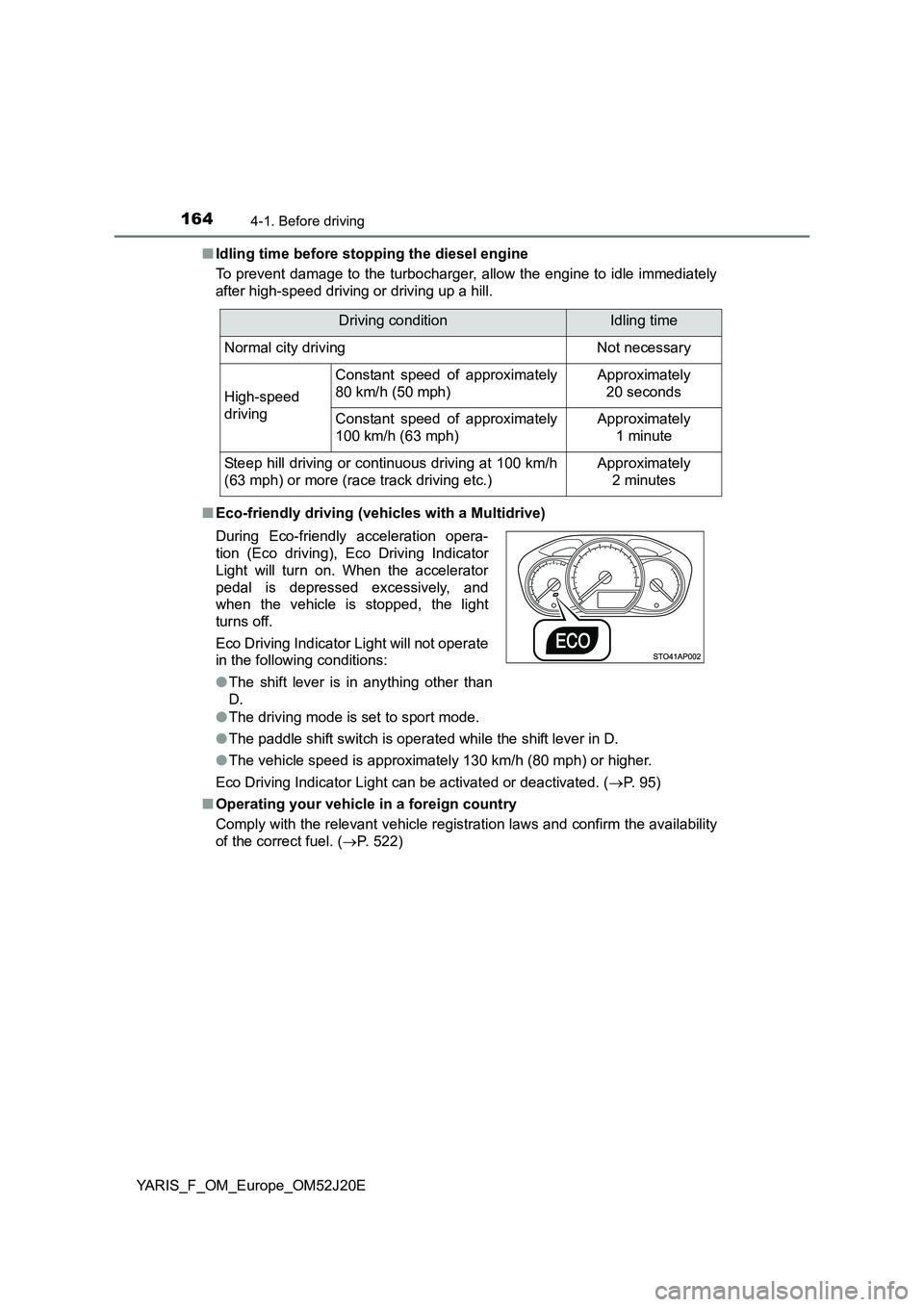
■ Eco-friendly driving (vehicles with a Multidrive)
● The driving mode is set to sport mode.
● The paddle shift switch is operated while the shift lever in D.
● The vehicle speed is approximately 130 km/h (80 mph) or higher.
Eco Driving Indicator Light can be activated or deactivated. ( P. 95)
■ Operating your vehicle in a foreign country
Comply with the relevant vehicle registration laws and confirm the availability
of the correct fuel. ( P. 522)
Driving conditionIdling time
Normal city drivingNot necessary
High-speed
driving
Constant speed of approximately
80 km/h (50 mph)
Approximately
20 seconds
Constant speed of approximately
100 km/h (63 mph)
Approximately
1 minute
Steep hill driving or continuous driving at 100 km/h
(63 mph) or more (race track driving etc.)
Approximately
2 minutes
During Eco-friendly acceleration opera-
tion (Eco driving), Eco Driving Indicator
Light will turn on. When the accelerator
pedal is depressed excessively, and
when the vehicle is stopped, the light
turns off.
Eco Driving Indicator Light will not operate
in the following conditions:
● The shift lever is in anything other than
D.
Page 185 of 549
185
4
4-2. Driving procedures
Driving
YARIS_F_OM_Europe_OM52J20E
Engine (ignition) switch (vehicles with a
smar t entr y & start system)
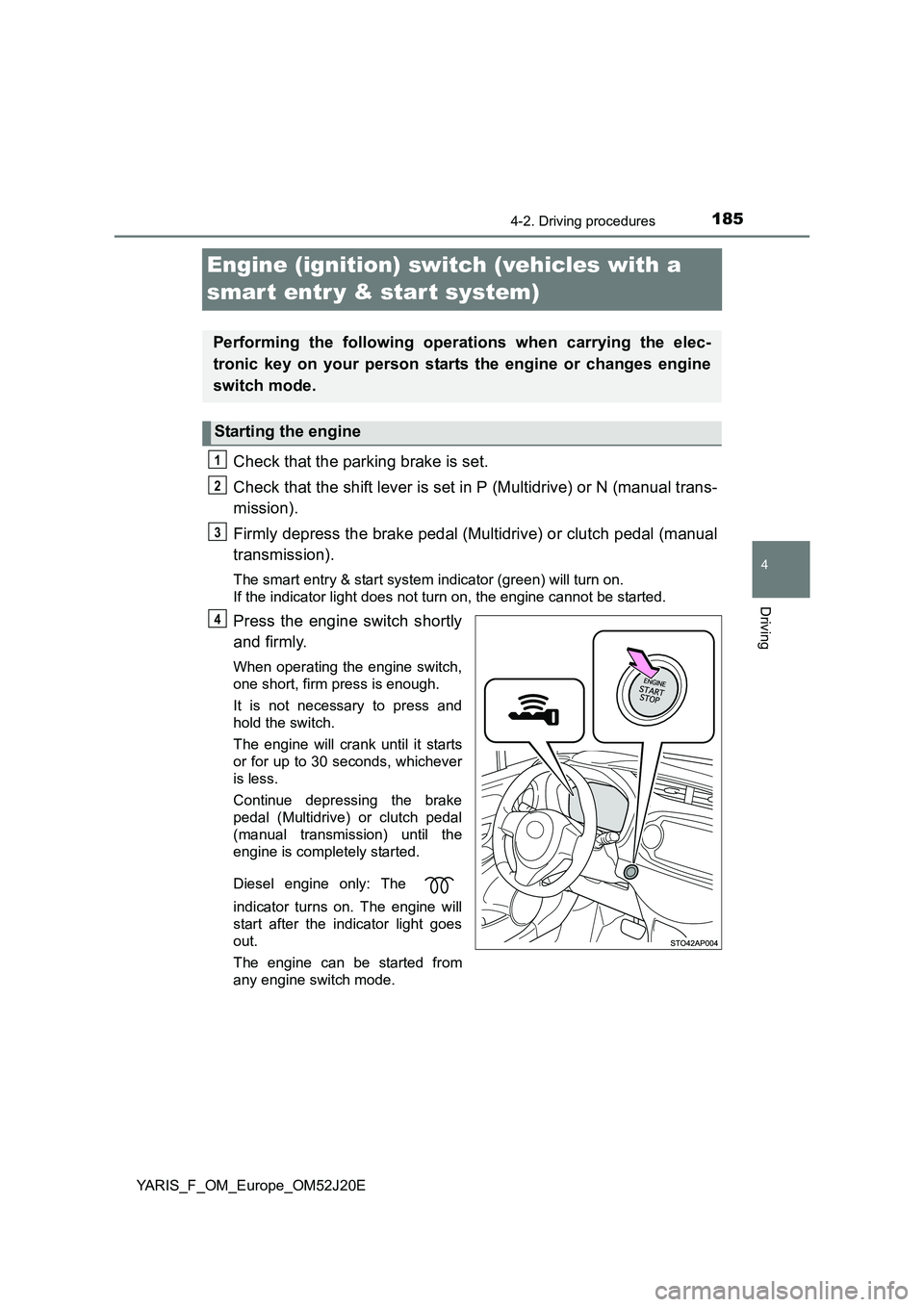
Check that the parking brake is set.
Check that the shift lever is set in P (Multidrive) or N (manual trans-
mission).
Firmly depress the brake pedal (Multidrive) or clutch pedal (manual
transmission).
The smart entry & start system indicator (green) will turn on.
If the indicator light does not turn on, the engine cannot be started.
Press the engine switch shortly
and firmly.
When operating the engine switch,
one short, firm press is enough.
It is not necessary to press and
hold the switch.
The engine will crank until it starts
or for up to 30 seconds, whichever
is less.
Continue depressing the brake
pedal (Multidrive) or clutch pedal
(manual transmission) until the
engine is completely started.
Diesel engine only: The
indicator turns on. The engine will
start after the indicator light goes
out.
The engine can be started from
any engine switch mode.
Performing the following operations when carrying the elec-
tronic key on your person starts the engine or changes engine
switch mode.
Starting the engine
1
2
3
4
Page 188 of 549
1884-2. Driving procedures
YARIS_F_OM_Europe_OM52J20E
■ If the engine does not start
● The engine immobilizer system may not have been deactivated. (P. 76)
Contact any authorized Toyota dealer or repairer, or another duly qualified
and equipped professional.
■ Steering lock
After turning the engine switch off and opening and closing the doors, the
steering wheel will be locked due to the steering lock function. Operating the
engine switch again automatically cancels the steering lock.
■ When the steering lock cannot be released
Press the engine switch while turning the steering wheel left and right.
■ Steering lock motor overheating prevention
To prevent the steering lock motor from overheating, the motor may be sus-
pended if the engine is turned on and off repeatedly in a short period of time.
In this case, refrain from operating the engine. After about 10 seconds, the
steering lock motor will resume functioning.
■ If the system is malfunctioning
P. 442
■ If the electronic key battery is depleted
P. 402
■ Operation of the engine switch
If the switch is not pressed shortly and firmly, the engine switch mode may
not change or the engine may not start.
■ If the smart entry & start system has been deactivated in a customized
setting
P. 525
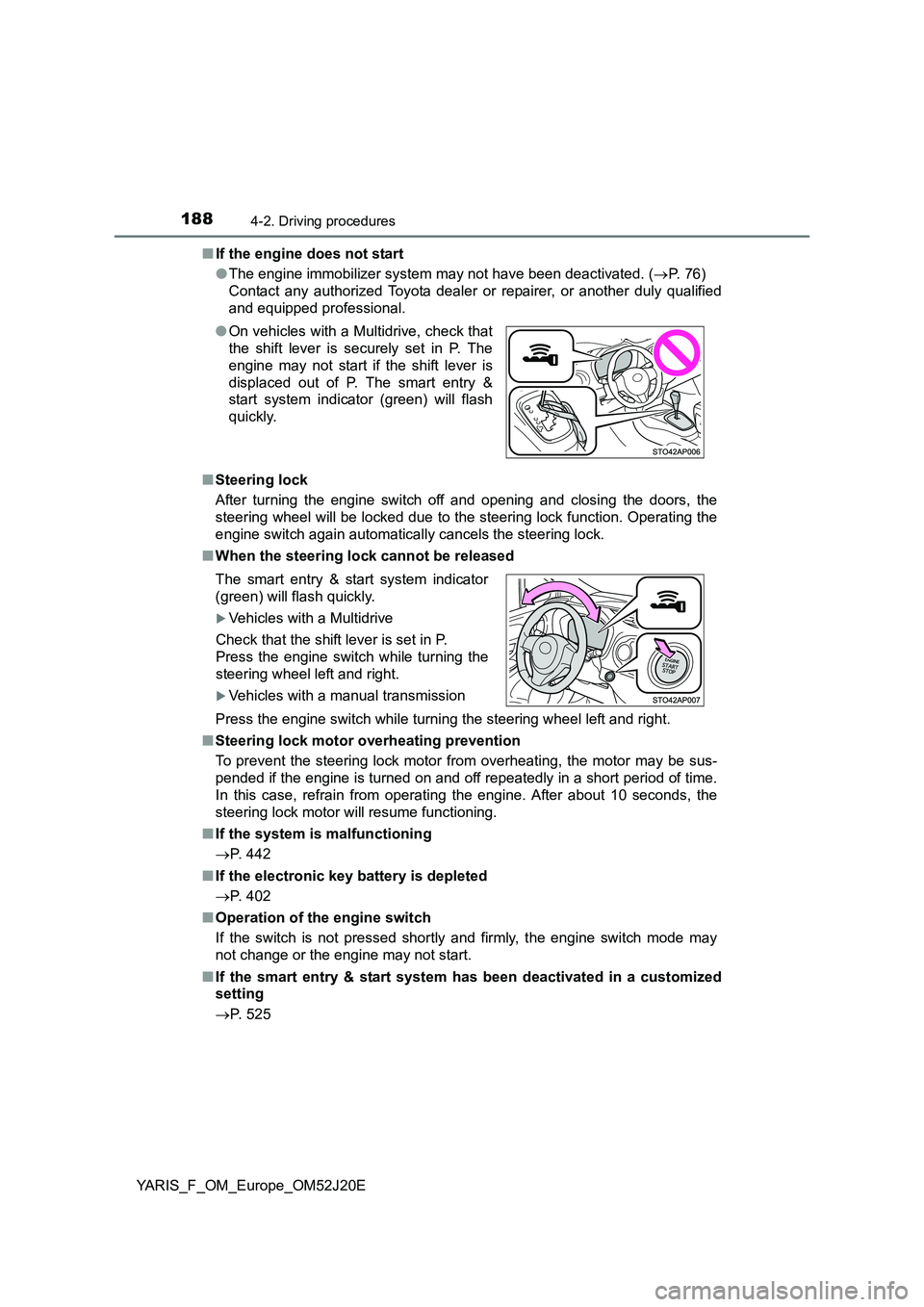
● On vehicles with a Multidrive, check that
the shift lever is securely set in P. The
engine may not start if the shift lever is
displaced out of P. The smart entry &
start system indicator (green) will flash
quickly.
The smart entry & start system indicator
(green) will flash quickly.
Vehicles with a Multidrive
Check that the shift lever is set in P.
Press the engine switch while turning the
steering wheel left and right.
Vehicles with a manual transmission
Page 190 of 549
1904-2. Driving procedures
YARIS_F_OM_Europe_OM52J20E
NOTICE
■To prevent battery discharge
● Do not leave the engine switch in ACCESSORY or IGNITION ON mode
for long periods of time without the engine running.
● If the smart entry & start system indicator (green) is illuminated, the engine
switch is not off. When exiting the vehicle, always check that the engine
switch is off.
● On vehicles with a Multidrive, do not stop the engine when the shift lever is
in a position other than P. If the engine is stopped in another shift lever
position, the engine switch will not be turned off but instead be turned to
ACCESSORY mode. If the vehicle is left in ACCESSORY mode, battery
discharge may occur.
■ When starting the engine
● Do not race a cold engine.
● If the engine becomes difficult to start or stalls frequently, have your vehi-
cle checked by any authorized Toyota dealer or repairer, or another duly
qualified and equipped professional immediately.
■ Symptoms indicating a malfunction with the engine switch
If the engine switch seems to be operating somewhat differently than usual,
such as the switch sticking slightly, there may be a malfunction.
Contact any authorized Toyota dealer or repairer, or another duly qualified
and equipped professional immediately.
Page 214 of 549
2144-3. Operating the lights and wipers
YARIS_F_OM_Europe_OM52J20E
WARNING
■Caution regarding the use of windshield wiper in “AUTO” mode (vehi-
cles with a rain-sensing windshield wiper)
The windshield wiper may operate unexpectedly if the sensor is touched or
the windshield is subject to vibration in “AUTO” mode. Take care that your
fingers, etc., do not become caught in the windshield wiper.
■ Caution regarding the use of washer fluid
When it is cold, do not use the washer fluid until the windshield becomes
warm. The fluid may freeze on the windshield and cause low visibility. This
may lead to an accident, resulting in death or serious injury.
NOTICE
■ When the windshield is dry
Do not use the wiper, as they may damage the windshield.
■ When there is no washer fluid spray from the nozzle
Damage to the washer fluid pump may be caused if the lever is pulled
toward you and held continually.
■ When a nozzle becomes blocked
In this case, contact any authorized Toyota dealer or repairer, or another
duly qualified and equipped professional.
Do not try to clear it with a pin or other object. The nozzle will be damaged.
Page 240 of 549
2404-5. Toyota Safety Sense
YARIS_F_OM_Europe_OM52J20E
LDA (Lane Depar ture Aler t)
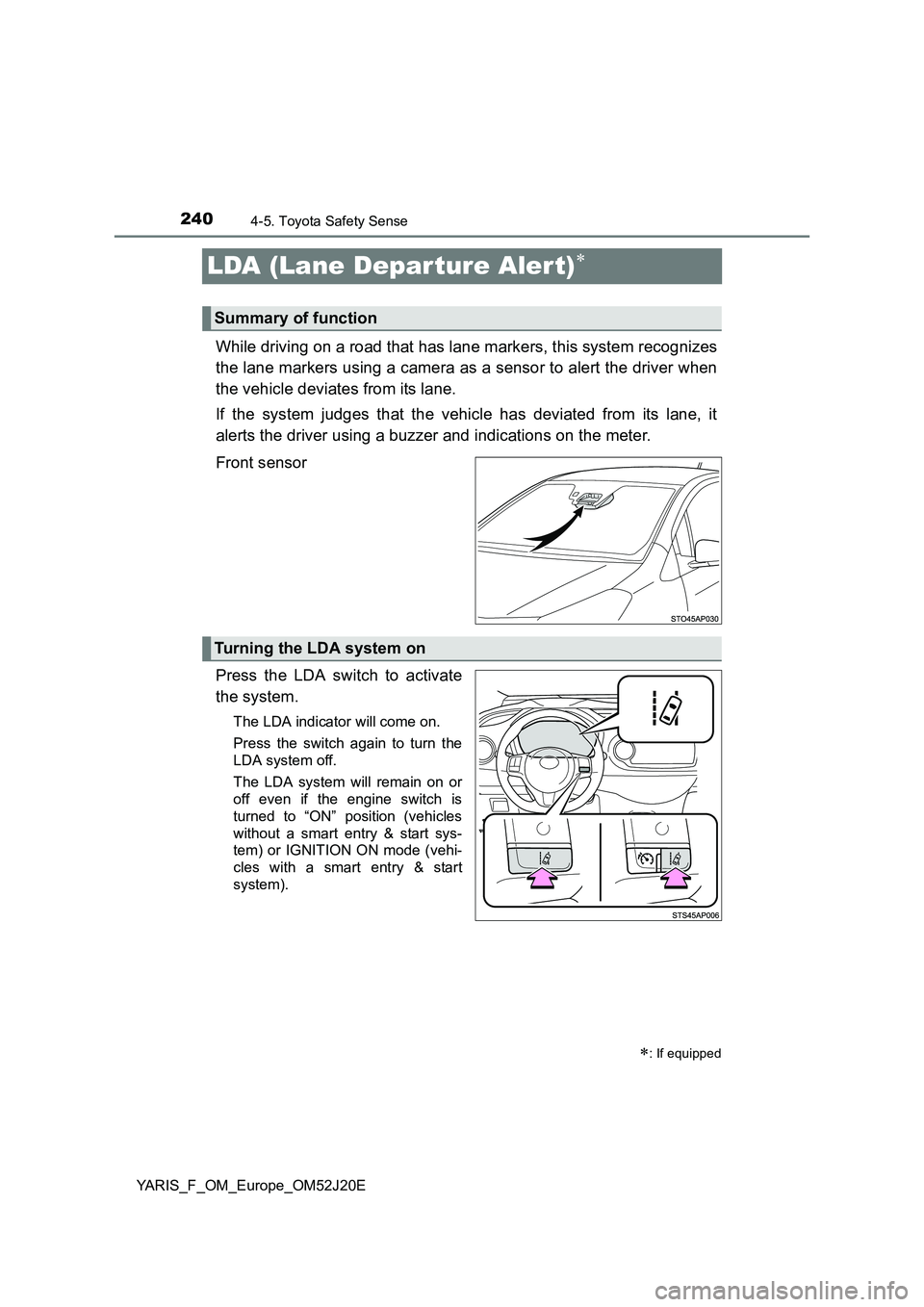
While driving on a road that has lane markers, this system recognizes
the lane markers using a camera as a sensor to alert the driver when
the vehicle deviates from its lane.
If the system judges that the vehicle has deviated from its lane, it
alerts the driver using a buzzer and indications on the meter.
Front sensor
Press the LDA switch to activate
the system.
The LDA indicator will come on.
Press the switch again to turn the
LDA system off.
The LDA system will remain on or
off even if the engine switch is
turned to “ON” position (vehicles
without a smart entry & start sys-
tem) or IGNITION ON mode (vehi-
cles with a smart entry & start
system).
: If equipped
Summary of function
Turning the LDA system on
Page 293 of 549
2935-4. Playing audio CDs and MP3/WMA discs
5
Audio system
YARIS_F_OM_Europe_OM52J20E
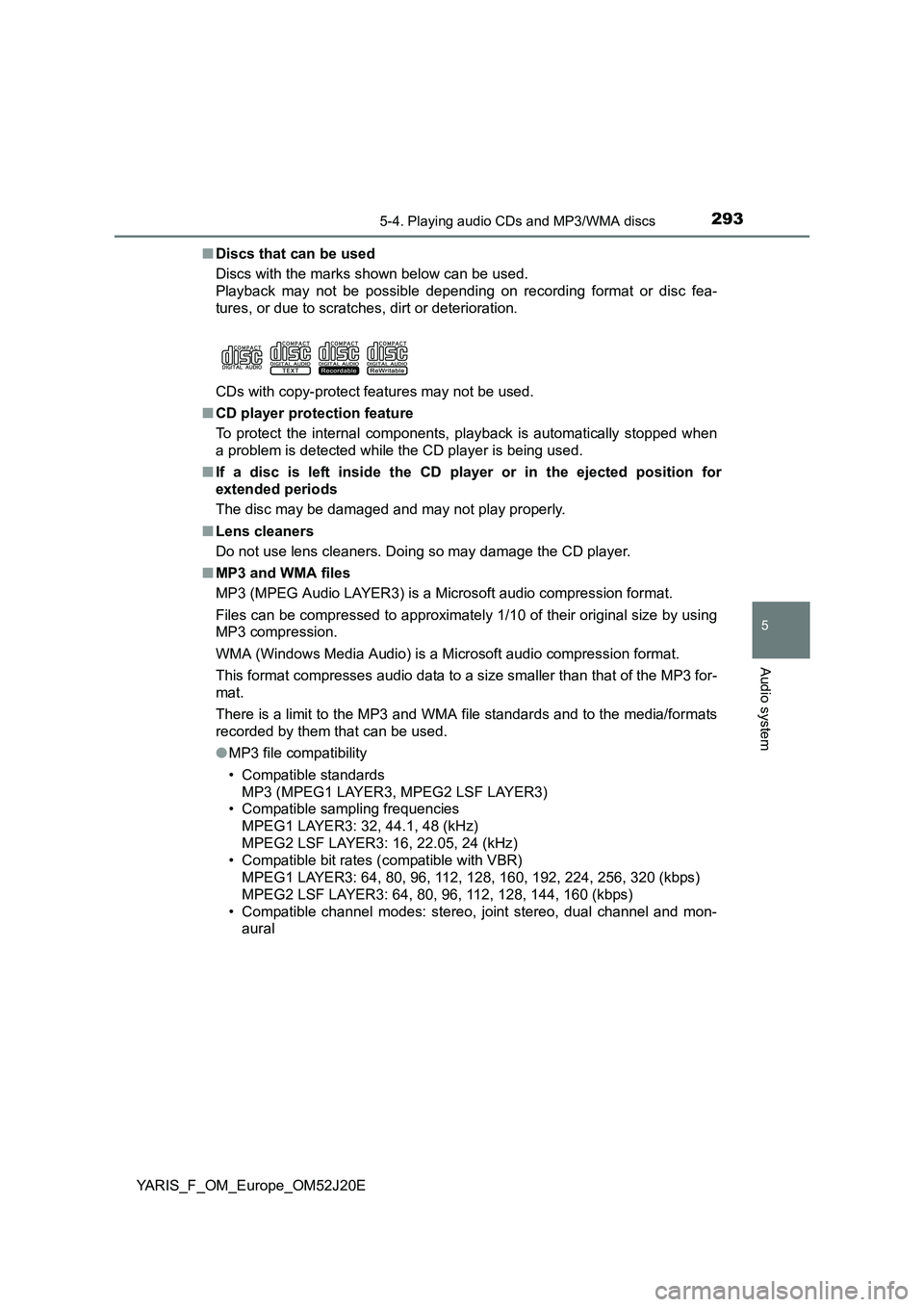
■ Discs that can be used
Discs with the marks shown below can be used.
Playback may not be possible depending on recording format or disc fea-
tures, or due to scratches, dirt or deterioration.
CDs with copy-protect features may not be used.
■ CD player protection feature
To protect the internal components, playback is automatically stopped when
a problem is detected while the CD player is being used.
■ If a disc is left inside the CD player or in the ejected position for
extended periods
The disc may be damaged and may not play properly.
■ Lens cleaners
Do not use lens cleaners. Doing so may damage the CD player.
■ MP3 and WMA files
MP3 (MPEG Audio LAYER3) is a Microsoft audio compression format.
Files can be compressed to approximately 1/10 of their original size by using
MP3 compression.
WMA (Windows Media Audio) is a Mi crosoft audio compression format.
This format compresses audio data to a size smaller than that of the MP3 for-
mat.
There is a limit to the MP3 and WMA file standards and to the media/formats
recorded by them that can be used.
● MP3 file compatibility
• Compatible standards
MP3 (MPEG1 LAYER3, MPEG2 LSF LAYER3)
• Compatible sampling frequencies
MPEG1 LAYER3: 32, 44.1, 48 (kHz)
MPEG2 LSF LAYER3: 16, 22.05, 24 (kHz)
• Compatible bit rates (compatible with VBR)
MPEG1 LAYER3: 64, 80, 96, 112, 128, 160, 192, 224, 256, 320 (kbps)
MPEG2 LSF LAYER3: 64, 80, 96, 112, 128, 144, 160 (kbps)
• Compatible channel modes: stereo, joint stereo, dual channel and mon-
aural