CD player TOYOTA YARIS 2018 User Guide
[x] Cancel search | Manufacturer: TOYOTA, Model Year: 2018, Model line: YARIS, Model: TOYOTA YARIS 2018Pages: 632, PDF Size: 44.1 MB
Page 337 of 632
3375-4. Playing audio CDs and MP3/WMA discs
5
Audio system
YARIS_HV_OM_Europe_OM52J66E
WARNING
■Certification for the CD player
CAUTION:
THIS PRODUCT IS A CLASS 1 LASER PRODUCT. USE OF CONTROLS
OR ADJUSTMENTS OR PERFORMANCE OF PROCEDURES OTHER
THAN THOSE SPECIFIED HEREIN MAY RESULT IN HAZARDOUS
RADIATION EXPOSURE. DO NOT OPEN COVERS AND DO NOT
REPAIR BY YOURSELF. REFER SERVICING TO QUALIFIED
PERSONNEL.
Page 338 of 632
3385-4. Playing audio CDs and MP3/WMA discs
YARIS_HV_OM_Europe_OM52J66E
NOTICE
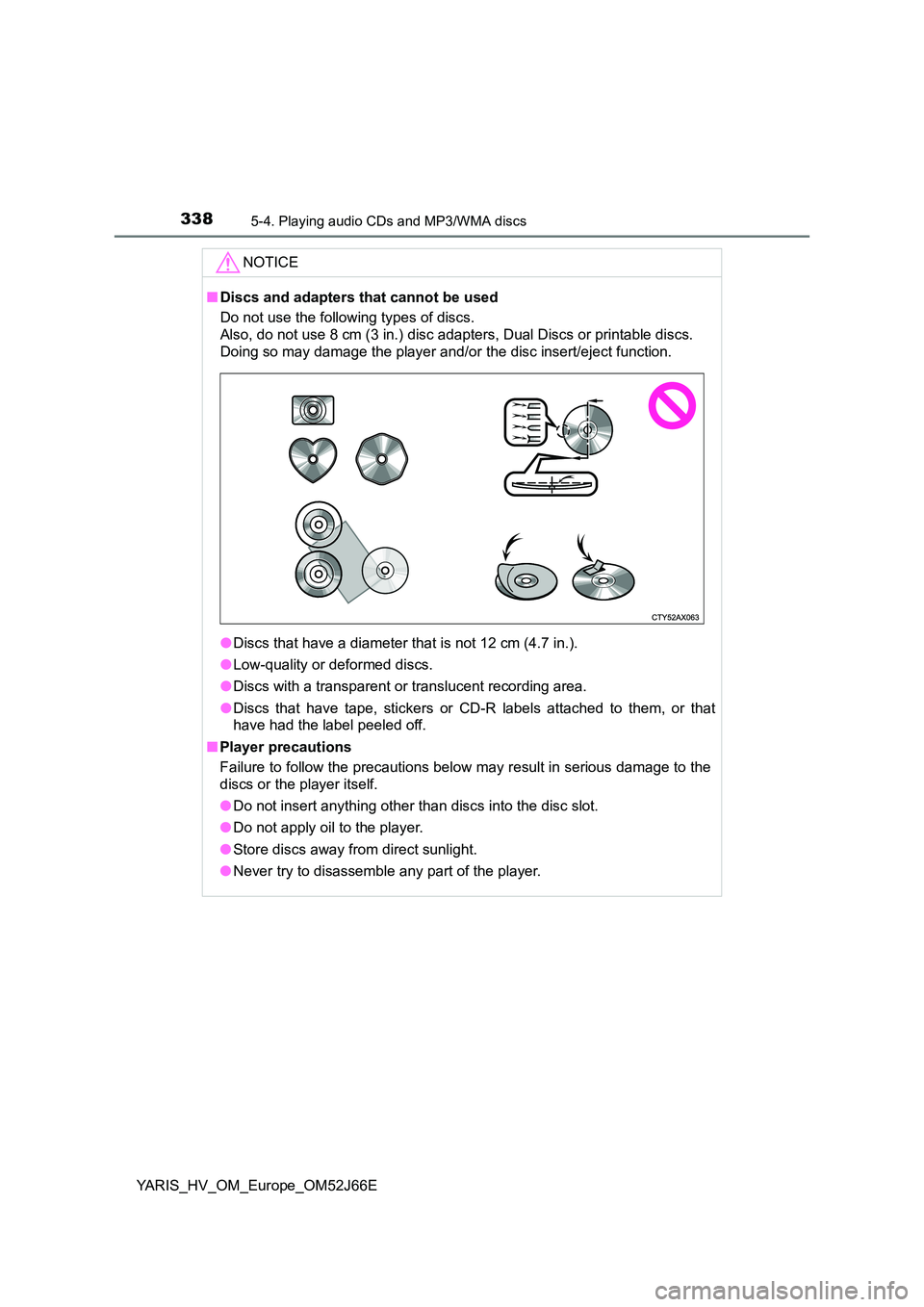
■Discs and adapters that cannot be used
Do not use the following types of discs.
Also, do not use 8 cm (3 in.) disc adapters, Dual Discs or printable discs.
Doing so may damage the player and/or the disc insert/eject function.
● Discs that have a diameter that is not 12 cm (4.7 in.).
● Low-quality or deformed discs.
● Discs with a transparent or translucent recording area.
● Discs that have tape, stickers or CD-R labels attached to them, or that
have had the label peeled off.
■ Player precautions
Failure to follow the precautions below may result in serious damage to the
discs or the player itself.
● Do not insert anything other than discs into the disc slot.
● Do not apply oil to the player.
● Store discs away from direct sunlight.
● Never try to disassemble any part of the player.
Page 353 of 632
353
5
5-5. Using an external device
Audio system
YARIS_HV_OM_Europe_OM52J66E
Using the AUX port
P. 3 2 3
■Operating portable audio devices connected to the audio system
The volume can be adjusted using the vehicle’s audio controls. All other
adjustments must be made on the portable audio device itself.
■ When using a portable audio device connected to the power outlet
Noise may occur during playback. Use the power source of the portable
audio device.
: If equipped
This port can be used to connect a portable audio device and lis-
ten to it using the vehicle’s speakers. Press the “MODE” button
until “AUX” is displayed.
Connecting a portable player
Page 354 of 632
3545-6. Using Bluetooth® devices
YARIS_HV_OM_Europe_OM52J66E
Bluetooth® audio/phone
◆Bluetooth® audio
The Bluetooth® audio system enables you to enjoy music played on
a portable digital audio player (portable player) from the vehicle
speakers via wireless communication.
This audio system supports Bluetooth®, a wireless data system
capable of playing portable audio music without cables. If your por-
table player does not support Bluetooth®, the Bluetooth® audio sys-
tem will not function.
◆Bluetooth® phone (hands-free phone system)
This system supports Bluetooth®, which allows you to make or
receive calls without using cables to connect a cellular phone and
the system, and without operating the cellular phone.
: If equipped
The following can be performed using Bluetooth® wireless com-
munication:
Page 358 of 632
3585-6. Using Bluetooth® devices
YARIS_HV_OM_Europe_OM52J66E
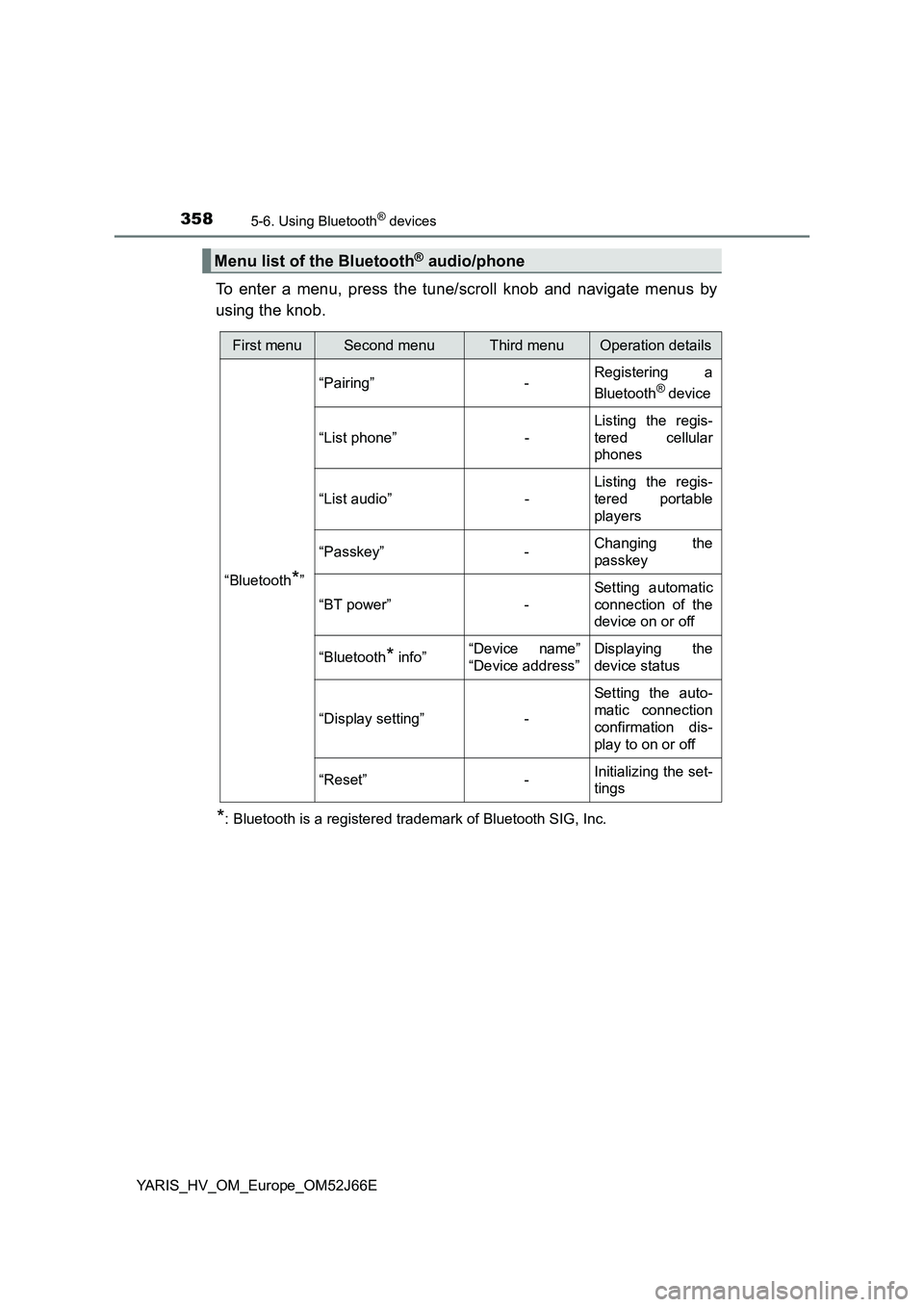
To enter a menu, press the tune/scroll knob and navigate menus by
using the knob.
*: Bluetooth is a registered trademark of Bluetooth SIG, Inc.
Menu list of the Bluetooth® audio/phone
First menuSecond menuThird menuOperation details
“Bluetooth*”
“Pairing” - Registering a
Bluetooth® device
“List phone” -
Listing the regis-
tered cellular
phones
“List audio” -
Listing the regis-
tered portable
players
“Passkey” - Changing the
passkey
“BT power” -
Setting automatic
connection of the
device on or off
“Bluetooth* info” “Device name”
“Device address”
Displaying the
device status
“Display setting” -
Setting the auto-
matic connection
confirmation dis-
play to on or off
“Reset” - Initializing the set-
tings
Page 360 of 632
3605-6. Using Bluetooth® devices
YARIS_HV_OM_Europe_OM52J66E
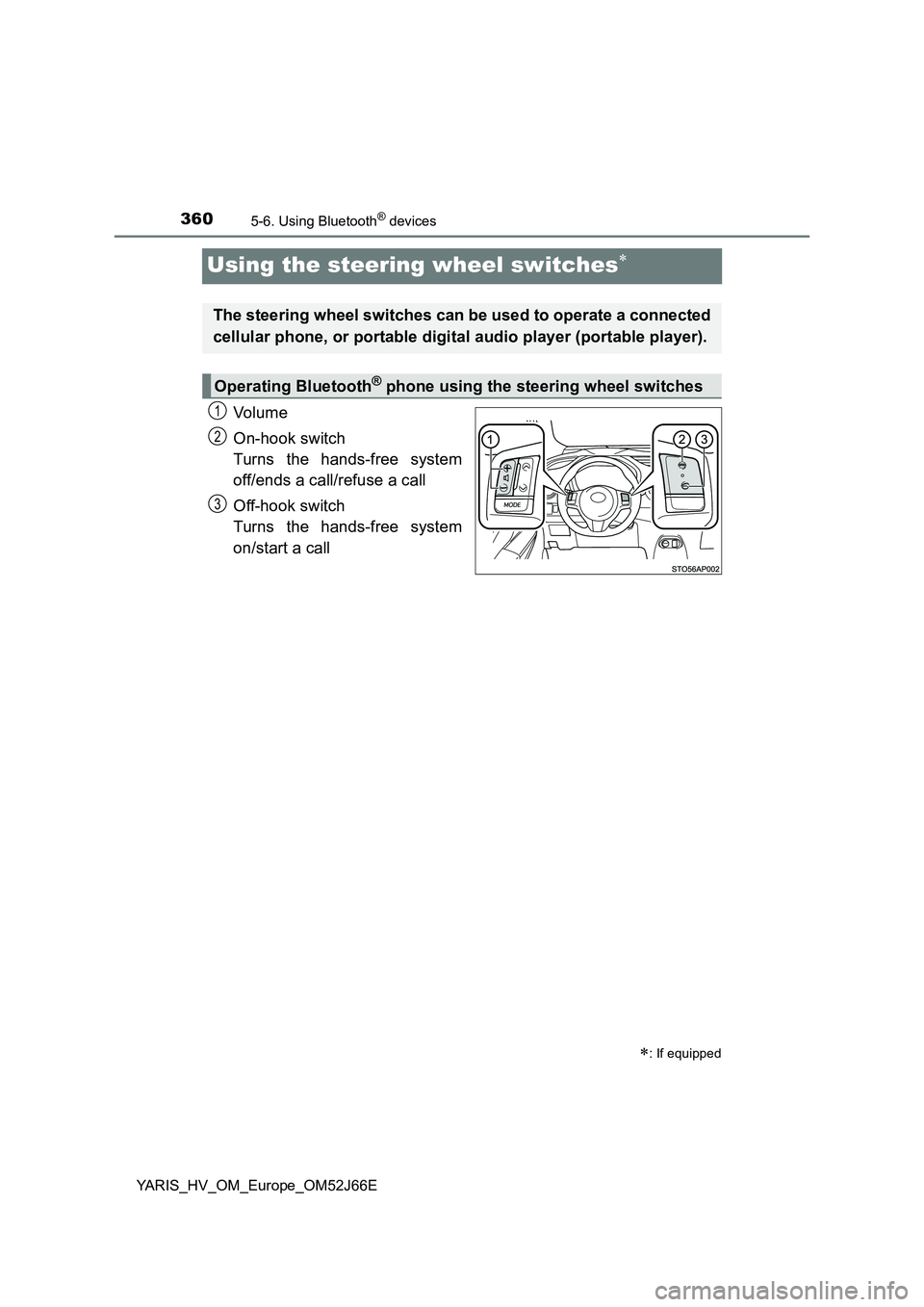
Using the steering wheel switches
Vo lu m e
On-hook switch
Turns the hands-free system
off/ends a call/refuse a call
Off-hook switch
Turns the hands-free system
on/start a call
: If equipped
The steering wheel switches can be used to operate a connected
cellular phone, or portable digital audio player (portable player).
Operating Bluetooth® phone using the steering wheel switches
1
2
3
Page 361 of 632
3615-6. Using Bluetooth® devices
5
Audio system
YARIS_HV_OM_Europe_OM52J66E
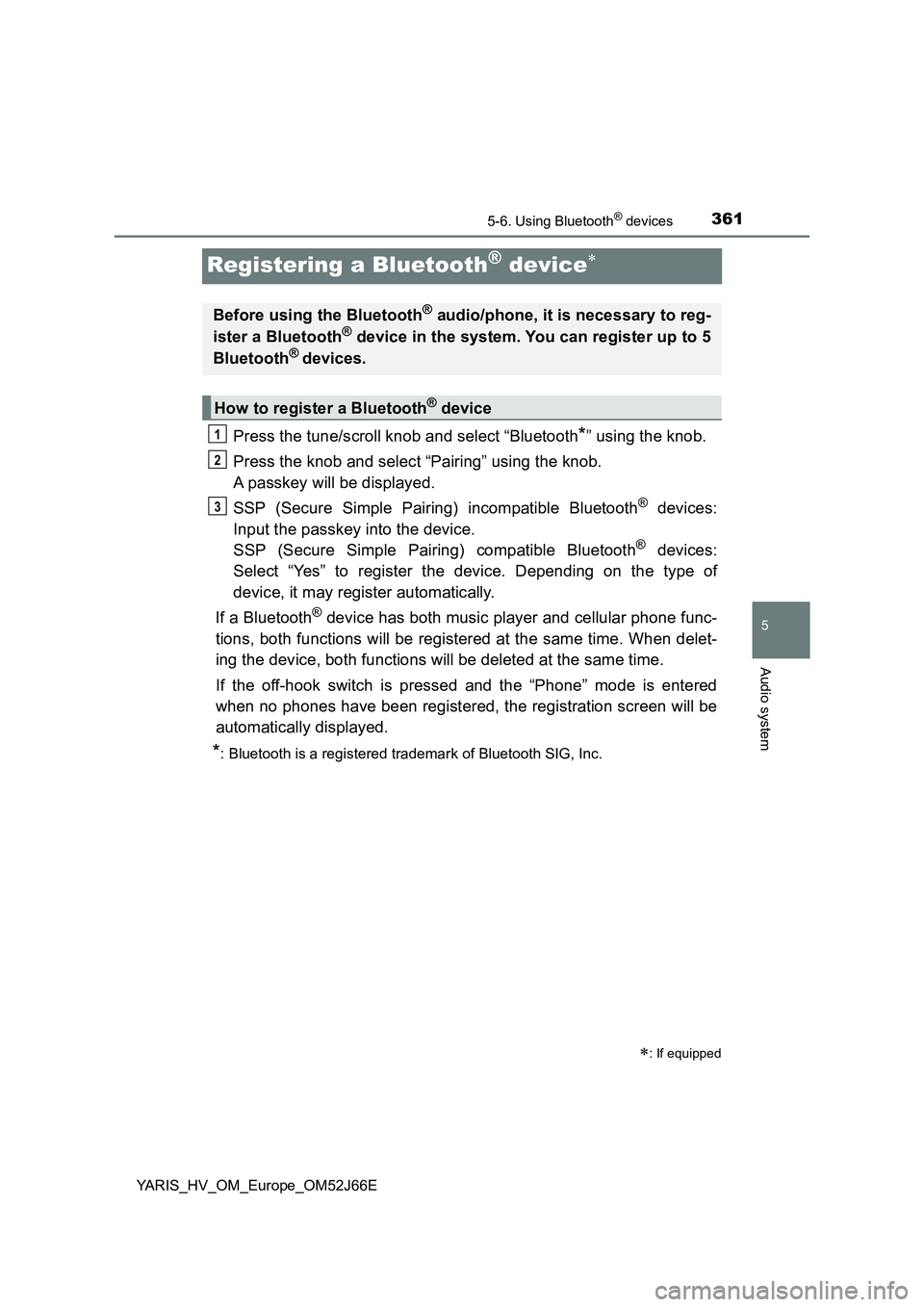
Registering a Bluetooth® device
Press the tune/scroll knob and select “Bluetooth*” using the knob.
Press the knob and select “Pairing” using the knob.
A passkey will be displayed.
SSP (Secure Simple Pairing) incompatible Bluetooth® devices:
Input the passkey into the device.
SSP (Secure Simple Pairing) compatible Bluetooth® devices:
Select “Yes” to register the device. Depending on the type of
device, it may register automatically.
If a Bluetooth® device has both music player and cellular phone func-
tions, both functions will be registered at the same time. When delet-
ing the device, both functions will be deleted at the same time.
If the off-hook switch is pressed and the “Phone” mode is entered
when no phones have been registered, the registration screen will be
automatically displayed.
*: Bluetooth is a registered trademark of Bluetooth SIG, Inc.
: If equipped
Before using the Bluetooth® audio/phone, it is necessary to reg-
ister a Bluetooth® device in the system. You can register up to 5
Bluetooth® devices.
How to register a Bluetooth® device
1
2
3
Page 362 of 632
3625-7. “SETUP” menu
YARIS_HV_OM_Europe_OM52J66E
Using the “SETUP” menu (“Bluetooth*”
menu)
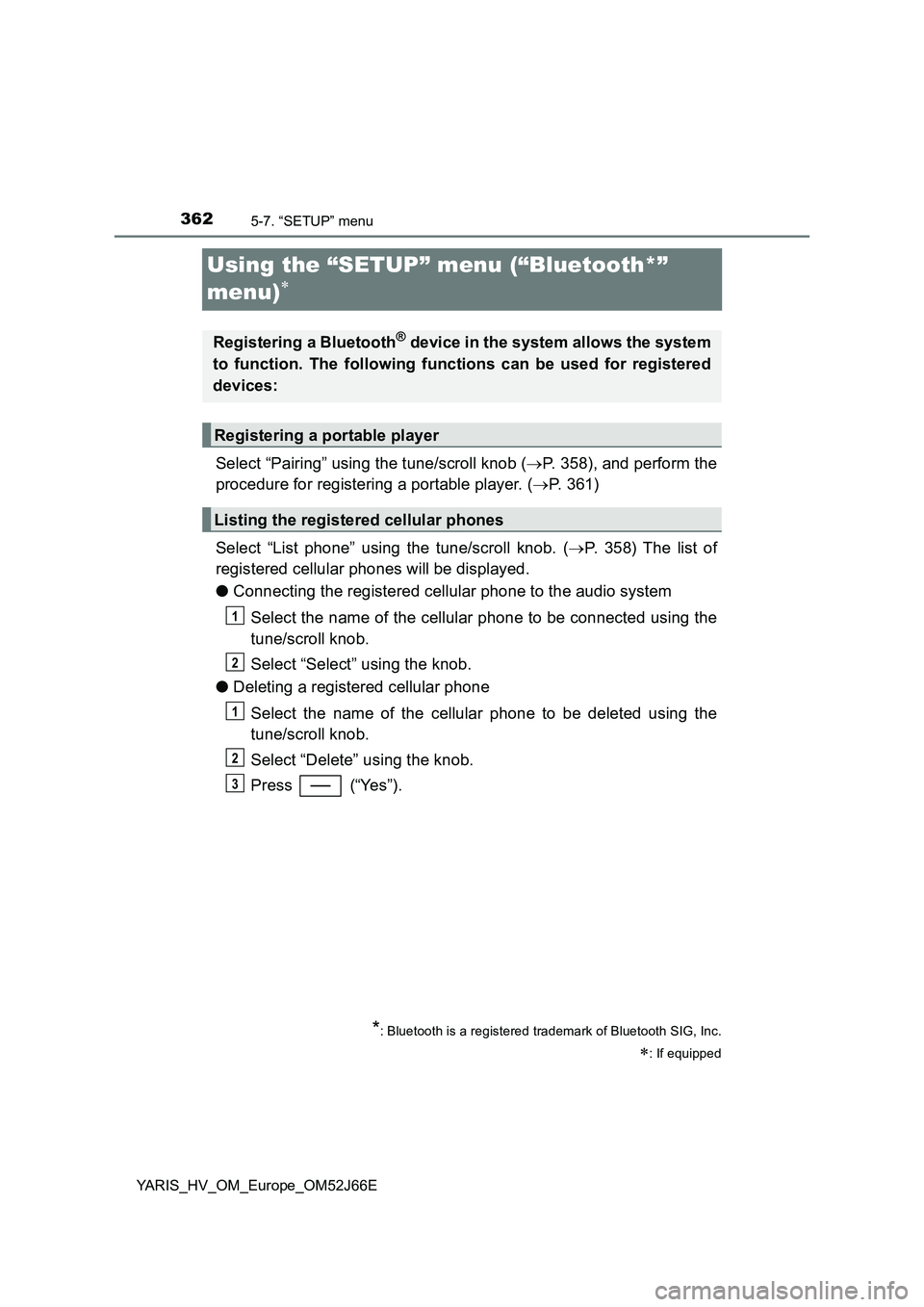
Select “Pairing” using the tune/scroll knob ( P. 358), and perform the
procedure for registering a portable player. ( P. 361)
Select “List phone” using the tune/scroll knob. ( P. 358) The list of
registered cellular phones will be displayed.
● Connecting the registered cellular phone to the audio system
Select the name of the cellular phone to be connected using the
tune/scroll knob.
Select “Select” using the knob.
● Deleting a registered cellular phone
Select the name of the cellular phone to be deleted using the
tune/scroll knob.
Select “Delete” using the knob.
Press (“Yes”).
*: Bluetooth is a registered trademark of Bluetooth SIG, Inc.
: If equipped
Registering a Bluetooth® device in the system allows the system
to function. The following functions can be used for registered
devices:
Registering a portable player
Listing the registered cellular phones
1
2
1
2
3
Page 363 of 632
3635-7. “SETUP” menu
5
Audio system
YARIS_HV_OM_Europe_OM52J66E
●Disconnecting the registered cellular phone from the audio system
Select the name of the cellular phone to be disconnected using
the tune/scroll knob.
Select “Disconnect” using the knob.
Press (“Yes”).
Select “List audio” using the tune/scroll knob. ( P. 358) The list of
registered portable players will be displayed.
● Connecting the registered portable player to the audio system
Select the name of the portable player to be connected using the
tune/scroll knob.
Select “Select” using the knob.
● Deleting the registered portable player
Select the name of the portable player to be deleted using the
tune/scroll knob.
Select “Delete” using the knob.
Press (“Yes”).
Listing the registered portable players
1
2
3
1
2
1
2
3
Page 364 of 632
3645-7. “SETUP” menu
YARIS_HV_OM_Europe_OM52J66E
●Disconnecting the registered portable player from the audio system
Select the name of the portable player to be disconnected using
the tune/scroll knob.
Select “Disconnect” using the knob.
Press (“Yes”).
● Selecting the connection method
Select the name of the desired portable player using the tune/
scroll knob.
Select “Connection method” using the knob.
Select “From vehicle” or “From audio” using the knob.
Select “Passkey” using the tune/scroll knob. ( P. 358)
Select a 4 to 8-digit passkey using the knob.
Input the number 1 digit at a time.
When the entire number to be registered as a passkey has been
input, press the knob again, or press (“Enter”).
If the passkey to be registered has 8 digits, pressing the knob again, or
pressing (“Enter”) is not necessary.
Changing the passkey
1
2
3
1
2
3
1
2
3