ESP TOYOTA YARIS 2018 Owner's Manual
[x] Cancel search | Manufacturer: TOYOTA, Model Year: 2018, Model line: YARIS, Model: TOYOTA YARIS 2018Pages: 632, PDF Size: 44.1 MB
Page 263 of 632
2634-5. Toyota Safety Sense
4
Driving
YARIS_HV_OM_Europe_OM52J66E
◆Pre-crash brake assist
When the system determines that the possibility of a frontal colli-
sion with a vehicle is high, the system applies greater braking force
in relation to how strongly the brake pedal is depressed.
◆Pre-crash braking
When the system determines that the possibility of a frontal colli-
sion with a vehicle is high, the system warns the driver. If the sys-
tem determines that the possibility of a collision is extremely high,
the brakes are automatically applied to help avoid the collision or
reduce the collision speed.
WARNING
■ Limitations of the pre-crash safety system
● The driver is solely responsible for safe driving. Always drive safely, taking
care to observe your surroundings.
Do not use the pre-crash safety system instead of normal braking opera-
tions under any circumstances. This system will not prevent collisions or
lessen collision damage or injury in every situation. Do not overly rely on
this system. Failure to do so may lead to an accident, resulting in death or
serious injury.
● Although this system is designed to help avoid and reduce the impact of a
collision, its effectiveness may change according to various conditions,
therefore the system may not always be able to achieve the same level of
performance.
Read the following conditions carefully. Do not overly rely on this system
and always drive carefully.
• Conditions under which the system may operate even if there is no pos-
sibility of a collision: P. 270
• Conditions under which the system may not operate properly: P. 2 7 4
● Do not attempt to test the operation of the pre-crash safety system your-
self, as the system may not operate properly, possibly leading to an acci-
dent.
Page 285 of 632
2854-5. Toyota Safety Sense
4
Driving
YARIS_HV_OM_Europe_OM52J66E
■ When changing the tires
Depending on the tires used, sufficient performance may not be maintainable.
■ If the LDA indicator comes on in yellow (vehicles with monochrome dis-
play)
It may indicate a malfunction in the system. Contact any authorized Toyota
retailer or Toyota authorized repairer, or any reliable repairer.
■ Warning messages for the LDA system (vehicles with color display)
Warning messages are used to indicate a system malfunction or to inform the
driver of the need for caution while driving.
■ Customization
P. 607
WARNING
■Before using the LDA system
Do not rely solely on the LDA system. The LDA system does not drive the
vehicle automatically, nor does it reduce the amount of care you need to
take. As such, the driver must always assume full responsibility for under-
standing his/her surroundings, for operati ng the steering wheel to correct
the driving line, and for driving safely.
Inappropriate or negligent driving could lead to an accident.
■ To avoid operating the LDA by mistake
Switch the LDA system off using the LDA switch when not in use.
Page 303 of 632
303
4
4-6. Using the driving support systems
Driving
YARIS_HV_OM_Europe_OM52J66E
Driving assist systems
◆ECB (Electronically Controlled Brake System)
The electronically controlled system generates braking force corre-
sponding to the brake operation
◆ABS (Anti-lock Brake System)
Helps to prevent wheel lock when the brakes are applied suddenly,
or if the brakes are applied while driving on a slippery road surface
◆Brake assist
Generates an increased level of braking force after the brake pedal
is depressed when the system detects a panic stop situation
◆VSC (Vehicle Stability Control)
Helps the driver to control skidding when swerving suddenly or
turning on slippery road surfaces
◆TRC (Traction Control)
Helps to maintain drive power and prevent the drive wheels from
spinning when starting the vehicle or accelerating on slippery roads
◆Hill-start assist control
Helps to reduce the backward movement of the vehicle when start-
ing on an uphill
◆EPS (Electric Power Steering)
Employs an electric motor to reduce the amount of effort needed to
turn the steering wheel
To keep driving safety and performance, the following systems
operate automatically in response to various driving situations.
Be aware, however, that these systems are supplementary and
should not be relied upon too heavily when operating the vehi-
cle.
Page 308 of 632
3084-6. Using the driving support systems
YARIS_HV_OM_Europe_OM52J66E
WARNING
■The ABS does not operate effectively when
● The limits of tire gripping performance have been exceeded (such as
excessively worn tires on a snow covered road).
● The vehicle hydroplanes while driving at high speed on wet or slick roads.
■ Stopping distance when the ABS is operating may exceed that of nor-
mal conditions
The ABS is not designed to shorten t he vehicle’s stopping distance. Always
maintain a safe distance from the vehicle in front of you, especially in the
following situations:
● When driving on dirt, gravel or snow-covered roads
● When driving with tire chains
● When driving over bumps in the road
● When driving over roads with potholes or uneven surfaces
■ TRC/VSC may not operate effectively when
Directional control and power may not be achievable while driving on slip-
pery road surfaces, even if the TRC/VSC system is operating.
Drive the vehicle carefully in conditions where stability and power may be
lost.
■ Hill-start assist control does not operate effectively when
● Do not overly rely on hill-start assist control. Hill-start assist control may
not operate effectively on steep inclines and roads covered with ice.
● Unlike the parking brake, hill-start assist control is not intended to hold the
vehicle stationary for an extended period of time. Do not attempt to use
hill-start assist control to hold the vehicle on an incline, as doing so may
lead to an accident.
■ When the VSC is activated
The slip indicator light flashes. Always drive carefully. Reckless driving may
cause an accident. Exercise particular care when the indicator light flashes.
Page 309 of 632
3094-6. Using the driving support systems
4
Driving
YARIS_HV_OM_Europe_OM52J66E
WARNING
■When the TRC/VSC systems are turned off
Be especially careful and drive at a speed appropriate to the road condi-
tions. As these are the systems to help ensure vehicle stability and driving
force, do not turn the TRC/VSC systems off unless necessary.
■ Replacing tires
Make sure that all tires are of the specified size, brand, tread pattern and
total load capacity. In addition, make sure that the tires are inflated to the
recommended tire inflation pressure level.
The ABS, TRC and VSC systems will not function correctly if different tires
are installed on the vehicle.
Contact any authorized Toyota retailer or Toyota authorized repairer, or any
reliable repairer for further information when replacing tires or wheels.
■ Handling of tires and the suspension
Using tires with any kind of problem or modifying the suspension will affect
the driving assist systems, and may cause a system to malfunction.
Page 310 of 632
3104-7. Driving tips
YARIS_HV_OM_Europe_OM52J66E
Hybrid vehicle driving tips
◆Using Eco drive mode
When using Eco drive mode, the torque corresponding to the accel-
erator pedal depression amount can be generated more smoothly
than it is in normal conditions. In addition, the operation of the air
conditioning system (heating/cooling) will be minimized, improving
the fuel economy. ( P. 233)
◆Use of Hybrid System Indicator
The Eco-friendly driving is possible by keeping the indicate of
Hybrid System Indicator within Eco area. ( P. 115)
◆Shift lever operation
Shift the shift lever to D when stopped at a traffic light, or driving in
heavy traffic etc. Shift the shift lever to P when parking. When using
the N, there is no positive effect on fuel consumption. In the N, the
gasoline engine operates but electricity cannot be generated. Also,
when using the air conditioning system, etc., the hybrid battery
(traction battery) power is consumed.
For economical and ecological driving, pay attention to the fol-
lowing points:
Page 325 of 632
3255-2. Using the audio system
5
Audio system
YARIS_HV_OM_Europe_OM52J66E
■Changing sound quality modes
Press the tune/scroll knob.
Turn the knob to select “Sound settings”.
Press the knob.
Turn the knob as corresponds to the desired mode.
“Bass”, “Treble”, “Fader”, “Balance”, or “ASL” can be selected.
Press the knob.
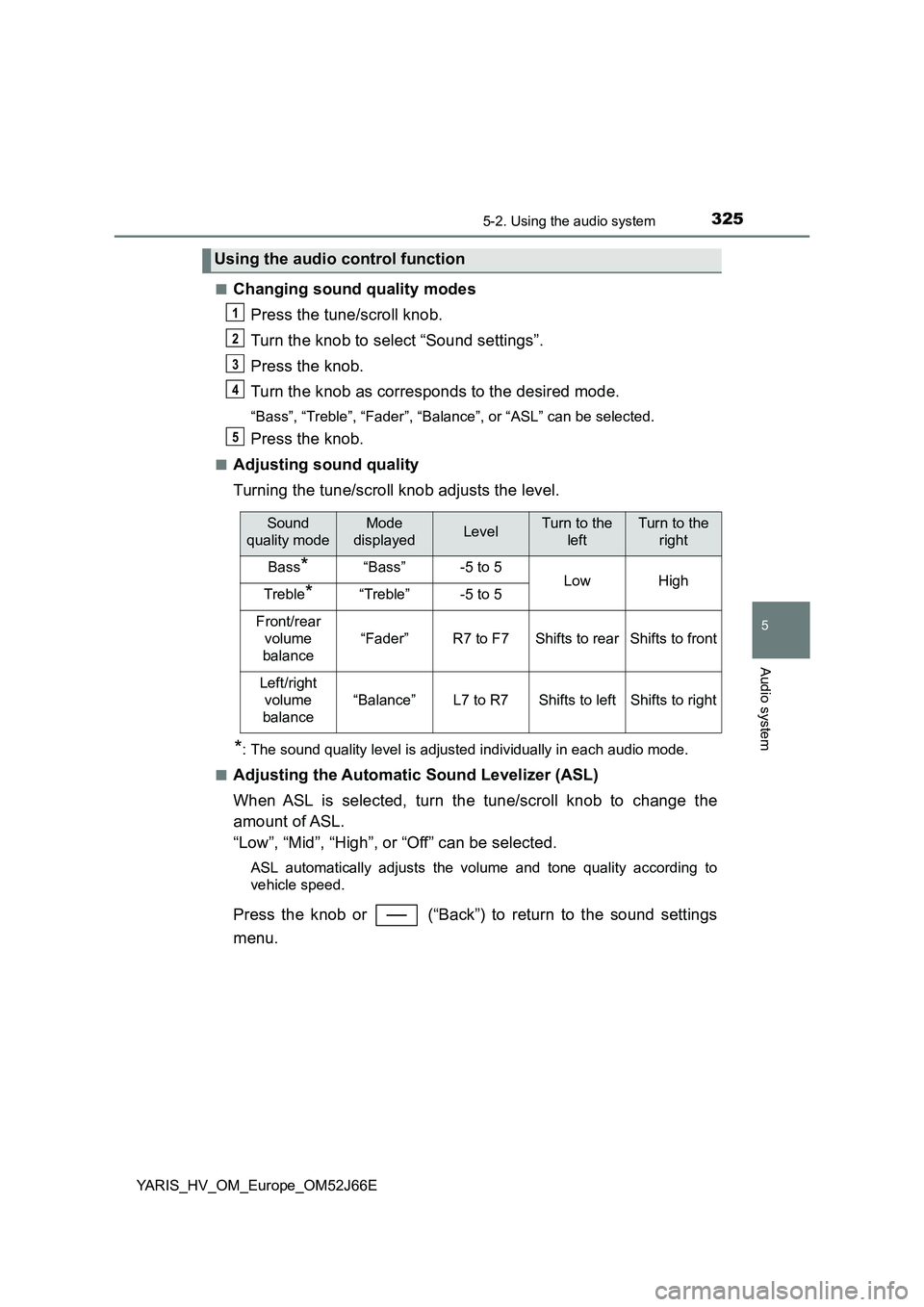
■Adjusting sound quality
Turning the tune/scroll knob adjusts the level.
*: The sound quality level is adjusted individually in each audio mode.
■Adjusting the Automatic Sound Levelizer (ASL)
When ASL is selected, turn the tune/scroll knob to change the
amount of ASL.
“Low”, “Mid”, “High”, or “Off” can be selected.
ASL automatically adjusts the volume and tone quality according to
vehicle speed.
Press the knob or (“Back”) to return to the sound settings
menu.
Using the audio control function
1
2
3
4
5
Sound
quality mode
Mode
displayedLevelTurn to the
left
Turn to the
right
Bass*“Bass”-5 to 5LowHighTreble*“Treble”-5 to 5
Front/rear
volume
balance
“Fader”R7 to F7Shifts to rearShifts to front
Left/right
volume
balance
“Balance”L7 to R7Shifts to leftShifts to right
Page 328 of 632
3285-3. Using the radio
YARIS_HV_OM_Europe_OM52J66E
This feature allows your radio to receive station.
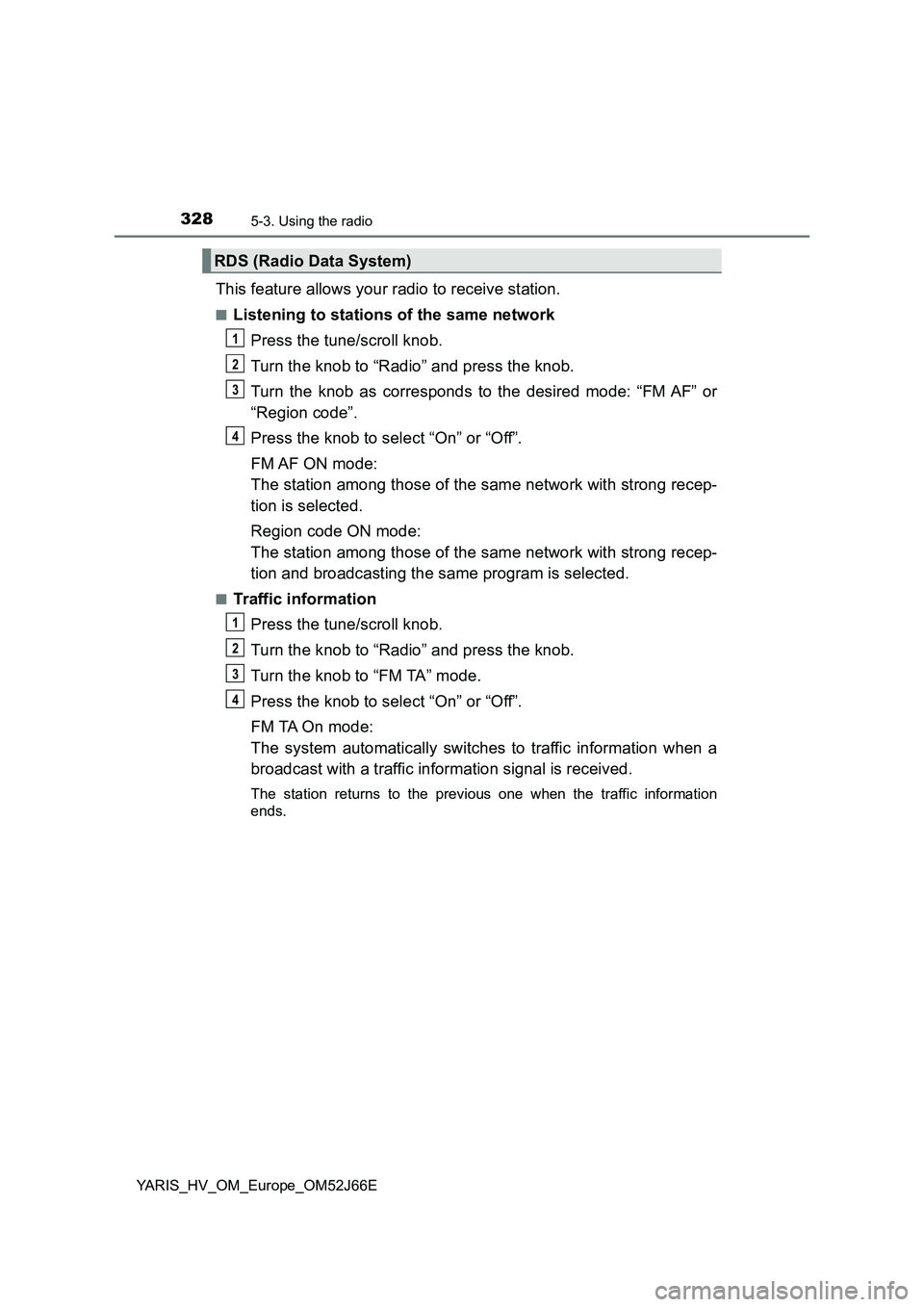
■Listening to stations of the same network
Press the tune/scroll knob.
Turn the knob to “Radio” and press the knob.
Turn the knob as corresponds to the desired mode: “FM AF” or
“Region code”.
Press the knob to select “On” or “Off”.
FM AF ON mode:
The station among those of the same network with strong recep-
tion is selected.
Region code ON mode:
The station among those of the same network with strong recep-
tion and broadcasting the same program is selected.
■Traffic information
Press the tune/scroll knob.
Turn the knob to “Radio” and press the knob.
Turn the knob to “FM TA” mode.
Press the knob to select “On” or “Off”.
FM TA On mode:
The system automatically switches to traffic information when a
broadcast with a traffic information signal is received.
The station returns to the previous one when the traffic information
ends.
RDS (Radio Data System)
1
2
3
34
1
2
3
34
Page 342 of 632
3425-5. Using an external device
YARIS_HV_OM_Europe_OM52J66E
Pressing (“RDM”) changes modes in the following order:
Track shuffle Album shuffleOff.
Press (“Text”) display or hide the album title.
If there are continuing texts, is displayed.
Press and hold the button to display the remaining texts.
Press the tune/scroll knob to enter iPod menu mode.
Turning the knob changes sound modes. ( P. 324)
■About iPod
● “Made for iPod” and “Made for iPhone” mean that an electronic accessory
has been designed to connect specifically to iPod, or iPhone, respectively,
and has been certified by the developer to meet Apple performance stan-
dards.
● Apple is not responsible for the operation of this device or its compliance
with safety and regulatory standards. Please note that the use of this acces-
sory with iPod or iPhone may affect wireless performance.
● iPhone, iPod, iPod classic, iPod nano and iPod touch are trademarks of
Apple Inc., registered in the U.S. and other countries.
Shuffle playback
Switching the display
Adjusting sound quality and volume balance
1
2
Page 350 of 632
3505-5. Using an external device
YARIS_HV_OM_Europe_OM52J66E
■ USB memory
● Compatible devices
USB memory that can be used for MP3 and WMA playback
● Compatible device formats
The following device formats can be used:
• USB communication formats: USB2.0 FS (12 Mbps)
• File formats: FAT12/16/32 (Windows)
• Correspondence class: Mass storage class
MP3 and WMA files written in any format other than those listed above may
not play correctly, and their file names and folder names may not be dis-
played correctly.
Items related to standards and limitations are as follows:
• Maximum directory hierarchy: 8 levels
• Maximum number of folders in a device: 999 (including the root)
• Maximum number of files in a device: 9999
• Maximum number of files per folder: 255
● MP3 and WMA files
MP3 (MPEG Audio LAYER 3) is a standard audio compression format.
Files can be compressed to approximately 1/10 of their original size by
using MP3 compression.
WMA (Windows Media Audio) is a Microsoft audio compression format.
This format compresses audio data to a size smaller than that of the MP3
format.
There is a limit to the MP3 and WMA file standards and to the media/for-
mats recorded by them that can be used.
● MP3 file compatibility
• Compatible standards
MP3 (MPEG1 AUDIO LAYERII, III, MPEG2 AUDIO LAYERII, III, MPEG2.5)
• Compatible sampling frequencies
MPEG1 AUDIO LAYERII, III: 32, 44.1, 48 (kHz)
MPEG2 AUDIO LAYERII, III: 16, 22.05, 24 (kHz)
• Compatible bit rates (compatible with VBR)
MPEG1 AUDIO LAYERII, III: 32-320 (kbps)
MPEG2 AUDIO LAYERII, III: 8-160 (kbps)
• Compatible channel modes: stereo, joint stereo, dual channel and mon-
aural