phone TOYOTA YARIS 2018 Owner's Guide
[x] Cancel search | Manufacturer: TOYOTA, Model Year: 2018, Model line: YARIS, Model: TOYOTA YARIS 2018Pages: 632, PDF Size: 44.1 MB
Page 376 of 632
3765-9. Bluetooth® Phone
YARIS_HV_OM_Europe_OM52J66E
Receiving a phone call
Press the off-hook switch.
Press the on-hook switch.
Press the off-hook switch.
Pressing the off-hook switch again returns you to the previous call.
To decrease the volume: Turn the power/volume knob counterclock-
wise.
To increase the volume: Turn the power/volume knob clockwise.
: If equipped
Answering the phone
Refusing the call
Receiving a call when on another call
Adjusting the ring tone volume when receiving a call
Page 377 of 632
3775-9. Bluetooth® Phone
5
Audio system
YARIS_HV_OM_Europe_OM52J66E
Speaking on the phone
A call can be transferred between the cellular phone and system while
dialing, receiving a call, or during a call. Use one of the following
methods:
a. Operate the cellular phone.
Refer to the manual that comes with the cellular phone for the operation
of the phone.
b. Press the * (“Phone”).
*: This operation can be performed only when transferring a call from the
cellular phone to the system during a call.
Press (“Mute”).
Press [0-9] and using the tune/scroll knob input the desired
digits.
To decrease the volume: Turn the power/volume knob counterclock-
wise.
To increase the volume: Turn the power/volume knob clockwise.
: If equipped
Transferring a call
Muting your voice
Inputting digits
Setting call volume
Page 378 of 632
3785-9. Bluetooth® Phone
YARIS_HV_OM_Europe_OM52J66E
■When talking on the phone
● Do not talk simultaneously with the other party.
● Keep the volume of the received voice down. Otherwise, voice echo will
increase.
■ Automatic volume adjustment
When vehicle speed is 80 km/h (50 mph) or more, the volume automatically
increases. The volume returns to the previous volume setting when vehicle
speed drops to 70 km/h (43 mph) or less.
■ Phone call system functions
Depending on the cellular phone, certain functions may not be available.
■ Situations where the other party may not recognize your voice
● When driving on a rough road
● When driving at high speeds
● When air is blowing out of the vents onto the microphone
● When the air conditioning fan emits a loud noise
Page 379 of 632
3795-10. Bluetooth®
5
Audio system
YARIS_HV_OM_Europe_OM52J66E
Bluetooth®
■When using the Bluetooth® audio/phone
● In the following situations, the system may not function.
• The portable player does not support Bluetooth®
• The cellular phone is located outside the service area
• The Bluetooth® device is switched off
• The Bluetooth® device has a low battery
• The Bluetooth® device is not connected to the system
• The Bluetooth® device is behind the seat or in the glove box or console
box, or metal material covers or touches the device
● There may be a delay if a cellular phone connection is made during
Bluetooth® audio play.
● Depending on the type of portable audio player that is connected to the sys-
tem, operation may differ slightly and certain functions may not be available.
■ When transferring ownership of the vehicle
Be sure to initialize the system to prevent personal data from being improp-
erly accessed. ( P. 366)
: If equipped
Page 380 of 632
3805-10. Bluetooth®
YARIS_HV_OM_Europe_OM52J66E
■ About Bluetooth®
■Compatible models
● Bluetooth® specifications:
Ver. 1.1, or higher (Recommended: Ver. 2.1 + EDR or higher)
● Following Profiles:
• A2DP (Advanced Audio Distribution Profile) Ver. 1.0 or higher (recom-
mended: Ver. 1.2 or higher)
• AVRCP (Audio/Video Remote Control Profile) Ver. 1.0 or higher (recom-
mended: Ver. 1.3 or higher)
Portable players must correspond to the above specifications in order to be
connected to the Bluetooth® audio/phone. However, please note that some
functions may be limited depending on the type of portable player.
● Cellular phone
• HFP (Hands Free Profile) Ver. 1.0 or higher (Recommended: Ver. 1.5)
• OPP (Object Push Profile) Ver. 1.1
• PBAP (Phone Book Access Profile) Ver. 1.0
Bluetooth is a registered trademark of
Bluetooth SIG, Inc.
Page 383 of 632
3835-10. Bluetooth®
5
Audio system
YARIS_HV_OM_Europe_OM52J66E
WARNING
■Caution while driving
Observe the following precautions to avoid an accident that could result in
death or serious injuries.
● Do not use a cellular phone.
● Do not connect Bluetooth® device or operate the controls.
■ Caution regarding interference with electronic devices
● Your audio unit is fitted with Bluetooth® antennas. People with implantable
cardiac pacemakers, cardiac resynchronization therapy-pacemakers or
implantable cardioverter defibrillators should maintain a reasonable dis-
tance between themselves and the Bluetooth® antennas.
The radio waves may affect the operation of such devices.
● Before using Bluetooth® devices, users of any electrical medical device
other than implantable cardiac pacemakers, cardiac resynchronization
therapy-pacemakers or implantable cardioverter defibrillators should con-
sult the manufacturer of the device for information about its operation
under the influence of radio waves. Radio waves could have unexpected
effects on the operation of such medical devices.
NOTICE
■ To prevent damage to Bluetooth® device
Do not leave Bluetooth® device in the vehicle. The temperature inside the
vehicle may become high, resulting in damage to the device.
Page 457 of 632
4577-3. Do-it-yourself maintenance
7
Maintenance and care
YARIS_HV_OM_Europe_OM52J66E
■ Situations in which the tire pressure warning system may not operate
properly (vehicles with a tire pressure warning system)
● In the following cases, the tire pressure warning system may not operate
properly.
• If non-genuine Toyota wheels are used.
• A tire has been replaced with a tire t hat is not an OE (Original Equipment)
tire.
• A tire has been replaced with a tire that is not of the specified size.
• Tire chains etc. are equipped.
• If a window tint that affects the radio wave signals is installed.
• If there is a lot of snow or ice on the vehicle, particularly around the
wheels or wheel housings.
• If the tire inflation pressure is extremely higher than the specified level.
• If wheels without the tire pressure warning valves and transmitters are
used.
• If the ID code on the tire pressure warning valves and transmitters is not
registered in the tire pressure warning computer.
● Performance may be affected in the following situations.
• Near a TV tower, electric power plant, gas station, radio station, large dis-
play, airport or other facility that generates strong radio waves or electri-
cal noise
• When carrying a portable radio, cellular phone, cordless phone or other
wireless communication device
● When the vehicle is parked, the time taken for the warning to start or go off
could be extended.
● When tire inflation pressure declines rapidly for example when a tire has
burst, the warning may not function.
Page 611 of 632
611
Index
YARIS_HV_OM_Europe_OM52J66E
What to do if...
(Troubleshooting) ..................... 612
Alphabetical index ...................... 616
For vehicles with navigation system or multimedia system,
refer to “Navigation and multimedia system Owner’s manual”
for information regarding the equipment listed below.
• Navigation system
• Hands-free system (for cellular phone)
• Rear view monitor system
• Audio system
Page 617 of 632
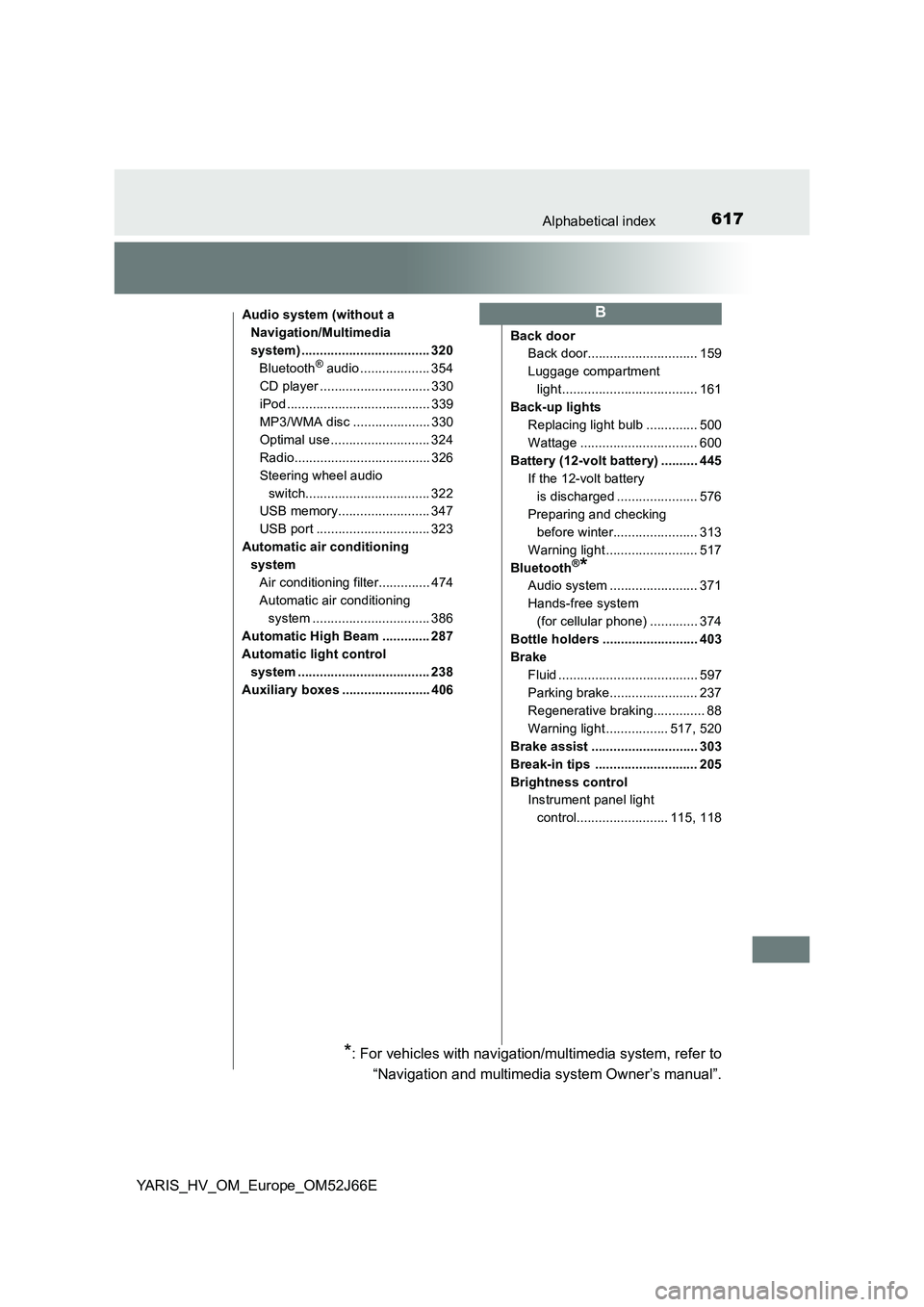
617Alphabetical index
YARIS_HV_OM_Europe_OM52J66E
Audio system (without a
Navigation/Multimedia
system) ................................... 320
Bluetooth® audio ................... 354
CD player .............................. 330
iPod ....................................... 339
MP3/WMA disc ..................... 330
Optimal use ........................... 324
Radio..................................... 326
Steering wheel audio
switch.................................. 322
USB memory......................... 347
USB port ............................... 323
Automatic air conditioning
system
Air conditioning filter.............. 474
Automatic air conditioning
system ................................ 386
Automatic High Beam ............. 287
Automatic light control
system .................................... 238
Auxiliary boxes ........................ 406
Back door
Back door.............................. 159
Luggage compartment
light..................................... 161
Back-up lights
Replacing light bulb .............. 500
Wattage ................................ 600
Battery (12-volt battery) .......... 445
If the 12-volt battery
is discharged ...................... 576
Preparing and checking
before winter....................... 313
Warning light ......................... 517
Bluetooth®*
Audio system ........................ 371
Hands-free system
(for cellular phone) ............. 374
Bottle holders .......................... 403
Brake
Fluid ...................................... 597
Parking brake........................ 237
Regenerative braking.............. 88
Warning light ................. 517, 520
Brake assist ............................. 303
Break-in tips ............................ 205
Brightness control
Instrument panel light
control......................... 115, 118
B
*: For vehicles with navigation/multimedia system, refer to
“Navigation and multimedia system Owner’s manual”.
Page 622 of 632
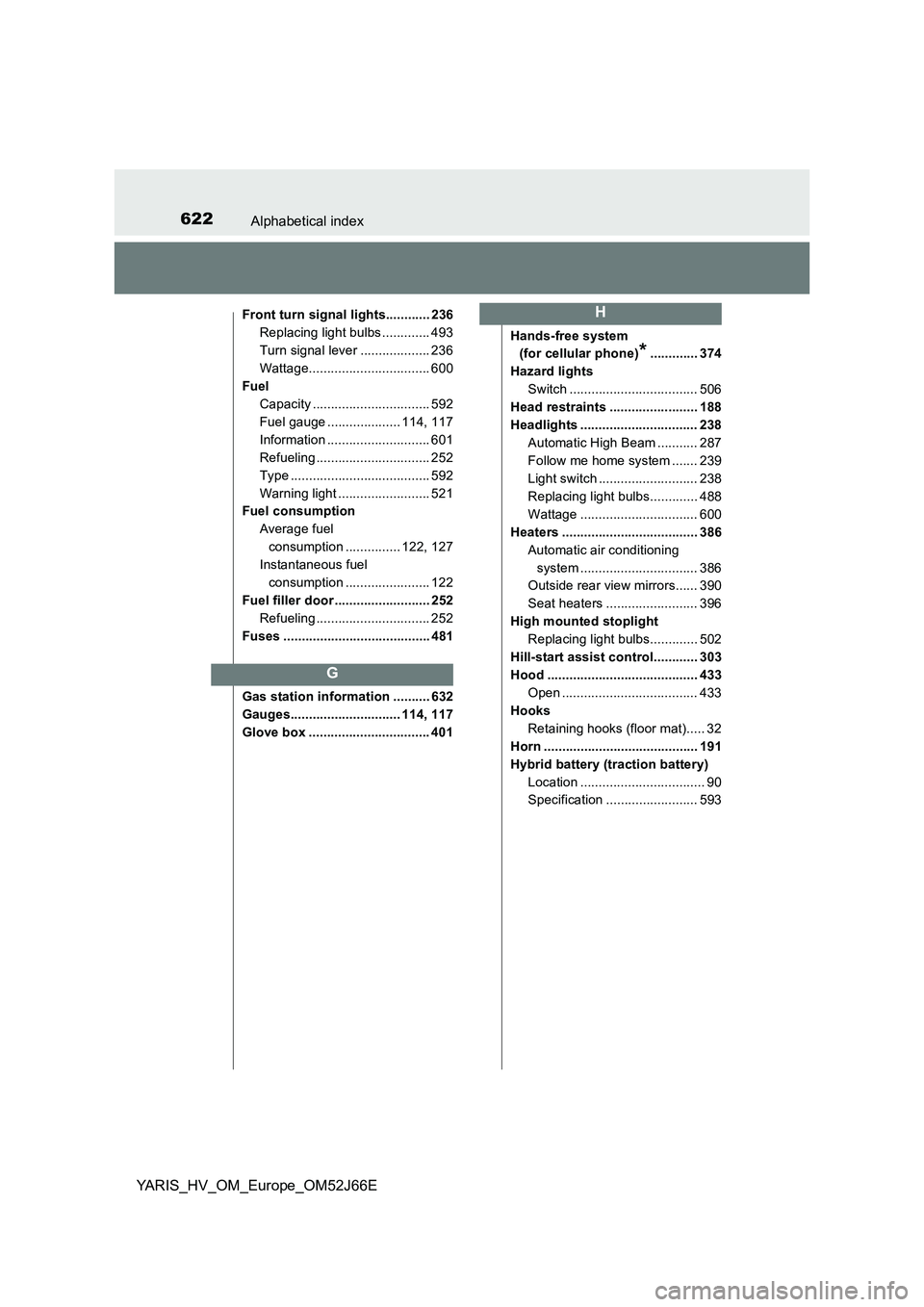
622Alphabetical index
YARIS_HV_OM_Europe_OM52J66E
Front turn signal lights............ 236
Replacing light bulbs ............. 493
Turn signal lever ................... 236
Wattage................................. 600
Fuel
Capacity ................................ 592
Fuel gauge .................... 114, 117
Information ............................ 601
Refueling ............................... 252
Type ...................................... 592
Warning light ......................... 521
Fuel consumption
Average fuel
consumption ............... 122, 127
Instantaneous fuel
consumption ....................... 122
Fuel filler door .......................... 252
Refueling ............................... 252
Fuses ........................................ 481
Gas station information .......... 632
Gauges.............................. 114, 117
Glove box ................................. 401
Hands-free system
(for cellular phone)*............. 374
Hazard lights
Switch ................................... 506
Head restraints ........................ 188
Headlights ................................ 238
Automatic High Beam ........... 287
Follow me home system ....... 239
Light switch ........................... 238
Replacing light bulbs............. 488
Wattage ................................ 600
Heaters ..................................... 386
Automatic air conditioning
system ................................ 386
Outside rear view mirrors...... 390
Seat heaters ......................... 396
High mounted stoplight
Replacing light bulbs............. 502
Hill-start assist control............ 303
Hood ......................................... 433
Open ..................................... 433
Hooks
Retaining hooks (floor mat)..... 32
Horn .......................................... 191
Hybrid battery (traction battery)
Location .................................. 90
Specification ......................... 593
G
H