engine TOYOTA YARIS 2019 Owner's Manual
[x] Cancel search | Manufacturer: TOYOTA, Model Year: 2019, Model line: YARIS, Model: TOYOTA YARIS 2019Pages: 700, PDF Size: 65.2 MB
Page 112 of 700
1122. Instrument cluster
YARIS_F_OM_Europe_OM52K19E
*12: The light flashes in yellow to indicate that the vehicle is deviating from the
lane.
*13: Vehicles with monochrome display.
*14: Vehicles with color display.
*15: When the outside temperature is approximately 3°C (37°F) or lower, the
indicator will flash for approximately 10 seconds, then stay on.
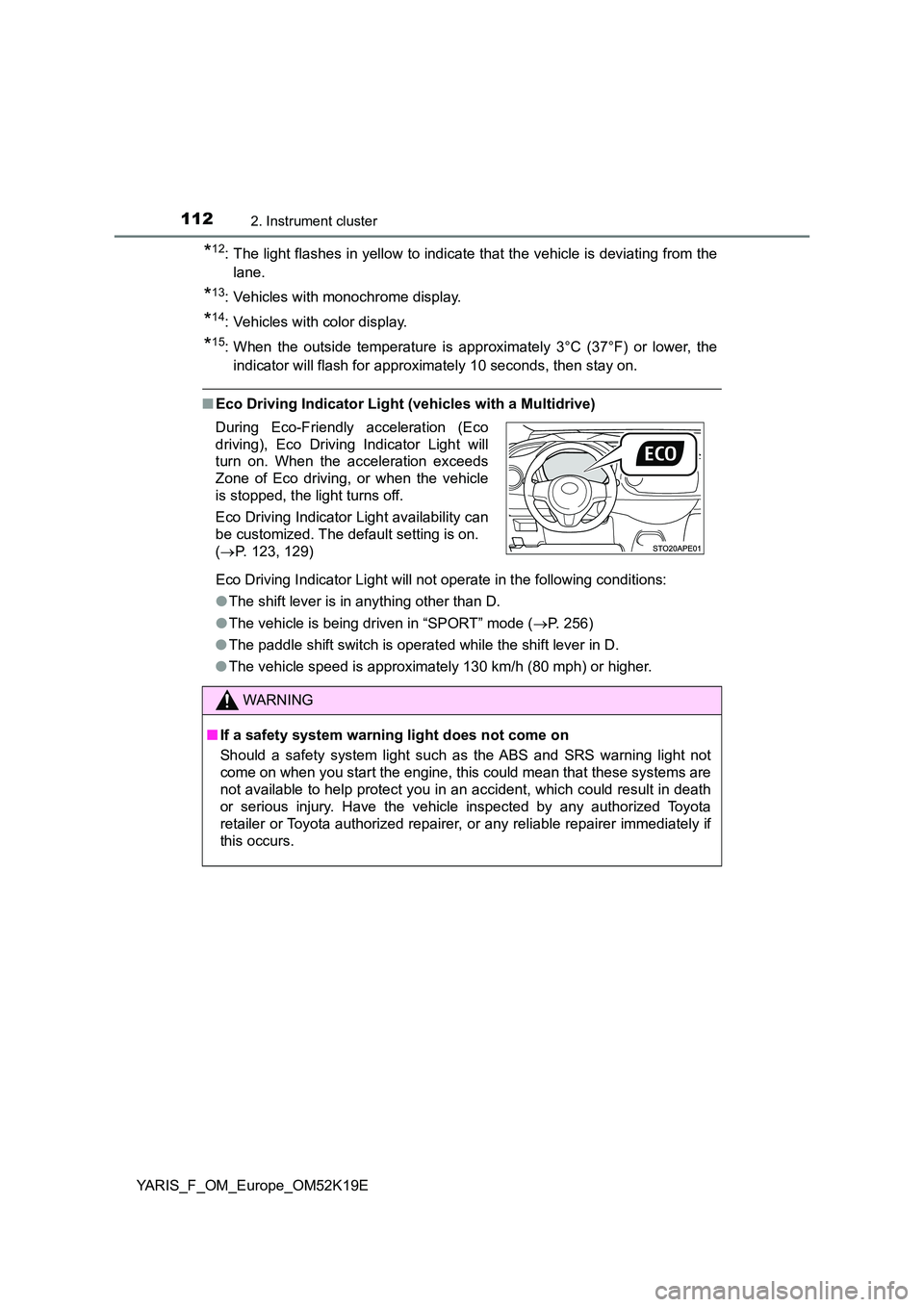
■ Eco Driving Indicator Light (vehicles with a Multidrive)
Eco Driving Indicator Light will not operate in the following conditions:
● The shift lever is in anything other than D.
● The vehicle is being driven in “SPORT” mode (P. 256)
● The paddle shift switch is operated while the shift lever in D.
● The vehicle speed is approximately 130 km/h (80 mph) or higher.
During Eco-Friendly acceleration (Eco
driving), Eco Driving Indicator Light will
turn on. When the acceleration exceeds
Zone of Eco driving, or when the vehicle
is stopped, the light turns off.
Eco Driving Indicator Light availability can
be customized. The default setting is on.
( P. 123, 129)
WARNING
■If a safety system warning light does not come on
Should a safety system light such as the ABS and SRS warning light not
come on when you start the engine, this could mean that these systems are
not available to help protect you in an accident, which could result in death
or serious injury. Have the vehicle inspected by any authorized Toyota
retailer or Toyota authorized repairer, or any reliable repairer immediately if
this occurs.
Page 113 of 700
113
2
2. Instrument cluster
Instrument cluster
YARIS_F_OM_Europe_OM52K19E
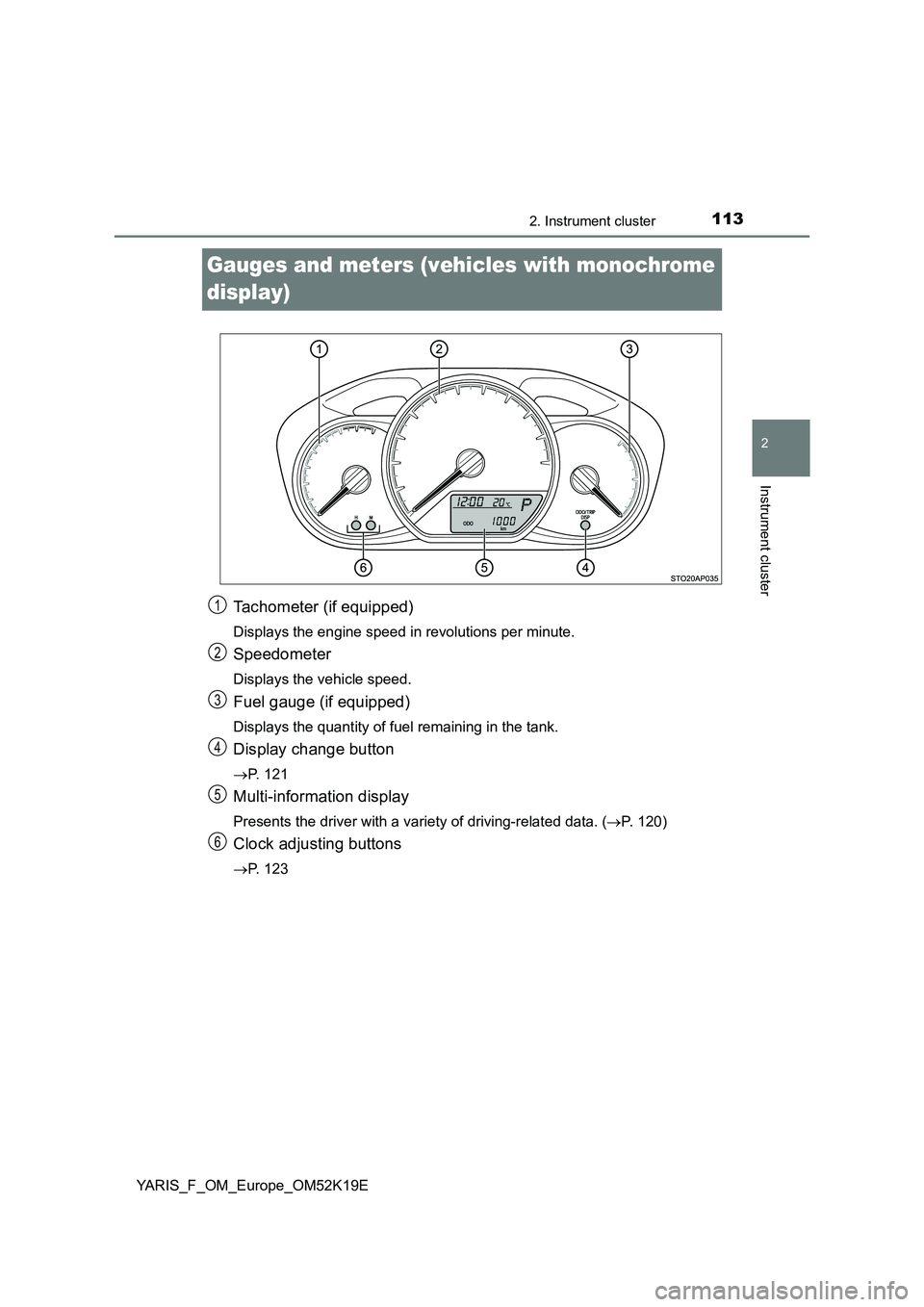
Gauges and meters (vehicles with monochrome
display)
Tachometer (if equipped)
Displays the engine speed in revolutions per minute.
Speedometer
Displays the vehicle speed.
Fuel gauge (if equipped)
Displays the quantity of fuel remaining in the tank.
Display change button
P. 121
Multi-information display
Presents the driver with a variety of driving-related data. (P. 1 2 0 )
Clock adjusting buttons
P. 123
1
2
3
4
5
6
Page 114 of 700
1142. Instrument cluster
YARIS_F_OM_Europe_OM52K19E
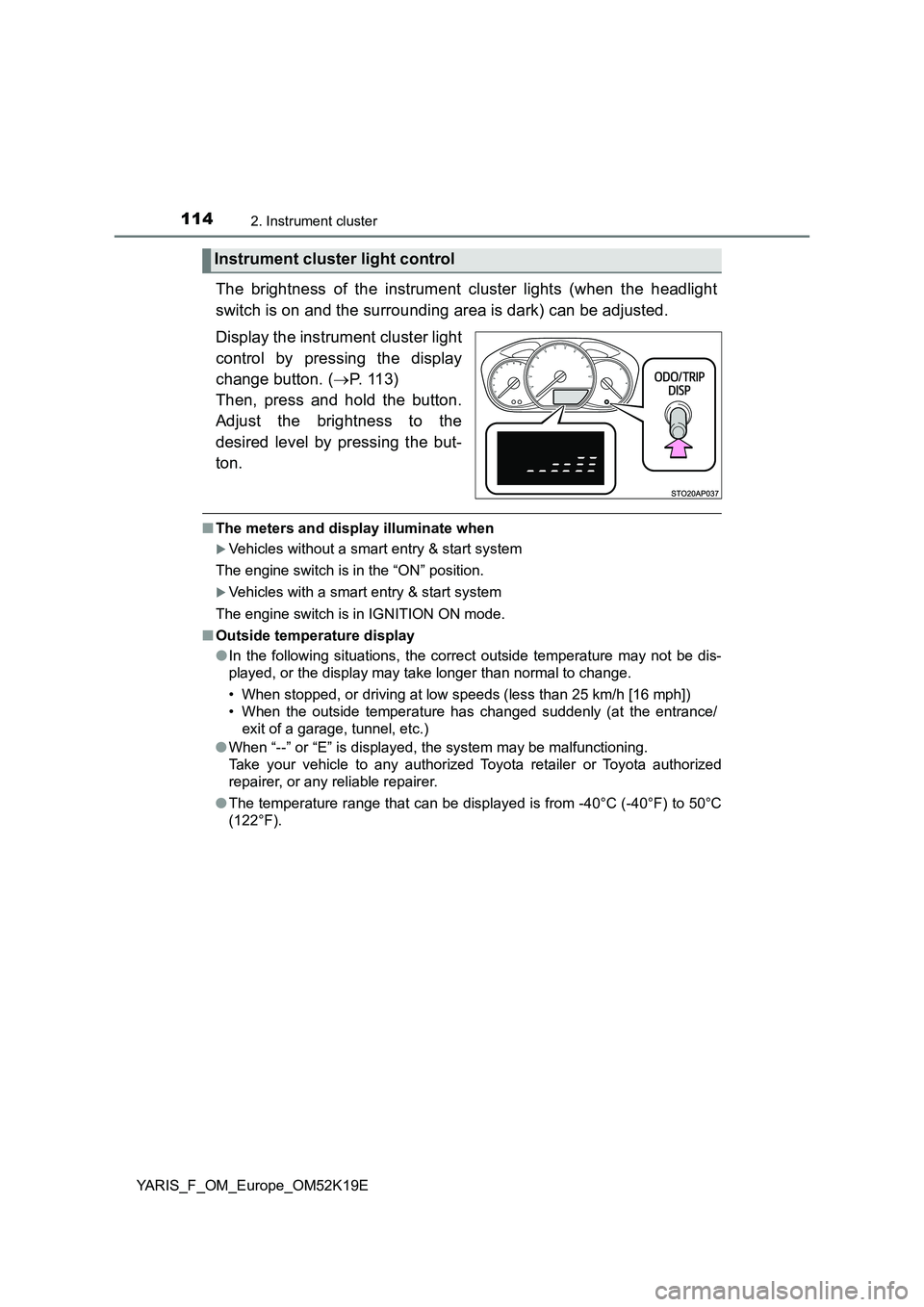
The brightness of the instrument cluster lights (when the headlight
switch is on and the surrounding area is dark) can be adjusted.
Display the instrument cluster light
control by pressing the display
change button. ( P. 113)
Then, press and hold the button.
Adjust the brightness to the
desired level by pressing the but-
ton.
■ The meters and display illuminate when
Vehicles without a smart entry & start system
The engine switch is in the “ON” position.
Vehicles with a smart entry & start system
The engine switch is in IGNITION ON mode.
■ Outside temperature display
● In the following situations, the correct outside temperature may not be dis-
played, or the display may take longer than normal to change.
• When stopped, or driving at low speeds (less than 25 km/h [16 mph])
• When the outside temperature has changed suddenly (at the entrance/
exit of a garage, tunnel, etc.)
● When “--” or “E” is displayed, the system may be malfunctioning.
Take your vehicle to any authorized Toyota retailer or Toyota authorized
repairer, or any reliable repairer.
● The temperature range that can be displayed is from -40°C (-40°F) to 50°C
(122°F).
Instrument cluster light control
Page 115 of 700
1152. Instrument cluster
2
Instrument cluster
YARIS_F_OM_Europe_OM52K19E
NOTICE
■To prevent damage to the engine and its components
● Vehicles with a tachometer: Do not let the indicator needle of the tachome-
ter enter the red zone, which indicates the maximum engine speed.
● The engine may be overheating if the high engine coolant temperature
warning light flashes or comes on. In this case, immediately stop the vehi-
cle in a safe place, and check the engine after it has cooled completely.
( P. 636)
Page 116 of 700
1162. Instrument cluster
YARIS_F_OM_Europe_OM52K19E
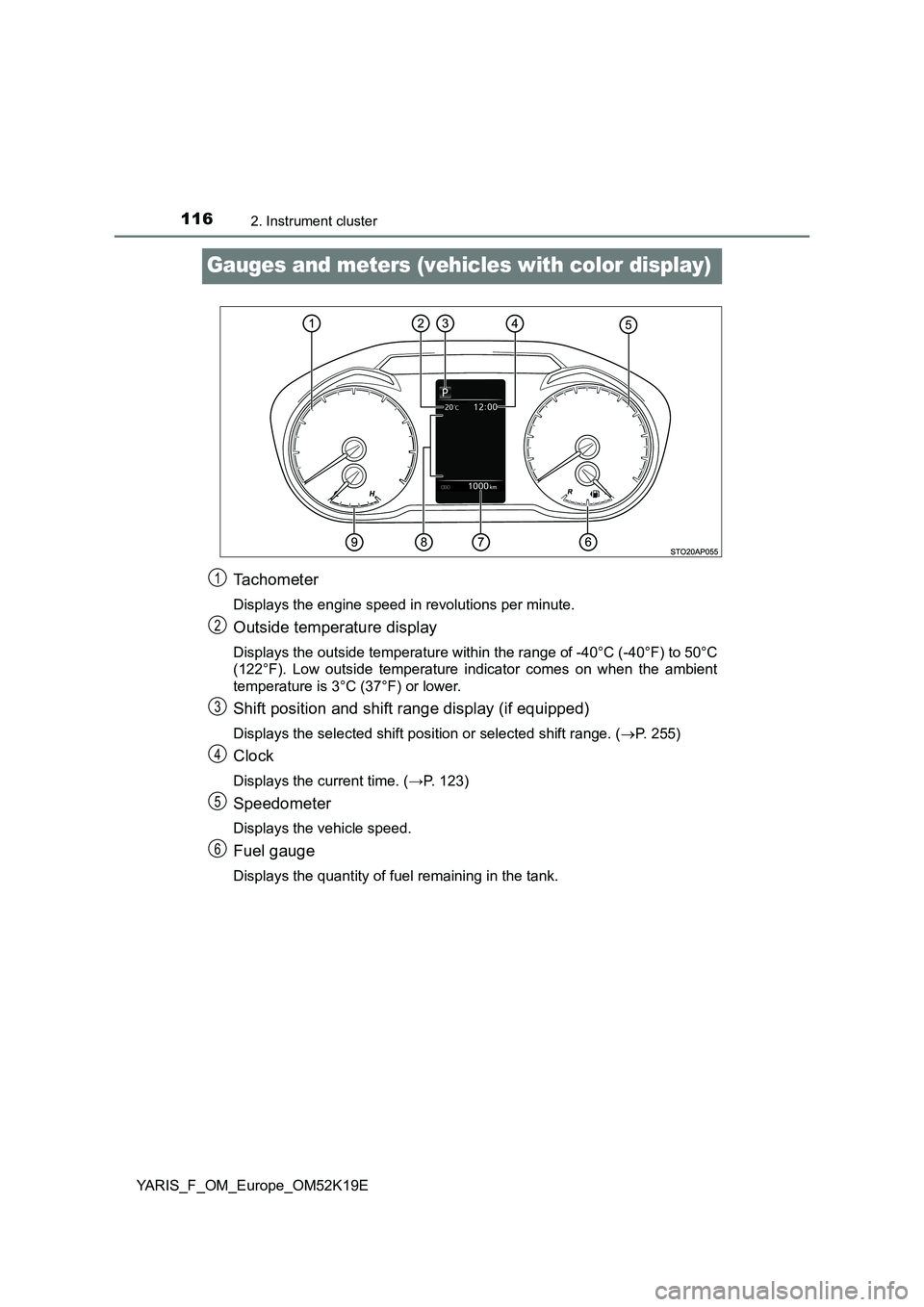
Gauges and meters (vehicles with color display)
Tachometer
Displays the engine speed in revolutions per minute.
Outside temperature display
Displays the outside temperature within the range of -40°C (-40°F) to 50°C
(122°F). Low outside temperature indicator comes on when the ambient
temperature is 3°C (37°F) or lower.
Shift position and shift range display (if equipped)
Displays the selected shift position or selected shift range. ( P. 255)
Clock
Displays the current time. (→P. 123)
Speedometer
Displays the vehicle speed.
Fuel gauge
Displays the quantity of fuel remaining in the tank.
1
2
3
4
5
6
Page 117 of 700
1172. Instrument cluster
2
Instrument cluster
YARIS_F_OM_Europe_OM52K19E
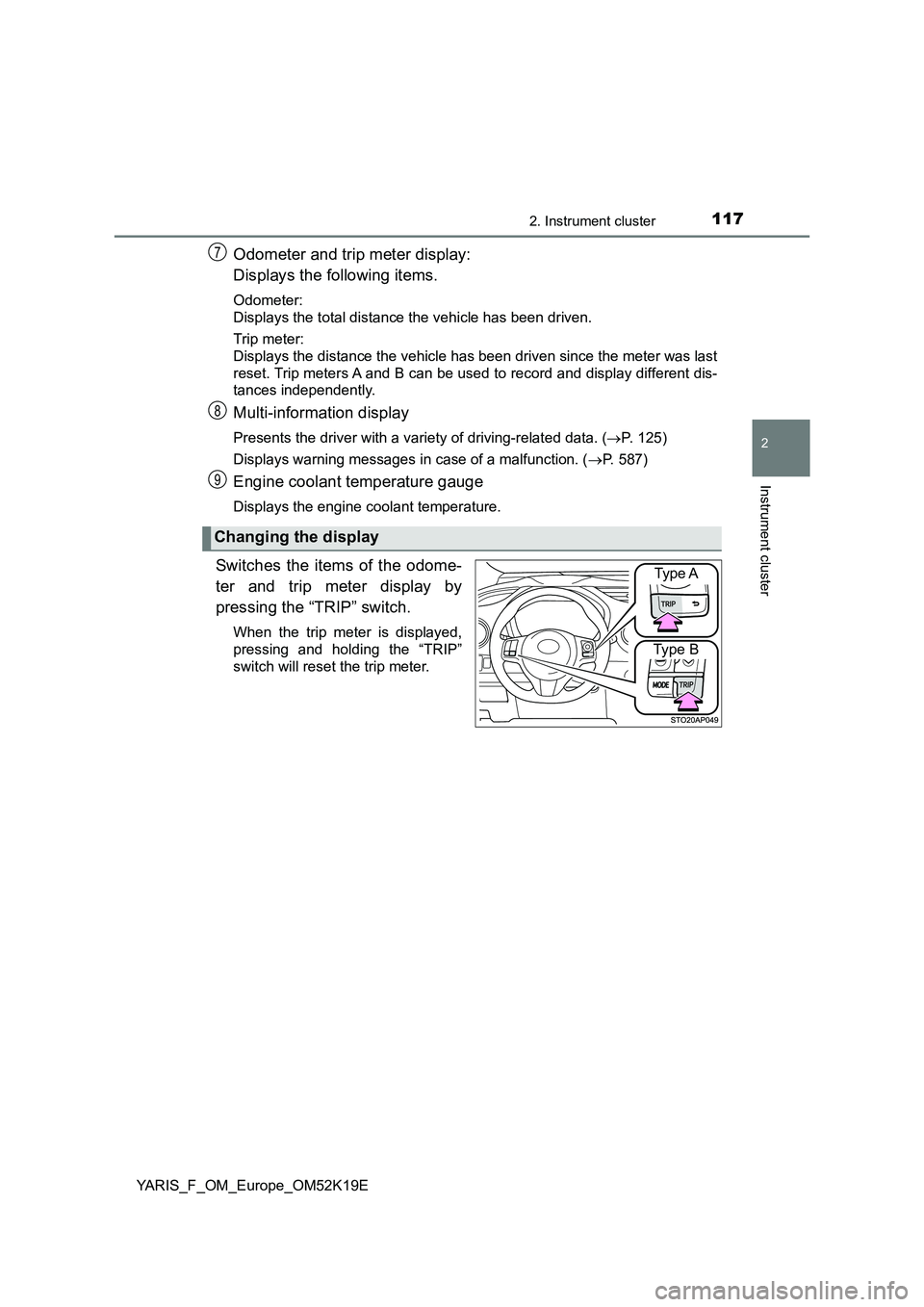
Odometer and trip meter display:
Displays the following items.
Odometer:
Displays the total distance the vehicle has been driven.
Trip meter:
Displays the distance the vehicle has been driven since the meter was last
reset. Trip meters A and B can be used to record and display different dis-
tances independently.
Multi-information display
Presents the driver with a variety of driving-related data. ( P. 1 2 5 )
Displays warning messages in case of a malfunction. ( P. 587)
Engine coolant temperature gauge
Displays the engine coolant temperature.
Switches the items of the odome-
ter and trip meter display by
pressing the “TRIP” switch.
When the trip meter is displayed,
pressing and holding the “TRIP”
switch will reset the trip meter.
Changing the display
7
8
9
Type A
Type B
Page 118 of 700
1182. Instrument cluster
YARIS_F_OM_Europe_OM52K19E
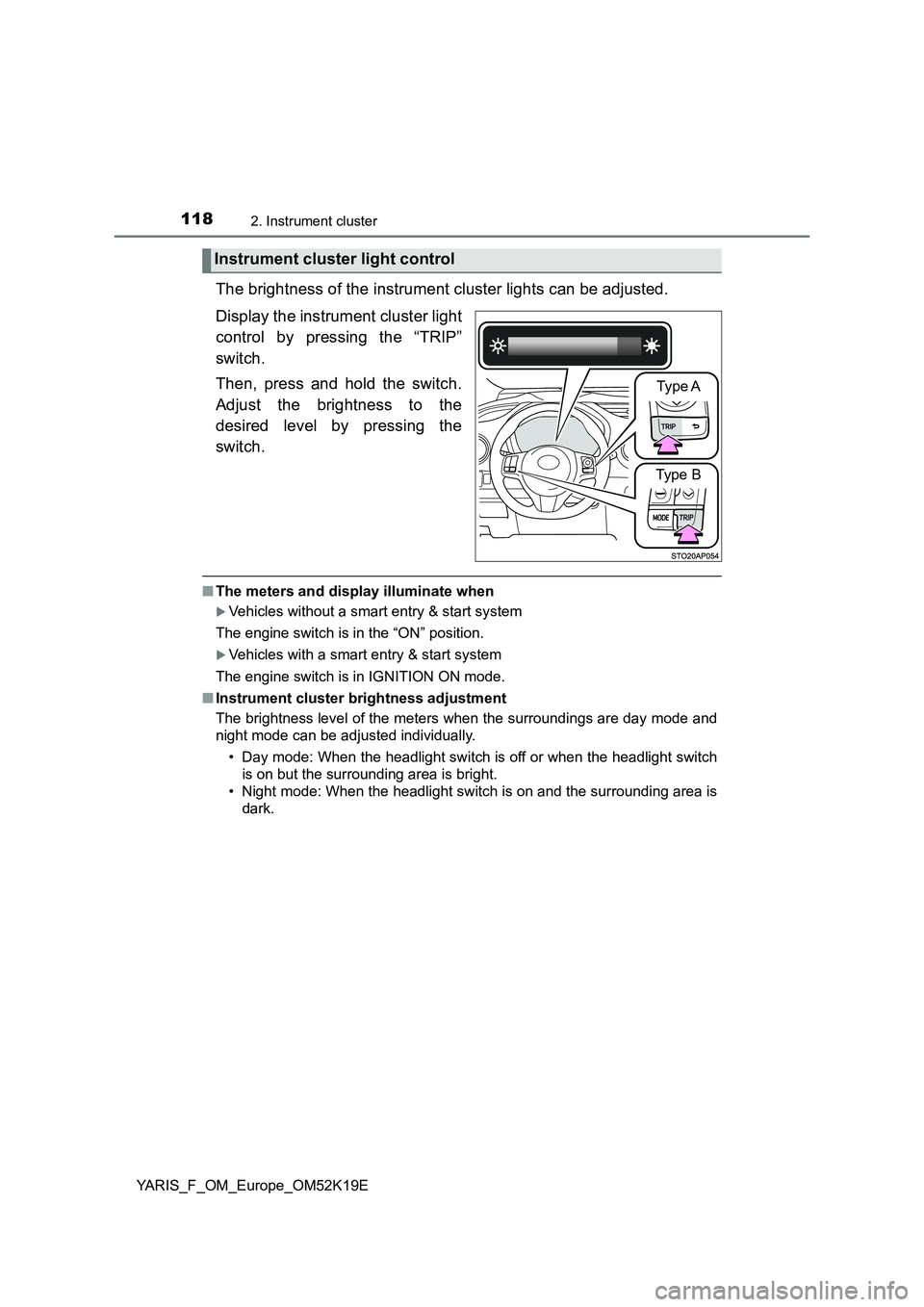
The brightness of the instrument cluster lights can be adjusted.
Display the instrument cluster light
control by pressing the “TRIP”
switch.
Then, press and hold the switch.
Adjust the brightness to the
desired level by pressing the
switch.
■ The meters and display illuminate when
Vehicles without a smart entry & start system
The engine switch is in the “ON” position.
Vehicles with a smart entry & start system
The engine switch is in IGNITION ON mode.
■ Instrument cluster brightness adjustment
The brightness level of the meters when the surroundings are day mode and
night mode can be adjusted individually.
• Day mode: When the headlight switch is off or when the headlight switch
is on but the surrounding area is bright.
• Night mode: When the headlight switch is on and the surrounding area is
dark.
Instrument cluster light control
Type A
Type B
Page 119 of 700
1192. Instrument cluster
2
Instrument cluster
YARIS_F_OM_Europe_OM52K19E
■ Outside temperature display
● In the following situations, the correct outside temperature may not be dis-
played, or the display may take longer than normal to change.
• When stopped, or driving at low speeds (less than 25 km/h [16 mph])
• When the outside temperature has changed suddenly (at the entrance/
exit of a garage, tunnel, etc.)
● When “--” or “E” is displayed, the system may be malfunctioning.
Take your vehicle to any authorized Toyota retailer or Toyota authorized
repairer, or any reliable repairer.
● The temperature range that can be displayed is from -40°C (-40°F) to 50°C
(122°F).
NOTICE
■ To prevent damage to the engine and its components
● Do not let the indicator needle of the tachometer enter the red zone, which
indicates the maximum engine speed.
● The engine may be overheating if the engine coolant temperature gauge is
in the red zone (“H”). In this case, immediately stop the vehicle in a safe
place, and check the engine after it has cooled completely. ( P. 636)
Page 121 of 700
1212. Instrument cluster
2
Instrument cluster
YARIS_F_OM_Europe_OM52K19E
.
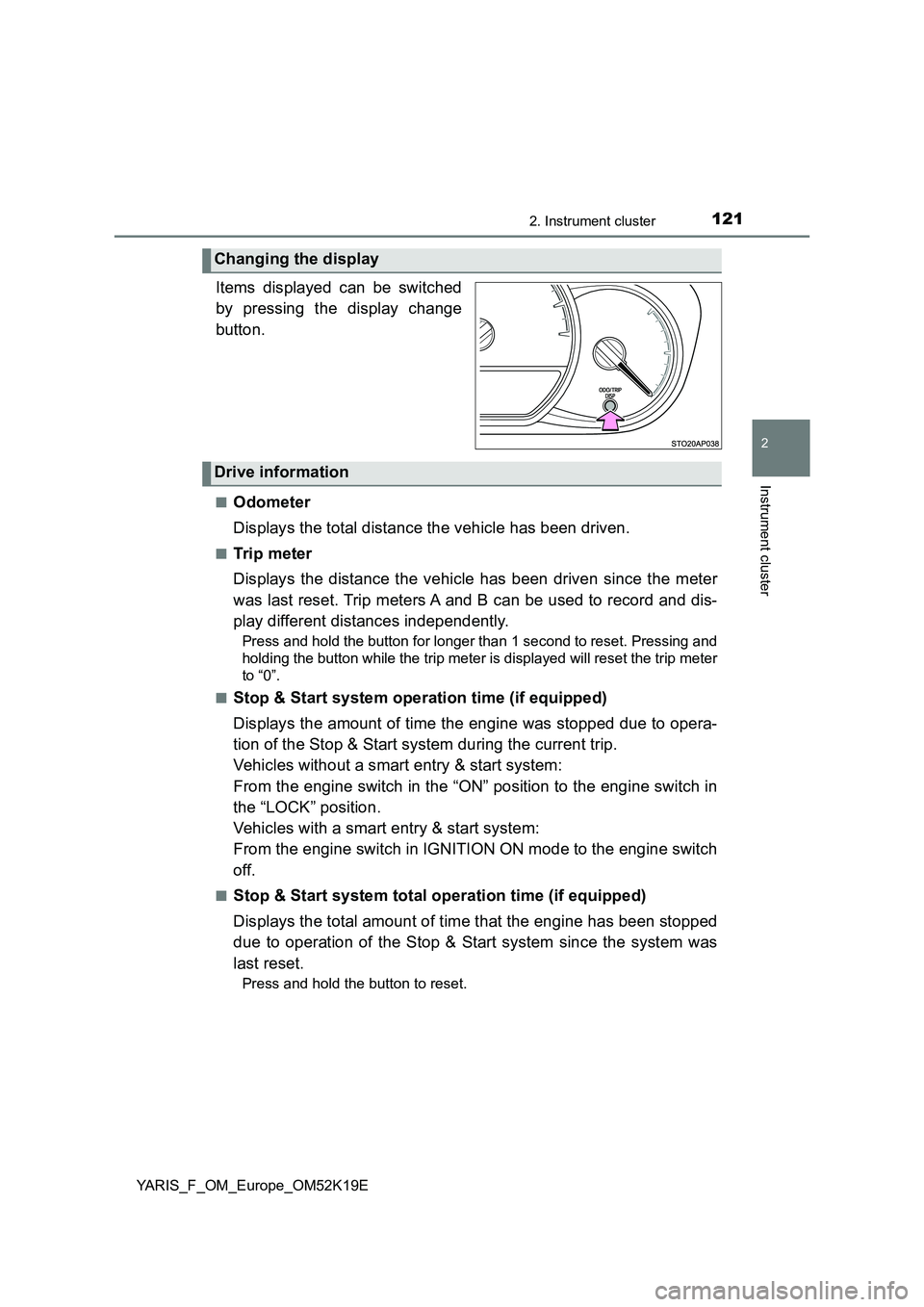
Items displayed can be switched
by pressing the display change
button.
■Odometer
Displays the total distance the vehicle has been driven.
■Trip meter
Displays the distance the vehicle has been driven since the meter
was last reset. Trip meters A and B can be used to record and dis-
play different distances independently.
Press and hold the button for longer than 1 second to reset. Pressing and
holding the button while the trip meter is displayed will reset the trip meter
to “0”.
■Stop & Start system operation time (if equipped)
Displays the amount of time the engine was stopped due to opera-
tion of the Stop & Start system during the current trip.
Vehicles without a smart entry & start system:
From the engine switch in the “ON” position to the engine switch in
the “LOCK” position.
Vehicles with a smart entry & start system:
From the engine switch in IGNITION ON mode to the engine switch
off.
■Stop & Start system total operation time (if equipped)
Displays the total amount of time that the engine has been stopped
due to operation of the Stop & Start system since the system was
last reset.
Press and hold the button to reset.
Changing the display
Drive information
Page 122 of 700
1222. Instrument cluster
YARIS_F_OM_Europe_OM52K19E
■Instantaneous fuel consumption
Displays the instantaneous of fuel consumption.
Use the displayed instantaneous fuel consumption as a reference.
■Average fuel consumption
Displays the average rate of fuel consumption.
• The function can be reset by pressing the button for longer than 1 sec-
ond when the average fuel consumption is displayed.
• Use the displayed average fuel consumption as a reference.
■Driving range
Displays the estimated maximum distance that can be driven with
the quantity of fuel remaining.
• This distance is computed based on your average fuel consumption. As
a result, the actual distance that can be driven may differ from that dis-
played.
• When only a small amount of fuel is added to the tank, the display may
not be updated.
When refueling, turn the engine switch to the “LOCK” position (vehicles
without a smart entry & start system) or off (vehicles with a smart entry &
start system). If the vehicle is refueled without turning the engine switch to
the “LOCK” position or off, the display may not be updated.
■Average vehicle speed
Displays the average vehicle speed since the engine was last
started.