alarm TOYOTA YARIS 2019 Owners Manual
[x] Cancel search | Manufacturer: TOYOTA, Model Year: 2019, Model line: YARIS, Model: TOYOTA YARIS 2019Pages: 700, PDF Size: 65.2 MB
Page 144 of 700
1443-1. Key information
YARIS_F_OM_Europe_OM52K19E
■ Key battery depletion
Vehicles without a smart entry & start system
If the wireless remote control function does not operate, the battery may be
depleted. Replace the battery when necessary. ( P. 532)
Vehicles with a smart entry & start system
● The standard battery life is 1 to 2 years.
● If the battery becomes low, an alarm will sound in the cabin when the engine
stops. ( P. 586)
● As the electronic key always receives radio waves, the battery will become
depleted even if the electronic key is not used. The following symptoms indi-
cate that the electronic key battery may be depleted. Replace the battery
when necessary. ( P. 532)
• The smart entry & start system or the wireless remote control does not
operate.
• The detection area becomes smaller.
• The LED indicator on the key surface does not turn on.
● To avoid serious deterioration, do not leave the electronic key within 1 m
(3 ft.) of the following electrical appliances that produce a magnetic field:
•TVs
• Personal computers
• Cellular phones, cordless phones and battery chargers
• Recharging cellular phones or cordless phones
• Induction cookers
• Table lamps
■ Replacing the battery
P. 532
■ Confirmation of the registered key number (vehicles with a smart entry &
start system)
The number of keys already registered to the vehicle can be confirmed. Ask
any authorized Toyota retailer or Toyota authorized repairer, or any reliable
repairer for details.
■ If a wrong key is used
On some models, the key cylinder rotates freely to isolate inside mechanism.
■ Customization
Settings (e.g. wireless remote control system) can be changed.
(Customizable features: P. 674)
Page 166 of 700
1663-2. Opening, closing and locking the doors
YARIS_F_OM_Europe_OM52K19E
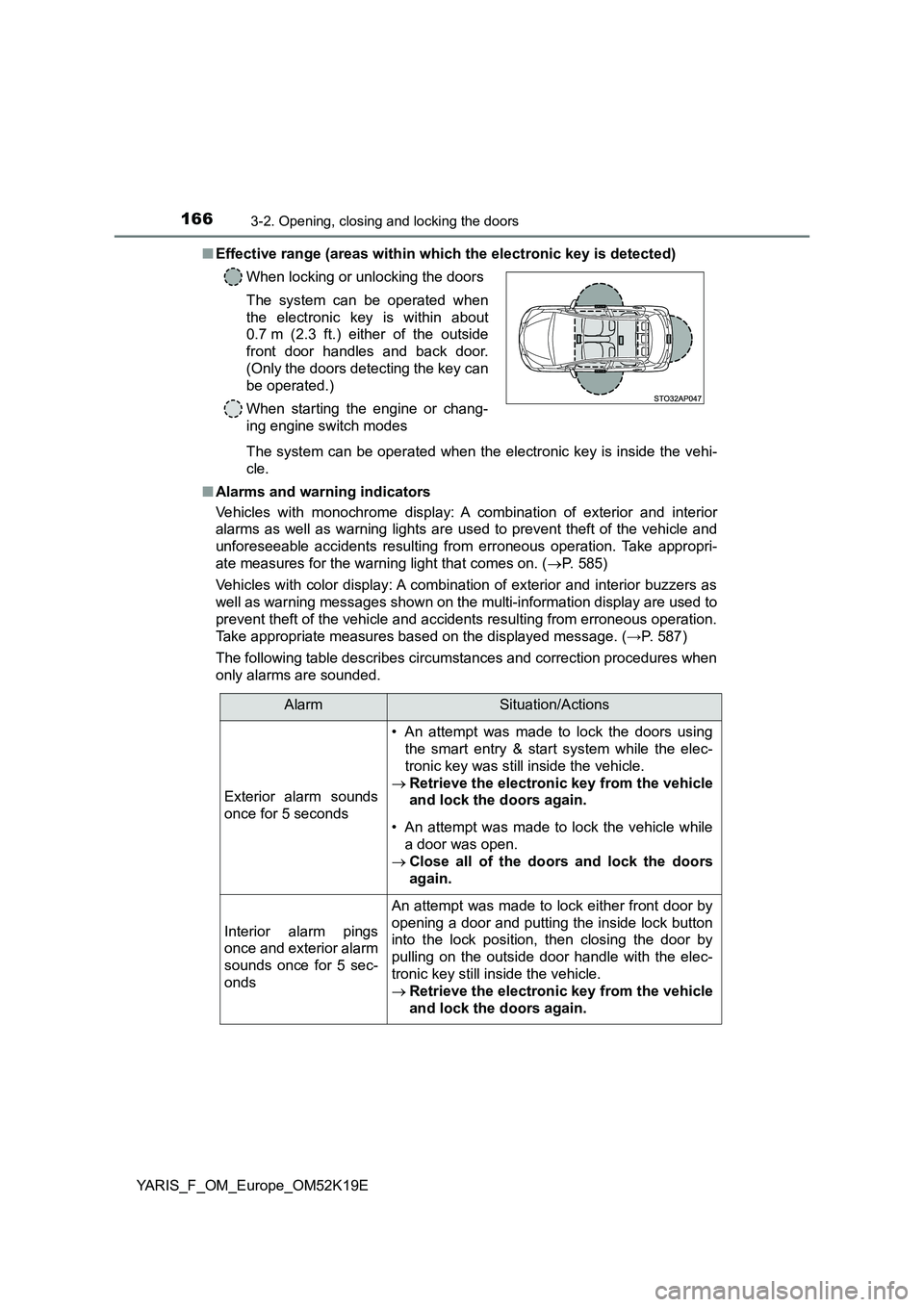
■ Effective range (areas within which the electronic key is detected)
The system can be operated when the electronic key is inside the vehi-
cle.
■ Alarms and warning indicators
Vehicles with monochrome display: A combination of exterior and interior
alarms as well as warning lights are used to prevent theft of the vehicle and
unforeseeable accidents resulting from erroneous operation. Take appropri-
ate measures for the warning light that comes on. ( P. 585)
Vehicles with color display: A combination of exterior and interior buzzers as
well as warning messages shown on the multi-information display are used to
prevent theft of the vehicle and accidents resulting from erroneous operation.
Take appropriate measures based on the displayed message. ( →P. 587)
The following table describes circumstances and correction procedures when
only alarms are sounded.
When locking or unlocking the doors
The system can be operated when
the electronic key is within about
0.7 m (2.3 ft.) either of the outside
front door handles and back door.
(Only the doors detecting the key can
be operated.)
When starting the engine or chang-
ing engine switch modes
AlarmSituation/Actions
Exterior alarm sounds
once for 5 seconds
• An attempt was made to lock the doors using
the smart entry & start system while the elec-
tronic key was still inside the vehicle.
Retrieve the electronic key from the vehicle
and lock the doors again.
• An attempt was made to lock the vehicle while
a door was open.
Close all of the doors and lock the doors
again.
Interior alarm pings
once and exterior alarm
sounds once for 5 sec-
onds
An attempt was made to lock either front door by
opening a door and putting the inside lock button
into the lock position, then closing the door by
pulling on the outside door handle with the elec-
tronic key still inside the vehicle.
Retrieve the electronic key from the vehicle
and lock the doors again.
Page 167 of 700
1673-2. Opening, closing and locking the doors
3
Operation of each component
YARIS_F_OM_Europe_OM52K19E
*: Vehicles with a Multidrive and monochrome display only
■ When the smart entry & start system indicator flashes in yellow (vehicles
with monochrome display) or “Check entry & start system.” is displayed
on the multi-information displ ay (vehicles with color display)
The system may be malfunctioning. Have the vehicle inspected by any autho-
rized Toyota retailer or Toyota authorized repairer, or any reliable repairer
immediately.
■ Battery-saving function
The battery-saving function will be activated in order to prevent the electronic
key battery and the vehicle battery from being discharged while the vehicle is
not in operation for a long time.
● In the following situations, the smart entry & start system may take some
time to unlock the doors.
• The electronic key has been left in an area of approximately 2 m (6 ft.) of
the outside of the vehicle for 10 minutes or longer.
• The smart entry & start system has not been used for 5 days or longer.
● If the smart entry & start system has not been used for 14 days or longer,
the doors cannot be unlocked at any doors except the driver’s door.
In this case, take hold of the driver’s door handle, or use the wireless remote
control or the mechanical key, to unlock the doors.
Interior alarm pings
once and exterior alarm
sounds once for 5 sec-
onds (on some models)
An attempt was made to lock the doors other
than using the smart entry & start system while
the electronic key was still inside the vehicle.
Retrieve the electronic key from the vehicle
and lock the doors again.
Interior alarm sounds
continuously
The engine switch was turned to ACCESSORY
mode while the driver’s door was open (or the
driver’s door was opened while the engine switch
was in ACCESSORY mode).
Turn the engine switch off and close the
driver’s door.
Interior alarm sounds
continuously*
The driver’s door was opened while any shift
position other than P was selected without turn-
ing off the engine switch.
Shift the shift lever to P.
AlarmSituation/Actions
Page 170 of 700
1703-2. Opening, closing and locking the doors
YARIS_F_OM_Europe_OM52K19E
● Vehicles with monochrome display: If the electronic key is inside the vehicle
and a door handle becomes wet during a car wash, a buzzer will sound out-
side the vehicle. To turn off the alarm, lock all the doors.
● Vehicles with color display: If the electronic key is inside the vehicle and a
door handle becomes wet during a car wash, a message may be shown on
the multi-information display and a buzzer will sound outside the vehicle. To
turn off the alarm, lock all the doors.
● The lock sensor may not work properly if it comes into contact with ice,
snow, mud, etc. Clean the lock sensor and attempt to operate it again.
● A sudden handle operation or a handle operation immediately after entering
the effective range may prevent the doors from being unlocked. Touch the
door unlock sensor and check that the doors are unlocked before pulling the
door handle again.
● If there is another electronic key in the detection area, it may take slightly
longer to unlock the doors after the door handle is gripped.
■ When the vehicle is not driven for extended periods
● To prevent theft of the vehicle, do not leave the electronic key within 2 m
(6 ft.) of the vehicle.
● The smart entry & start system can be deactivated in advance. (P. 671)
Page 171 of 700

1713-2. Opening, closing and locking the doors
3
Operation of each component
YARIS_F_OM_Europe_OM52K19E
■ To operate the system properly
Make sure to carry the electronic key when operating the system. Do not get
the electronic key too close to the vehicle when operating the system from the
outside of the vehicle.
Depending on the position and holding condition of the electronic key, the key
may not be detected correctly and the system may not operate properly. (The
alarm may go off accidentally, or the door lock prevention function may not
operate.)
■ If the smart entry & start system does not operate properly
● Locking and unlocking the doors: Use the mechanical key. (P. 627)
● Starting the engine: P. 627
■ Customization
Settings (e. g. smart entry & start system) can be changed.
(Customizable features: P. 671)
■ If the smart entry & start system has been deactivated in a customized
setting
● Locking and unlocking the doors:
Use the wireless remote control or mechanical key. ( P. 153, 627)
● Starting the engine and changing engine switch modes: P. 627
● Stopping the engine: P. 248
Page 685 of 700
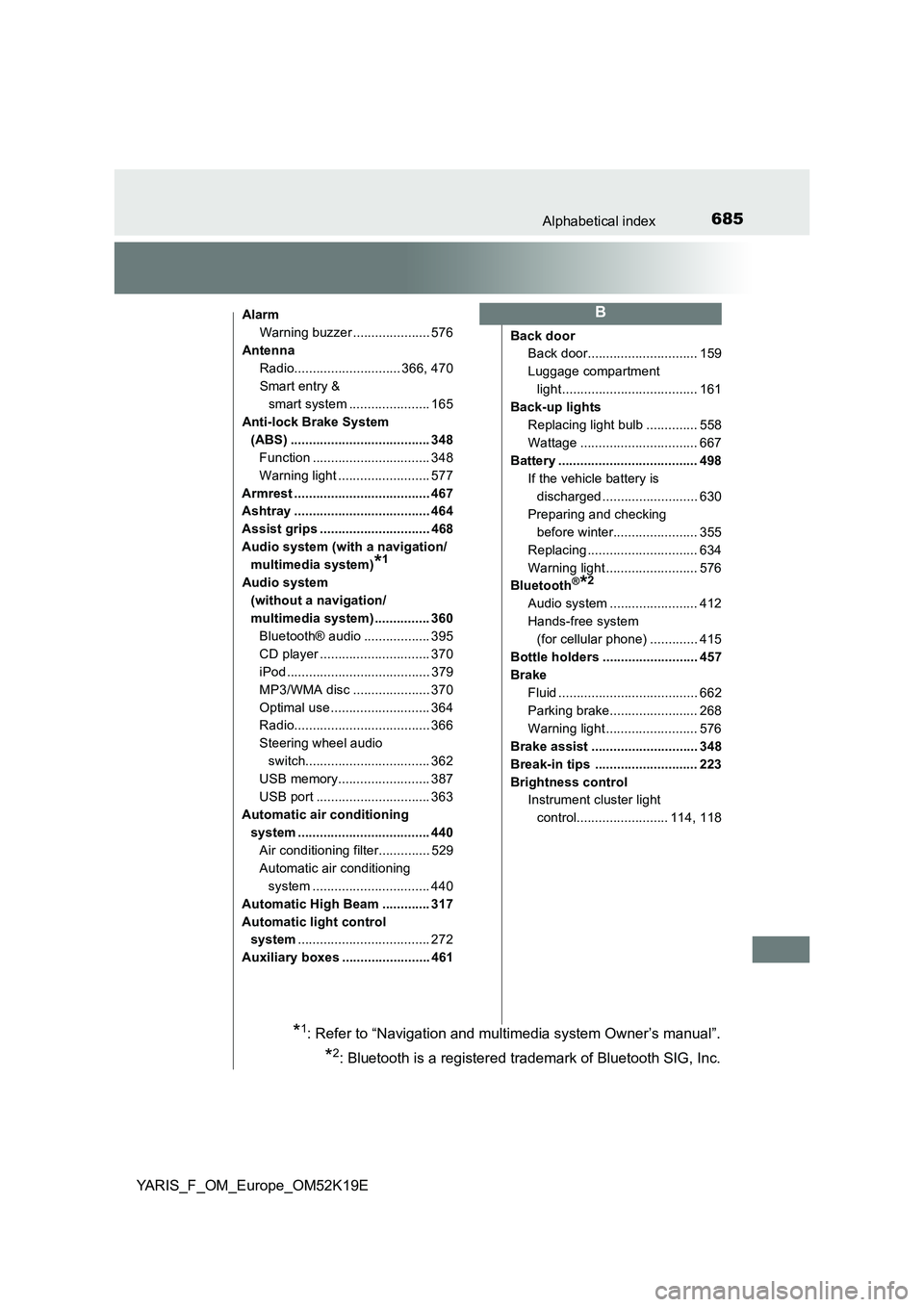
685Alphabetical index
YARIS_F_OM_Europe_OM52K19E
Alarm
Warning buzzer ..................... 576
Antenna
Radio............................. 366, 470
Smart entry &
smart system ...................... 165
Anti-lock Brake System
(ABS) ...................................... 348
Function ................................ 348
Warning light ......................... 577
Armrest ..................................... 467
Ashtray ..................................... 464
Assist grips .............................. 468
Audio system (with a navigation/
multimedia system)*1
Audio system
(without a navigation/
multimedia system) ............... 360
Bluetooth® audio .................. 395
CD player .............................. 370
iPod ....................................... 379
MP3/WMA disc ..................... 370
Optimal use ........................... 364
Radio..................................... 366
Steering wheel audio
switch.................................. 362
USB memory......................... 387
USB port ............................... 363
Automatic air conditioning
system .................................... 440
Air conditioning filter.............. 529
Automatic air conditioning
system ................................ 440
Automatic High Beam ............. 317
Automatic light control
system .................................... 272
Auxiliary boxes ........................ 461
Back door
Back door.............................. 159
Luggage compartment
light..................................... 161
Back-up lights
Replacing light bulb .............. 558
Wattage ................................ 667
Battery ...................................... 498
If the vehicle battery is
discharged .......................... 630
Preparing and checking
before winter....................... 355
Replacing .............................. 634
Warning light ......................... 576
Bluetooth®*2
Audio system ........................ 412
Hands-free system
(for cellular phone) ............. 415
Bottle holders .......................... 457
Brake
Fluid ...................................... 662
Parking brake........................ 268
Warning light ......................... 576
Brake assist ............................. 348
Break-in tips ............................ 223
Brightness control
Instrument cluster light
control......................... 114, 118
B
*1: Refer to “Navigation and multimedia system Owner’s manual”.
*2: Bluetooth is a registered trademark of Bluetooth SIG, Inc.