radio TOYOTA YARIS 2020 User Guide
[x] Cancel search | Manufacturer: TOYOTA, Model Year: 2020, Model line: YARIS, Model: TOYOTA YARIS 2020Pages: 692, PDF Size: 68.71 MB
Page 370 of 692
3705-1. Basic Operations
YARIS_F_OM_Europe_OM52A54E
Steering wheel audio switches
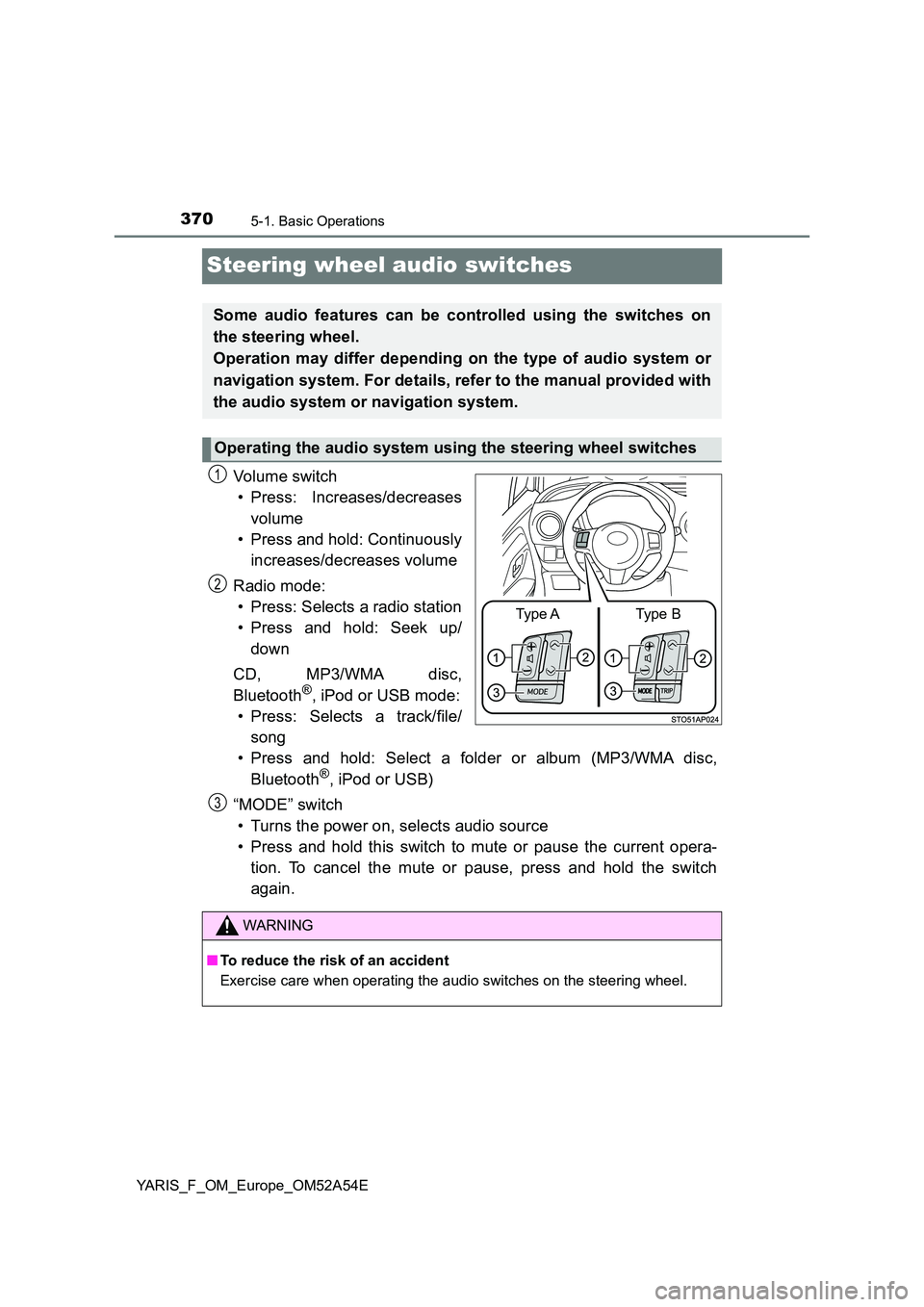
Vo lu m e swi tc h
• Press: Increases/decreases
volume
• Press and hold: Continuously
increases/decreases volume
Radio mode:
• Press: Selects a radio station
• Press and hold: Seek up/
down
CD, MP3/WMA disc,
Bluetooth®, iPod or USB mode:
• Press: Selects a track/file/
song
• Press and hold: Select a folder or album (MP3/WMA disc,
Bluetooth®, iPod or USB)
“MODE” switch
• Turns the power on, selects audio source
• Press and hold this switch to mute or pause the current opera-
tion. To cancel the mute or pause, press and hold the switch
again.
Some audio features can be controlled using the switches on
the steering wheel.
Operation may differ depending on the type of audio system or
navigation system. For details, refer to the manual provided with
the audio system or navigation system.
Operating the audio system using the steering wheel switches
Type AType B
1
2
WARNING
■ To reduce the risk of an accident
Exercise care when operating the audio switches on the steering wheel.
3
Page 374 of 692
3745-3. Using the radio
YARIS_F_OM_Europe_OM52A54E
Radio operation
Search for desired stations by turning the tune/scroll knob or press-
ing the “” or “” button of “SEEK TRACK”.
Press and hold a desired station selector button until you hear a
beep.
: If equipped
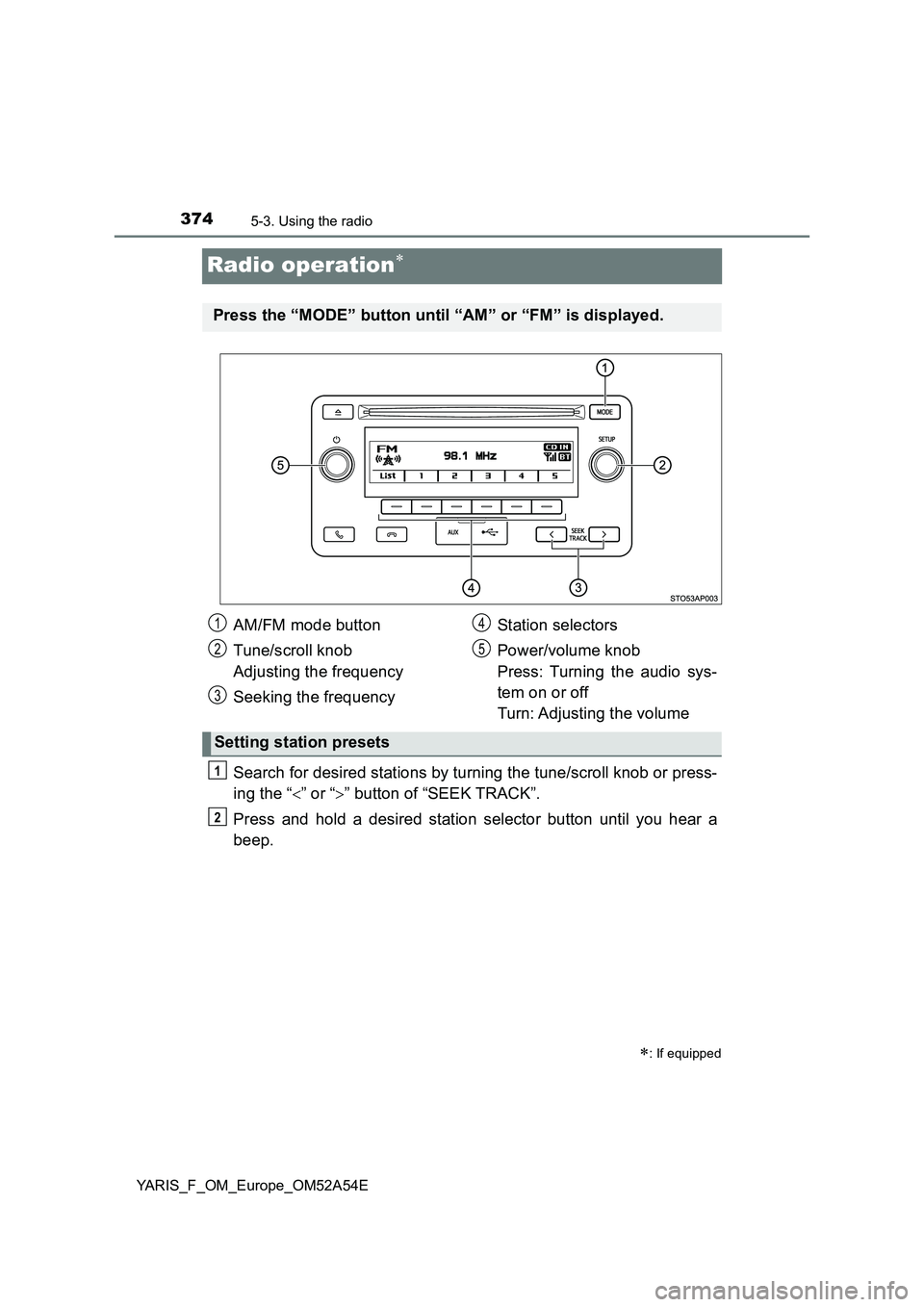
Press the “MODE” button until “AM” or “FM” is displayed.
AM/FM mode button
Tune/scroll knob
Adjusting the frequency
Seeking the frequencyStation selectors
Power/volume knob
Press: Turning the audio sys-
tem on or off
Turn: Adjusting the volume
Setting station presets
1
2
3
4
5
1
2
Page 375 of 692
3755-3. Using the radio
5
Audio system
YARIS_F_OM_Europe_OM52A54E■
Updating the station list
Press (“List”).
The station list will be displayed.
Press (“Update”) to update the list.
“Updating” is displayed while the searching is in process, and then avail-
able stations will be listed on the display.
To cancel the updating process, press
(“Back”).
■
Selecting a station from the station list
Press (“List”).
The station list will be displayed.
Turn the tune/scroll knob to select a station.
Press the knob to tune in the station.
To return to the previous display, press (“Back”).
Using the station list
1
2
1
2
3
Page 376 of 692
3765-3. Using the radio
YARIS_F_OM_Europe_OM52A54E
This feature allows your radio to receive station.
■Listening to stations of the same network
Press the tune/scroll knob.
Turn the knob to “Radio” and press the knob.
Turn the knob as corresponds to the desired mode: “FM AF” or
“Region code”.
Press the knob to select “On” or “Off”.
FM AF ON mode:
The station among those of the same network with strong recep-
tion is selected.
Region code ON mode:
The station among those of the same network with strong recep-
tion and broadcasting the same program is selected.
■Traffic information
Press the tune/scroll knob.
Turn the knob to “Radio” and press the knob.
Turn the knob to “FM TA” mode.
Press the knob to select “On” or “Off”.
FM TA On mode:
The system automatically switches to traffic information when a
broadcast with a traffic information signal is received.
The station returns to the previous one when the traffic information
ends.
RDS (Radio Data System)
1
2
3
34
1
2
3
34
Page 377 of 692
3775-3. Using the radio
5
Audio system
YARIS_F_OM_Europe_OM52A54E
■EON (Enhanced Other Network) system (for traffic announcement func-
tion)
If the RDS station (with EON data) you are listening to is not broadcasting a
traffic information program and the audio system is in the TA (traffic
announcement) mode, the radio will be switched automatically to a station
broadcasting a traffic information program in the EON AF list when traffic
information begins.
■ When the battery is disconnected
Station presets are erased.
■ Reception sensitivity
● Maintaining perfect radio reception at all times is difficult due to the continu-
ally changing position of the antenna, differences in signal strength and sur-
rounding objects, such as trains, transmitters, etc.
● The radio antenna is mounted on the rear roof. The antenna can be
removed from the base by turning it.
NOTICE
■ To prevent damage, remove the antenna in the following cases
● The antenna will touch the ceiling of a garage.
● A cover will be put on the roof.
Page 437 of 692
4375-10. Bluetooth®
5
Audio system
YARIS_F_OM_Europe_OM52A54E
WARNING
■Caution while driving
Observe the following precautions to avoid an accident that could result in
death or serious injuries.
● Do not use a cellular phone.
● Do not connect Bluetooth® device or operate the controls.
■ Caution regarding interference with electronic devices
● Your audio unit is fitted with Bluetooth® antennas. People with implantable
cardiac pacemakers, cardiac resynchronization therapy-pacemakers or
implantable cardioverter defibrillators should maintain a reasonable dis-
tance between themselves and the Bluetooth® antennas.
The radio waves may affect the operation of such devices.
● Before using Bluetooth® devices, users of any electrical medical device
other than implantable cardiac pacemakers, cardiac resynchronization
therapy-pacemakers or implantable cardioverter defibrillators should con-
sult the manufacturer of the device for information about its operation
under the influence of radio waves. Radio waves could have unexpected
effects on the operation of such medical devices.
NOTICE
■ To prevent damage to Bluetooth® device
Do not leave Bluetooth® device in the vehicle. The temperature inside the
vehicle may become high, resulting in damage to the device.
Page 513 of 692
5137-3. Do-it-yourself maintenance
7
Maintenance and care
YARIS_F_OM_Europe_OM52A54E■Initializing the tire pressure warning system (vehicles with a tire pres-
sure warning system)
Initialize the system with the tire inflation pressure adjusted to the specified
level.
■If the tread on snow tires wears down below 4 mm (0.16 in.)
The effectiveness of the tires as snow tires is lost.
■Situations in which the tire pressure warning system may not operate
properly (vehicles with a tire pressure warning system)
●In the following cases, the tire pressure warning system may not operate
properly.
• If non-genuine Toyota wheels are used.
• A tire has been replaced with a tire that is not an OE (Original Equipment)
tire.
• A tire has been replaced with a tire that is not of the specified size.
• Tire chains etc. are equipped.
• If a window tint that affects the radio wave signals is installed.
• If there is a lot of snow or ice on the vehicle, particularly around the
wheels or wheel housings.
• If the tire inflation pressure is extremely higher than the specified level.
• If wheels without the tire pressure warning valves and transmitters are
used.
• If the ID code on the tire pressure warning valves and transmitters is not
registered in the tire pressure warning computer.
●Performance may be affected in the following situations.
• Near a TV tower, electric power plant, gas station, radio station, large dis-
play, airport or other facility that generates strong radio waves or electri-
cal noise
• When carrying a portable radio, cellular phone, cordless phone or other
wireless communication device
●When the vehicle is parked, the time taken for the warning to start or go off
could be extended.
●When tire inflation pressure declines rapidly for example when a tire has
burst, the warning may not function.
Page 676 of 692
676What to do if... (Troubleshooting)
YARIS_F_OM_Europe_OM52A54E
What to do if... (Troubleshooting)
●If you lose your keys, new genuine keys can be made by any authorized
Toyota retailer or Toyota authorized repairer, or any reliable repairer.
(P. 145)
●If you lose your electronic keys, the risk of vehicle theft increases signifi-
cantly. Contact any authorized Toyota retailer or Toyota authorized
repairer, or any reliable repairer immediately. (P. 153)
●Is the key battery weak or depleted? (P. 537)
●Vehicles with a smart entry & start system:
Is the engine switch in IGNITION ON mode?
When locking the doors, turn the engine switch off. (P. 245)
●Vehicles with a smart entry & start system:
Is the electronic key left inside the vehicle?
When locking the doors, make sure that you have the electronic key on
your person.
●The function may not operate properly due to the condition of the radio
wave. (P. 145, 170)
●Is the child-protector lock set?
The rear door cannot be opened from inside the vehicle when the lock is
set. Open the rear door from outside and then unlock the child-protector
lock. (P. 159)
If you have a problem, check the following before contacting any
authorized Toyota retailer or Toyota authorized repairer, or any
reliable repairer.
The doors cannot be locked, unlocked, opened or closed
You lose your keys
The doors cannot be locked or unlocked
The rear door cannot be opened
Page 680 of 692
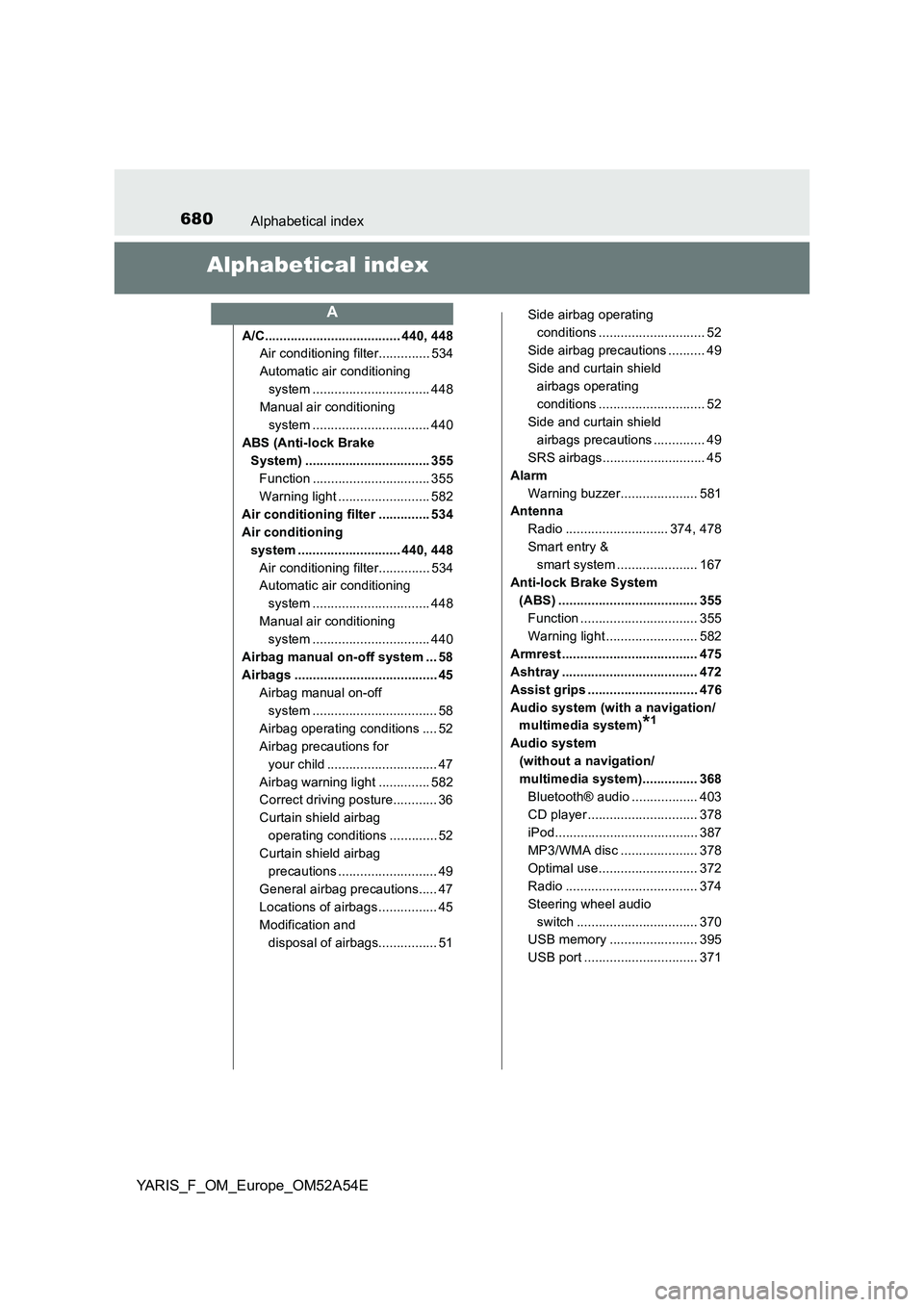
680Alphabetical index
YARIS_F_OM_Europe_OM52A54E
Alphabetical index
A/C..................................... 440, 448
Air conditioning filter.............. 534
Automatic air conditioning
system ................................ 448
Manual air conditioning
system ................................ 440
ABS (Anti-lock Brake
System) .................................. 355
Function ................................ 355
Warning light ......................... 582
Air conditioning filter .............. 534
Air conditioning
system ............................ 440, 448
Air conditioning filter.............. 534
Automatic air conditioning
system ................................ 448
Manual air conditioning
system ................................ 440
Airbag manual on-off system ... 58
Airbags ....................................... 45
Airbag manual on-off
system .................................. 58
Airbag operating conditions .... 52
Airbag precautions for
your child .............................. 47
Airbag warning light .............. 582
Correct driving posture............ 36
Curtain shield airbag
operating conditions ............. 52
Curtain shield airbag
precautions ........................... 49
General airbag precautions..... 47
Locations of airbags................ 45
Modification and
disposal of airbags................ 51Side airbag operating
conditions ............................. 52
Side airbag precautions .......... 49
Side and curtain shield
airbags operating
conditions ............................. 52
Side and curtain shield
airbags precautions .............. 49
SRS airbags............................ 45
Alarm
Warning buzzer..................... 581
Antenna
Radio ............................ 374, 478
Smart entry &
smart system ...................... 167
Anti-lock Brake System
(ABS) ...................................... 355
Function ................................ 355
Warning light ......................... 582
Armrest ..................................... 475
Ashtray ..................................... 472
Assist grips .............................. 476
Audio system (with a navigation/
multimedia system)
*1
Audio system
(without a navigation/
multimedia system)............... 368
Bluetooth® audio .................. 403
CD player .............................. 378
iPod....................................... 387
MP3/WMA disc ..................... 378
Optimal use........................... 372
Radio .................................... 374
Steering wheel audio
switch ................................. 370
USB memory ........................ 395
USB port ............................... 371
A
Page 687 of 692
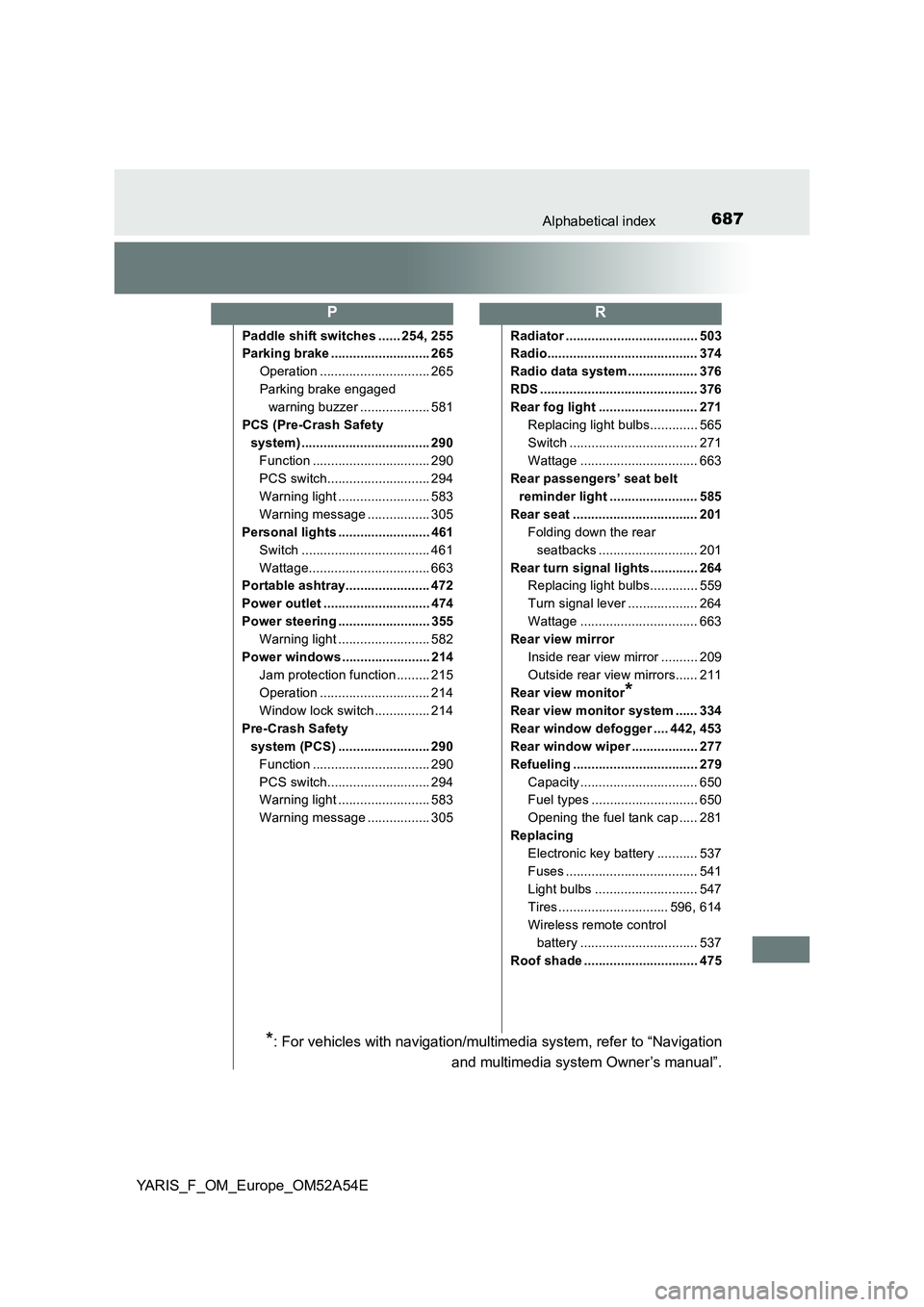
687Alphabetical index
YARIS_F_OM_Europe_OM52A54E
Paddle shift switches ...... 254, 255
Parking brake ........................... 265
Operation .............................. 265
Parking brake engaged
warning buzzer ................... 581
PCS (Pre-Crash Safety
system) ................................... 290
Function ................................ 290
PCS switch............................ 294
Warning light ......................... 583
Warning message ................. 305
Personal lights ......................... 461
Switch ................................... 461
Wattage................................. 663
Portable ashtray....................... 472
Power outlet ............................. 474
Power steering ......................... 355
Warning light ......................... 582
Power windows ........................ 214
Jam protection function ......... 215
Operation .............................. 214
Window lock switch ............... 214
Pre-Crash Safety
system (PCS) ......................... 290
Function ................................ 290
PCS switch............................ 294
Warning light ......................... 583
Warning message ................. 305Radiator .................................... 503
Radio......................................... 374
Radio data system ................... 376
RDS ........................................... 376
Rear fog light ........................... 271
Replacing light bulbs............. 565
Switch ................................... 271
Wattage ................................ 663
Rear passengers’ seat belt
reminder light ........................ 585
Rear seat .................................. 201
Folding down the rear
seatbacks ........................... 201
Rear turn signal lights............. 264
Replacing light bulbs............. 559
Turn signal lever ................... 264
Wattage ................................ 663
Rear view mirror
Inside rear view mirror .......... 209
Outside rear view mirrors...... 211
Rear view monitor
*
Rear view monitor system ...... 334
Rear window defogger .... 442, 453
Rear window wiper .................. 277
Refueling .................................. 279
Capacity ................................ 650
Fuel types ............................. 650
Opening the fuel tank cap ..... 281
Replacing
Electronic key battery ........... 537
Fuses .................................... 541
Light bulbs ............................ 547
Tires .............................. 596, 614
Wireless remote control
battery ................................ 537
Roof shade ............................... 475
PR
*: For vehicles with navigation/multimedia system, refer to “Navigation
and multimedia system Owner’s manual”.