battery TOYOTA YARIS 2021 Owner's Guide
[x] Cancel search | Manufacturer: TOYOTA, Model Year: 2021, Model line: YARIS, Model: TOYOTA YARIS 2021Pages: 568, PDF Size: 110.34 MB
Page 281 of 568
281
5
YARIS(HB) Owner's Manual_Europe_MK0001_en
5-1. Using the air conditioning system and defogger
Interior features
Press the rear window and outside
rear view mirror defoggers switch.
The defoggers will automatically turn off
after a while.
When the rear window and outside rear
view mirror defoggers switch is on, the
indicator illuminates on the rear window
and outside rear view mirror defoggers
switch.
■Fogging up of the windows
●The windows will easily fog up when the humidity in the vehicle is high.
Turning “A/C” switch is on will dehu- midify the air from the outlets and defog the windshield effectively.
●If you turn “A/C” switch is off, the win-dows may fog up more easily.
●The windows may fog up if the recir-culated air mode is used.
■When driving on dusty roads
Close all windows. If dust thrown up by the vehicle is still drawn into the vehicle after closing the windows, it is recom-
mended that the air intake mode be set to outside air mode and the fan speed to any setting except off.
■Outside/recirculated air mode
●Setting to the recirculated air mode
temporarily is recommended in pre- venting dirty air from entering the vehicle interior and helping to cool the
vehicle when the outside air tempera- ture is high.
●During cooling operation, setting the recirculated air mode will also cool the vehicle interior effectively.
■When the outside temperature falls
to nearly 0°C (32°F)
The dehumidification function may not operate even when “A/C” switch is
pressed.
■Ventilation and air conditioning
odors
●To let fresh air in, set the air condition-
ing system to the outside air mode.
●During use, various odors from inside
and outside the vehicle may enter into and accumulate in the air conditioning system. This may then cause odor to
be emitted from the vents.
●It is recommended that the air condi-
tioning system be set to outside air mode prior to turning the vehicle off.
■Air conditioning filter
→ P. 3 4 3
■Location of air outlets
The air outlets and air volume
WARNING
■To prevent the windshield from fogging up
Do not use the windshield defogger
switch during cool air operation in extremely humid weather. The differ-ence between the temperature of the
outside air and that of the windshield can cause the outer surface of the windshield to fog up, blocking your
vision.
■When the outside rear view mir-
ror defoggers are operating (if equipped)
Do not touch the outside rear view
mirror surfaces, as they can become very hot and burn you.
NOTICE
■To prevent battery discharge
Do not leave the air conditioning sys-
tem on longer than necessary when the engine is off.
Air outlet layout and opera-
tions
Page 287 of 568
287
5
YARIS(HB) Owner's Manual_Europe_MK0001_en
5-1. Using the air conditioning system and defogger
Interior features
■Air conditioning filter
→ P. 3 4 3
■Customization
Some functions can be customized. ( →P.422)
1Press the automatic mode
switch.
2 Adjust the temperature setting.
3 To stop the operation, press the
off switch.
If the fan speed setting or air flow
modes are operated, the automatic
mode indicator goes off. However,
automatic mode for functions other
than that operated is maintained.
■Using automatic mode
Fan speed is adjusted automatically
according to the temperature setting and the ambient conditions.
Therefore, the fan may stop for a while
until warm or cool air is ready to flow immediately after the automatic mode switch pressed.
To turn on the “DUAL” mode, per-
form any of the following proce-
dures:
z Press the “DUAL” switch.
z Adjust the front passenger’s side
temperature setting.
The indicator on the “DUAL” switch
comes on when the “DUAL” mode is
on.
Pressing the “DUAL” switch when in
“DUAL” mode will disable “DUAL”
mode, and the temperature setting for
the front passenger’s side will become
linked to the driver’s side.
■Location of air outlets
The air outlets and air volume
changes according to the selected
air flow mode.
WARNING
■To prevent the windshield from fogging up
Do not use the windshield defogger
switch during cool air operation in extremely humid weather. The differ-ence between the temperature of the
outside air and that of the windshield can cause the outer surface of the windshield to fog up, blocking your
vision.
■When the outside rear view mir-
ror defoggers are operating (if equipped)
Do not touch the outside rear view
mirror surfaces, as they can become very hot and burn you.
NOTICE
■To prevent battery discharge
Do not leave the air conditioning sys-
tem on longer than necessary when the engine is off.
Using automatic mode
Adjusting the temperature
for the driver and front pas-
senger seat separately (if
equipped)
Air outlet layout and opera-
tions
Page 289 of 568
289
5
YARIS(HB) Owner's Manual_Europe_MK0001_en
5-1. Using the air conditioning system and defogger
Interior features
*: If equipped
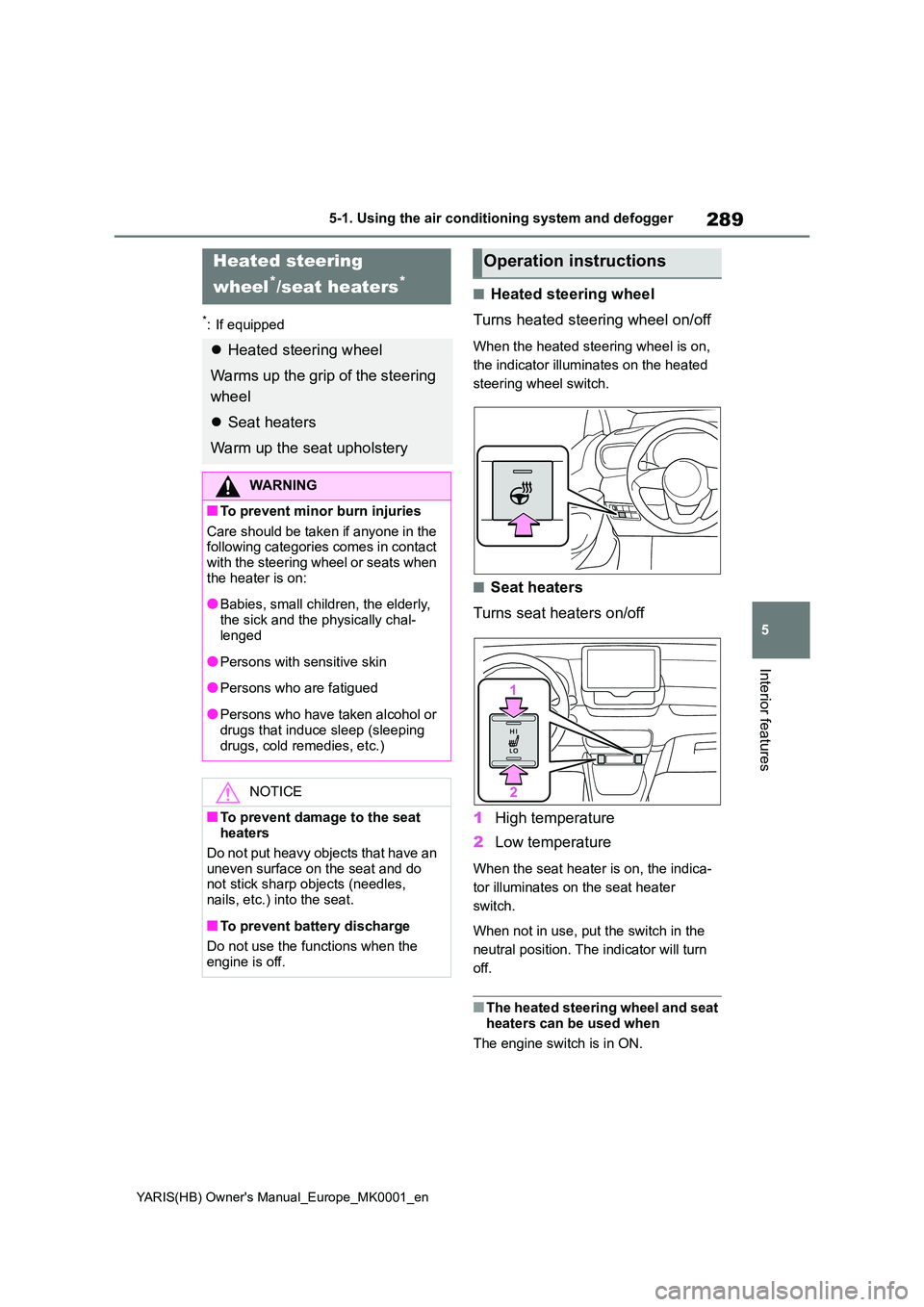
■Heated steering wheel
Turns heated steering wheel on/off
When the heated steering wheel is on,
the indicator illuminates on the heated
steering wheel switch.
■Seat heaters
Turns seat heaters on/off
1 High temperature
2 Low temperature
When the seat heater is on, the indica-
tor illuminates on the seat heater
switch.
When not in use, put the switch in the
neutral position. The indicator will turn
off.
■The heated steering wheel and seat heaters can be used when
The engine switch is in ON.
Heated steering
wheel*/seat heaters*
z Heated steering wheel
Warms up the grip of the steering
wheel
z Seat heaters
Warm up the seat upholstery
WARNING
■To prevent minor burn injuries
Care should be taken if anyone in the following categories comes in contact with the steering wheel or seats when
the heater is on:
●Babies, small children, the elderly,
the sick and the physically chal- lenged
●Persons with sensitive skin
●Persons who are fatigued
●Persons who have taken alcohol or
drugs that induce sleep (sleeping drugs, cold remedies, etc.)
NOTICE
■To prevent damage to the seat heaters
Do not put heavy objects that have an
uneven surface on the seat and do not stick sharp objects (needles, nails, etc.) into the seat.
■To prevent battery discharge
Do not use the functions when the
engine is off.
Operation instructions
Page 292 of 568
292
YARIS(HB) Owner's Manual_Europe_MK0001_en
5-2. Using the interior lights
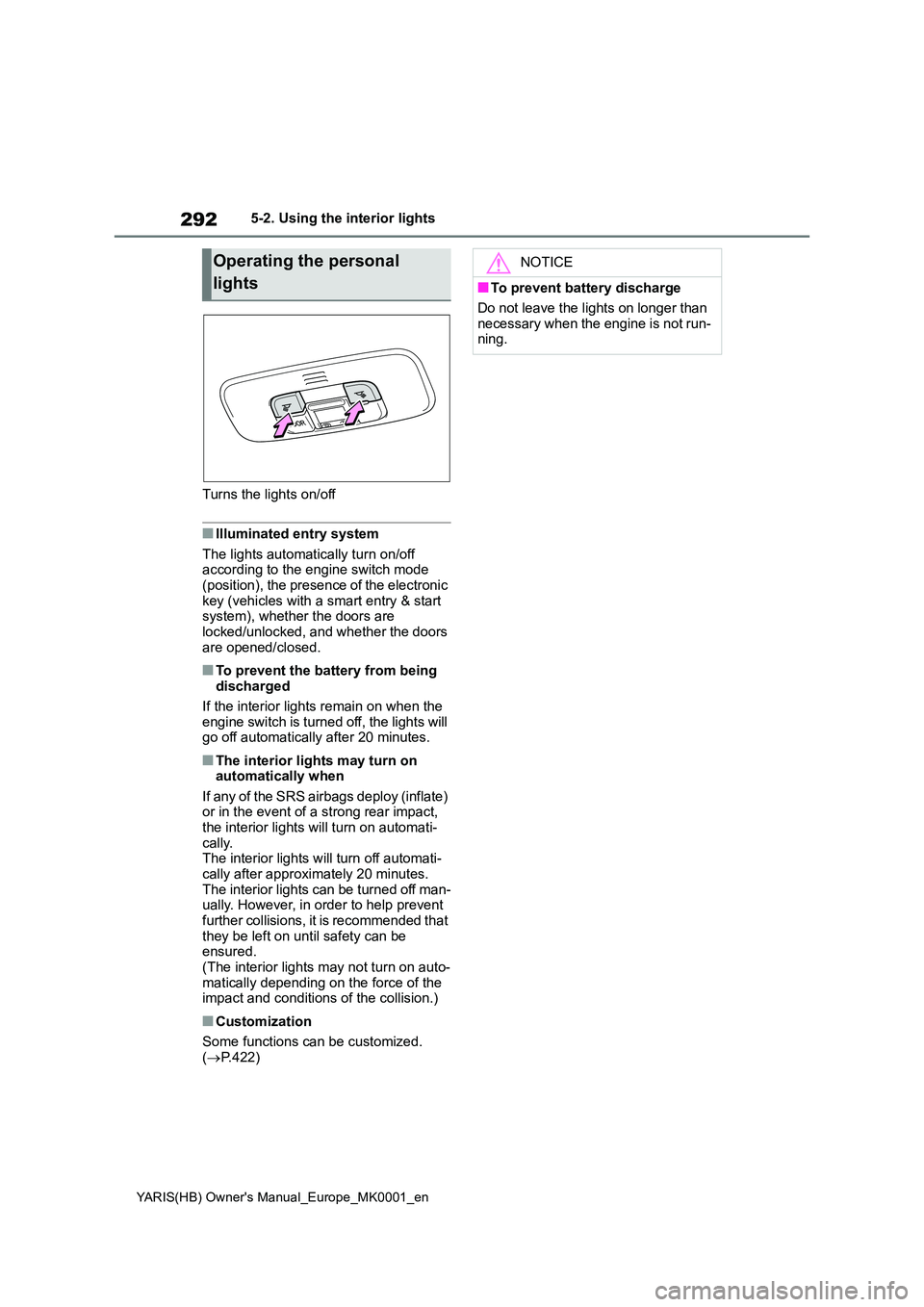
Turns the lights on/off
■Illuminated entry system
The lights automatically turn on/off according to the engine switch mode (position), the presence of the electronic
key (vehicles with a smart entry & start system), whether the doors are locked/unlocked, and whether the doors
are opened/closed.
■To prevent the battery from being discharged
If the interior lights remain on when the
engine switch is turned off, the lights will go off automatically after 20 minutes.
■The interior lights may turn on automatically when
If any of the SRS airbags deploy (inflate) or in the event of a strong rear impact, the interior lights will turn on automati-
cally. The interior lights will turn off automati-cally after approximately 20 minutes.
The interior lights can be turned off man- ually. However, in order to help prevent further collisions, it is recommended that
they be left on until safety can be ensured.(The interior lights may not turn on auto-
matically depending on the force of the impact and conditions of the collision.)
■Customization
Some functions can be customized.
( →P.422)
Operating the personal
lights
NOTICE
■To prevent battery discharge
Do not leave the lights on longer than
necessary when the engine is not run- ning.
Page 299 of 568
299
5
YARIS(HB) Owner's Manual_Europe_MK0001_en
5-4. Other interior features
Interior features
5-4.Othe r in terior fe atu res
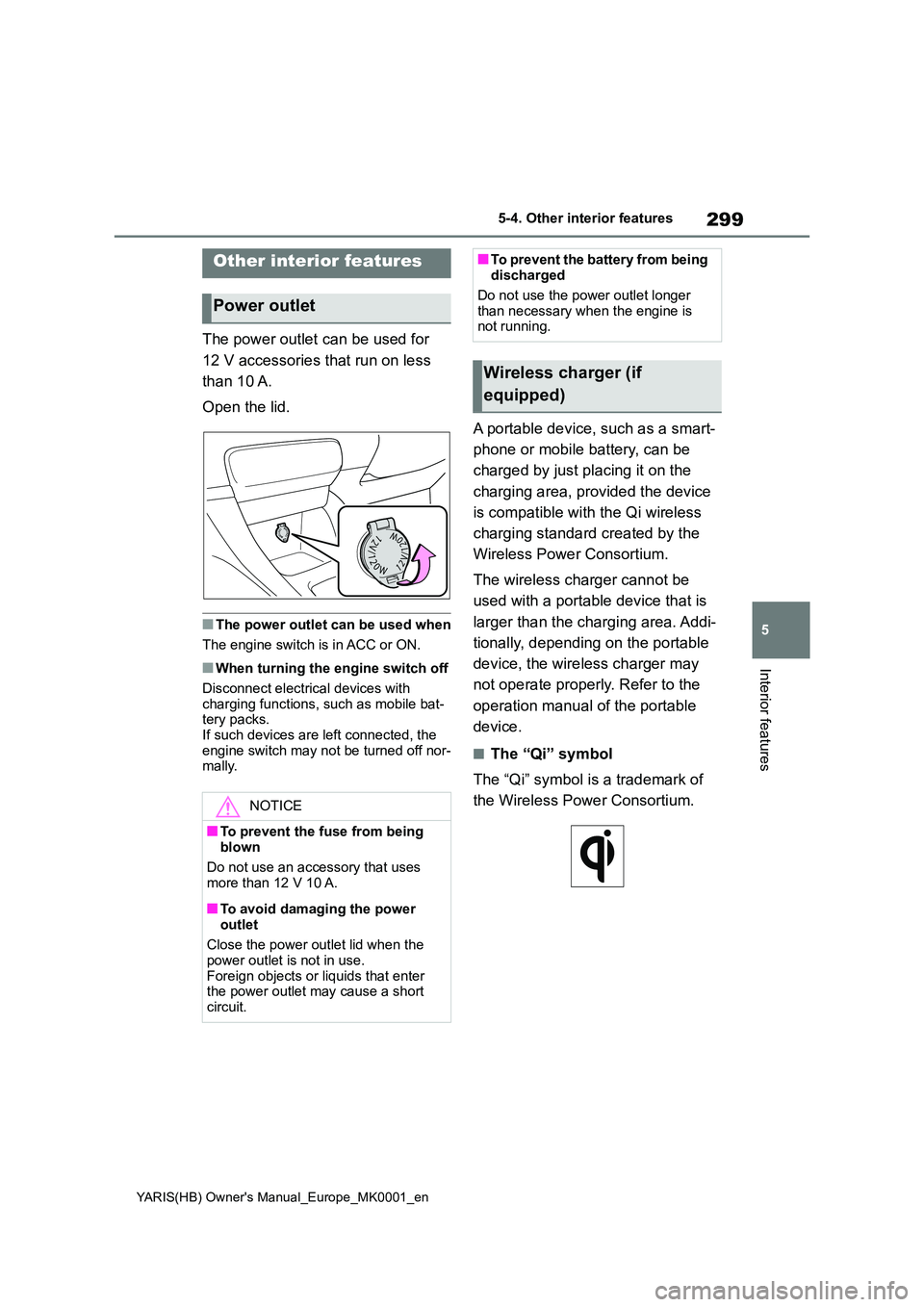
The power outlet can be used for
12 V accessories that run on less
than 10 A.
Open the lid.
■The power outlet can be used when
The engine switch is in ACC or ON.
■When turning the engine switch off
Disconnect electrical devices with
charging functions, such as mobile bat- tery packs.If such devices are left connected, the
engine switch may not be turned off nor- mally.
A portable device, such as a smart-
phone or mobile battery, can be
charged by just placing it on the
charging area, provided the device
is compatible with the Qi wireless
charging standard created by the
Wireless Power Consortium.
The wireless charger cannot be
used with a portable device that is
larger than the charging area. Addi-
tionally, depending on the portable
device, the wireless charger may
not operate properly. Refer to the
operation manual of the portable
device.
■The “Qi” symbol
The “Qi” symbol is a trademark of
the Wireless Power Consortium.
Other interior features
Power outlet
NOTICE
■To prevent the fuse from being blown
Do not use an accessory that uses
more than 12 V 10 A.
■To avoid damaging the power
outlet
Close the power outlet lid when the power outlet is not in use.
Foreign objects or liquids that enter the power outlet may cause a short circuit.
■To prevent the battery from being discharged
Do not use the power outlet longer
than necessary when the engine is not running.
Wireless charger (if
equipped)
Page 303 of 568
303
5
YARIS(HB) Owner's Manual_Europe_MK0001_en
5-4. Other interior features
Interior features
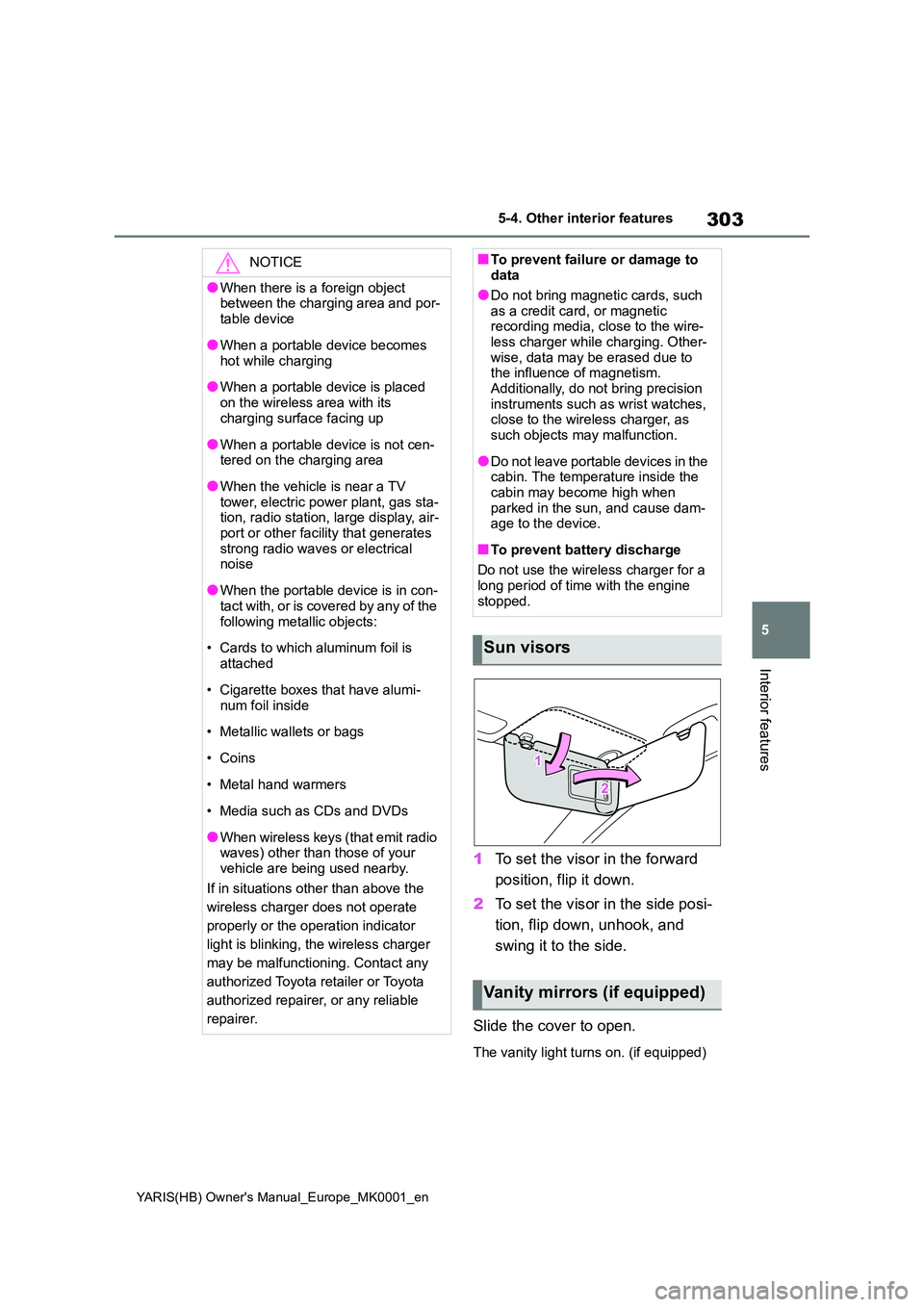
1To set the visor in the forward
position, flip it down.
2 To set the visor in the side posi-
tion, flip down, unhook, and
swing it to the side.
Slide the cover to open.
The vanity light turns on. (if equipped)
NOTICE
●When there is a foreign object between the charging area and por-
table device
●When a portable device becomes
hot while charging
●When a portable device is placed
on the wireless area with its charging surface facing up
●When a portable device is not cen-tered on the charging area
●When the vehicle is near a TV tower, electric power plant, gas sta-tion, radio station, large display, air-
port or other facility that generates strong radio waves or electrical noise
●When the portable device is in con-tact with, or is covered by any of the
following metallic objects:
• Cards to which aluminum foil is
attached
• Cigarette boxes that have alumi-
num foil inside
• Metallic wallets or bags
•Coins
• Metal hand warmers
• Media such as CDs and DVDs
●When wireless keys (that emit radio waves) other than those of your
vehicle are being used nearby.
If in situations other than above the
wireless charger does not operate
properly or the operation indicator
light is blinking, the wireless charger
may be malfunctioning. Contact any
authorized Toyota retailer or Toyota
authorized repairer, or any reliable
repairer.
■To prevent failure or damage to data
●Do not bring magnetic cards, such
as a credit card, or magnetic recording media, close to the wire-less charger while charging. Other-
wise, data may be erased due to the influence of magnetism.Additionally, do not bring precision
instruments such as wrist watches, close to the wireless charger, as such objects may malfunction.
●Do not leave portable devices in the cabin. The temperature inside the
cabin may become high when parked in the sun, and cause dam-age to the device.
■To prevent battery discharge
Do not use the wireless charger for a
long period of time with the engine stopped.
Sun visors
Vanity mirrors (if equipped)
Page 304 of 568
304
YARIS(HB) Owner's Manual_Europe_MK0001_en
5-4. Other interior features
■To prevent battery discharge
If the vanity lights remain on when the
engine switch is OFF, the lights will go off automatically after 20 minutes.
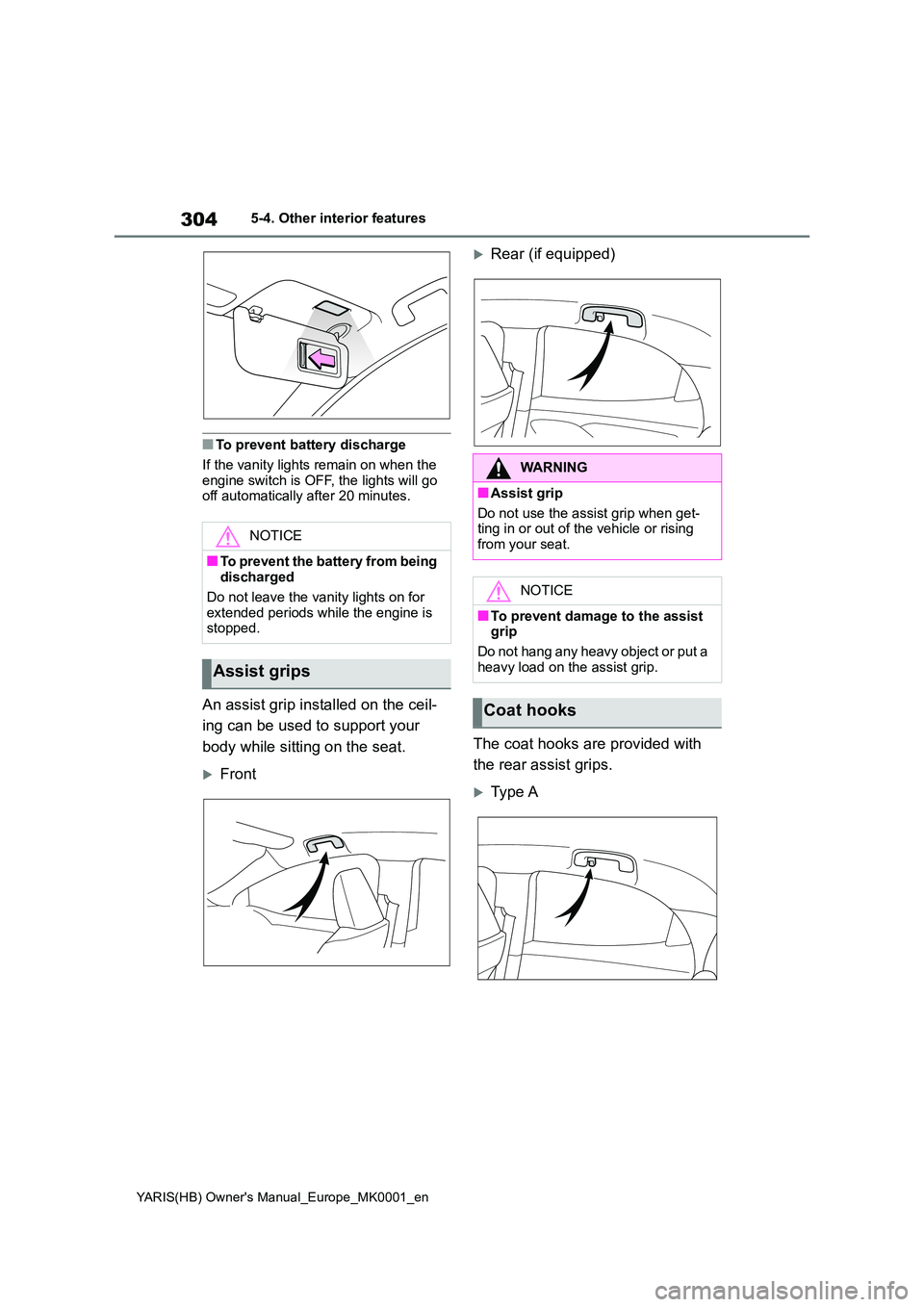
An assist grip installed on the ceil-
ing can be used to support your
body while sitting on the seat.
Front
Rear (if equipped)
The coat hooks are provided with
the rear assist grips.
Typ e A
NOTICE
■To prevent the battery from being discharged
Do not leave the vanity lights on for
extended periods while the engine is stopped.
Assist grips
WARNING
■Assist grip
Do not use the assist grip when get- ting in or out of the vehicle or rising
from your seat.
NOTICE
■To prevent damage to the assist grip
Do not hang any heavy object or put a
heavy load on the assist grip.
Coat hooks
Page 307 of 568
6
307
YARIS(HB) Owner's Manual_Europe_MK0001_en
6
Maintenance and care
Maintenance and care
6-1. Maintenance and care
Cleaning and protecting the
vehicle exterior ............... 308
Cleaning and protecting the
vehicle interior ................ 311
6-2. Maintenance
Maintenance requirements 314
6-3. Do-it-yourself maintenance
Do-it-yourself service precau-
tions ................................ 316
Hood ................................. 317
Positioning a floor jack...... 319
Engine compartment ........ 320
Tires .................................. 330
Tire inflation pressure ....... 340
Wheels.............................. 341
Air conditioning filter ......... 343
Wireless remote control/elec-
tronic key battery ............ 345
Checking and replacing fuses
....................................... 348
Light bulbs ........................ 351
Page 308 of 568
308
YARIS(HB) Owner's Manual_Europe_MK0001_en
6-1. Maintenance and care
6-1.Mainte nance a nd care
zWorking from top to bottom, lib-
erally apply water to the vehicle
body, wheel wells and underside
of the vehicle to remove any dirt
and dust.
zWash the vehicle body using a
sponge or soft cloth, such as a
chamois.
zFor hard-to-remove marks, use
car wash soap and rinse thor-
oughly with water.
zWipe away any water.
zWax the vehicle when the water-
proof coating deteriorates.
If water does not bead on a clean sur-
face, apply wax when the vehicle body
is cool.
■Automatic car washes
●Before washing the vehicle:
• Fold the mirrors.
Start washing from the front of the vehi-
cle. Extend the mirrors before driving.
●Brushes used in automatic car
washes may scratch the vehicle sur-
face, parts (wheel, etc.) and harm
your vehicle’s paint.
●In certain automatic car washes, the
rear spoiler (if equipped) may interfere
with machine operation. This may pre-
vent the vehicle from being cleaned properly or result in damage to the
rear spoiler.
■High pressure car washes
As water may enter the cabin, do not
bring the nozzle tip near the gaps
around the doors or perimeter of the
windows, or spray these areas continu-
ously.
■When using a car wash (vehicles
with a smart entry & start system)
If the door handle becomes wet while
the electronic key is within the effective
range, the door may lock and unlock
repeatedly. In that case, follow the fol-
lowing correction procedures to wash
the vehicle:
●Place the key in a position 2 m (6 ft.)
or more separate from the vehicle
while the vehicle is being washed.
(Take care to ensure that the key is
not stolen.)
●Set the electronic key to battery-sav-
ing mode to disable the smart entry &
start system. (→P.124)
■Wheels and wheel ornaments (if
equipped)
●Remove any dirt immediately by using
a neutral detergent.
●Wash detergent off with water immedi-
ately after use.
●To protect the paint from damage,
make sure to observe the following
precautions.
• Do not use acidic, alkaline or abrasive
detergent
• Do not use hard brushes
• Do not use detergent on the wheels
when they are hot, such as after driv-
ing or parking in hot weather
■Bumpers
Do not scrub with abrasive cleaners.
■Plated portions (if equipped)
If dirt cannot be removed, clean the
parts as follows:
●Use a soft cloth dampened with an
approximately 5% solution of neutral
detergent and water to clean the dirt
Cleaning and protecting
the vehicle exterior
Perform cleaning in a manner
appropriate to each compo-
nent and its material.
Cleaning instructions
Page 314 of 568
314
YARIS(HB) Owner's Manual_Europe_MK0001_en
6-2. Maintenance
6-2.Mainte nance
■Where to go for maintenance ser-
vice?
In order to maintain your vehicle in the best possible condition, Toyota recom-
mends that maintenance service opera- tions as well as other inspections and repairs be carried out by authorized
Toyota retailers or Toyota authorized repairers, or any reliable repairers. For repairs and services covered by your
warranty, please visit an authorized Toyota retailer or repairer, who will use genuine Toyota parts in repairing any
difficulties you may encounter. There can also be advantages in utilizing authorized Toyota retailers or repairers
for non-warranty repairs and services, as members of the Toyota network will be able to expertly assist you with any
difficulties you may encounter.
Your Toyota retailer or Toyota authorized
repairer, or any reliable repairer will per- form all of the scheduled maintenance on your vehicle reliably and economi-
cally due to their experience with Toyota vehicles.
Scheduled maintenance should be
performed at specified intervals
according to the maintenance
schedule.
For full details of your maintenance
schedule, read the “Toyota Service
Booklet” or “Toyota Warranty Booklet”.
What about do-it-yourself mainte-
nance?
Many of the maintenance items are
easy to do yourself if you have a little
mechanical ability and a few basic
automotive tools.
Note, however, that some maintenance
tasks require special tools and skills.
These are best performed by qualified
technicians. Even if you’re an experi-
enced do-it-yourself mechanic, we rec-
ommend that repairs and maintenance
be conducted by any authorized Toyota
retailer or Toyota authorized repairer, or
any reliable repairer. Any authorized
Toyota retailer or repairer will keep a
record of maintenance, which could be
useful should you ever require War-
ranty Service. Should you choose to
select a qualified and equipped profes-
sional other than an authorized Toyota
repairer to service or maintain your
vehicle, we recommend that you
Maintenance require-
ments
To ensure safe and economical
driving, day-to-day care and
regular maintenance are
essential. Toyota recommends
the maintenance below.
WARNING
■If your vehicle is not properly
maintained
Improper maintenance could result in serious damage to the vehicle and
possible death or serious injury.
■Handling of the battery
Battery posts, terminals and related accessories contain lead and lead
compounds which are known to cause brain damage. Wash your hands after handling. ( →P.325)
Scheduled maintenance
Do-it-yourself maintenance