remove the engine cover TOYOTA YARIS 2021 Owners Manual
[x] Cancel search | Manufacturer: TOYOTA, Model Year: 2021, Model line: YARIS, Model: TOYOTA YARIS 2021Pages: 568, PDF Size: 110.34 MB
Page 244 of 568
244
YARIS(HB) Owner's Manual_Europe_MK0001_en
4-5. Using the driving support systems
■The system can be operated when
●The engine switch is in ON.
●Toyota parking assist-sensor function
is on.
●The vehicle speed is less than about
10 km/h (6 mph).
●A shift lever other than P is selected.
●Steering wheel is turned approxi- mately 90° or more (Front side sen-
sors, rear side sensors) (if equipped)
■If “Clean Parking Assist Sensor” is displayed on the multi-information display
A sensor may be covered with water drops, ice, snow, dirt, etc. Remove the water drops, ice, snow, dirt, etc., from
the sensor to return the system to nor- mal.
Also, due to ice forming on a sensor at
low temperatures, a warning message may be displayed or the sensor may not
be able to detect an object. Once the ice melts, the system will return to normal.
■Sensor detection information
The following situations may occur
during use.
●The sensors may be able to only
detect objects near the front and rear bumpers.
●Depending on the shape of the object and other factors, the detection dis-tance may shorten, or detection may
be impossible.
●If an object is extremely close to a
sensor, it may not be detected.
WARNING
●The front or rear bumper or a sen- sor receives a strong impact.
●A non-genuine Toyota suspension (lowered suspension, etc.) is
installed.
●Towing eyelets are installed.
●A backlit license plate is installed.
■When using Toyota parking assist-sensor
In the following situations, the system
may not function correctly due to a sensor malfunction, etc. Have the vehicle checked by any authorized
Toyota retailer or Toyota authorized repairer, or any reliable repairer.
●The Toyota parking assist-sensor operation display flashes or shows continuously, and a beep sounds
when no objects are detected.
●If the area around a sensor collides
with something, or is subjected to strong impact.
●If the bumper or grille collides with something.
●If the display flashes or is displayed continuously and a buzzer does not sound, except when the mute func-
tion has been turned on.
●If a display error occurs, first check
the sensor. If the error occurs even when there is no ice, snow or mud on the sen-
sor, it is likely that the sensor is mal- functioning.
■Notes when washing the vehicle
Do not apply intensive bursts of water or steam to the sensor area.
Doing so may result in the sensor malfunctioning.
●When using a high pressure washer to wash the vehicle, do not spray the sensors directly, as doing
so may cause a sensor to malfunc- tion.
●When using steam to clean the vehicle, do not direct steam too close to the sensors as doing so
may cause a sensor to malfunction.
Page 301 of 568
301
5
YARIS(HB) Owner's Manual_Europe_MK0001_en
5-4. Other interior features
Interior features
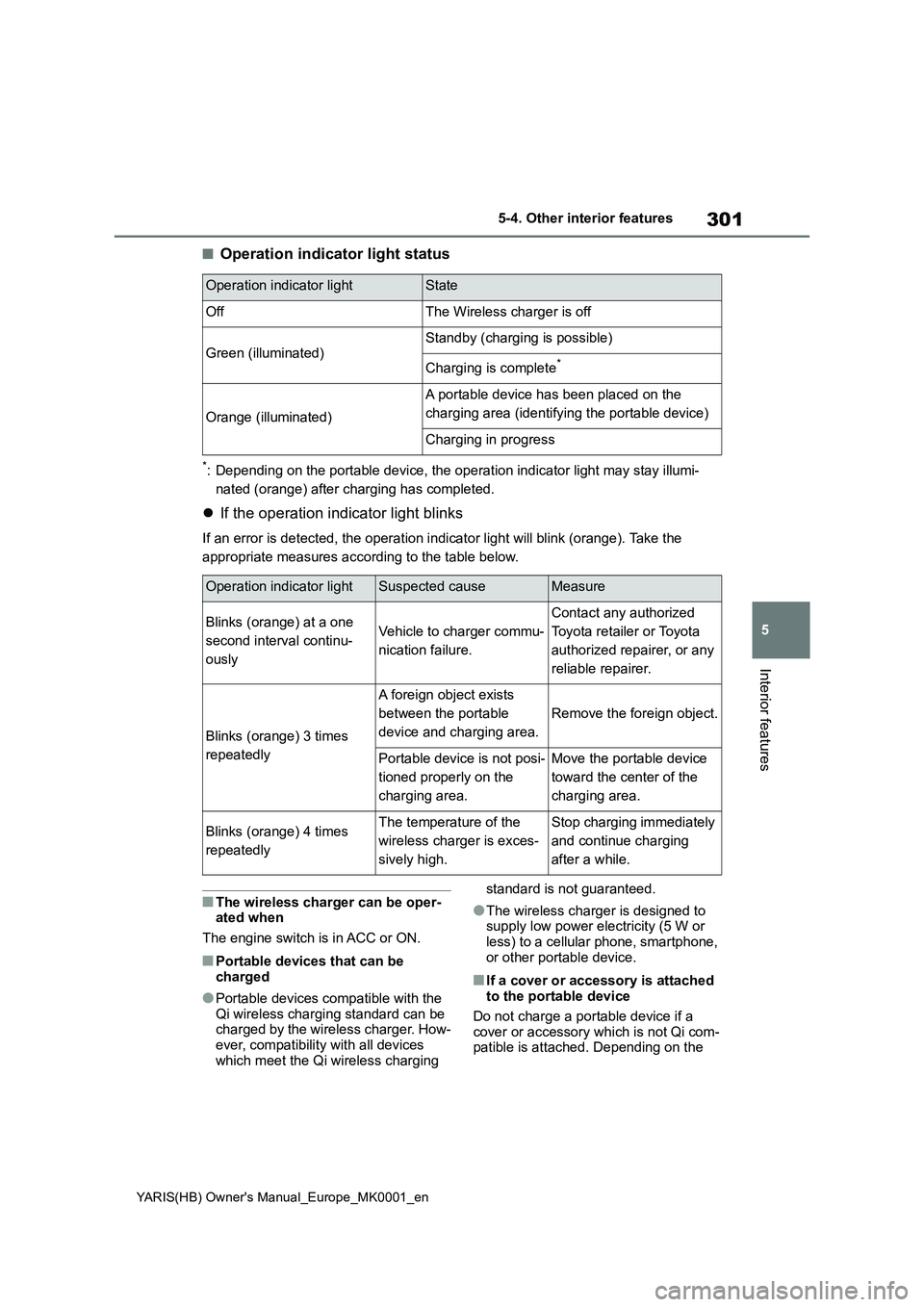
■Operation indicator light status
*: Depending on the portable device, the operation indicator light may stay illumi-
nated (orange) after charging has completed.
zIf the operation indicator light blinks
If an error is detected, the operation indicator light will blink (orange). Take the
appropriate measures according to the table below.
■The wireless charger can be oper-
ated when
The engine switch is in ACC or ON.
■Portable devices that can be
charged
●Portable devices compatible with the
Qi wireless charging standard can be
charged by the wireless charger. How-
ever, compatibility with all devices
which meet the Qi wireless charging standard is not guaranteed.
●The wireless charger is designed to
supply low power electricity (5 W or
less) to a cellular phone, smartphone,
or other portable device.
■If a cover or accessory is attached
to the portable device
Do not charge a portable device if a
cover or accessory which is not Qi com-
patible is attached. Depending on the
Operation indicator lightState
OffThe Wireless charger is off
Green (illuminated)Standby (charging is possible)
Charging is complete*
Orange (illuminated)
A portable device has been placed on the
charging area (identifying the portable device)
Charging in progress
Operation indicator lightSuspected causeMeasure
Blinks (orange) at a one
second interval continu-
ouslyVehicle to charger commu-
nication failure.
Contact any authorized
Toyota retailer or Toyota
authorized repairer, or any
reliable repairer.
Blinks (orange) 3 times
repeatedly
A foreign object exists
between the portable
device and charging area.
Remove the foreign object.
Portable device is not posi-
tioned properly on the
charging area.Move the portable device
toward the center of the
charging area.
Blinks (orange) 4 times
repeatedlyThe temperature of the
wireless charger is exces-
sively high.Stop charging immediately
and continue charging
after a while.
Page 348 of 568
348
YARIS(HB) Owner's Manual_Europe_MK0001_en
6-3. Do-it-yourself maintenance
1Turn the engine switch off.
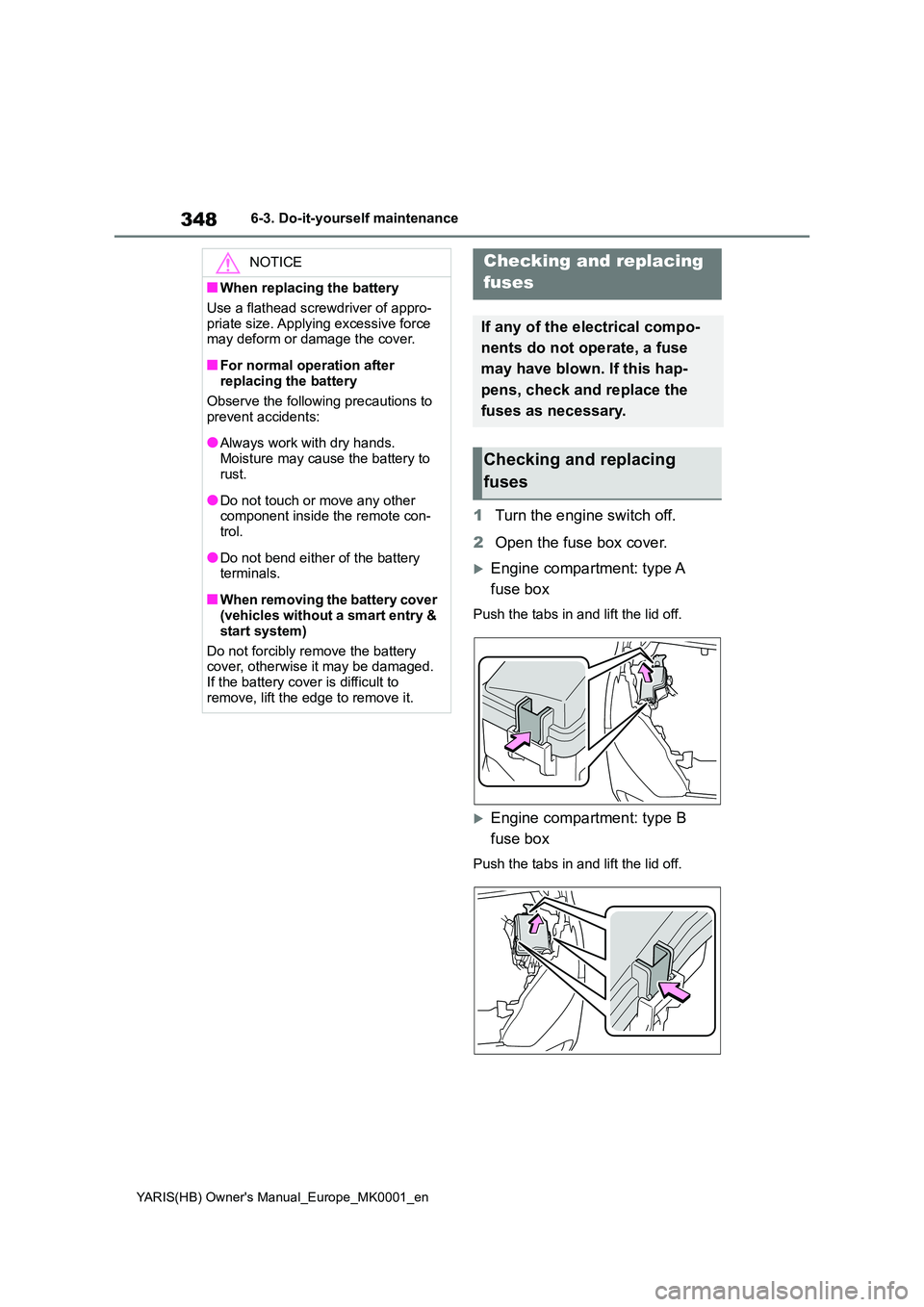
2 Open the fuse box cover.
Engine compartment: type A
fuse box
Push the tabs in and lift the lid off.
Engine compartment: type B
fuse box
Push the tabs in and lift the lid off.
NOTICE
■When replacing the battery
Use a flathead screwdriver of appro-
priate size. Applying excessive force may deform or damage the cover.
■For normal operation after replacing the battery
Observe the following precautions to
prevent accidents:
●Always work with dry hands.
Moisture may cause the battery to rust.
●Do not touch or move any other component inside the remote con-trol.
●Do not bend either of the battery terminals.
■When removing the battery cover (vehicles without a smart entry &
start system)
Do not forcibly remove the battery cover, otherwise it may be damaged.
If the battery cover is difficult to remove, lift the edge to remove it.
Checking and replacing
fuses
If any of the electrical compo-
nents do not operate, a fuse
may have blown. If this hap-
pens, check and replace the
fuses as necessary.
Checking and replacing
fuses
Page 391 of 568
391
7
YARIS(HB) Owner's Manual_Europe_MK0001_en
7-2. Steps to take in an emergency
When trouble arises
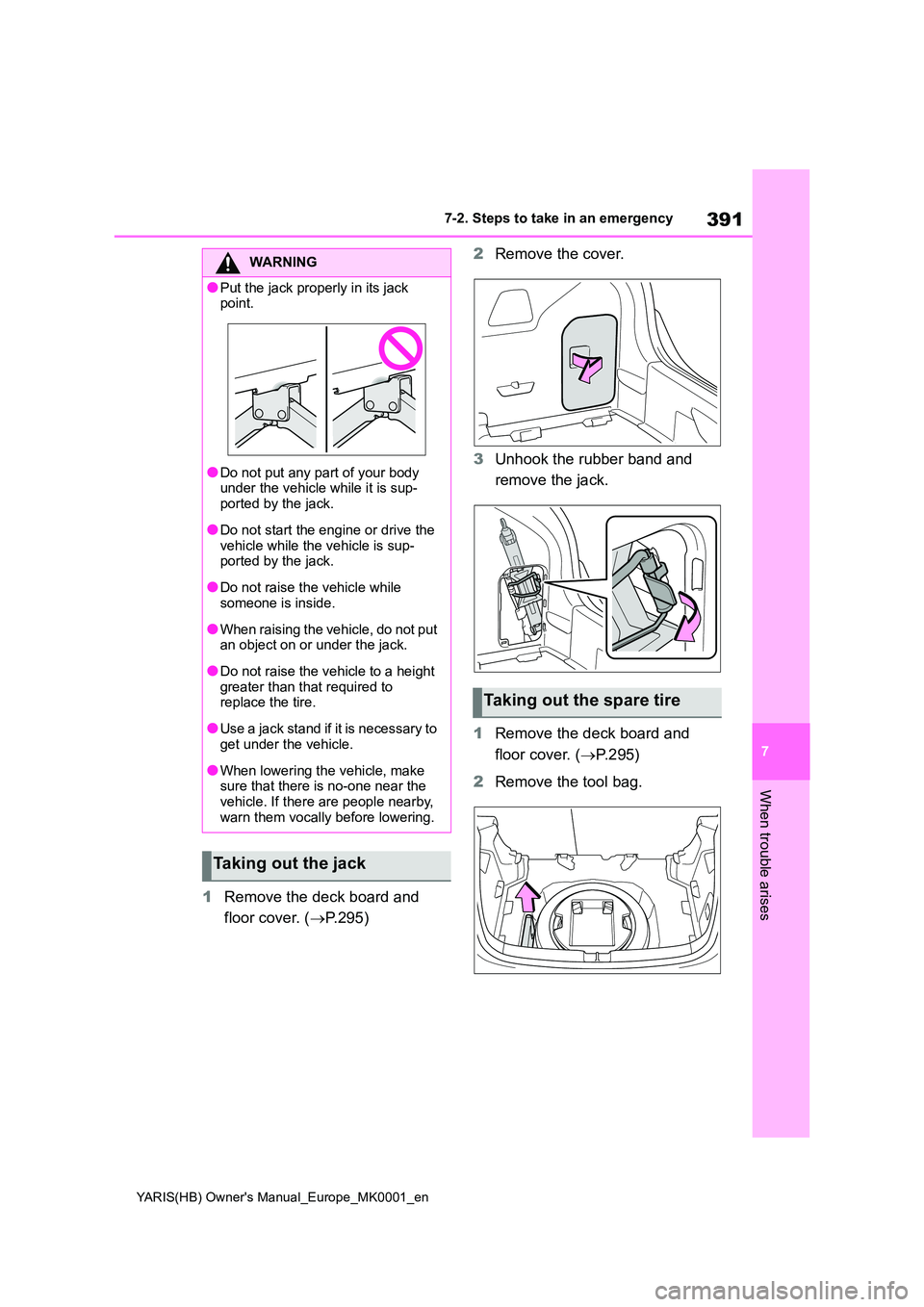
1Remove the deck board and
floor cover. ( →P.295)
2 Remove the cover.
3 Unhook the rubber band and
remove the jack.
1 Remove the deck board and
floor cover. ( →P.295)
2 Remove the tool bag.
WARNING
●Put the jack properly in its jack point.
●Do not put any part of your body under the vehicle while it is sup-
ported by the jack.
●Do not start the engine or drive the
vehicle while the vehicle is sup- ported by the jack.
●Do not raise the vehicle while someone is inside.
●When raising the vehicle, do not put an object on or under the jack.
●Do not raise the vehicle to a height greater than that required to replace the tire.
●Use a jack stand if it is necessary to get under the vehicle.
●When lowering the vehicle, make sure that there is no-one near the
vehicle. If there are people nearby, warn them vocally before lowering.
Taking out the jack
Taking out the spare tire
Page 408 of 568
408
YARIS(HB) Owner's Manual_Europe_MK0001_en
7-2. Steps to take in an emergency
1Stop the engine. Set the parking
brake and shift the shift lever to
P (Multidrive) or N (manual
transmission).
2 Remove the mud, snow or sand
from around the front wheels.
3 Place wood, stones or some
other material under the front
wheels to help provide traction.
4 Restart the engine.
5 Shift the shift lever to D or R
(Multidrive) or 1 or R (manual
transmission) and release the
parking brake. Then, while exer-
cising caution, depress the
accelerator pedal.
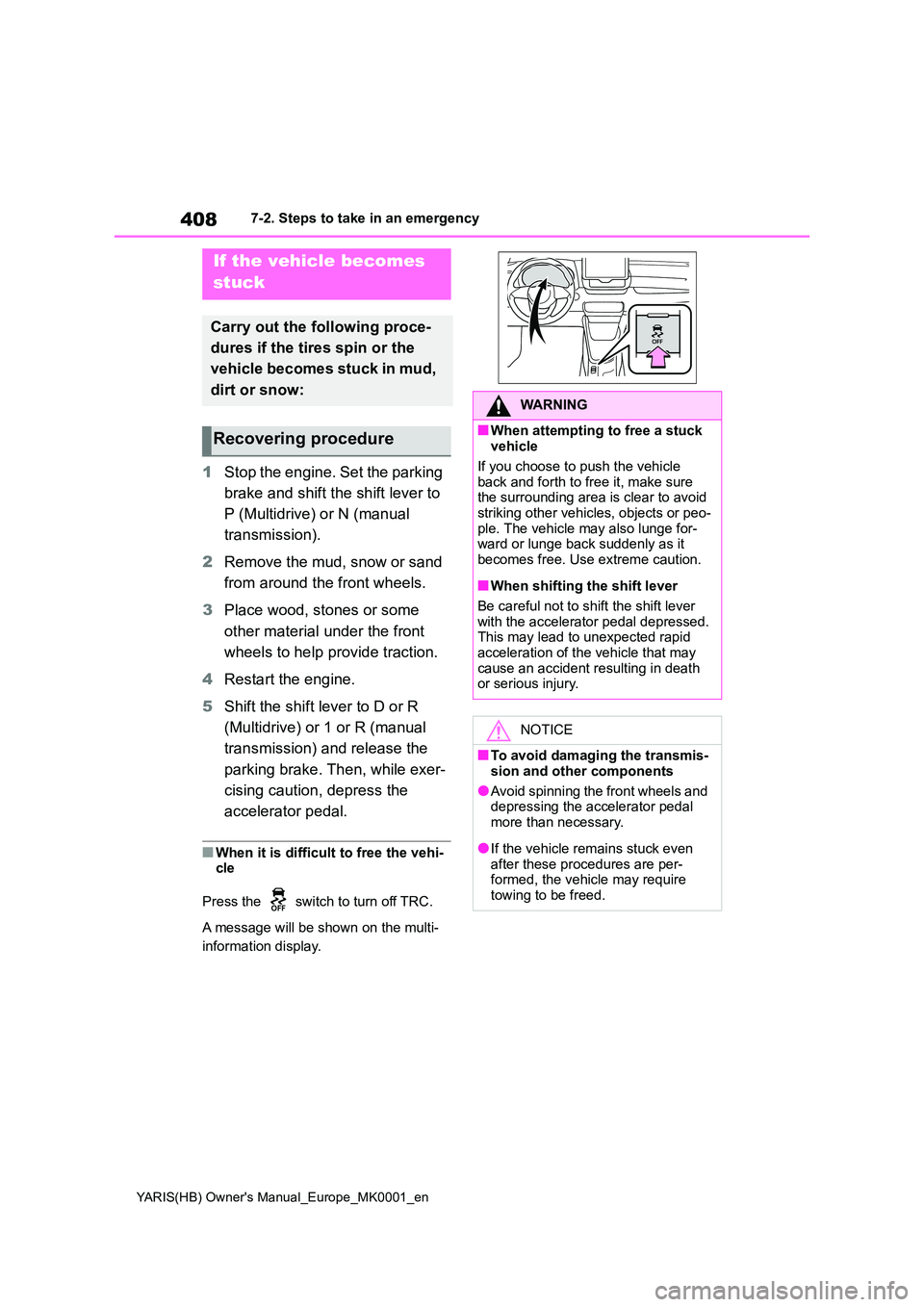
■When it is difficult to free the vehi- cle
Press the switch to turn off TRC.
A message will be shown on the multi-
information display.
If the vehicle becomes
stuck
Carry out the following proce-
dures if the tires spin or the
vehicle becomes stuck in mud,
dirt or snow:
Recovering procedure
WARNING
■When attempting to free a stuck vehicle
If you choose to push the vehicle back and forth to free it, make sure the surrounding area is clear to avoid
striking other vehicles, objects or peo- ple. The vehicle may also lunge for-ward or lunge back suddenly as it
becomes free. Use extreme caution.
■When shifting the shift lever
Be careful not to shift the shift lever with the accelerator pedal depressed.This may lead to unexpected rapid
acceleration of the vehicle that may cause an accident resulting in death or serious injury.
NOTICE
■To avoid damaging the transmis-
sion and other components
●Avoid spinning the front wheels and depressing the accelerator pedal
more than necessary.
●If the vehicle remains stuck even
after these procedures are per- formed, the vehicle may require towing to be freed.