change time TOYOTA YARIS CROSS 2021 Owner's Guide
[x] Cancel search | Manufacturer: TOYOTA, Model Year: 2021, Model line: YARIS CROSS, Model: TOYOTA YARIS CROSS 2021Pages: 650, PDF Size: 132.86 MB
Page 237 of 650
235
4
YARIS CROSS Owner's Manual_Europe_M52K60_en
4-5. Using the driving support systems
Driving
■Enabling/disabling the pre-col-
lision system
The pre-collision system can be
enabled/disabled on ( P.498)
of the multi-information display.
The system is automatically enabled
each time the power switch is turned to
ON.
If the system is disabled, the PCS
warning light will turn on and a
message will be displayed on the
multi-information display.
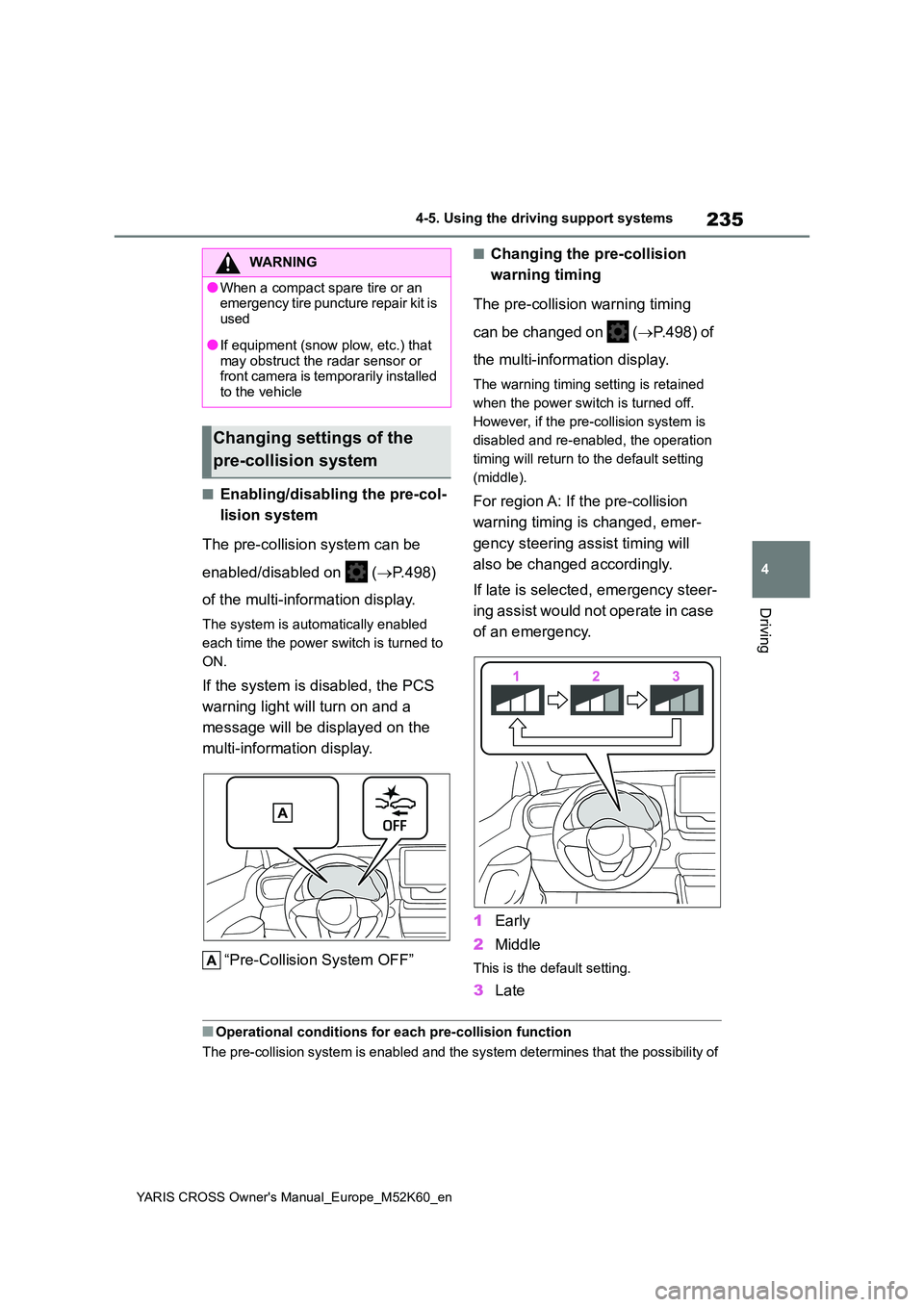
“Pre-Collision System OFF”
■Changing the pre-collision
warning timing
The pre-collision warning timing
can be changed on ( P.498) of
the multi-information display.
The warning timing setting is retained
when the power switch is turned off.
However, if the pre-collision system is
disabled and re-enabled, the operation
timing will return to the default setting
(middle).
For region A: If the pre-collision
warning timing is changed, emer-
gency steering assist timing will
also be changed accordingly.
If late is selected, emergency steer-
ing assist would not operate in case
of an emergency.
1 Early
2 Middle
This is the default setting.
3Late
■Operational conditions for each pre-collision function
The pre-collision system is enabled and the system determines t hat the possibility of
WARNING
●When a compact spare tire or an emergency tire puncture repair kit is
used
●If equipment (snow plow, etc.) that
may obstruct the radar sensor or front camera is temporarily installed to the vehicle
Changing settings of the
pre-collision system
Page 242 of 650
240
YARIS CROSS Owner's Manual_Europe_M52K60_en
4-5. Using the driving support systems
• When there are many things which
can reflect the radio waves of the radar in the vicinity (tunnels, truss bridges, gravel roads, snow covered
road that have tracks, etc.) • When there is an effect on the radio waves to the radar that is installed on
another vehicle • When multiple detectable objects are close together
• If the sun or other light is shining directly on a detectable object• When a detectable object is a shade
of white and looks extremely bright • When a detectable object appears to be nearly the same color or brightness
as its surroundings • If a detectable object cuts or suddenly emerges in front of your vehicle
• When the front of your vehicle is hit by water, snow, dust, etc.• When a very bright light ahead, such
as the sun or the headlights of oncom- ing traffic, shines directly into the front camera
• When approaching the side or front of a vehicle ahead• If a vehicle ahead is a motorcycle or
bicycle (for region C) • If a vehicle ahead is narrow, such as a personal mobility vehicle
• If a preceding vehicle has a small rear end, such as an unloaded truck• If a preceding vehicle has a low rear
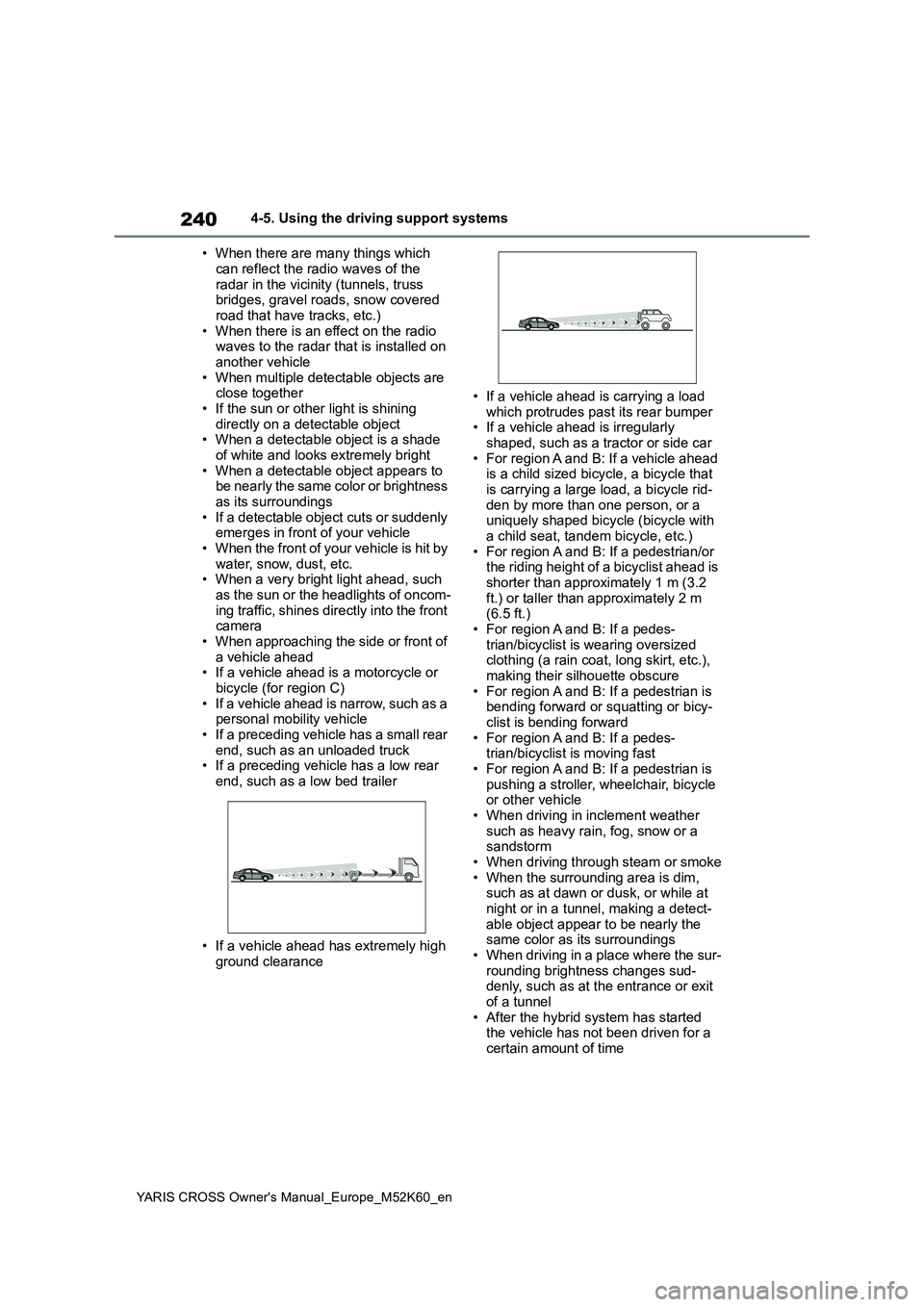
end, such as a low bed trailer
• If a vehicle ahead has extremely high
ground clearance
• If a vehicle ahead is carrying a load
which protrudes past its rear bumper • If a vehicle ahead is irregularly shaped, such as a tractor or side car
• For region A and B: If a vehicle ahead is a child sized bicycle, a bicycle that is carrying a large load, a bicycle rid-
den by more than one person, or a uniquely shaped bicycle (bicycle with a child seat, tandem bicycle, etc.)
• For region A and B: If a pedestrian/or the riding height of a bicyclist ahead is shorter than approximately 1 m (3.2
ft.) or taller than approximately 2 m (6.5 ft.)• For region A and B: If a pedes-
trian/bicyclist is wearing oversized clothing (a rain coat, long skirt, etc.), making their silhouette obscure
• For region A and B: If a pedestrian is bending forward or squatting or bicy-clist is bending forward
• For region A and B: If a pedes- trian/bicyclist is moving fast• For region A and B: If a pedestrian is
pushing a stroller, wheelchair, bicycle or other vehicle• When driving in inclement weather
such as heavy rain, fog, snow or a sandstorm• When driving through steam or smoke
• When the surrounding area is dim, such as at dawn or dusk, or while at night or in a tunnel, making a detect-
able object appear to be nearly the same color as its surroundings• When driving in a place where the sur-
rounding brightness changes sud- denly, such as at the entrance or exit of a tunnel
• After the hybrid system has started the vehicle has not been driven for a certain amount of time
Page 245 of 650
243
4
YARIS CROSS Owner's Manual_Europe_M52K60_en
4-5. Using the driving support systems
Driving
WARNING
■Before using LTA system
●Do not rely solely upon the LTA sys-
tem. The LTA system does not automatically drive the vehicle or reduce the amount of attention that
must be paid to the area in front of the vehicle. The driver must always assume full responsibility for driving
safely by paying careful attention to the surrounding conditions and operating the steering wheel to cor-
rect the path of the vehicle. Also, the driver must take adequate breaks when fatigued, such as from
driving for a long period of time.
●Failure to perform appropriate driv-
ing operations and pay careful attention may lead to an accident, resulting in death or serious injury.
■Situations unsuitable for LTA system
In the following situations, use the LTA switch to turn the system off. Fail-ure to do so may lead to an accident,
resulting in death or serious injury.
●Vehicle is driven on a road surface
which is slippery due to rainy weather, fallen snow, freezing, etc.
●Vehicle is driven on a snow-cov-ered road.
●White (yellow) lines are difficult to see due to rain, snow, fog, dust, etc.
●Vehicle is driven in a temporary lane or restricted lane due to con-
struction work.
●Vehicle is driven in a construction
zone.
●A spare tire, tire chains, etc., are
equipped.
●When the tires have been exces-
sively worn, or when the tire infla- tion pressure is low.
●When your vehicle is towing a trailer or during emergency towing.
■Preventing LTA system malfunc-tions and operations performed by mistake
●Do not modify the headlights or place stickers, etc., on the surface of the lights.
●Do not modify the suspension, etc. If the suspension, etc., needs to be
replaced, contact any authorized Toyota retailer or Toyota authorized repairer, or any reliable repairer.
●Do not install or place anything on the hood or grille. Also, do not
install a grille guard (bull bars, kan- garoo bar, etc.).
●If your windshield needs repairs, contact any authorized Toyota retailer or Toyota authorized
repairer, or any reliable repairer.
■Conditions in which functions
may not operate properly
In the following situations, the func- tions may not operate properly and
the vehicle may depart from its lane. Drive safely by always paying careful attention to your surroundings and
operate the steering wheel to correct the path of the vehicle without relying solely on the functions.
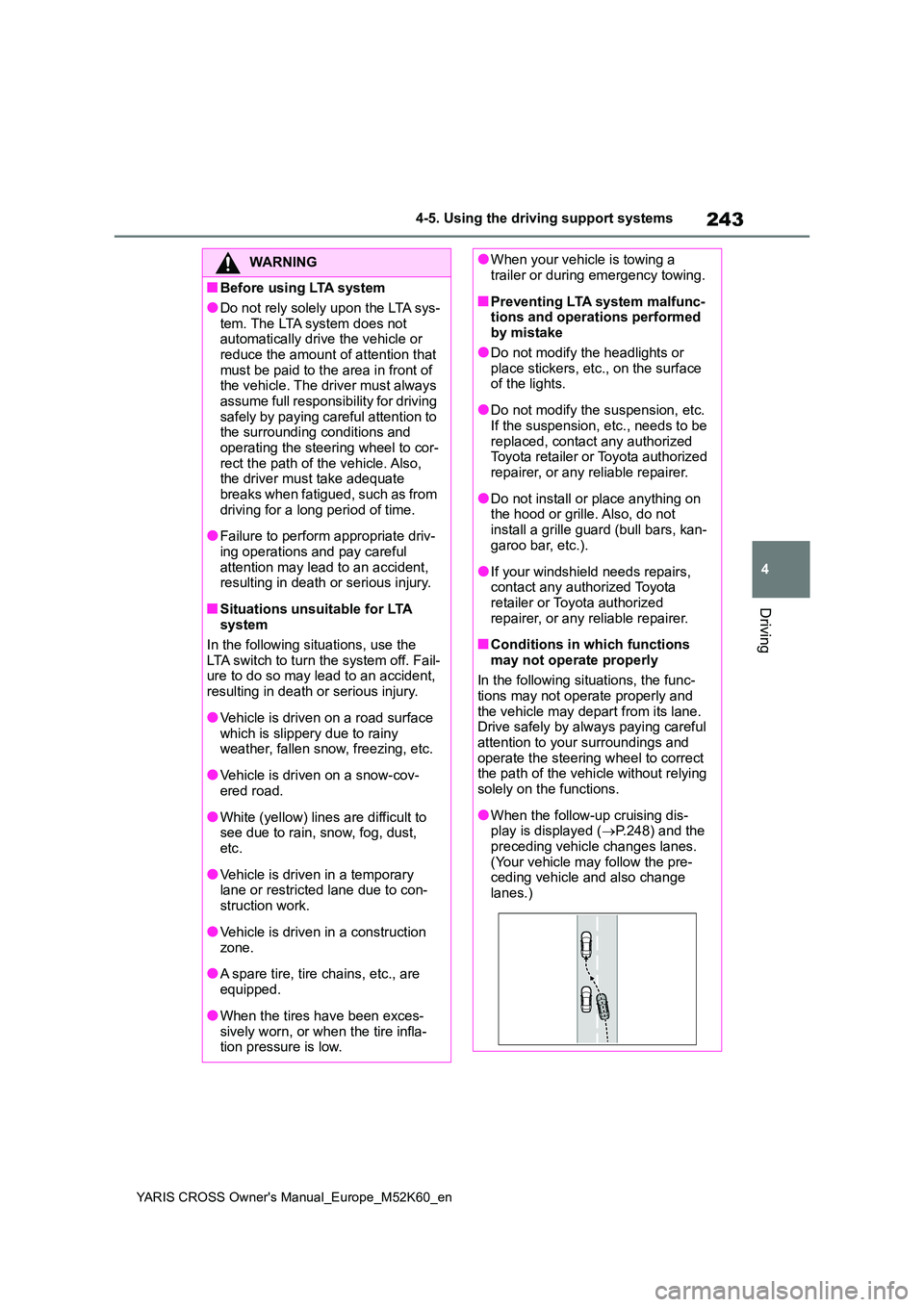
●When the follow-up cruising dis-play is displayed ( P.248) and the
preceding vehicle changes lanes. (Your vehicle may follow the pre-ceding vehicle and also change
lanes.)
Page 249 of 650
247
4
YARIS CROSS Owner's Manual_Europe_M52K60_en
4-5. Using the driving support systems
Driving
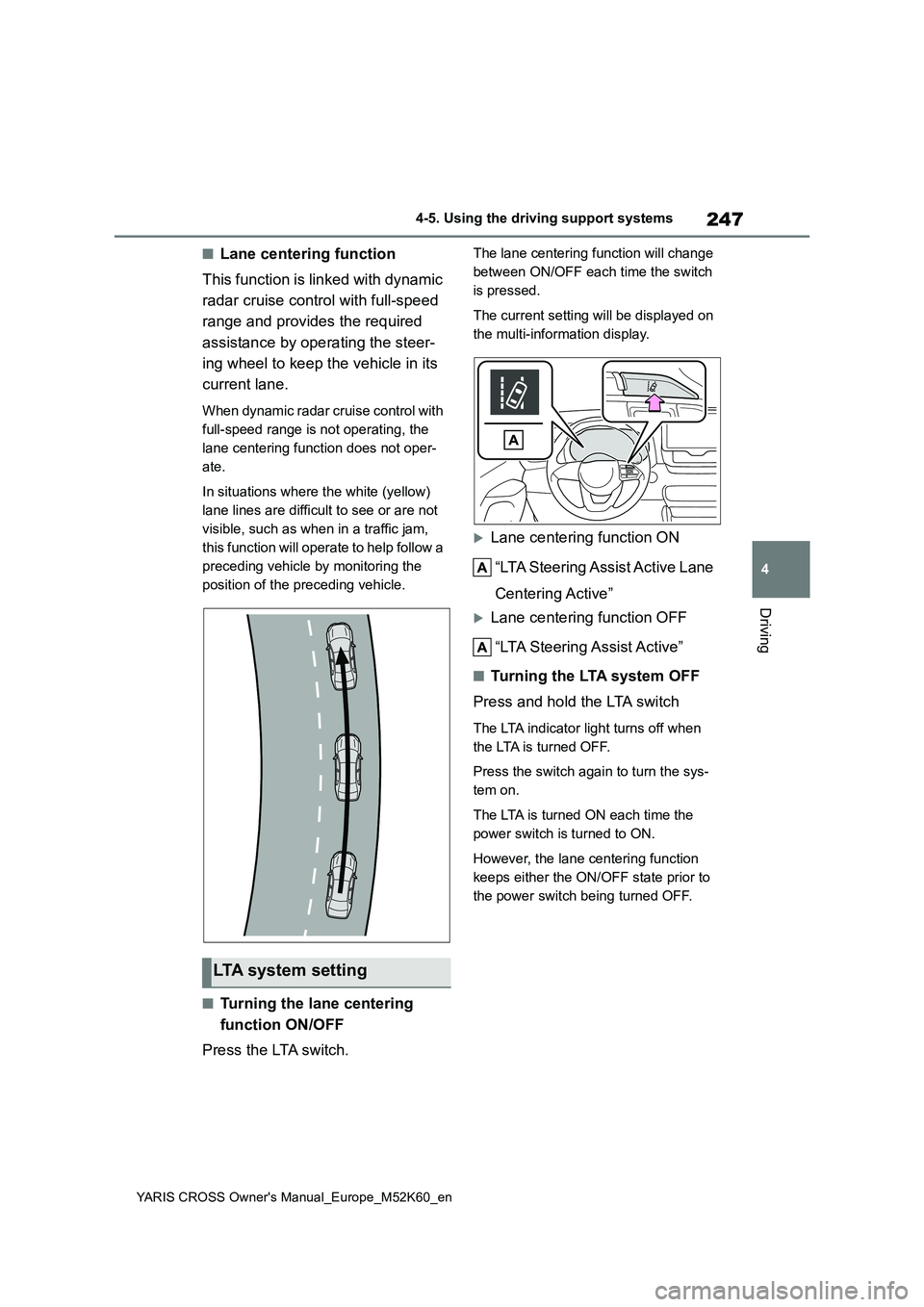
■Lane centering function
This function is linked with dynamic
radar cruise control with full-speed
range and provides the required
assistance by operating the steer-
ing wheel to keep the vehicle in its
current lane.
When dynamic radar cruise control with
full-speed range is not operating, the
lane centering function does not oper-
ate.
In situations where the white (yellow)
lane lines are difficult to see or are not
visible, such as when in a traffic jam,
this function will operate to help follow a
preceding vehicle by monitoring the
position of the preceding vehicle.
■Turning the lane centering
function ON/OFF
Press the LTA switch.
The lane centering function will change
between ON/OFF each time the switch
is pressed.
The current setting will be displayed on
the multi-information display.
Lane centering function ON
“LTA Steering Assist Active Lane
Centering Active”
Lane centering function OFF
“LTA Steering Assist Active”
■Tu r n i n g t h e LTA s y s t e m O F F
Press and hold the LTA switch
The LTA indicator light turns off when
the LTA is turned OFF.
Press the switch again to turn the sys-
tem on.
The LTA is turned ON each time the
power switch is turned to ON.
However, the lane centering function
keeps either the ON/OFF state prior to
the power switch being turned OFF.
LTA system setting
Page 253 of 650
251
4
YARIS CROSS Owner's Manual_Europe_M52K60_en
4-5. Using the driving support systems
Driving
hands off of the steering wheel, the
buzzer sounds, the driver is warned and
the function is temporarily canceled.
This warning also operates in the same
way when the driver continuously oper-
ates the steering wheel only a small
amount.
The buzzer also sounds even if the alert
type is set to steering wheel vibration.
●When the system determines that the vehicle may deviate from the lane while driving around a curve while the
lane centering function is operating.
Depending on the vehicle condition and
road conditions, the warning may not
operate. Also, if the system determines
that the vehicle is driving around a
curve, warnings will occur earlier than
during straight-lane driving.
●When the system determines that the
driver is driving without holding the steering wheel while the steering wheel assist of the steering assist
function is operating.
If the driver continues to keep their
hands off of the steering wheel and the
steering wheel assist is operating, the
buzzer sounds and the driver is warned.
Each time the buzzer sounds, the con-
tinuing time of the buzzer becomes lon-
ger.
The buzzer also sounds even if the alert
type is set to steering wheel vibration.
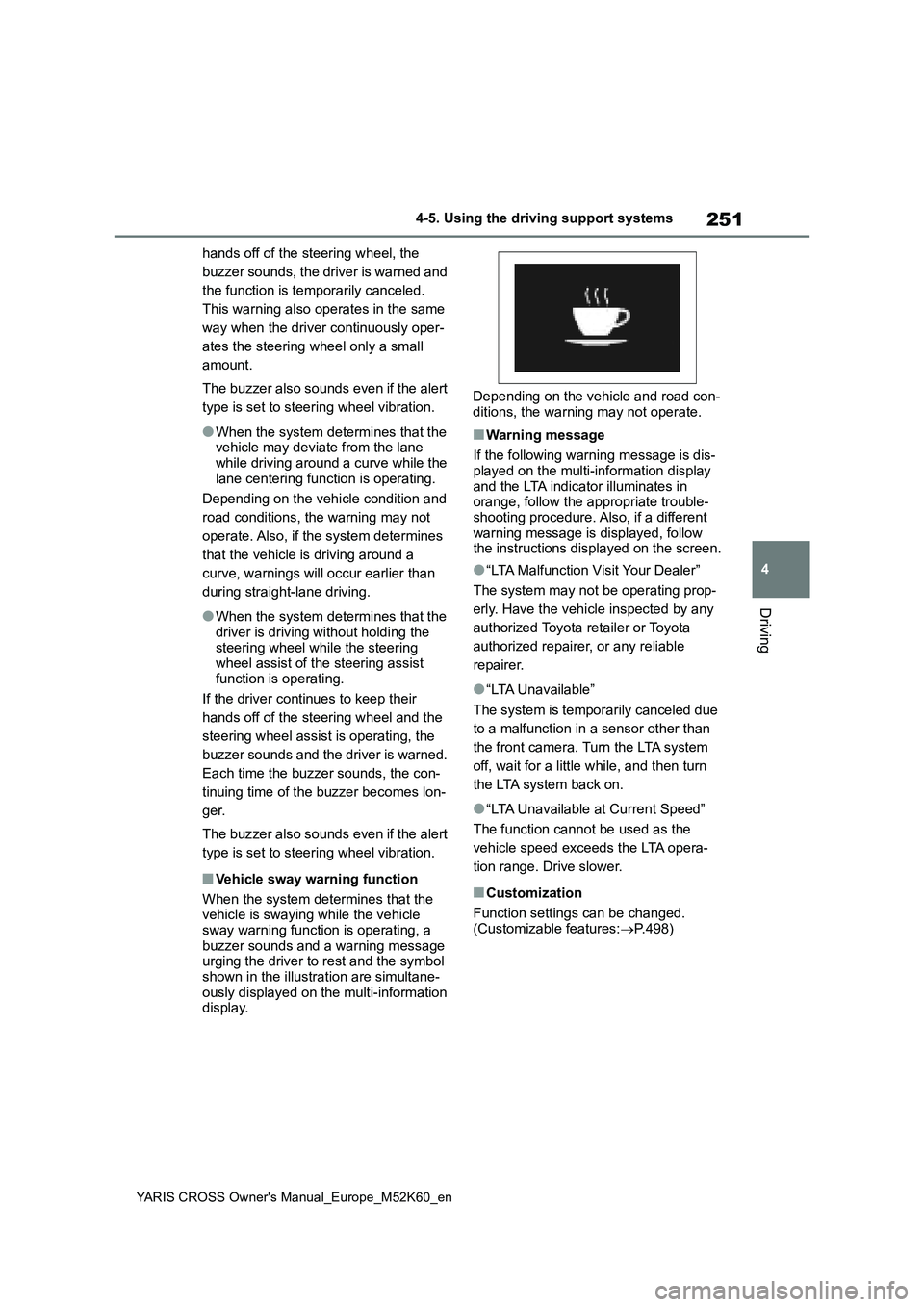
■Vehicle sway warning function
When the system determines that the vehicle is swaying while the vehicle
sway warning function is operating, a buzzer sounds and a warning message urging the driver to rest and the symbol
shown in the illustration are simultane- ously displayed on the multi-information display.
Depending on the vehicle and road con-
ditions, the warning may not operate.
■Warning message
If the following warning message is dis- played on the multi-information display
and the LTA indicator illuminates in orange, follow the appropriate trouble-shooting procedure. Also, if a different
warning message is displayed, follow the instructions displayed on the screen.
●“LTA Malfunction Visit Your Dealer”
The system may not be operating prop-
erly. Have the vehicle inspected by any
authorized Toyota retailer or Toyota
authorized repairer, or any reliable
repairer.
●“LTA Unavailable”
The system is temporarily canceled due
to a malfunction in a sensor other than
the front camera. Turn the LTA system
off, wait for a little while, and then turn
the LTA system back on.
●“LTA Unavailable at Current Speed”
The function cannot be used as the
vehicle speed exceeds the LTA opera-
tion range. Drive slower.
■Customization
Function settings can be changed.
(Customizable features: P.498)
Page 259 of 650
257
4
YARIS CROSS Owner's Manual_Europe_M52K60_en
4-5. Using the driving support systems
Driving
speed.
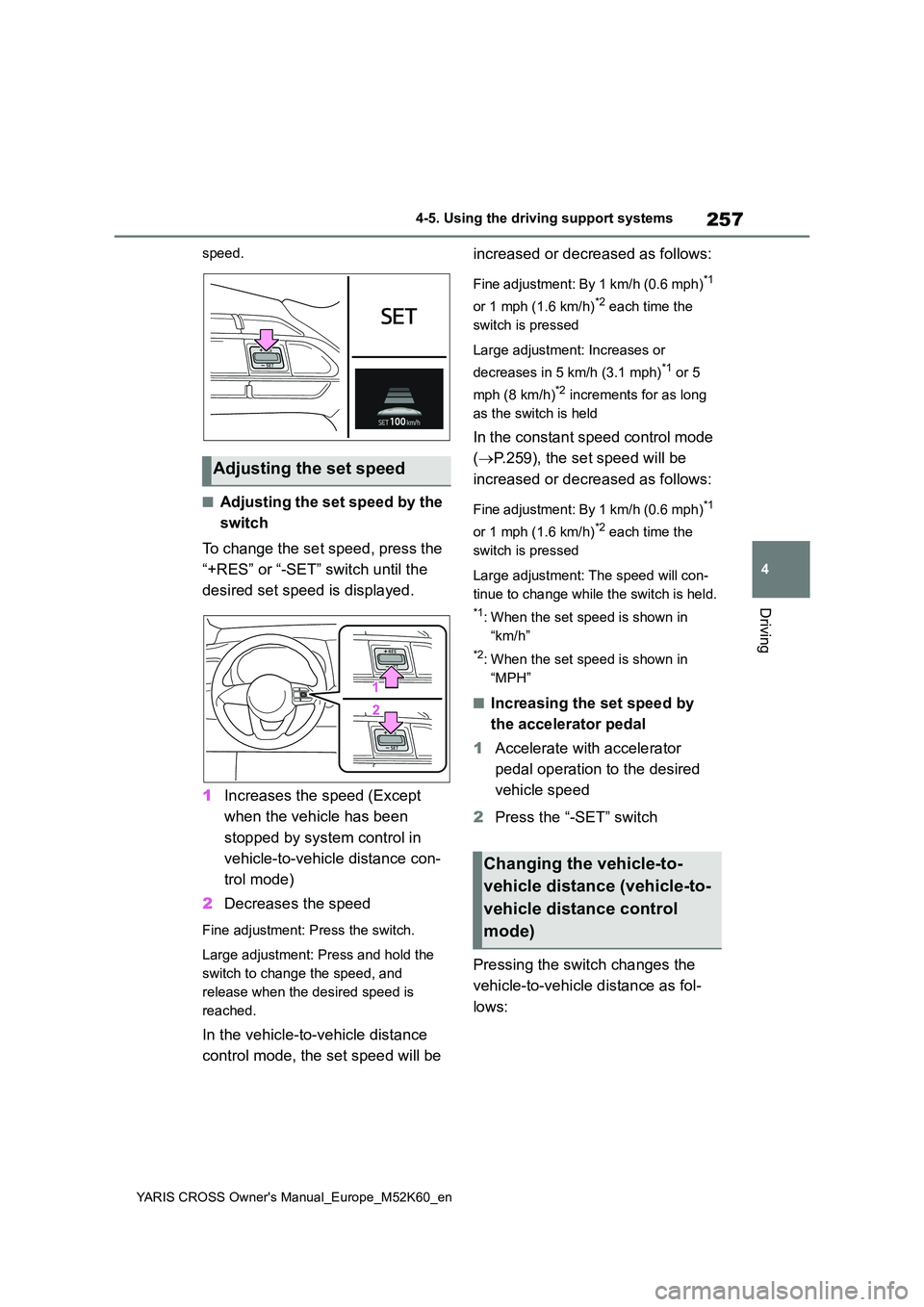
■Adjusting the set speed by the
switch
To change the set speed, press the
“+RES” or “-SET” switch until the
desired set speed is displayed.
1 Increases the speed (Except
when the vehicle has been
stopped by system control in
vehicle-to-vehicle distance con-
trol mode)
2 Decreases the speed
Fine adjustment: Press the switch.
Large adjustment: Press and hold the
switch to change the speed, and
release when the desired speed is
reached.
In the vehicle-to-vehicle distance
control mode, the set speed will be
increased or decreased as follows:
Fine adjustment: By 1 km/h (0.6 mph)*1
or 1 mph (1.6 km/h)*2 each time the
switch is pressed
Large adjustment: Increases or
decreases in 5 km/h (3.1 mph)*1 or 5
mph (8 km/h)*2 increments for as long
as the switch is held
In the constant speed control mode
( P.259), the set speed will be
increased or decreased as follows:
Fine adjustment: By 1 km/h (0.6 mph)*1
or 1 mph (1.6 km/h)*2 each time the
switch is pressed
Large adjustment: The speed will con-
tinue to change while the switch is held.
*1: When the set speed is shown in
“km/h”
*2: When the set speed is shown in
“MPH”
■Increasing the set speed by
the accelerator pedal
1 Accelerate with accelerator
pedal operation to the desired
vehicle speed
2 Press the “-SET” switch
Pressing the switch changes the
vehicle-to-vehicle distance as fol-
lows:
Adjusting the set speed
Changing the vehicle-to-
vehicle distance (vehicle-to-
vehicle distance control
mode)
Page 264 of 650
262
YARIS CROSS Owner's Manual_Europe_M52K60_en
4-5. Using the driving support systems
■Automatic cancelation of constant
speed control mode
Constant speed control mode is auto- matically canceled in the following situa-
tions:
●Actual vehicle speed is more than
approximately 16 km/h (10 mph) below the set vehicle speed.
●Actual vehicle speed falls below approximately 30 km/h (20 mph).
●VSC is activated.
●TRC is activated for a period of time.
●When the VSC or TRC system is turned off.
●When the brake control or output restriction control of a driving support
system operates. (For example: Pre-Collision System, Drive-Start Control)
●The parking brake is operated.
If constant speed control mode is auto-
matically canceled for any reasons other than the above, there may be a malfunc-tion in the system. Contact any autho-
rized Toyota retailer or Toyota authorized repairer, or any reliable repairer.
■The Dynamic Radar Cruise Control
with Road Sign Assist may not operate properly when (if equipped)
As the Dynamic Radar Cruise Control with Road Sign Assist may not operate properly in conditions in which RSA may
not operate or detect correctly ( P.269), when using this function, make sure to check the speed limit sign
displayed.
In the following situations, the set speed may not be changed to the recognized
speed limit by pressing and holding the “+RES”/“-SET” switch.
●If speed limit information is not avail-able
●When the recognized speed limit is the same as the set speed
●When the recognized speed limit is
outside of the speed range that the
dynamic radar cruise control system can operate
■Brake operation
A brake operation sound may be heard
and the brake pedal response may change, but these are not malfunctions.
■Warning messages and buzzers for dynamic radar cruise control with
full-speed range
Warning messages and buzzers are used to indicate a system malfunction or
to inform the driver of the need for cau- tion while driving. If a warning message is shown on the multi-information dis-
play, read the message and follow the instructions. ( P.229, 449)
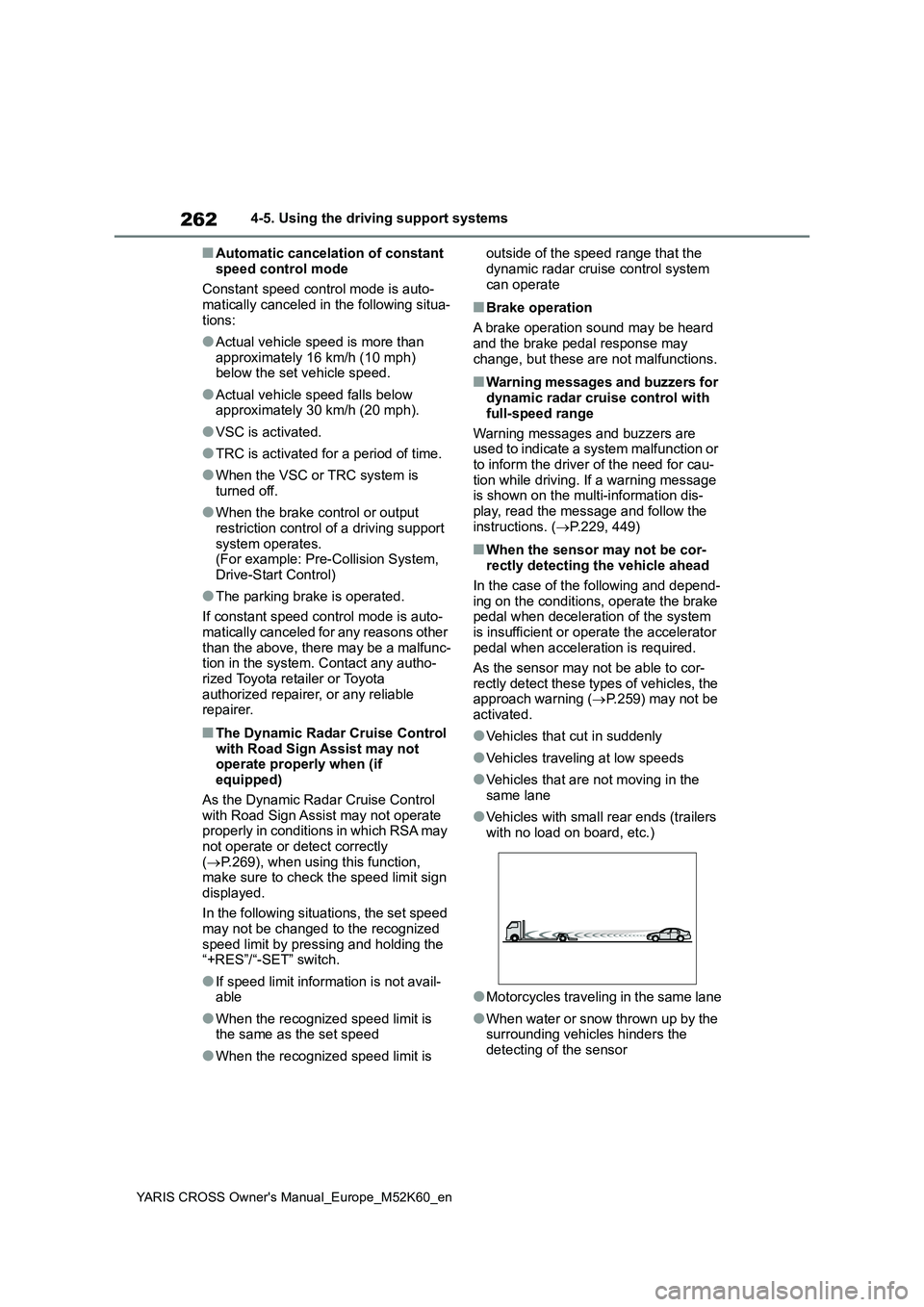
■When the sensor may not be cor- rectly detecting the vehicle ahead
In the case of the following and depend- ing on the conditions, operate the brake pedal when deceleration of the system
is insufficient or operate the accelerator pedal when acceleration is required.
As the sensor may not be able to cor-
rectly detect these types of vehicles, the approach warning ( P.259) may not be activated.
●Vehicles that cut in suddenly
●Vehicles traveling at low speeds
●Vehicles that are not moving in the
same lane
●Vehicles with small rear ends (trailers
with no load on board, etc.)
●Motorcycles traveling in the same lane
●When water or snow thrown up by the surrounding vehicles hinders the
detecting of the sensor
Page 267 of 650
265
4
YARIS CROSS Owner's Manual_Europe_M52K60_en
4-5. Using the driving support systems
Driving
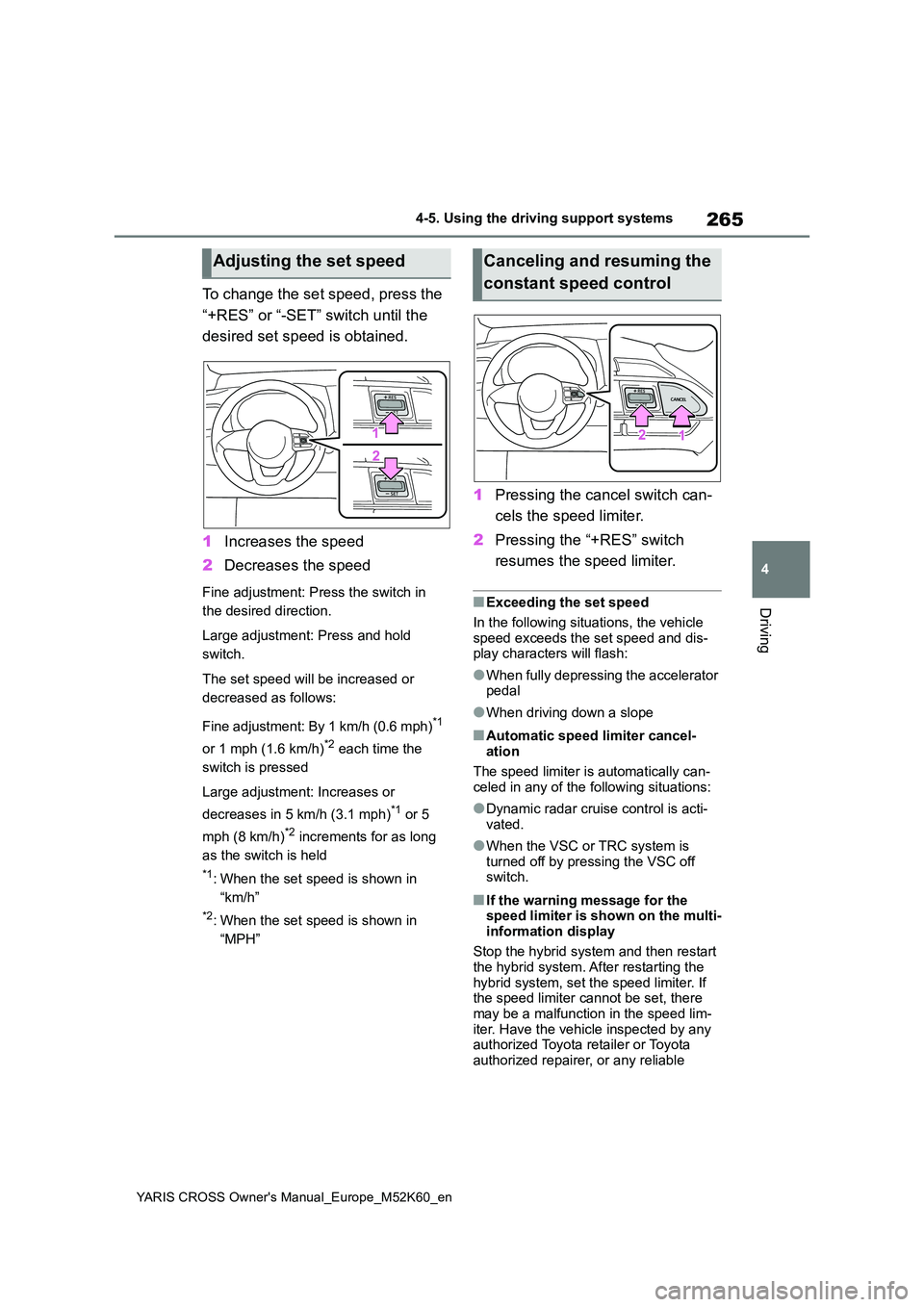
To change the set speed, press the
“+RES” or “-SET” switch until the
desired set speed is obtained.
1 Increases the speed
2 Decreases the speed
Fine adjustment: Press the switch in
the desired direction.
Large adjustment: Press and hold
switch.
The set speed will be increased or
decreased as follows:
Fine adjustment: By 1 km/h (0.6 mph)*1
or 1 mph (1.6 km/h)*2 each time the
switch is pressed
Large adjustment: Increases or
decreases in 5 km/h (3.1 mph)*1 or 5
mph (8 km/h)*2 increments for as long
as the switch is held
*1: When the set speed is shown in
“km/h”
*2: When the set speed is shown in
“MPH”
1 Pressing the cancel switch can-
cels the speed limiter.
2 Pressing the “+RES” switch
resumes the speed limiter.
■Exceeding the set speed
In the following situations, the vehicle
speed exceeds the set speed and dis- play characters will flash:
●When fully depressing the accelerator pedal
●When driving down a slope
■Automatic speed limiter cancel-ation
The speed limiter is automatically can-
celed in any of the following situations:
●Dynamic radar cruise control is acti-
vated.
●When the VSC or TRC system is
turned off by pressing the VSC off switch.
■If the warning message for the speed limiter is shown on the multi-
information display
Stop the hybrid system and then restart the hybrid system. After restarting the
hybrid system, set the speed limiter. If the speed limiter cannot be set, there may be a malfunction in the speed lim-
iter. Have the vehicle inspected by any authorized Toyota retailer or Toyota authorized repairer, or any reliable
Adjusting the set speedCanceling and resuming the
constant speed control
Page 271 of 650
269
4
YARIS CROSS Owner's Manual_Europe_M52K60_en
4-5. Using the driving support systems
Driving
*3: If the turn signal indicator is not
operated when changing lanes, the
mark does not display.
In the following situations, the RSA
system will notify the driver.
When the vehicle speed exceeds
the speed notification threshold
of the speed limit sign displayed,
the sign display will be empha-
sized and a buzzer will sound.
When the RSA system recog-
nizes a no-entry sign and detects
that the vehicle has entered a
no-entry area based on the map
information of the navigation sys-
tem, the no-entry sign flashes
and a buzzer will sound. (For
vehicles with 7-inch/8-inch dis-
play navigation system)
If it is detected that your vehicle
is overtaking when a no overtak-
ing sign is displayed on the multi-
information display, the dis-
played sign will flash and a
buzzer will sound.
Depending on the situation, traffic
environment (traffic direction,
speed unit) may be detected incor-
rectly and a notification function
may not operate properly.
■Setting procedure
1 Press / (4.2-inch display) or
/ (7-inch display) of the
meter control switches and select
.
2 Press / (4.2-inch display) or
/ (7-inch display) of the
meter control switches and select
, then press .
■Automatic turn-off of RSA sign dis- play
One or more signs automatically turn off
in the following situations.
●No sign has been recognized for a
certain distance.
●The road changes due to a left or right
turn, etc.
■Conditions in which the function may not operate or detect correctly
In the following situations, RSA does not
operate normally and may not recognize signs, display the incorrect sign, etc. However, this does not indicate a mal-
function.
●The front camera is misaligned due to
a strong impact being applied to the sensor, etc.
●Dirt, snow, stickers, etc., are on the windshield near the front camera.
●In inclement weather such as heavy rain, fog, snow or sand storms.
●Light from an oncoming vehicle, the sun, etc., enters the front camera.
●The sign is dirty, faded, tilted or bent.
●The contrast of electronic sign is low.
●All or part of the sign is hidden by the leaves of a tree, a pole, etc.
●The sign is only visible to the front camera for a short amount of time.
●The driving scene (turning, lane change, etc.) is judged incorrectly.
●If a sign not appropriate for the cur-rently traveled lane, but the sign exists
directly after a freeway branches, or in an adjacent lane just before merging.
Notification function
Page 285 of 650
283
4
YARIS CROSS Owner's Manual_Europe_M52K60_en
4-5. Using the driving support systems
Driving
1Press / (4.2-inch display)
or / (7-inch display) of
the meter control switch to
select .
2 Press / (4.2-inch display)
or / (7-inch display) of
the meter control switch to
select and then press and
hold .
3 Select the volume and then
press .
Each time the switch is pressed, the volume level will change between 1, 2,
and 3.
■Muting a buzzer
A mute button will be displayed on
the multi-information display when
an object is detected. To mute the
buzzer, press .
The buzzers for the Toyota parking
assist-sensor and RCTA function (if
equipped) will be muted simultane-
ously.
Mute will be canceled automatically
in the following situations:
When the shift lever is changed.
When the vehicle speed exceeds
a certain speed.
When there is a malfunction in a
sensor or the system is tempo-
rarily unavailable.
When the operating function is
disabled manually.
When the power switch is turned
off.
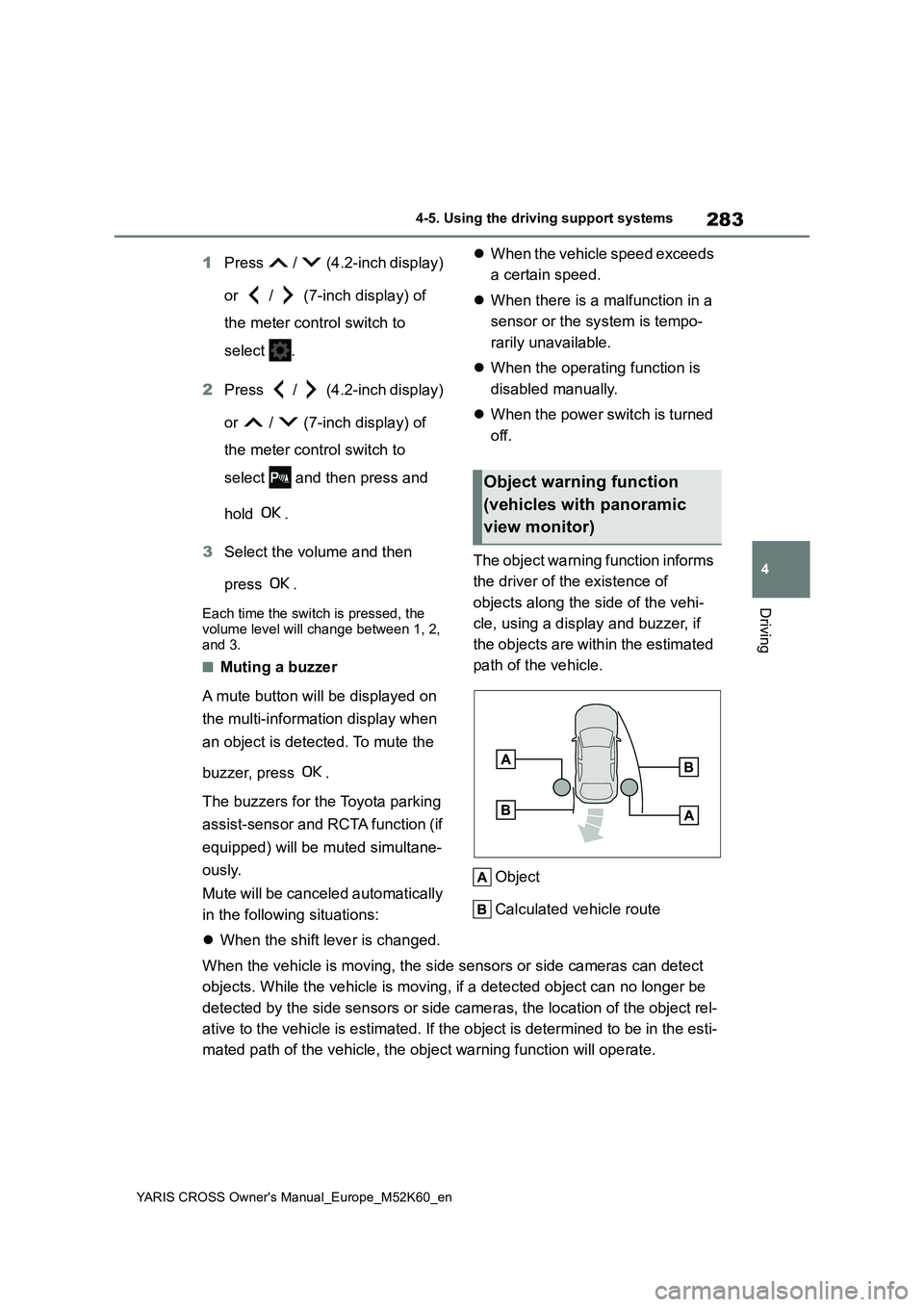
The object warning function informs
the driver of the existence of
objects along the side of the vehi-
cle, using a display and buzzer, if
the objects are within the estimated
path of the vehicle.
Object
Calculated vehicle route
When the vehicle is moving, the side sensors or side cameras ca n detect
objects. While the vehicle is moving, if a detected object can no longer be
detected by the side sensors or side cameras, the location of t he object rel-
ative to the vehicle is estimated. If the object is determined to be in the esti-
mated path of the vehicle, the object warning function will ope rate.
Object warning function
(vehicles with panoramic
view monitor)