shift TOYOTA YARIS CROSS 2021 Workshop Manual
[x] Cancel search | Manufacturer: TOYOTA, Model Year: 2021, Model line: YARIS CROSS, Model: TOYOTA YARIS CROSS 2021Pages: 650, PDF Size: 132.86 MB
Page 303 of 650
301
4
YARIS CROSS Owner's Manual_Europe_M52K60_en
4-5. Using the driving support systems
Driving
*: If equipped
■Function description
The Advanced Park assists in
backing into or parallel parking in a
spot selected on the multimedia
display, or departing from a parking
space, by delivering operation guid-
ance through displays and buzzer
operation, as well as operating the
steering wheel, accelerator pedal,
and brake pedal. (Shift lever opera-
tions are done by the driver)
Additionally, the panoramic view
monitor can display the area in
front, behind, and from above the
vehicle, helping confirm the condi-
tion of the area around the vehicle.
For details on the panoramic view
monitor refer to the “Navigation and
multimedia system Owner’s man-
ual”.
Depending on the condition of the
road surface or the vehicle, the dis-
tance between the vehicle and a
parking space, etc., it may not be
possible to assist in parking in the
target space.
Toyota Teammate
Advanced Park*
Advanced Park
WARNING
■When using the Advanced Park
●Do not overly rely on the Advanced
Park. As with a normal vehicle, take care to observe your surroundings while the vehicle is moving.
●Always pay attention to the vehi-cle’s surroundings while operating.
●The Advanced Park supports the driver when parking and leaving a
parking space. While checking the safety of the area around the vehi-cle, make sure to depress the brake
pedal as necessary to slow or stop the vehicle.
●As low objects (curb stones, park-ing blocks, etc.) may not be detected, make sure to check the
safety of the area around your vehi- cle and depress the brake pedal to stop the vehicle if it may collide with
an object.
●While the Advanced Park is operat-
ing, if it is likely that your vehicle will collide with a nearby vehicle, park-ing block, object, or person,
depress the brake pedal to stop the vehicle and press the advance park main switch to disable.
●Never use only the multimedia dis-play to view the area behind the
vehicle. The image displayed may differ than the actual situation. Using only the screen when back-
ing up may lead to an accident, such as a collision with another vehicle. When backing up, make
sure to look directly or use the mir- rors to check the safety of the area around your vehicle, especially
behind the vehicle.
●As the steering wheel will turn while
this Advanced Park is operating, pay attention to the following.
Page 308 of 650
306
YARIS CROSS Owner's Manual_Europe_M52K60_en
4-5. Using the driving support systems
In situations such as the following,
Advanced Park operation will be
canceled or suspended.
Assistance will be canceled
when:
The Advanced Park main switch
is pushed
The shift position is changed to
P, other than when instructed
The parking brake is engaged
A door is opened
The driver’s seat belt is unfas-
tened
The outside rear view mirrors are
folded
The TRC or VSC is turned off
The TRC, VSC or ABS operates
The power switch is pushed
The Advanced Park determines
assistance cannot be continued
in the current parking environ-
ment
The Advanced Park malfunctions
If assistance has been canceled, a
message will be displayed on the
multimedia display. ( P.323)
Firmly hold the steering wheel and
depress the brake pedal to stop the
vehicle. As Advanced Park opera-
tion has been canceled, begin the
operation again or continue parking
manually, using the steering wheel.
Assistance will be suspended
when:
The steering wheel is operated
The accelerator pedal is
depressed
The shift position was changed
while the vehicle was moving
(except to P position)
Brake control operates
The PCS (Pre-Collision System)
has operates
If assistance has been suspended,
assistance can be started again by
following the directions displayed
on the multimedia display ( P.324)
■Function description
The perpendicular parking function
can be used if the target parking
space can be detected when the
vehicle is stopped close and per-
pendicularly to the center of the
parking space. Also, depending on
the condition of the parking space,
etc., if it is necessary to change the
direction of travel of the vehicle, it
will assist in turning back the steer-
ing wheel, as well.
■Parking using th e perpendicu-
lar parking function
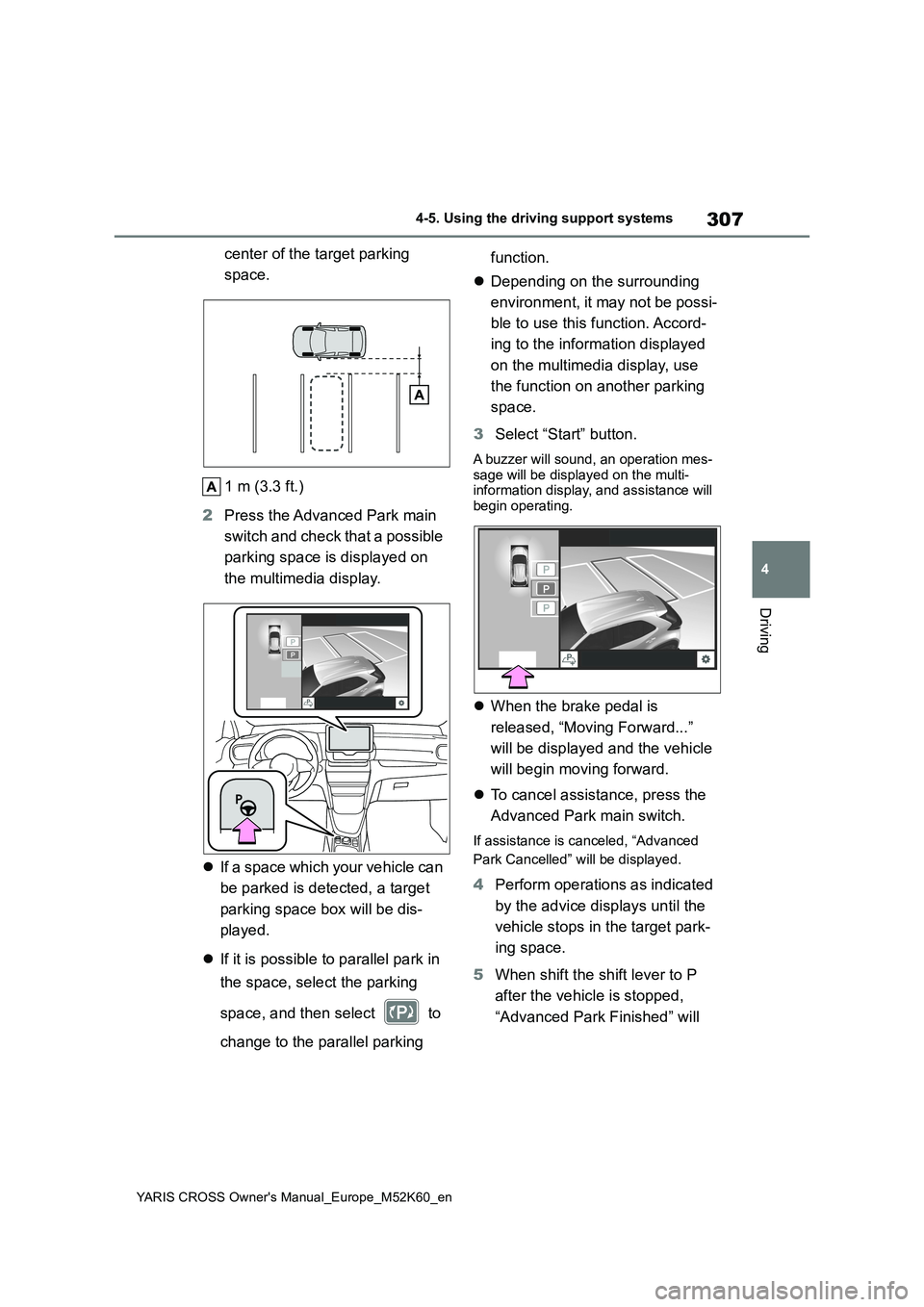
1 Stop the vehicle at a position
close and perpendicular to the
Advanced Park cancel-
ation/suspension
Perpendicular parking func-
tion
Page 309 of 650
307
4
YARIS CROSS Owner's Manual_Europe_M52K60_en
4-5. Using the driving support systems
Driving
center of the target parking
space.
1 m (3.3 ft.)
2 Press the Advanced Park main
switch and check that a possible
parking space is displayed on
the multimedia display.
If a space which your vehicle can
be parked is detected, a target
parking space box will be dis-
played.
If it is possible to parallel park in
the space, select the parking
space, and then select to
change to the parallel parking
function.
Depending on the surrounding
environment, it may not be possi-
ble to use this function. Accord-
ing to the information displayed
on the multimedia display, use
the function on another parking
space.
3 Select “Start” button.
A buzzer will sound, an operation mes- sage will be displayed on the multi-information display, and assistance will
begin operating.
When the brake pedal is
released, “Moving Forward...”
will be displayed and the vehicle
will begin moving forward.
To cancel assistance, press the
Advanced Park main switch.
If assistance is canceled, “Advanced
Park Cancelled” will be displayed.
4 Perform operations as indicated
by the advice displays until the
vehicle stops in the target park-
ing space.
5 When shift the shift lever to P
after the vehicle is stopped,
“Advanced Park Finished” will
Page 310 of 650
308
YARIS CROSS Owner's Manual_Europe_M52K60_en
4-5. Using the driving support systems
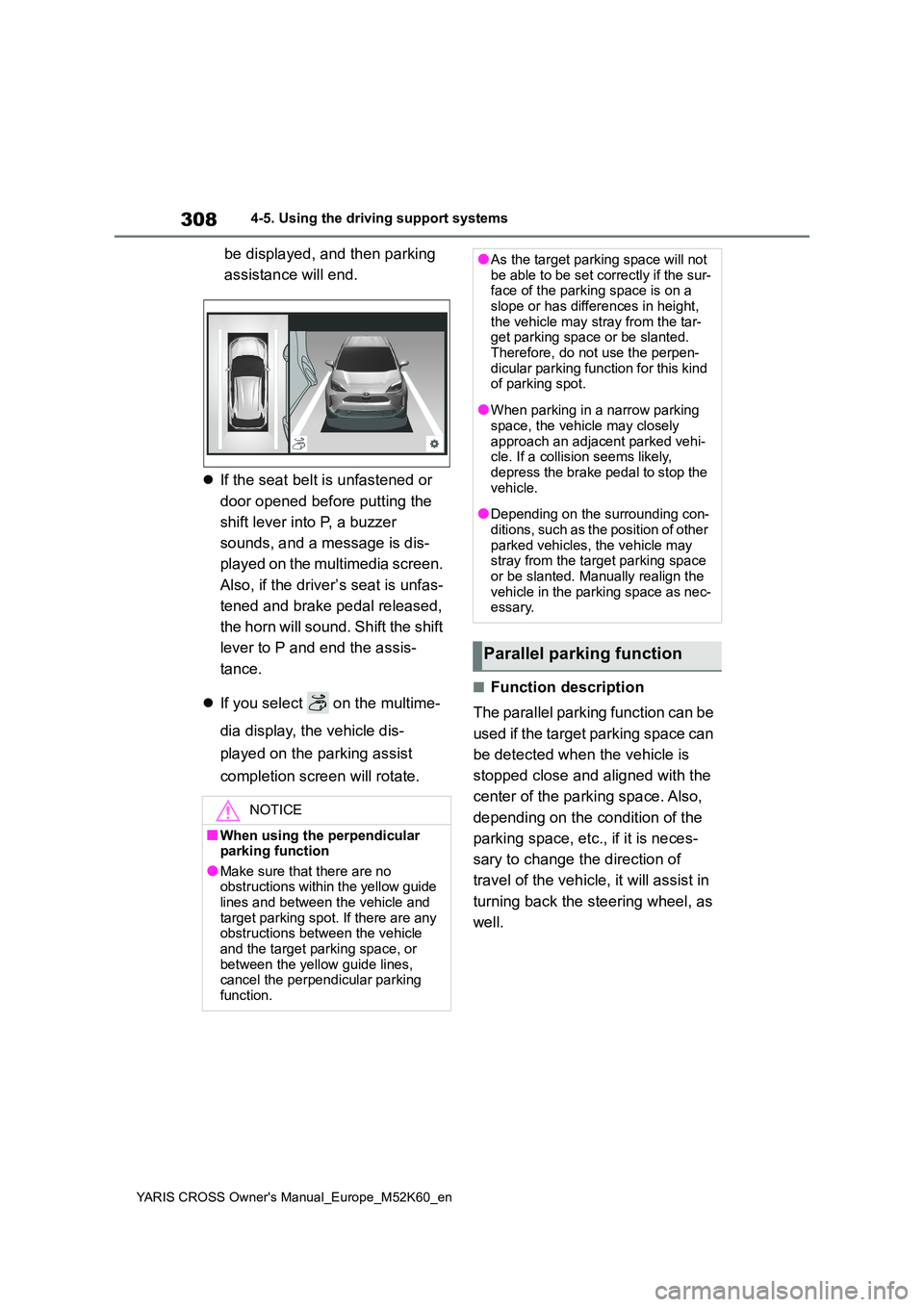
be displayed, and then parking
assistance will end.
If the seat belt is unfastened or
door opened before putting the
shift lever into P, a buzzer
sounds, and a message is dis-
played on the multimedia screen.
Also, if the driver’s seat is unfas-
tened and brake pedal released,
the horn will sound. Shift the shift
lever to P and end the assis-
tance.
If you select on the multime-
dia display, the vehicle dis-
played on the parking assist
completion screen will rotate.
■Function description
The parallel parking function can be
used if the target parking space can
be detected when the vehicle is
stopped close and aligned with the
center of the parking space. Also,
depending on the condition of the
parking space, etc., if it is neces-
sary to change the direction of
travel of the vehicle, it will assist in
turning back the steering wheel, as
well.
NOTICE
■When using the perpendicular parking function
●Make sure that there are no obstructions within the yellow guide lines and between the vehicle and
target parking spot. If there are any obstructions between the vehicle and the target parking space, or
between the yellow guide lines, cancel the perpendicular parking function.
●As the target parking space will not be able to be set correctly if the sur-face of the parking space is on a
slope or has differences in height, the vehicle may stray from the tar-get parking space or be slanted.
Therefore, do not use the perpen- dicular parking function for this kind of parking spot.
●When parking in a narrow parking space, the vehicle may closely
approach an adjacent parked vehi- cle. If a collision seems likely, depress the brake pedal to stop the
vehicle.
●Depending on the surrounding con-
ditions, such as the position of other parked vehicles, the vehicle may stray from the target parking space
or be slanted. Manually realign the vehicle in the parking space as nec-essary.
Parallel parking function
Page 312 of 650
310
YARIS CROSS Owner's Manual_Europe_M52K60_en
4-5. Using the driving support systems
When the brake pedal is
released, “Moving Forward...”
will be displayed and the vehicle
will begin moving forward.
To cancel assistance, press the
Advanced Park main switch.
If assistance is canceled, “Advanced
Park Cancelled” will be displayed.
4 Perform operations as indicated
by the advice displays until the
vehicle stops in the target park-
ing space.
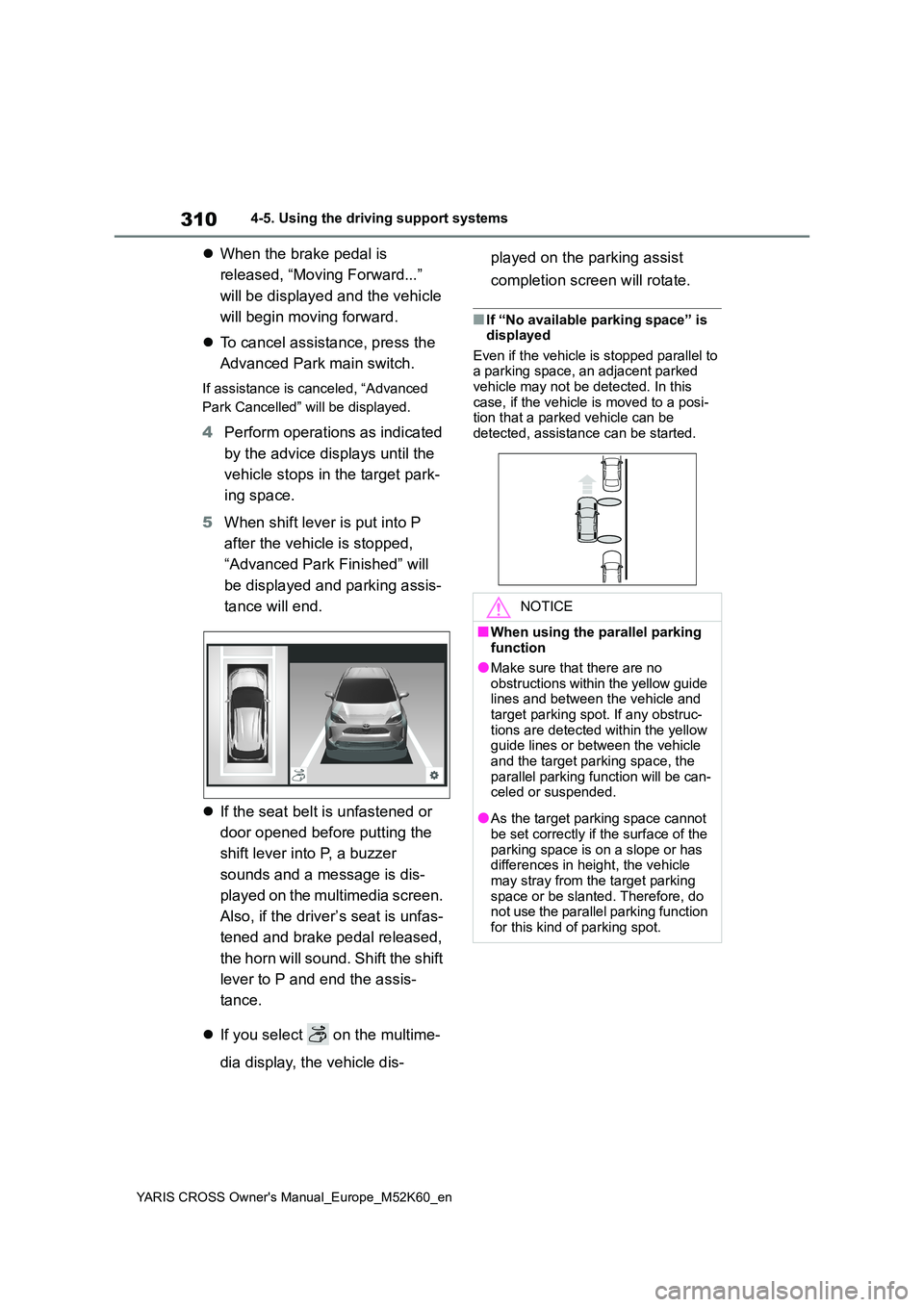
5 When shift lever is put into P
after the vehicle is stopped,
“Advanced Park Finished” will
be displayed and parking assis-
tance will end.
If the seat belt is unfastened or
door opened before putting the
shift lever into P, a buzzer
sounds and a message is dis-
played on the multimedia screen.
Also, if the driver’s seat is unfas-
tened and brake pedal released,
the horn will sound. Shift the shift
lever to P and end the assis-
tance.
If you select on the multime-
dia display, the vehicle dis-
played on the parking assist
completion screen will rotate.
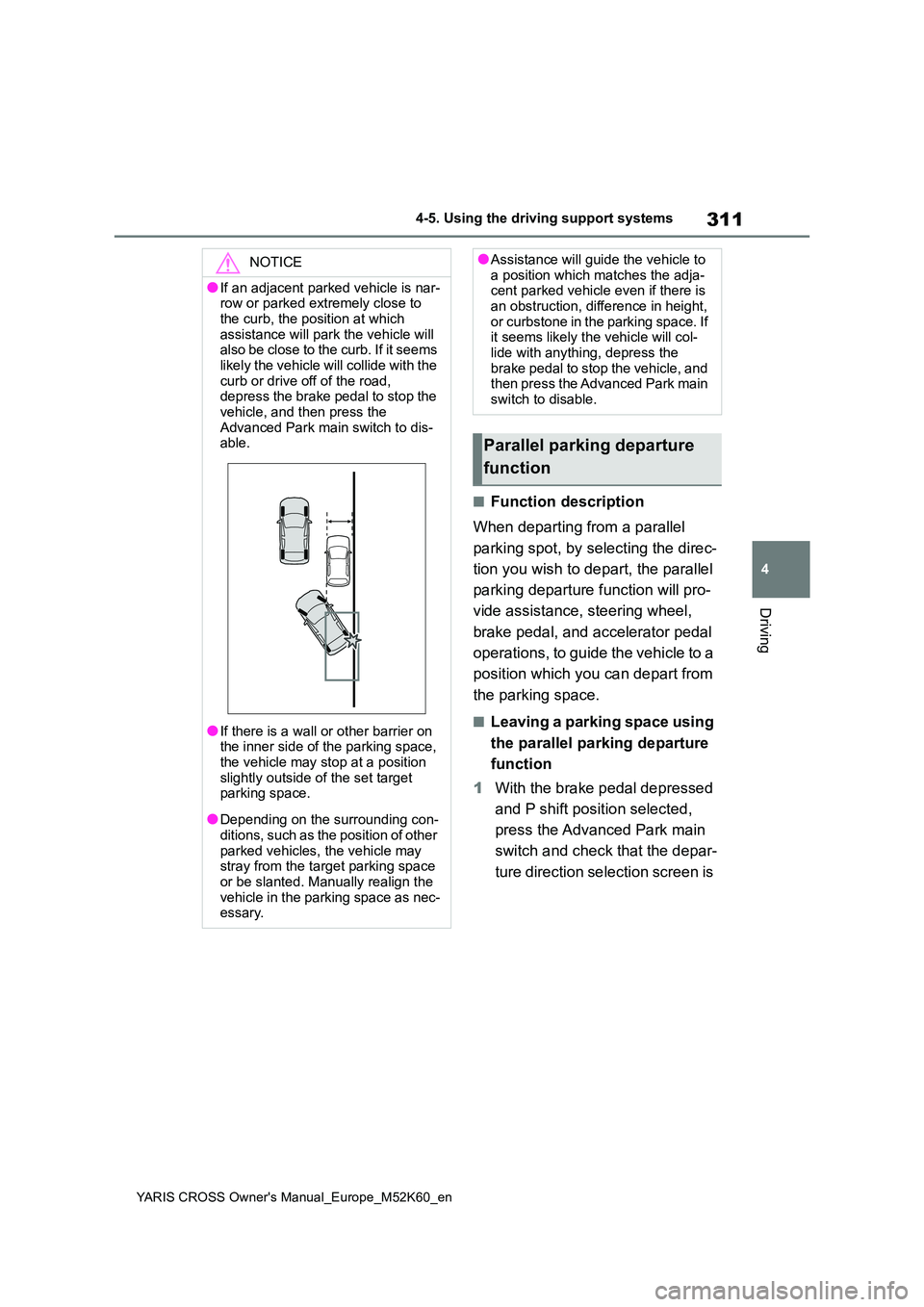
■If “No available parking space” is displayed
Even if the vehicle is stopped parallel to a parking space, an adjacent parked vehicle may not be detected. In this
case, if the vehicle is moved to a posi- tion that a parked vehicle can be detected, assistance can be started.
NOTICE
■When using the parallel parking function
●Make sure that there are no obstructions within the yellow guide lines and between the vehicle and
target parking spot. If any obstruc- tions are detected within the yellow guide lines or between the vehicle
and the target parking space, the parallel parking function will be can-celed or suspended.
●As the target parking space cannot be set correctly if the surface of the
parking space is on a slope or has differences in height, the vehicle may stray from the target parking
space or be slanted. Therefore, do not use the parallel parking function for this kind of parking spot.
Page 313 of 650
311
4
YARIS CROSS Owner's Manual_Europe_M52K60_en
4-5. Using the driving support systems
Driving
■Function description
When departing from a parallel
parking spot, by selecting the direc-
tion you wish to depart, the parallel
parking departure function will pro-
vide assistance, steering wheel,
brake pedal, and accelerator pedal
operations, to guide the vehicle to a
position which you can depart from
the parking space.
■Leaving a parking space using
the parallel parking departure
function
1 With the brake pedal depressed
and P shift position selected,
press the Advanced Park main
switch and check that the depar-
ture direction selection screen is
NOTICE
●If an adjacent parked vehicle is nar- row or parked extremely close to
the curb, the position at which assistance will park the vehicle will also be close to the curb. If it seems
likely the vehicle will collide with the curb or drive off of the road, depress the brake pedal to stop the
vehicle, and then press the Advanced Park main switch to dis-able.
●If there is a wall or other barrier on the inner side of the parking space,
the vehicle may stop at a position slightly outside of the set target parking space.
●Depending on the surrounding con-ditions, such as the position of other
parked vehicles, the vehicle may stray from the target parking space or be slanted. Manually realign the
vehicle in the parking space as nec- essary.
●Assistance will guide the vehicle to a position which matches the adja-cent parked vehicle even if there is
an obstruction, difference in height, or curbstone in the parking space. If it seems likely the vehicle will col-
lide with anything, depress the brake pedal to stop the vehicle, and then press the Advanced Park main
switch to disable.
Parallel parking departure
function
Page 317 of 650
315
4
YARIS CROSS Owner's Manual_Europe_M52K60_en
4-5. Using the driving support systems
Driving
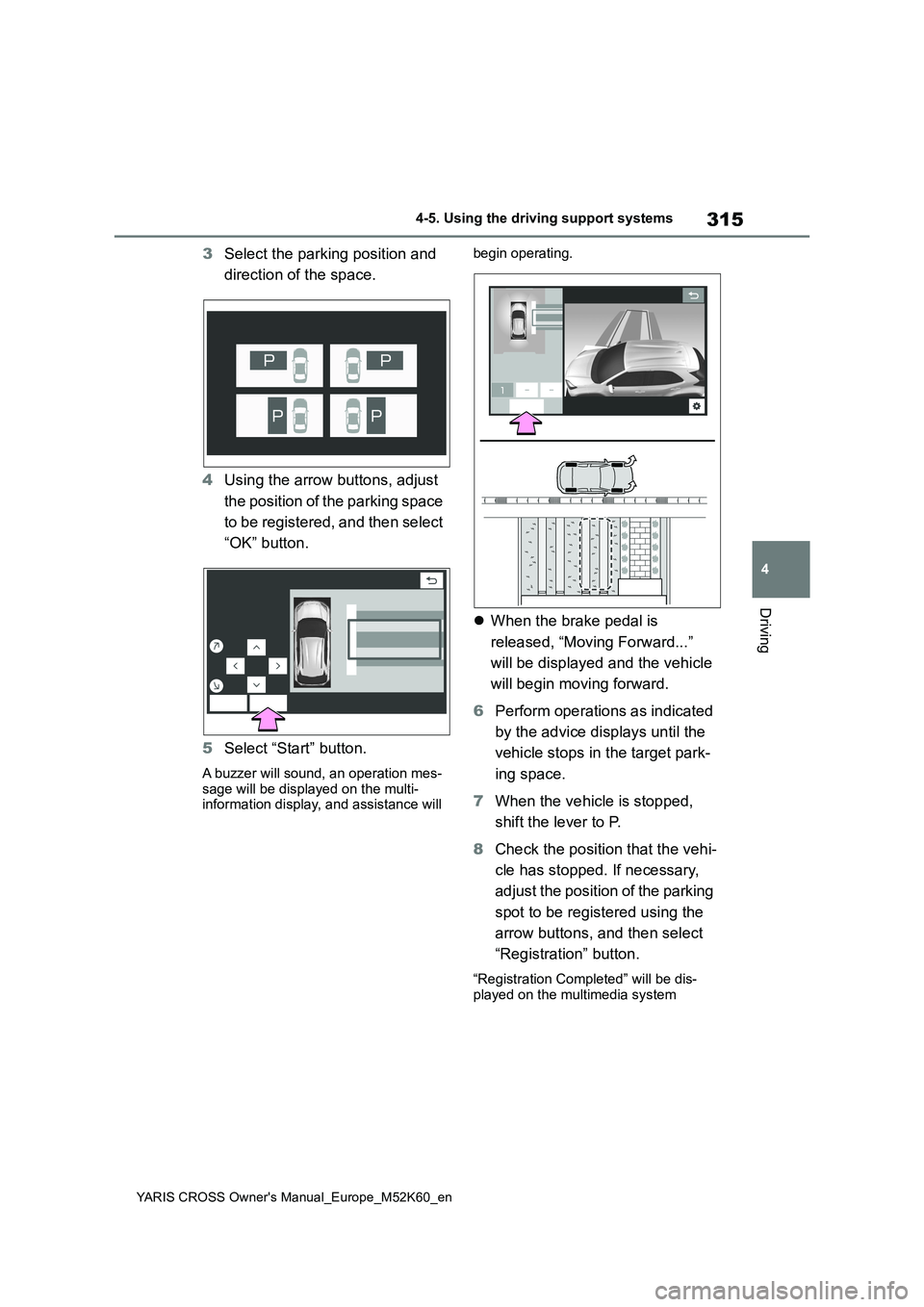
3Select the parking position and
direction of the space.
4 Using the arrow buttons, adjust
the position of the parking space
to be registered, and then select
“OK” button.
5 Select “Start” button.
A buzzer will sound, an operation mes-
sage will be displayed on the multi- information display, and assistance will
begin operating.
When the brake pedal is
released, “Moving Forward...”
will be displayed and the vehicle
will begin moving forward.
6 Perform operations as indicated
by the advice displays until the
vehicle stops in the target park-
ing space.
7 When the vehicle is stopped,
shift the lever to P.
8 Check the position that the vehi-
cle has stopped. If necessary,
adjust the position of the parking
spot to be registered using the
arrow buttons, and then select
“Registration” button.
“Registration Completed” will be dis- played on the multimedia system
Page 322 of 650
320
YARIS CROSS Owner's Manual_Europe_M52K60_en
4-5. Using the driving support systems
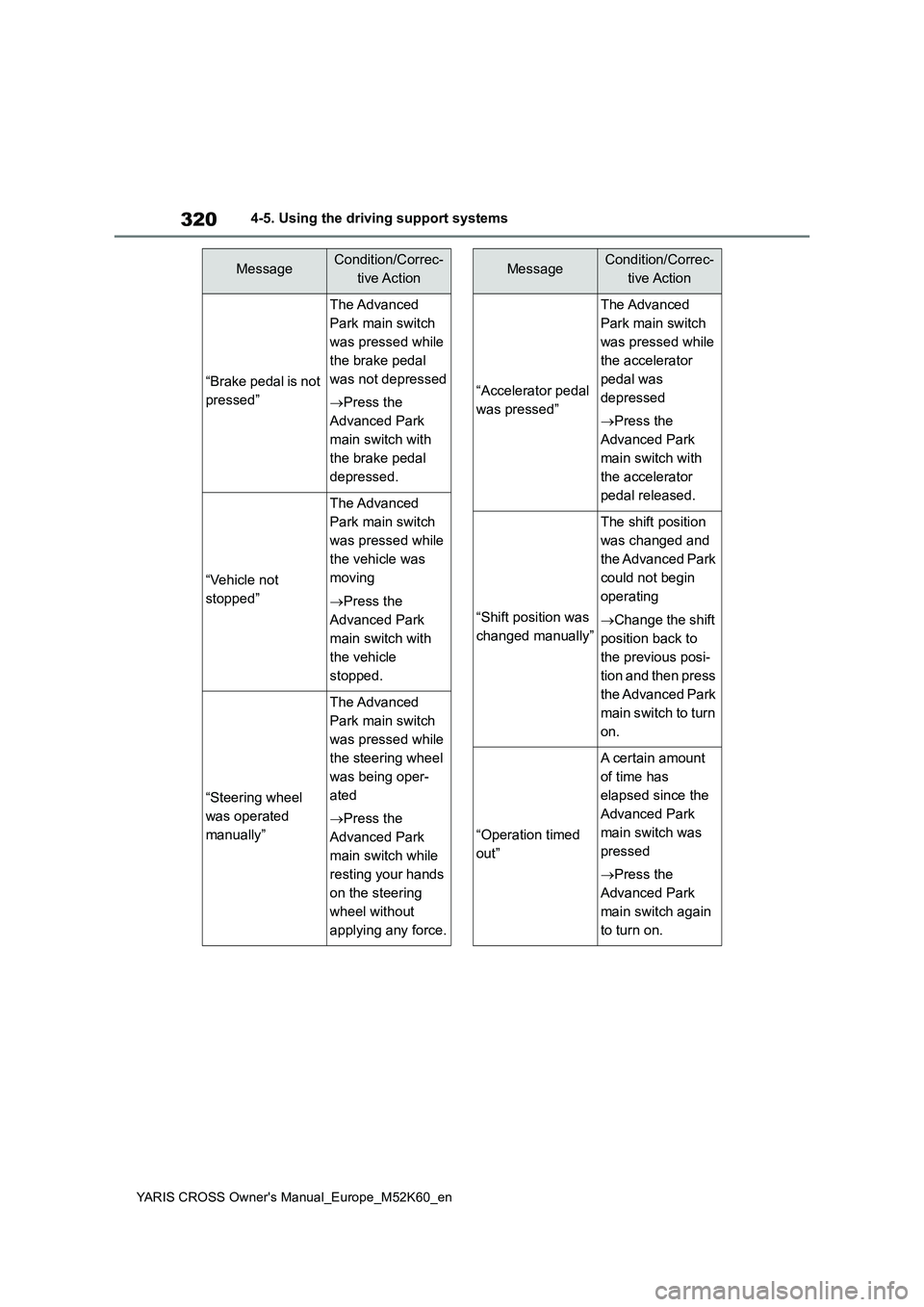
“Brake pedal is not
pressed”
The Advanced
Park main switch
was pressed while
the brake pedal
was not depressed
Press the
Advanced Park
main switch with
the brake pedal
depressed.
“Vehicle not
stopped”
The Advanced
Park main switch
was pressed while
the vehicle was
moving
Press the
Advanced Park
main switch with
the vehicle
stopped.
“Steering wheel
was operated
manually”
The Advanced
Park main switch
was pressed while
the steering wheel
was being oper-
ated
Press the
Advanced Park
main switch while
resting your hands
on the steering
wheel without
applying any force.
MessageCondition/Correc-
tive Action
“Accelerator pedal
was pressed”
The Advanced
Park main switch
was pressed while
the accelerator
pedal was
depressed
Press the
Advanced Park
main switch with
the accelerator
pedal released.
“Shift position was
changed manually”
The shift position
was changed and
the Advanced Park
could not begin
operating
Change the shift
position back to
the previous posi-
tion and then press
the Advanced Park
main switch to turn
on.
“Operation timed
out”
A certain amount
of time has
elapsed since the
Advanced Park
main switch was
pressed
Press the
Advanced Park
main switch again
to turn on.
MessageCondition/Correc-
tive Action
Page 327 of 650
325
4
YARIS CROSS Owner's Manual_Europe_M52K60_en
4-5. Using the driving support systems
Driving
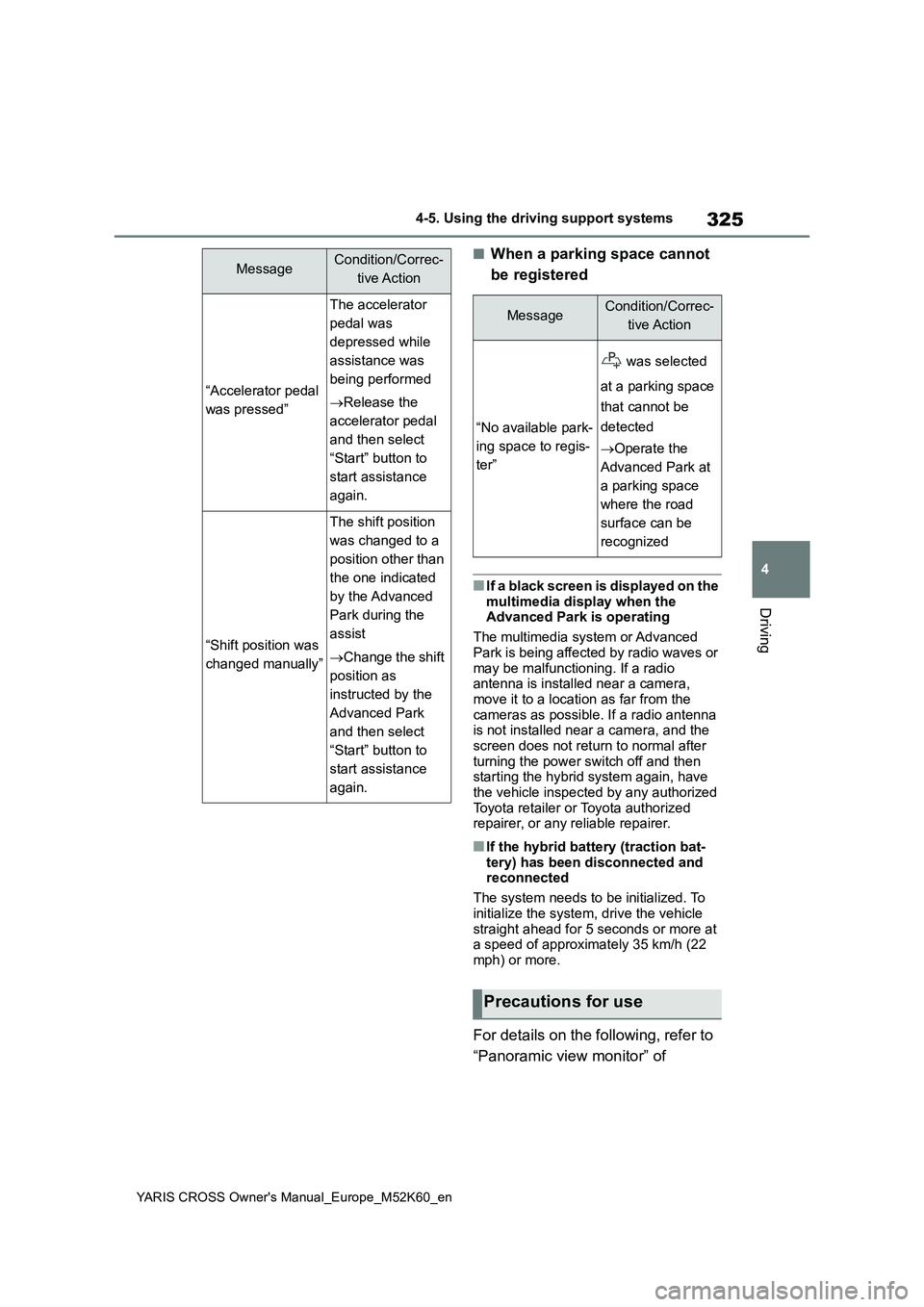
■When a parking space cannot
be registered
■If a black screen is displayed on the
multimedia display when the Advanced Park is operating
The multimedia system or Advanced
Park is being affected by radio waves or may be malfunctioning. If a radio antenna is installed near a camera,
move it to a location as far from the cameras as possible. If a radio antenna is not installed near a camera, and the
screen does not return to normal after turning the power switch off and then starting the hybrid system again, have
the vehicle inspected by any authorized Toyota retailer or Toyota authorized repairer, or any reliable repairer.
■If the hybrid battery (traction bat-
tery) has been disconnected and reconnected
The system needs to be initialized. To
initialize the system, drive the vehicle straight ahead for 5 seconds or more at a speed of approximately 35 km/h (22
mph) or more.
For details on the following, refer to
“Panoramic view monitor” of
“Accelerator pedal
was pressed”
The accelerator
pedal was
depressed while
assistance was
being performed
Release the
accelerator pedal
and then select
“Start” button to
start assistance
again.
“Shift position was
changed manually”
The shift position
was changed to a
position other than
the one indicated
by the Advanced
Park during the
assist
Change the shift
position as
instructed by the
Advanced Park
and then select
“Start” button to
start assistance
again.
MessageCondition/Correc-
tive Action
MessageCondition/Correc-
tive Action
“No available park-
ing space to regis-
ter”
was selected
at a parking space
that cannot be
detected
Operate the
Advanced Park at
a parking space
where the road
surface can be
recognized
Precautions for use
Page 331 of 650
329
4
YARIS CROSS Owner's Manual_Europe_M52K60_en
4-5. Using the driving support systems
Driving
Select on the multimedia dis-
play, and then select “Advanced
Park”.
■Speed Profile
The vehicle speed for when parking
assistance is performed can be set.
This setting cannot be changed for
when registering a parking space to the
memory function.
■Obstacle Detection Range
The distance from which obstacles
will be avoided while parking assis-
tance is being performed can be
set.
■Preferred Parking Method
The preferred parking direction dis-
played when at a parking space
which perpendicular or parallel
parking is possible can be set.
■Parking Path Adjustment
The course for when parking assis-
tance is operating can be adjusted
inward or outward.
If the tires are worn, the path of vehicle
may be offset from the center of the
parking space.
■Road Width Adjustment
The width of the area in which the
vehicle moves when using parking
assistance can be set.
■Clear Registered Parking
Space
Parking space information regis-
tered to the memory function can
be deleted.
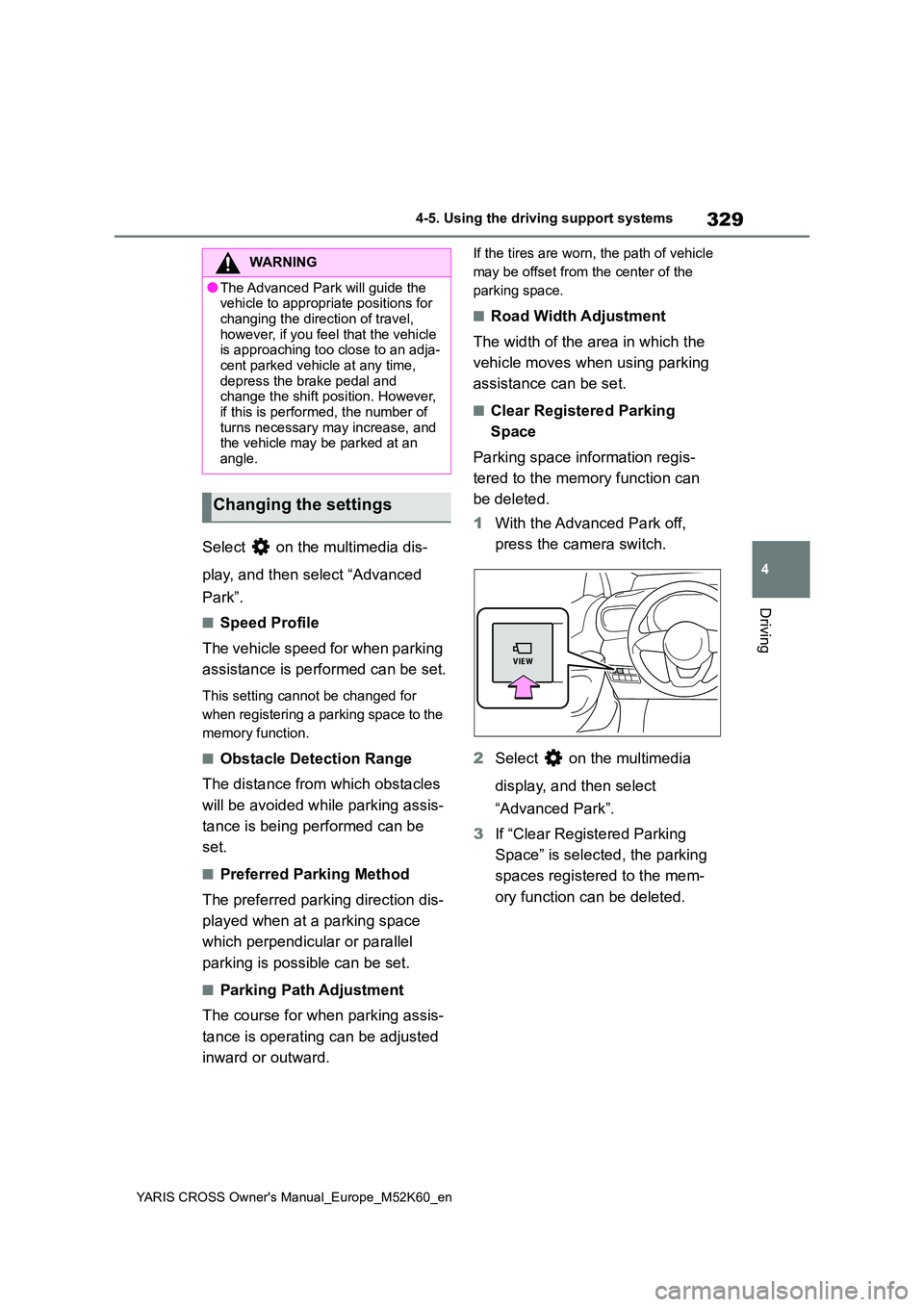
1 With the Advanced Park off,
press the camera switch.
2 Select on the multimedia
display, and then select
“Advanced Park”.
3 If “Clear Registered Parking
Space” is selected, the parking
spaces registered to the mem-
ory function can be deleted.
WARNING
●The Advanced Park will guide the vehicle to appropriate positions for
changing the direction of travel, however, if you feel that the vehicle is approaching too close to an adja-
cent parked vehicle at any time, depress the brake pedal and change the shift position. However,
if this is performed, the number of turns necessary may increase, and the vehicle may be parked at an
angle.
Changing the settings