Connect display TOYOTA YARIS CROSS 2021 Owners Manual
[x] Cancel search | Manufacturer: TOYOTA, Model Year: 2021, Model line: YARIS CROSS, Model: TOYOTA YARIS CROSS 2021Pages: 650, PDF Size: 132.86 MB
Page 18 of 650
16
YARIS CROSS Owner's Manual_Europe_M52K60_en
Pictorial index
Multi-information display ...................................... ................ P.106, 112
Display ........................................................ ............................. P.106, 112
Energy monitor................................................. ................................P.123
When a warning message is displayed............................ ................P.449
Turn signal lever .............................................. ..............................P.200
Headlight switch ............................................... .............................P.206
Headlights/front position lights/tail lights/daytime running li ghts ......P.206
Front fog lights*3/rear fog light ................................................ .........P.218
Windshield wiper and washer switch ............................. .............P.219
Rear window wiper and washer switch ............................ ...........P.222
Usage.......................................................... .............................P.219, 222
Adding washer fluid............................................ ..............................P.393
Emergency flasher switch....................................... ......................P.430
Hood lock release lever ........................................ .........................P.386
Tilt and telescopic steering lock release lever................ ............P.164
Air conditioning system ........................................ ........................P.350
Usage.......................................................... .....................................P.350
Rear window defogger ........................................... ..........................P.352
Multimedia system (7-inch/8-inch display model)*3, 4
Multimedia system (9-inch display model)*3, 5
Fuel filler door opener ........................................ ...........................P.225
*1: Vehicles without a smart entry & start system
*2: Vehicles with a smart entry & start system
*3: If equipped
*4: Refer to “Navigation and multimedia system Owner’s manual”.
*5: Refer to “TOYOTA SMART CONNECT Owner’s manual”.
Page 26 of 650
24
YARIS CROSS Owner's Manual_Europe_M52K60_en
Pictorial index
Multi-information display ...................................... ................ P.106, 112
Display ........................................................ ............................. P.106, 112
Energy monitor................................................. ................................P.123
When a warning message is displayed............................ ................P.449
Windshield wiper and washer switch ............................. .............P.219
Rear window wiper and washer switch ............................ ...........P.222
Usage.......................................................... .............................P.219, 222
Adding washer fluid............................................ ..............................P.393
Turn signal lever .............................................. ..............................P.200
Headlight switch ............................................... .............................P.206
Headlights/front position lights/tail lights/daytime running li ghts ......P.206
Front fog lights*3/rear fog light ................................................ .........P.218
Emergency flasher switch....................................... ......................P.430
Hood lock release lever ........................................ .........................P.386
Tilt and telescopic steering lock release lever................ ............P.164
Air conditioning system ........................................ ........................P.350
Usage.......................................................... .....................................P.350
Rear window defogger ........................................... ..........................P.352
Multimedia system (7-inch/8-inch display model)*3, 4
Multimedia system (9-inch display model)*3, 5
Fuel filler door opener ........................................ ...........................P.225
*1: Vehicles without a smart entry & start system
*2: Vehicles with a smart entry & start system
*3: If equipped
*4: Refer to “Navigation and multimedia system Owner’s manual”.
*5: Refer to “TOYOTA SMART CONNECT Owner’s manual”.
Page 85 of 650
83
1
YARIS CROSS Owner's Manual_Europe_M52K60_en
1-4. Hybrid system
For safety and security
vates, your vehicle will not restart.
To restart the hybrid system, con-
tact any authorized Toyota retailer
or Toyota authorized repairer, or
any reliable repairer.
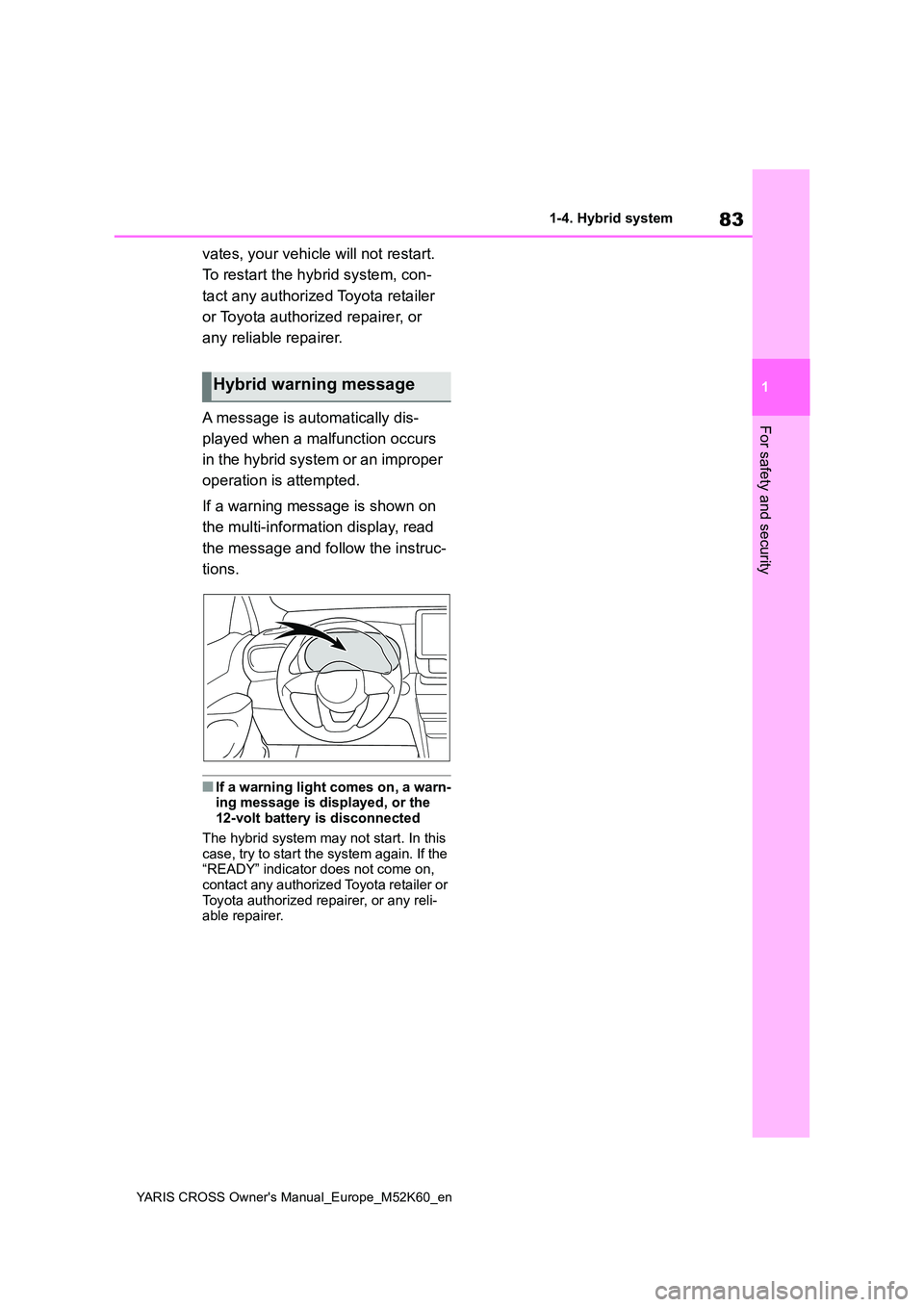
A message is automatically dis-
played when a malfunction occurs
in the hybrid system or an improper
operation is attempted.
If a warning message is shown on
the multi-information display, read
the message and follow the instruc-
tions.
■If a warning light comes on, a warn- ing message is displayed, or the 12-volt battery is disconnected
The hybrid system may not start. In this case, try to start the system again. If the “READY” indicator does not come on,
contact any authorized Toyota retailer or Toyota authorized repairer, or any reli-able repairer.
Hybrid warning message
Page 274 of 650
272
YARIS CROSS Owner's Manual_Europe_M52K60_en
4-5. Using the driving support systems
Use the meter control switches to
turn on/off the function.
1 Press / (4.2-inch display)
or / (7-inch display) of
the meter control switch to
select .
2 Press / (4.2-inch display)
or / (7-inch display) of
the meter control switch to
select and then press .
WARNING
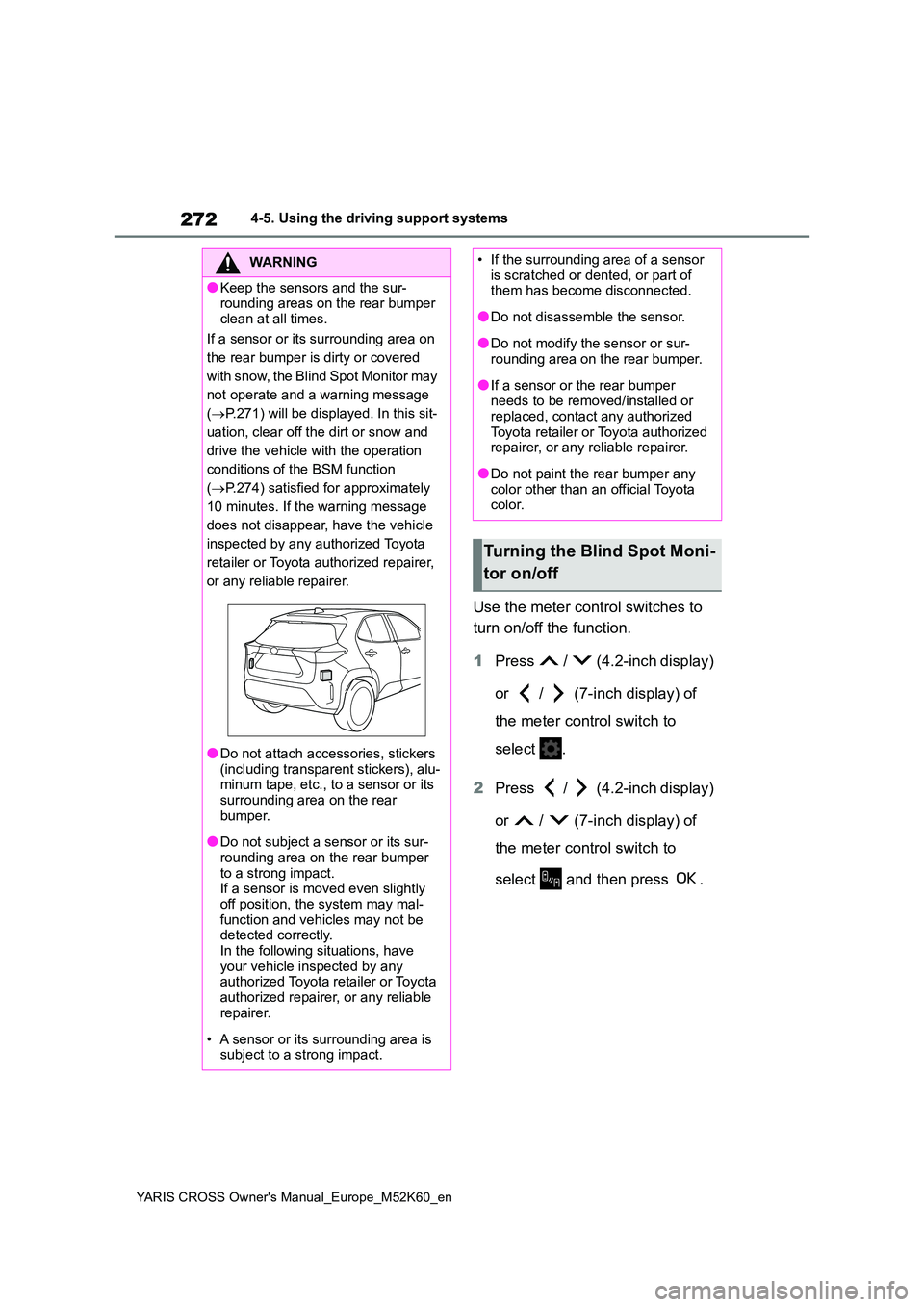
●Keep the sensors and the sur- rounding areas on the rear bumper
clean at all times.
If a sensor or its surrounding area on
the rear bumper is dirty or covered
w i t h s n o w, t h e B l i n d S p o t M o n i t o r m a y
not operate and a warning message
( P.271) will be displayed. In this sit-
uation, clear off the dirt or snow and
drive the vehicle with the operation
conditions of the BSM function
( P.274) satisfied for approximately
10 minutes. If the warning message
does not disappear, have the vehicle
inspected by any authorized Toyota
retailer or Toyota authorized repairer,
or any reliable repairer.
●Do not attach accessories, stickers
(including transparent stickers), alu- minum tape, etc., to a sensor or its surrounding area on the rear
bumper.
●Do not subject a sensor or its sur-
rounding area on the rear bumper to a strong impact.If a sensor is moved even slightly
off position, the system may mal- function and vehicles may not be detected correctly.
In the following situations, have your vehicle inspected by any authorized Toyota retailer or Toyota
authorized repairer, or any reliable repairer.
• A sensor or its surrounding area is subject to a strong impact.
• If the surrounding area of a sensor is scratched or dented, or part of them has become disconnected.
●Do not disassemble the sensor.
●Do not modify the sensor or sur-rounding area on the rear bumper.
●If a sensor or the rear bumper needs to be removed/installed or replaced, contact any authorized
Toyota retailer or Toyota authorized repairer, or any reliable repairer.
●Do not paint the rear bumper any color other than an official Toyota color.
Turning the Blind Spot Moni-
tor on/off
Page 327 of 650
325
4
YARIS CROSS Owner's Manual_Europe_M52K60_en
4-5. Using the driving support systems
Driving
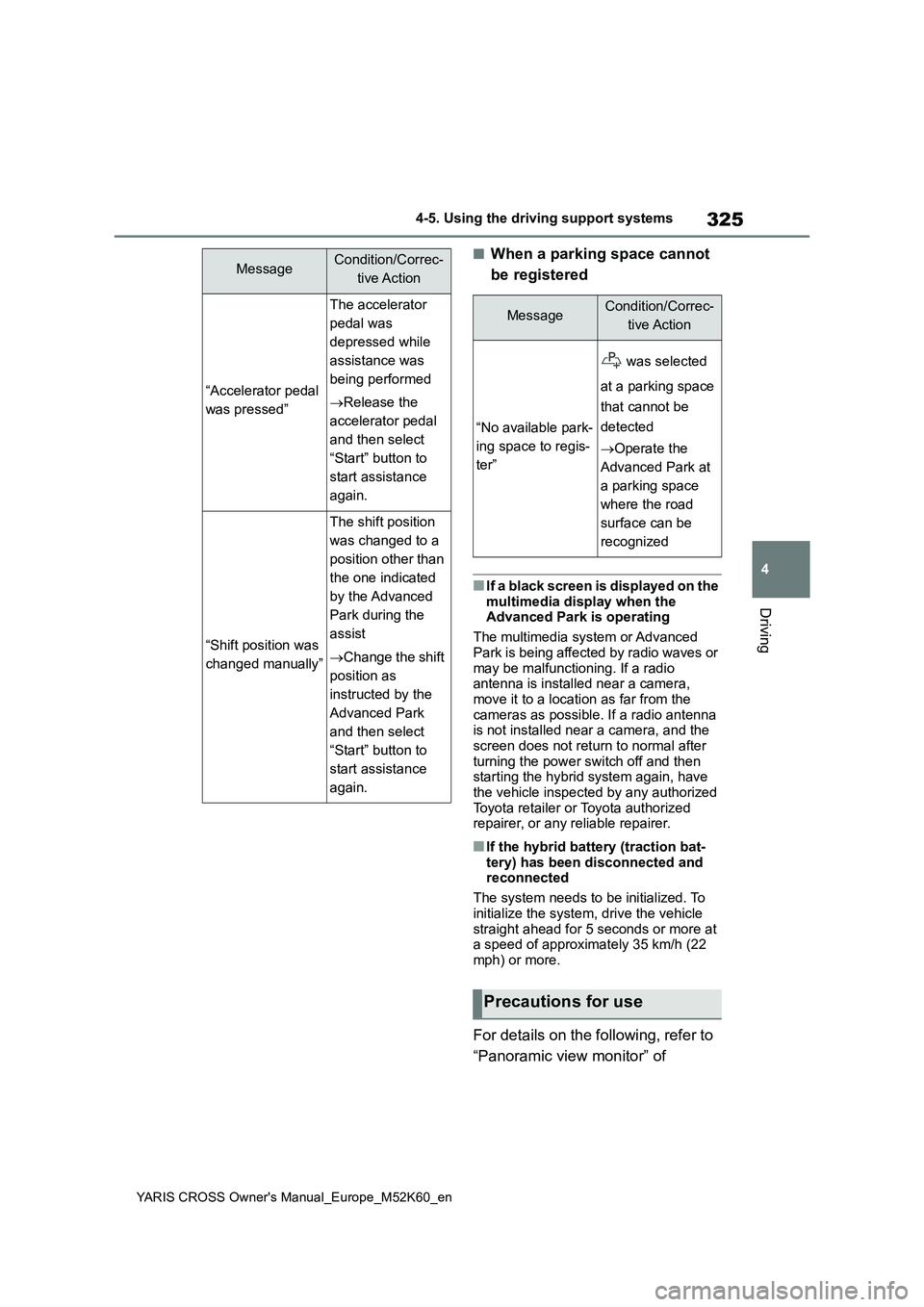
■When a parking space cannot
be registered
■If a black screen is displayed on the
multimedia display when the Advanced Park is operating
The multimedia system or Advanced
Park is being affected by radio waves or may be malfunctioning. If a radio antenna is installed near a camera,
move it to a location as far from the cameras as possible. If a radio antenna is not installed near a camera, and the
screen does not return to normal after turning the power switch off and then starting the hybrid system again, have
the vehicle inspected by any authorized Toyota retailer or Toyota authorized repairer, or any reliable repairer.
■If the hybrid battery (traction bat-
tery) has been disconnected and reconnected
The system needs to be initialized. To
initialize the system, drive the vehicle straight ahead for 5 seconds or more at a speed of approximately 35 km/h (22
mph) or more.
For details on the following, refer to
“Panoramic view monitor” of
“Accelerator pedal
was pressed”
The accelerator
pedal was
depressed while
assistance was
being performed
Release the
accelerator pedal
and then select
“Start” button to
start assistance
again.
“Shift position was
changed manually”
The shift position
was changed to a
position other than
the one indicated
by the Advanced
Park during the
assist
Change the shift
position as
instructed by the
Advanced Park
and then select
“Start” button to
start assistance
again.
MessageCondition/Correc-
tive Action
MessageCondition/Correc-
tive Action
“No available park-
ing space to regis-
ter”
was selected
at a parking space
that cannot be
detected
Operate the
Advanced Park at
a parking space
where the road
surface can be
recognized
Precautions for use
Page 531 of 650
529
YARIS CROSS Owner's Manual_Europe_M52K60_en
Alphabetical Index
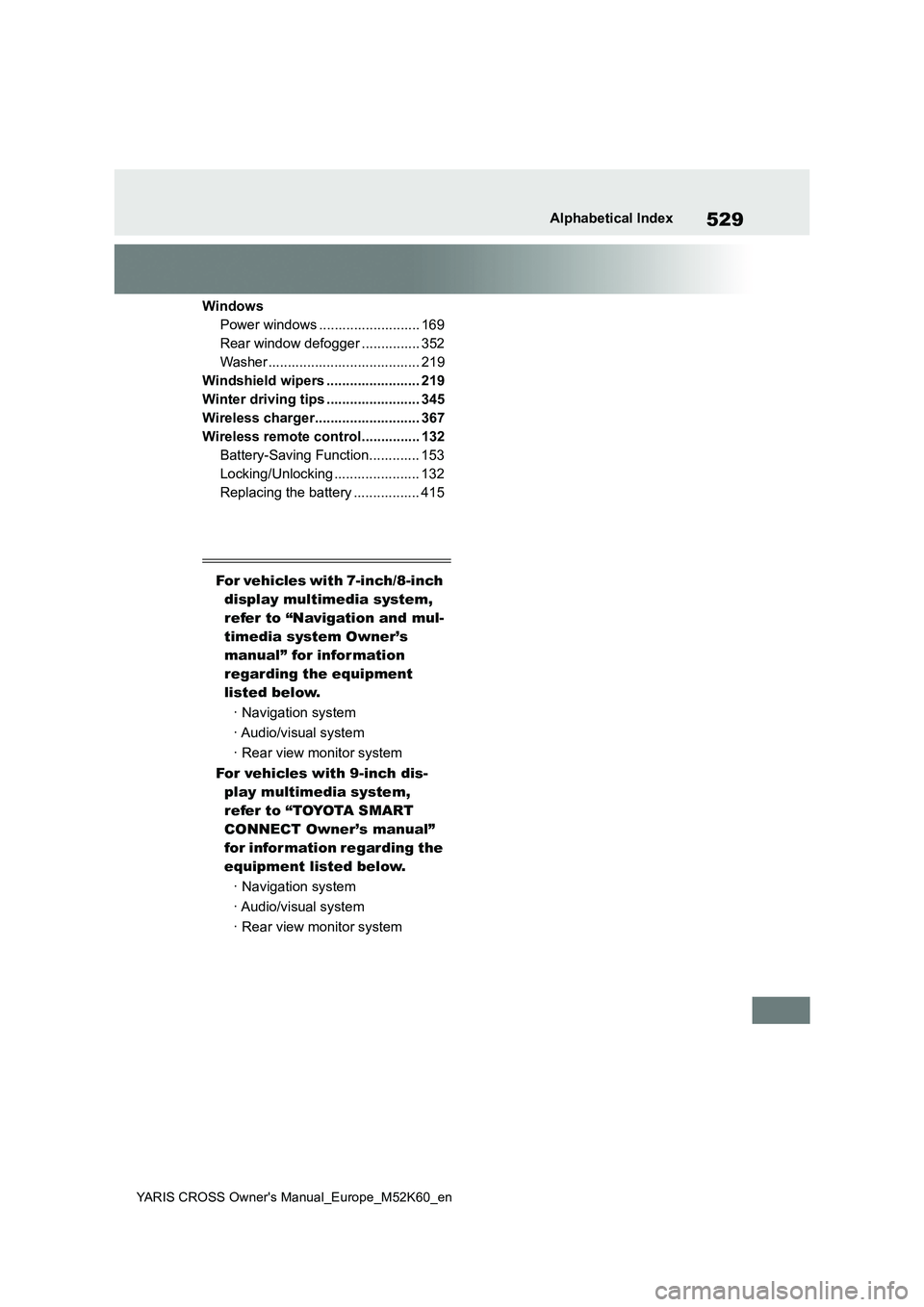
Windows
Power windows .......................... 169
Rear window defogger ............... 352
Washer ....................................... 219
Windshield wipers ........................ 219
Winter driving tips ........................ 345
Wireless charger........................... 367
Wireless remote control............... 132
Battery-Saving Function............. 153
Locking/Unlocking ...................... 132
Replacing the battery ................. 415
For vehicles with 7-inch/8-inch
display multimedia system,
refer to “Navigation and mul-
timedia system Owner’s
manual” for infor mation
regarding the equipment
listed below.
· Navigation system
· Audio/visual system
· Rear view monitor system
For vehicles with 9-inch dis-
play multimedia system,
refer to “TOYOTA SMART
CONNECT Owner’s manual”
for infor mation regarding the
equipment listed below.
· Navigation system
· Audio/visual system
· Rear view monitor system