warning light TOYOTA YARIS CROSS 2022 Repair Manual
[x] Cancel search | Manufacturer: TOYOTA, Model Year: 2022, Model line: YARIS CROSS, Model: TOYOTA YARIS CROSS 2022Pages: 618, PDF Size: 130.77 MB
Page 366 of 618
364
CV Owner's Manual_Europe_M52N20_en
6-3. Do-it-yourself maintenance
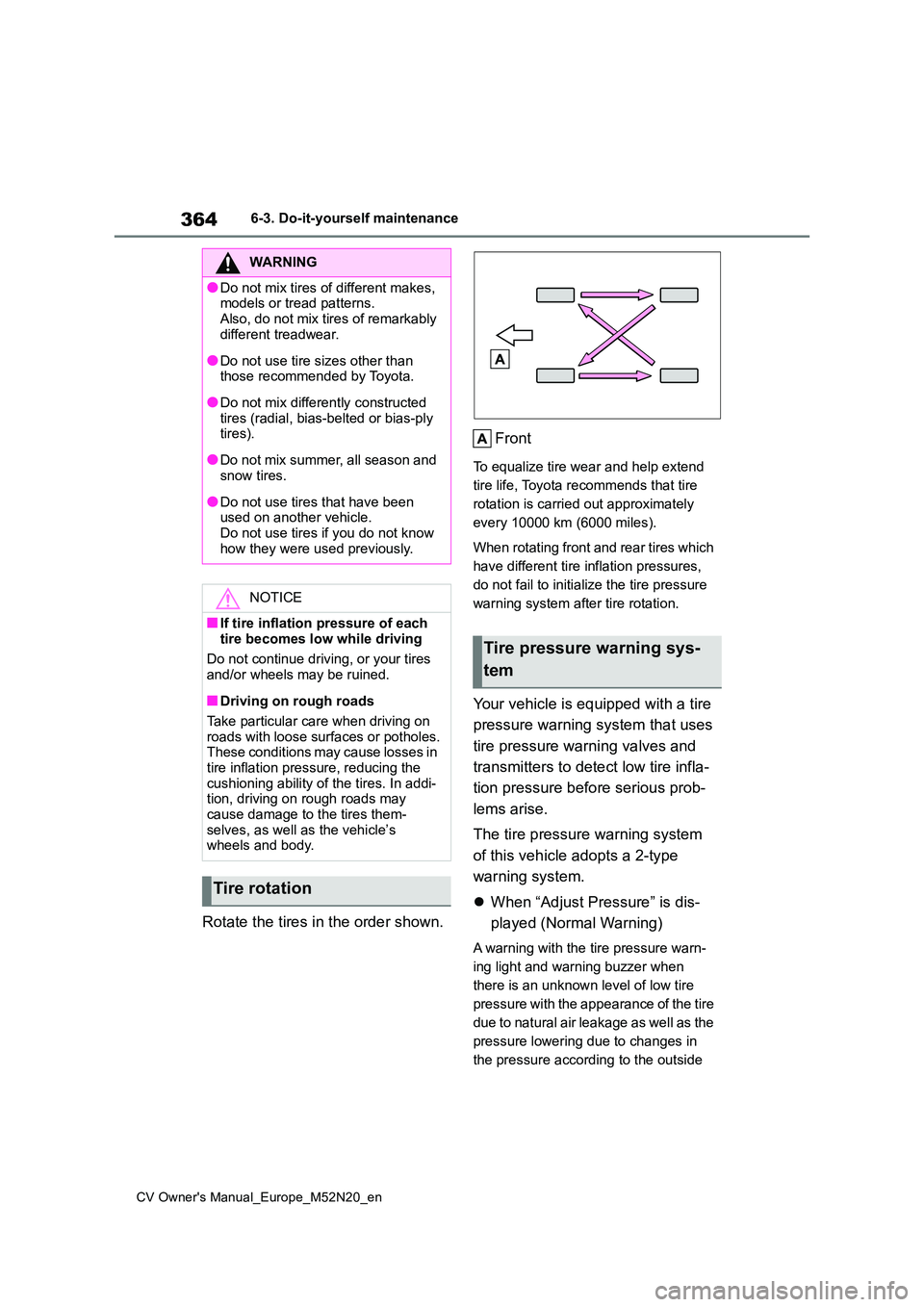
Rotate the tires in the order shown.
Front
To equalize tire wear and help extend
tire life, Toyota recommends that tire
rotation is carried out approximately
every 10000 km (6000 miles).
When rotating front and rear tires which
have different tire inflation pressures,
do not fail to initialize the tire pressure
warning system after tire rotation.
Your vehicle is equipped with a tire
pressure warning system that uses
tire pressure warning valves and
transmitters to detect low tire infla-
tion pressure before serious prob-
lems arise.
The tire pressure warning system
of this vehicle adopts a 2-type
warning system.
When “Adjust Pressure” is dis-
played (Normal Warning)
A warning with the tire pressure warn-
ing light and warning buzzer when
there is an unknown level of low tire
pressure with the appearance of the tire
due to natural air leakage as well as the
pressure lowering due to changes in
the pressure according to the outside
WARNING
●Do not mix tires of different makes, models or tread patterns.
Also, do not mix tires of remarkably different treadwear.
●Do not use tire sizes other than those recommended by Toyota.
●Do not mix differently constructed tires (radial, bias-belted or bias-ply tires).
●Do not mix summer, all season and snow tires.
●Do not use tires that have been used on another vehicle.
Do not use tires if you do not know how they were used previously.
NOTICE
■If tire inflation pressure of each
tire becomes low while driving
Do not continue driving, or your tires and/or wheels may be ruined.
■Driving on rough roads
Take particular care when driving on roads with loose surfaces or potholes.These conditions may cause losses in
tire inflation pressure, reducing the cushioning ability of the tires. In addi-tion, driving on rough roads may
cause damage to the tires them- selves, as well as the vehicle’s wheels and body.
Tire rotation
Tire pressure warning sys-
tem
Page 367 of 618
365
6
CV Owner's Manual_Europe_M52N20_en
6-3. Do-it-yourself maintenance
Maintenance and care
temperature. (Ways of coping: P.411,
454)
When “Immediately Check tire
when Safe” is displayed (Emer-
gency Warning)
A warning with the tire pressure warn-
ing light and warning buzzer when
there is a known level of low tire pres-
sure with the appearance of the tire due
to pressure suddenly lowering. (Ways
of coping: P.415, 426)
However, the system may not be able
to detect sudden tire ruptures (bursting,
etc.).
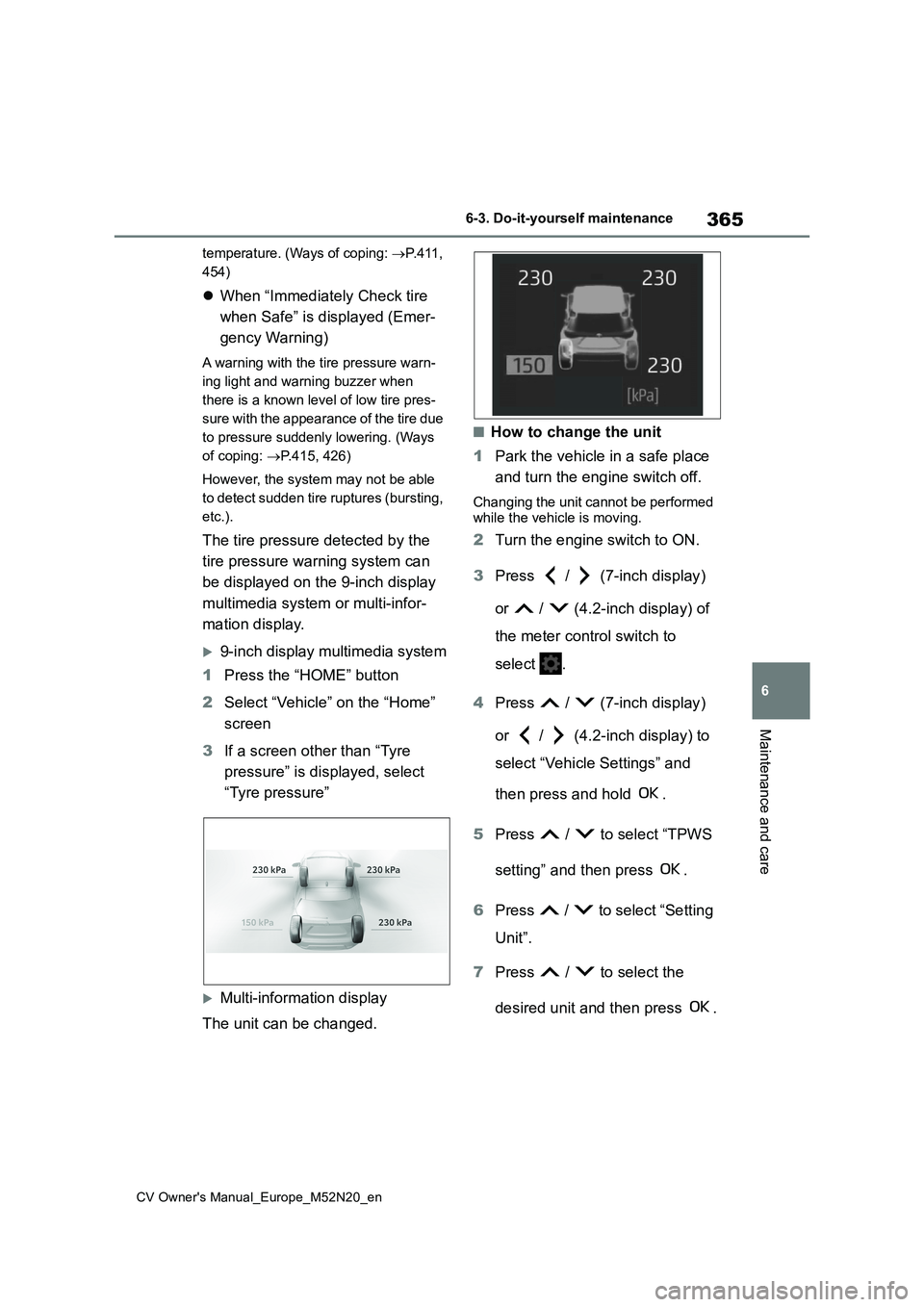
The tire pressure detected by the
tire pressure warning system can
be displayed on the 9-inch display
multimedia system or multi-infor-
mation display.
9-inch display multimedia system
1 Press the “HOME” button
2 Select “Vehicle” on the “Home”
screen
3 If a screen other than “Tyre
pressure” is displayed, select
“Tyre pressure”
Multi-information display
The unit can be changed.
■How to change the unit
1 Park the vehicle in a safe place
and turn the engine switch off.
Changing the unit cannot be performed
while the vehicle is moving.
2 Turn the engine switch to ON.
3 Press / (7-inch display)
or / (4.2-inch display) of
the meter control switch to
select .
4 Press / (7-inch display)
or / (4.2-inch display) to
select “Vehicle Settings” and
then press and hold .
5 Press / to select “TPWS
setting” and then press .
6 Press / to select “Setting
Unit”.
7 Press / to select the
desired unit and then press .
Page 369 of 618
367
6
CV Owner's Manual_Europe_M52N20_en
6-3. Do-it-yourself maintenance
Maintenance and care
any reliable repairer. (P.369)
■Replacing tires and wheels
If the ID code of the tire pressure warn- ing valve and transmitter is not regis-tered, the tire pressure warning system
will not work properly. After driving for about 10 minutes, the tire pressure warning light blinks for 1 minute and
stays on to indicate a system malfunc- tion.
■The tire pressure warning sys-
tem must be init ialized in the
following circumstances:
When rotating front and rear tires
which have different tire inflation
pressures.
When changing the tire size.
When the tire inflation pressure
is changed such as when chang-
ing traveling speed or load
weight.
When changing between two
registered wheel sets.
When the tire pressure warning
system is initialized, the current tire
inflation pressure is set as the
benchmark pressure.
■How to initialize the tire pres-
sure warning system
1 Park the vehicle in a safe place
and turn the engine switch off,
wait for approximately 15 min-
NOTICE
■Repairing or replacing tires,
wheels, tire pressure warning valves, transmitters and tire valve caps
●When removing or fitting the wheels, tires or the tire pressure warning valves and transmitters,
contact any authorized Toyota retailer or Toyota authorized repairer, or any reliable repairer as
the tire pressure warning valves and transmitters may be damaged if not handled correctly.
●Make sure to install the tire valve caps. If the tire valve caps are not
installed, water could enter the tire pressure warning valves, corrode the valve, and cause sticking and
air leaks.
●When replacing tire valve caps, do
not use tire valve caps other than those specified. The cap may become stuck.
■To avoid damage to the tire pres-sure warning valves and trans-mitters
When a tire is repaired with liquid sealants, the tire pressure warning valve and transmitter may not operate
properly. If a liquid sealant is used, contact any authorized Toyota retailer or Toyota authorized repairer, or any
reliable repairer as soon as possible. Make sure to replace the tire pressure warning valve and transmitter when
replacing the tire. ( P.366)
Initializing the tire pressure
warning system
Page 370 of 618
368
CV Owner's Manual_Europe_M52N20_en
6-3. Do-it-yourself maintenance
utes or more, and then perform
the procedure.
2 Adjust the tire inflation pressure
to the specified cold tire inflation
pressure level. ( P.454)
Make sure to adjust the tire pressure to the specified cold tire inflation pressure
level. The tire pressure warning system will operate based on this pressure level.
3 Turn the engine switch to ON.
Initialization cannot be performed while the vehicle is moving.
4 Press / (7-inch display)
or / (4.2-inch display) of
the meter control switch to
select .
5 Press / (7-inch display)
or / (4.2-inch display) to
select “Vehicle Settings” and
then press and hold .
6 Press / to select “TPWS
setting” and then press .
7 Press / to select “Setting
Pressure”. Then press and hold
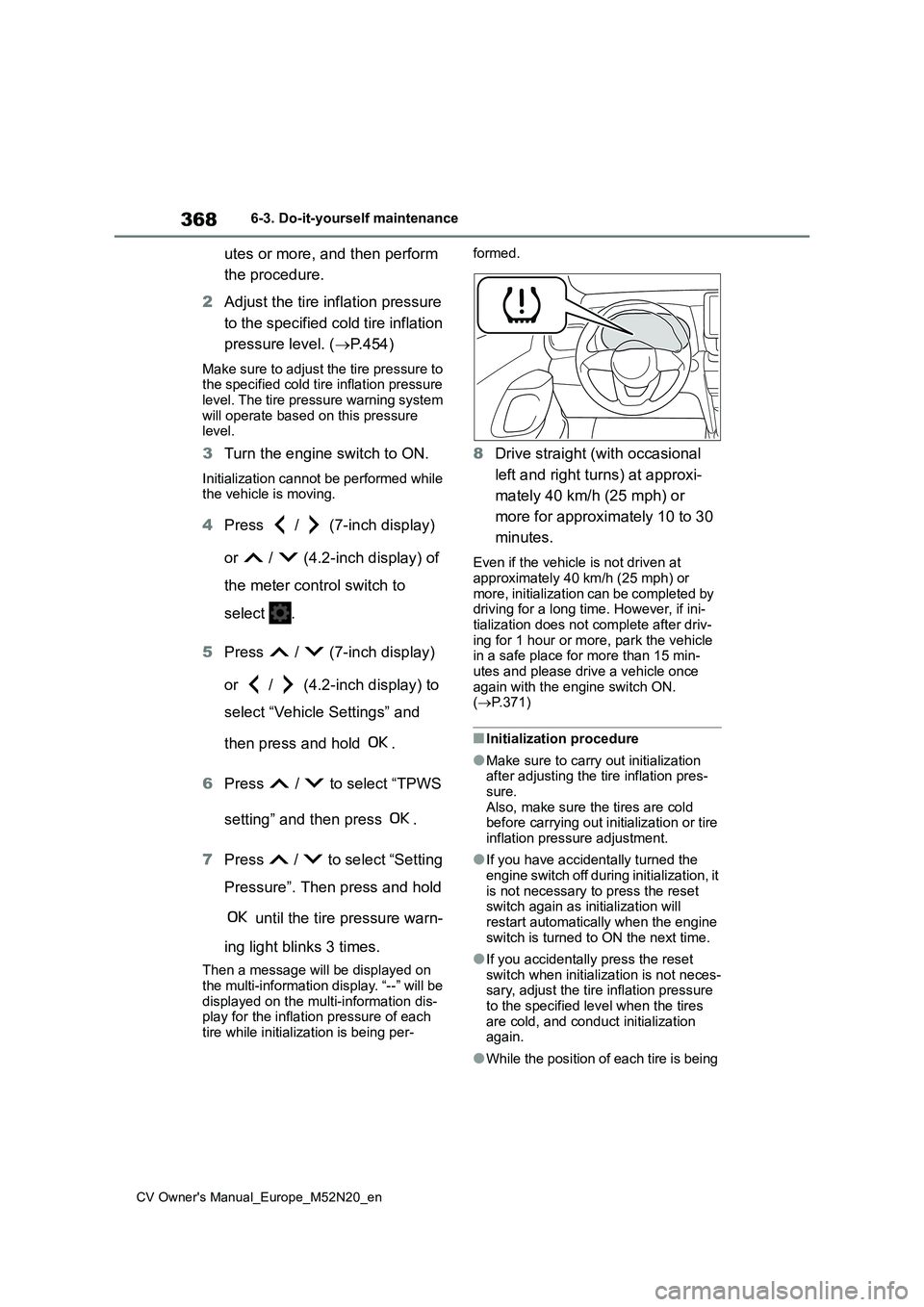
until the tire pressure warn-
ing light blinks 3 times.
Then a message will be displayed on the multi-information display. “--” will be
displayed on the multi-information dis- play for the inflation pressure of each tire while initialization is being per-
formed.
8 Drive straight (with occasional
left and right turns) at approxi-
mately 40 km/h (25 mph) or
more for approximately 10 to 30
minutes.
Even if the vehicle is not driven at
approximately 40 km/h (25 mph) or more, initialization can be completed by driving for a long time. However, if ini-
tialization does not complete after driv- ing for 1 hour or more, park the vehicle in a safe place for more than 15 min-
utes and please drive a vehicle once again with the engine switch ON. ( P.371)
■Initialization procedure
●Make sure to carry out initialization after adjusting the tire inflation pres-
sure. Also, make sure the tires are cold before carrying out initialization or tire
inflation pressure adjustment.
●If you have accidentally turned the
engine switch off during initialization, it is not necessary to press the reset switch again as initialization will
restart automatically when the engine switch is turned to ON the next time.
●If you accidentally press the reset switch when initialization is not neces-sary, adjust the tire inflation pressure
to the specified level when the tires are cold, and conduct initialization again.
●While the position of each tire is being
Page 371 of 618
369
6
CV Owner's Manual_Europe_M52N20_en
6-3. Do-it-yourself maintenance
Maintenance and care
determined and the inflation pres-
sures are not being displayed on the multi-information display, if the infla-tion pressure of a tire drops, the tire
pressure warning light will come on.
■If the tire pressure warning system is not initialized properly
●In the following situations, initialization may take longer than usual to be com-pleted or may not be possible. (Usu-
ally, the vehicle will need to be driven for approximately 10 to 30 minutes to complete initialization.) If initialization
is not complete after driving approxi- mately 30 minutes, continue driving for a while.
• If the vehicle is driven on an unpaved road, it may take longer to complete initialization.
• If the vehicle is backed up while per- forming initialization, data collected during initialization will be cleared and
it will take longer than normal to com- plete.• If the vehicle is driven in heavy traffic
or another situation where other vehi- cles are driven close by, it may take time for the system to recognize the
tire pressure warning valve and trans- mitters of your vehicle over those of other vehicles.
If initialization is not complete after driv-
ing for approximately 1 hour, park the
vehicle in a safe place for more than 15
minutes and then drive the vehicle
again.
●In the following situations, initialization will not be started or was not com-
pleted properly and the system will not operate properly. Perform the initial-ization procedure again.
• If, when attempting to start initializa- tion, the tire pressure warning light does not blink 3 times.
• If, when the vehicle has been driven for about 20 minutes after performing initialization, the tire pressure warning
light blinks for approximately 1 minute and then illuminates.
●If initialization cannot be completed
after performing the above procedure,
contact any authorized Toyota retailer or Toyota authorized repairer, or any reliable repairer.
The tire pressure warning valve
and transmitter is equipped with a
unique ID code. When replacing a
tire pressure warning valve and
transmitter, it is necessary to regis-
ter the ID code.
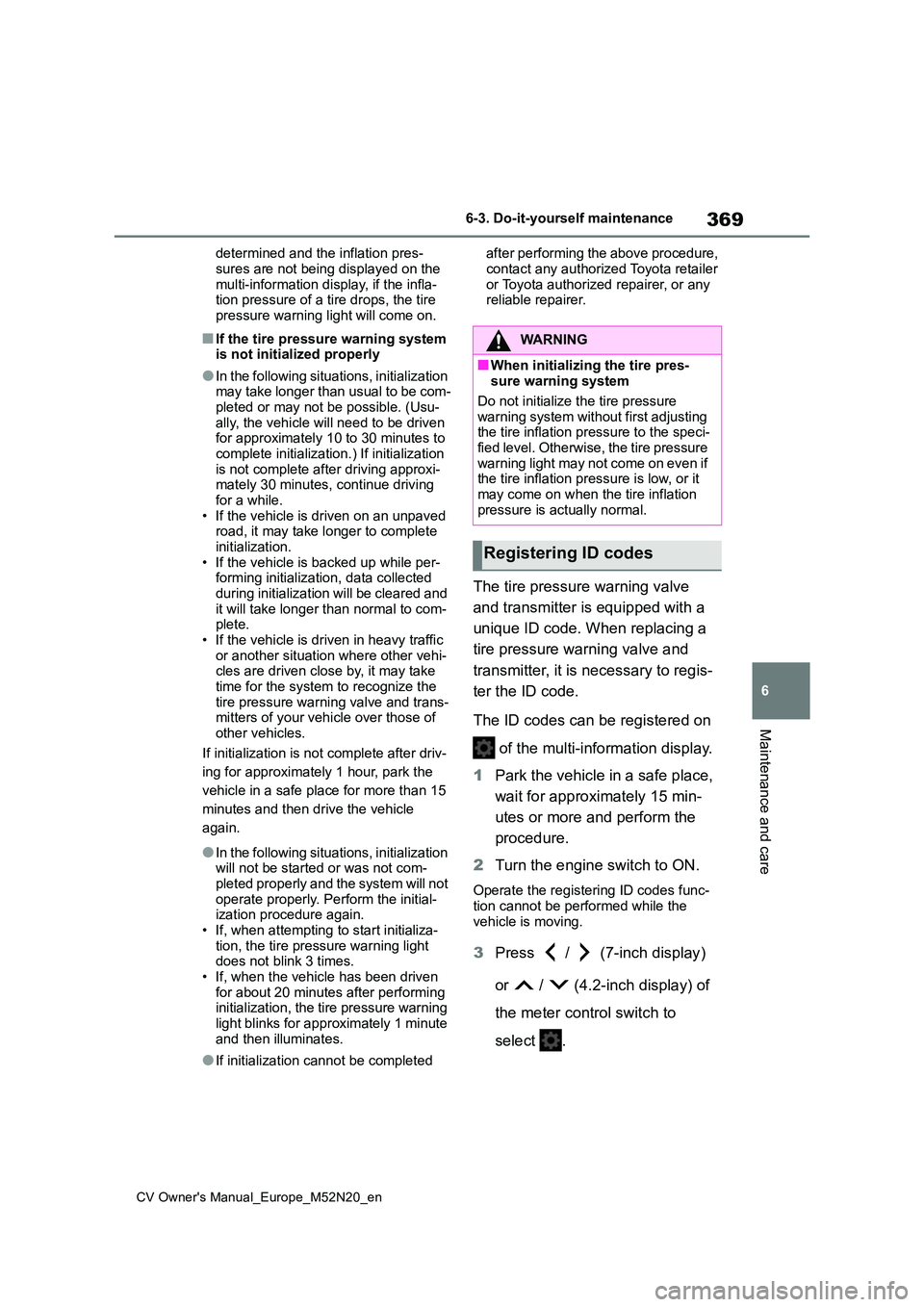
The ID codes can be registered on
of the multi-information display.
1 Park the vehicle in a safe place,
wait for approximately 15 min-
utes or more and perform the
procedure.
2 Turn the engine switch to ON.
Operate the registering ID codes func-
tion cannot be performed while the vehicle is moving.
3 Press / (7-inch display)
or / (4.2-inch display) of
the meter control switch to
select .
WARNING
■When initializing the tire pres- sure warning system
Do not initialize the tire pressure
warning system without first adjusting the tire inflation pressure to the speci-fied level. Otherwise, the tire pressure
warning light may not come on even if the tire inflation pressure is low, or it may come on when the tire inflation
pressure is actually normal.
Registering ID codes
Page 372 of 618
370
CV Owner's Manual_Europe_M52N20_en
6-3. Do-it-yourself maintenance
4Press / (7-inch display)
or / (4.2-inch display) to
select “Vehicle Settings” and
then press .
5 Press / to select “TPWS
setting” and then press .
6 Press / to select “Identi-
fying Each Wheel & Position”.
Then press and hold until
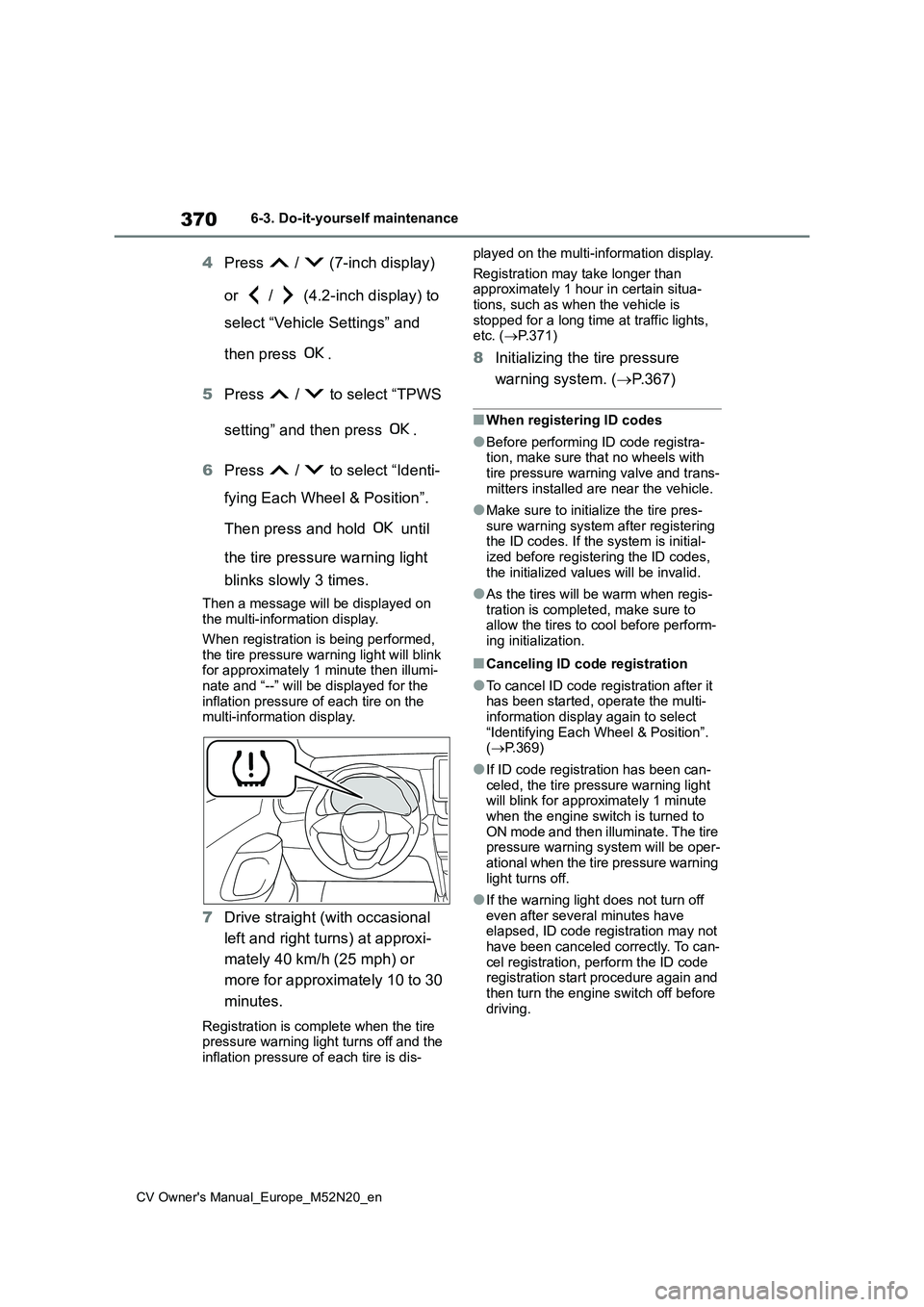
the tire pressure warning light
blinks slowly 3 times.
Then a message will be displayed on the multi-information display.
When registration is being performed, the tire pressure warning light will blink for approximately 1 minute then illumi-
nate and “--” will be displayed for the inflation pressure of each tire on the multi-information display.
7 Drive straight (with occasional
left and right turns) at approxi-
mately 40 km/h (25 mph) or
more for approximately 10 to 30
minutes.
Registration is complete when the tire pressure warning light turns off and the inflation pressure of each tire is dis-
played on the multi-information display.
Registration may take longer than approximately 1 hour in certain situa-tions, such as when the vehicle is
stopped for a long time at traffic lights, etc. ( P.371)
8Initializing the tire pressure
warning system. ( P.367)
■When registering ID codes
●Before performing ID code registra- tion, make sure that no wheels with tire pressure warning valve and trans-
mitters installed are near the vehicle.
●Make sure to initialize the tire pres-
sure warning system after registering the ID codes. If the system is initial-ized before registering the ID codes,
the initialized values will be invalid.
●As the tires will be warm when regis-
tration is completed, make sure to allow the tires to cool before perform-ing initialization.
■Canceling ID code registration
●To cancel ID code registration after it has been started, operate the multi-
information display again to select “Identifying Each Wheel & Position”. ( P.369)
●If ID code registration has been can-
celed, the tire pressure warning light will blink for approximately 1 minute when the engine switch is turned to
ON mode and then illuminate. The tire pressure warning system will be oper-ational when the tire pressure warning
light turns off.
●If the warning light does not turn off
even after several minutes have elapsed, ID code registration may not have been canceled correctly. To can-
cel registration, perform the ID code registration start procedure again and then turn the engine switch off before
driving.
Page 373 of 618
371
6
CV Owner's Manual_Europe_M52N20_en
6-3. Do-it-yourself maintenance
Maintenance and care
■If ID codes are not registered prop-
erly
●In the following situations, ID code
registration may take longer than usual to be completed or may not be possible. (Usually, the vehicle will
need to be driven for approximately 10 to 30 minutes to complete ID code registration.)
If ID code registration is not complete after driving for approximately 30 min-utes, continue driving for a while.
• If the vehicle is driven on an unpaved road, it may take longer than normal to complete registration.
• If the vehicle is backed up while per- forming registration, data collected during registration will be cleared, and
it will take longer than normal to com- plete.• If the vehicle is driven in heavy traffic
or another situation where other vehi- cles are driven close by, it may take time for the system to recognize the
tire pressure warning valve and trans- mitters of your vehicle over those of other vehicles.
• If a wheel with a tire pressure warning valve and transmitter installed is inside or near the vehicle, registration
of the ID codes for the installed wheels may not be possible.
If ID registration is not complete after
driving for approximately 1 hour, park
the vehicle in a safe place for approxi-
mately 20 minutes and then perform the
ID code registration procedure again.
●In the following situations, ID code registration will not be started or was not completed properly and the sys-
tem will not operate properly. Perform the ID code registration procedure again.
• If, when attempting to start ID code registration, the tire pressure warning light does not blink slowly 3 times.
• If, when the vehicle has been driven for about 10 minutes after performing ID code registration, the tire pressure
warning light blinks for approximately 1 minute and then illuminates.
●If ID code registration cannot be com-
pleted after performing the above pro- cedure, contact any authorized Toyota retailer or Toyota authorized repairer,
or any reliable repairer.
Your vehicle is equipped with tire
pressure warning system with the
function to have ID codes regis-
tered for a second wheel set, for
example a winter set, by any autho-
rized Toyota retailer or Toyota
authorized repairer, or any reliable
repairer.
After registration of a second wheel
set, either of these two wheel sets
can be selected for usage with the
tire pressure warning system.
■Operating conditions for the
function
This function will perform the
change of wheel set only if a sec-
ond wheel set has been regis-
tered. If no second wheel set has
been registered, the ID cannot
be changed even if “Identifying
Each Wheel & Position” is
selected in the multi-information
display and waiting for 2 min-
utes.
Only a change between both
registered wheel set is possible,
mixing between these wheel sets
is not supported.
Selecting wheel set
Page 374 of 618
372
CV Owner's Manual_Europe_M52N20_en
6-3. Do-it-yourself maintenance
■How to change between wheel
sets
1 Have the vehicle fitted with the
preferred wheel set.
2 Press / (7-inch display)
or / (4.2-inch display) of
the meter control switch to
select .
3 Press / (7-inch display)
or / (4.2-inch display) to
select “Vehicle Settings” and
then press .
4 Press / to select “TPWS
setting” and then press .
5 Press / to select “Identi-
fying Each Wheel & Position”.
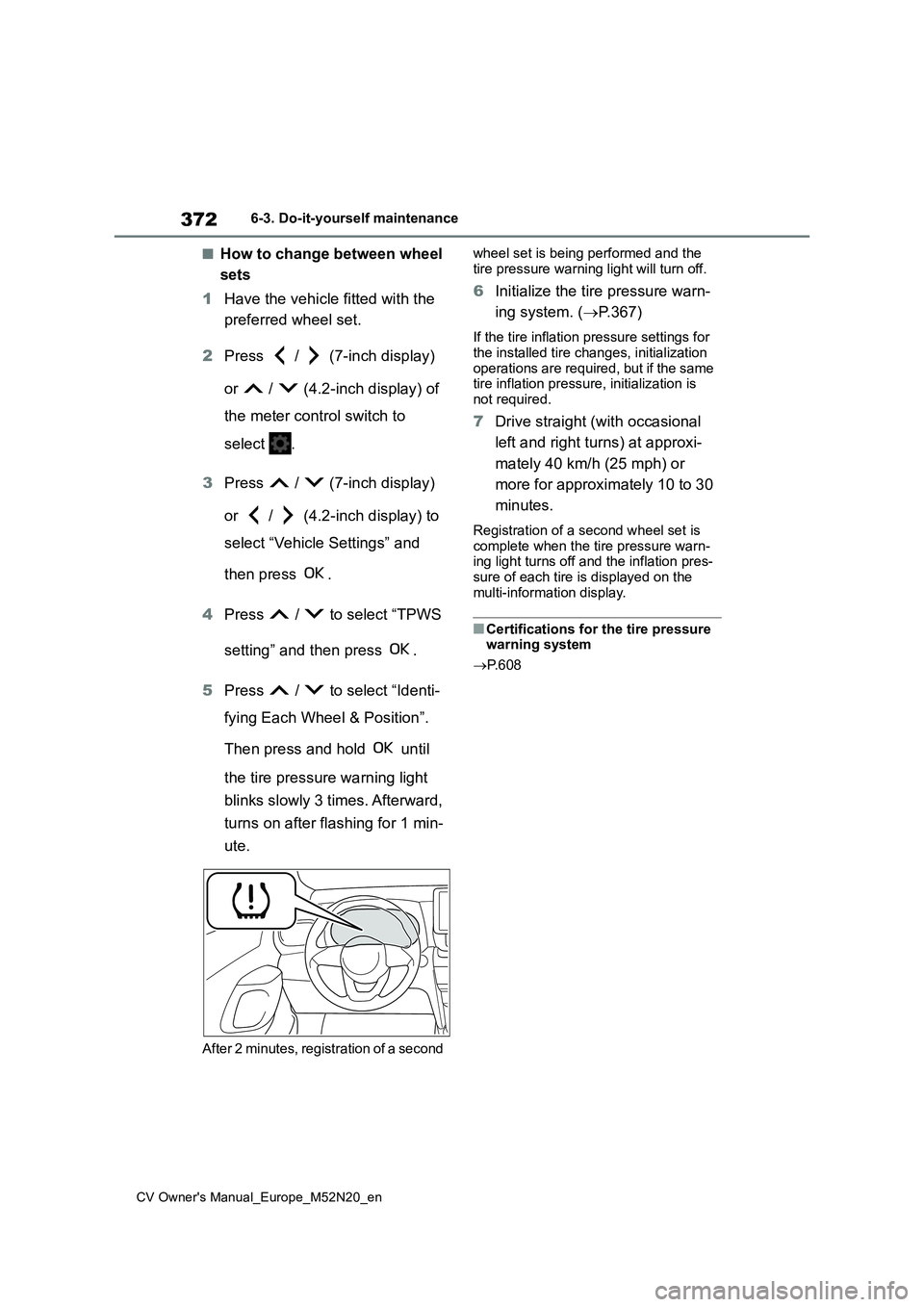
Then press and hold until
the tire pressure warning light
blinks slowly 3 times. Afterward,
turns on after flashing for 1 min-
ute.
After 2 minutes, registration of a second
wheel set is being performed and the
tire pressure warning light will turn off.
6 Initialize the tire pressure warn-
ing system. ( P.367)
If the tire inflation pressure settings for
the installed tire changes, initialization operations are required, but if the same tire inflation pressure, initialization is
not required.
7 Drive straight (with occasional
left and right turns) at approxi-
mately 40 km/h (25 mph) or
more for approximately 10 to 30
minutes.
Registration of a second wheel set is complete when the tire pressure warn-ing light turns off and the inflation pres-
sure of each tire is displayed on the multi-information display.
■Certifications for the tire pressure warning system
P. 6 0 8
Page 393 of 618
391
6
CV Owner's Manual_Europe_M52N20_en
6-3. Do-it-yourself maintenance
Maintenance and care
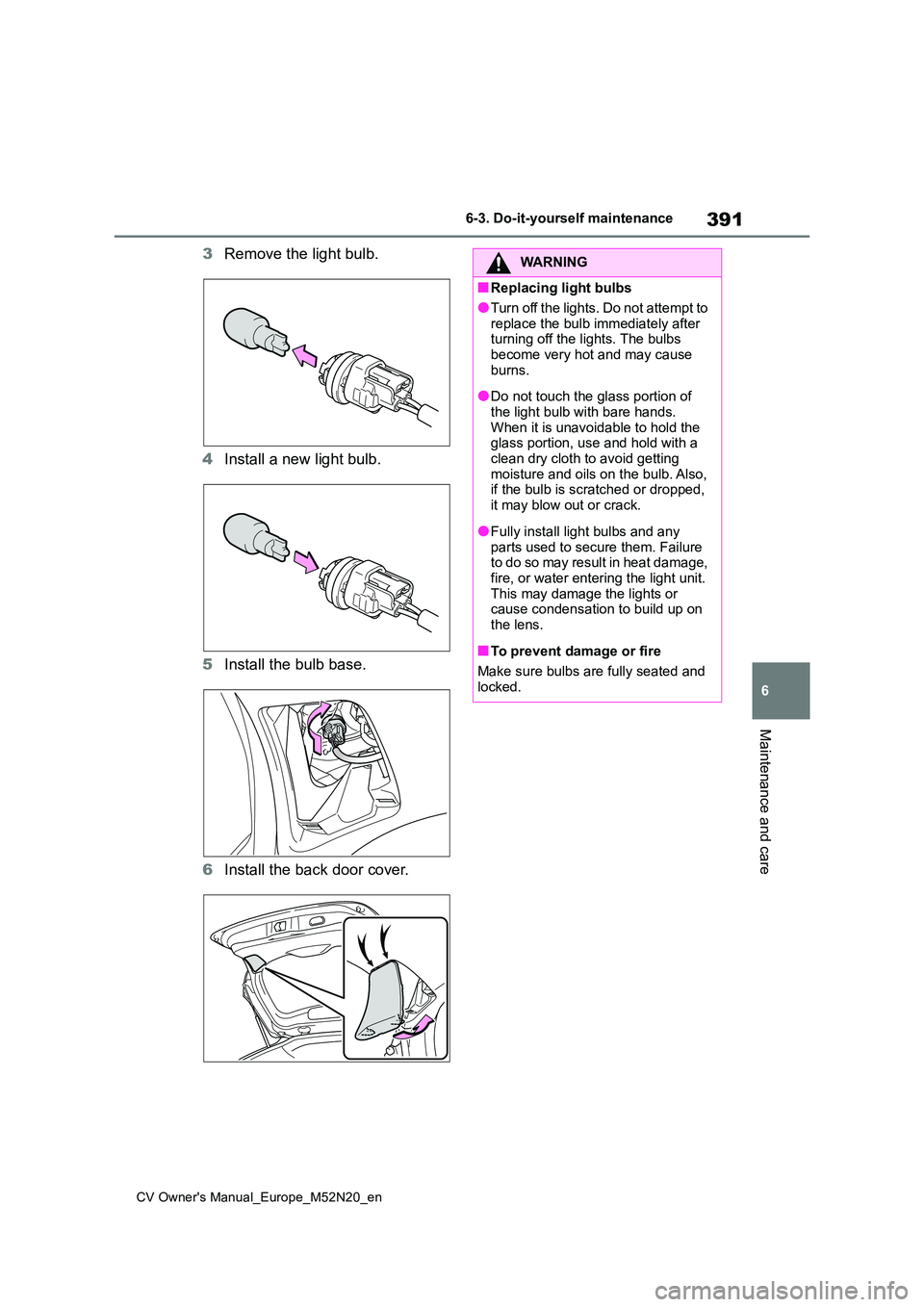
3Remove the light bulb.
4 Install a new light bulb.
5 Install the bulb base.
6 Install the back door cover.
WARNING
■Replacing light bulbs
●Turn off the lights. Do not attempt to
replace the bulb immediately after turning off the lights. The bulbs become very hot and may cause
burns.
●Do not touch the glass portion of
the light bulb with bare hands. When it is unavoidable to hold the glass portion, use and hold with a
clean dry cloth to avoid getting moisture and oils on the bulb. Also, if the bulb is scratched or dropped,
it may blow out or crack.
●Fully install light bulbs and any
parts used to secure them. Failure to do so may result in heat damage, fire, or water entering the light unit.
This may damage the lights or cause condensation to build up on the lens.
■To prevent damage or fire
Make sure bulbs are fully seated and
locked.
Page 395 of 618
7
393
CV Owner's Manual_Europe_M52N20_en
7
When trouble arises
When trouble arises
7-1. Essential information
Emergency flashers .......... 394
If your vehicle has to be
stopped in an emergency 394
If the vehicle is submerged or
water on the road is rising
....................................... 395
7-2. Steps to take in an emer-
gency
If your vehicle needs to be
towed .............................. 397
If you think something is wrong
....................................... 401
Fuel pump shut off system 402
If a warning light turns on or a
warning buzzer sounds... 403
If a warning message is dis-
played ............................. 413
If you have a flat tire (vehicles
with an emergency tire punc-
ture repair kit) ................. 415
If you have a flat tire (vehicles
with a spare tire) ............. 426
If the engine will not start .. 435
If you lose your keys ......... 436
If the electronic key does not
operate properly (vehicles
with a smart entry & start sys-
tem) ................................ 437
If the vehicle battery is dis-
charged .......................... 439
If your vehicle overheats... 442
If the vehicle becomes stuck
....................................... 444