audio TOYOTA YARIS HATCHBACK 2008 Owners Manual
[x] Cancel search | Manufacturer: TOYOTA, Model Year: 2008, Model line: YARIS HATCHBACK, Model: TOYOTA YARIS HATCHBACK 2008Pages: 400, PDF Size: 6.56 MB
Page 3 of 400
1
OVERVIEW
FEATURES/OPERATIONS
SAFETY AND EMERGENCY FEATURES
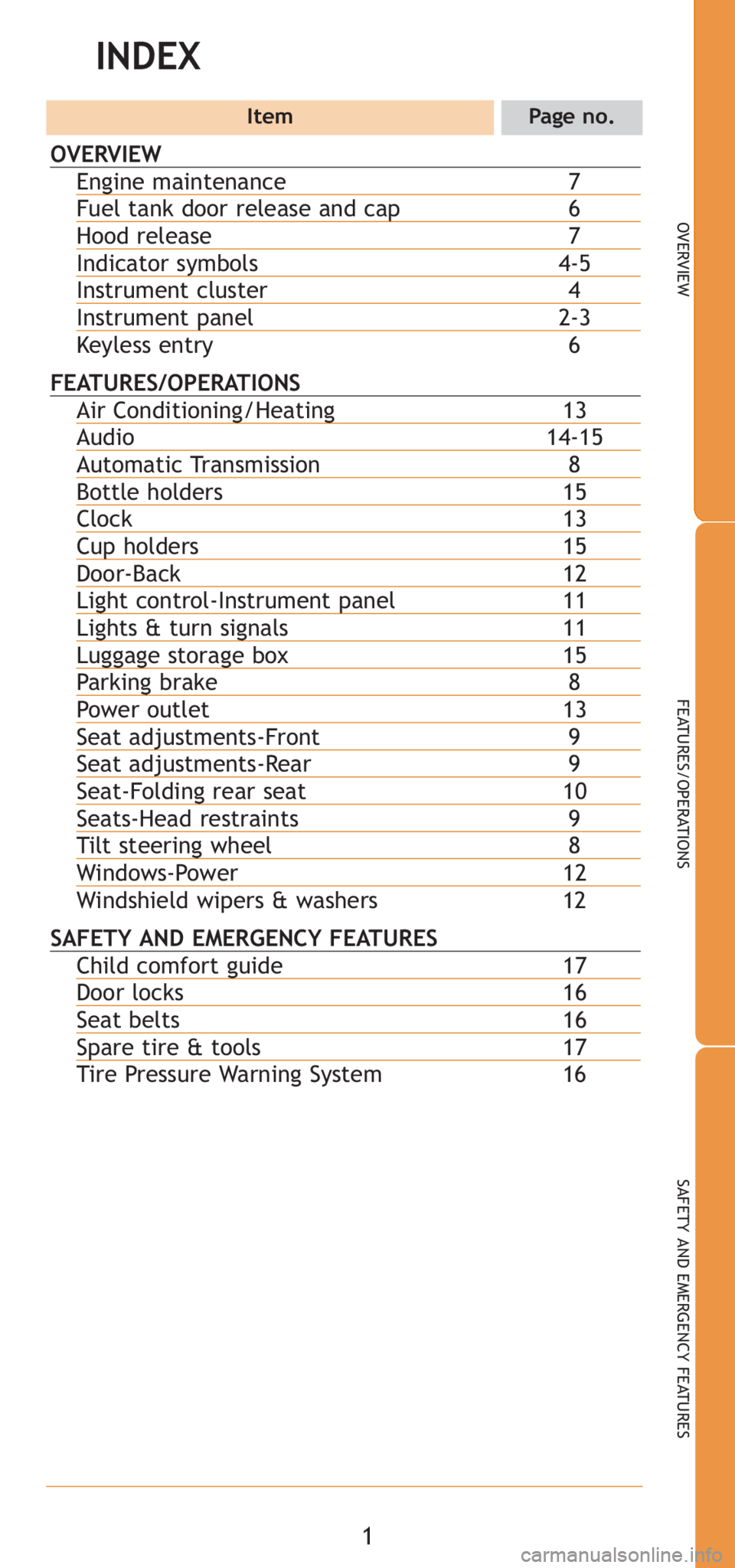
INDEX
ItemPage no.
OVERVIEW
Engine maintenance7Fuel tank door release and cap6Hood release 7Indicator symbols4-5Instrument cluster 4Instrument panel2-3
Keyless entry 6
FEATURES/OPERATIONSAir Conditioning/Heating 13Audio 14-15Automatic Transmission8Bottle holders15Clock 13Cup holders15Door-Back 12Light control-Instrument panel11Lights & turn signals11Luggage storage box15Parking brake 8Power outlet 13Seat adjustments-Front 9Seat adjustments-Rear9Seat-Folding rear seat10Seats-Head restraints 9Tilt steering wheel8Windows-Power 12
Windshield wipers & washers 12
SAFETY AND EMERGENCY FEATURESChild comfort guide17Door locks 16Seat belts16Spare tire & tools17
Tire Pressure Warning System 16
Page 4 of 400
2
OVERVIEW
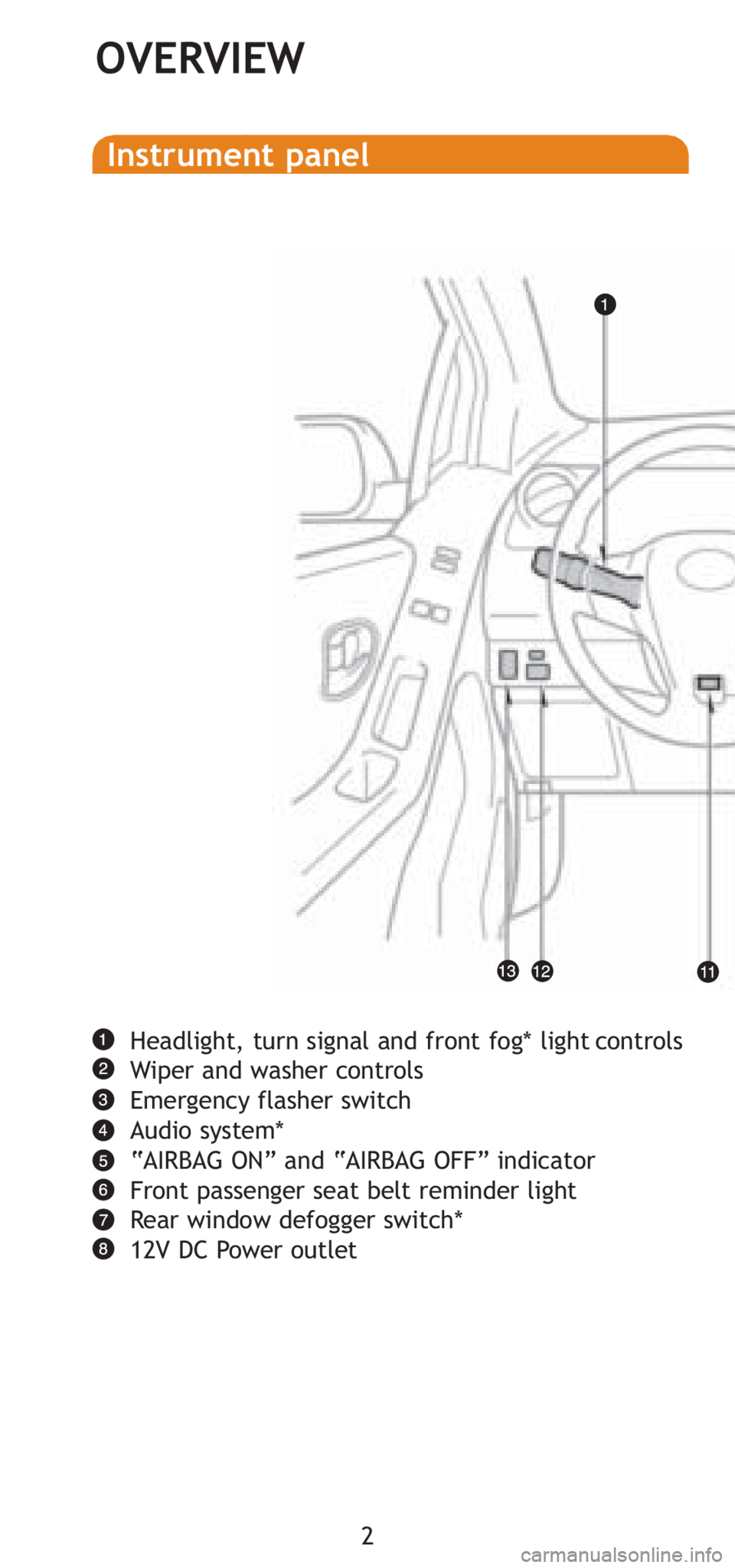
Headlight, turn signal and front fog* light controls
Wiper and washer controls
Emergency flasher switch
Audio system*
“AIRBAG ON” and “AIRBAG OFF” indicator
Front passenger seat belt reminder light
Rear window defogger switch*
12V DC Power outlet
Instrument panel
Page 16 of 400
14
FEATURES/OPERATIONS
Audio
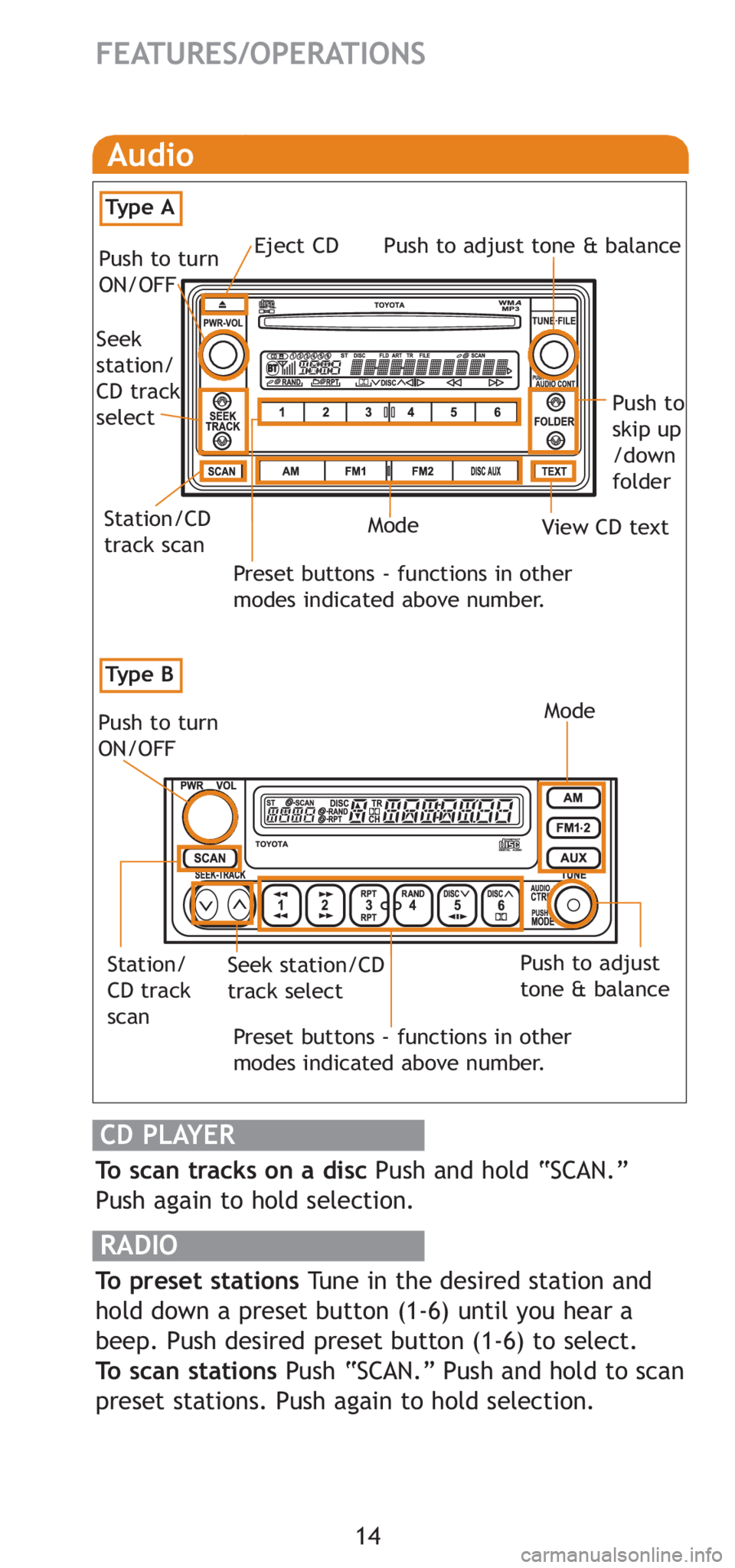
To scan tracks on a disc Push and hold “SCAN.”
Push again to hold selection.
RADIO
To preset stations Tune in the desired station and
hold down a preset button (1-6) until you hear a
beep. Push desired preset button (1-6) to select.
To scan stations Push “SCAN.” Push and hold to scan
preset stations. Push again to hold selection.
CD PLAYER
Preset buttons - functions in other
modes indicated above number.
Push to turn
ON/OFF
Push to adjust
tone & balance
Station/
CD track
scanSeek station/CD
track select
Mode
Preset buttons - functions in other
modes indicated above number.
View CD text
Push to
skip up
/down
folder
Eject CD
Push to turn
ON/OFF Push to adjust tone & balance
Mode
Seek
station/
CD track
select
Station/CD
track scan
Ty p e B
Ty p e A
Page 17 of 400
15
OVERVIEW
FEATURES/OPERATIONS
SAFETY AND EMERGENCY FEATURES
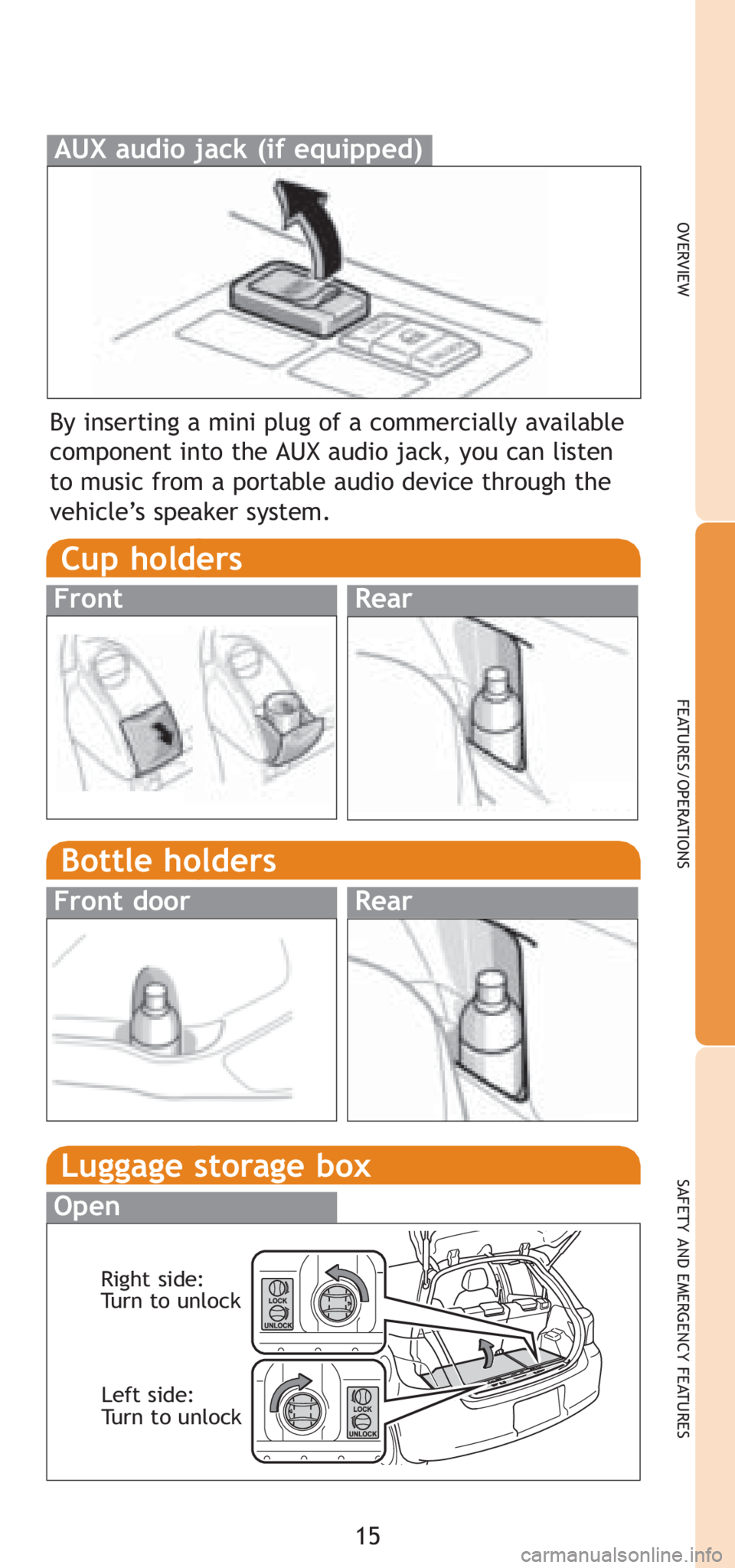
By inserting a mini plug of a commercially available
component into the AUX audio jack, you can listen
to music from a portable audio device through the
vehicle’s speaker system.
AUX audio jack (if equipped)
Cup holders
FrontRear
Bottle holders
Front doorRear
Luggage storage box
Open
Right side:
Turn to unlockLeft side:
Turn to unlock
Page 27 of 400

TABLE OF CONTENTS
1
1Before drivingAdjusting and operating features such as door locks,
mirrors, and steering column.
2When drivingDriving, stopping and safe-driving information.
3Interior
featuresAir conditioning and audio systems, as well as other in-
terior features for a comfortable driving experience.
4Maintenance
and careCleaning and protecting your vehicle, performing do-it-
yourself maintenance, and maintenance information.
5When trouble
arisesWhat to do if the vehicle needs to be towed, gets a flat
tire, or is involved in an accident.
6Vehicle
specificationsDetailed vehicle information.
7For ownersReporting safety defects for U.S. owners and seat belt
instructions for Canadian owners
IndexAlphabetical listing of information contained in this
manual.
Page 38 of 400
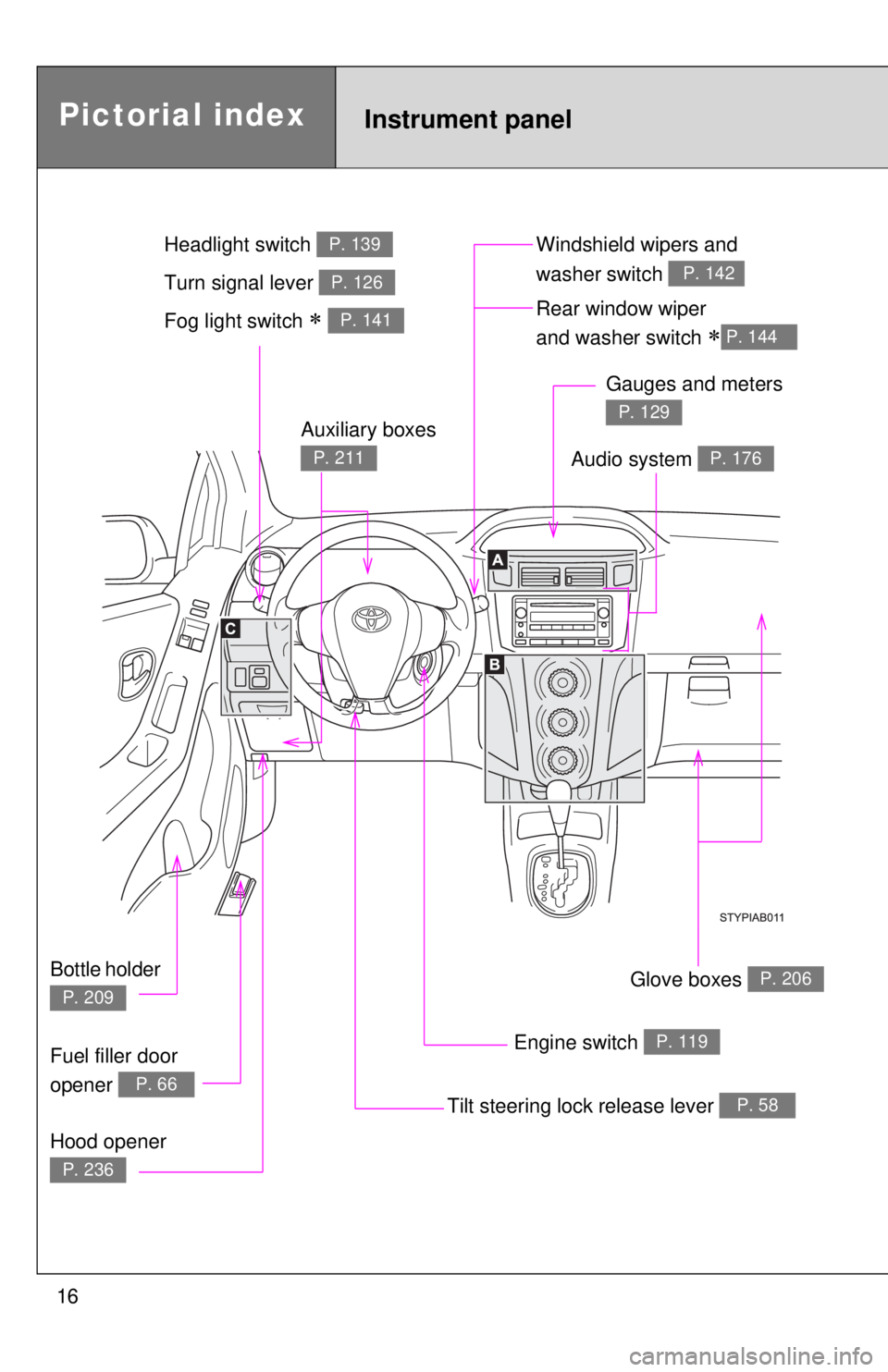
16
Pictorial indexInstrument panel
Fog light switch ∗ P. 141Rear window wiper
and washer switch
∗P. 144
Tilt steering lock release lever P. 58
Hood opener
P. 236
Gauges and meters
P. 129
Audio system P. 176
Engine switch P. 119
Glove boxes P. 206
Fuel filler door
opener
P. 66
Auxiliary boxes
P. 211
Bottle holder
P. 209
Windshield wipers and
washer switch
P. 142Turn signal lever P. 126
Headlight switch P. 139
Page 134 of 400
119
2-1. Driving procedures
2
When driving
Engine (ignition) switch
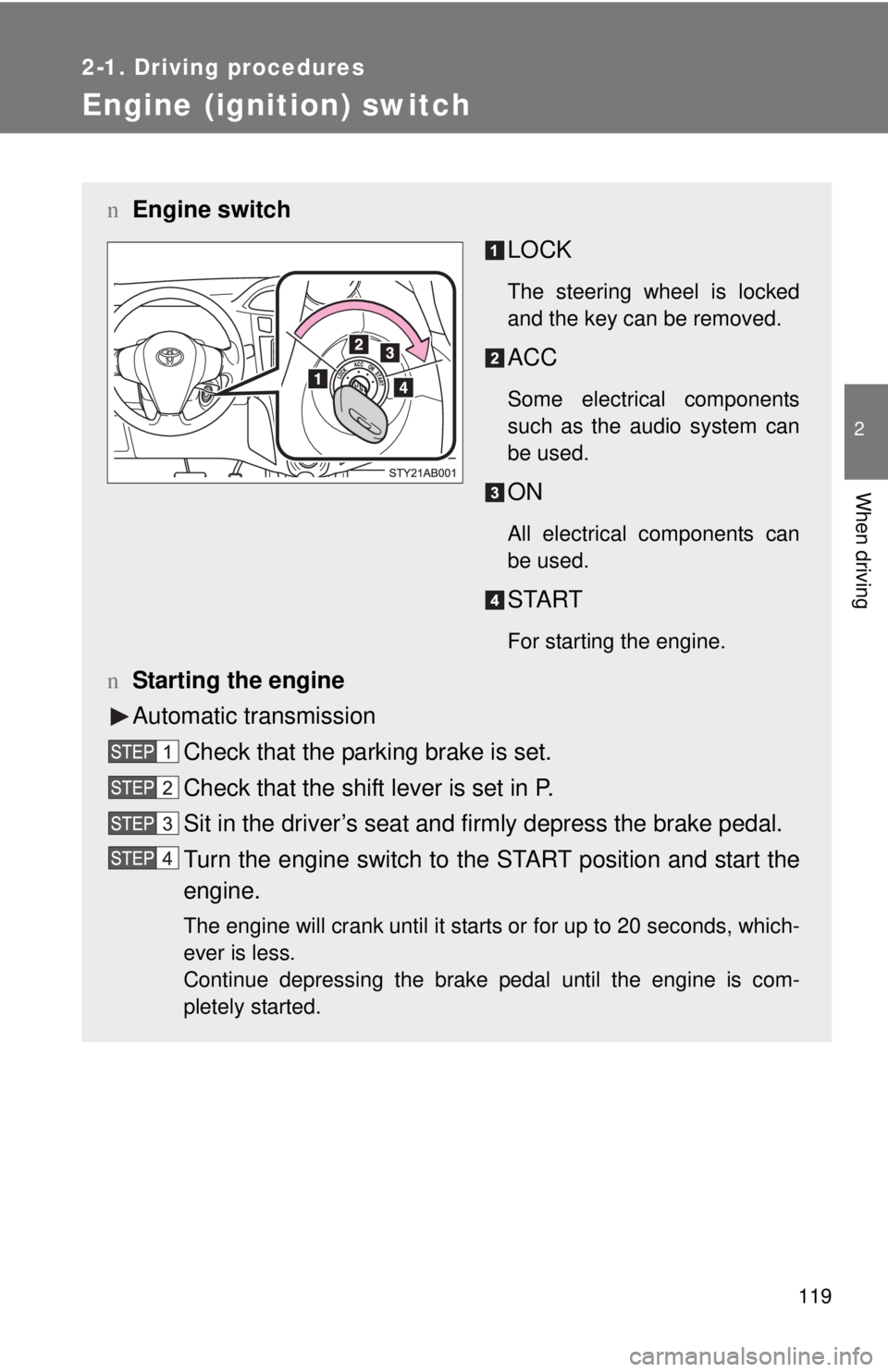
nEngine switch
LOCK
The steering wheel is locked
and the key can be removed.
ACC
Some electrical components
such as the audio system can
be used.
ON
All electrical components can
be used.
START
For starting the engine.
nStarting the engine
Automatic transmission
Check that the parking brake is set.
Check that the shift lever is set in P.
Sit in the driver’s seat and firmly depress the brake pedal.
Turn the engine switch to the START position and start the
engine.
The engine will crank until it starts or for up to 20 seconds, which-
ever is less.
Continue depressing the brake pedal until the engine is com-
pletely started.
Page 180 of 400
165
2-5. Driving information
2
When driving
Dinghy towing (vehicles with a manual transmission)
Towing your vehicle with 4 wheels on the groundTo prevent damage to your vehicle, perform the following procedures
before towing.
Shift the shift lever to N.
Turn the engine switch to the ACC position.
Ensure that the audio system and other powered devices have been
turned off.
Release the parking brake.
After towing, leave the engine in idle for at least 3 minutes before
driving the vehicle.
nNecessary equipment and accessories
Specialized equipment and accessories are required for dinghy towing. Con-
tact the service branch of the motor home manufacturer regarding recom-
mended equipment.
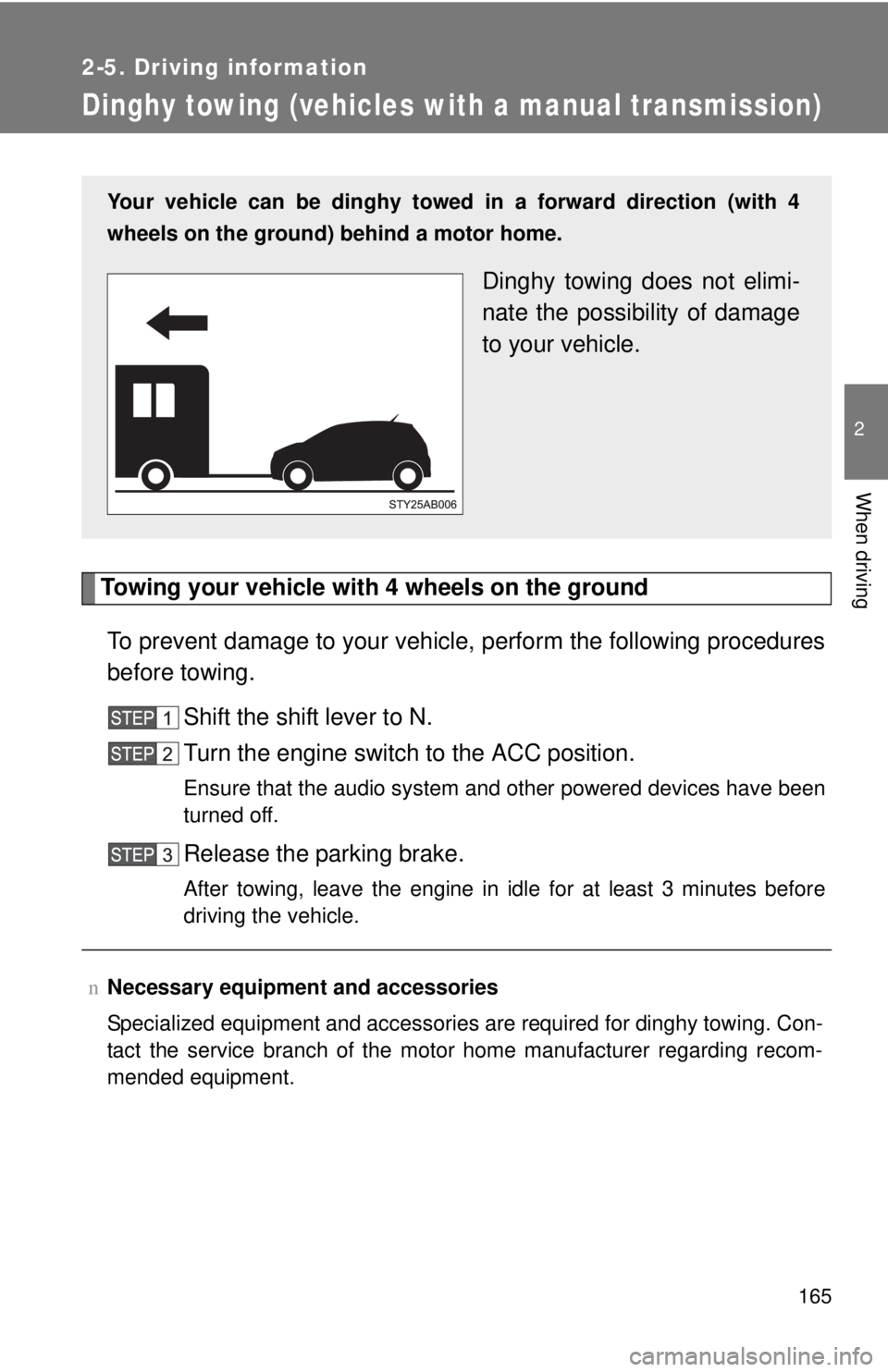
Your vehicle can be dinghy towed in a forward direction (with 4
wheels on the ground) behind a motor home.
Dinghy towing does not elimi-
nate the possibility of damage
to your vehicle.
Page 190 of 400
176
3-2. Using the audio system
Audio system types
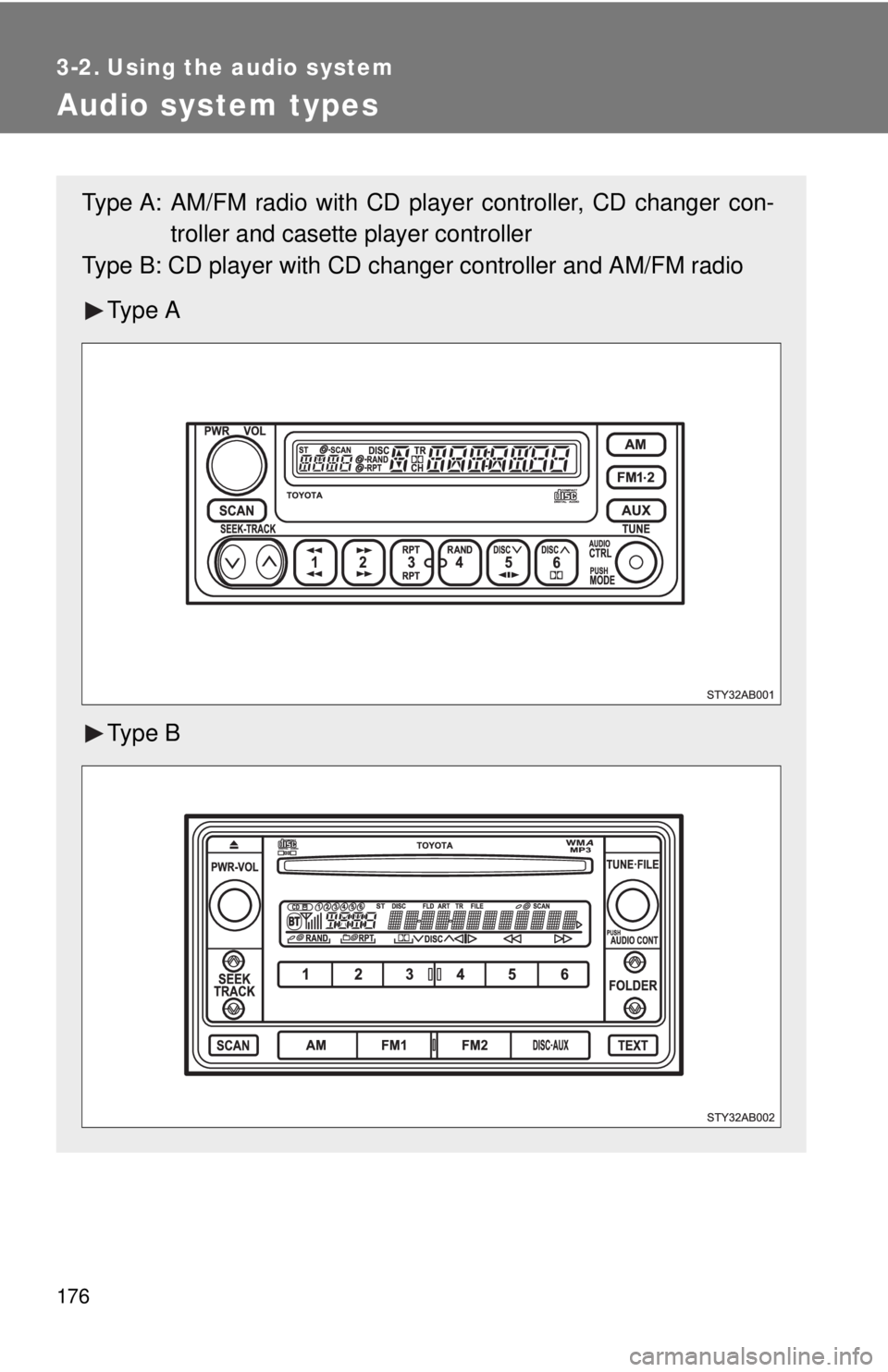
Type A: AM/FM radio with CD player controller, CD changer con-troller and casette player controller
Type B: CD player with CD chan ger controller and AM/FM radio
Ty p e A
Ty p e B
Page 191 of 400
177
3-2. Using the audio system
3
Interior features
n
Using cellular phones
Interference may be heard through the audio system's speakers if a cellular
phone is being used inside or close to the vehicle while the audio syste\
m is
operating.
CAUTION
nFor vehicles sold in U.S.A. and Canada
lPart 15 of the FCC Rules
FCC Warning:
Any unauthorized changes or modifications to this equipment will void the
user’s authority to operate this device.
l Laser products
• Do not take this unit apart or attempt to make any changes yourself.
This is an intricate unit that uses a laser pickup to retrieve information
from the surface of compact discs. The laser is carefully shielded so
that its rays remain inside the cabinet. Therefore, never try to disas-
semble the player or alter any of its parts since you may be exposed to
laser rays and dangerous voltages.
• This product utilizes a laser. Use of controls or adjustments or performance of procedures other
than those specified herein may result in hazardous radiation expo-
sure.
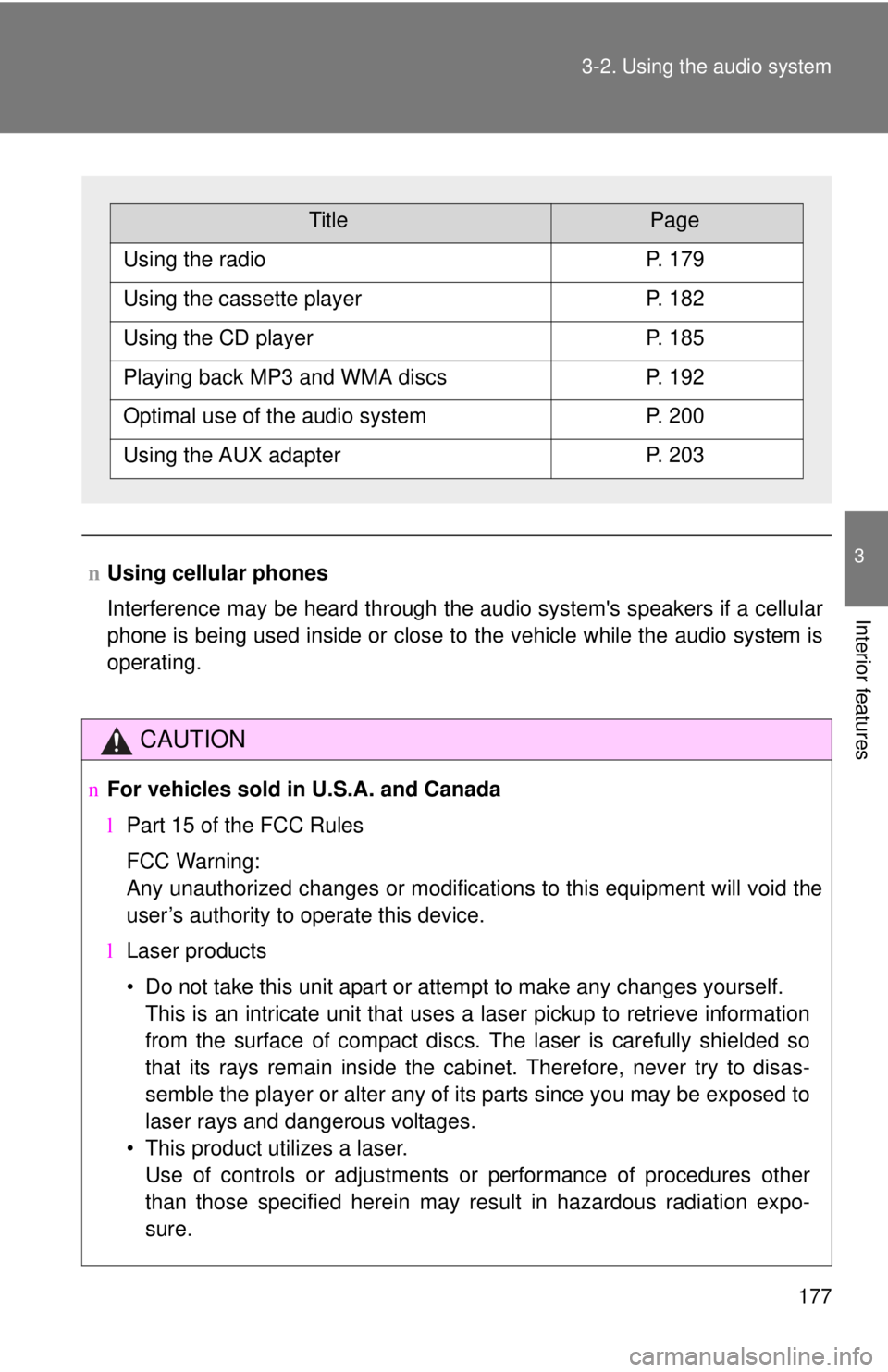
TitlePage
Using the radioP. 179
Using the cassette playerP. 182
Using the CD playerP. 185
Playing back MP3 and WMA discsP. 192
Optimal use of the audio systemP. 200
Using the AUX adapterP. 203