TOYOTA YARIS HATCHBACK 2008 Owners Manual
YARIS HATCHBACK 2008
TOYOTA
TOYOTA
https://www.carmanualsonline.info/img/14/59275/w960_59275-0.png
TOYOTA YARIS HATCHBACK 2008 Owners Manual
Page 6 of 400
4
OVERVIEW
Driver seat belt reminder1
(alarm will sound if speed is over 12 mph)
Front passenger seat belt reminder
1
(alarm will sound if speed is over 12 mph) Brake system warning
1
1For details, refer to “Indicators and warning lights,” Section 2-2,2008 Owner’s Manual.
Indicator symbols
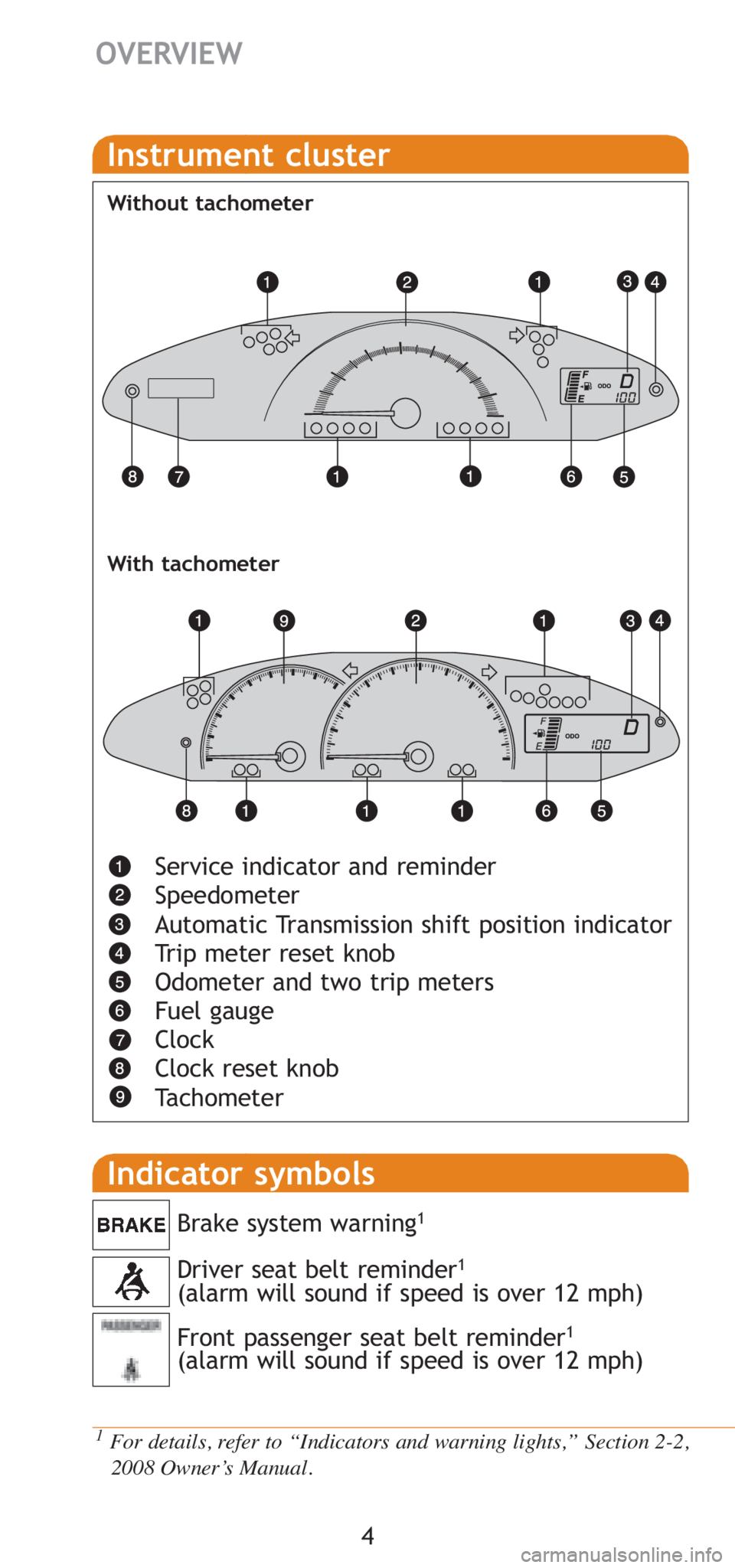
Service indicator and reminder
Speedometer
Automatic Transmission shift position indicator
Trip meter reset knob
Odometer and two trip meters
Fuel gauge
Clock
Clock reset knob
Tachometer
Instrument cluster
Without tachometer
With tachometer
Page 16 of 400
14
FEATURES/OPERATIONS
Audio
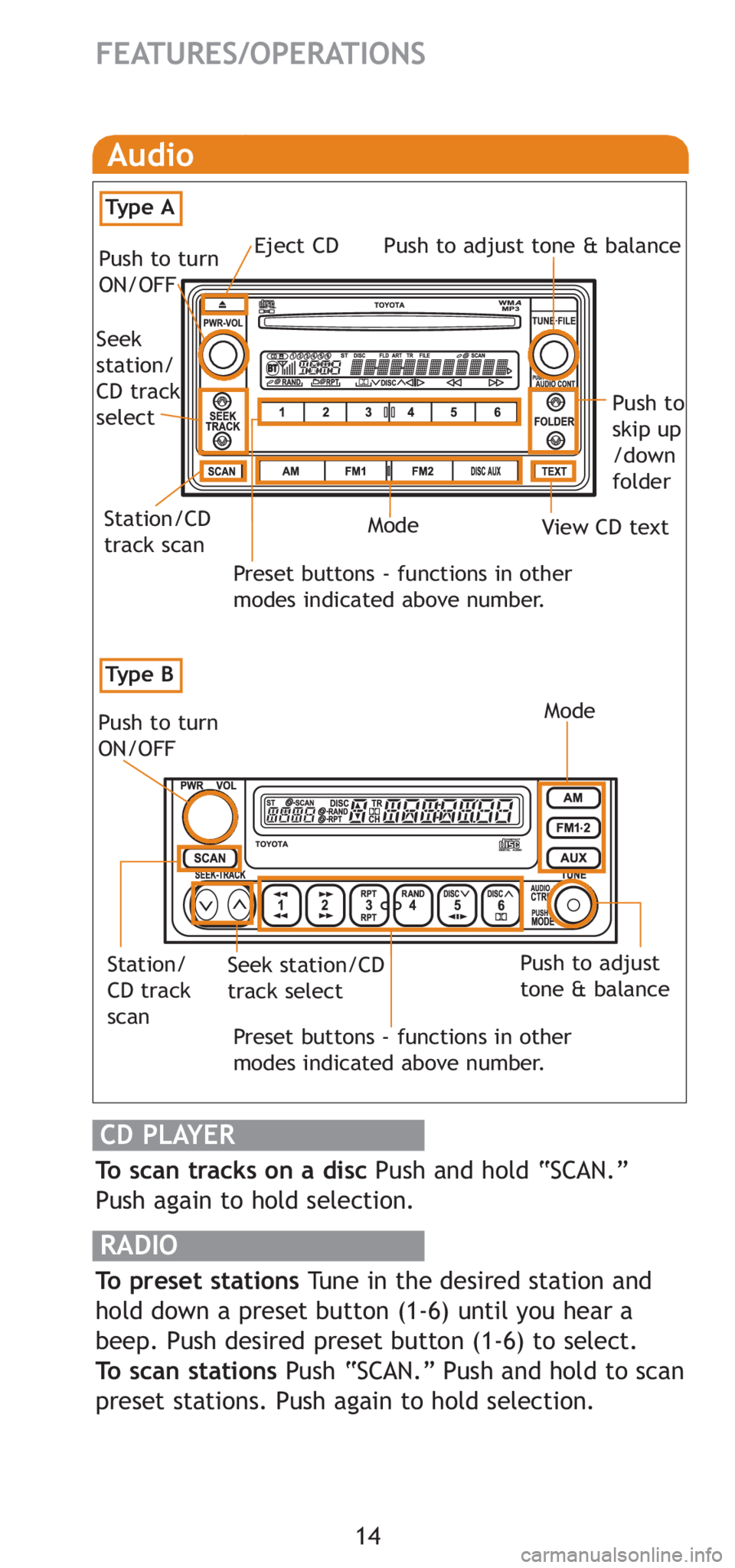
To scan tracks on a disc Push and hold “SCAN.”
Push again to hold selection.
RADIO
To preset stations Tune in the desired station and
hold down a preset button (1-6) until you hear a
beep. Push desired preset button (1-6) to select.
To scan stations Push “SCAN.” Push and hold to scan
preset stations. Push again to hold selection.
CD PLAYER
Preset buttons - functions in other
modes indicated above number.
Push to turn
ON/OFF
Push to adjust
tone & balance
Station/
CD track
scanSeek station/CD
track select
Mode
Preset buttons - functions in other
modes indicated above number.
View CD text
Push to
skip up
/down
folder
Eject CD
Push to turn
ON/OFF Push to adjust tone & balance
Mode
Seek
station/
CD track
select
Station/CD
track scan
Ty p e B
Ty p e A
Page 144 of 400
129
2
When driving
2-2. Instrument cluster
Gauges and meters
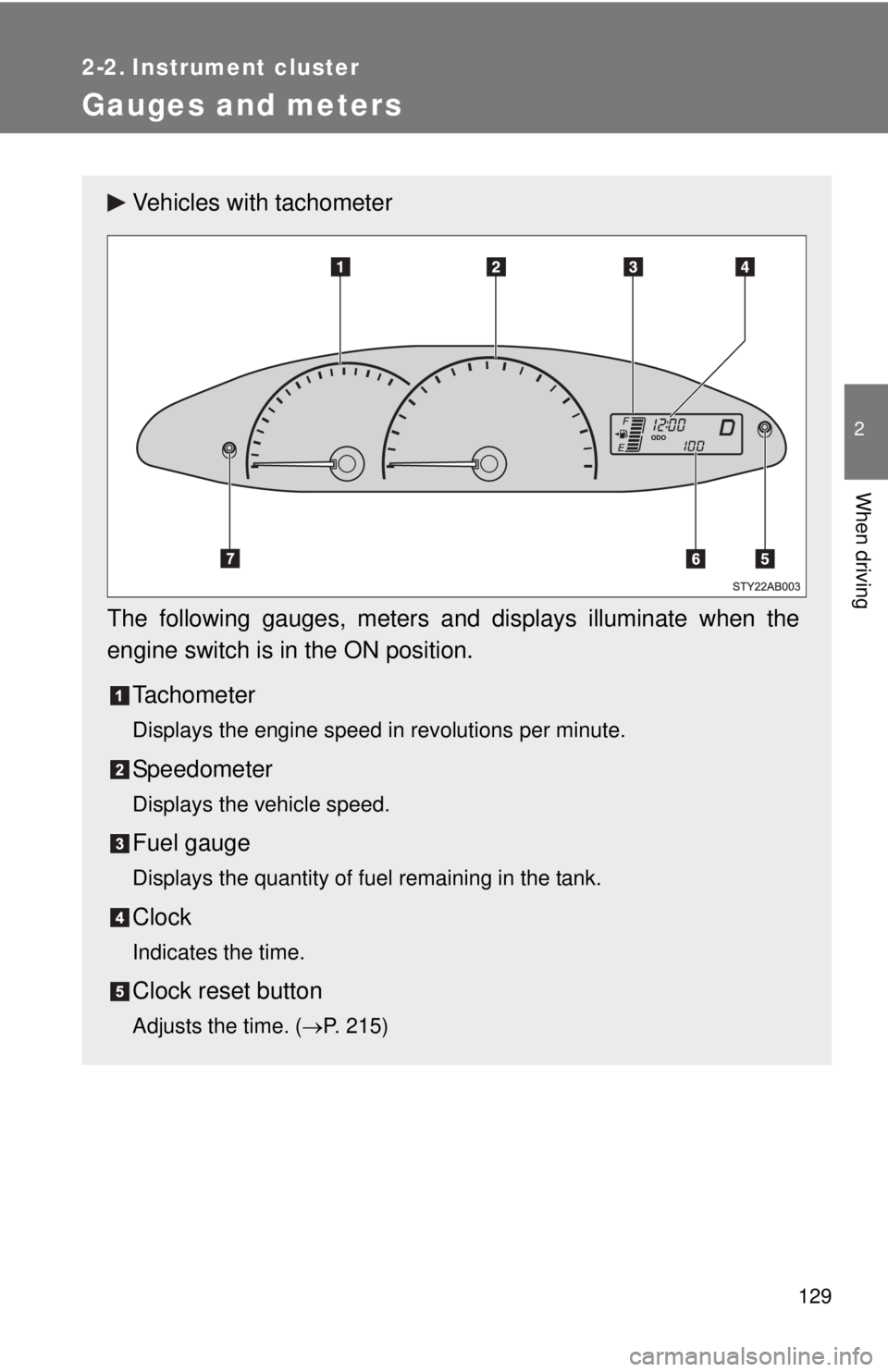
Vehicles with tachometer
The following gauges, meters and displays illuminate when the
engine switch is in the ON position. Tachometer
Displays the engine speed in revolutions per minute.
Speedometer
Displays the vehicle speed.
Fuel gauge
Displays the quantity of fuel remaining in the tank.
Clock
Indicates the time.
Clock reset button
Adjusts the time. ( →P. 215)
Page 145 of 400
130 2-2. Instrument cluster
Odometer/trip meter
Odometer:
Displays the total distance the vehicle has been driven.
Trip meter:
Displays the distance the vehicle has been driven since the meter was
last reset. Trip meters A and B can be used to record and display differ-
ent distances independently.
Odometer/trip meter switching and trip meter resetting button
Switches between odometer and trip meter displays. Pushing and hold-
ing the button will reset the trip meter when the trip meter is being dis-
played.
Page 146 of 400
131
2-2. Instrument cluster
2
When driving
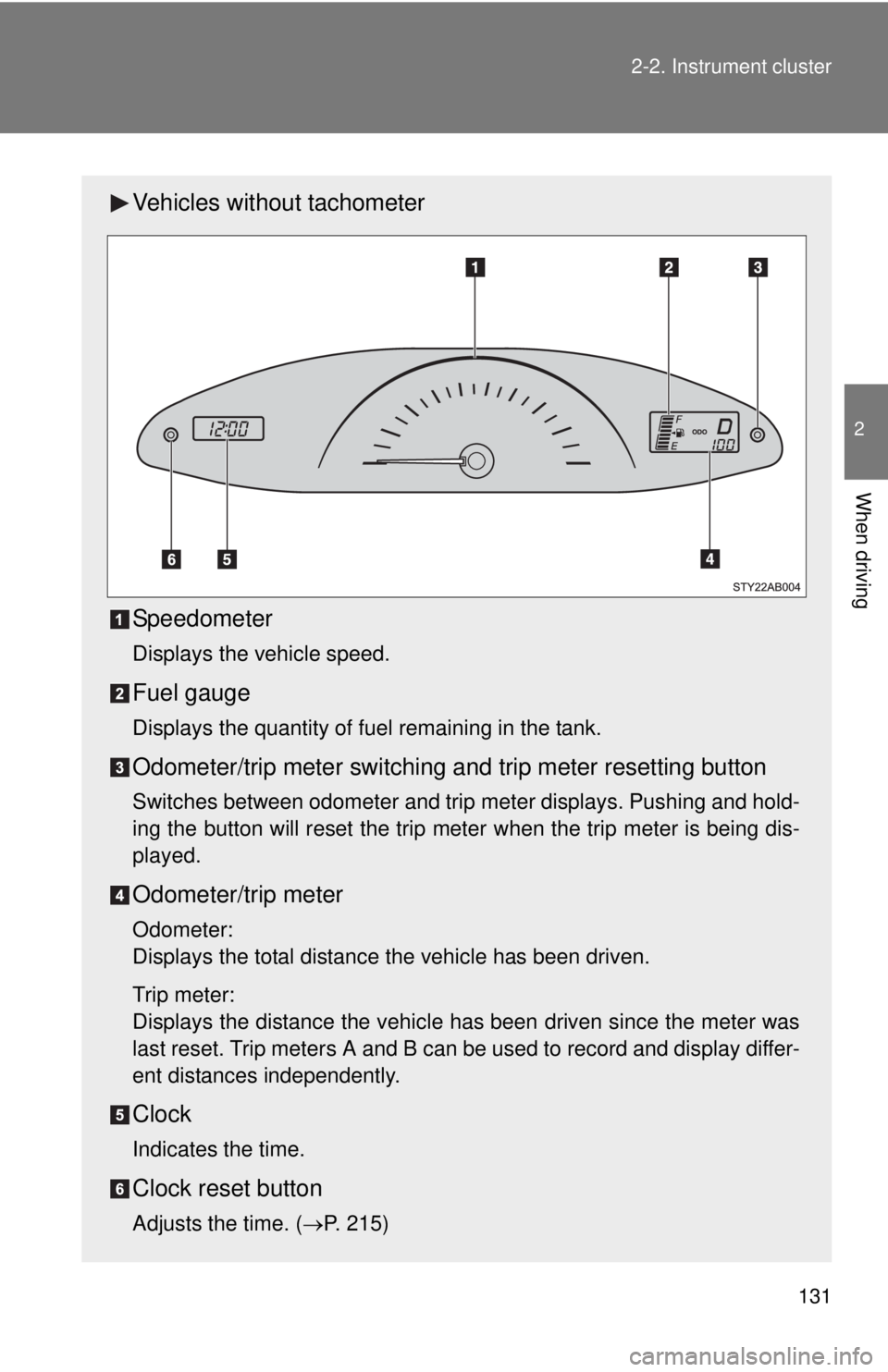
Vehicles without tachometer
Speedometer
Displays the vehicle speed.
Fuel gauge
Displays the quantity of fuel remaining in the tank.
Odometer/trip meter switching and trip meter resetting button
Switches between odometer and trip meter displays. Pushing and hold-
ing the button will reset the trip meter when the trip meter is being dis-
played.
Odometer/trip meter
Odometer:
Displays the total distance the vehicle has been driven.
Trip meter:
Displays the distance the vehicle has been driven since the meter was
last reset. Trip meters A and B can be used to record and display differ-
ent distances independently.
Clock
Indicates the time.
Clock reset button
Adjusts the time. (
→P. 215)
Page 147 of 400
132 2-2. Instrument cluster
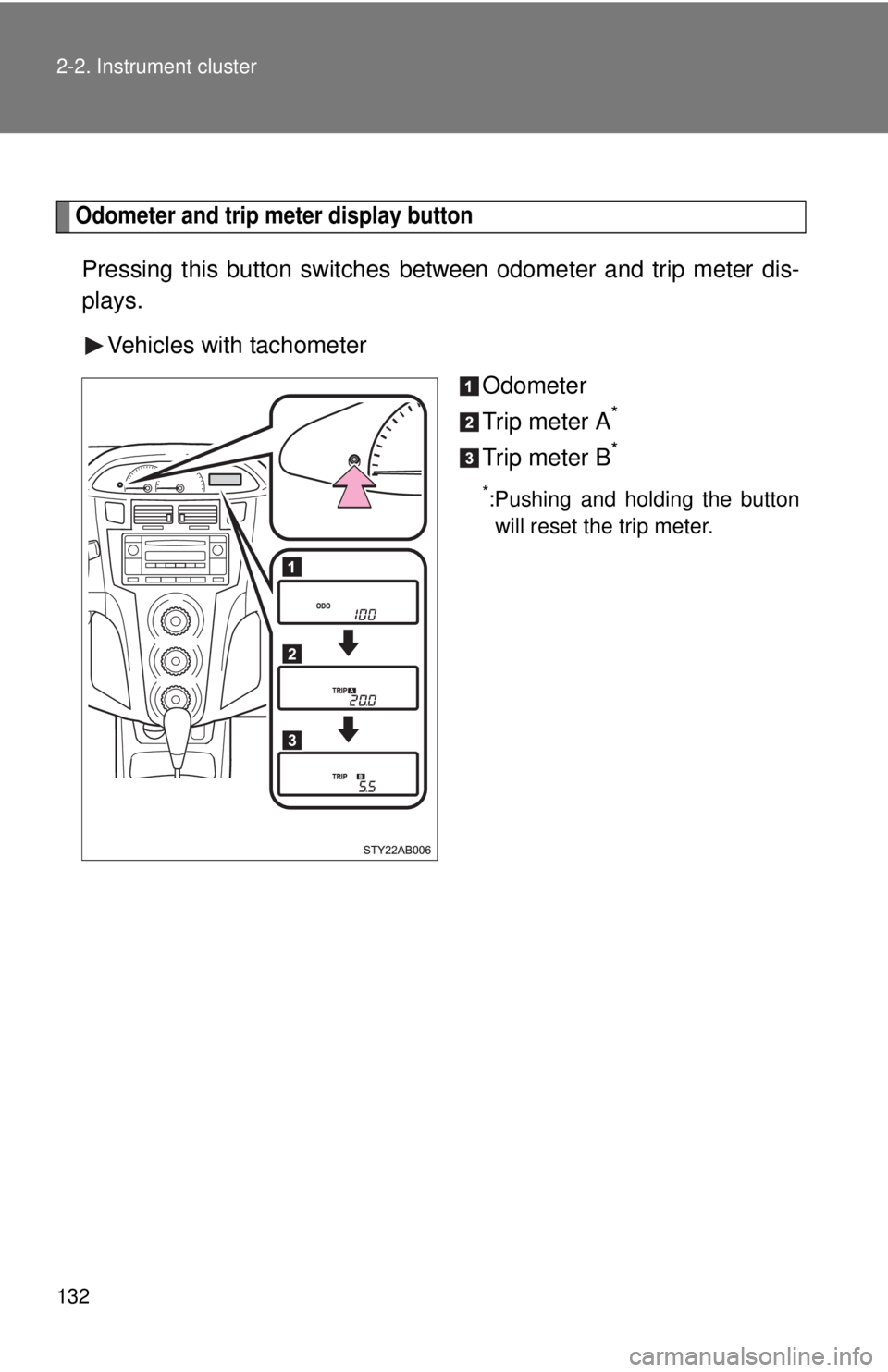
Odometer and trip meter display button
Pressing this button switches between odometer and trip meter dis-
plays.
Vehicles with tachometer Odometer
Trip meter A
*
Trip meter B*
*:Pushing and holding the buttonwill reset the trip meter.
Page 148 of 400
133
2-2. Instrument cluster
2
When driving
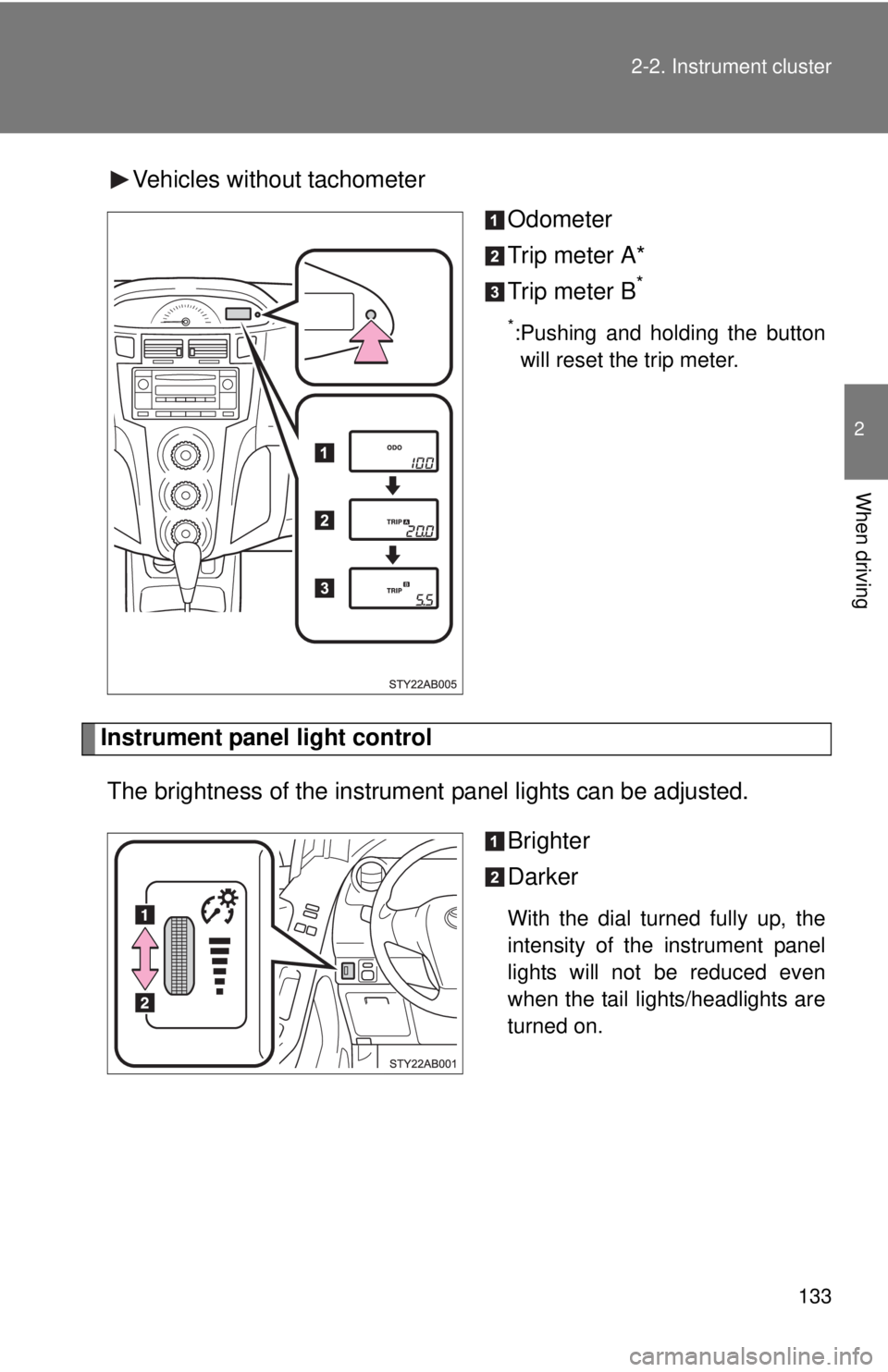
Vehicles without tachometer
Odometer
Trip meter A*
Trip meter B
*
*:Pushing and holding the buttonwill reset the trip meter.
Instrument panel light control
The brightness of the instrument panel lights can be adjusted.
Brighter
Darker
With the dial turned fully up, the
intensity of the instrument panel
lights will not be reduced even
when the tail lights/headlights are
turned on.
Page 194 of 400
180 3-2. Using the audio system
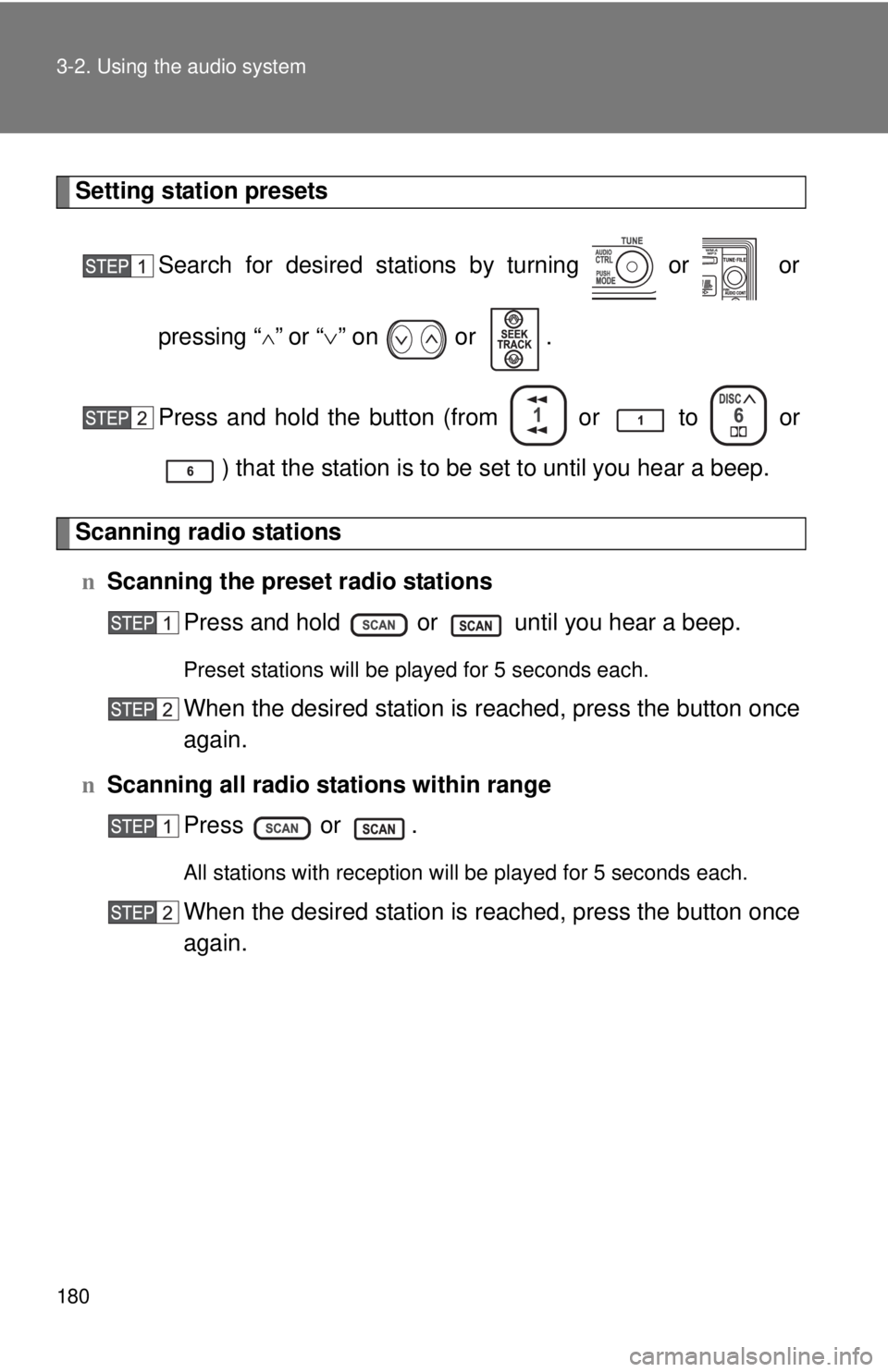
Setting station presetsSearch for desired stations by turning or or
pressing “
∧” or “∨” on or .
Press and hold the button (from or
to or
) that the station is to be set to until you hear a beep.
Scanning radio stations n Scanning the preset radio stations
Press and hold or until you hear a beep.
Preset stations will be played for 5 seconds each.
When the desired station is reached, press the button once
again.
n Scanning all radio stations within range
Press or .
All stations with reception will be played for 5 seconds each.
When the desired station is reached, press the button once
again.
Page 195 of 400
181
3-2. Using the audio system
3
Interior features
n
When the battery is disconnected
Stations presets are erased.
n Reception sensitivity
lMaintaining perfect radio reception at all times is difficult due to the con-
tinually changing position of the antenna, differences in signal strength
and surrounding objects, such as trains, transmitters, etc.
l The radio antenna is mounted on the rear roof. The antenna can be
removed from the base by turning it.
NOTICE
nTo prevent damage, remove the antenna in the following cases.
lThe antenna will touch the ceiling of a garage.
l A cover will be put on the vehicle.
Page 229 of 400
215
3-5. Other interior features
3
Interior features
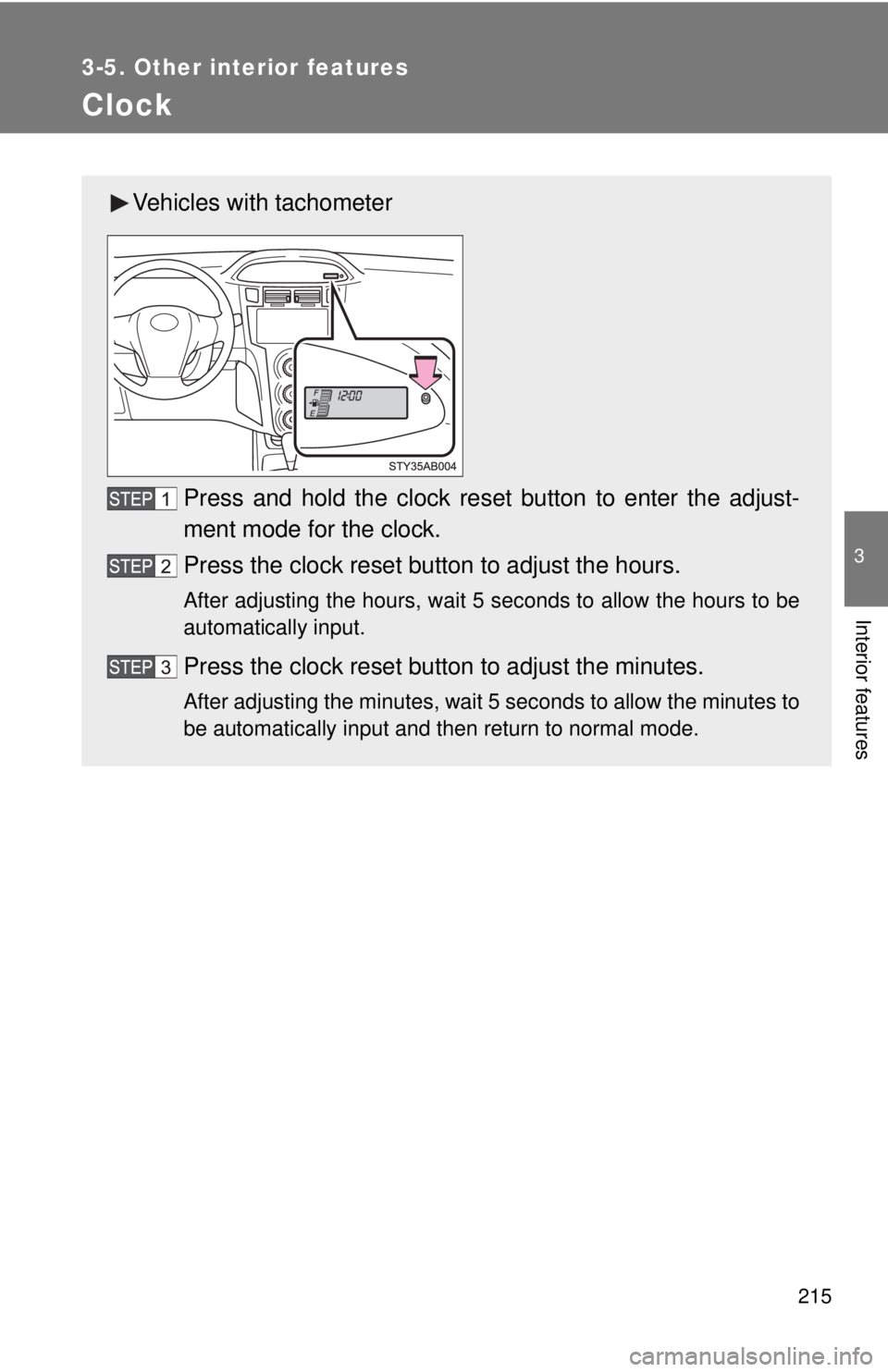
Clock
Vehicles with tachometerPress and hold the clock reset button to enter the adjust-
ment mode for the clock.
Press the clock reset button to adjust the hours.
After adjusting the hours, wait 5 seconds to allow the hours to be
automatically input.
Press the clock reset button to adjust the minutes.
After adjusting the minutes, wait 5 seconds to allow the minutes to
be automatically input and then return to normal mode.