fuel TOYOTA YARIS HATCHBACK 2013 User Guide
[x] Cancel search | Manufacturer: TOYOTA, Model Year: 2013, Model line: YARIS HATCHBACK, Model: TOYOTA YARIS HATCHBACK 2013Pages: 403, PDF Size: 8.93 MB
Page 73 of 403
71
1-5. Refueling
1
Before driving
YARIS_HB_U_52D44U
CAUTION
■
When refueling
Securely insert the fuel nozzle into the fuel filler neck. If fuel is added with
the nozzle slightly lifted away from the fuel filler neck, the automatic shut off
function may not operate, resulting in fuel overflowing from the tank.
■ When replacing the fuel cap
Do not use anything but a genuine Toyota fuel tank cap designed for your
vehicle. Doing so may cause a fire or other incident which may result in
death or serious injury.
NOTICE
■Refueling
Do not spill fuel during refueling.
Doing so may damage the vehicle, such as causing the emission control
system to operate abnormally or damaging fuel system components or the
vehicle’s painted surface.
Page 117 of 403
115
2-1. Driving procedures
2
When driving
YARIS_HB_U_52D44U
■
Operating your vehicle in a foreign country
Comply with the relevant vehicle registration laws and confirm the availability
of the correct fuel. ( →P. 346)
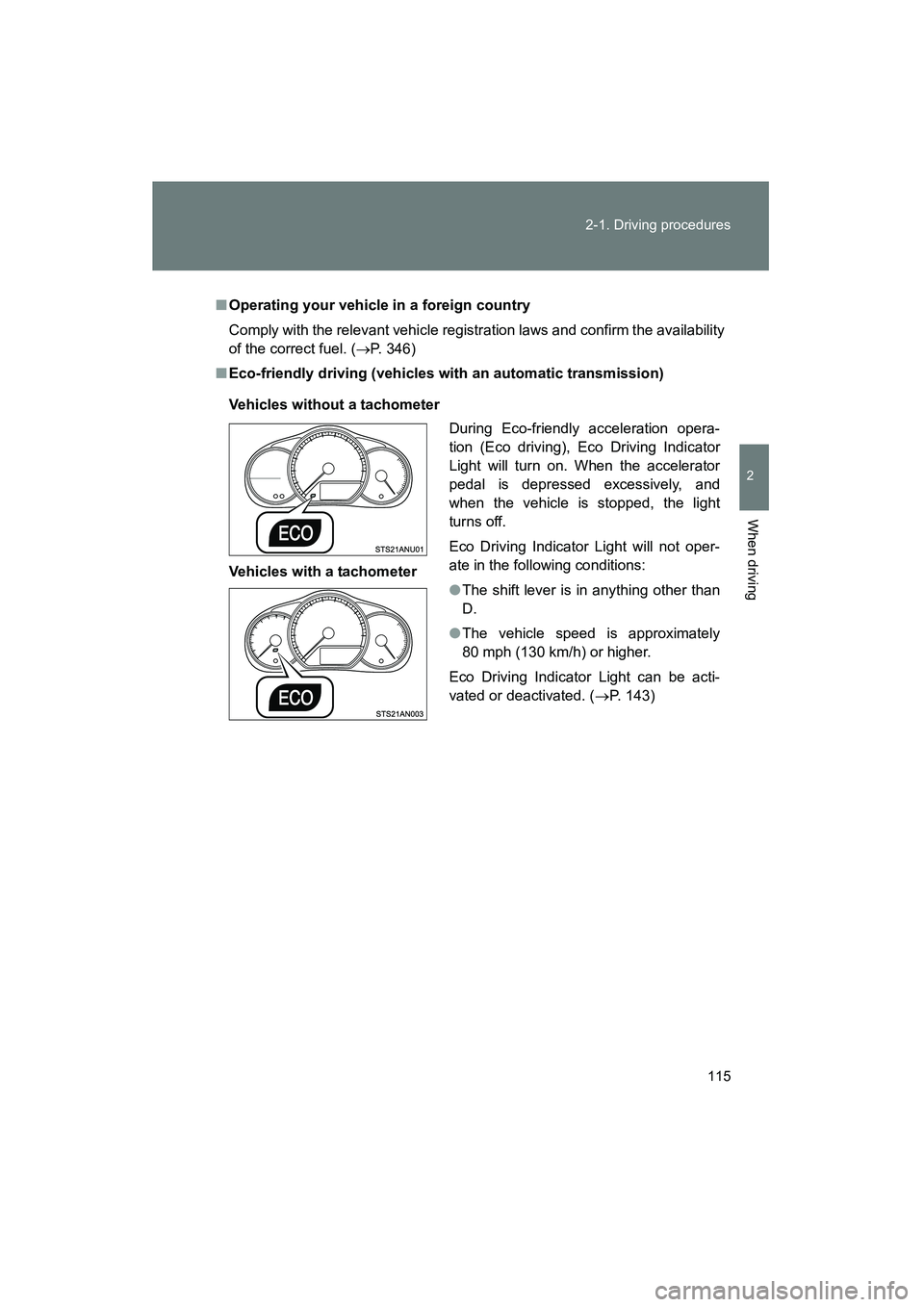
■ Eco-friendly driving (vehicles with an automatic transmission)
Vehicles without a tachometer
Vehicles with a tachometer During Eco-friendly acceleration opera-
tion (Eco driving), Eco Driving Indicator
Light will turn on. When the accelerator
pedal is depressed excessively, and
when the vehicle is stopped, the light
turns off.
Eco Driving Indicator Light will not oper-
ate in the following conditions:
●
The shift lever is in anything other than
D.
● The vehicle speed is approximately
80 mph (130 km/h) or higher.
Eco Driving Indicator Light can be acti-
vated or deactivated. ( →P. 143)
Page 135 of 403
133
2
When driving
YARIS_HB_U_52D44U
2-2. Instrument cluster
Gauges and meters
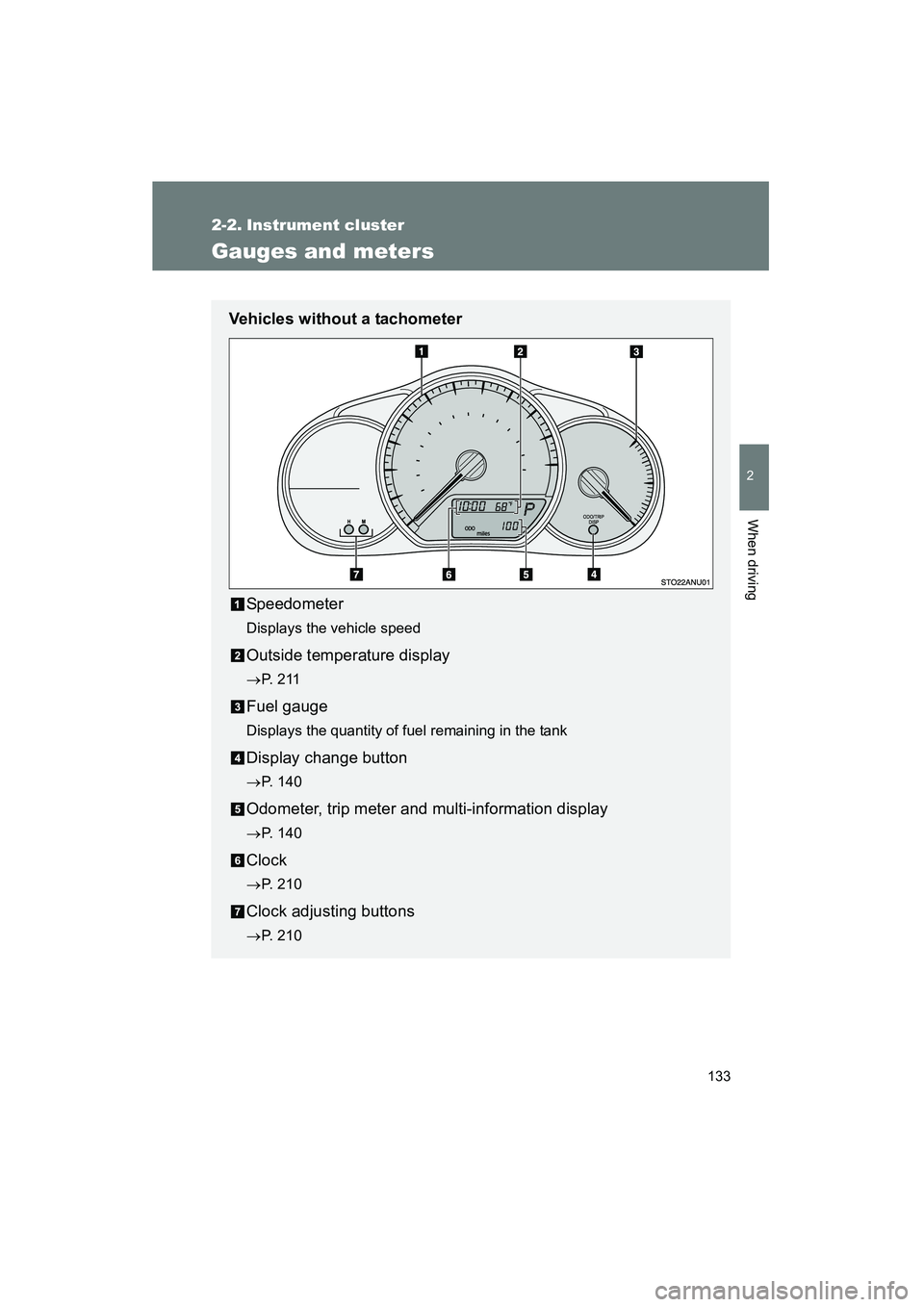
Vehicles without a tachometerSpeedometer
Displays the vehicle speed
Outside temperature display
→P. 2 1 1
Fuel gauge
Displays the quantity of fuel remaining in the tank
Display change button
→P. 140
Odometer, trip meter and multi-information display
→P. 140
Clock
→P. 210
Clock adjusting buttons
→P. 210
Page 136 of 403
134 2-2. Instrument cluster
YARIS_HB_U_52D44U
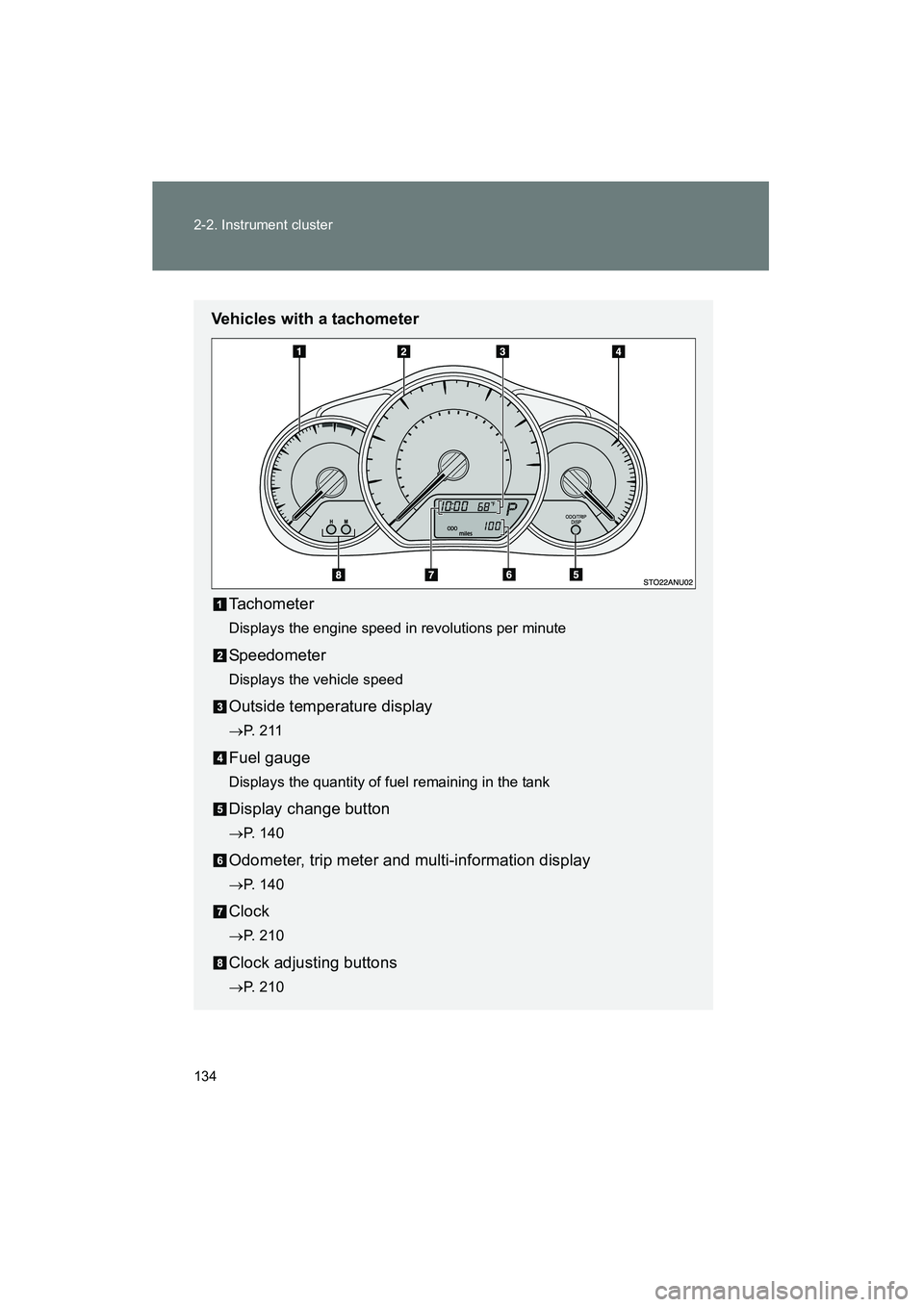
Vehicles with a tachometerTachometer
Displays the engine speed in revolutions per minute
Speedometer
Displays the vehicle speed
Outside temperature display
→P. 2 1 1
Fuel gauge
Displays the quantity of fuel remaining in the tank
Display change button
→P. 140
Odometer, trip meter and multi-information display
→P. 140
Clock
→P. 210
Clock adjusting buttons
→P. 210
Page 142 of 403
140
2-2. Instrument cluster
YARIS_HB_U_52D44U
Multi-information display
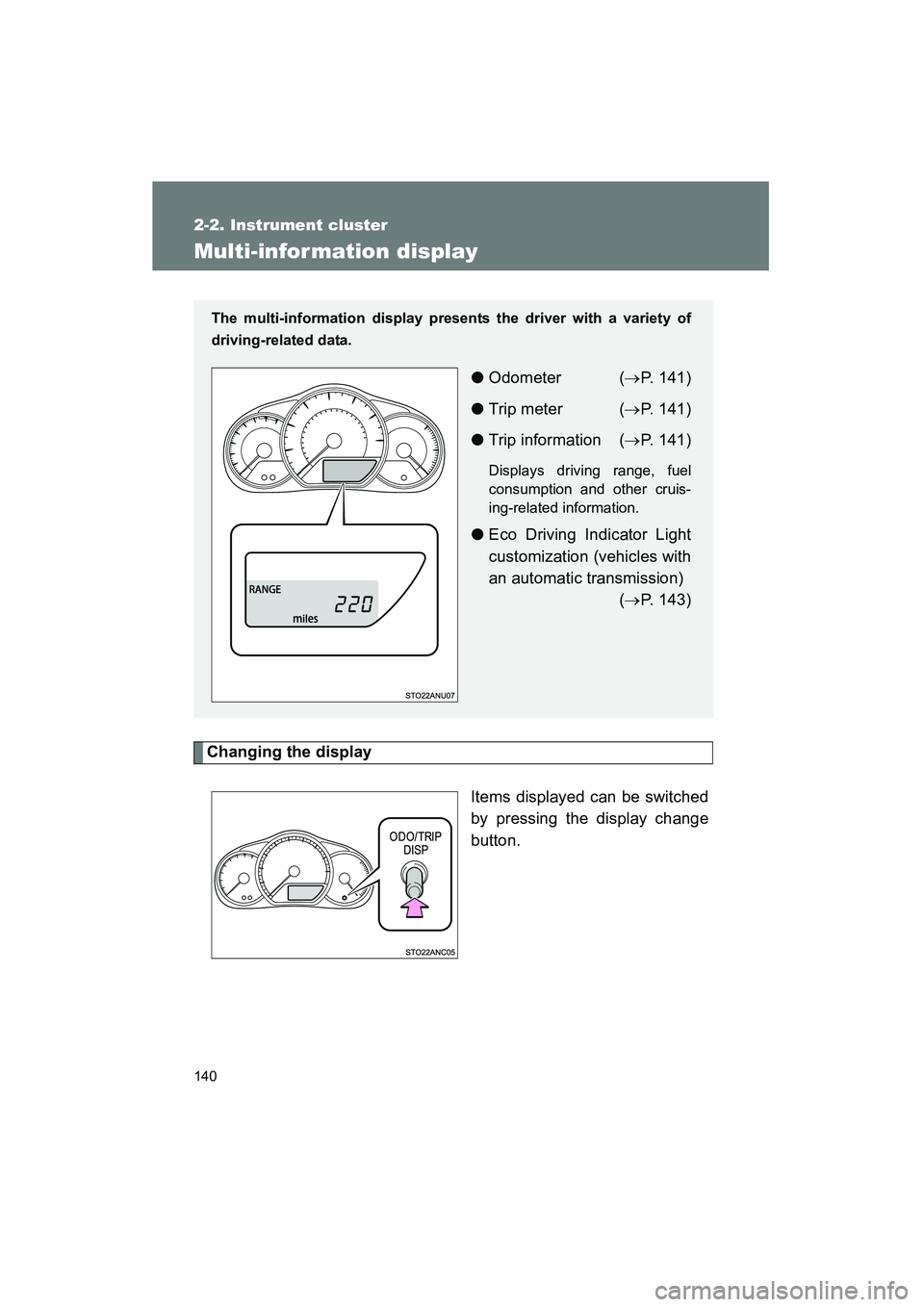
Changing the displayItems displayed can be switched
by pressing the display change
button.
The multi-information display presents the driver with a variety of
driving-related data.
●Odometer ( →P. 141)
● Trip meter ( →P. 141)
● Trip information ( →P. 141)
Displays driving range, fuel
consumption and other cruis-
ing-related information.
● Eco Driving Indicator Light
customization (vehicles with
an automatic transmission)
(→P. 143)
Page 144 of 403
142 2-2. Instrument cluster
YARIS_HB_U_52D44U■
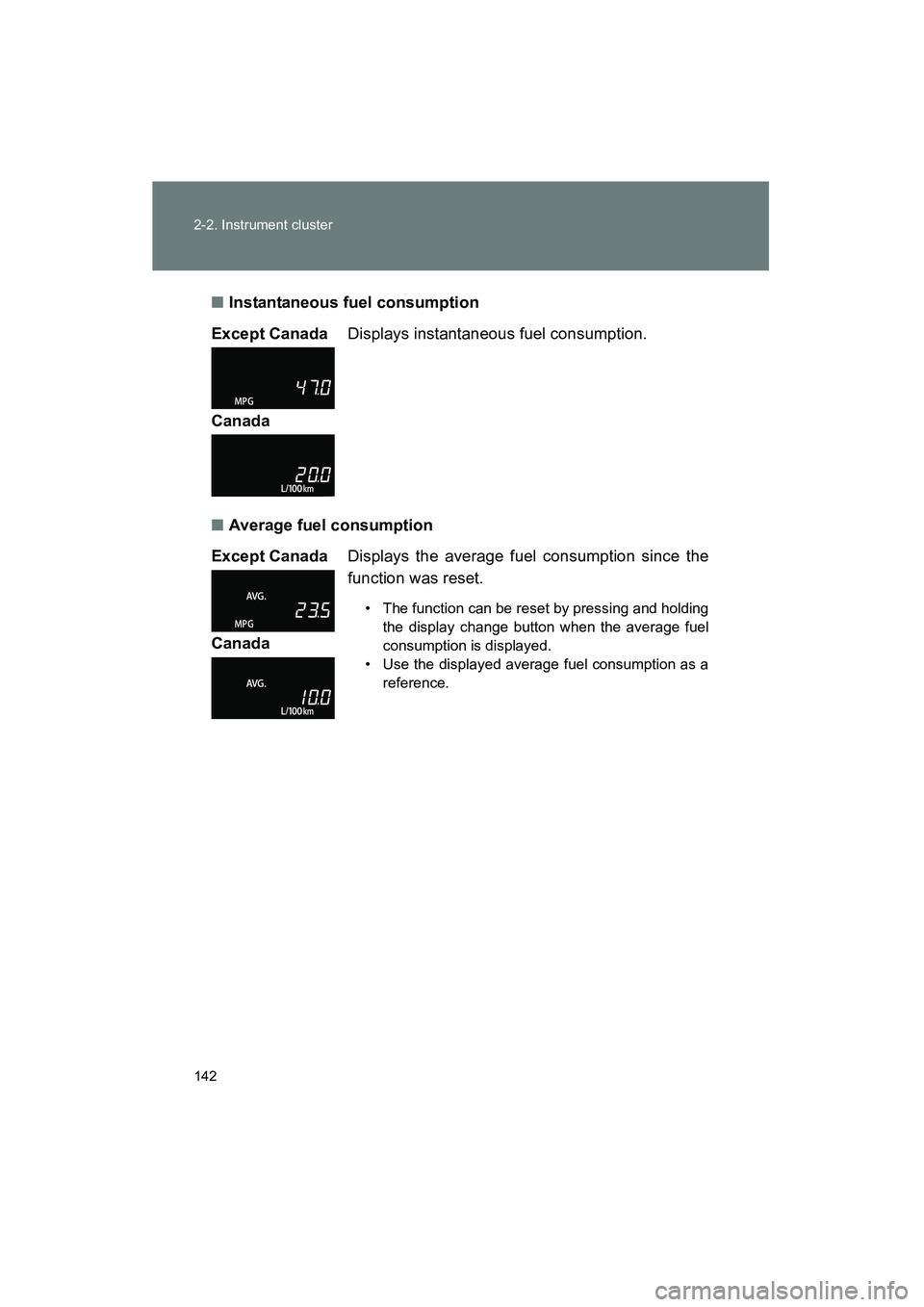
Instantaneous fuel consumption
■ Average fuel consumption
Except Canada
Displays instantaneous fuel consumption.
Canada
Except Canada Displays the average fuel consumption since the
function was reset.
• The function can be reset by pressing and holding
the display change button when the average fuel
consumption is displayed.
• Use the displayed average fuel consumption as a reference.
Canada
Page 145 of 403
143
2-2. Instrument cluster
2
When driving
YARIS_HB_U_52D44U
■
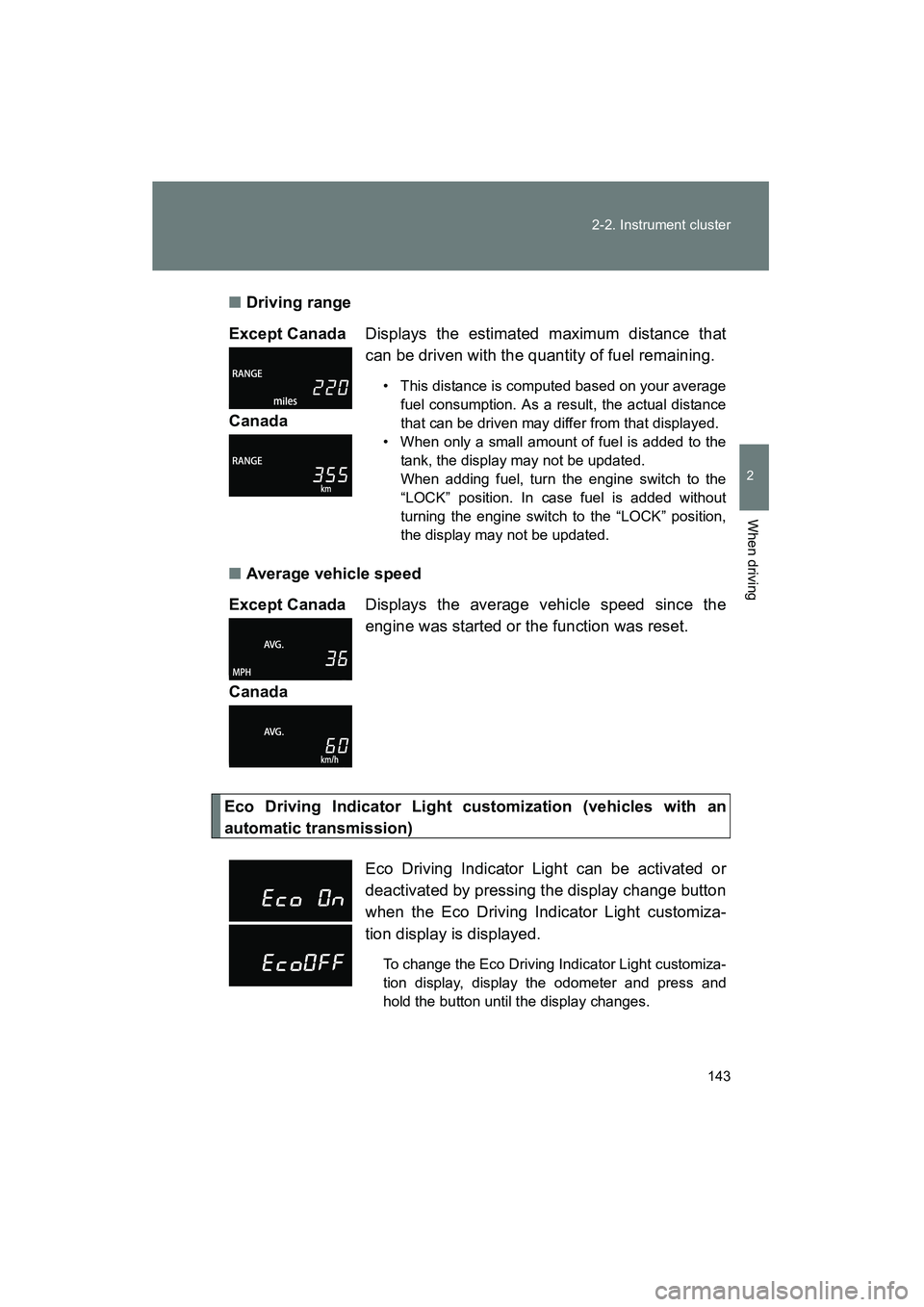
Driving range
■ Average vehicle speed
Eco Driving Indicator Light customization (vehicles with an
automatic transmission)Except Canada
Displays the estimated maximum distance that
can be driven with the quantity of fuel remaining.
• This distance is computed based on your average
fuel consumption. As a result, the actual distance
that can be driven may differ from that displayed.
• When only a small amount of fuel is added to the tank, the display may not be updated.
When adding fuel, turn the engine switch to the
“LOCK” position. In case fuel is added without
turning the engine switch to the “LOCK” position,
the display may not be updated.
Canada
Except Canada Displays the average vehicle speed since the
engine was started or the function was reset.
Canada
Eco Driving Indicator Light can be activated or
deactivated by pressing the display change button
when the Eco Driving Indicator Light customiza-
tion display is displayed.
To change the Eco Driving Indicator Light customiza-
tion display, display the odometer and press and
hold the button until the display changes.
Page 146 of 403
144 2-2. Instrument cluster
YARIS_HB_U_52D44U
■When disconnecting and reconnecting battery terminals
The following information data will be reset:
● Average fuel consumption
● Driving range
● Average vehicle speed
NOTICE
■The multi-information disp lay at low temperatures
Allow the interior of the vehicle to warm up before using the liquid crystal
information display. At extremely low temperatures, the information display
monitor may respond slowly, and display changes may be delayed.
Page 149 of 403
147
2-3. Operating the lights and wipers
2
When driving
YARIS_HB_U_52D44U
■
Daytime running light system (if equipped)
●To make your vehicle more visible to other drivers, the headlights turn on
automatically (at a reduced intensity) whenever the engine is started and
the parking brake is released. Daytime running lights are not designed for
use at night.
● Compared to turning on the headlights, the daytime running light system
offers greater durability and consumes less electricity, so it can help
improve fuel economy.
■ Light reminder buzzer
A buzzer sounds when the engine switch is turned to the “LOCK” or “ACC”
position and the driver’s door is opened while the lights are turned on.
■ Battery-saving function (vehicles with an alarm system or daytime run-
ning light system)
In all following conditions, the headli ghts and the other remaining lights will
go off automatically after 20 minutes in order to prevent the vehicle battery
from being discharged:
● The engine switch is in the “LOCK” position.
● The headlights and/or tail lights are on.
This function will be canceled in any of the following situations:
● When the engine switch is turned to the “ON” position.
● When the light switch is operated.
● When the door is opened or closed.
NOTICE
■To prevent battery discharge
Do not leave the lights on longer than necessary when the engine is not run-
ning.
Page 169 of 403
167
2
When driving
YARIS_HB_U_52D44U
2-5. Driving information
Cargo and luggage
Capacity and distributionCargo capacity depends on the total weight of the occupants.
(Cargo capacity) = (Total load capacity) − (Total weight of occupants)
Steps for Determining Correct Load Limit—
(1) Locate the statement “The combined weight of occupants and cargo should never exceed XXX kg or XXX lbs.” on your vehicle’s
placard.
(2) Determine the combined weight of the driver and passengers that will be riding in your vehicle.
(3)Subtract the combined weight of the driver and passengers from XXX kg or XXX lbs.
(4) The resulting figure equals the available amount of cargo and lug- gage load capacity.
For example, if the “XXX” amount equals 1400 lbs. and there will
be five 150 lb passengers in your vehicle, the amount of available
cargo and luggage load capacity is 650 lbs. (1400 − 750 (5 × 150)
= 650 lbs.)
(5) Determine the combined weight of luggage and cargo being loaded on the vehicle. That weight may not safely exceed the
available cargo and luggage load capacity calculated in Step 4.
Take notice of the following information about storage precau-
tions, cargo capacity and load:
●Stow cargo and luggage in the luggage compartment whenever
possible.
● Be sure all items are secured in place.
● To maintain vehicle balance while driving, position luggage
evenly within the luggage compartment.
● For better fuel economy, do not carry unnecessary weight.