accessory mode TOYOTA YARIS HYBRID 2017 User Guide
[x] Cancel search | Manufacturer: TOYOTA, Model Year: 2017, Model line: YARIS HYBRID, Model: TOYOTA YARIS HYBRID 2017Pages: 504, PDF Size: 31.33 MB
Page 200 of 504
2004-3. Operating the lights and wipers
YARIS_HV_OM_Europe_OM52G76E
■ Light reminder buzzer
Vehicles without a smart entry & start system
A buzzer sounds when the key is removed from the power switch and the
driver’s door is opened while the lights are turned on.
Vehicles with a smart entry & start system
A buzzer sounds when the power switch is turned off or turned to ACCES-
SORY mode and the driver’s door is opened while the lights are turned on.
■ Battery-saving function
In all conditions following below, the headlights and the other remaining lights
will go off automatically after 20 minutes in order to prevent the vehicle bat-
tery from being discharged:
● The headlights and/or tail lights are on.
● The light switch is in or .
● Vehicles without a smart entry & start system: The power switch is in the
“ACC” or the “LOCK” position.
● Vehicles with a smart entry & start system: The power switch is turned to
ACCESSORY mode or turned off.
This function will be canceled in any of the following situations:
● Vehicles without a smart entry & start system: When the power switch is
turned to the “ON” position.
● Vehicles with a smart entry & start system: When the power switch is turned
to ON mode.
● When the light switch is operated.
● When the door is opened or closed.
■ Customization
Settings (e.g. light sensor sensitivity) can be changed.
(Customizable features: P. 475)
NOTICE
■To prevent 12-volt battery discharge
Do not leave the lights on longer than necessary when the hybrid system is
off.
Page 280 of 504
2805-5. Using an external device
YARIS_HV_OM_Europe_OM52G76E
Pressing (RDM) changes modes in the following order:
Track shuffle Album shuffle Off.
Press .
Track title, Artist name and Albu m title are shown on the display.
To return to the previous display, press or .
Press to enter iPod menu mode.
Turning changes sound modes. ( P. 262)
■About iPod
● “Made for iPod” and “Made for iPhone” mean that an electronic accessory
has been designed to connect specifically to iPod, or iPhone, respectively,
and has been certified by the developer to meet Apple performance stan-
dards.
● Apple is not responsible for the operation of this device or its compliance
with safety and regulatory standards. Please note and that the use of this
accessory with iPod or iPhone may affect wireless performance.
● iPod is trademark of Apple Inc., registered in the U.S. and other countries.
Shuffle playback
Switching the display
Adjusting sound quality and volume balance
1
2
Page 312 of 504
3126-4. Using the other interior features
YARIS_HV_OM_Europe_OM52G76E
Other interior features
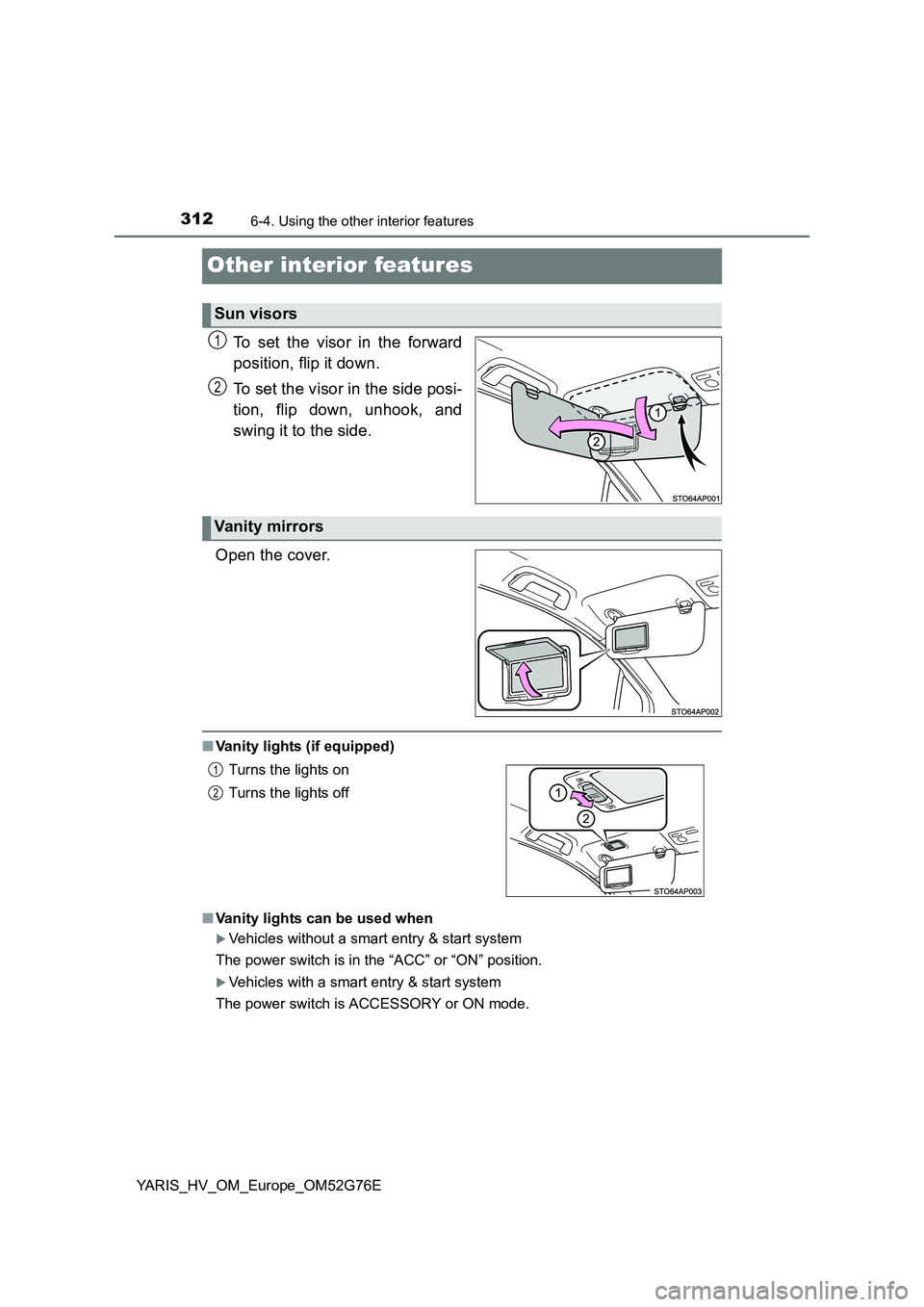
To set the visor in the forward
position, flip it down.
To set the visor in the side posi-
tion, flip down, unhook, and
swing it to the side.
Open the cover.
■ Vanity lights (if equipped)
■ Vanity lights can be used when
Vehicles without a smart entry & start system
The power switch is in the “ACC” or “ON” position.
Vehicles with a smart entry & start system
The power switch is ACCESSORY or ON mode.
Sun visors
1
2
Vanity mirrors
Turns the lights on
Turns the lights off
1
2
Page 314 of 504
3146-4. Using the other interior features
YARIS_HV_OM_Europe_OM52G76E
■The cigarette lighter can be used when
Vehicles without a smart entry & start system
The power switch is in the “ACC” or “ON” position.
Vehicles with a smart entry & start system
The power switch is in ACCESSORY or ON mode.
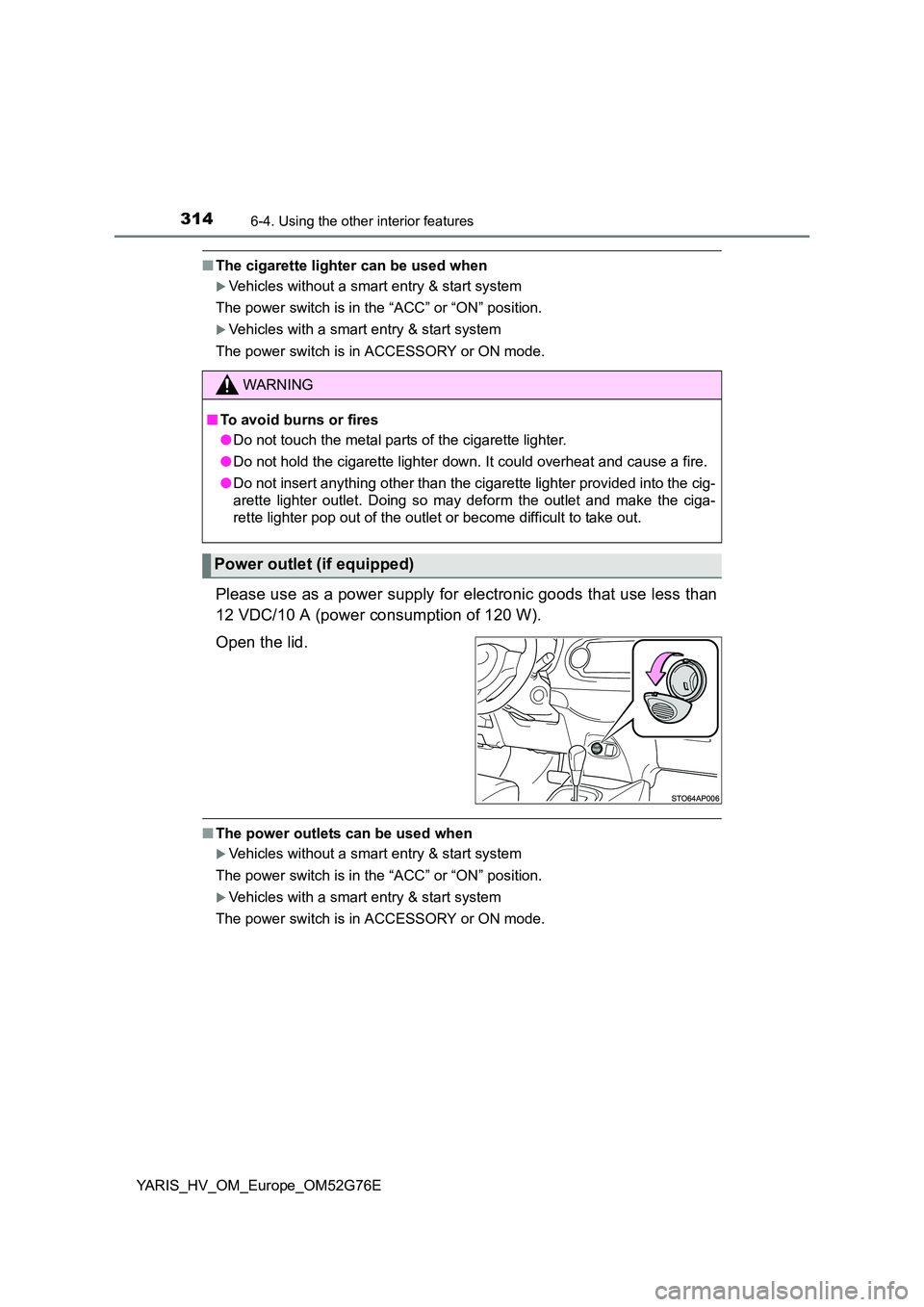
Please use as a power supply for electronic goods that use less than
12 VDC/10 A (power consumption of 120 W).
Open the lid.
■ The power outlets can be used when
Vehicles without a smart entry & start system
The power switch is in the “ACC” or “ON” position.
Vehicles with a smart entry & start system
The power switch is in ACCESSORY or ON mode.
WARNING
■ To avoid burns or fires
● Do not touch the metal parts of the cigarette lighter.
● Do not hold the cigarette lighter down. It could overheat and cause a fire.
● Do not insert anything other than the cigarette lighter provided into the cig-
arette lighter outlet. Doing so may deform the outlet and make the ciga-
rette lighter pop out of the outlet or become difficult to take out.
Power outlet (if equipped)
Page 345 of 504
3457-3. Do-it-yourself maintenance
7
Maintenance and care
YARIS_HV_OM_Europe_OM52G76E
■Before recharging
When recharging, the 12-volt battery produces hydrogen gas which is flam-
mable and explosive. Therefore, obser ve the following precautions before
recharging:
● If recharging with the 12-volt battery installed on the vehicle, be sure to dis-
connect the ground cable.
● Make sure the power switch on the charger is off when connecting and dis-
connecting the charger cables to the 12-volt battery.
■ When disconnecting the 12-volt battery terminals
Always disconnect the negative (-) terminal first.
■ After recharging/reconnecting the 12-volt battery
● Unlocking the doors using entry function of the smart entry & start system
may not be possible immediately after reconnecting the 12-volt battery. If
this happens, use the wireless remote control or the mechanical key to lock/
unlock the doors.
● Vehicles with a smart entry & start system: Start the hybrid system with the
power switch in ACCESSORY mode. The hybrid system may not start with
the power switch turned off. However, the hybrid system will operate nor-
mally from the second attempt.
● Vehicles with a smart entry & start system: The power switch mode is
recorded by the vehicle. If the 12-volt battery is reconnected, the vehicle will
return the power switch mode to the status it was in before the 12-volt bat-
tery was disconnected. Make sure to turn off the power before disconnect
the 12-volt battery. Take extra care when connecting the 12-volt battery if
the power switch mode prior to discharge is unknown.
If the system will not start even after multiple attempts, contact any authorized
Toyota dealer or repairer, or another duly qualified and equipped professional.
Page 447 of 504
4478-2. Steps to take in an emergency
8
When trouble arises
YARIS_HV_OM_Europe_OM52G76E
One of the following may be the cause of the problem:
● The 12-volt battery may be discharged. (P. 450)
● One or both of the 12-volt battery terminals may be disconnected.
( P. 343)
Contact any authorized Toyota dealer or repairer, or another duly qualified
and equipped professional if the problem cannot be repaired, or if repair
procedures are unknown.
When the hybrid system does not start, the following steps can be
used as an interim measure to start the hybrid system if the power
switch is functioning normally.
Do not use this starting procedure except in cases of emergency.
Set the parking brake.
Shift the shift lever to P.
Turn the power switch to ACCESSORY mode.
Press and hold the power switch for about 15 seconds while
depressing the brake pedal firmly.
Even if the hybrid system can be started using the above steps, the
system may be malfunctioning. Have the vehicle inspected by any
authorized Toyota dealer or repairer, or another duly qualified and
equipped professional.
The Interior lights and headlights do not turn on, or the horn
does not sound.
Emergency start function (vehicles with a smart entry & start
system)
1
2
3
4
Page 449 of 504
4498-2. Steps to take in an emergency
8
When trouble arises
YARIS_HV_OM_Europe_OM52G76E
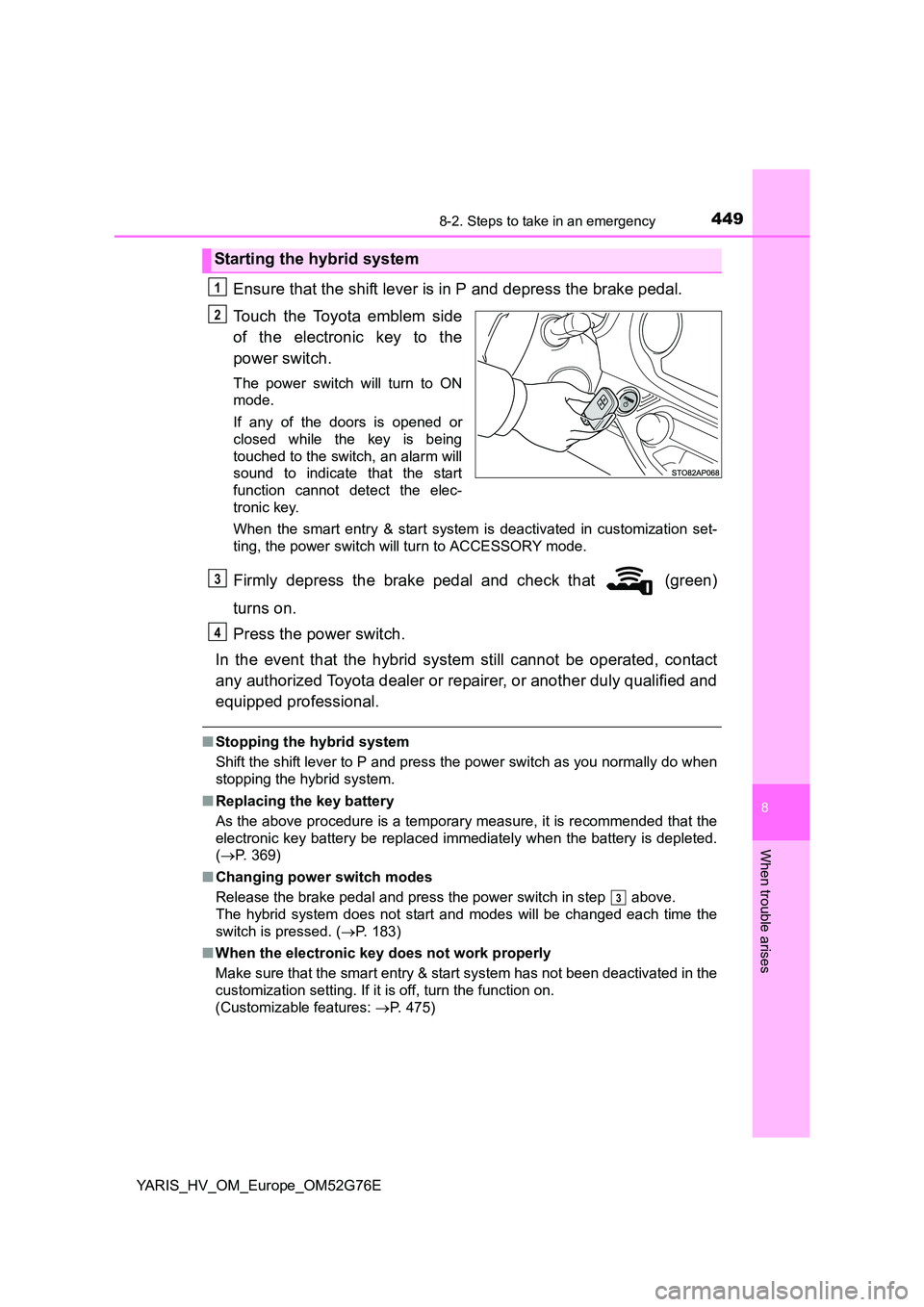
Ensure that the shift lever is in P and depress the brake pedal.
Touch the Toyota emblem side
of the electronic key to the
power switch.
The power switch will turn to ON
mode.
If any of the doors is opened or
closed while the key is being
touched to the switch, an alarm will
sound to indicate that the start
function cannot detect the elec-
tronic key.
When the smart entry & start system is deactivated in customization set-
ting, the power switch will turn to ACCESSORY mode.
Firmly depress the brake pedal and check that (green)
turns on.
Press the power switch.
In the event that the hybrid system still cannot be operated, contact
any authorized Toyota dealer or repairer, or another duly qualified and
equipped professional.
■ Stopping the hybrid system
Shift the shift lever to P and press the power switch as you normally do when
stopping the hybrid system.
■ Replacing the key battery
As the above procedure is a temporary measure, it is recommended that the
electronic key battery be replaced immediately when the battery is depleted.
( P. 369)
■ Changing power switch modes
Release the brake pedal and press the power switch in step above.
The hybrid system does not start and modes will be changed each time the
switch is pressed. ( P. 183)
■ When the electronic key does not work properly
Make sure that the smart entry & start system has not been deactivated in the
customization setting. If it is off, turn the function on.
(Customizable features: P. 475)
Starting the hybrid system
1
2
3
4
3
Page 453 of 504
4538-2. Steps to take in an emergency
8
When trouble arises
YARIS_HV_OM_Europe_OM52G76E
■ Precautions when the 12-volt battery is discharged
● In some cases, it may not be possible to unlock the doors using entry func-
tion of the smart entry & start system immediately after the 12-volt battery
has been disconnected and reconnected. Use the wireless remote control
or the mechanical key to lock or unlock the doors.
● The hybrid system may not start on the first attempt after the 12-volt battery
has recharged but will start normally after the second attempt. This is not a
malfunction.
● Vehicles with a smart entry & start system: The power switch mode is mem-
orized by the vehicle. When the 12-volt battery is reconnected, the system
will return to the mode it was in before the 12-volt battery was discharged.
Before disconnecting the 12-volt battery, turn the power switch off. If the
power switch was in ACCESSORY or ON mode before the 12-volt battery
was discharged, the audio system and/or air conditioning system may oper-
ate when the 12-volt battery is reconnected.
WARNING
■ Avoiding 12-volt battery fires or explosions
Observe the following precautions to prevent accidentally igniting the flam-
mable gas that may be emitted from the 12-volt battery:
● Make sure each jumper cable is connected to the correct terminal and that
it is not unintentionally in contact with anything other than the intended ter-
minal.
● Do not allow the other end of the jumper cable connected to the “+” termi-
nal to come into contact with any other parts or metal surfaces in the area,
such as brackets or unpainted metal.
● Do not allow the + and - clamps of the jumper cables to come into contact
with each other.
● Do not smoke, use matches, cigarette lighters or allow open flame near
the 12-volt battery.
■ After recharging the 12-volt battery
Have the 12-volt battery inspected at any authorized Toyota dealer or
repairer, or another duly qualified and equipped professional as soon as
possible. If the 12-volt battery is deteriorating, continued use may cause the
12-volt battery to emit a malodorous gas, which may be detrimental to the
health of passengers.
Page 491 of 504
491Alphabetical index
YARIS_HV_OM_Europe_OM52G76E
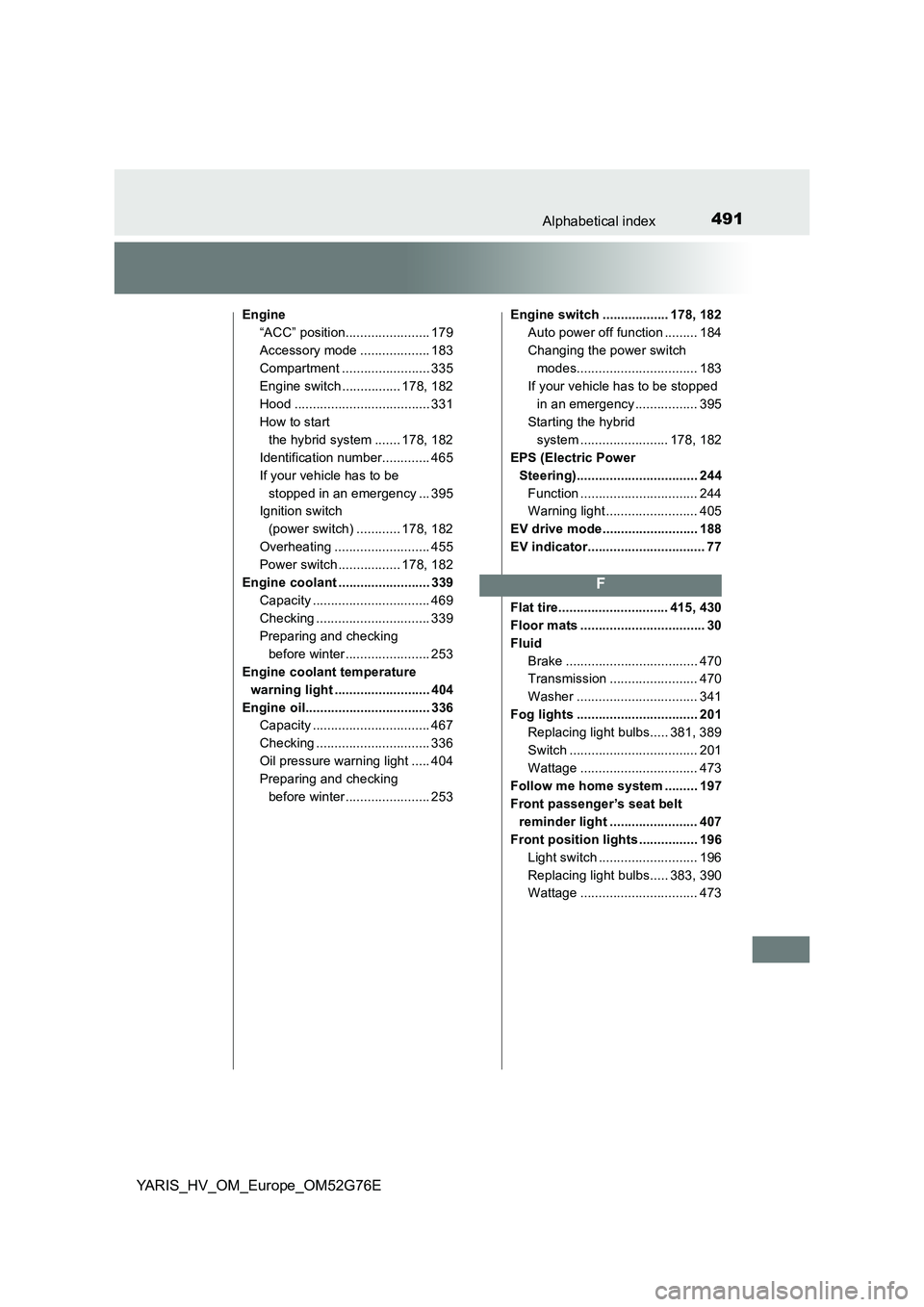
Engine
“ACC” position....................... 179
Accessory mode ................... 183
Compartment ........................ 335
Engine switch ................ 178, 182
Hood ..................................... 331
How to start
the hybrid system ....... 178, 182
Identification number............. 465
If your vehicle has to be
stopped in an emergency ... 395
Ignition switch
(power switch) ............ 178, 182
Overheating .......................... 455
Power switch ................. 178, 182
Engine coolant ......................... 339
Capacity ................................ 469
Checking ............................... 339
Preparing and checking
before winter....................... 253
Engine coolant temperature
warning light .......................... 404
Engine oil.................................. 336
Capacity ................................ 467
Checking ............................... 336
Oil pressure warning light ..... 404
Preparing and checking
before winter....................... 253
Engine switch .................. 178, 182
Auto power off function ......... 184
Changing the power switch
modes................................. 183
If your vehicle has to be stopped
in an emergency................. 395
Starting the hybrid
system ........................ 178, 182
EPS (Electric Power
Steering)................................. 244
Function ................................ 244
Warning light ......................... 405
EV drive mode.......................... 188
EV indicator................................ 77
Flat tire.............................. 415, 430
Floor mats .................................. 30
Fluid
Brake .................................... 470
Transmission ........................ 470
Washer ................................. 341
Fog lights ................................. 201
Replacing light bulbs..... 381, 389
Switch ................................... 201
Wattage ................................ 473
Follow me home system ......... 197
Front passenger’s seat belt
reminder light ........................ 407
Front position lights ................ 196
Light switch ........................... 196
Replacing light bulbs..... 383, 390
Wattage ................................ 473
F