accessory mode TOYOTA YARIS HYBRID 2017 Owners Manual
[x] Cancel search | Manufacturer: TOYOTA, Model Year: 2017, Model line: YARIS HYBRID, Model: TOYOTA YARIS HYBRID 2017Pages: 504, PDF Size: 31.33 MB
Page 84 of 504
841-3. Theft deterrent system
YARIS_HV_OM_Europe_OM52G76E
Immobilizer system
Vehicles without a smart entry & start system
The system begins operating after the key has been removed from
the power switch. The system is canceled after the registered key has
been inserted into the power switch.
Vehicles with a smart entry & start system
The system begins operating after the power switch has been turned
off. The system is canceled after the power switch has been turned to
ACCESSORY or ON mode.
■ System maintenance
The vehicle has a maintenance-free type immobilizer system.
■ Conditions that may cause the system to malfunction
● If the grip portion of the key is in contact with a metallic object
● If the key is in close proximity to or touching a key to the security system
(key with a built-in transponder chip) of another vehicle
The vehicle’s keys have built-in transponder chips that prevent
the hybrid system from starting if a key has not been previously
registered in the vehicle’s on-board computer.
Never leave the keys inside the vehicle when you leave the vehi-
cle.
This system is designed to help prevent vehicle theft but does
not guarantee absolute security against all vehicle thefts.
Page 126 of 504
1263-2. Opening, closing and locking the doors
YARIS_HV_OM_Europe_OM52G76E
Move the inside lock button to the lock position.
Close the door while pulling the door handle.
Vehicles without a smart entry & start system
The door cannot be locked if the key is in the power switch.
Vehicles with a smart entry & start system
The door cannot be locked if the power switch is in ACCESSORY or
ON mode, or the electronic key is left inside the vehicle. However, the
key may not be detected correctly and the door may be locked.
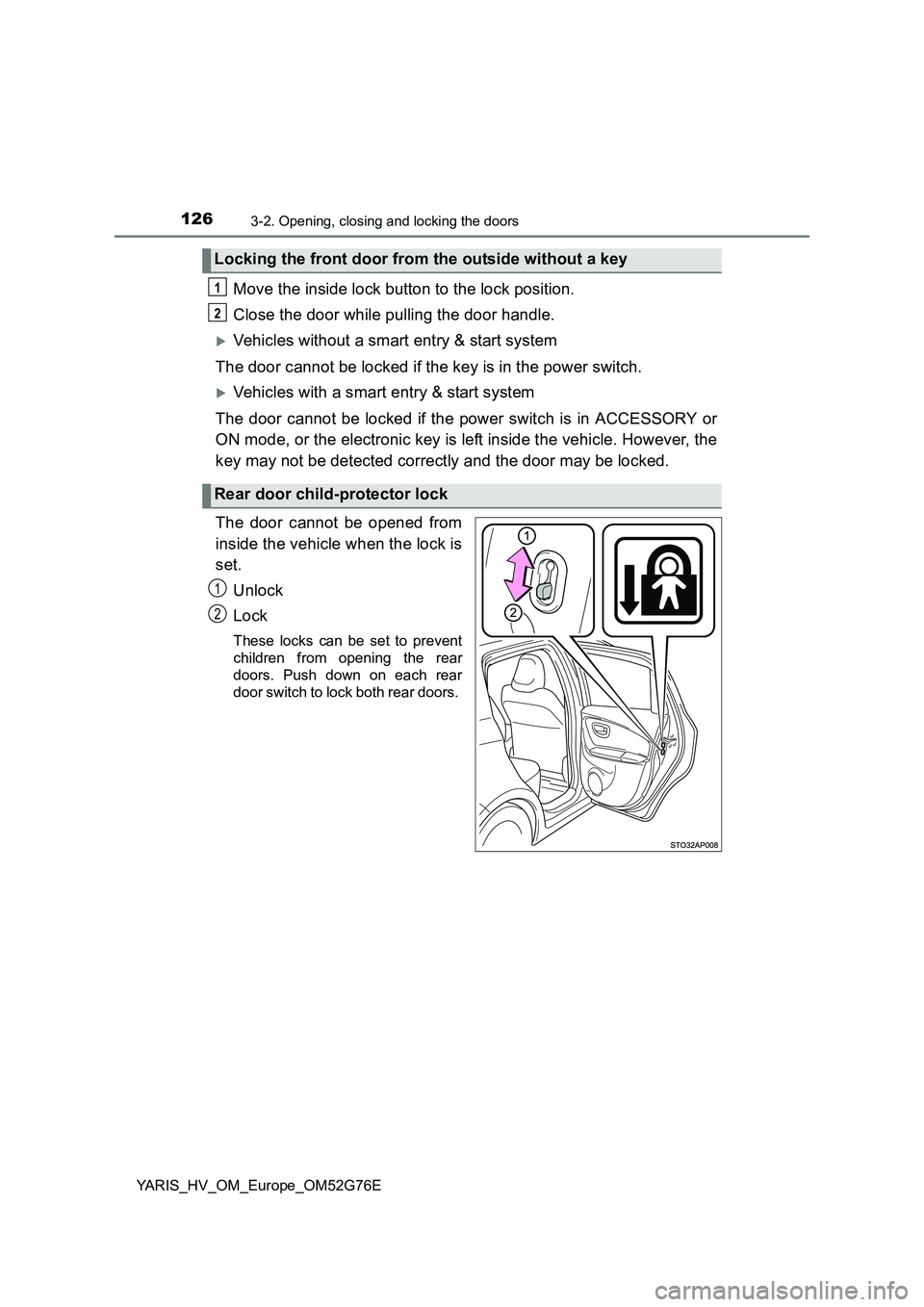
The door cannot be opened from
inside the vehicle when the lock is
set.
Unlock
Lock
These locks can be set to prevent
children from opening the rear
doors. Push down on each rear
door switch to lock both rear doors.
Locking the front door from the outside without a key
Rear door child-protector lock
1
2
1
2
Page 136 of 504
1363-2. Opening, closing and locking the doors
YARIS_HV_OM_Europe_OM52G76E
■ Battery-saving function (vehicles with an entry function)
The battery-saving function will be activated in order to prevent the electronic
key battery and the vehicle battery from being discharged while the vehicle is
not in operation for a long time.
● In the following situations, the smart entry & start system may take some
time to unlock the doors.
• The electronic key has been left in an area of approximately 2 m (6 ft.) of
the outside of the vehicle for 10 minutes or longer.
• The smart entry & start system has not been used for 5 days or longer.
● If the smart entry & start system has not been used for 14 days or longer,
the doors cannot be unlocked at any doors except the driver’s door.
In this case, take hold of the driver’s door handle, or use the wireless remote
control or the mechanical key, to unlock the doors.
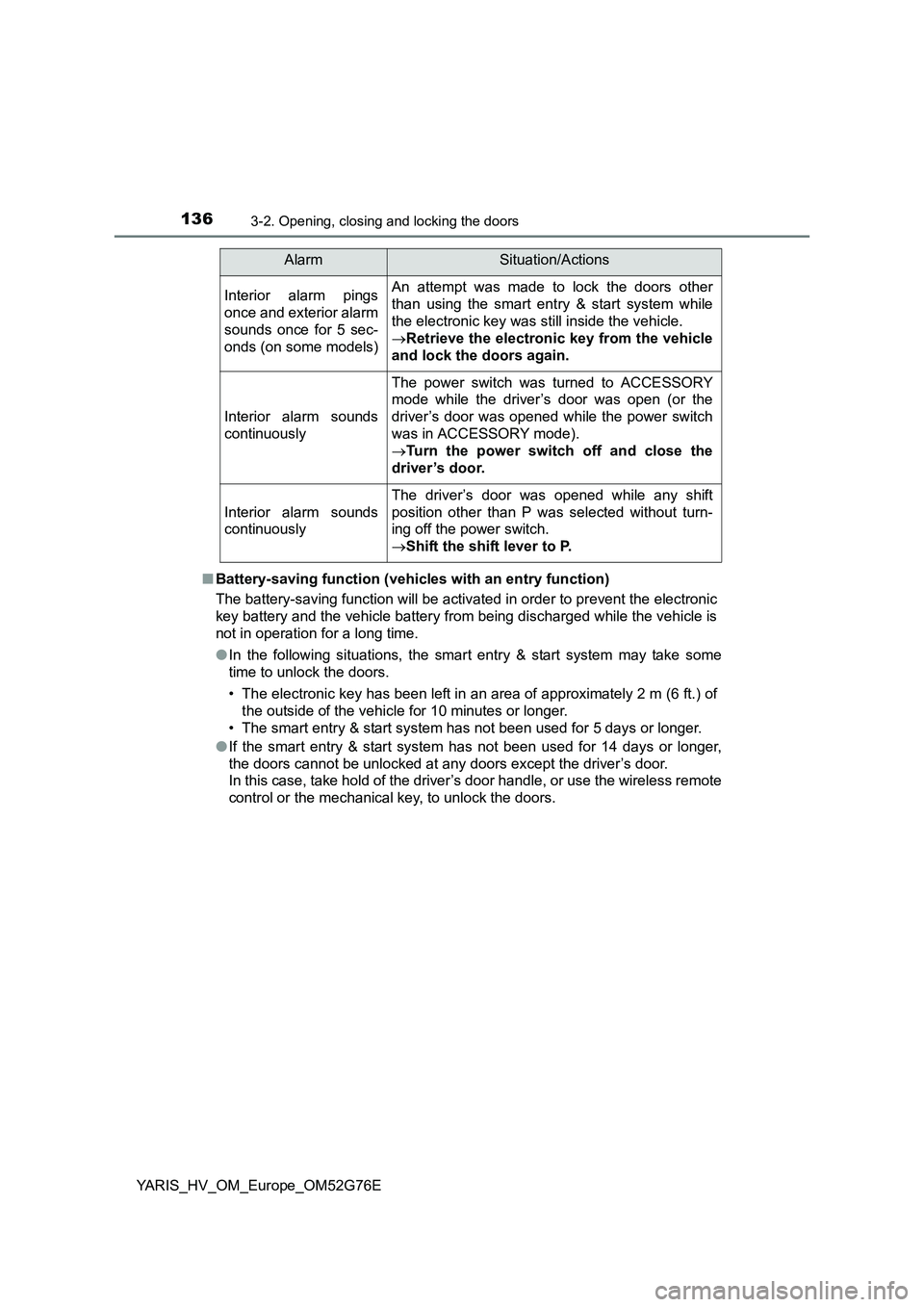
Interior alarm pings
once and exterior alarm
sounds once for 5 sec-
onds (on some models)
An attempt was made to lock the doors other
than using the smart entry & start system while
the electronic key was still inside the vehicle.
Retrieve the electronic key from the vehicle
and lock the doors again.
Interior alarm sounds
continuously
The power switch was turned to ACCESSORY
mode while the driver’s door was open (or the
driver’s door was opened while the power switch
was in ACCESSORY mode).
Turn the power switch off and close the
driver’s door.
Interior alarm sounds
continuously
The driver’s door was opened while any shift
position other than P was selected without turn-
ing off the power switch.
Shift the shift lever to P.
AlarmSituation/Actions
Page 138 of 504
1383-2. Opening, closing and locking the doors
YARIS_HV_OM_Europe_OM52G76E
■ Notes for the entry function (vehicles with an entry function)
● Even when the electronic key is within the effective range (detection areas),
the system may not operate properly in the following case:
• The electronic key is too close to the window or outside door handle, near
the ground, or in a high place w hen the doors are locked or unlocked.
● Do not leave the electronic key on top of the instrument panel or near the
door pockets when exiting the vehicle. Depending on the radio wave recep-
tion conditions, it may be detected by the antenna outside the cabin and the
door will become lockable from the outside, possibly trapping the electronic
key inside the vehicle.
● As long as the electronic key is within the effective range, the doors may be
locked or unlocked by anyone.
● The doors may unlock if a large amount of water splashes on the door han-
dle, such as in the rain or in a car wash when the electronic key is within the
effective range. (The door will automatically be locked after approximately
30 seconds if the doors are not opened and closed.)
● Gripping the door handle when wearing a glove may not unlock the door.
● If the wireless remote control is used to lock the doors when the electronic
key is near the vehicle, there is a possibility that the door may not be
unlocked by the entry function. (Use the wireless remote control to unlock
the doors.)
● A sudden approach to the effective range or door handle may prevent the
doors from being unlocked. In this case, return the door handle to the origi-
nal position and check that the doors unlock before pulling the door handle
again.
■ Notes for the start function
● Even when the electronic key is within the effective range (detection areas),
the system may not operate properly in the following case:
• The electronic key is on the inst rument panel, luggage cover (if equipped)
or floor, or in the door pockets, glove box, accessory box of the instru-
ment panel, or in/near the front cup holder when the hybrid system is
started or power switch modes are changed.
● Even if the electronic key is not inside the vehicle, it may be possible to start
the hybrid system if the electronic key is near the window.
Page 160 of 504
1603-4. Adjusting the steering wheel and mirrors
YARIS_HV_OM_Europe_OM52G76E
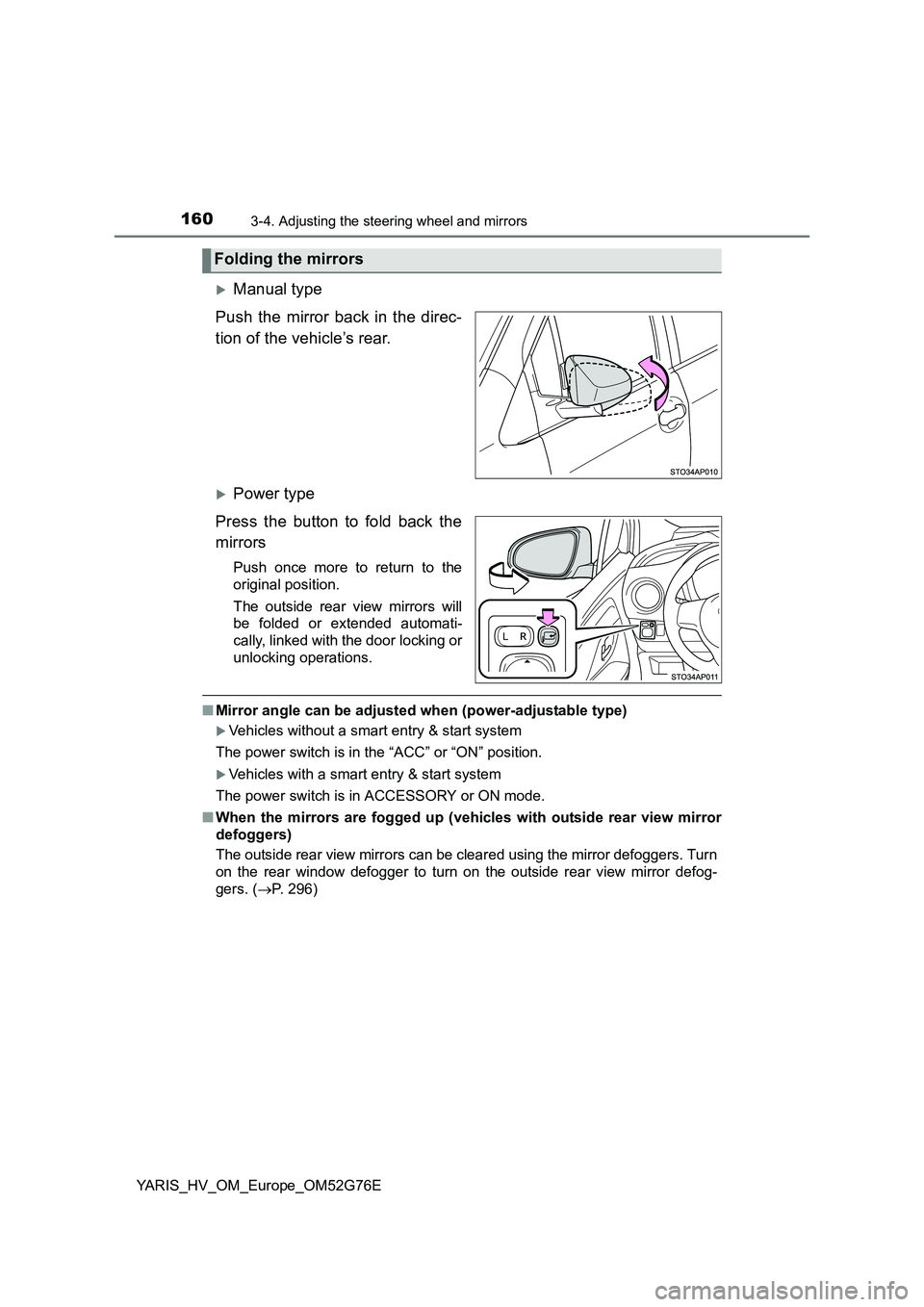
Manual type
Push the mirror back in the direc-
tion of the vehicle’s rear.
Power type
Press the button to fold back the
mirrors
Push once more to return to the
original position.
The outside rear view mirrors will
be folded or extended automati-
cally, linked with the door locking or
unlocking operations.
■ Mirror angle can be adjusted when (power-adjustable type)
Vehicles without a smart entry & start system
The power switch is in the “ACC” or “ON” position.
Vehicles with a smart entry & start system
The power switch is in ACCESSORY or ON mode.
■ When the mirrors are fogged up (vehicles with outside rear view mirror
defoggers)
The outside rear view mirrors can be cleared using the mirror defoggers. Turn
on the rear window defogger to turn on the outside rear view mirror defog-
gers. ( P. 296)
Folding the mirrors
Page 163 of 504
1633-5. Opening and closing the windows
3
Operation of each component
YARIS_HV_OM_Europe_OM52G76E
■The power windows can be operated when
Vehicles without a smart entry & start system
The power switch is in the “ON” position.
Vehicles with a smart entry & start system
The power switch is in ON mode.
■ Operating the power windows after turning the hybrid system off
Vehicles without a smart entry & start system
The power windows can be operated for approximately 45 seconds even
after the power switch is turned to the “ACC” or “LOCK” position. They can-
not, however, be operated once either front door is opened.
Vehicles with a smart entry & start system
The power windows can be operated for approximately 45 seconds even
after the power switch is turned to ACCESSORY mode or turned off. They
cannot, however, be operated once either front door is opened.
■ Jam protection function (driver’s window only)
If an object becomes caught between the window and the window frame, win-
dow travel is stopped and the window is opened slightly.
Page 183 of 504
1834-2. Driving procedures
4
Driving
YARIS_HV_OM_Europe_OM52G76E
Stop the vehicle.
Set the parking brake ( P. 195), and shift the shift lever to P.
Press the power switch.
Release the brake pedal and check that the smart entry & start sys-
tem indicator (green) is off.
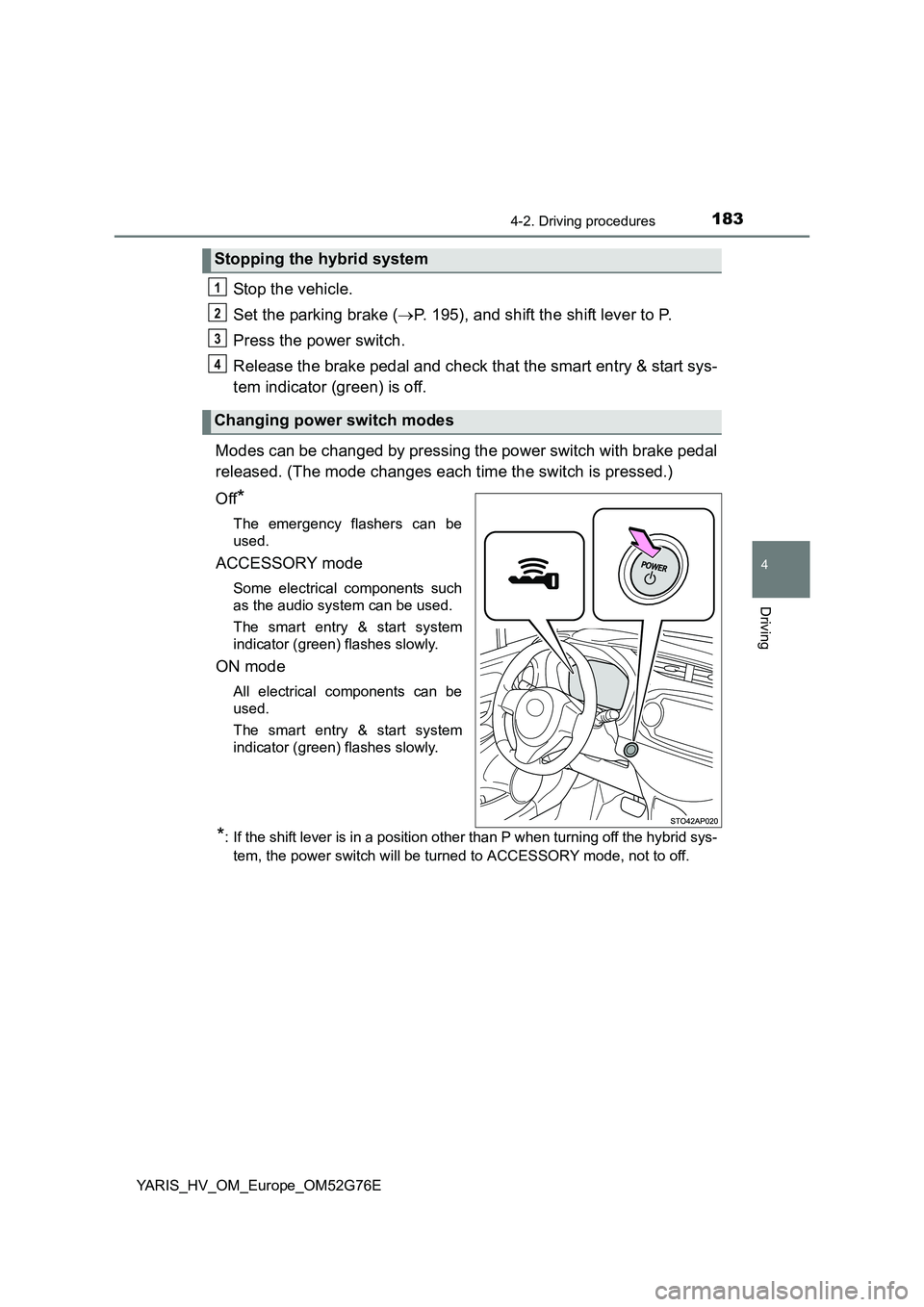
Modes can be changed by pressing the power switch with brake pedal
released. (The mode changes each time the switch is pressed.)
Off*
The emergency flashers can be
used.
ACCESSORY mode
Some electrical components such
as the audio system can be used.
The smart entry & start system
indicator (green) flashes slowly.
ON mode
All electrical components can be
used.
The smart entry & start system
indicator (green) flashes slowly.
*: If the shift lever is in a position other than P when turning off the hybrid sys-
tem, the power switch will be turned to ACCESSORY mode, not to off.
Stopping the hybrid system
Changing power switch modes
1
2
3
4
Page 184 of 504
1844-2. Driving procedures
YARIS_HV_OM_Europe_OM52G76E
If the hybrid system is stopped with the shift lever in a position other
than P, the power switch will not be turned off but instead be turned to
ACCESSORY mode. Perform the following procedure to turn the
switch off:
Check that the parking brake is set.
Shift the shift lever to P.
Check that the smart entry & start system indicator (green) flashes
slowly and then press the power switch once.
Check that the smart entry & start system indicator (green) is off.
■ Auto power off function
If the vehicle is left in ACCESSORY mode for more than 20 minutes or ON
mode (the hybrid system is not operating) for more than an hour with the shift
lever in P, the power switch will automatically turn off. However, this function
cannot entirely prevent 12-volt battery discharge. Do not leave the vehicle
with the power switch in ACCESSORY or ON mode for long periods of time
when the hybrid system is not operating.
■ Sounds and vibrations specific to a hybrid vehicle
P. 7 8
■ Electronic key battery depletion
P. 11 3
■ When the ambient temperature is low, such as during winter driving con-
ditions
When starting the hybrid system, the fl ashing time of the “READY” indicator
may be long. Leave the vehicle as it is until the “READY” indicator is steady
on, as steady means the vehicle is able to move.
■ Conditions affecting operation
P. 137
■ Notes for the start function
P. 138
When stopping the hybrid system with the shift lever in a posi-
tion other than P
1
2
3
4
Page 187 of 504
1874-2. Driving procedures
4
Driving
YARIS_HV_OM_Europe_OM52G76E
NOTICE
■To prevent 12-volt battery discharge
● Do not leave the power switch in ACCESSORY or ON mode for long peri-
ods of time without the hybrid system on.
● If the smart entry & start system indicator (green) is illuminated, the power
switch is not off. Exit the vehicle after turning the power switch off.
● Do not stop the hybrid system when the shift lever is in a position other
than P. If the hybrid system is stopped in another shift lever position, the
power switch will not be turned off but instead be turned to ACCESSORY
mode. If the vehicle is left in ACCESSORY mode, 12-volt battery dis-
charge may occur.
■ When starting the hybrid system
If the hybrid system becomes difficult to start, have your vehicle checked by
any authorized Toyota dealer or repairer, or another duly qualified and
equipped professional immediately.
■ Symptoms indicating a malfunction with the power switch
If the power switch seems to be operating somewhat differently than usual,
such as the switch sticking slightly, there may be a malfunction.
Contact any authorized Toyota dealer or repairer, or another duly qualified
and equipped professional immediately.
Page 199 of 504
1994-3. Operating the lights and wipers
4
Driving
YARIS_HV_OM_Europe_OM52G76E
■Daytime running light system
To make your vehicle more visible to other drivers during daytime driving, the
daytime running lights turn on automatically whenever the hybrid system is
operated and the parking brake is released with the headlight switch off or in
the “AUTO” position. (Illuminate bright er than the front position lights.) Day-
time running lights are not designed for use at night.
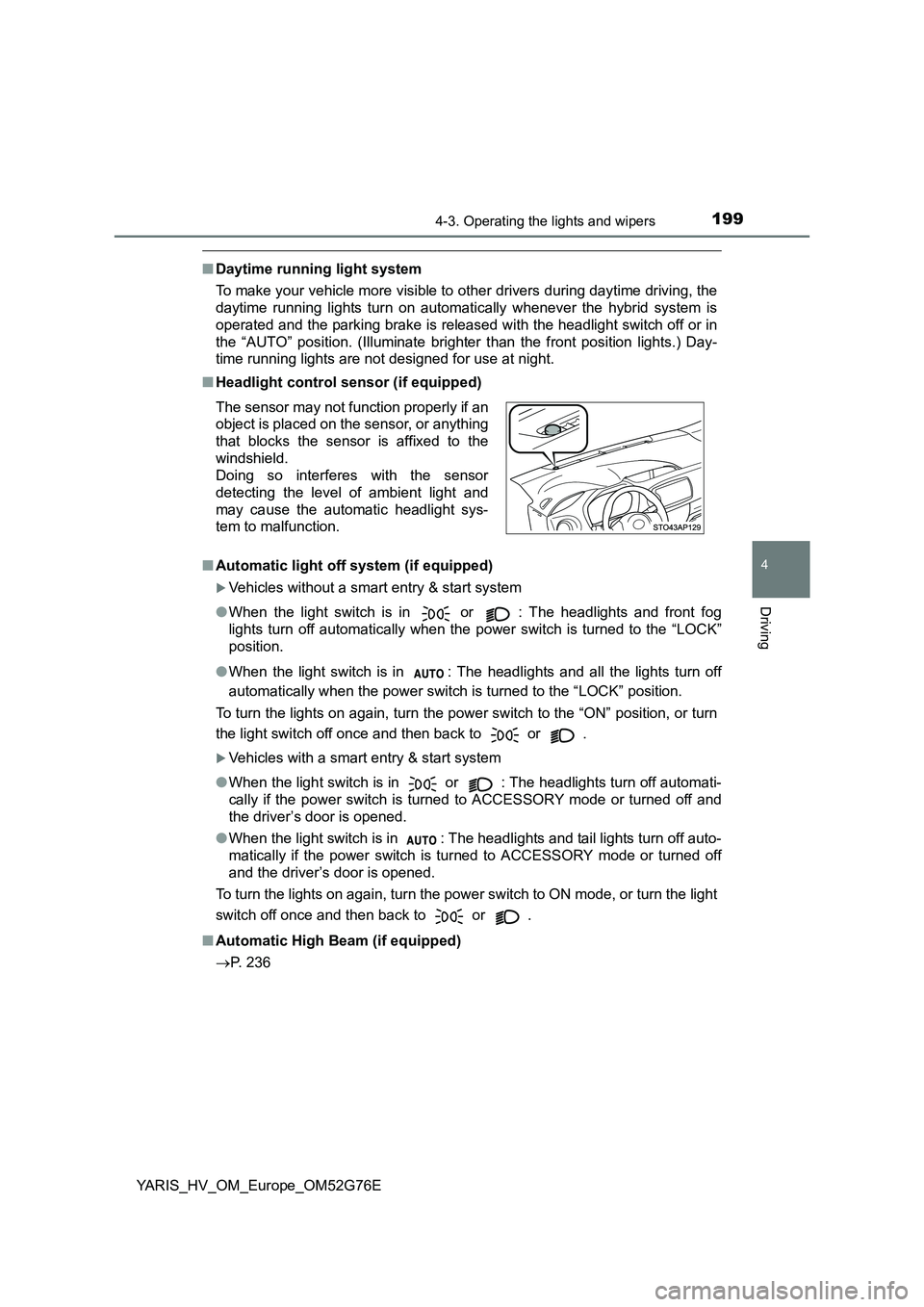
■ Headlight control sensor (if equipped)
■ Automatic light off system (if equipped)
Vehicles without a smart entry & start system
● When the light switch is in or : The headlights and front fog
lights turn off automatically when the power switch is turned to the “LOCK”
position.
● When the light switch is in : The headlights and all the lights turn off
automatically when the power switch is turned to the “LOCK” position.
To turn the lights on again, turn the power switch to the “ON” position, or turn
the light switch off once and then back to or .
Vehicles with a smart entry & start system
● When the light switch is in or : The headlights turn off automati-
cally if the power switch is tur ned to ACCESSORY mode or turned off and
the driver’s door is opened.
● When the light switch is in : The headlights and tail lights turn off auto-
matically if the power switch is turned to ACCESSORY mode or turned off
and the driver’s door is opened.
To turn the lights on again, turn the power switch to ON mode, or turn the light
switch off once and then back to or .
■ Automatic High Beam (if equipped)
P. 236
The sensor may not function properly if an
object is placed on the sensor, or anything
that blocks the sensor is affixed to the
windshield.
Doing so interferes with the sensor
detecting the level of ambient light and
may cause the automatic headlight sys-
tem to malfunction.