display TOYOTA YARIS HYBRID 2017 Owner's Manual
[x] Cancel search | Manufacturer: TOYOTA, Model Year: 2017, Model line: YARIS HYBRID, Model: TOYOTA YARIS HYBRID 2017Pages: 504, PDF Size: 31.33 MB
Page 265 of 504
![TOYOTA YARIS HYBRID 2017 Owners Manual 2655-3. Using the radio
5
Audio system
YARIS_HV_OM_Europe_OM52G76E
Search for a desired station by turning or pressing “” or “”
on .
Press and hold the button (from [1] to [6]) t](/img/14/60942/w960_60942-264.png "TOYOTA YARIS HYBRID 2017 Owners Manual 2655-3. Using the radio
5
Audio system
YARIS_HV_OM_Europe_OM52G76E
Search for a desired station by turning or pressing “” or “”
on .
Press and hold the button (from [1] to [6]) t")
2655-3. Using the radio
5
Audio system
YARIS_HV_OM_Europe_OM52G76E
Search for a desired station by turning or pressing “” or “”
on .
Press and hold the button (from [1] to [6]) the station
is to be set to until you hear a beep.
■Updating the station list
Press .
The station list will be displayed.
Press (UPDATE) to update the list.
“Updating” is displayed while the searching is in process, and then avail-
able stations will be listed on the display.
To cancel the updating process, press .
■Selecting a station from the station list
Press .
The station list will be displayed.
Turn to select a station.
Press to tune in the station.
To return to the previous display, press .
Setting station presets
Using the station list
1
2
1
2
1
2
3
Page 269 of 504
269
5
5-4. Playing audio CDs and MP3/WMA discs
Audio system
YARIS_HV_OM_Europe_OM52G76E
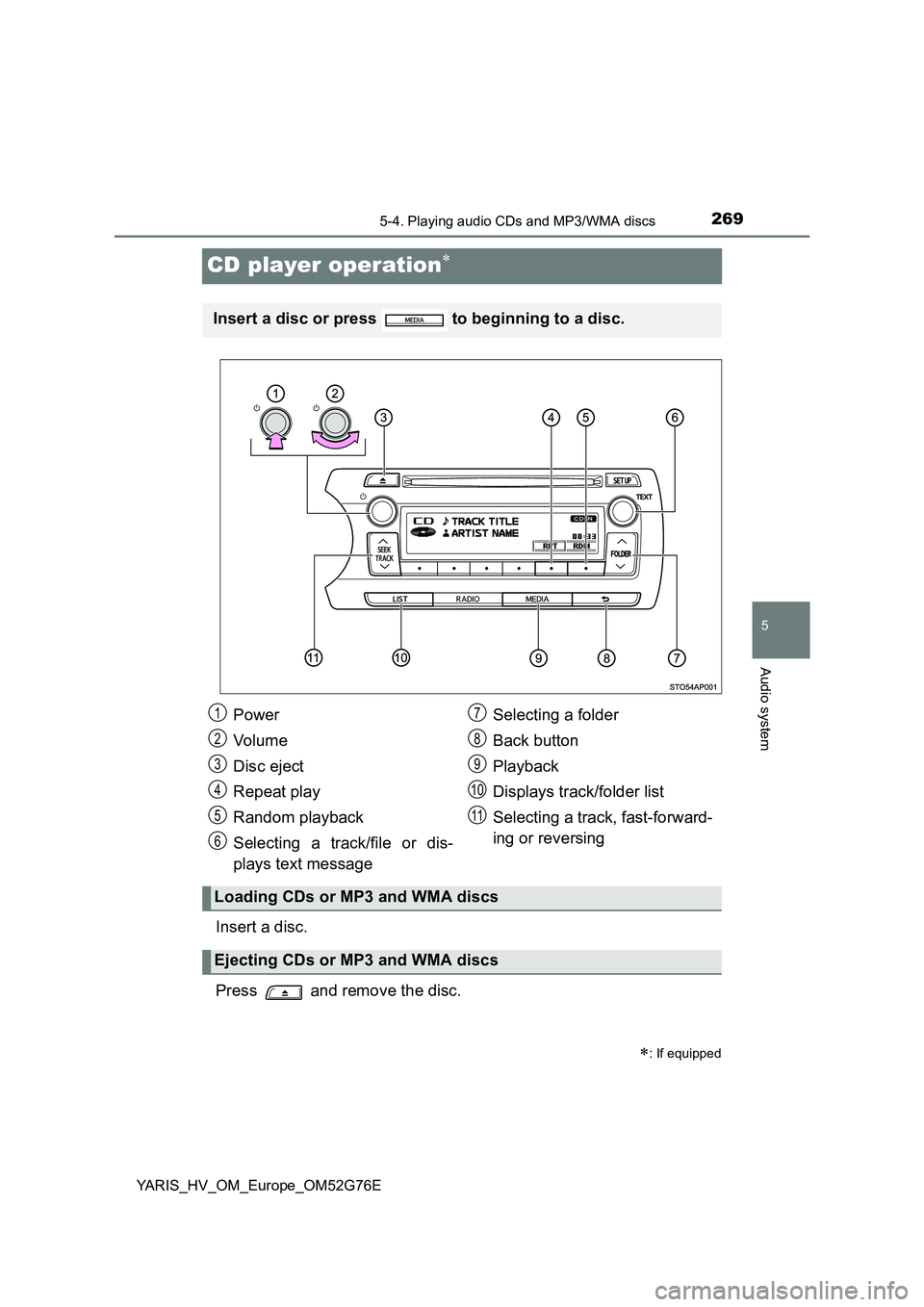
CD player operation
Insert a disc.
Press and remove the disc.
: If equipped
Insert a disc or press to beginning to a disc.
Power
Vo lu m e
Disc eject
Repeat play
Random playback
Selecting a track/file or dis-
plays text message
Selecting a folder
Back button
Playback
Displays track/folder list
Selecting a track, fast-forward-
ing or reversing
Loading CDs or MP3 and WMA discs
Ejecting CDs or MP3 and WMA discs
1
2
3
4
5
6
7
8
9
10
11
Page 270 of 504
2705-4. Playing audio CDs and MP3/WMA discs
YARIS_HV_OM_Europe_OM52G76E
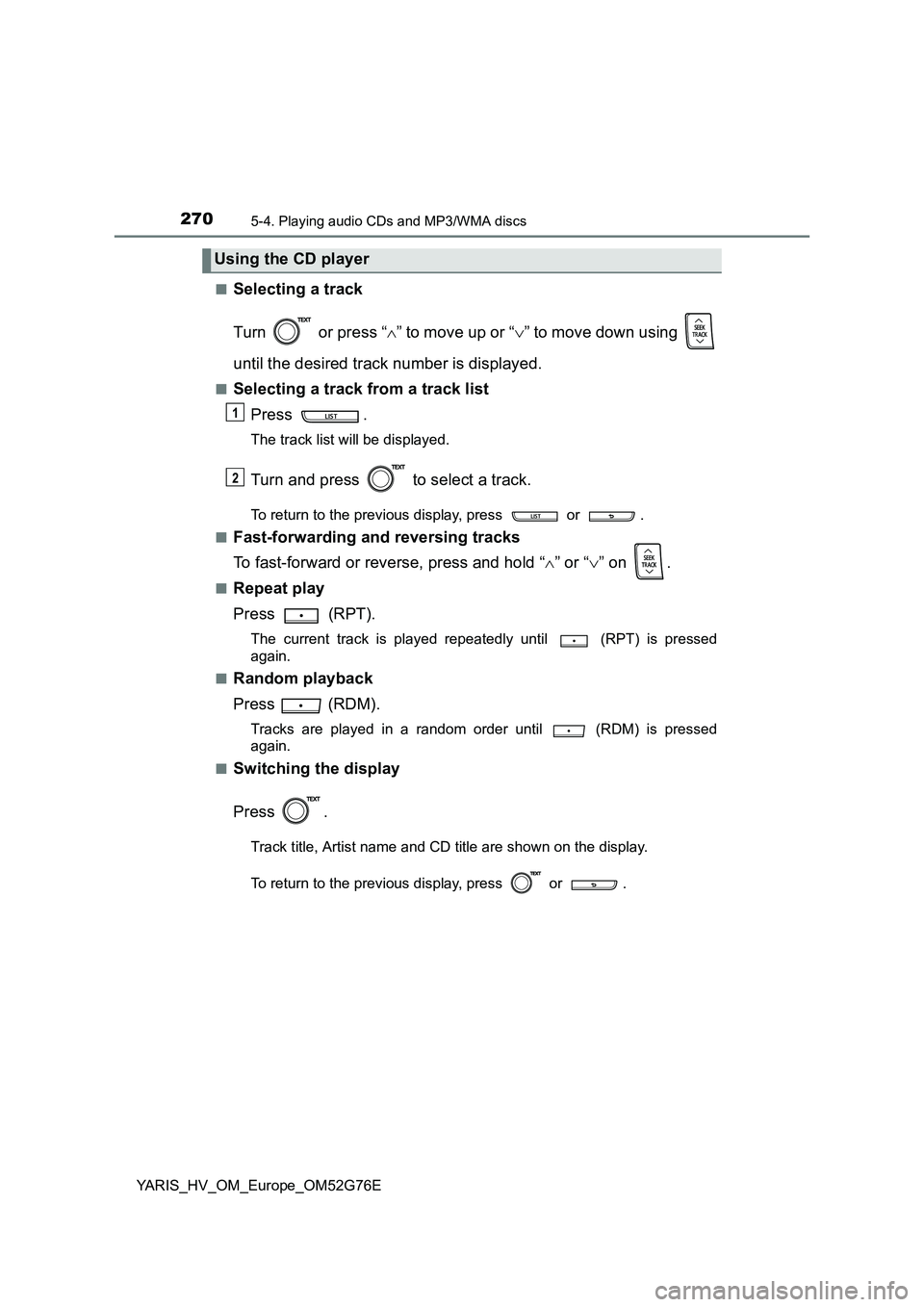
■Selecting a track
Turn or press “ ” to move up or “” to move down using
until the desired track number is displayed.
■Selecting a track from a track list
Press .
The track list will be displayed.
Turn and press to select a track.
To return to the previous display, press or .
■Fast-forwarding and reversing tracks
To fast-forward or reverse, press and hold “ ” or “” on .
■Repeat play
Press (RPT).
The current track is played repeatedly until (RPT) is pressed
again.
■Random playback
Press (RDM).
Tracks are played in a random order until (RDM) is pressed
again.
■Switching the display
Press .
Track title, Artist name and CD title are shown on the display.
To return to the previous display, press or .
Using the CD player
1
2
Page 271 of 504
2715-4. Playing audio CDs and MP3/WMA discs
5
Audio system
YARIS_HV_OM_Europe_OM52G76E
■Selecting a folders one at a time
Press “ ” or “” on to select the desired folder.
■Selecting a folder and file from folder list
Press .
The folder list will be displayed.
Turn and press to select a folder and a file.
To return to the previous display, press .
To exit, press .
■Returning to the first folder
Press and hold “ ” on until you hear a beep.
■Selecting files
Turn or press “ ” or “” on to select the desired file.
■Fast-forwarding and reversing files
To fast-forward or reverse, press and hold “ ” or “” on .
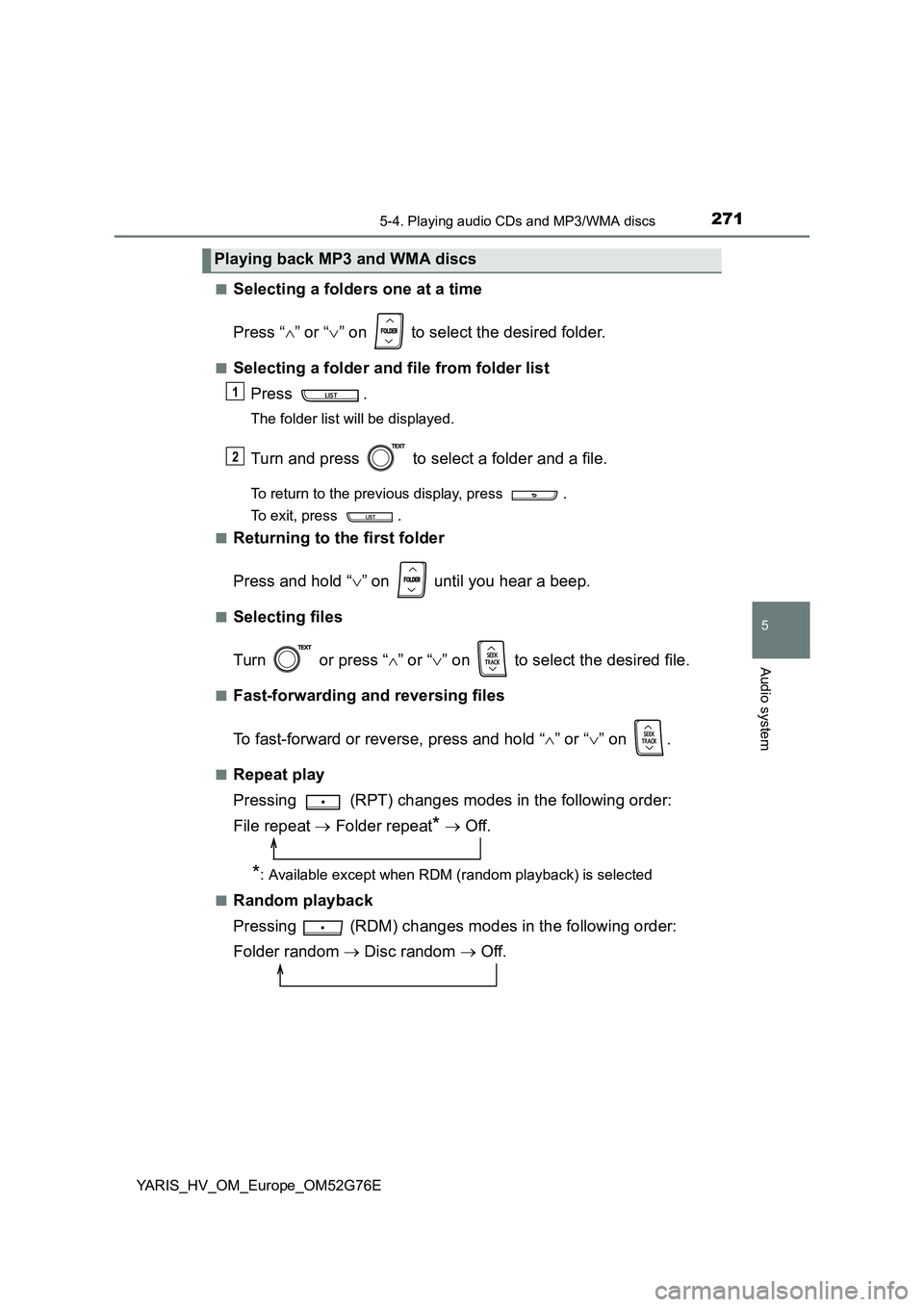
■Repeat play
Pressing (RPT) changes modes in the following order:
File repeat Folder repeat* Off.
*: Available except when RDM (random playback) is selected
■Random playback
Pressing (RDM) changes modes in the following order:
Folder random Disc random Off.
Playing back MP3 and WMA discs
1
2
Page 272 of 504
2725-4. Playing audio CDs and MP3/WMA discs
YARIS_HV_OM_Europe_OM52G76E
■Switching the display
Press .
Track title, Artist name and Album ti tle (MP3 only) are shown on the dis-
play.
To return to the previous display, press or .
■ Display
Up to 24 characters can be displayed.
Depending on the contents recorded, the characters may not be displayed
properly or may not be displayed at all.
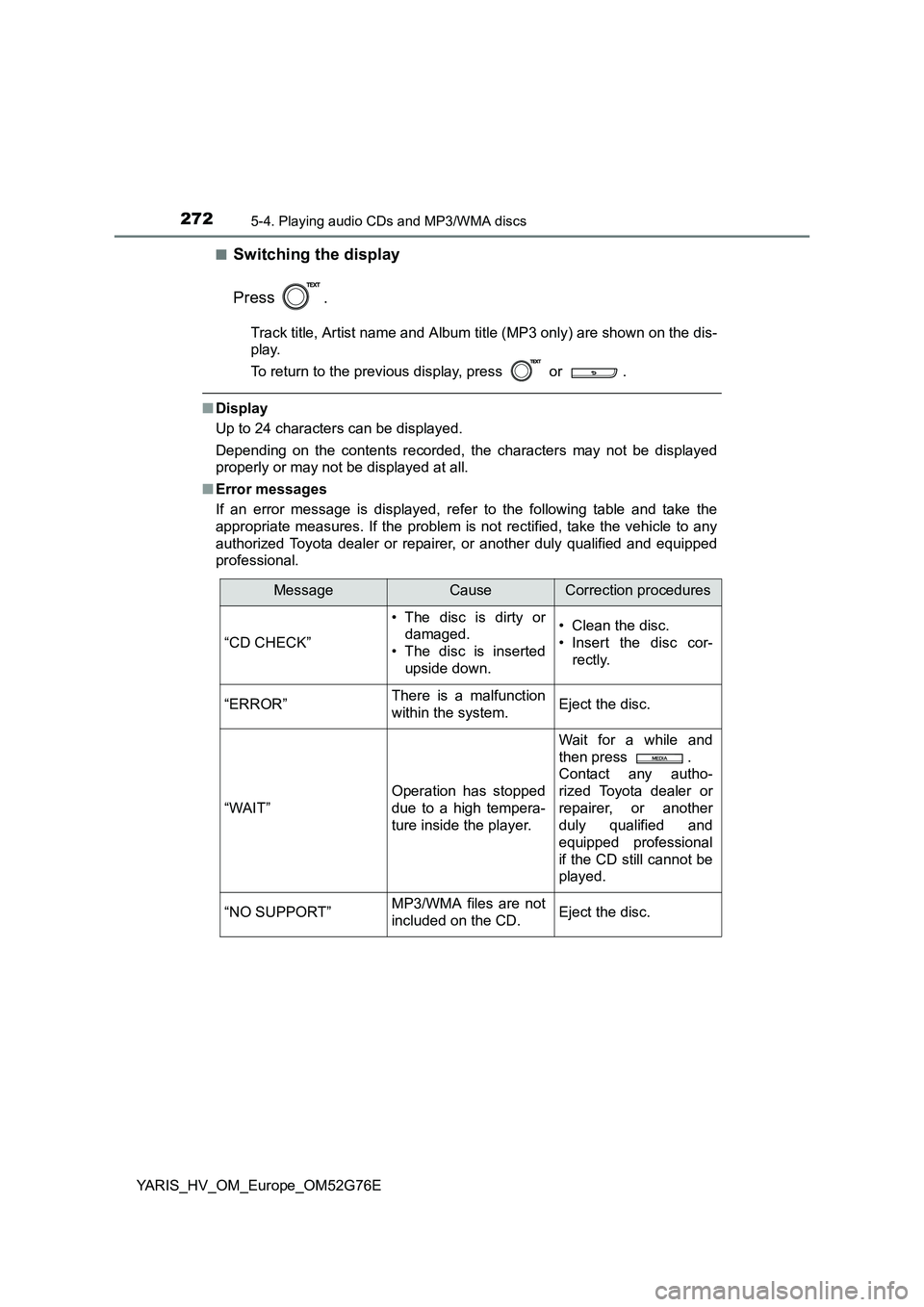
■ Error messages
If an error message is displayed, refer to the following table and take the
appropriate measures. If the problem is not rectified, take the vehicle to any
authorized Toyota dealer or repair er, or another duly qualified and equipped
professional.
MessageCauseCorrection procedures
“CD CHECK”
• The disc is dirty or
damaged.
• The disc is inserted
upside down.
• Clean the disc.
• Insert the disc cor-
rectly.
“ERROR”There is a malfunction
within the system.Eject the disc.
“WAIT”
Operation has stopped
due to a high tempera-
ture inside the player.
Wait for a while and
then press .
Contact any autho-
rized Toyota dealer or
repairer, or another
duly qualified and
equipped professional
if the CD still cannot be
played.
“NO SUPPORT”MP3/WMA files are not
included on the CD.Eject the disc.
Page 274 of 504
2745-4. Playing audio CDs and MP3/WMA discs
YARIS_HV_OM_Europe_OM52G76E
● WMA file compatibility
• Compatible standards
WMA Ver. 7, 8, 9
• Compatible sampling frequencies
32, 44.1, 48 (kHz)
• Compatible bit rates (only compatible with 2-channel playback)
Ver. 7, 8: CBR 48, 64, 80, 96, 128, 160, 192 (kbps)
Ver. 9: CBR 48, 64, 80, 96, 128, 160, 192, 256, 320 (kbps)
● Compatible media
Media that can be used for MP3 and WMA playback are CD-Rs and CD-
RWs.
Playback in some instances may not be possible, depending on the status
of the CD-R or CD-RW. Playback may not be possible or the audio may
jump if the disc is scratched or marked with fingerprints.
● Compatible disc formats
The following disc formats can be used.
• Disc formats: CD-ROM Mode 1 and Mode 2
CD-ROM XA Mode 2, Form 1 and Form 2
• File formats: ISO9660 Level 1, Level 2, (Romeo, Joliet)
MP3 and WMA files written in any format other than those listed above
may not play correctly, and their file names and folder names may not be
displayed correctly.
Items related to standards and limitations are as follows.
• Maximum directory hierarchy: 8 levels
• Maximum length of folder names/file names: 32 characters
• Maximum number of folders: 192 (including the root)
• Maximum number of files per disc: 255
● File names
The only files that can be recognized as MP3/WMA and played are those
with the extension .mp3 or .wma.
● Multi-sessions
As the audio system is compatible with multi-sessions, it is possible to play
discs that contain MP3 and WMA files. However, only the first session can
be played.
● ID3 and WMA tags
ID3 tags can be added to MP3 files, making it possible to record the track
title, artist name, etc.
The system is compatible with ID3 Ver. 1.0, 1.1, and Ver. 2.2, 2.3 ID3 tags.
(The number of characters is based on ID3 Ver. 1.0 and 1.1.)
WMA tags can be added to WMA files, making it possible to record the
track title and artist name in the same way as with ID3 tags.
Page 277 of 504
277
5
5-5. Using an external device
Audio system
YARIS_HV_OM_Europe_OM52G76E
Listening to an iPod
P. 2 6 1
: If equipped
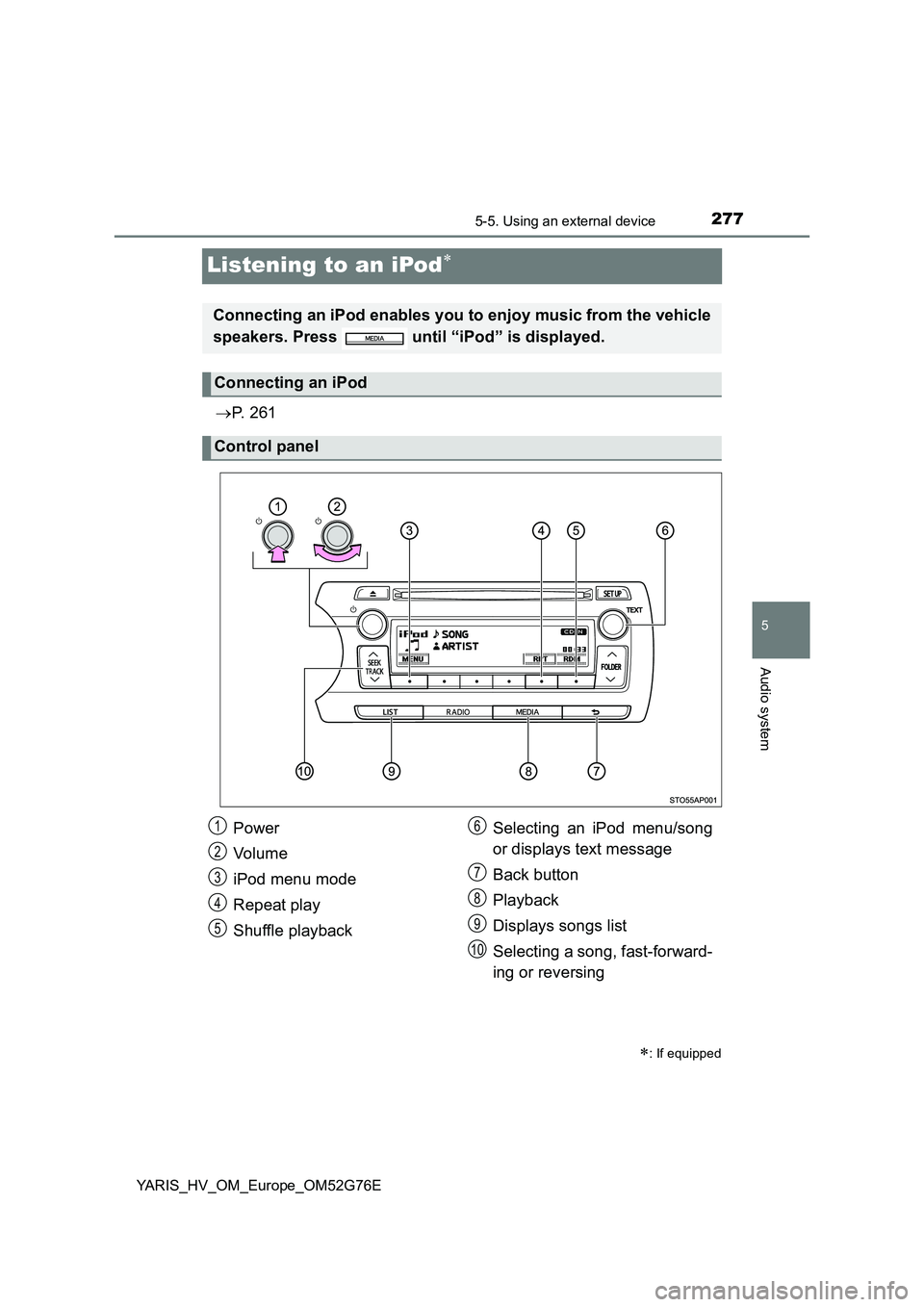
Connecting an iPod enables you to enjoy music from the vehicle
speakers. Press until “iPod” is displayed.
Connecting an iPod
Control panel
Power
Vo lu m e
iPod menu mode
Repeat play
Shuffle playback
Selecting an iPod menu/song
or displays text message
Back button
Playback
Displays songs list
Selecting a song, fast-forward-
ing or reversing
1
2
3
4
5
6
7
8
9
10
Page 279 of 504
2795-5. Using an external device
5
Audio system
YARIS_HV_OM_Europe_OM52G76E
■Selecting a list
Turn to display the first selection list.
Press to select the desired item.
Pressing the knob changes to the second selection list.
Repeat the same procedure to select the desired item.
To return to the previous selection list, press .
Turn or press “ ” or “” on to select the desired song.
Press .
The song list will be displayed.
Turn to select a song.
Press to play the song.
To return to the previous display, press .
To fast-forward or reverse, press and hold “ ” or “” on .
Press (RPT).
To cancel, press (RPT) again.
Selecting songs
Selecting a song from the song list
Fast-forwarding and reversing songs
Repeat play
1
2
3
1
2
3
Page 280 of 504
2805-5. Using an external device
YARIS_HV_OM_Europe_OM52G76E
Pressing (RDM) changes modes in the following order:
Track shuffle Album shuffle Off.
Press .
Track title, Artist name and Albu m title are shown on the display.
To return to the previous display, press or .
Press to enter iPod menu mode.
Turning changes sound modes. ( P. 262)
■About iPod
● “Made for iPod” and “Made for iPhone” mean that an electronic accessory
has been designed to connect specifically to iPod, or iPhone, respectively,
and has been certified by the developer to meet Apple performance stan-
dards.
● Apple is not responsible for the operation of this device or its compliance
with safety and regulatory standards. Please note and that the use of this
accessory with iPod or iPhone may affect wireless performance.
● iPod is trademark of Apple Inc., registered in the U.S. and other countries.
Shuffle playback
Switching the display
Adjusting sound quality and volume balance
1
2
Page 281 of 504
2815-5. Using an external device
5
Audio system
YARIS_HV_OM_Europe_OM52G76E
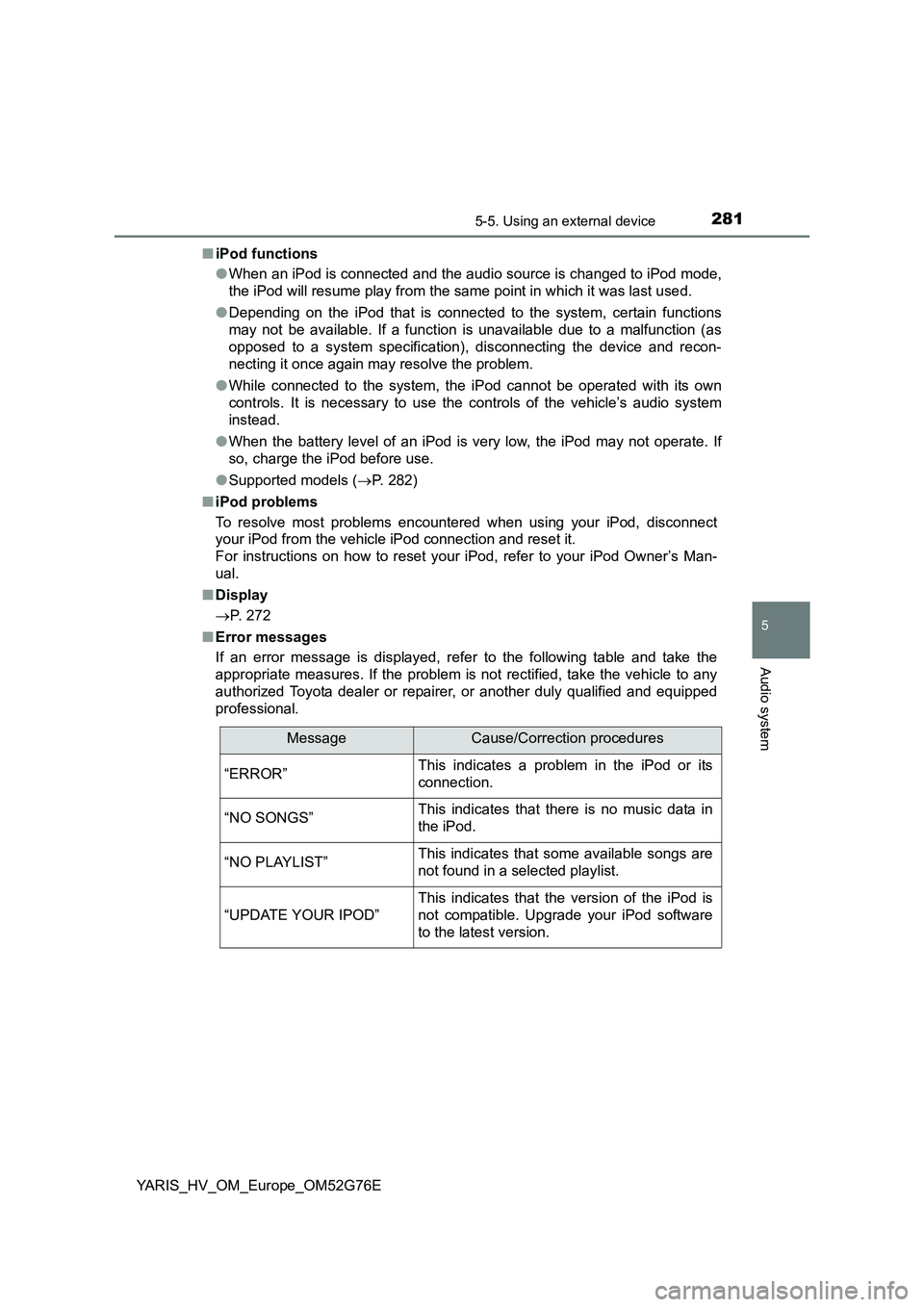
■ iPod functions
● When an iPod is connected and the audio source is changed to iPod mode,
the iPod will resume play from the same point in which it was last used.
● Depending on the iPod that is connected to the system, certain functions
may not be available. If a function is unavailable due to a malfunction (as
opposed to a system specification), disconnecting the device and recon-
necting it once again may resolve the problem.
● While connected to the system, the iPod cannot be operated with its own
controls. It is necessary to use the controls of the vehicle’s audio system
instead.
● When the battery level of an iPod is very low, the iPod may not operate. If
so, charge the iPod before use.
● Supported models (P. 282)
■ iPod problems
To resolve most problems encountered when using your iPod, disconnect
your iPod from the vehicle iPod connection and reset it.
For instructions on how to reset your iPod, refer to your iPod Owner’s Man-
ual.
■ Display
P. 272
■ Error messages
If an error message is displayed, refer to the following table and take the
appropriate measures. If the problem is not rectified, take the vehicle to any
authorized Toyota dealer or repair er, or another duly qualified and equipped
professional.
MessageCause/Correction procedures
“ERROR”This indicates a problem in the iPod or its
connection.
“NO SONGS”This indicates that there is no music data in
the iPod.
“NO PLAYLIST”This indicates that some available songs are
not found in a selected playlist.
“UPDATE YOUR IPOD”
This indicates that the version of the iPod is
not compatible. Upgrade your iPod software
to the latest version.