fuel VAUXHALL ADAM 2015 Owner's Manual
[x] Cancel search | Manufacturer: VAUXHALL, Model Year: 2015, Model line: ADAM, Model: VAUXHALL ADAM 2015Pages: 225, PDF Size: 6.81 MB
Page 13 of 225

In brief11
1Power windows .....................28
2 Exterior mirrors .....................27
3 Cruise control .....................132
Speed limiter ....................... 134
4 Side air vents ...................... 119
5 Turn and lane-change
signals, headlight flash,
low beam and high beam ....106
Exit lighting ......................... 109
Parking lights ...................... 106
Buttons for Driver
Information Centre ................89
6 Instruments .......................... 79
7 Steering wheel controls .......71
8 Driver Information Centre ...... 89
9 Windscreen wiper,
windscreen washer
system, headlight washer
system, rear wiper, rear
washer system ......................73
10 Central locking system ..........21
City mode ............................ 131
Fuel selector ......................... 80Eco button for stop-start
system ................................. 123
Parking assist ..................... 135
Seat heating .......................... 36
Heated steering wheel ..........72
11 Colour-Info-Display ..............94
Graphic-Info-Display .............95
12 Hazard warning flashers ....105
Control indicator for airbag
deactivation .......................... 85
Control indicator for front
passenger seat belt .............84
13 Anti-theft alarm system
status LED ........................... 25
14 Centre air vents .................. 119
15 Side air vents passenger
side ..................................... 119
16 Glovebox .............................. 52
Fuse box ............................ 171
17 Climate control system ........ 111
18 Power outlet .......................... 78
19 AUX input, USB input ...........1020Selector lever, manual
transmission ....................... 127
21 Parking brake ......................128
22 Ignition switch with
steering wheel lock ............122
23 Horn ..................................... 72
Driver airbag ........................ 42
24 Bonnet release lever ..........154
25 Steering wheel adjustment ..71
26 Light switch ........................ 103
Headlight range
adjustment ......................... 105
Rear fog light ...................... 106
Brightness of instrument
panel illumination ................107
Brightness of ambient light 107
Page 23 of 225

Keys, doors and windows21
Extend the key and open the unit.
Replace the battery (battery type
CR 2032), paying attention to the installation position. Close the unit
and synchronise.
Key with fixed key section
Have the battery replaced by a
workshop.
Radio remote control
synchronisation
After replacing the battery, unlock the
door with the key in the driver's door
lock. The radio remote control will be
synchronised when the ignition is switched on.
Memorised settings Whenever the key is removed from
the ignition switch, the following
settings are automatically memorised by the key:
■ lighting
■ Infotainment system presets
■ central locking system■ comfort settings
■ climate control
The saved settings are automatically
used the next time the memorised key
is inserted into the ignition switch and
turned to position 1 3 122.
A precondition is that Personalization
by driver is activated in the personal
settings of the Info-Display. This must
be set for each key used.
Vehicle personalisation 3 99.
Central locking system
Unlocks and locks doors, load
compartment and fuel filler flap.
A pull on an interior door handle
unlocks the respective door. Pulling the handle once more opens the door.
Notice
In the event of an accident in which
airbags or belt pretensioners are
deployed, the vehicle is
automatically unlocked.Notice
Three minutes after unlocking with
the remote control, the doors are
relocked automatically if no door has
been opened.
Unlocking
Press button c.
Page 24 of 225
22Keys, doors and windows
Two settings are selectable in the
Info-Display:
■ To unlock only the driver's door, load compartment and fuel filler
flap, press button c once. To unlock
both doors, press button c twice.
■ Press button c once to unlock
doors, load compartment and fuel
filler flap.
Vehicle personalisation 3 99.
The setting can be saved for the key
being used.
Memorised settings 3 21.
Unlocking and opening the tailgate
3 24.
Locking Close doors, load compartment and
fuel filler flap.
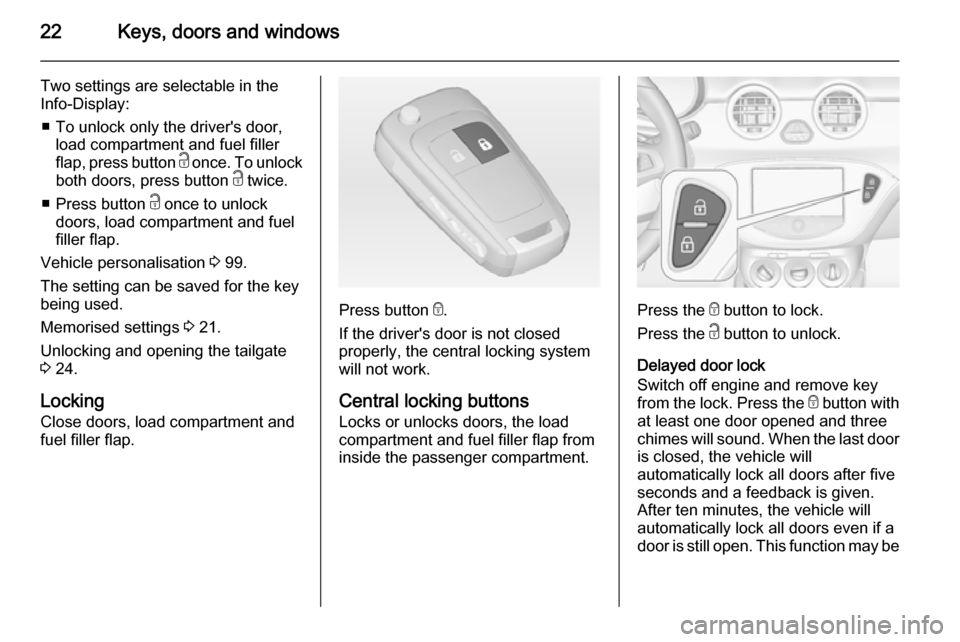
Press button e.
If the driver's door is not closed properly, the central locking system
will not work.
Central locking buttons Locks or unlocks doors, the load
compartment and fuel filler flap from
inside the passenger compartment.Press the e button to lock.
Press the c button to unlock.
Delayed door lock
Switch off engine and remove key
from the lock. Press the e button with
at least one door opened and three
chimes will sound. When the last door is closed, the vehicle will
automatically lock all doors after five
seconds and a feedback is given.
After ten minutes, the vehicle will
automatically lock all doors even if a
door is still open. This function may be
Page 25 of 225
Keys, doors and windows23
activated or deactivated in the Info-
Display. Vehicle personalisation
3 99.
Fault in radio remote control
system
Unlocking
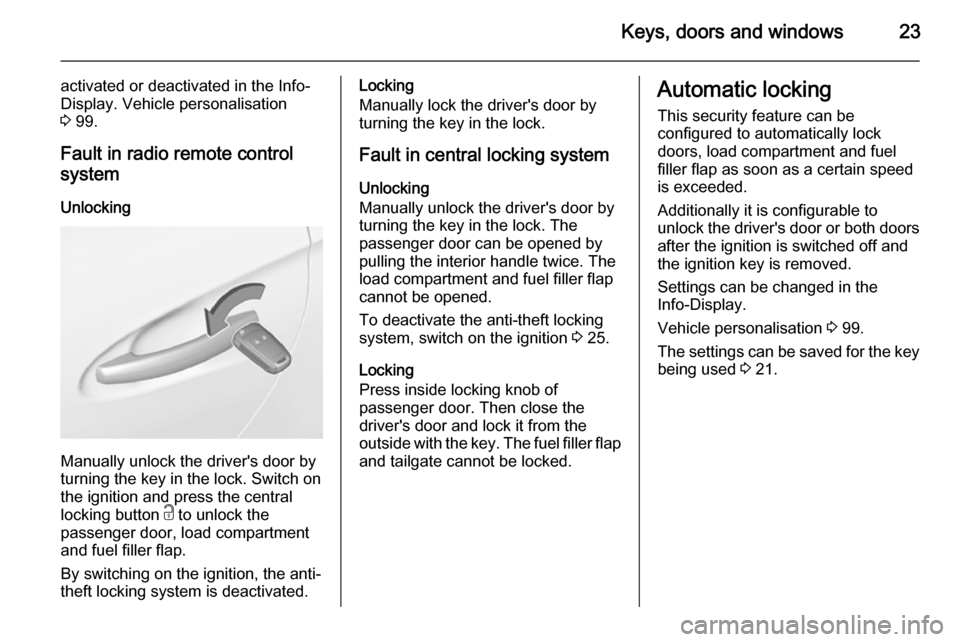
Manually unlock the driver's door by
turning the key in the lock. Switch on
the ignition and press the central
locking button c to unlock the
passenger door, load compartment and fuel filler flap.
By switching on the ignition, the anti-
theft locking system is deactivated.
Locking
Manually lock the driver's door by
turning the key in the lock.
Fault in central locking system
Unlocking
Manually unlock the driver's door by
turning the key in the lock. The
passenger door can be opened by
pulling the interior handle twice. The
load compartment and fuel filler flap
cannot be opened.
To deactivate the anti-theft locking
system, switch on the ignition 3 25.
Locking
Press inside locking knob of
passenger door. Then close the
driver's door and lock it from the
outside with the key. The fuel filler flap and tailgate cannot be locked.Automatic locking
This security feature can be
configured to automatically lock
doors, load compartment and fuel
filler flap as soon as a certain speed
is exceeded.
Additionally it is configurable to
unlock the driver's door or both doors after the ignition is switched off and
the ignition key is removed.
Settings can be changed in the
Info-Display.
Vehicle personalisation 3 99.
The settings can be saved for the key being used 3 21.
Page 82 of 225
80Instruments and controlsFuel gauge
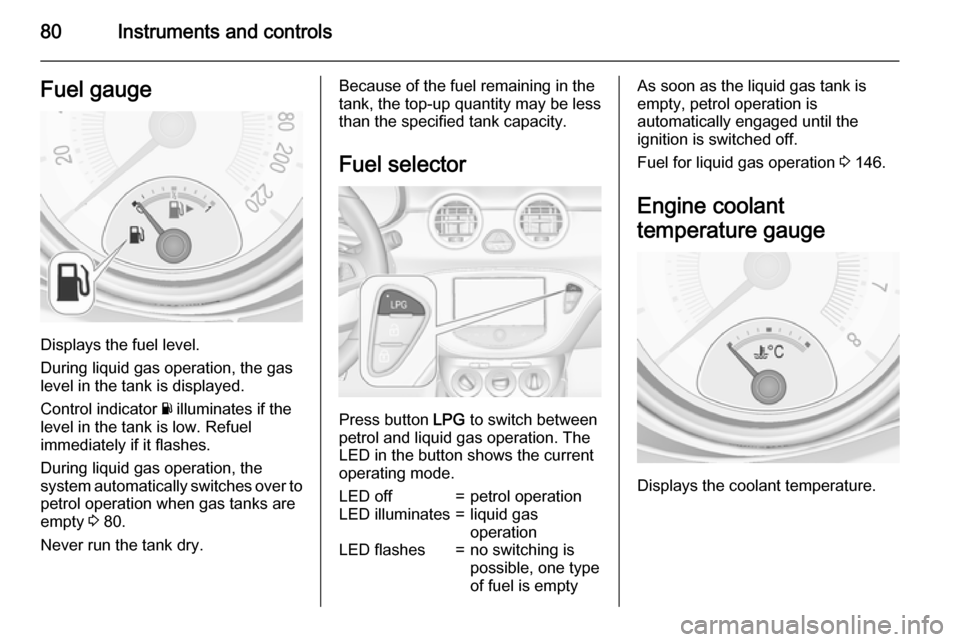
Displays the fuel level.
During liquid gas operation, the gas
level in the tank is displayed.
Control indicator Y illuminates if the
level in the tank is low. Refuel
immediately if it flashes.
During liquid gas operation, the
system automatically switches over to
petrol operation when gas tanks are
empty 3 80.
Never run the tank dry.
Because of the fuel remaining in the
tank, the top-up quantity may be less
than the specified tank capacity.
Fuel selector
Press button LPG to switch between
petrol and liquid gas operation. The
LED in the button shows the current
operating mode.
LED off=petrol operationLED illuminates=liquid gas
operationLED flashes=no switching is
possible, one type
of fuel is emptyAs soon as the liquid gas tank is
empty, petrol operation is
automatically engaged until the
ignition is switched off.
Fuel for liquid gas operation 3 146.
Engine coolant
temperature gauge
Displays the coolant temperature.
Page 88 of 225
86Instruments and controls
Flashes when the engine isrunning
Fault that could lead to catalytic
converter damage. Ease up on the
accelerator until the flashing stops.
Seek the assistance of a workshop
immediately.
Service vehicle soon g illuminates yellow.
Additionally a warning message is
displayed in the Driver Information
Centre.
The vehicle needs a service.
Seek the assistance of a workshop. Vehicle messages 3 96.
Brake and clutch system R illuminates red.
The brake and clutch fluid level is too low 3 156.9 Warning
Stop. Do not continue your
journey. Consult a workshop.
Illuminates after the ignition is
switched on if the manual parking
brake is applied 3 128.
Operate pedal - illuminates or flashes yellow.
Illuminates
Clutch pedal needs to be depressed
to start the engine in Autostop mode.
Stop-start system 3 123.
Flashes
Clutch pedal needs to be depressed
for a main start of the engine 3 16,
3 122.
On some versions, the operate pedal message is indicated in the Driver
Information Display 3 96.
Antilock brake system
(ABS) u illuminates yellow.
Illuminates for a few seconds after the
ignition is switched on. The system is ready for operation when the control
indicator extinguishes.
If the control indicator does not go out after a few seconds, or if it illuminates while driving, there is a fault in the
ABS. The brake system remains
operational but without ABS
regulation.
Antilock brake system 3 127.
Upshift
[ illuminates green as control
indicator or is shown as a symbol in
the Driver Information Centre with
Uplevel-Display, when upshifting is
recommended for fuel saving
reasons.
Eco information menu
The gear shift indication is popped-up
as a full page in the Driver Information Centre.
Page 90 of 225
88Instruments and controls
Tyre pressure monitoring system
3 176.
Engine oil pressure
I illuminates red.
Illuminates when the ignition is
switched on and extinguishes shortly
after the engine starts.
Illuminates when the engine isrunningCaution
Engine lubrication may be
interrupted. This may result in
damage to the engine and/or
locking of the drive wheels.
1. Depress the clutch.
2. Select neutral gear.
3. Move out of the flow of traffic as quickly as possible without
impeding other vehicles.
4. Switch off ignition.
9 Warning
When the engine is off,
considerably more force is needed
to brake and steer.
During an Autostop the brake
servo unit will still be operational.
Do not remove key until vehicle is stationary, otherwise the steeringwheel lock could engage
unexpectedly.
Check oil level before seeking the
assistance of a workshop 3 154.
Low fuel
Y illuminates or flashes yellow.
Illuminates
Level in fuel tank is too low.
Flashes Fuel used up. Refuel immediately.
Never run the tank dry.
Catalytic converter 3 126.
Immobiliser
d flashes yellow.
Fault in the immobiliser system. The
engine cannot be started.
Exterior light8 illuminates green.
The exterior lights are on 3 103.
High beam
C illuminates blue.
Illuminated when high beam is on or
during headlight flash 3 104.
Rear fog light
r illuminates yellow.
The rear fog light is on 3 106.
Cruise control m illuminates white or green.
Illuminates white The system is on.
Page 91 of 225
Instruments and controls89
Illuminates green
Cruise control is active.
Cruise control 3 132.
Door open h illuminates red.
A door or the tailgate is open.Information displays
Driver Information Centre The Driver Information Centre (DIC)
is located in the instrument cluster.
It is available as Midlevel-Display or
Uplevel-Display.
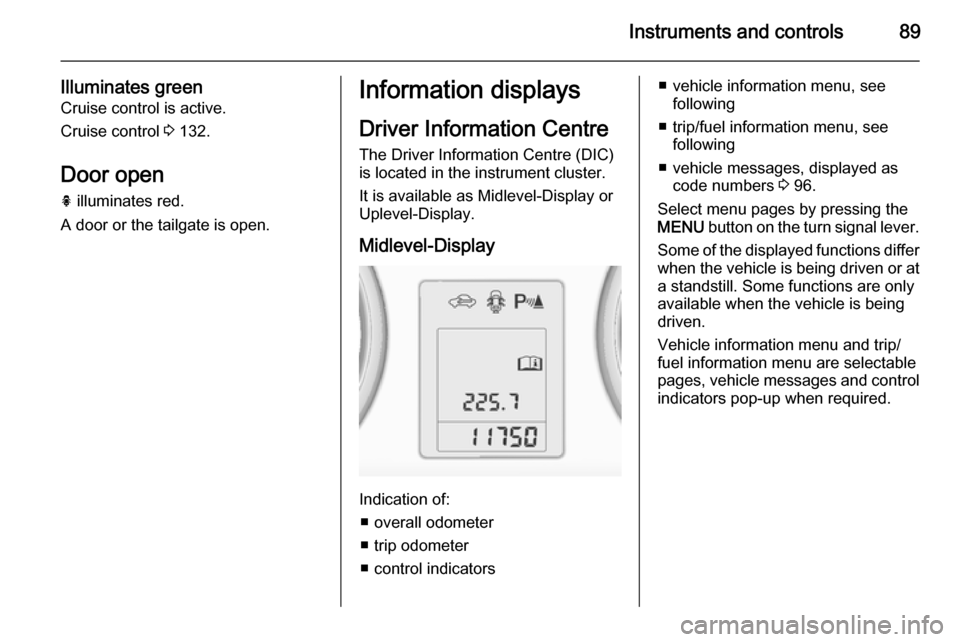
Midlevel-Display
Indication of: ■ overall odometer
■ trip odometer
■ control indicators
■ vehicle information menu, see following
■ trip/fuel information menu, see following
■ vehicle messages, displayed as code numbers 3 96.
Select menu pages by pressing the MENU button on the turn signal lever.
Some of the displayed functions differ when the vehicle is being driven or at
a standstill. Some functions are only
available when the vehicle is being
driven.
Vehicle information menu and trip/
fuel information menu are selectable
pages, vehicle messages and control
indicators pop-up when required.
Page 92 of 225
90Instruments and controls
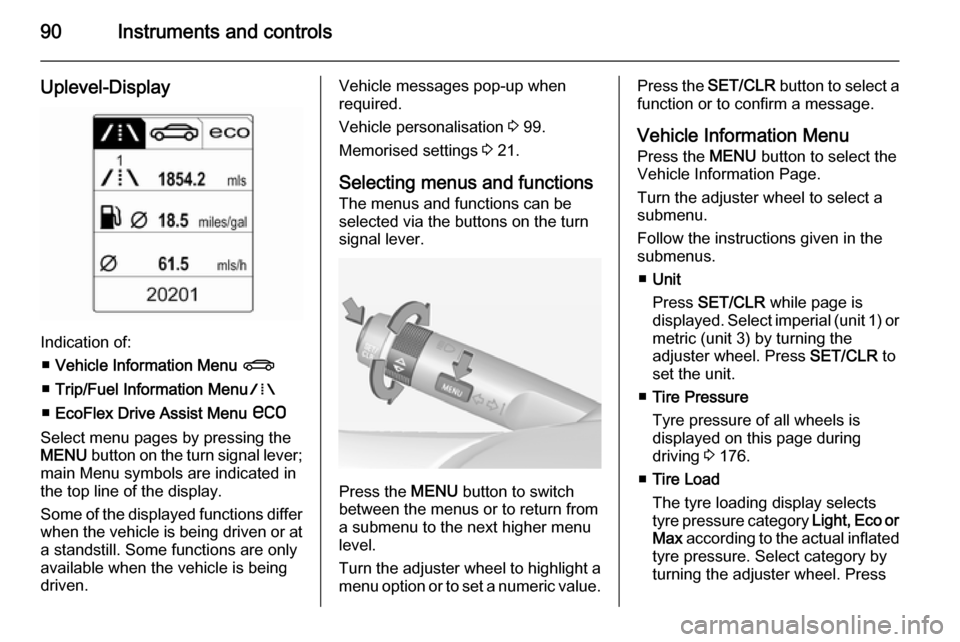
Uplevel-Display
Indication of:■ Vehicle Information Menu X
■ Trip/Fuel Information Menu W
■ EcoFlex Drive Assist Menu s
Select menu pages by pressing the
MENU button on the turn signal lever;
main Menu symbols are indicated in
the top line of the display.
Some of the displayed functions differ when the vehicle is being driven or at
a standstill. Some functions are only
available when the vehicle is being
driven.
Vehicle messages pop-up when
required.
Vehicle personalisation 3 99.
Memorised settings 3 21.
Selecting menus and functions
The menus and functions can be selected via the buttons on the turnsignal lever.
Press the MENU button to switch
between the menus or to return from
a submenu to the next higher menu
level.
Turn the adjuster wheel to highlight a
menu option or to set a numeric value.
Press the SET/CLR button to select a
function or to confirm a message.
Vehicle Information Menu
Press the MENU button to select the
Vehicle Information Page.
Turn the adjuster wheel to select a
submenu.
Follow the instructions given in the submenus.
■ Unit
Press SET/CLR while page is
displayed. Select imperial (unit 1) or metric (unit 3) by turning the
adjuster wheel. Press SET/CLR to
set the unit.
■ Tire Pressure
Tyre pressure of all wheels is
displayed on this page during
driving 3 176.
■ Tire Load
The tyre loading display selects tyre pressure category Light, Eco or
Max according to the actual inflated
tyre pressure. Select category by
turning the adjuster wheel. Press
Page 93 of 225
Instruments and controls91
SET/CLR to set the category
3 176.
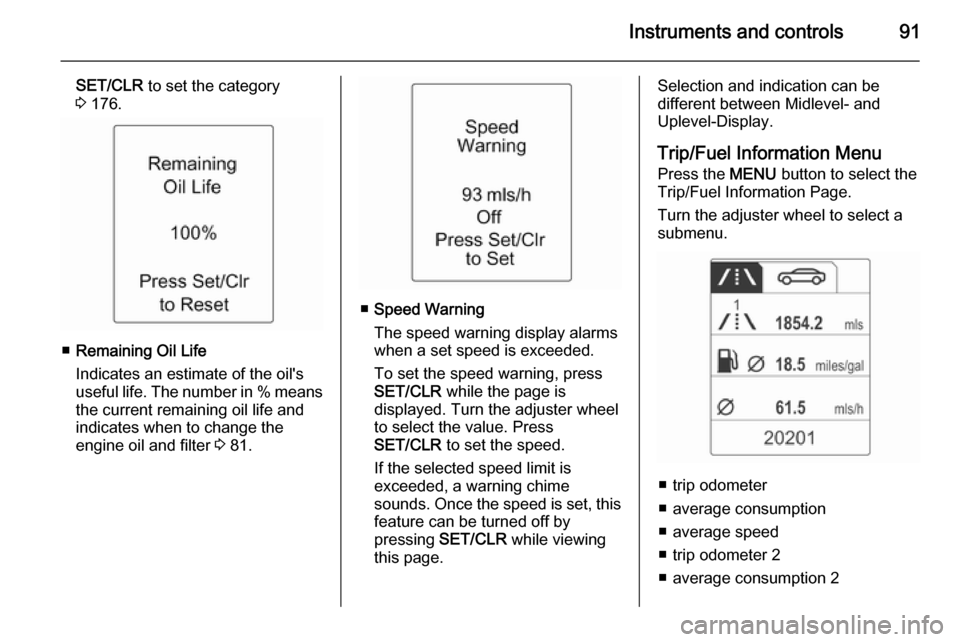
■ Remaining Oil Life
Indicates an estimate of the oil's
useful life. The number in % means
the current remaining oil life and
indicates when to change the
engine oil and filter 3 81.
■ Speed Warning
The speed warning display alarms when a set speed is exceeded.
To set the speed warning, press
SET/CLR while the page is
displayed. Turn the adjuster wheel
to select the value. Press
SET/CLR to set the speed.
If the selected speed limit is
exceeded, a warning chime
sounds. Once the speed is set, this feature can be turned off by
pressing SET/CLR while viewing
this page.
Selection and indication can be
different between Midlevel- and
Uplevel-Display.
Trip/Fuel Information Menu
Press the MENU button to select the
Trip/Fuel Information Page.
Turn the adjuster wheel to select a
submenu.
■ trip odometer
■ average consumption
■ average speed
■ trip odometer 2
■ average consumption 2