Personalisation VAUXHALL ASTRA J 2014 User Guide
[x] Cancel search | Manufacturer: VAUXHALL, Model Year: 2014, Model line: ASTRA J, Model: VAUXHALL ASTRA J 2014Pages: 329, PDF Size: 10.07 MB
Page 127 of 329
Instruments and controls125
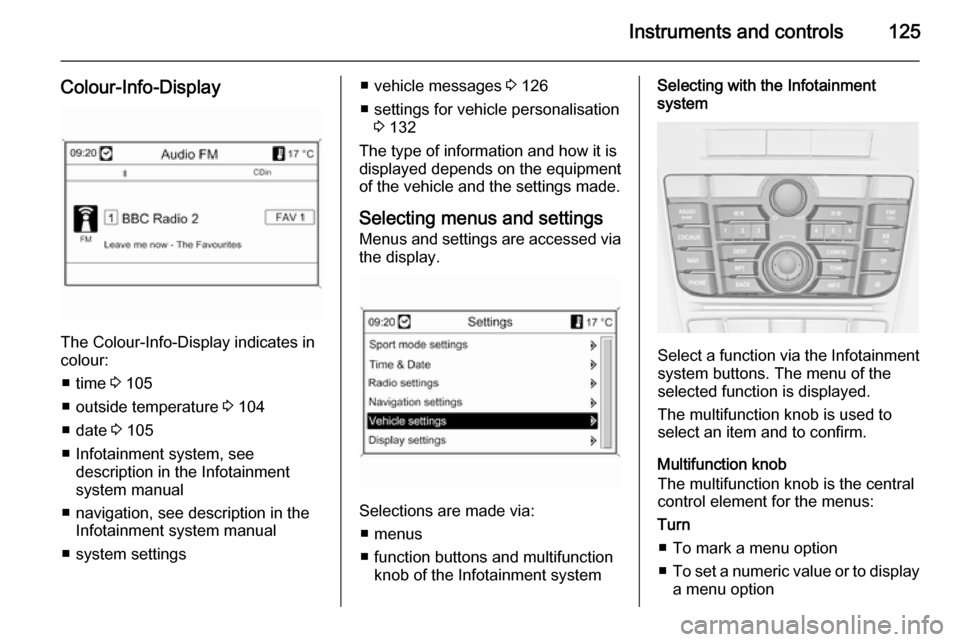
Colour-Info-Display
The Colour-Info-Display indicates incolour:
■ time 3 105
■ outside temperature 3 104
■ date 3 105
■ Infotainment system, see description in the Infotainment
system manual
■ navigation, see description in the Infotainment system manual
■ system settings
■ vehicle messages 3 126
■ settings for vehicle personalisation 3 132
The type of information and how it is displayed depends on the equipment of the vehicle and the settings made.
Selecting menus and settings
Menus and settings are accessed via
the display.
Selections are made via:
■ menus
■ function buttons and multifunction knob of the Infotainment system
Selecting with the Infotainment
system
Select a function via the Infotainment
system buttons. The menu of the
selected function is displayed.
The multifunction knob is used to
select an item and to confirm.
Multifunction knob
The multifunction knob is the central control element for the menus:
Turn
■ To mark a menu option
■ To set a numeric value or to display
a menu option
Page 128 of 329
126Instruments and controls
Press (the outer ring)■ To select or activate the marked option
■ To confirm a set value
■ To switch a system function on/off
BACK button
Press button to: ■ exit a menu without changing settings
■ return from a submenu to a higher menu level
■ delete the last character in a character sequence
Press and hold the button for a few
seconds to delete the entire entry.
Vehicle personalisation 3 132.
Memorised settings 3 23.
Smartphone controller
The smartphone controller allows a
smartphone to access vehicle data
via WLAN or Bluetooth connection.
This data can then be displayed and analysed on the smartphone.Vehicle messages
Messages are indicated mainly in the
Driver Information Centre (DIC), in
some cases together with a warning and signal buzzer.
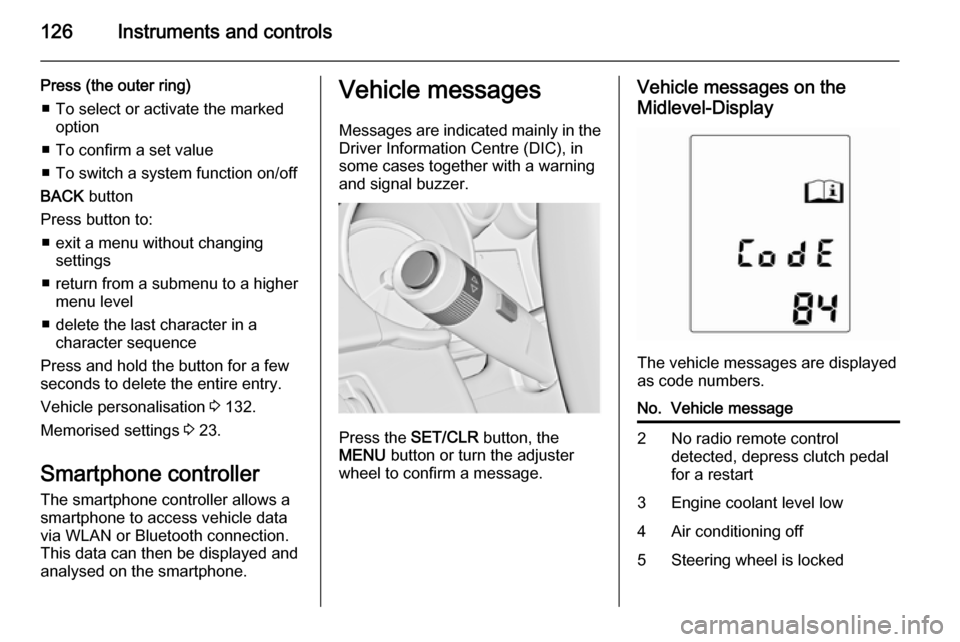
Press the SET/CLR button, the
MENU button or turn the adjuster
wheel to confirm a message.
Vehicle messages on the
Midlevel-Display
The vehicle messages are displayed
as code numbers.
No.Vehicle message2No radio remote control
detected, depress clutch pedal
for a restart3Engine coolant level low4Air conditioning off5Steering wheel is locked
Page 134 of 329

132Instruments and controls
Range
Range is calculated from current fuel
tank content and current
consumption. The display shows
average values.
After refuelling, the range is updated
automatically after a brief delay.
When the fuel level in the tank is low,
a message appears on vehicles with
Uplevel-Display or Uplevel-Combi-
Display.
When the tank has to be refuelled
immediately, a warning code or
warning message is displayed on
vehicles with Midlevel- and Uplevel-
Display or Uplevel-Combi-Display.
Additionally the control indicator i in
the fuel gauge illuminates or flashes
3 118.
Average consumption
Display of average consumption. The measurement can be reset at any
time and starts with a default value.
To reset, press the SET/CLR button
for a few seconds.Instantaneous consumption
Display of the instantaneous
consumption.
Average speed
Display of average speed. The
measurement can be reset at any
time.
To reset, press the SET/CLR button
for a few seconds.
Digital speed
Digital display of the instantaneous
speed.
Traffic sign assistant
Indicates detected traffic signs for the current route section 3 204.
Route guidance
Additionally to the navigation
information in the Color-Info-Display,
route guidance is displayed in the
Driver Information Centre.Vehicle personalisation
The vehicle's behaviour can be
personalised by changing the settings in the Info-Display.
Some of the personal settings for
different drivers can be memorised
individually for each vehicle key.
Memorised settings 3 23.
Depending on vehicle equipment and
country-specific regulations some of
the functions described below may
not be available.
Some functions are only displayed or
active when the engine is running.
Personal settings in the
Graphic-Info-Display
CD 300/CD 400/CD400plus
Page 136 of 329
134Instruments and controls
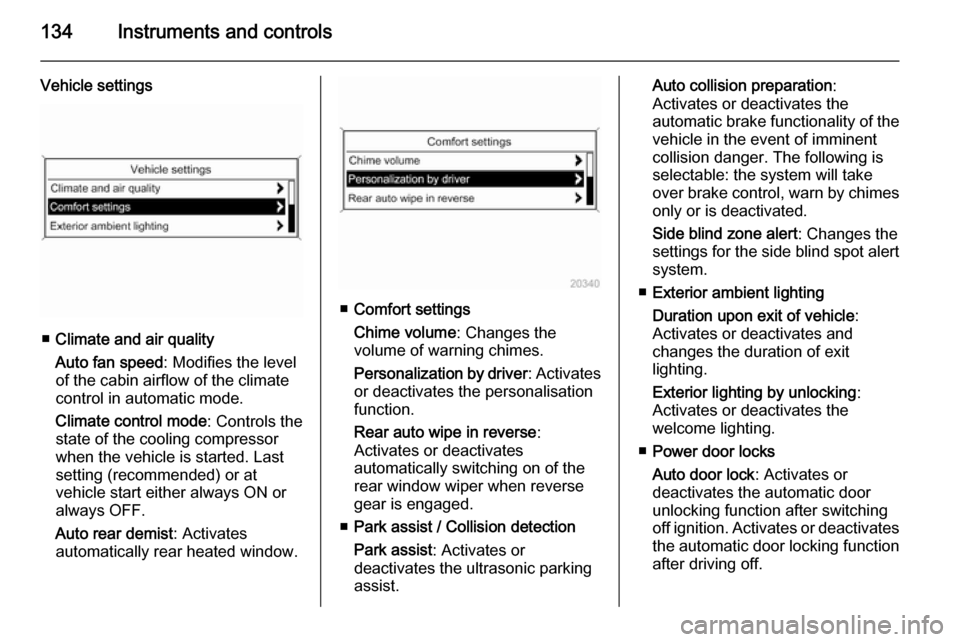
Vehicle settings
■Climate and air quality
Auto fan speed : Modifies the level
of the cabin airflow of the climate
control in automatic mode.
Climate control mode : Controls the
state of the cooling compressor
when the vehicle is started. Last
setting (recommended) or at
vehicle start either always ON or
always OFF.
Auto rear demist : Activates
automatically rear heated window.
■ Comfort settings
Chime volume : Changes the
volume of warning chimes.
Personalization by driver : Activates
or deactivates the personalisation
function.
Rear auto wipe in reverse :
Activates or deactivates
automatically switching on of the
rear window wiper when reverse
gear is engaged.
■ Park assist / Collision detection
Park assist : Activates or
deactivates the ultrasonic parking
assist.
Auto collision preparation :
Activates or deactivates the
automatic brake functionality of the
vehicle in the event of imminent
collision danger. The following is
selectable: the system will take
over brake control, warn by chimes only or is deactivated.
Side blind zone alert : Changes the
settings for the side blind spot alert
system.
■ Exterior ambient lighting
Duration upon exit of vehicle :
Activates or deactivates and
changes the duration of exit
lighting.
Exterior lighting by unlocking :
Activates or deactivates the
welcome lighting.
■ Power door locks
Auto door lock : Activates or
deactivates the automatic door
unlocking function after switching
off ignition. Activates or deactivates the automatic door locking function
after driving off.
Page 138 of 329

136Instruments and controls
Phone Settings
See Infotainment system manual for
further information.
Navigation Settings
See Infotainment system manual for
further information.
Display Settings ■ Home Page Menu :
See Infotainment system manual
for further information.
■ Rear Camera Options :
Press to adjust the rear camera options 3 202.
■ Display Off :
See Infotainment system manual
for further information.
■ Map Settings :
See Infotainment system manual
for further information.
Vehicle Settings ■ Climate and Air Quality
Auto Fan Speed : Modifies the fan
regulation. Changed setting will beactive after switching the ignition off
and on again.
Air Conditioning Mode : Activates or
deactivates cooling when switching on the ignition or uses the last
chosen setting.
Auto Demist : Activates or
deactivates auto demist.
Auto Rear Demist : Activates
automatically the rear heated
window.
■ Comfort and Convenience
Chime Volume : Changes the
volume of warning chimes.
Personalisation by Driver :
Activates or deactivates the
personalisation function.
Auto Reverse Gear Wiper :
Activates or deactivates automatic switching on of the rear window
wiper when reverse gear is
engaged.
■ Collision Detection Systems
Park Assist : Activates or
deactivates the ultrasonic sensors.Automatic Collision Preparation :
Activates or deactivates the
automatic brake functionality of the
vehicle in the event of imminent
collision danger. The following is
selectable: the system will take
over brake control, warn by chimes
only or is deactivated completely.
Side Blind Zone Alert : Activates or
deactivates the side blind spot alert system.
■ Lighting
Vehicle Locator Lights : Activates or
deactivates the entry lighting.
Exit Lighting : Activates or
deactivates and changes the
duration of exit lighting.
■ Power Door Locks
Open Door Anti Lock Out : Activates
or deactivates the automatic door
locking function while a door is open.
Auto Door Lock : Activates or
deactivates the automatic door
unlocking function after switching
off ignition. Activates or deactivates
Page 151 of 329
Lighting149
Activation or deactivation of this
function can be changed in the menu Settings in the Info-Display. Vehicle
personalisation 3 132.
The settings can be saved for the key being used 3 23.
The following lights will additionally
switch on when the driver's door is
opened:
■ all switches
■ Driver Information Centre
■ door pocket lights
■ console lights
Exit lighting
The following lights switch on if the
key is removed from the ignition
switch:
■ Interior lights
■ Instrument panel light (only when it
is dark)
■ Door and console lights
■ Puddle lightsThey will switch off automatically after
a delay and will be activated again if
the driver's door is opened.
Headlights, tail lights and number
plate lights illuminate the surrounding area for an adjustable time after
leaving the vehicle.
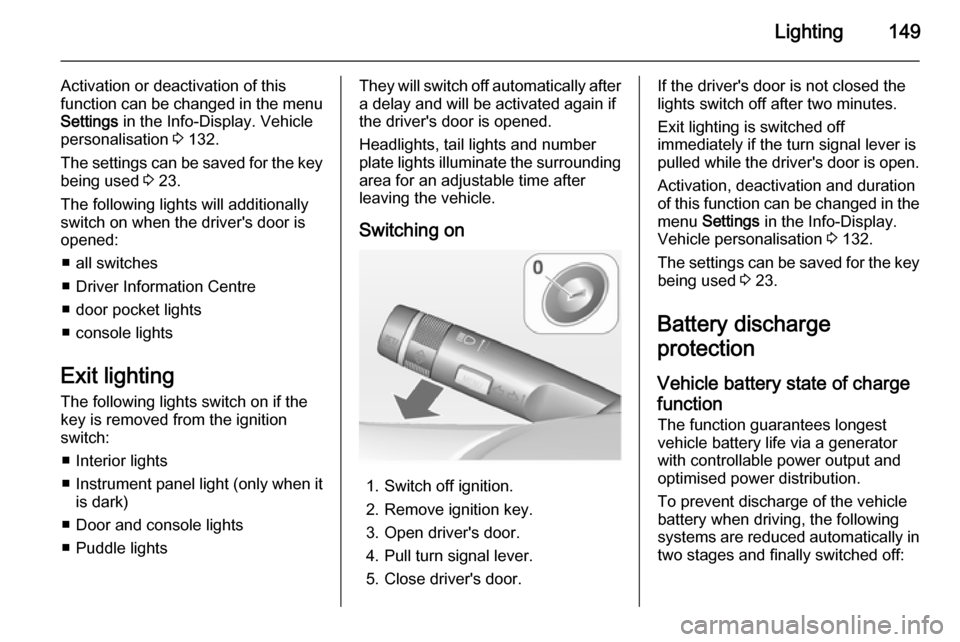
Switching on
1. Switch off ignition.
2. Remove ignition key.
3. Open driver's door.
4. Pull turn signal lever.
5. Close driver's door.
If the driver's door is not closed the
lights switch off after two minutes.
Exit lighting is switched off
immediately if the turn signal lever is pulled while the driver's door is open.
Activation, deactivation and duration
of this function can be changed in the menu Settings in the Info-Display.
Vehicle personalisation 3 132.
The settings can be saved for the key being used 3 23.
Battery discharge
protection
Vehicle battery state of charge
function
The function guarantees longest
vehicle battery life via a generator with controllable power output and
optimised power distribution.
To prevent discharge of the vehicle
battery when driving, the following
systems are reduced automatically in two stages and finally switched off:
Page 157 of 329

Climate control155
Each change of settings is shown in
the Info-Display for a few seconds.
The electronic climate control system
is only fully operational when the
engine is running.
Automatic mode AUTO
Basic setting for maximum comfort:
■ Press AUTO button, the air
distribution and fan speed are
regulated automatically.
■ Open all air vents to allow optimised air distribution in
automatic mode.
■ Press n to switch on optimal
cooling and demisting. Activation is indicated by the LED in the button.
■ Set the preselected temperatures for driver and front passenger using
the left and right rotary knob.
Recommended temperature is
22 °C.
The fan speed regulation in automatic mode can be changed in the menu
Settings .
Vehicle personalisation 3 132.
Temperature preselection
Set temperatures to the desired
value.
Page 158 of 329

156Climate control
If the minimum temperature Lo is set,
the climate control system runs at
maximum cooling, if cooling n is
switched on.
If the maximum temperature Hi is set,
the climate control system runs at
maximum heating.
Notice
If n is switched on, reducing the set
cabin temperature can cause the
engine to restart from an Autostop or inhibit an Autostop.
Demisting and defrosting the
windows V■
Press button V. Activation is
indicated by the LED in the button.
■ Press cooling button n. Activation
is indicated by the LED in the button.
■ Temperature and air distribution are set automatically and the fan
runs at high speed.
■ Switch on heated rear window Ü.
■ To return to previous mode: press button V, to return to automatic
mode: press button AUTO.
Setting of automatic rear window
heating can be changed in the menu
Settings in the Info-Display. Vehicle
personalisation 3 132.
Notice
If the V button is pressed while the
engine is running, an Autostop will
be inhibited until the V button is
pressed again.
If the V button is pressed while the
engine is in an Autostop, the engine will restart automatically.
Stop-start system 3 163.Manual settings
Climate control system settings can
be changed by activating the buttons
and rotary knobs as follows.
Changing a setting will deactivate the automatic mode.
Fan speed Z
Press lower button to decrease or
upper button to increase fan speed as
shown in the illustration. The fan
speed is indicated by the number of
segments in the display.
Pressing the lower button longer: fan and cooling are switched off.
Page 159 of 329

Climate control157
Pressing the upper button longer: thefan runs at maximum speed.
To return to automatic mode: Press
AUTO button.
Air distribution s, M , K
Press appropriate button for desired
adjustment. Activation is indicated by the LED in the button.
s=to windscreen and front door
windows.M=to head area via adjustable air
ventsK=to foot well.
All combinations are possible.
Return to automatic air distribution:
press button AUTO.
Cooling n
Press button
n to switch on cooling.
Activation is indicated by the LED in
the button. Cooling is only functional
when the engine is running and
climate control fan is switched on.
Press button n again to switch off
cooling.
The air conditioning system cools and
dehumidifies (dries) when outside
temperature is above a specific level. Therefore condensation may form
and drip from under the vehicle.
If no cooling or drying is required,
switch off the cooling system for fuel
saving reasons. When the cooling
system is switched off, no engine
restart will be requested by the
climate control system during an
Autostop. Exception: defrost system
is activated and outside temperature
above 0° C requests a restart.
The display will indicate ACON when
cooling is activated or ACOFF when
the cooling is deactivated.
Activation or deactivation of cooling
operation after engine start can be
changed in the menu Settings in the
Info-Display. Vehicle personalisation
3 132.
Page 160 of 329

158Climate control
Air recirculation mode 4
Press button
4 to activate the air
recirculation mode. Activation is
indicated by the LED in the button.
Press button 4 again to deactivate
recirculation mode.
9 Warning
The exchange of fresh air is
reduced in air recirculation mode.
In operation without cooling the air humidity increases, so the
windows may mist up from inside.
The quality of the passenger
compartment air deteriorates,
which may cause the vehicle
occupants to feel drowsy.
In warm and very humid ambient air conditions, the windscreen might mist up from outside, when cold air is
directed to it. If windscreen mists up
from outside, activate windscreen
wiper and deactivate s.
Basic settings Some settings can be changed in the
menu Settings in the Info-Display.
Vehicle personalisation 3 132.
Auxiliary heater
Air heater Quickheat is an electric auxiliary air
heater which automatically warms up
the passenger compartment more
quickly.
Air vents
Adjustable air vents
At least one air vent must be open
while the cooling is on.
To open the vent, turn the adjuster
wheel towards the bigger W symbol.
Adjust the air amount at the vent
outlet by turning the adjuster wheel.