radio VAUXHALL ASTRA J 2015 Infotainment system
[x] Cancel search | Manufacturer: VAUXHALL, Model Year: 2015, Model line: ASTRA J, Model: VAUXHALL ASTRA J 2015Pages: 179, PDF Size: 2.77 MB
Page 133 of 179

Introduction................................ 134
Radio ......................................... 145
CD Player .................................. 154
AUX input ................................... 157
USB port .................................... 158
Bluetooth music ......................... 161
Phone ........................................ 163
Index .......................................... 172CD 400plus (2)
Page 134 of 179
134IntroductionIntroductionGeneral information...................134
Theft-deterrent feature ...............135
Control elements overview ........136
Usage ........................................ 139
Basic operation .......................... 140
Tone settings ............................. 143
Volume settings .........................143General information
The Infotainment system provides
you with state-of-the-art in-car
infotainment.
Using the FM, AM or DAB radio
functions, you may register up to
36 stations on six favourites pages.
The integrated audio player will
entertain you with audio CDs and
MP3/WMA CDs.
You can connect external data
storage devices, e.g. iPod, MP3
player, USB stick, or a portable CD
player to the Infotainment system as
further audio sources; either via cable or via Bluetooth.
In addition, the Infotainment system is equipped with a Phone portal that
allows for comfortable and safe use of
your mobile phone in the vehicle.
Optionally, the Infotainment system
can be operated using controls on the steering wheel.
The well-thought-out design of the
control elements and the clear
displays enable you to control the
system easily and intuitively.Notice
This manual describes all options
and features available for the
various Infotainment systems.
Certain descriptions, including those for display and menu functions, may
not apply to your vehicle due to
model variant, country
specifications, special equipment or
accessories.
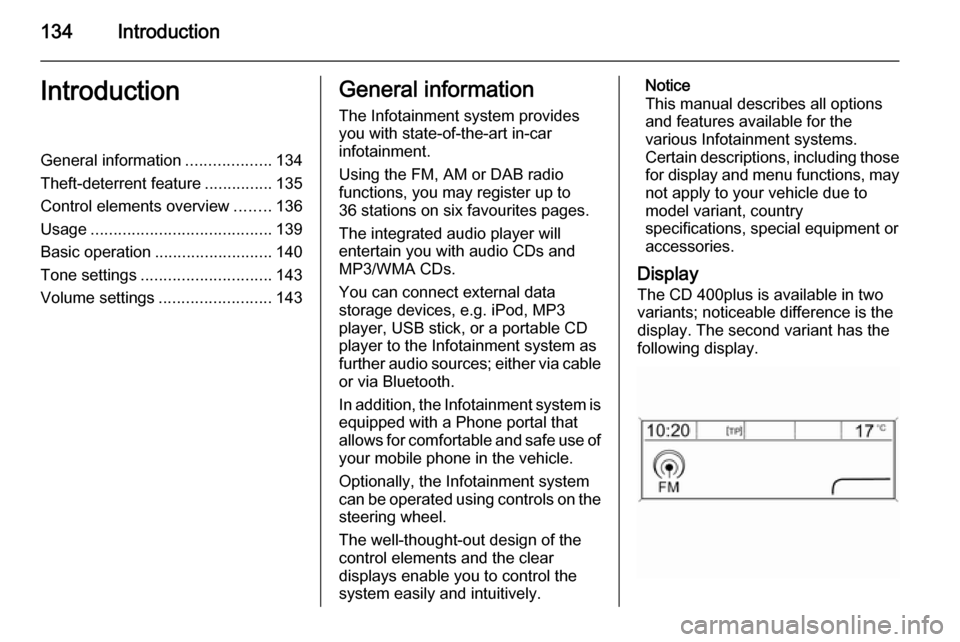
Display The CD 400plus is available in two
variants; noticeable difference is the
display. The second variant has the
following display.
Page 135 of 179

Introduction135
Important information onoperation and traffic safety9 Warning
The Infotainment system must be
used so that the vehicle can be
driven safely at all times. If in
doubt, stop the vehicle and
operate the Infotainment system
while the vehicle is stationary.
Radio reception
Radio reception may be disrupted bystatic, noise, distortion or loss of
reception due to:
■ changes in distance from the transmitter,
■ multipath reception due to reflection,
■ shadowing.
Theft-deterrent feature
The Infotainment system is equipped
with an electronic security system for
the purpose of theft deterrence.
The Infotainment system therefore
functions only in your vehicle and is
worthless to a thief.
Page 137 of 179

Introduction137
1 RADIO................................. 145
Activate radio or change
waveband ........................... 145
2 CD ....................................... 157
Start CD/MP3/WMA
playback .............................. 157
3 Search backwards ..............145
Radio: search backwards ...145
CD/MP3/WMA: skip track
backwards ........................... 155
4 Radio station buttons 1...6 ..146
Long press: save station .....146
Short press: select station ..146
5 m knob ................................ 139
Press: switch on/off ............139
Infotainment system ...........139
Turn: adjust volume ............139
6 Search forwards ..................145
Radio: search forwards .......145
CD/MP3/WMA: skip track
forwards .............................. 1557 AS 1/2................................. 146
Automatic memory levels
(preset radio stations) .........146
Short press: select
autostore list ........................ 146
Long press: save stations
automatically ....................... 146
8 FAV 1/2/3 ............................ 146
Lists of favourites (preset
radio stations) .....................146
9 TP ....................................... 150
Activate or deactivate
radio traffic service ..............150
If Infotainment system is
switched off: display time
and date .............................. 150
10 CD ejection ......................... 155
11 CONFIG .............................. 143
Open settings menu ............14312 INFO ................................... 136
Radio: information on the
currently played station .......145
CD/MP3/WMA:
information on the
currently inserted CD ..........155
13 Multifunction knob ...............140
Turn: mark menu options
or set numeric values .........140
Press: select/activate the
marked option; confirm set
value; switch function on/off 140
14 CD slot ................................ 155
15 BACK .................................. 140
Menu: one level back ..........140
Input: delete last character or entire entry ...................... 140
16 TONE .................................. 143
Tone settings ...................... 143
17 PHONE ............................... 163
Open telephone main menu 166
Activate mute ...................... 139
Page 138 of 179
138Introduction
18 AUX..................................... 157
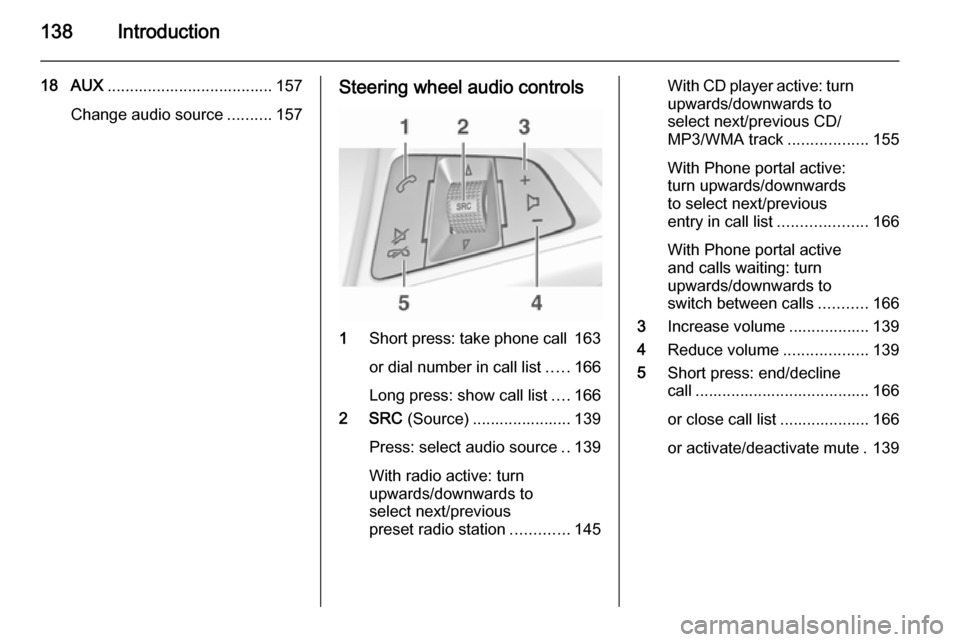
Change audio source ..........157Steering wheel audio controls
1Short press: take phone call 163
or dial number in call list .....166
Long press: show call list ....166
2 SRC (Source) ...................... 139
Press: select audio source ..139
With radio active: turn
upwards/downwards to
select next/previous
preset radio station .............145
With CD player active: turn
upwards/downwards to
select next/previous CD/
MP3/WMA track ..................155
With Phone portal active:
turn upwards/downwards
to select next/previous
entry in call list ....................166
With Phone portal active
and calls waiting: turn
upwards/downwards to
switch between calls ...........166
3 Increase volume .................. 139
4 Reduce volume ...................139
5 Short press: end/decline
call ....................................... 166
or close call list .................... 166
or activate/deactivate mute . 139
Page 139 of 179

Introduction139UsageControl elements
The Infotainment system is operated
via function buttons, a multifunction
knob and menus that are shown on
the display.
Inputs are made optionally via: ■ the control panel on the Infotainment system 3 136
■ audio controls on the steering wheel 3 136.
Switching the Infotainment
system on or off Press the X knob briefly. After
switching on, the last selected
Infotainment source becomes active.
Press the X knob again to turn the
system off.
Automatic switch-off
If the Infotainment system is switched on using the X knob while the ignition
is turned off, it will switch off again
automatically 10 minutes after the last
user input.Setting the volume
Turn the m knob. The current setting
is shown on the display.
When the Infotainment system is
switched on, the last selected volume is set, provided this setting is lower
than the maximum start-up volume
(see below).
The following inputs can be made
separately:
■ the maximum start-up volume 3 143
■ the volume of traffic announcements 3 143.
Speed compensated volume
When speed compensated volume is
activated 3 143, the volume is
adapted automatically to make up for
the road and wind noises as you
drive.
Mute function
Press the PHONE button (if Phone
portal available: press for a few
seconds) to mute the audio sources.To cancel the mute function: turn the
m knob or press the PHONE button (if
Phone portal available: press for a
few seconds).
Volume limitation at high
temperatures
At very high temperatures inside the vehicle the Infotainment system limits
the maximum adjustable volume. If
necessary, the volume is decreased automatically.
Modes of operation Radio
Press the RADIO button to open the
radio main menu or to change
between the different wavebands.
Press the multifunction knob to open
the waveband menus with options for the station selection.
For a detailed description of the radio
functions 3 145.
Page 143 of 179
Introduction143
To change the position of the cursor
in the character sequence already
entered, select ◀ or ▶ on the display.
Tone settings In the tone settings menu the tone
characteristics can be set differently
for each radio waveband and each
audio player source.
Press the TONE button to open the
tone settings menu.
Setting bass, midrange, andtreble
Scroll through the list and select
Bass , Midrange or Treble .
Set the desired value for the selected
option.
Setting the volume distribution
between front and rear
Scroll through the list and select
Fader .
Set the desired value.Setting the volume distribution between right and left
Scroll through the list and select
Balance .
Set the desired value.
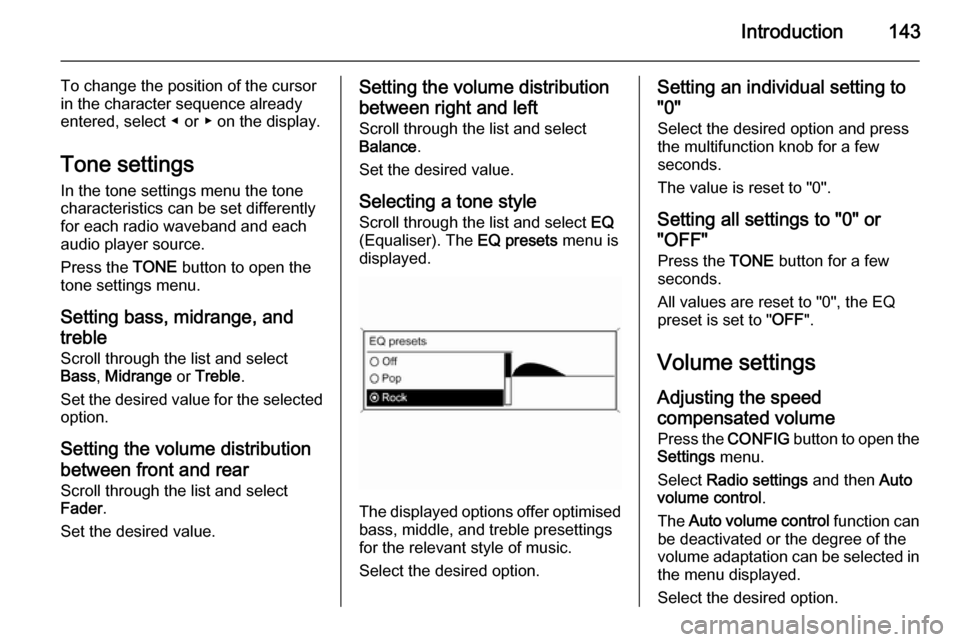
Selecting a tone styleScroll through the list and select EQ
(Equaliser). The EQ presets menu is
displayed.
The displayed options offer optimised
bass, middle, and treble presettings
for the relevant style of music.
Select the desired option.
Setting an individual setting to
"0"
Select the desired option and press
the multifunction knob for a few
seconds.
The value is reset to "0".
Setting all settings to "0" or
"OFF"
Press the TONE button for a few
seconds.
All values are reset to "0", the EQ
preset is set to " OFF".
Volume settings Adjusting the speed
compensated volume
Press the CONFIG button to open the
Settings menu.
Select Radio settings and then Auto
volume control .
The Auto volume control function can
be deactivated or the degree of the
volume adaptation can be selected in the menu displayed.
Select the desired option.
Page 144 of 179

144Introduction
Adjusting the maximum startup
volume Press the CONFIG button to open the
Settings menu.
Select Radio settings and then
Maximum startup volume .
Set the desired value.
Adjusting the volume of traffic
announcements
The volume of traffic announcements
can be preset to increase or decrease in proportion to the normal audio
volume.
Press the CONFIG button to open the
Settings menu.
Select Radio settings , RDS options
and then TA volume .
Set the desired value.
Adjusting the volume of the ring
tone
Press the CONFIG button to open the
Settings menu.
Select Phone settings , Sound &
Signals and then Ring Volume .
Set the desired value.
Page 145 of 179
Radio145RadioUsage........................................ 145
Station search ............................ 145
Autostore lists ............................ 146
Favourite lists ............................. 146
Waveband menus ......................147
Radio data system (RDS) ..........150
Digital audio broadcasting .........151Usage
Activating the radio
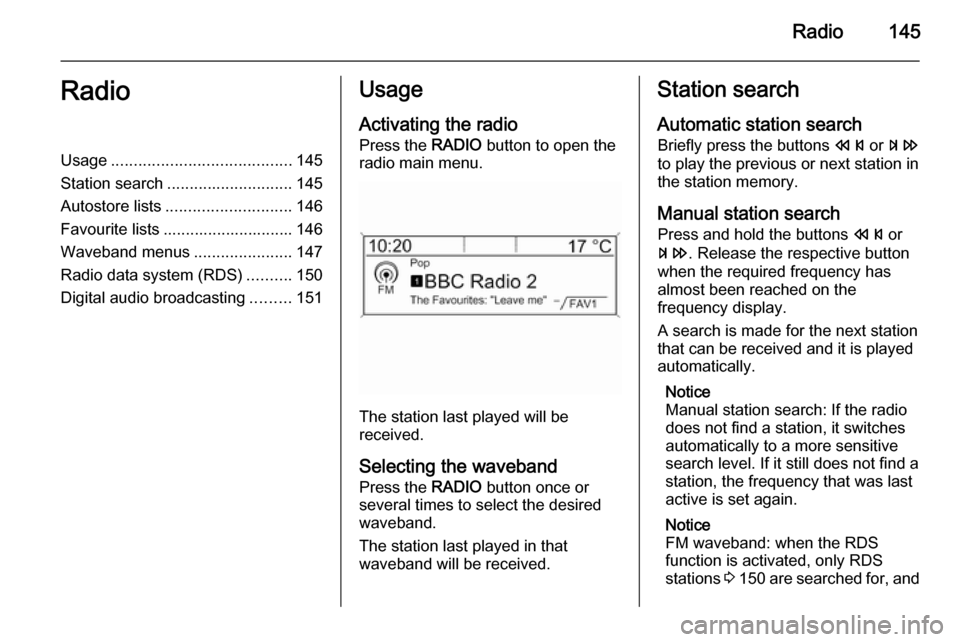
Press the RADIO button to open the
radio main menu.
The station last played will be
received.
Selecting the waveband
Press the RADIO button once or
several times to select the desired
waveband.
The station last played in that
waveband will be received.
Station search
Automatic station search
Briefly press the buttons s or u
to play the previous or next station in
the station memory.
Manual station search
Press and hold the buttons s or
u . Release the respective button
when the required frequency has
almost been reached on the
frequency display.
A search is made for the next station
that can be received and it is played
automatically.
Notice
Manual station search: If the radio
does not find a station, it switches
automatically to a more sensitive
search level. If it still does not find a
station, the frequency that was last
active is set again.
Notice
FM waveband: when the RDS
function is activated, only RDS
stations 3 150 are searched for, and
Page 146 of 179
146Radio
when the radio traffic service (TP) is
activated, only traffic service
stations 3 150 are searched for.
Manual station tuning In the radio main menu, press the
multifunction knob to open the
respective waveband menu and
select manual tuning, e.g. FM manual
tuning .
On the pop-up frequency display, turn the multifunction knob and set the
optimal reception frequency.
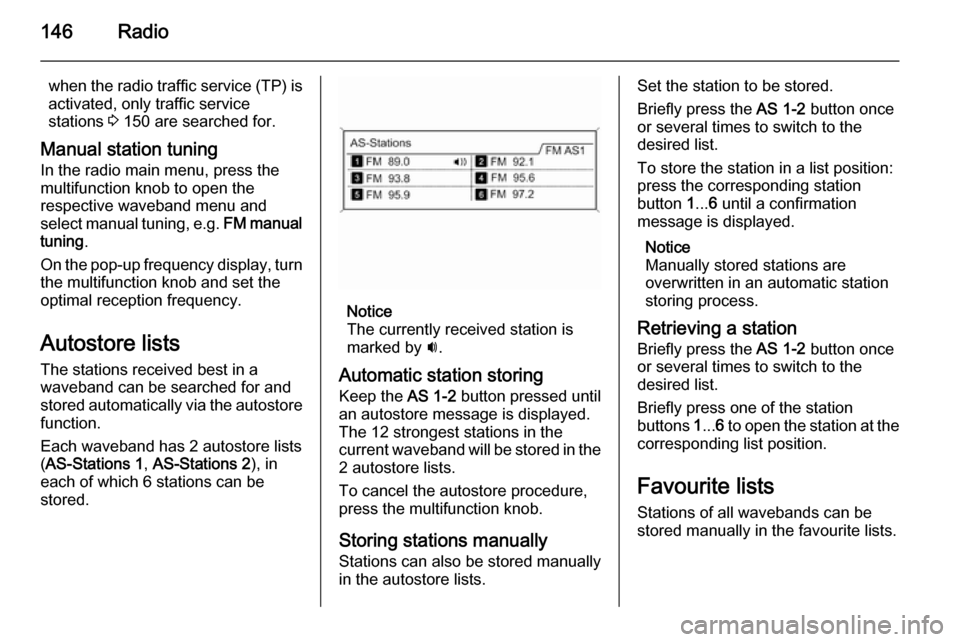
Autostore lists The stations received best in a
waveband can be searched for and
stored automatically via the autostore
function.
Each waveband has 2 autostore lists ( AS-Stations 1 , AS-Stations 2 ), in
each of which 6 stations can be
stored.
Notice
The currently received station is
marked by i.
Automatic station storing
Keep the AS 1-2 button pressed until
an autostore message is displayed.
The 12 strongest stations in the
current waveband will be stored in the
2 autostore lists.
To cancel the autostore procedure, press the multifunction knob.
Storing stations manually
Stations can also be stored manually
in the autostore lists.
Set the station to be stored.
Briefly press the AS 1-2 button once
or several times to switch to the
desired list.
To store the station in a list position:
press the corresponding station
button 1... 6 until a confirmation
message is displayed.
Notice
Manually stored stations are
overwritten in an automatic station storing process.
Retrieving a station
Briefly press the AS 1-2 button once
or several times to switch to the
desired list.
Briefly press one of the station
buttons 1... 6 to open the station at the
corresponding list position.
Favourite lists
Stations of all wavebands can be
stored manually in the favourite lists.