warning VAUXHALL ASTRA J 2016.75 Service Manual
[x] Cancel search | Manufacturer: VAUXHALL, Model Year: 2016.75, Model line: ASTRA J, Model: VAUXHALL ASTRA J 2016.75Pages: 291, PDF Size: 8.73 MB
Page 112 of 291

110Instruments and controls9Warning
Have the cause of the fault
remedied immediately by a
workshop.
Antilock brake system
(ABS)
u illuminates yellow.
Illuminates for a few seconds after the ignition is switched on. The system is
ready for operation when the control
indicator extinguishes.
If the control indicator does not go out after a few seconds, or if it illuminates while driving, there is a fault in the
ABS. The brake system remains
operational but without ABS
regulation.
Antilock brake system 3 172.
Gear shifting R or S with the number of the next
higher or lower gear is indicated,
when up- or down-shifting is
recommended.
Following distance
E indicates the following distance
setting of the alert timing sensitivity
for the forward collision alert using
filled distance bars.
Forward collision alert 3 181.
Lane keep assist
a illuminates green or yellow, or
flashes yellow.
Illuminates green
The system is switched on and ready
to operate.
Illuminates yellow
The system approaches a detected
lane marking without using the turn
signal in that direction.
Flashes yellow
The system recognizes that the lane
is departed significantly.
Lane keep assist 3 201Electronic Stability Control
off
n illuminates yellow.
The system is deactivated.
Electronic Stability Control and Traction Control system
b illuminates or flashes yellow.
Illuminates A fault in the system is present.
Continued driving is possible. Driving stability, however, may deterioratedepending on road surface
conditions.
Have the cause of the fault remedied by a workshop.
Flashes
The system is actively engaged.
Engine output may be reduced and
the vehicle may be braked
automatically to a small degree.
Electronic Stability Control 3 176,
Traction Control system 3 175.
Page 113 of 291
Instruments and controls111Traction Control system off
k illuminates yellow.
The system is deactivated.
Preheating
! illuminates yellow.
Preheating of Diesel engine is
activated. Only activates when
outside temperature is low. Start the engine when control indicator
extinguishes.
Tyre pressure monitoring system
w illuminates or flashes yellow.
Illuminates
Tyre pressure loss. Stop immediately
and check tyre pressure.
Flashes
Fault in system or tyre without
pressure sensor mounted (e.g. spare
wheel). After 60 to 90 seconds the
control indicator illuminates
continuously. Consult a workshop.Engine oil pressure
I illuminates red.
Illuminates when the ignition is
switched on and extinguishes shortly
after the engine starts.
Illuminates when the engine is
runningCaution
Engine lubrication may be
interrupted. This may result in
damage to the engine and/or
locking of the drive wheels.
1. Depress clutch.
2. Select neutral gear.
3. Move out of the flow of traffic as quickly as possible without
impeding other vehicles.
4. Switch off ignition.
9 Warning
When the engine is off,
considerably more force is needed
to brake and steer.
During an Autostop, the brake
servo unit will still be operational.
Do not remove key until vehicle is stationary, otherwise the steeringwheel lock could engage
unexpectedly.
Check oil level before seeking
assistance of a workshop 3 214.
Low fuel
Y illuminates or flashes yellow.
Illuminates
Level in fuel tank is too low.
Flashes
Fuel used up. Refuel immediately.
Never run the tank dry.
Refuelling 3 203.
Catalytic converter 3 165.
Page 115 of 291
Instruments and controls113Illuminates green
Speed limiter is active. Set speed is
indicated near L symbol.
Speed limiter 3 180.
Traffic sign assistant
L displays detected traffic signs as
control indicator.
Traffic sign assistant 3 197.
Door open h illuminates red.
A door or the tailgate is open.Information displays
Driver Information Centre The Driver Information Centre is
located in the instrument cluster.
Depending on the version and the
instrument cluster, the Driver
Information Centre is available as
Midlevel display or Uplevel display.
Driver Information Centre indicates
depending on the equipment:
● overall and trip odometer
● vehicle information
● trip/fuel information
● driving economy information ● vehicle and warning messages
● audio and infotainment information
● phone information
● navigation information
● vehicle settingsMidlevel display
Main menus are: ● Trip/fuel information, displayed by ; , see description below.
● Vehicle information, displayed by ? , see description below.
● Eco information, displayed by @ , see description below.
Some of the displayed functions differ
when the vehicle is being driven or at a standstill and some functions are
only active when the vehicle is being
driven.
Page 118 of 291

116Instruments and controlsAverage speed
Display of average speed. The
measurement can be reset at any
time.
To reset on Midlevel display, press
SET/CLR for a few seconds, on
Uplevel display, press > and confirm
with 9.
Digital speed
Digital display of the instantaneous
speed.
Fuel range
Range is calculated from current fuel
level and current consumption. The
display shows average values.
After refuelling, the range is updated
automatically after a brief delay.
When the level in the fuel tank is low,
a message appears on the display
and the control indicator Y in the fuel
gauge illuminates.
When the fuel tank must be refuelled
immediately, a warning message
appears and remains on the display.
Additionally, the control indicator Y in
the fuel gauge flashes 3 111.Instantaneous Fuel Consumption
Display of the instantaneous
consumption.
Remaining Oil Life
Indicates an estimate of the oil's
useful life. The number in percentage means the remainder of current oil life 3 106.
Tyre Pressure
Checks tyre pressure of all wheels
during driving 3 239.
Traffic sign assistant
Displays the detected traffic signs for
the current route section 3 197.
Following Distance
Displays the distance in seconds to a
preceding moving vehicle 3 184. If
Adaptive cruise control is active this
page shows the following distance
setting instead.
Timer
To start and stop, press 9. To reset,
press > and confirm reset.Outside temperature
Display of current outside
temperature.
Eco information menu, @
● Top consumers
● Economy trend
● Eco index
On Uplevel display the pages Top Consumers, Economy Trend and Eco index, are displayed in the Trip/fuel
information menu, select Info.
Top Consumers
List of top comfort consumers
currently switched on is displayed in
descending order. Fuel saving
potential is indicated.
During sporadic driving conditions,
the engine will activate the heated
rear window automatically to increase
the engine load. In this event, the
heated rear window is indicated as
one of the top consumers, without
activation by the driver.
Page 119 of 291
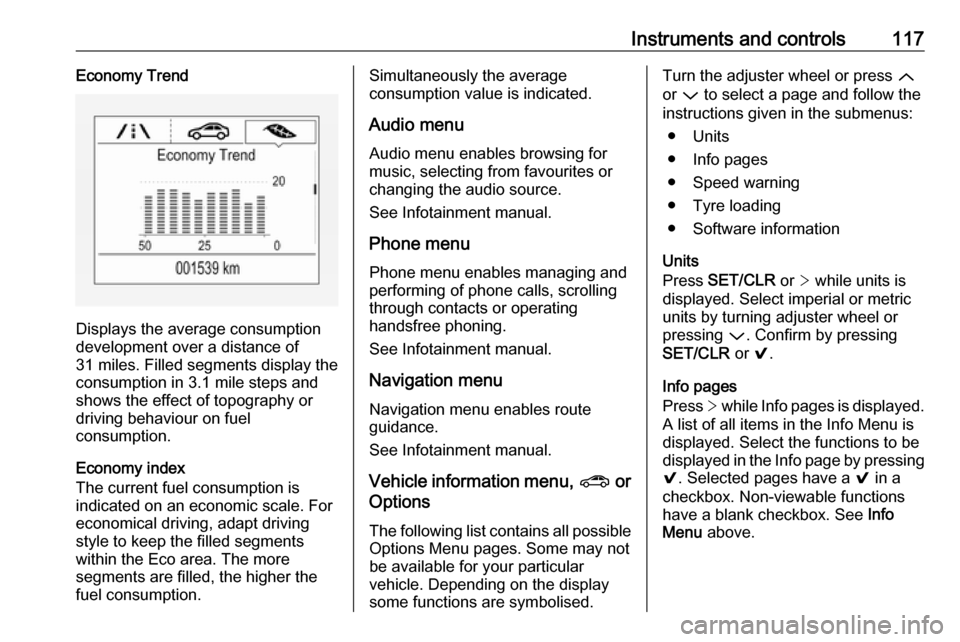
Instruments and controls117Economy Trend
Displays the average consumption
development over a distance of
31 miles. Filled segments display the
consumption in 3.1 mile steps and
shows the effect of topography or
driving behaviour on fuel
consumption.
Economy index
The current fuel consumption is
indicated on an economic scale. For
economical driving, adapt driving
style to keep the filled segments
within the Eco area. The more
segments are filled, the higher the
fuel consumption.
Simultaneously the average
consumption value is indicated.
Audio menu Audio menu enables browsing for
music, selecting from favourites or
changing the audio source.
See Infotainment manual.
Phone menu Phone menu enables managing and
performing of phone calls, scrolling through contacts or operating
handsfree phoning.
See Infotainment manual.
Navigation menu Navigation menu enables route
guidance.
See Infotainment manual.
Vehicle information menu, ? or
Options
The following list contains all possible
Options Menu pages. Some may not be available for your particular
vehicle. Depending on the display
some functions are symbolised.Turn the adjuster wheel or press Q
or P to select a page and follow the
instructions given in the submenus:
● Units
● Info pages
● Speed warning
● Tyre loading
● Software information
Units
Press SET/CLR or > while units is
displayed. Select imperial or metric units by turning adjuster wheel or
pressing P. Confirm by pressing
SET/CLR or 9.
Info pages
Press > while Info pages is displayed.
A list of all items in the Info Menu is
displayed. Select the functions to be
displayed in the Info page by pressing
9 . Selected pages have a 9 in a
checkbox. Non-viewable functions
have a blank checkbox. See Info
Menu above.
Page 120 of 291
118Instruments and controlsSpeed warning
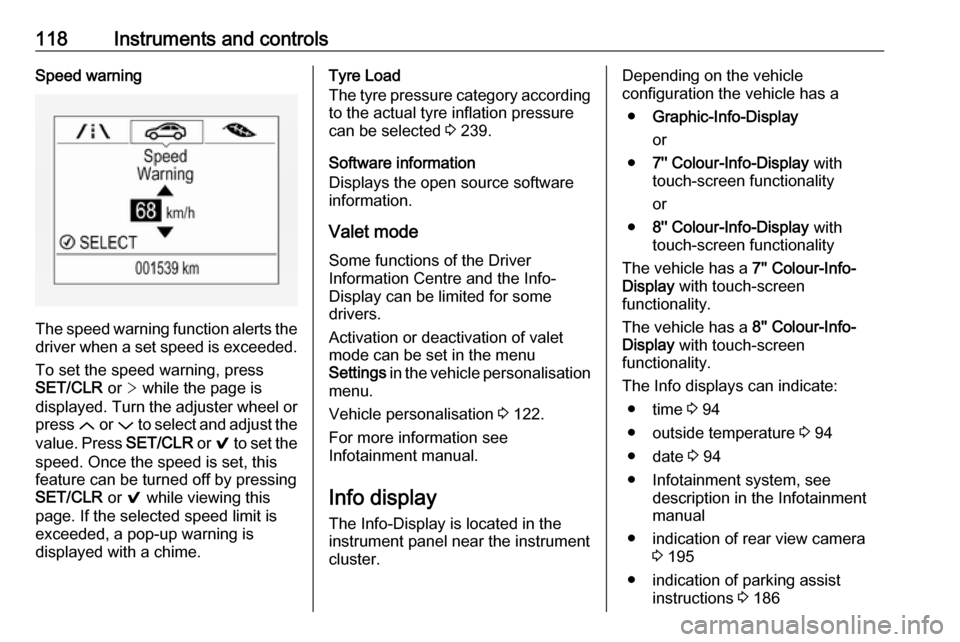
The speed warning function alerts thedriver when a set speed is exceeded.
To set the speed warning, press
SET/CLR or > while the page is
displayed. Turn the adjuster wheel or
press Q or P to select and adjust the
value. Press SET/CLR or 9 to set the
speed. Once the speed is set, this
feature can be turned off by pressing
SET/CLR or 9 while viewing this
page. If the selected speed limit is
exceeded, a pop-up warning is
displayed with a chime.
Tyre Load
The tyre pressure category according
to the actual tyre inflation pressure
can be selected 3 239.
Software information
Displays the open source software
information.
Valet mode
Some functions of the Driver
Information Centre and the Info-
Display can be limited for some
drivers.
Activation or deactivation of valet
mode can be set in the menu
Settings in the vehicle personalisation
menu.
Vehicle personalisation 3 122.
For more information see
Infotainment manual.
Info display
The Info-Display is located in the
instrument panel near the instrument
cluster.Depending on the vehicle
configuration the vehicle has a
● Graphic-Info-Display
or
● 7'' Colour-Info-Display with
touch-screen functionality
or
● 8'' Colour-Info-Display with
touch-screen functionality
The vehicle has a 7'' Colour-Info-
Display with touch-screen
functionality.
The vehicle has a 8'' Colour-Info-
Display with touch-screen
functionality.
The Info displays can indicate: ● time 3 94
● outside temperature 3 94
● date 3 94
● Infotainment system, see description in the Infotainment
manual
● indication of rear view camera 3 195
● indication of parking assist instructions 3 186
Page 122 of 291
120Instruments and controlsPress ; to display the homepage.
Turn MENU to select a menu display
icon or a function or to scroll a submenu list.
Press MENU to confirm a selection.
Press BACK to exit a menu without
changing a setting.
Press ; to return to the homepage.
For further information, see
Infotainment manual.Touchscreen operation
Display must be switched on by
pressing X. Press ; to select
homepage.
Tap required menu display icon or a
function with the finger.
Scroll a longer submenu list with the
finger up or down.
Confirm a required function or
selection by tapping.
Tap q on the display to exit a menu
without changing a setting.
Press ; to return to the homepage.
For further information, see Infotainment manual.Speech recognition
Description see Infotainment manual.
Vehicle personalisation 3 122.
Valet mode
Some functions of the Driver
Information Centre and the Info-
Display can be limited for some
drivers.
Activation or deactivation of valet
mode can be set in the menu
Settings in the vehicle personalisation
menu.
Vehicle personalisation 3 122.
For more information see
Infotainment manual.Vehicle messages
Messages are indicated in the Driver
Information Centre, in some cases
together with a warning and signal
chime.
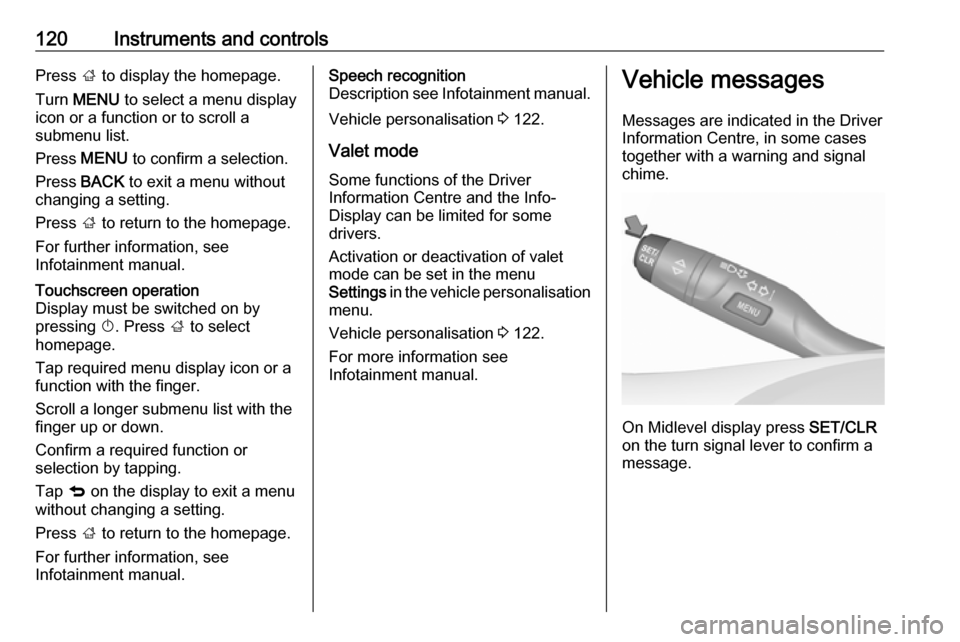
On Midlevel display press SET/CLR
on the turn signal lever to confirm a
message.
Page 123 of 291
Instruments and controls121
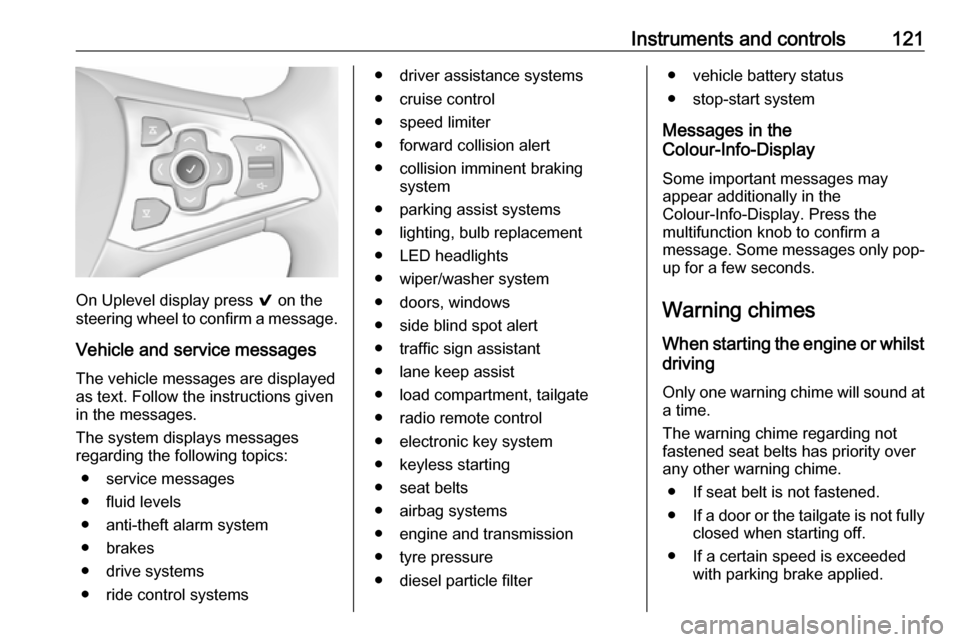
On Uplevel display press 9 on the
steering wheel to confirm a message.
Vehicle and service messages
The vehicle messages are displayed
as text. Follow the instructions given
in the messages.
The system displays messages
regarding the following topics:
● service messages
● fluid levels
● anti-theft alarm system
● brakes
● drive systems
● ride control systems
● driver assistance systems
● cruise control
● speed limiter
● forward collision alert
● collision imminent braking system
● parking assist systems
● lighting, bulb replacement
● LED headlights
● wiper/washer system
● doors, windows
● side blind spot alert
● traffic sign assistant
● lane keep assist
● load compartment, tailgate
● radio remote control
● electronic key system
● keyless starting
● seat belts
● airbag systems
● engine and transmission
● tyre pressure
● diesel particle filter● vehicle battery status
● stop-start system
Messages in the
Colour-Info-Display
Some important messages may
appear additionally in the
Colour-Info-Display. Press the
multifunction knob to confirm a
message. Some messages only pop- up for a few seconds.
Warning chimes When starting the engine or whilst
driving
Only one warning chime will sound at a time.
The warning chime regarding not
fastened seat belts has priority over
any other warning chime.
● If seat belt is not fastened.
● If a door or the tailgate is not fully
closed when starting off.
● If a certain speed is exceeded with parking brake applied.
Page 124 of 291

122Instruments and controls● If approaching a vehicle aheadtoo closely.
● If a programmed speed or speed
limit is exceeded.
● If a warning message appears in the Driver Information Centre.
● If the electronic key is not in the passenger compartment.
● If the parking assist detects an object.
● If an unintended lane change occurs.
● If the diesel particle filter has reached the maximum filling
level.
● If safety function of the power tailgate detects obstacles in the
moving area.
When the vehicle is parked and/or the driver's door is opened
● With exterior lights on.
During an Autostop ● If the driver's door is opened.
● If any condition for an autostart is
not fulfilled.Battery voltage
When the vehicle battery voltage is
running low, a warning message will
appear in the Driver Information
Centre.
1. Switch off any electrical consumers which are not requiredfor a safe drive, e.g. seat heating,
heated rear window or other main consumers.
2. Charge the vehicle battery by driving continuously for a while or
by using a charging device.
The warning message will disappear
after the engine has been started
twice without a voltage drop.
If the vehicle battery cannot be
recharged, have the cause of the fault
remedied by a workshop.Vehicle personalisation
The vehicle's behaviour can be
personalised by changing the settings in the Info-Display.
Some of the personal settings for
different drivers can be memorised
individually for each vehicle key.
Memorised settings 3 23.
Depending on vehicle equipment and
country-specific regulations some of
the functions described below may
not be available.
Some functions are only displayed or
active when the engine is running.
Personal settings Graphic-Info-Display
Press MENU to open the respective
menu.
Select Settings , scroll through the list
and select Vehicle Settings
Page 125 of 291
Instruments and controls123
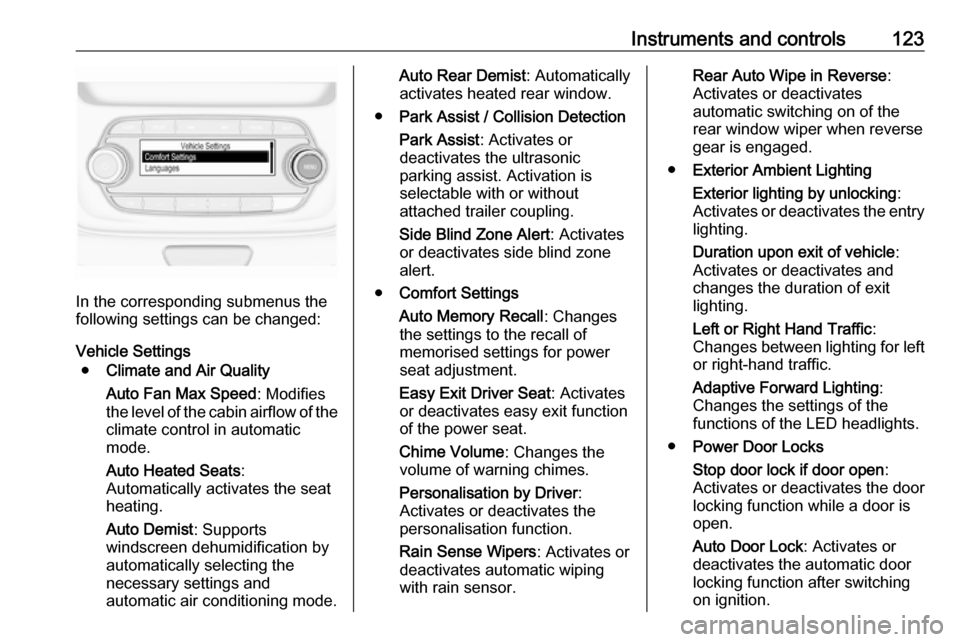
In the corresponding submenus the
following settings can be changed:
Vehicle Settings ● Climate and Air Quality
Auto Fan Max Speed : Modifies
the level of the cabin airflow of the climate control in automatic
mode.
Auto Heated Seats :
Automatically activates the seat
heating.
Auto Demist : Supports
windscreen dehumidification by
automatically selecting the
necessary settings and
automatic air conditioning mode.
Auto Rear Demist : Automatically
activates heated rear window.
● Park Assist / Collision Detection
Park Assist : Activates or
deactivates the ultrasonic
parking assist. Activation is
selectable with or without
attached trailer coupling.
Side Blind Zone Alert : Activates
or deactivates side blind zone alert.
● Comfort Settings
Auto Memory Recall : Changes
the settings to the recall of
memorised settings for power
seat adjustment.
Easy Exit Driver Seat : Activates
or deactivates easy exit function
of the power seat.
Chime Volume : Changes the
volume of warning chimes.
Personalisation by Driver :
Activates or deactivates the
personalisation function.
Rain Sense Wipers : Activates or
deactivates automatic wiping with rain sensor.Rear Auto Wipe in Reverse :
Activates or deactivates
automatic switching on of the
rear window wiper when reverse
gear is engaged.
● Exterior Ambient Lighting
Exterior lighting by unlocking :
Activates or deactivates the entry
lighting.
Duration upon exit of vehicle :
Activates or deactivates and
changes the duration of exit
lighting.
Left or Right Hand Traffic :
Changes between lighting for left or right-hand traffic.
Adaptive Forward Lighting :
Changes the settings of the
functions of the LED headlights.
● Power Door Locks
Stop door lock if door open :
Activates or deactivates the door
locking function while a door is
open.
Auto Door Lock : Activates or
deactivates the automatic door
locking function after switching
on ignition.