warning VAUXHALL ASTRA J 2016.75 Manual PDF
[x] Cancel search | Manufacturer: VAUXHALL, Model Year: 2016.75, Model line: ASTRA J, Model: VAUXHALL ASTRA J 2016.75Pages: 291, PDF Size: 8.73 MB
Page 180 of 291
178Driving and operatingPress SPORT when engine is
running.
LED in the button lights up when sport
mode is active and a status message appears in the Driver Information
Centre.
Deactivation
Briefly press SPORT. Sport mode is
deactivated the next time the ignition
is switched on.Driver assistance
systems9 Warning
Driver assistance systems are
developed to support the driver
and not to replace the driver's
attention.
The driver accepts full
responsibility when driving the
vehicle.
When using driver assistance
systems, always take care
regarding the current traffic
situation.
Cruise control
The cruise control can store and
maintain speeds of approx. 20 mph to maximum vehicle speed. Deviations
from the stored speeds may occur
when driving uphill or downhill.
For safety reasons, the cruise control cannot be activated until the foot
brake has been operated once.
Activating in first gear is not possible.
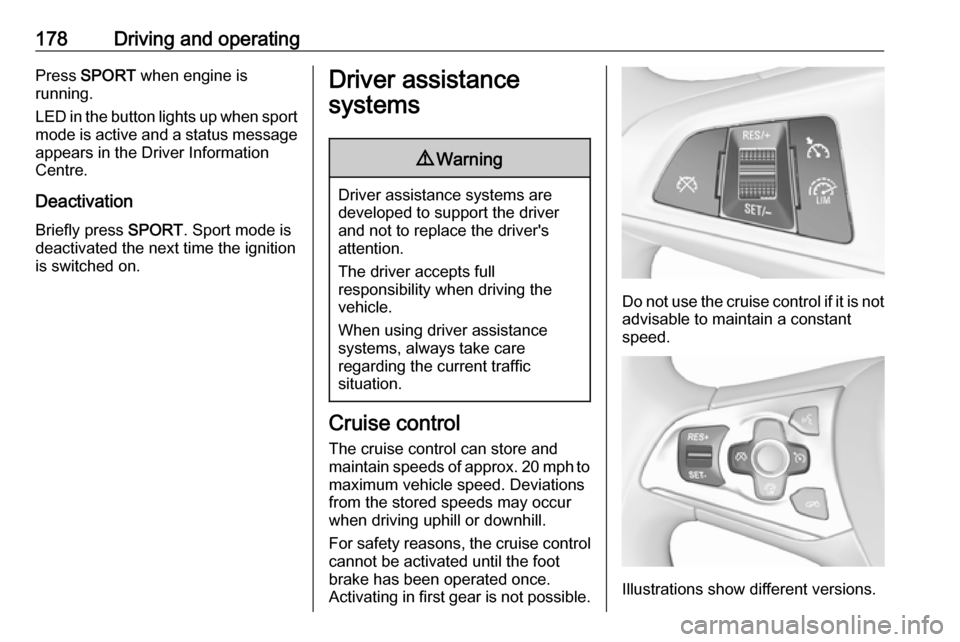
Do not use the cruise control if it is not advisable to maintain a constant
speed.
Illustrations show different versions.
Page 184 of 291
182Driving and operating
A vehicle ahead is indicated by
control indicator A.
If a vehicle directly ahead is
approached too quickly, a warning
chime and alert in the Driver
Information Centre is provided.
Additionally the driver gets notified by
a flashing red LED stripe which is
projected on the windscreen in the
driver's field of view.
A precondition is that forward collision
alert is not deactivated by pressing
V .
Activation Forward collision alert operates
automatically above 5 mph, if it is not deactivated by pressing V, see
below.
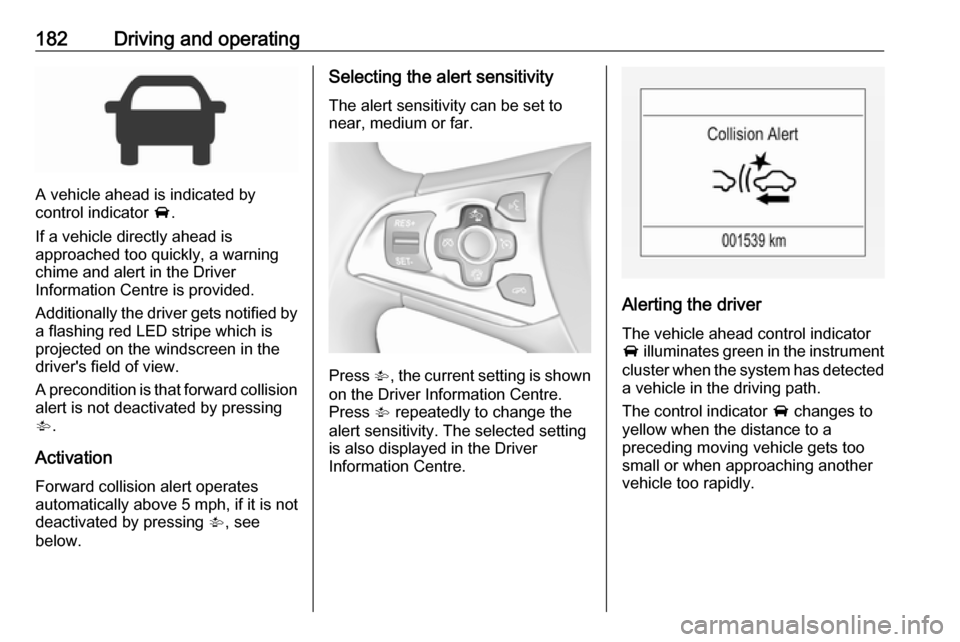
Selecting the alert sensitivity
The alert sensitivity can be set to
near, medium or far.
Press V, the current setting is shown
on the Driver Information Centre.
Press V repeatedly to change the
alert sensitivity. The selected setting
is also displayed in the Driver
Information Centre.
Alerting the driver
The vehicle ahead control indicator
A illuminates green in the instrument
cluster when the system has detected
a vehicle in the driving path.
The control indicator A changes to
yellow when the distance to a
preceding moving vehicle gets too
small or when approaching another
vehicle too rapidly.
Page 185 of 291
Driving and operating183Caution
The colour lighting of this control
indicator does not correspond to
local traffic laws on following
distance. The driver bears full
responsibility for maintaining safe
following distance according to
applicable traffic rules, weather
and road conditions etc. at all
times.
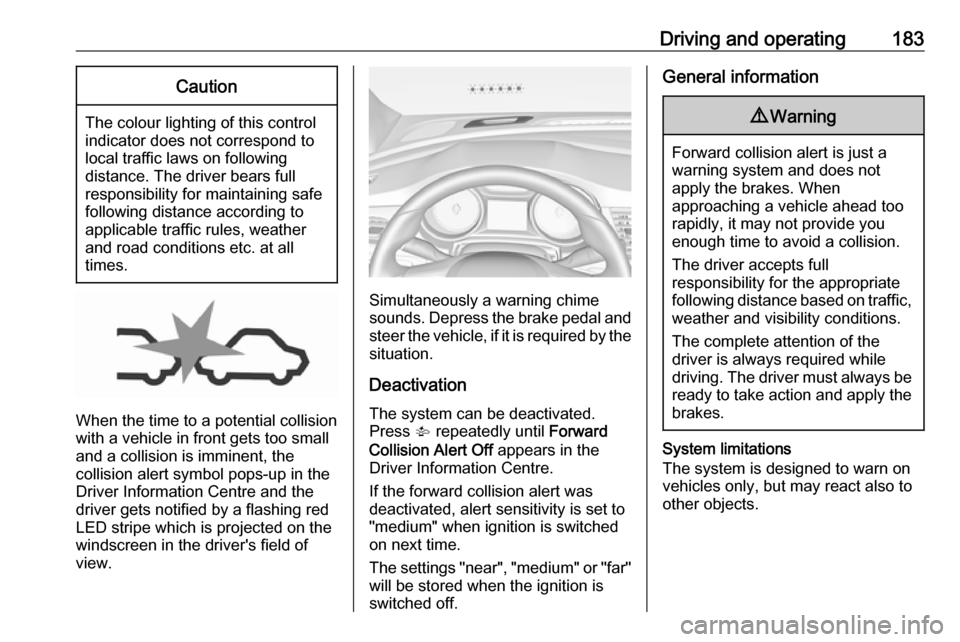
When the time to a potential collision
with a vehicle in front gets too small
and a collision is imminent, the
collision alert symbol pops-up in the
Driver Information Centre and the
driver gets notified by a flashing red
LED stripe which is projected on the
windscreen in the driver's field of
view.
Simultaneously a warning chime sounds. Depress the brake pedal and
steer the vehicle, if it is required by the
situation.
Deactivation The system can be deactivated.
Press V repeatedly until Forward
Collision Alert Off appears in the
Driver Information Centre.
If the forward collision alert was
deactivated, alert sensitivity is set to
"medium" when ignition is switched
on next time.
The settings "near", "medium" or "far" will be stored when the ignition is
switched off.
General information9 Warning
Forward collision alert is just a
warning system and does not
apply the brakes. When
approaching a vehicle ahead too
rapidly, it may not provide you
enough time to avoid a collision.
The driver accepts full
responsibility for the appropriate
following distance based on traffic, weather and visibility conditions.
The complete attention of the
driver is always required while
driving. The driver must always be
ready to take action and apply the
brakes.
System limitations
The system is designed to warn on vehicles only, but may react also to
other objects.
Page 187 of 291

Driving and operating1859Warning
This system is not intended to
replace the driver responsibility for driving the vehicle and looking
ahead. Its function is limited to
supplemental use only. The driver must continue to apply the brake
pedal as the driving situation
dictates.
Brake preparation system
When approaching a vehicle ahead
so quickly that a collision is likely, the
brake preparation system slightly
pressurises the brakes. This reduces
the response time, when a manual or automatic braking is requested.
The brake system is prepared so that braking can occur more rapidly.
The system operates up to a speed of 50 mph.
Emergency automatic braking
After the brake preparation and just
before the imminent collision, this
function automatically applies limited
braking to reduce the impact speed of the collision or prohibit a crash.
The system operates up to a speed of 37 mph.
Below a speed of 25 mph the system
can apply full braking.
Forward looking brake assist
In addition to the brake preparation
system and emergency automatic
braking, the forward looking brake
assist function makes the brake assist more sensitive. Therefore,
depressing the brake pedal less
strongly results in immediate hard
braking. This function helps the driver
brake quicker and harder before the
imminent collision.
The system operates up to a speed of 53 mph.9 Warning
Active emergency braking is not
designed to apply hard
autonomous braking or to
automatically avoid a collision. It is designed to reduce the vehicle
speed before a collision. It may not
react for pedestrians or animals.
After a sudden lane change, the
system needs a certain time to
detect the next preceding vehicle.
The complete attention of the
driver is always required while
driving. The driver shall always be ready to take action and apply the
brakes and steer to avoid
collisions. The system is designed to work with all occupants wearingtheir seat belts.
System limitations
The active emergency braking has
limited or no function during rain,
snow or heavy dirt, as the camera
sensor can be covered by a water
film, dust, ice or snow. In case of
sensor blockage, clean the sensor
cover.
Page 188 of 291
186Driving and operatingIn some cases, the active emergencybraking system may provide an
automatic braking in situations that
seem to be unnecessary, for instance
in parking garages, due to traffic signs in a curve or due to vehicles in
another lane. This is normal
operation, the vehicle does not need service. Firmly apply the accelerator
pedal to override the automatic
braking.
Deactivation
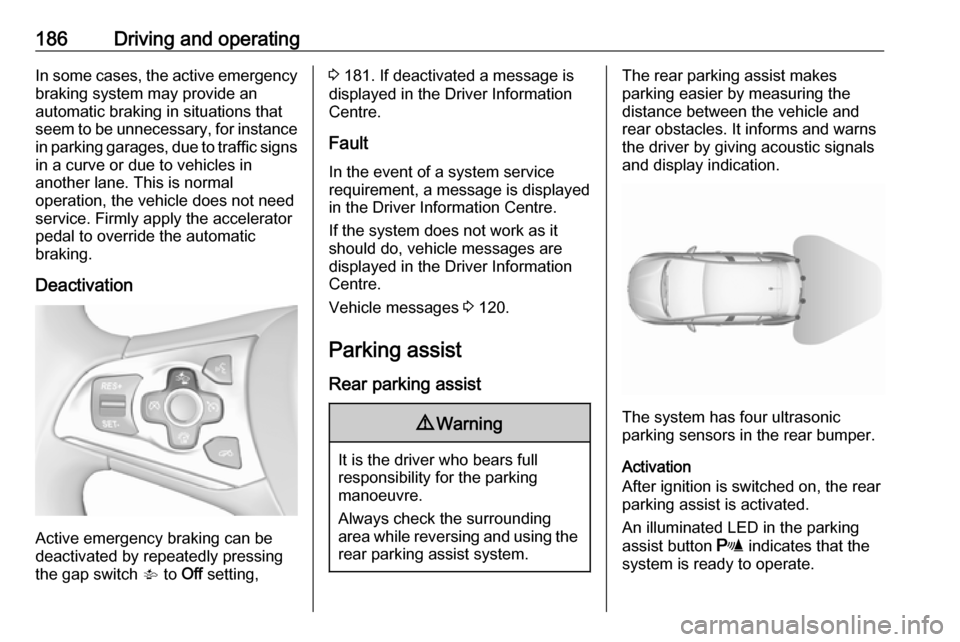
Active emergency braking can be
deactivated by repeatedly pressing
the gap switch V to Off setting,
3 181. If deactivated a message is
displayed in the Driver Information
Centre.
Fault
In the event of a system service
requirement, a message is displayed
in the Driver Information Centre.
If the system does not work as it
should do, vehicle messages are
displayed in the Driver Information
Centre.
Vehicle messages 3 120.
Parking assist Rear parking assist9 Warning
It is the driver who bears full
responsibility for the parking
manoeuvre.
Always check the surrounding
area while reversing and using the rear parking assist system.
The rear parking assist makes
parking easier by measuring the
distance between the vehicle and
rear obstacles. It informs and warns
the driver by giving acoustic signals
and display indication.
The system has four ultrasonic
parking sensors in the rear bumper.
Activation
After ignition is switched on, the rear
parking assist is activated.
An illuminated LED in the parking
assist button r indicates that the
system is ready to operate.
Page 189 of 291
Driving and operating187Indication
The system warns the driver with
acoustic signals against potentially
hazardous obstacles behind the
vehicle in a distance range up to
50 cm while a forward gear is
engaged, respectively up to
1.5 metres while reverse gear is
engaged.
Depending on which side of the
vehicle is closer to an obstacle, you
will hear acoustic warning signals in the vehicle on the respective side.
The interval between the sounds
becomes shorter as the vehicle gets
closer to that obstacle. When the
distance is less than approx. 30 cm,
the sound is continuous.
Additionally, the distance to rear
obstacles is displayed by changing
distance lines in the Driver
Information Centre 3 113.
The distance indication can be
inhibited by vehicle messages with a
higher priority. After dismissing the message distance indication appears
again.Deactivation
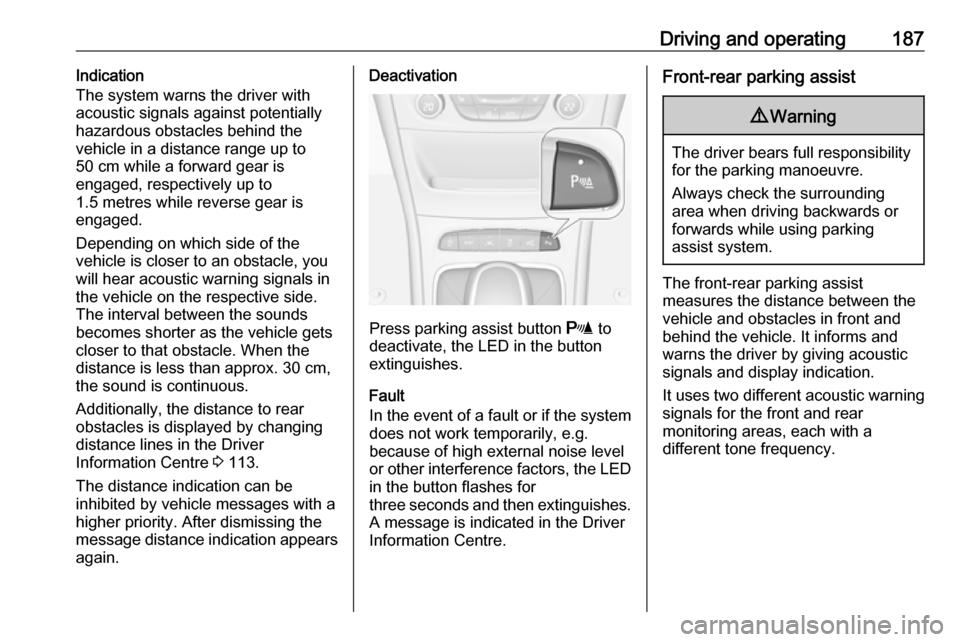
Press parking assist button r to
deactivate, the LED in the button
extinguishes.
Fault
In the event of a fault or if the system does not work temporarily, e.g.
because of high external noise level
or other interference factors, the LED
in the button flashes for
three seconds and then extinguishes. A message is indicated in the Driver
Information Centre.
Front-rear parking assist9 Warning
The driver bears full responsibility
for the parking manoeuvre.
Always check the surrounding
area when driving backwards or
forwards while using parking
assist system.
The front-rear parking assist
measures the distance between the vehicle and obstacles in front and
behind the vehicle. It informs and
warns the driver by giving acoustic
signals and display indication.
It uses two different acoustic warning
signals for the front and rear
monitoring areas, each with a
different tone frequency.
Page 190 of 291
188Driving and operating
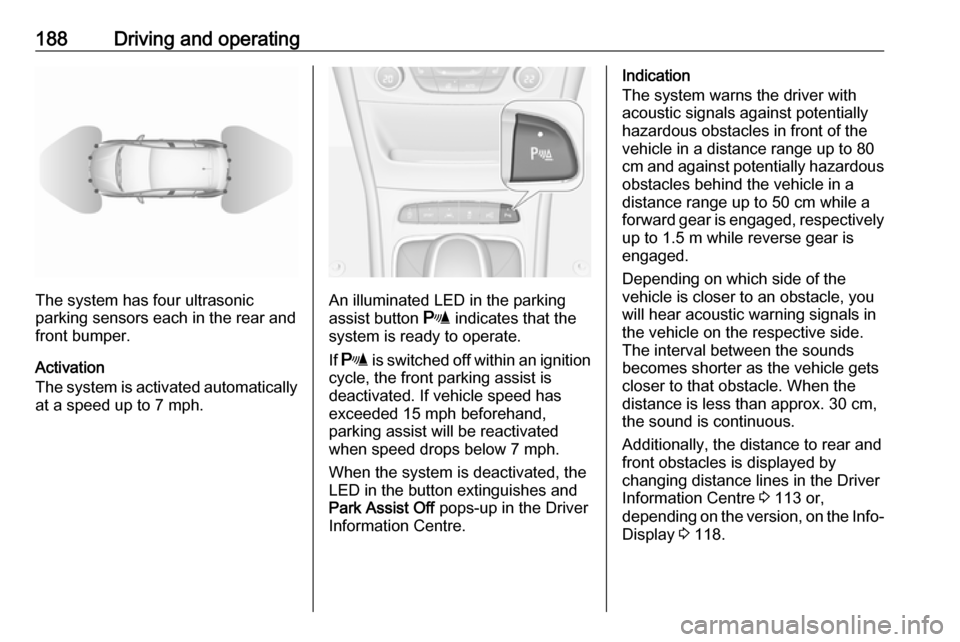
The system has four ultrasonic
parking sensors each in the rear and
front bumper.
Activation
The system is activated automatically
at a speed up to 7 mph.An illuminated LED in the parking
assist button r indicates that the
system is ready to operate.
If r is switched off within an ignition
cycle, the front parking assist is
deactivated. If vehicle speed has
exceeded 15 mph beforehand,
parking assist will be reactivated when speed drops below 7 mph.
When the system is deactivated, the
LED in the button extinguishes and
Park Assist Off pops-up in the Driver
Information Centre.
Indication
The system warns the driver with
acoustic signals against potentially
hazardous obstacles in front of the
vehicle in a distance range up to 80
cm and against potentially hazardous
obstacles behind the vehicle in a
distance range up to 50 cm while a
forward gear is engaged, respectively up to 1.5 m while reverse gear is
engaged.
Depending on which side of the
vehicle is closer to an obstacle, you
will hear acoustic warning signals inthe vehicle on the respective side.
The interval between the sounds
becomes shorter as the vehicle gets
closer to that obstacle. When the
distance is less than approx. 30 cm,
the sound is continuous.
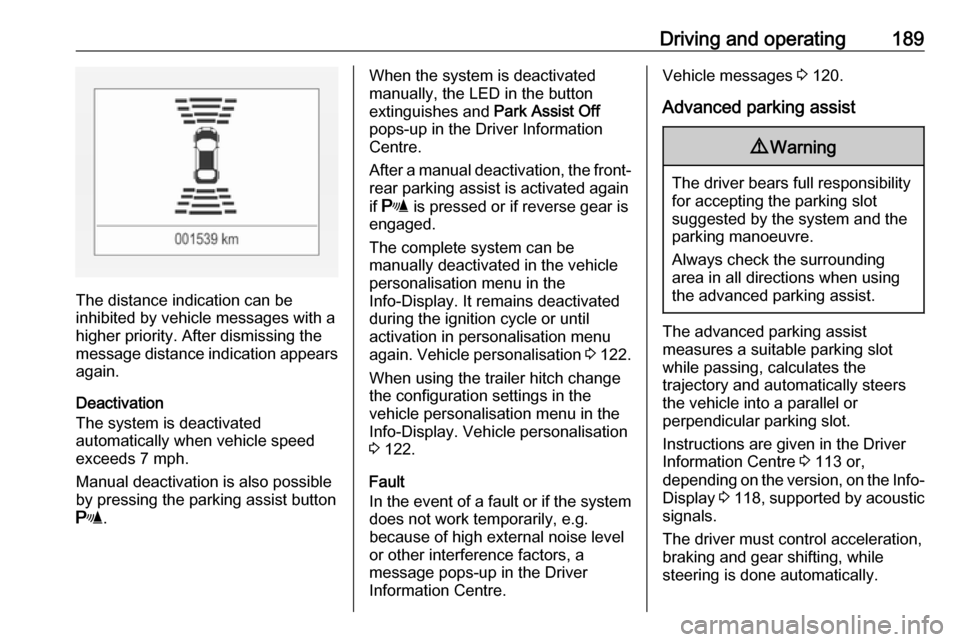
Additionally, the distance to rear and
front obstacles is displayed by
changing distance lines in the Driver
Information Centre 3 113 or,
depending on the version, on the Info-
Display 3 118.
Page 191 of 291
Driving and operating189
The distance indication can be
inhibited by vehicle messages with a higher priority. After dismissing themessage distance indication appears again.
Deactivation
The system is deactivated
automatically when vehicle speed
exceeds 7 mph.
Manual deactivation is also possible
by pressing the parking assist button
r .
When the system is deactivated
manually, the LED in the button
extinguishes and Park Assist Off
pops-up in the Driver Information
Centre.
After a manual deactivation, the front- rear parking assist is activated again
if r is pressed or if reverse gear is
engaged.
The complete system can be
manually deactivated in the vehicle
personalisation menu in the
Info-Display. It remains deactivated during the ignition cycle or until
activation in personalisation menu
again. Vehicle personalisation 3 122.
When using the trailer hitch change
the configuration settings in the
vehicle personalisation menu in the
Info-Display. Vehicle personalisation
3 122.
Fault
In the event of a fault or if the system does not work temporarily, e.g.
because of high external noise level
or other interference factors, a
message pops-up in the Driver
Information Centre.Vehicle messages 3 120.
Advanced parking assist9 Warning
The driver bears full responsibility
for accepting the parking slot
suggested by the system and the
parking manoeuvre.
Always check the surrounding
area in all directions when using
the advanced parking assist.
The advanced parking assist
measures a suitable parking slot
while passing, calculates the
trajectory and automatically steers
the vehicle into a parallel or
perpendicular parking slot.
Instructions are given in the Driver
Information Centre 3 113 or,
depending on the version, on the Info- Display 3 118 , supported by acoustic
signals.
The driver must control acceleration,
braking and gear shifting, while
steering is done automatically.
Page 194 of 291

192Driving and operatingA brief vibration in the steering wheel
after engaging reverse gear indicates
that the steering is controlled by the
system. Then the vehicle is steered
into the slot automatically by giving
the driver detailed instructions for
braking, accelerating and gear
shifting. The driver must keep hands
away from the steering wheel.
Always pay attention to the sound of
the front-rear parking assist.
Continuous sound indicates that the
distance to an obstacle is less than
approx. 30 cm.
If, for any reason, the driver must take over control of the steering, hold the
steering wheel only at the outer edge. Automatic steering is cancelled in thisevent.Display indication
The instructions on the display show:
● General hints and warning messages.
● A hint when driving faster than 18 mph during parking slot
searching mode.
● The demand to stop the vehicle, when a parking slot is detected.●The direction of driving during the
parking manoeuvre.
● The demand to shift into reverse or first gear.
● The demand to accelerate or brake.
● For some of the instructions a progress bar is shown in the
Driver Information Centre.
● The successful completion of the
parking manoeuvre indicated by
a pop-up symbol and a chime.
● The cancelling of a parking manoeuvre.
Display priorities
Advanced parking assist indication in the Driver Information Centre can be
inhibited by vehicle messages with a
higher priority. After approving the
message by pressing SET/CLR on
the turn signal lever or 9 on the
steering wheel, advanced parking assist instructions appear again and
the parking manoeuvre can be
continued.Deactivation
The system is deactivated by:
● a short press of (
● parking manoeuvre successfully ended
● driving faster than 18 mph during
parking slot search
● driving faster than 5 mph during parking guidance
● driver interference on steering wheel detected
● exceeding number of maximum gear changes: eight cycles when
parallel parking or five cycles
when perpendicular parking
● switching off the ignition
Deactivation by the driver or by the
system during manoeuvring will be indicated by Parking Deactivated on
the display. Additionally, an acoustic
signal sounds.
Page 195 of 291
Driving and operating193Fault
A message appears when:
● There is a fault in the system.● The driver did not successfully complete the parking
manoeuvre.
● The system is not operational.
● Any of the deactivation reasons described above apply.
If an object is detected during parking
instructions, Stop is indicated on the
display. Removing the object will
resume the parking manoeuvre. If the
object is not removed, the system will be deactivated. A long press of ( will
activate the system and search for a
new parking slot.
Basic notes on parking assist
systems9 Warning
Under certain circumstances,
various reflective surfaces on
objects or clothing as well as
external noise sources may cause the system to fail to detect
obstacles.
Special attention must be paid to
low obstacles which can damage
the lower part of the bumper.Caution
Performance of the system can be reduced when sensors are
covered, e.g. by ice or snow.
Performance of the parking assist
system can be reduced due to
heavy loading.
Special conditions apply if there
are taller vehicles in the vicinity
(e.g. off-road vehicles, mini vans,
vans). Object identification and correct distance indication in the
upper part of these vehicles
cannot be guaranteed.
Objects with a very small reflection
cross-section, e.g. objects of
narrow size or soft materials, may
not be detected by the system.
Parking assist systems do not
detect objects outside the
detection range.
Notice
It is possible that the sensor detects a non-existing object caused by
echo disturbance from external
acoustic noise or mechanical
misalignments (sporadic false
warnings may occur).
Make sure that the front number
plate is properly mounted (not bent
and no gaps to the bumper on the left
or right side) and the sensors are
firmly in place.
Advanced parking assist system
may not respond to changes in the
available parking space after
initiating a parking manoeuvre. The
system may recognize an entry, a
gateway, a courtyard or even a crossing as a parking slot. After
selecting reverse gear the system