turn signal VAUXHALL CASCADA 2016.5 User Guide
[x] Cancel search | Manufacturer: VAUXHALL, Model Year: 2016.5, Model line: CASCADA, Model: VAUXHALL CASCADA 2016.5Pages: 263, PDF Size: 7.72 MB
Page 99 of 263
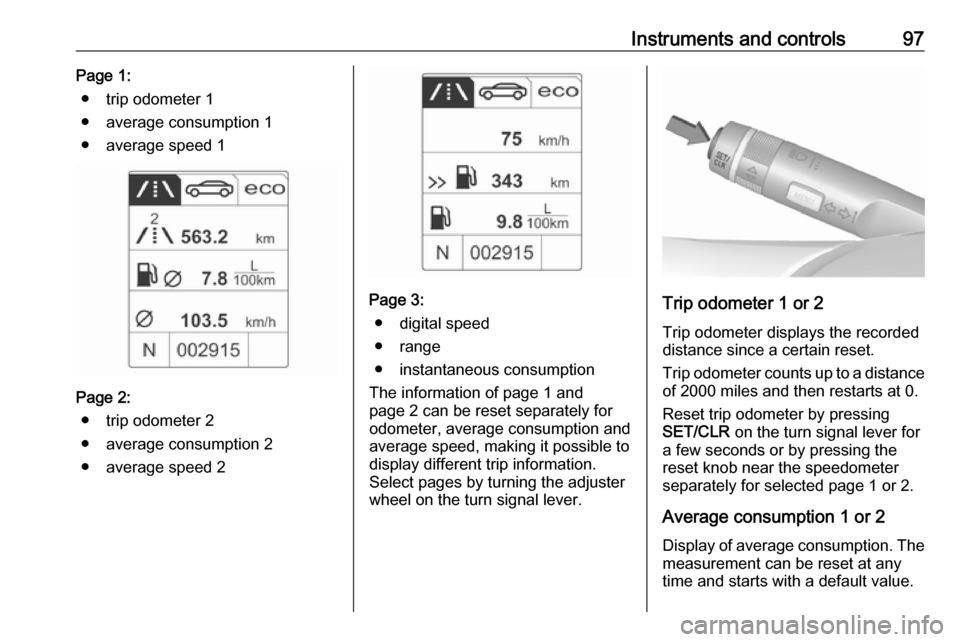
Instruments and controls97Page 1:● trip odometer 1
● average consumption 1
● average speed 1
Page 2: ● trip odometer 2
● average consumption 2
● average speed 2
Page 3: ● digital speed
● range
● instantaneous consumption
The information of page 1 and
page 2 can be reset separately for
odometer, average consumption and
average speed, making it possible to display different trip information.
Select pages by turning the adjuster
wheel on the turn signal lever.Trip odometer 1 or 2
Trip odometer displays the recorded
distance since a certain reset.
Trip odometer counts up to a distance
of 2000 miles and then restarts at 0.
Reset trip odometer by pressing
SET/CLR on the turn signal lever for
a few seconds or by pressing the
reset knob near the speedometer
separately for selected page 1 or 2.
Average consumption 1 or 2
Display of average consumption. The measurement can be reset at any
time and starts with a default value.
Page 103 of 263

Instruments and controls101
To exit the Settings menu, press
BACK repeatedly or press CONFIG
after confirming the changes.
Vehicle personalisation 3 103.
Memorised settings 3 21.
Vehicle messages
Messages are indicated in the Driver
Information Centre, in some cases
together with a warning and signal
sound.
Press SET/CLR , MENU or turn the
adjuster wheel to confirm a message.
Messages in the Driver
Information Centre
The vehicle messages are displayed
as text. Follow the instructions given
in the messages.
The system displays messages
regarding the following topics:
● service messages
● fluid levels
● anti-theft alarm system
● brakes
● ride control systems
● driver assistance systems
● cruise control
Page 111 of 263

Instruments and controls109Notice
The Wi-Fi hotspot functionality is not
available for all markets.
Up to seven devices may be
connected.
To connect a mobile device with the
Wi-Fi hotspot:
1. Press j and then select Wi-Fi
settings on the Info-Display. The
settings displayed include the Wi- Fi hotspot name (SSID),
password and connection type.
2. Start a Wi-Fi network search on your mobile device.
3. Select your vehicle hotspot (SSID) when listed.
4. When prompted, enter the password on your mobile device.
Notice
To change the SSID or password, press Z and talk to an advisor or log
in to your account.
To switch off the Wi-Fi hotspot
functionality, press Z to call an
advisor.Smartphone app
With the My Vauxhall smartphone
app, some vehicle functions can be
operated remotely.
The following functions are available: ● Lock or unlock vehicle.
● Honk horn or flash lights.
● Check fuel level, engine oil life and tyre pressure (only with tyre
pressure monitoring system).
● Send navigation destination to the vehicle, if equipped with a
built-in navigation system.
● Locate vehicle on a map.
● Manage Wi-Fi settings.
To operate these functions, download
the app from Apple's App Store or
Google Play Store.
Remote control
If desired, use any phone to call an
advisor, who can remotely operate
specific vehicle functions. Find the
respective OnStar phone number on
our country-specific website.The following functions are available:
● Lock or unlock vehicle.
● Provide information on the vehicle location.
● Honk horn or flash lights.
Stolen vehicle assistance
If the vehicle is stolen, report the theft
to the authorities and request OnStar
stolen vehicle assistance. Use any
phone to call an advisor. Find the
respective OnStar phone number on
our country-specific website.
OnStar can provide support in
locating and recovering the vehicle.Theft alert
When the anti-theft alarm system is
triggered, a notification is sent to
OnStar. You are then informed about
this event by text message or email.Restart prevention
By sending remote signals, OnStar can prevent the vehicle from
restarting once it has been turned off.
Page 114 of 263
112LightingLightingExterior lighting.......................... 112
Light switch .............................. 112
Automatic light control .............113
High beam ............................... 114
High beam assist .....................114
Headlight flash ......................... 115
Headlight range adjustment ....115
Headlights when driving abroad .................................... 115
Daytime running lights .............116
Adaptive forward lighting .........116
Hazard warning flashers ..........119
Turn and lane-change signals . 120
Front fog lights ......................... 120
Rear fog lights ......................... 120
Parking lights ........................... 121
Reversing lights .......................121
Misted light covers ...................121
Interior lighting ........................... 121
Instrument panel illumination control ..................................... 121
Interior lights ............................ 122
Reading lights .......................... 122
Sunvisor lights ......................... 122Lighting features ........................123
Entry lighting ............................ 123
Exit lighting .............................. 123
Battery discharge protection ....124Exterior lighting
Light switch
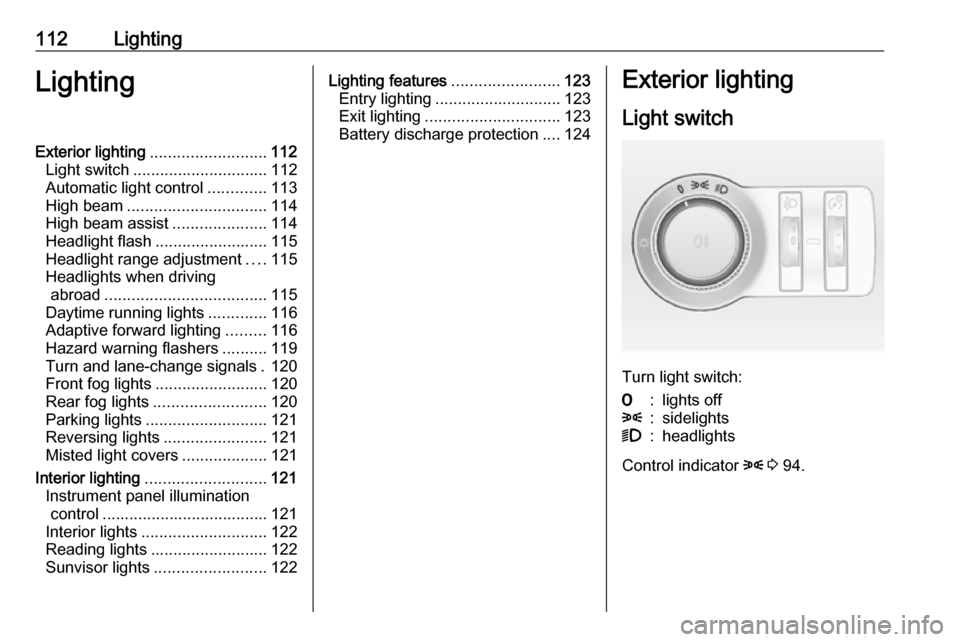
Turn light switch:
7:lights off8:sidelights9:headlights
Control indicator 8 3 94.
Page 118 of 263
116LightingVehicles with Xenon headlight
system
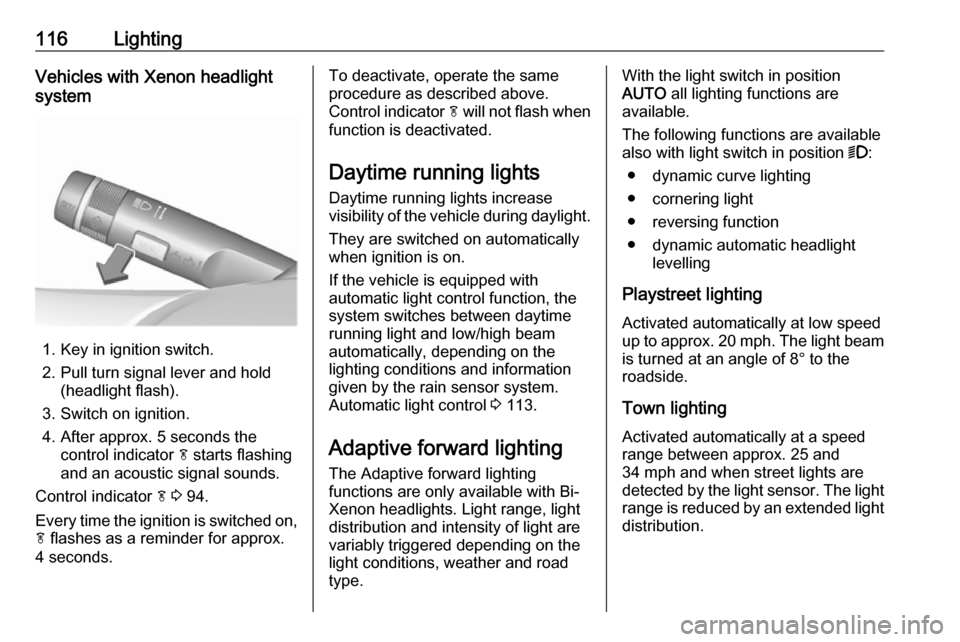
1. Key in ignition switch.
2. Pull turn signal lever and hold (headlight flash).
3. Switch on ignition.
4. After approx. 5 seconds the control indicator f starts flashing
and an acoustic signal sounds.
Control indicator f 3 94.
Every time the ignition is switched on,
f flashes as a reminder for approx.
4 seconds.
To deactivate, operate the same
procedure as described above.
Control indicator f will not flash when
function is deactivated.
Daytime running lights
Daytime running lights increase
visibility of the vehicle during daylight.
They are switched on automatically
when ignition is on.
If the vehicle is equipped with
automatic light control function, the
system switches between daytime running light and low/high beam
automatically, depending on the
lighting conditions and information
given by the rain sensor system.
Automatic light control 3 113.
Adaptive forward lighting
The Adaptive forward lighting
functions are only available with Bi-
Xenon headlights. Light range, light
distribution and intensity of light are
variably triggered depending on the
light conditions, weather and road
type.With the light switch in position
AUTO all lighting functions are
available.
The following functions are available
also with light switch in position 9:
● dynamic curve lighting
● cornering light
● reversing function
● dynamic automatic headlight levelling
Playstreet lighting Activated automatically at low speed
up to approx. 20 mph. The light beam
is turned at an angle of 8° to the
roadside.
Town lighting
Activated automatically at a speed
range between approx. 25 and
34 mph and when street lights are
detected by the light sensor. The light range is reduced by an extended light
distribution.
Page 119 of 263

Lighting117Country lighting
Activated automatically at a speed
range between approx. 34 and
70 mph. The beam of light and the
brightness is different between the
left and the right side.
Motorway lighting Activated automatically at a speed
above approx. 70 mph and minimal
steering movements. It switches on
after a delay or directly when the
vehicle is powerfully accelerated. The
light beam is longer and brighter.
Adverse weather lighting
Activated automatically up to a speed
of approx. 43 mph, when the rain sensor recognises condensation or
the wiper operates continuously. The
range, distribution and light intensity
is regulated variably depending on visibility.Dynamic curve lighting
The light beam pivots based on
steering wheel angle and speed,
improving lighting in curves.
Control indicator f 3 94.
Corner lighting
On tight bends or when turning off,
depending on the steering angle or
the turn signal light, an additional left
or right reflector is switched on which illuminates the road at a right angle to
the direction of travel. It is activated
up to a speed of 25 mph.
Control indicator f 3 94.
Reversing function
If the headlights are on and reverse
gear is engaged, both corner lights
are switched on. They remain
illuminated for 20 seconds after
disengaging reverse gear or until
driving faster than 10 mph in a
forward gear.
High beam assist This feature allows high beam as
main driving light by night and when
vehicle speed is faster than 25 mph.
It switches to low beam when: ● The camera in the windscreen detects the lights of oncoming or
preceding vehicles.
● The vehicle speed is slower than
12 mph.
● It is foggy or snowy.
● Driving in urban areas.
If there are no restrictions detected,
the system switches back to high
beam.
Page 122 of 263

120LightingIn the event of an accident with airbag
deployment the hazard warning
flashers are activated automatically.
Turn and lane-changesignalslever up:right turn signallever down:left turn signal
If the lever is moved past the
resistance point, the turn signal is
switched on constantly. When the
steering wheel moves back, the turn
signal is automatically deactivated.
For three flashes, e.g. when changing lanes, press the lever until resistance
is felt then release.
When a trailer is connected, pressing the lever until resistance is felt then
releasing activates six turn signal
flashes.
Move the lever to the resistance point
and hold for longer indication.
Switch the turn signal off manually by moving the lever to its original
position.
Front fog lights
Operated by pressing >.
Light switch in position AUTO:
switching on front fog lights will switch headlights on automatically.
Rear fog lights
Operated by pressing r
.
Light switch in position AUTO:
switching on rear fog light will switch
headlights on automatically.
Light switch in position 8: rear fog
light can only be switched on with
front fog lights.
The vehicle rear fog light is
deactivated when towing.
Page 123 of 263
Lighting121Parking lights
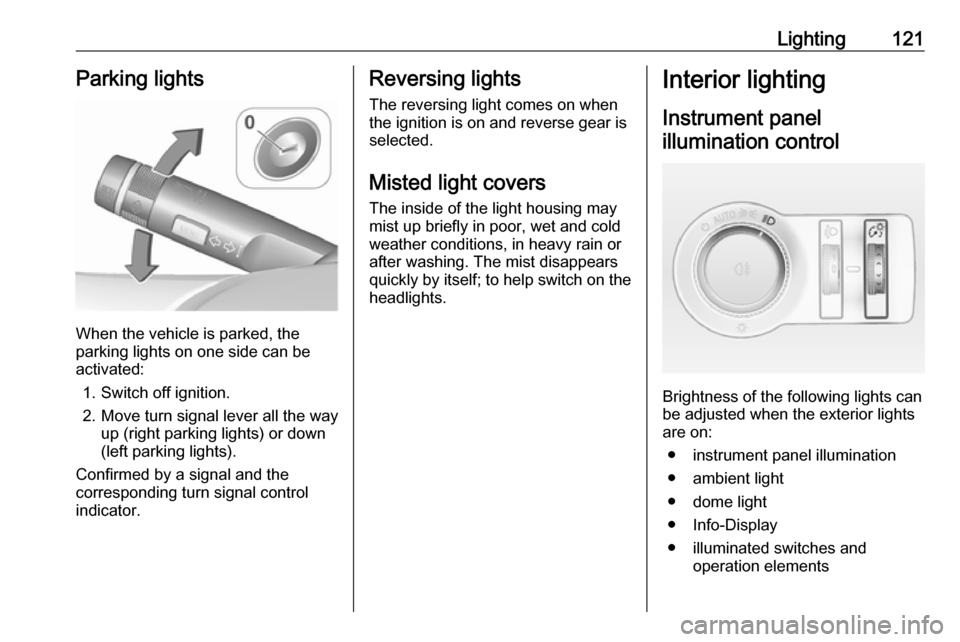
When the vehicle is parked, the
parking lights on one side can be
activated:
1. Switch off ignition.
2. Move turn signal lever all the way up (right parking lights) or down
(left parking lights).
Confirmed by a signal and the
corresponding turn signal control
indicator.
Reversing lights
The reversing light comes on when
the ignition is on and reverse gear is
selected.
Misted light covers
The inside of the light housing may
mist up briefly in poor, wet and cold weather conditions, in heavy rain or
after washing. The mist disappears
quickly by itself; to help switch on the
headlights.Interior lighting
Instrument panel illumination control
Brightness of the following lights can
be adjusted when the exterior lights
are on:
● instrument panel illumination
● ambient light
● dome light
● Info-Display
● illuminated switches and operation elements
Page 125 of 263

Lighting123Lighting features
Entry lighting Welcome lighting
The following lights are switched on
for a short time by unlocking the
vehicle with the radio remote control:
● headlights
● tail lights
● number plate lights
● instrument panel light
● interior lights
● puddle lights
Some functions work only in the dark and facilitates locating the vehicle.
The lighting switches off immediately
when the ignition key is turned to
position 1 3 137.
The following lights will additionally
switch on when the driver's door is
opened:
● illumination of all switches
● Driver Information Centre● door pocket lights
● console lights
Activation, deactivation and duration of this function can be changed in the
Info-Display. Vehicle personalisation
3 103.
The settings can be saved for the key being used 3 21.
Exit lighting
The following lights switch on if the
key is removed from the ignition
switch:
● interior lights
● instrument panel light (only when
it is dark)
● door and console lights
● puddle lights
They will switch off automatically after
a delay and will be activated again if
the driver's door is opened.
Headlights, tail lights and number
plate lights illuminate the surrounding
area for an adjustable time after
leaving the vehicle.Path lighting
Headlights, tail lights and number
plate lights illuminate the surrounding area for an adjustable time after
leaving the vehicle.
Activating
1. Switch off ignition
2. Remove ignition key
3. Open driver's door
4. Pull turn signal lever
5. Close driver's door
If the driver's door is not closed, the
lights switch off after two minutes.
Page 126 of 263

124LightingExit lighting is switched off
immediately if the turn signal lever is
pulled while the driver's door is open.
Activation, deactivation and duration of this function can be changed in the Info-Display. Vehicle personalisation
3 103.
The settings can be saved for the key
being used 3 21.
Battery discharge protection Vehicle battery state of charge
function
The function guarantees longest
vehicle battery life via a generator
with controllable power output and
optimised power distribution.
To prevent discharge of the vehicle
battery when driving, the following
systems are reduced automatically in two stages and finally switched off:
● auxiliary heater
● heated rear window and mirrors
● heated seats
● fanIn the second stage, a message
which confirms activation of the
vehicle battery discharge protection will be displayed in the Driver
Information Centre.
Switching off electric lights To prevent discharge of the vehicle
battery when the ignition is switched
off, some interior lights are switched
off automatically after some time.