lock VAUXHALL CORSA 2015.75 Owner's Guide
[x] Cancel search | Manufacturer: VAUXHALL, Model Year: 2015.75, Model line: CORSA, Model: VAUXHALL CORSA 2015.75Pages: 261, PDF Size: 7.61 MB
Page 69 of 261
Storage67
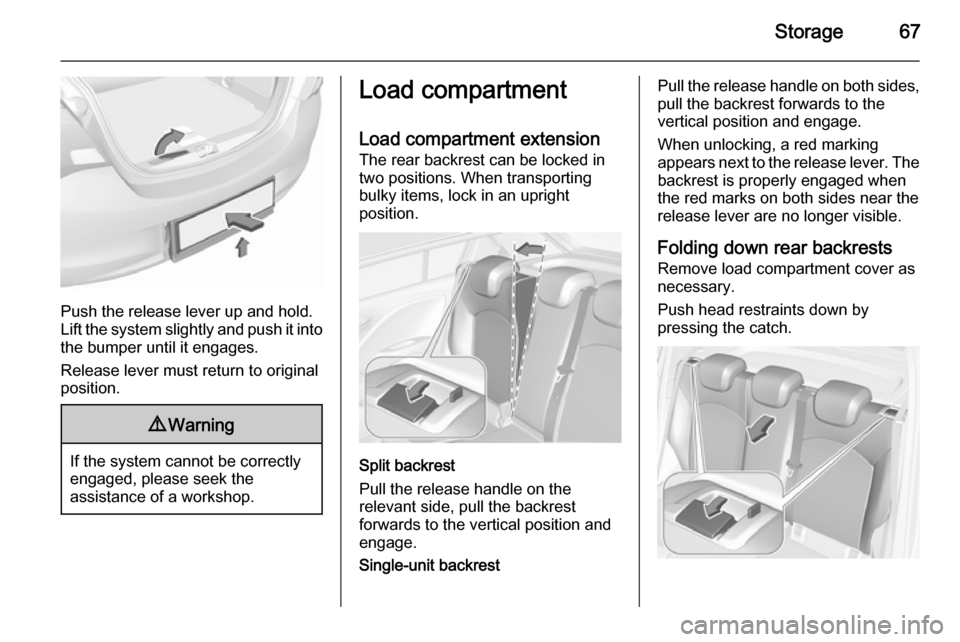
Push the release lever up and hold.
Lift the system slightly and push it into the bumper until it engages.
Release lever must return to original
position.
9 Warning
If the system cannot be correctly
engaged, please seek the
assistance of a workshop.
Load compartment
Load compartment extension The rear backrest can be locked in
two positions. When transporting
bulky items, lock in an upright
position.
Split backrest
Pull the release handle on the
relevant side, pull the backrest
forwards to the vertical position and engage.
Single-unit backrest
Pull the release handle on both sides,
pull the backrest forwards to the
vertical position and engage.
When unlocking, a red marking
appears next to the release lever. The backrest is properly engaged when
the red marks on both sides near the release lever are no longer visible.
Folding down rear backrests Remove load compartment cover as
necessary.
Push head restraints down by
pressing the catch.
Page 70 of 261
68Storage
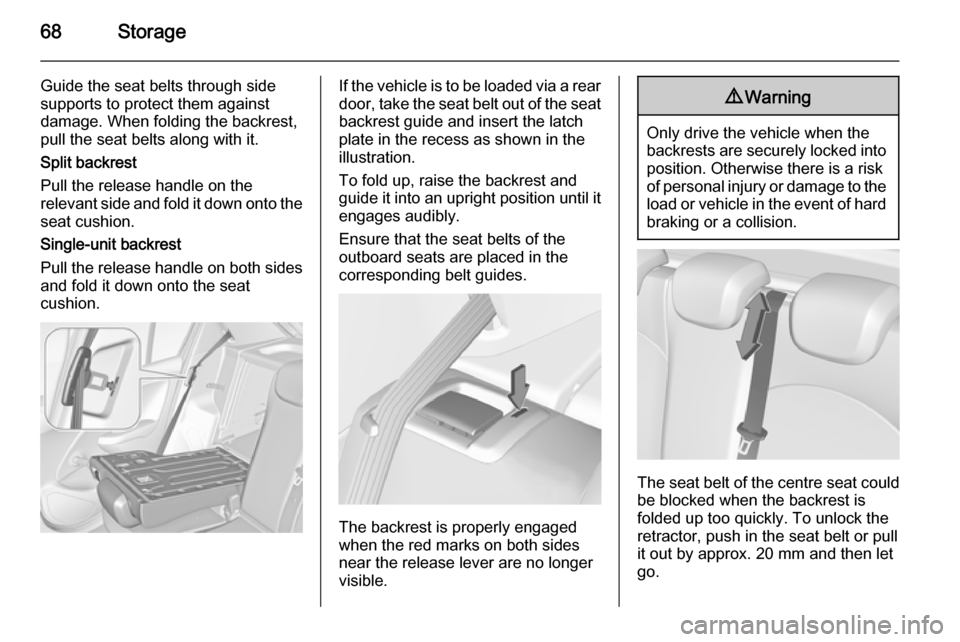
Guide the seat belts through side
supports to protect them against
damage. When folding the backrest,
pull the seat belts along with it.
Split backrest
Pull the release handle on the
relevant side and fold it down onto the seat cushion.
Single-unit backrest
Pull the release handle on both sides
and fold it down onto the seat
cushion.If the vehicle is to be loaded via a rear
door, take the seat belt out of the seat
backrest guide and insert the latch
plate in the recess as shown in the
illustration.
To fold up, raise the backrest and
guide it into an upright position until it engages audibly.
Ensure that the seat belts of the
outboard seats are placed in the corresponding belt guides.
The backrest is properly engaged
when the red marks on both sides
near the release lever are no longer
visible.
9 Warning
Only drive the vehicle when the
backrests are securely locked into position. Otherwise there is a risk
of personal injury or damage to the
load or vehicle in the event of hard braking or a collision.
The seat belt of the centre seat could
be blocked when the backrest is
folded up too quickly. To unlock the
retractor, push in the seat belt or pull
it out by approx. 20 mm and then let
go.
Page 77 of 261
Instruments and controls75Instruments and
controlsControls ....................................... 75
Warning lights, gauges and indi‐ cators ........................................... 83
Information displays .....................95
Vehicle messages ...................... 103
Vehicle personalisation ..............106Controls
Steering wheel adjustment
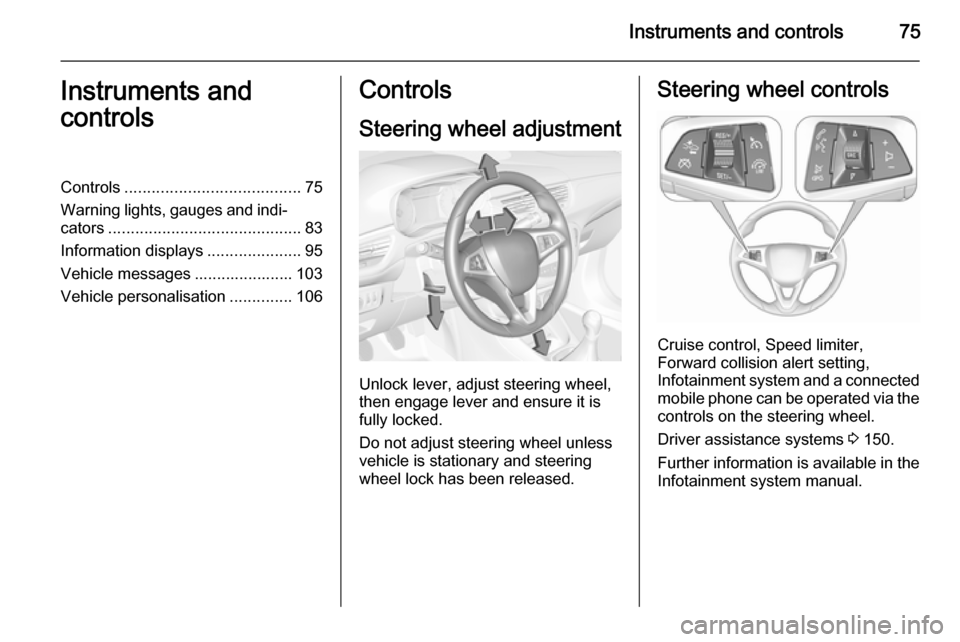
Unlock lever, adjust steering wheel,
then engage lever and ensure it is fully locked.
Do not adjust steering wheel unless
vehicle is stationary and steering
wheel lock has been released.
Steering wheel controls
Cruise control, Speed limiter,
Forward collision alert setting,
Infotainment system and a connected
mobile phone can be operated via the controls on the steering wheel.
Driver assistance systems 3 150.
Further information is available in the
Infotainment system manual.
Page 82 of 261
80Instruments and controls
If outside temperature drops to 3 °C,
a warning message is displayed in the
Driver Information Centre.9 Warning
The road surface may already be
icy even though the display
indicates a few degrees above 0
°C.
Clock
Graphic-Info Display
Press CONFIG to open the Settings
menu.
Scroll through the list and select the
menu item Time Date to display the
respective submenu.
Notice
For a detailed description of menu
operation, refer to the Infotainment
system manual.
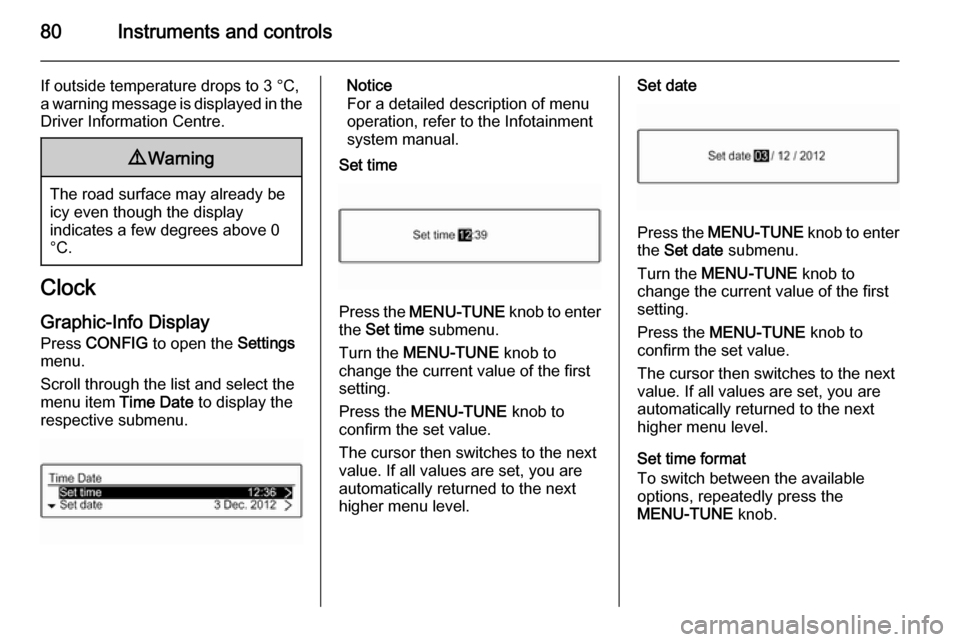
Set time
Press the MENU-TUNE knob to enter
the Set time submenu.
Turn the MENU-TUNE knob to
change the current value of the first setting.
Press the MENU-TUNE knob to
confirm the set value.
The cursor then switches to the next
value. If all values are set, you are
automatically returned to the next
higher menu level.
Set date
Press the MENU-TUNE knob to enter
the Set date submenu.
Turn the MENU-TUNE knob to
change the current value of the first setting.
Press the MENU-TUNE knob to
confirm the set value.
The cursor then switches to the next
value. If all values are set, you are
automatically returned to the next
higher menu level.
Set time format
To switch between the available
options, repeatedly press the
MENU-TUNE knob.
Page 83 of 261
Instruments and controls81
Set date format
To switch between the available
options, repeatedly press the
MENU-TUNE knob.
RDS clock synchronization The RDS signal of most VHF
transmitters automatically sets the
time. RDS time synchronisation can
take a few minutes. Some
transmitters do not send a correct
time signal. In such cases, it is
recommended to switch off the
automatic time synchronisation.
To switch between the options On
and Off, repeatedly press the
MENU-TUNE knob.
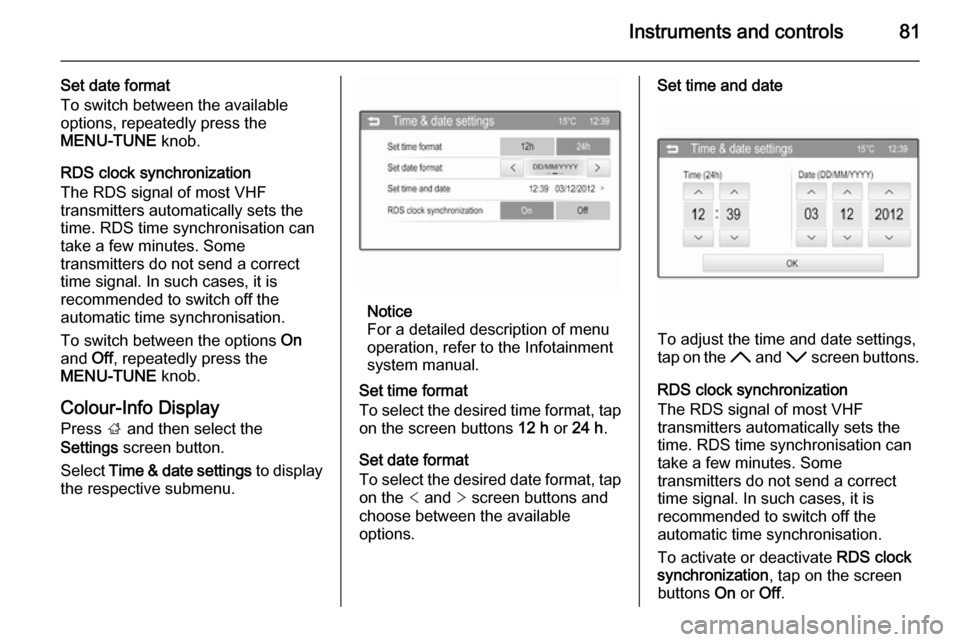
Colour-Info Display
Press ; and then select the
Settings screen button.
Select Time & date settings to display
the respective submenu.
Notice
For a detailed description of menu
operation, refer to the Infotainment
system manual.
Set time format
To select the desired time format, tap on the screen buttons 12 h or 24 h .
Set date format To select the desired date format, tap
on the < and > screen buttons and
choose between the available
options.
Set time and date
To adjust the time and date settings,
tap on the H and I screen buttons.
RDS clock synchronization
The RDS signal of most VHF
transmitters automatically sets the
time. RDS time synchronisation can take a few minutes. Some
transmitters do not send a correct
time signal. In such cases, it is
recommended to switch off the
automatic time synchronisation.
To activate or deactivate RDS clock
synchronization , tap on the screen
buttons On or Off.
Page 93 of 261
Instruments and controls91
Illuminates when the engine is
running Fault in the emission control system.
The permitted emission limits may be
exceeded. Seek the assistance of a
workshop immediately.
Flashes when the engine is
running
Fault that could lead to catalytic converter damage. Ease up on the accelerator until the flashing stops.
Seek the assistance of a workshop
immediately.
Service vehicle soon g illuminates yellow.
Additionally, a warning message is
displayed in the Driver Information
Centre.
The vehicle requires a service.
Seek the assistance of a workshop.
Vehicle messages 3 103.
Brake and clutch system R illuminates red.The brake and clutch fluid level is too
low 3 188.9 Warning
Stop. Do not continue your
journey. Consult a workshop.
Illuminates after the ignition is
switched on if the manual parking
brake is applied 3 146.
Operate pedal - illuminates or flashes yellow.
Illuminates
Clutch pedal needs to be depressed
to start the engine in Autostop mode.
Stop-start system 3 133.
Flashes
Clutch pedal needs to be depressed
for a main start of the engine 3 17,
3 132.
On some versions, the operate pedal message is indicated in the Driver
Information Display 3 103.
Antilock brake system
(ABS) u illuminates yellow.
Illuminates for a few seconds after the ignition is switched on. The system is
ready for operation when the control
indicator extinguishes.
If the control indicator does not go out after a few seconds, or if it illuminates while driving, there is a fault in the
ABS. The brake system remains
operational but without ABS
regulation.
Antilock brake system 3 145.
Gear shifting R with the number of the next higher
gear is indicated, when upshifting is
recommended for fuel saving
reasons.
Power steering
c illuminates yellow.
Page 95 of 261

Instruments and controls93Traction Control system off
k illuminates yellow.
The system is deactivated.
Preheating
! illuminates yellow.
Preheating is activated. Only
activates when outside temperature
is low.
Diesel particle filter % illuminates or flashes yellow.
The diesel particle filter requires
cleaning.
Continue driving until %
extinguishes. If possible, do not allow
engine speed to drop below
2000 rpm.
Illuminates
The diesel particle filter is full. Start
cleaning process as soon as
possible.Flashes
The maximum filling level of the filter
is reached. Start cleaning process
immediately to avoid damage to the
engine.
Diesel particle filter 3 136, Stop-start
system 3 133.
Tyre pressure monitoring
system
w illuminates or flashes yellow.
Illuminates
Tyre pressure loss. Stop immediately and check tyre pressure.
Flashes
Fault in system or tyre without
pressure sensor mounted ( e.g. spare
wheel). After 60-90 seconds the
control indicator illuminates
continuously. Consult a workshop.
Tyre pressure monitoring system3 207.Engine oil pressure
I illuminates red.
Illuminates when the ignition is
switched on and extinguishes shortly
after the engine starts.
Illuminates when the engine is
runningCaution
Engine lubrication may be
interrupted. This may result in
damage to the engine and/or
locking of the drive wheels.
1. Depress the clutch.
2. Set selector lever to neutral.
3. Move out of the flow of traffic as quickly as possible without
impeding other vehicles.
4. Switch off the ignition.
Page 96 of 261

94Instruments and controls9Warning
When the engine is off,
considerably more force is needed
to brake and steer.
During an Autostop the brake
servo unit will still be operational.
Do not remove key until vehicle is stationary, otherwise the steeringwheel lock could engage
unexpectedly.
Check oil level before seeking the
assistance of a workshop 3 185.
Low fuel
Y illuminates or flashes yellow.
Illuminates
Level in fuel tank is too low.
Flashes Fuel used up. Refuel immediately.
Never run the tank dry.
Catalytic converter 3 137.
Bleeding the diesel fuel system
3 191.
Immobiliser
d flashes yellow.
Fault in the immobiliser system. The
engine cannot be started.
Reduced engine power
# illuminates yellow.
The engine power is limited. Consult
a workshop.
Autostop
Autostop active
D illuminates red or white.
Engine is in an Autostop.
Stop-start system 3 133.
Exterior light 8 illuminates green.
The exterior lights are on 3 110.
High beam
C illuminates blue.Illuminated when high beam is on or
during headlight flash 3 111.
High beam assist
l illuminates green.
The high beam assist is activated
3 113.
Fog light
> illuminates green.
The front fog lights are on 3 115.
Rear fog light
r illuminates yellow.
The rear fog light is on 3 115.
Cruise control
m illuminates white or green.
Illuminates white
The system is on.
Illuminates green Cruise control is active.
Page 98 of 261
96Instruments and controls
■language setting, if no Infotainment
system is available
■ clock, if no Infotainment system is available
■ outside temperature, if no Infotainment system is available
Some of the displayed functions differ when the vehicle is being driven or at
a standstill.
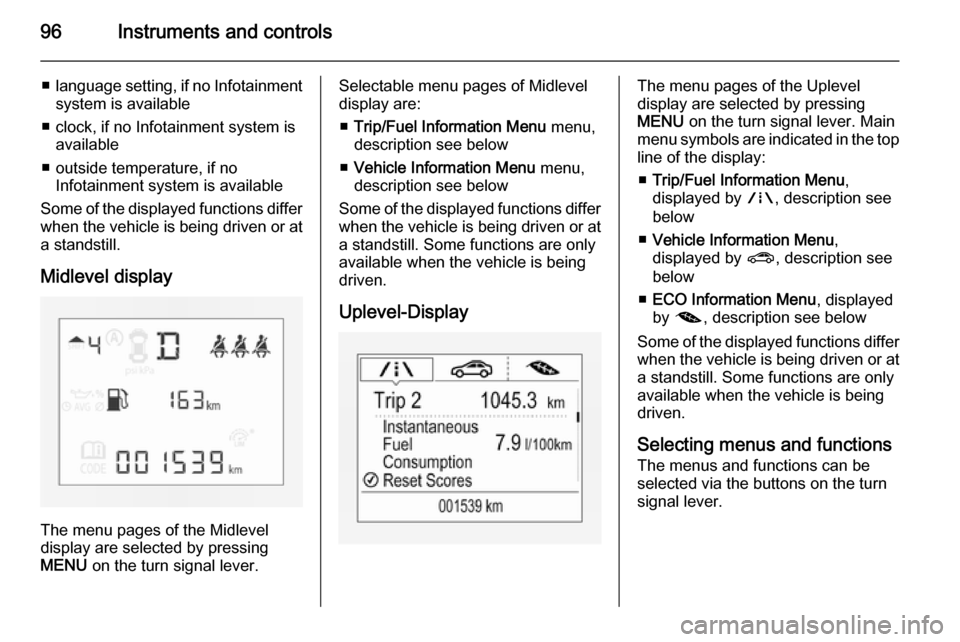
Midlevel display
The menu pages of the Midlevel
display are selected by pressing
MENU on the turn signal lever.
Selectable menu pages of Midlevel
display are:
■ Trip/Fuel Information Menu menu,
description see below
■ Vehicle Information Menu menu,
description see below
Some of the displayed functions differ
when the vehicle is being driven or at a standstill. Some functions are only
available when the vehicle is being
driven.
Uplevel-DisplayThe menu pages of the Uplevel
display are selected by pressing
MENU on the turn signal lever. Main
menu symbols are indicated in the top line of the display:
■ Trip/Fuel Information Menu ,
displayed by ;, description see
below
■ Vehicle Information Menu ,
displayed by ?, description see
below
■ ECO Information Menu , displayed
by @ , description see below
Some of the displayed functions differ
when the vehicle is being driven or at
a standstill. Some functions are only
available when the vehicle is being
driven.
Selecting menus and functions
The menus and functions can be
selected via the buttons on the turn
signal lever.
Page 99 of 261
Instruments and controls97
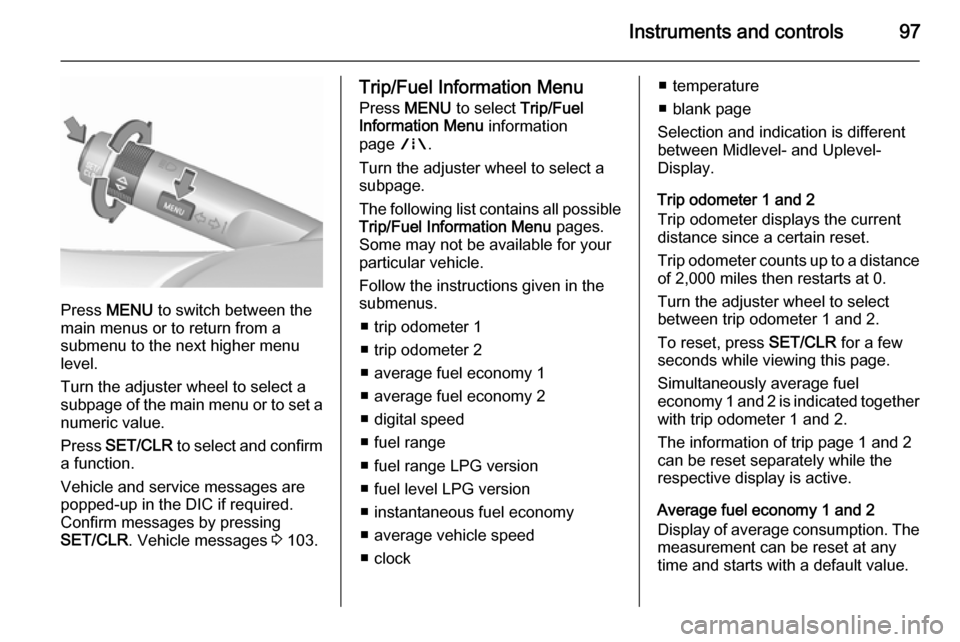
Press MENU to switch between the
main menus or to return from a
submenu to the next higher menu
level.
Turn the adjuster wheel to select a
subpage of the main menu or to set a
numeric value.
Press SET/CLR to select and confirm
a function.
Vehicle and service messages are
popped-up in the DIC if required.
Confirm messages by pressing
SET/CLR . Vehicle messages 3 103.
Trip/Fuel Information Menu
Press MENU to select Trip/Fuel
Information Menu information
page ;.
Turn the adjuster wheel to select a
subpage.
The following list contains all possible Trip/Fuel Information Menu pages.
Some may not be available for your particular vehicle.
Follow the instructions given in the
submenus.
■ trip odometer 1
■ trip odometer 2
■ average fuel economy 1
■ average fuel economy 2
■ digital speed
■ fuel range
■ fuel range LPG version
■ fuel level LPG version
■ instantaneous fuel economy
■ average vehicle speed
■ clock■ temperature
■ blank page
Selection and indication is different
between Midlevel- and Uplevel-
Display.
Trip odometer 1 and 2
Trip odometer displays the current distance since a certain reset.
Trip odometer counts up to a distance
of 2,000 miles then restarts at 0.
Turn the adjuster wheel to select
between trip odometer 1 and 2.
To reset, press SET/CLR for a few
seconds while viewing this page.
Simultaneously average fuel
economy 1 and 2 is indicated together with trip odometer 1 and 2.
The information of trip page 1 and 2
can be reset separately while the
respective display is active.
Average fuel economy 1 and 2
Display of average consumption. The measurement can be reset at any
time and starts with a default value.