AUX VAUXHALL CORSA 2015 Infotainment system
[x] Cancel search | Manufacturer: VAUXHALL, Model Year: 2015, Model line: CORSA, Model: VAUXHALL CORSA 2015Pages: 105, PDF Size: 2.09 MB
Page 55 of 105

55
F
Favourite lists ............................... 22
Retrieving stations..................... 22
Storing stations ......................... 22
File formats Audio files.................................. 30
Movie files ................................. 30
Picture files................................ 30
Frequency band............................ 26
G General information ..........30, 42, 44
Apps .......................................... 30
AUX ........................................... 30
Bluetooth ................................... 30
DAB ........................................... 26
Infotainment system ....................6
Phone ........................................ 44
Smartphone applications ..........30
USB ........................................... 30
H Home menu .................................. 13
I
Infotainment control panel ..............8
Intellitext ....................................... 26iPod
Connecting device ....................30
General information................... 30
iPod audio menu .......................33
L
Language ..................................... 10
M
Maximum startup volume .............17
Menu operation............................. 13
Mobile phones and CB radio equipment ................................ 53
Movie files..................................... 30
Mute.............................................. 10
N Navigation..................................... 40
O Operation ...................................... 48
External devices ........................30
Menu ......................................... 13
Phone ........................................ 48
Radio ......................................... 20
P Pairing .......................................... 45
Phone Bluetooth ................................... 44
Bluetooth connection ................45Call history ................................ 48
Emergency calls ........................48
Entering a number ....................48
Functions during a call ..............48
General information................... 44
Incoming call ............................. 48
Phone book ............................... 48
Phone main menu .....................48
Selecting the ring tone ..............48
Speed dial number ....................48
Phone book .................................. 48
Picture files ................................... 30
Playing audio ................................ 33
Playing movies ............................. 37
R Radio Activating................................... 20
Autostore lists............................ 21
Category list .............................. 22
Configuring DAB .......................26
Configuring RDS .......................24
DAB announcements ................26
Digital audio broadcasting
(DAB) ........................................ 26
Dynamic range compression..... 26
EPG current program ................26
EPG station list.......................... 26
Favourite lists ............................ 22
Frequency band ........................26
Page 56 of 105

56
Intellitext.................................... 26
Radio data system (RDS) .........24
Regional .................................... 24
Regionalisation ......................... 24
Retrieving stations ..............21, 22
Selecting the waveband ............20
Station lists ................................ 22
Station search ........................... 20
Station tuning ............................ 20
Storing stations ...................21, 22
TP volume ................................. 24
Traffic announcements .............24
Updating station lists .................22
Usage ........................................ 20
Waveband menus .....................22
Radio data system (RDS) ............24
Radio factory settings ...................10
RDS .............................................. 24
Regional ....................................... 24
Regionalisation ............................. 24
Retrieving stations ..................21, 22
Ring tone Changing the ring tone ..............48
Ring tone volume ......................17
S
Siri Eyes Free ............................... 42
Smartphone ............................ 30, 40
Speech recognition .......................42
Speed dial numbers .....................48Station lists................................... 22
Station search............................... 20
Steering wheel audio controls ........8
Storing stations .......................21, 22
Switching the Infotainment system on .................................. 10
System settings ............................ 18
Language .................................. 10
Radio factory settings................ 10
Text scroll .................................. 10
Time and date ........................... 10
Vehicle settings ......................... 10
T
Text scroll ..................................... 10
Theft-deterrent feature ................... 7
Time settings ................................ 10
Tone settings ................................ 16
Touch beep volume ......................17
TP volume .................................... 17
Traffic announcements Activating................................... 24
TP volume ................................. 24
U
Updating station lists ....................22
Usage ............................... 10, 20, 42
AUX ........................................... 30
Bluetooth ................................... 30
iPod ........................................... 30Menu......................................... 13
Phone ........................................ 48
Radio ......................................... 20
USB ........................................... 30
USB Connecting device ....................30
General information................... 30
USB audio menu .......................33
USB movie menu ......................37
USB picture menu .....................36
Using smartphone applications ....40
V Vehicle settings ............................ 10
Voice recognition ..........................42
Volume Auto volume .............................. 17
Maximum startup volume ..........17
Mute function............................. 10
Ring tone volume ......................17
Setting the volume ....................10
Speed compensated volume ....17
Touch beep volume ..................17
TP volume ................................. 17
Volume limitation at high
temperatures ............................. 10
Volume settings ............................ 17
Page 59 of 105

Introduction.................................. 60
Radio ........................................... 73
CD Player .................................... 81
AUX input ..................................... 84
USB port ...................................... 85
Bluetooth music ........................... 88
Phone .......................................... 90
Index ............................................ 98CD 3.0 BT / R 3.0
Page 63 of 105

Introduction63
1m VOL
Press: switch on/off
Infotainment system ..............66
Turn: adjust volume ..............66
2 Display
3 MENU-TUNE
Central control for
selection and navigation in
menus ................................... 68
4 AUX input .............................. 84
5 P BACK
Menu: one level back ............68
Input: delete last character or entire entry ........................ 68
6 CONFIG
System settings ..................... 66
7 u
Radio: search forwards .........73
CD/MP3/WMA: skip track
forwards ................................ 828FAV 1-2-3
Radio favourites and
autostore lists ........................ 75
9 MEDIA
Activate media or change
audio source ......................... 66
10 TP
Activate or deactivate
radio traffic service ................77
11 RADIO
Activate radio or change
waveband .............................. 73
12 TONE
Tone settings ........................ 70
13 s
Radio: search backwards .....73
CD/MP3/WMA: skip track
backwards ............................. 8214INFO
Radio: Information about
the current station
CD/MP3/WMA:
Information about the
current track
15 y / @
Open telephone main menu . 90
or activate/deactivate
mute function ........................ 66
16 Disc slot
17 d
Eject disc ............................... 82
18 Radio station buttons 1 - 6
Long press: save station .......75
Short press: select station ....75
Page 65 of 105

Introduction65
1m VOL
Press: switch on/off
Infotainment system ..............66
Turn: adjust volume ..............66
2 Display
3 MENU-TUNE
Central control for
selection and navigation in
menus ................................... 68
4 AUX input .............................. 84
5 P BACK
Menu: one level back ............68
Input: delete last character or entire entry ........................ 68
6 CONFIG
System settings ..................... 66
7 u
Search forwards ....................73
8 FAV 1-2-3
Radio favourites and
autostore lists ........................ 759AUX
Activate auxiliary device ........ 66
10 TP
Activate or deactivate
radio traffic service ................77
11 RADIO
Activate radio or change
waveband .............................. 73
12 TONE
Tone settings ........................ 70
13 s
Search backwards ................73
14 INFO
Information about the
current radio station
15 @
Activate/deactivate mute
function ................................. 66
16 Radio station buttons 1 - 6
Long press: save station .......75
Short press: select station ....75Steering wheel audio controls
1 7
Short press: take phone call . 90
or activate redial function ......93
or dial number in call list .......93
Long press: open call list ......93
or switch handsfree mode
on/off ..................................... 93
2 SRC (Source) ........................ 66
Press: select audio source ....66
Page 67 of 105

Introduction67
Setting the volumeTurn m VOL . The current setting is
shown on the display.
When the Infotainment system is
switched on, the last selected volume is set, provided this setting is lower
than the maximum startup volume
(see below).
The following inputs can be made
separately:
■ the maximum startup volume 3 71
■ the volume of traffic announcements 3 71.
Speed compensated volume
When speed compensated volume is
activated 3 71, the volume is
adapted automatically to make up for
the road and wind noises as you
drive.
Mute function
Press y / @ or @ (if Phone portal
available: press for a few seconds) to
mute the audio sources.To cancel the mute function: turn m
VOL or press y / @ or @ again (if
Phone portal available: press for a
few seconds).
Volume limitation at high
temperatures
At very high temperatures inside the vehicle the Infotainment system limits the maximum adjustable volume. If
necessary, the volume is decreased automatically.
Modes of operation
Radio
Press RADIO to open the radio main
menu or to change between the
different wavebands.
Press MENU-TUNE to open the
waveband menus with options for the station selection.
For a detailed description of the radio functions see 3 73.
Audio players
R 3.0
Press AUX to activate the AUX mode.CD 3.0 BT
Press MEDIA once or several times to
open the CD, USB, iPod or AUX main
menu or to switch between these
menus.
Press MENU-TUNE to open the
relevant menus with options for the
track selection.
For a detailed description of CD
player functions 3 81, AUX
functions 3 84, USB port functions
3 85 and Bluetooth music functions
3 88.
Phone
Press y / @ briefly to open the
telephone menu.
Press MENU-TUNE to open the
phone menu with options for the input and selection of numbers.
For a detailed description of the
Phone portal 3 90.
Page 84 of 105
84AUX inputAUX inputGeneral information.....................84
Usage .......................................... 84General information
On the control panel of the
Infotainment system 3 62 , there is an
AUX input for the connection of
external audio sources.
It is possible, for example, to connect a portable CD player with a 3.5 mm
jack plug to the AUX input.
Notice
The socket must always be kept
clean and dry.
Usage
CD 3.0 BT
Press MEDIA once or several times to
activate the AUX mode.
R 3.0
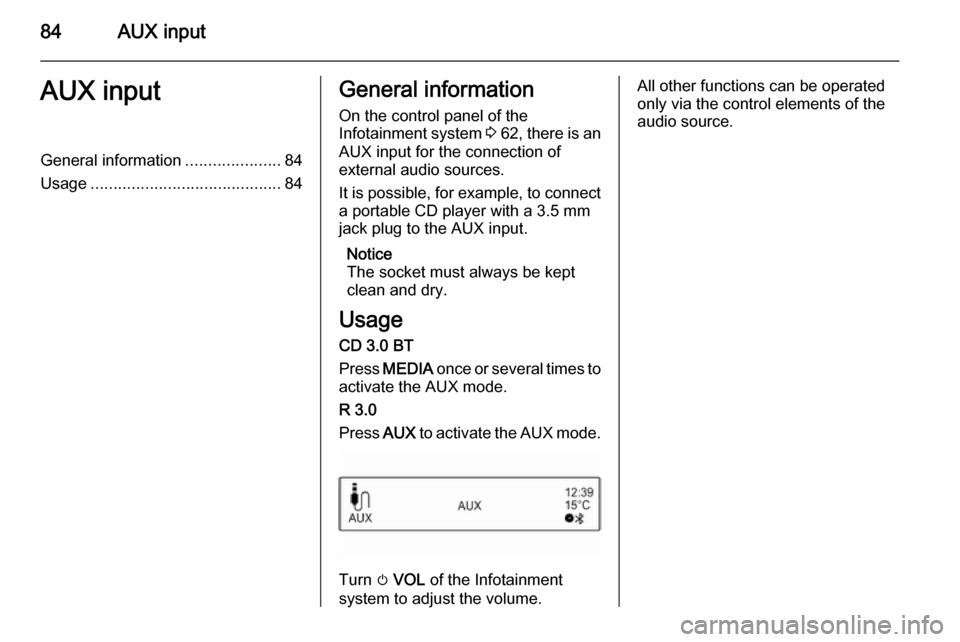
Press AUX to activate the AUX mode.
Turn m VOL of the Infotainment
system to adjust the volume.
All other functions can be operated
only via the control elements of the
audio source.
Page 98 of 105

98IndexAActivating Bluetooth music ...........88
Activating CD player .....................82
Activating the AUX function ..........84
Activating the handsfree Phone mode ......................................... 93
Activating the radio .......................73
Activating the USB function ..........86
Autostore lists ............................... 74
Retrieving stations..................... 74
Storing stations ......................... 74
Auto volume control ......................71
AUX input Activating................................... 84
Adjusting the volume .................84
General information................... 84
Operation .................................. 84
B Basic operation ............................. 68
Blocking out traffic announcements ........................ 77
Bluetooth Bluetooth connection ................91
Bluetooth music......................... 88
Phone ........................................ 93
Bluetooth connection ....................91Bluetooth music
Activating................................... 88General information................... 88
Operation .................................. 88
Prerequisites ............................. 88
C
Call Functions during a call ..............93
Incoming call ............................. 93
Initiating a phone call ................93
Ring tone ................................... 93
Call lists ........................................ 93
Category list.................................. 75
CD menu ...................................... 82
CD player Activating................................... 82
CD menu ................................... 82
General information................... 81
Inserting a CD ........................... 82
Removing a CD ......................... 82
Starting CD replay .....................82
Usage ........................................ 82
Control elements Infotainment system ..................62
Phone ........................................ 90
Steering wheel .......................... 62
Control elements overview ...........62
Page 99 of 105

99
DDAB .............................................. 79
Date settings................................. 66
Digital audio broadcasting ............79
Dynamic audio adaption ...............79
E Emergency call ............................. 93
F
Favourite lists ............................... 75
Retrieving stations..................... 75
Storing stations ......................... 75
G
General information 81, 84 , 85 , 88 , 90
AUX input .................................. 84
Bluetooth music......................... 88
CD player .................................. 81
Infotainment system ..................60
Phone ........................................ 90
USB port.................................... 85
I
Infotainment control panel ............62
L Language settings ........................66M
Maximum startup volume .............71
Menu operation............................. 68
MENU-TUNE knob .......................68
Mobile phones and CB radio equipment ................................ 97
Mute.............................................. 66
O Operation ................................ 88, 93
AUX input .................................. 84
Bluetooth music......................... 88
CD player .................................. 82
Menu ......................................... 68
Phone ........................................ 93
Radio ......................................... 73
USB port.................................... 86
P Phone Activating................................... 93
Bluetooth ................................... 90
Bluetooth connection ................91
Call lists ..................................... 93
Control elements .......................90
Dialling a number ......................93
Emergency calls ........................93
Functions during a call ..............93
General information................... 90
Important information ................90Incoming call ............................. 93
Phone book ............................... 93
Prerequisites ............................. 93
Redialling a phone number .......93
Selecting the ring tone ..............93
Phone book .................................. 93
Playing saved audio files ..............86
R Radio Activating................................... 73
Autostore lists............................ 74
Band selection .......................... 79
Category list .............................. 75
Configuring DAB .......................79
Configuring RDS .......................77
DAB announcements ................75
Digital audio broadcasting
(DAB) ........................................ 79
Dynamic audio adaption ...........79
Favourite lists ............................ 75
Radio data system (RDS) .........77
Radio traffic service................... 77
Regionalisation ......................... 77
Retrieving stations ..............74, 75
Selecting the waveband ............73
Station lists ................................ 75
Station search ........................... 73
Station tuning ............................ 73
Storing stations ...................74, 75
Page 100 of 105

100
Traffic announcements.............77
Updating station lists .................75
Usage ........................................ 73
Waveband menus .....................75
Radio data system (RDS) ............77
Radio traffic service ......................77
RDS .............................................. 77
Redial function .............................. 93
Regionalisation ............................. 77
Retrieving stations ..................74, 75
Ring tone Ring tone volume ......................71
Selecting the ring tone ..............93
S Selecting the waveband ...............73
Starting CD replay ........................82
Station lists ................................... 75
Station search............................... 73
Steering wheel audio controls ......62
Storing stations .......................74, 75
Switching the Infotainment system on .................................. 66
Switching the radio on ..................73
System settings Language .................................. 66
Restore factory settings ............66
Time and date ........................... 66
Vehicle settings ......................... 66T
TA volume .................................... 71
Theft-deterrent feature ................. 61
Time settings ................................ 66
Tone settings ................................ 70
Traffic announcements .................77
U Updating station lists ....................75
Usage ......................... 66, 73, 82, 84
AUX input .................................. 84
Bluetooth music......................... 88
CD player .................................. 82
Menu ......................................... 68
Phone ........................................ 93
Radio ......................................... 73
USB port.................................... 86
USB menu .................................... 86
USB port Activation................................... 86
Connecting the USB device ......85
General information................... 85
Important information ................85
Operation .................................. 86
Removing the USB device ........86
USB menu ................................. 86V
Volume Auto volume control ..................71
Maximum startup volume ..........71
Mute function............................. 66 Ring tone volume ......................71
Setting the volume ....................66
Speed compensated volume ....71
TA volume ................................. 71
Volume limitation at high
temperatures ............................. 66
Volume settings ............................ 71
W
Waveband menus......................... 75