lock VAUXHALL CORSA 2016 Owner's Guide
[x] Cancel search | Manufacturer: VAUXHALL, Model Year: 2016, Model line: CORSA, Model: VAUXHALL CORSA 2016Pages: 267, PDF Size: 7.79 MB
Page 94 of 267

92Instruments and controlsBrake and clutch systemR illuminates red.
The brake and clutch fluid level is too
low, when manual parking brake is
not applied 3 195.9 Warning
Stop. Do not continue your
journey. Consult a workshop.
Illuminates when the manual parking
brake is applied and ignition is
switched on 3 152.
Operate pedal - illuminates or flashes yellow.
Illuminates
Clutch pedal must be depressed to
start the engine in Autostop mode.
Stop-start system 3 138.
Flashes
Clutch pedal must to be depressed for a main start of the engine 3 17,
3 137.
On some versions, the operate pedal
message is indicated in the Driver
Information Display 3 103.
Antilock brake system (ABS)
u illuminates yellow.
Illuminates for a few seconds after the ignition is switched on. The system is ready for operation when the control
indicator extinguishes.
If the control indicator does not go out
after a few seconds, or if it illuminates while driving, there is a fault in the
ABS. The brake system remains
operational but without ABS
regulation.
Antilock brake system 3 151.
Gear shifting
R with the number of the next higher
gear is indicated, when upshifting is
recommended for fuel saving
reasons.Power steering
c illuminates yellow.
Illuminates with power steering
disabled
Failure in the power steering system.
Consult a workshop.
Illumination of c and b
simultaneously
Power steering system must be
calibrated, system calibration 3 155.
Lane departure warning ) illuminates green or flashes yellow.
Illuminates green
System is switched on and ready to
operate.
Flashes yellow
System recognises an unintended lane change.
Lane departure warning 3 177.
Page 96 of 267
94Instruments and controlsTyre pressure monitoringsystem
w illuminates or flashes yellow.
Illuminates
Tyre pressure loss. Stop immediately
and check tyre pressure.
Flashes
Fault in system or tyre without
pressure sensor mounted ( e.g. spare
wheel). After 60-90 seconds the
control indicator illuminates
continuously. Consult a workshop.
Tyre pressure monitoring system3 213.
Engine oil pressure
I illuminates red.
Illuminates when the ignition is
switched on and extinguishes shortly
after the engine starts.Illuminates when the engine is
runningCaution
Engine lubrication may be
interrupted. This may result in
damage to the engine and/or
locking of the drive wheels.
1. Depress the clutch.
2. Set selector lever to neutral.
3. Move out of the flow of traffic as quickly as possible without
impeding other vehicles.
4. Switch off the ignition.
9 Warning
When the engine is off,
considerably more force is needed
to brake and steer.
During an Autostop, the brake
servo unit will still be operational.
Do not remove key until vehicle is stationary, otherwise the steeringwheel lock could engage
unexpectedly.
Check oil level before seeking the
assistance of a workshop 3 192.
Low fuel
Y illuminates or flashes yellow.
Illuminates
Level in fuel tank is too low.
Flashes
Fuel used up. Refuel immediately.
Never run the fuel tank dry.
Refuelling 3 180.
Catalytic converter 3 143.
Bleeding the diesel fuel system
3 197.
Immobiliser d flashes yellow.
Fault in the immobiliser system. The
engine cannot be started.
Reduced engine power
# illuminates yellow.
Page 98 of 267
96Instruments and controlsInformation displaysDriver Information Centre The Driver Information Centre is
located in the instrument cluster.
Depending on the version and
equipment, the Driver Information
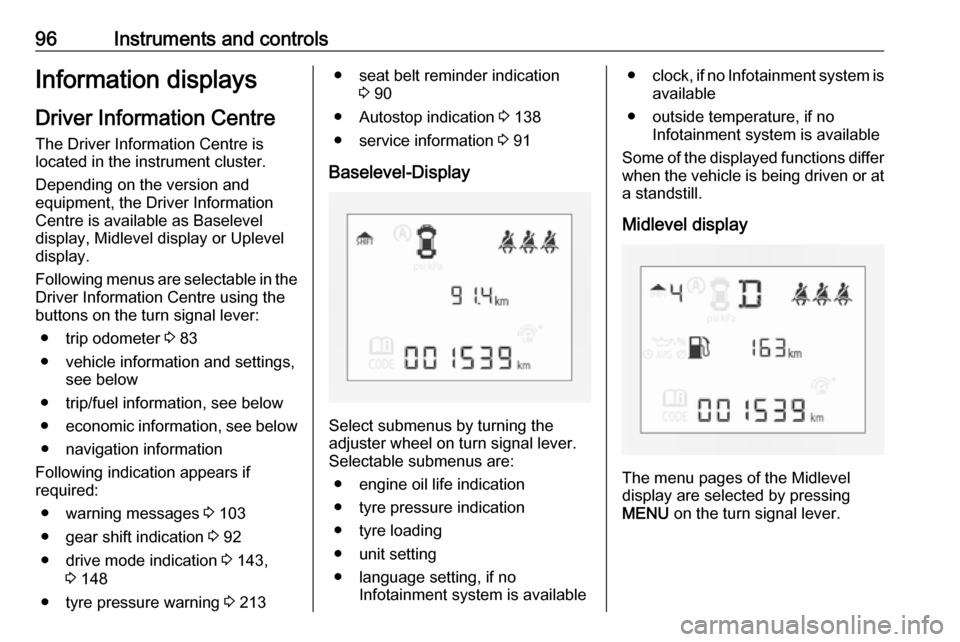
Centre is available as Baselevel
display, Midlevel display or Uplevel
display.
Following menus are selectable in the
Driver Information Centre using the
buttons on the turn signal lever:
● trip odometer 3 83
● vehicle information and settings, see below
● trip/fuel information, see below ● economic information, see below
● navigation information
Following indication appears if
required:
● warning messages 3 103
● gear shift indication 3 92
● drive mode indication 3 143,
3 148
● tyre pressure warning 3 213● seat belt reminder indication
3 90
● Autostop indication 3 138
● service information 3 91
Baselevel-Display
Select submenus by turning the
adjuster wheel on turn signal lever. Selectable submenus are:
● engine oil life indication
● tyre pressure indication
● tyre loading
● unit setting
● language setting, if no Infotainment system is available
●clock, if no Infotainment system is
available
● outside temperature, if no Infotainment system is available
Some of the displayed functions differ
when the vehicle is being driven or at a standstill.
Midlevel display
The menu pages of the Midlevel
display are selected by pressing
MENU on the turn signal lever.
Page 100 of 267

98Instruments and controlsTrip/Fuel Information Menu
Press MENU to select Trip/Fuel
Information Menu information
page ;.
Turn the adjuster wheel to select a
submenu.
The following list contains all possible Trip/Fuel Information Menu pages.
Some may not be available for your particular vehicle.
Follow the instructions given in the
submenus.
● trip odometer 1
● trip odometer 2
● average fuel economy 1
● average fuel economy 2
● digital speed
● fuel range
● fuel range LPG version
● fuel level LPG version
● instantaneous fuel economy
● average vehicle speed
● clock
● temperature
● blank pageSelection and indication is different
between Midlevel- and Uplevel-
Display.
Trip odometer 1 and 2
Trip odometer displays the current
distance since a certain reset.
Trip odometer counts up to a distance
of 2000 miles then restarts at 0.
Turn the adjuster wheel to select
between trip odometer 1 and 2.
To reset, press SET/CLR for a few
seconds while viewing this page.
Simultaneously average fuel
economy 1 and 2 is indicated together with trip odometer 1 and 2.
The information of trip page 1 and 2
can be reset separately while the
respective display is active.
Average fuel economy 1 and 2
Display of average consumption. The measurement can be reset at any
time and starts with a default value.
To reset, press SET/CLR for a few
seconds while viewing this page.Simultaneously trip odometer 1 and 2
is indicated together with average fuel
economy 1 and 2.
The information of trip page 1 and 2
can be reset separately while the
respective display is active.
On vehicles with LPG engines:
Average consumption is indicated for
the currently selected mode (LPG or
petrol).
Digital speed
Digital display of the instantaneous
speed.
Fuel range
Range is calculated from current fuel
tank level and current consumption.
The display shows average values.
After refuelling, the range is updated
automatically after a brief delay.
When the fuel level in the tank is low, a message appears on the display
and the control indicator Y in the fuel
gauge illuminates.
Page 101 of 267
Instruments and controls99When the tank must be refuelled
immediately, a warning message
appears and remains on the display.
Additionally, control indicator Y
flashes in the fuel gauge 3 94.
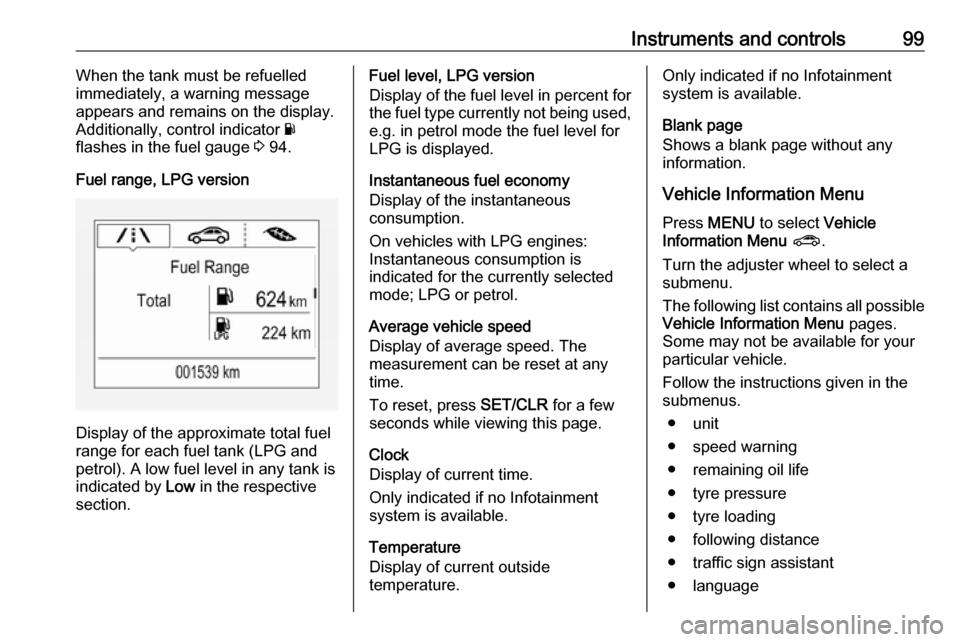
Fuel range, LPG version
Display of the approximate total fuel
range for each fuel tank (LPG and
petrol). A low fuel level in any tank is indicated by Low in the respective
section.
Fuel level, LPG version
Display of the fuel level in percent for the fuel type currently not being used,
e.g. in petrol mode the fuel level for
LPG is displayed.
Instantaneous fuel economy
Display of the instantaneous
consumption.
On vehicles with LPG engines:
Instantaneous consumption is
indicated for the currently selected
mode; LPG or petrol.
Average vehicle speed
Display of average speed. The
measurement can be reset at any
time.
To reset, press SET/CLR for a few
seconds while viewing this page.
Clock
Display of current time.
Only indicated if no Infotainment
system is available.
Temperature
Display of current outside
temperature.Only indicated if no Infotainment
system is available.
Blank page
Shows a blank page without any information.
Vehicle Information Menu Press MENU to select Vehicle
Information Menu ? .
Turn the adjuster wheel to select a
submenu.
The following list contains all possible
Vehicle Information Menu pages.
Some may not be available for your
particular vehicle.
Follow the instructions given in the
submenus.
● unit
● speed warning
● remaining oil life
● tyre pressure
● tyre loading
● following distance
● traffic sign assistant
● language
Page 105 of 267
Instruments and controls103
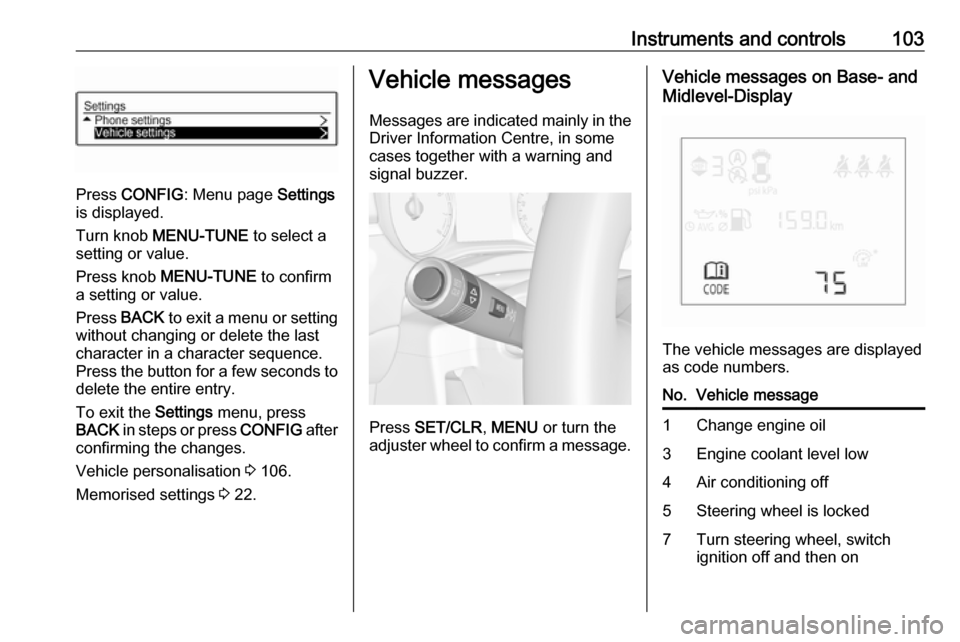
Press CONFIG : Menu page Settings
is displayed.
Turn knob MENU-TUNE to select a
setting or value.
Press knob MENU-TUNE to confirm
a setting or value.
Press BACK to exit a menu or setting
without changing or delete the last
character in a character sequence.
Press the button for a few seconds to
delete the entire entry.
To exit the Settings menu, press
BACK in steps or press CONFIG after
confirming the changes.
Vehicle personalisation 3 106.
Memorised settings 3 22.
Vehicle messages
Messages are indicated mainly in the
Driver Information Centre, in some
cases together with a warning and
signal buzzer.
Press SET/CLR , MENU or turn the
adjuster wheel to confirm a message.
Vehicle messages on Base- and
Midlevel-Display
The vehicle messages are displayed
as code numbers.
No.Vehicle message1Change engine oil3Engine coolant level low4Air conditioning off5Steering wheel is locked7Turn steering wheel, switch
ignition off and then on
Page 106 of 267

104Instruments and controlsNo.Vehicle message9Turn steering wheel, start
engine again12Vehicle overloaded13Compressor overheated15Centre high-mounted brake
light failure16Brake light failure17Headlight levelling malfunction18Left low beam failure19Rear fog light failure20Right low beam failure21Left sidelight failure22Right sidelight failure23Reversing light failure24Number plate light failure25Left front turn signal failure26Left rear turn signal failure27Right front turn signal failureNo.Vehicle message28Right rear turn signal failure29Check trailer brake light30Check trailer reversing light31Check left trailer turn signal32Check right trailer turn signal33Check trailer rear fog light34Check trailer rear light35Replace battery in radio remote
control48Clean side blind spot alert
system49Lane departure warning
unavailable53Tighten fuel filler cap54Water in diesel fuel filter55Diesel particle filter is full
3 14256Tyre pressure imbalance on
front axleNo.Vehicle message57Tyre pressure imbalance on rear axle58Tyres without TPMS sensors
detected59Open then close driver window60Open then close front
passenger window65Theft attempted66Service theft alarm system67Service steering wheel lock68Service power steering75Service air conditioning76Service side blind spot alert
system79Top up engine oil81Service transmission82Change engine oil soon84Engine power reduced89Service vehicle soon
Page 109 of 267
Instruments and controls107
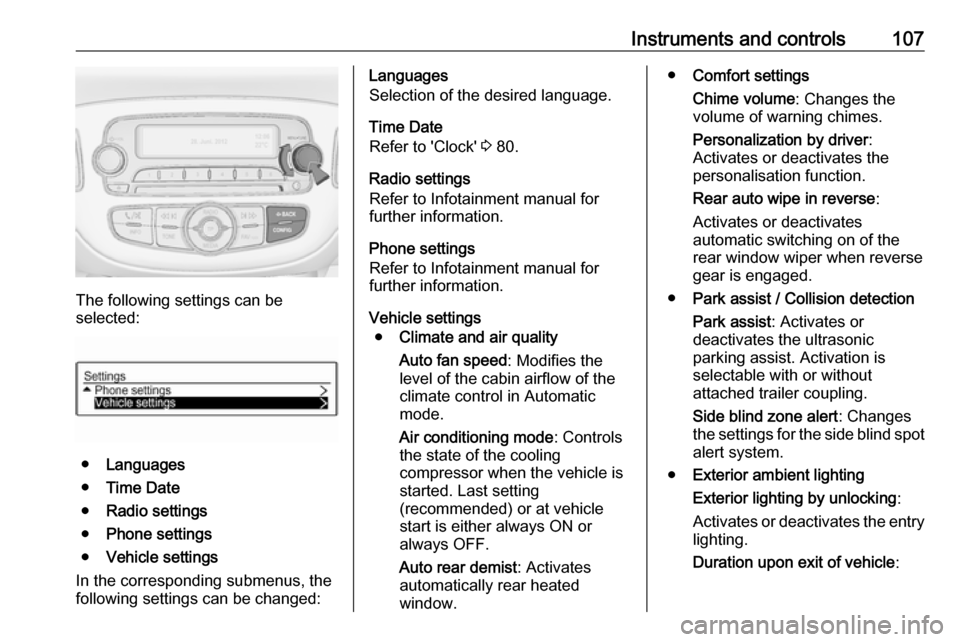
The following settings can be
selected:
● Languages
● Time Date
● Radio settings
● Phone settings
● Vehicle settings
In the corresponding submenus, the
following settings can be changed:
Languages
Selection of the desired language.
Time Date
Refer to 'Clock' 3 80.
Radio settings
Refer to Infotainment manual for
further information.
Phone settings
Refer to Infotainment manual for
further information.
Vehicle settings ● Climate and air quality
Auto fan speed : Modifies the
level of the cabin airflow of the
climate control in Automatic
mode.
Air conditioning mode : Controls
the state of the cooling
compressor when the vehicle is
started. Last setting
(recommended) or at vehicle
start is either always ON or
always OFF.
Auto rear demist : Activates
automatically rear heated
window.● Comfort settings
Chime volume : Changes the
volume of warning chimes.
Personalization by driver :
Activates or deactivates the
personalisation function.
Rear auto wipe in reverse :
Activates or deactivates
automatic switching on of the
rear window wiper when reverse gear is engaged.
● Park assist / Collision detection
Park assist : Activates or
deactivates the ultrasonic
parking assist. Activation is
selectable with or without
attached trailer coupling.
Side blind zone alert : Changes
the settings for the side blind spot alert system.
● Exterior ambient lighting
Exterior lighting by unlocking :
Activates or deactivates the entry
lighting.
Duration upon exit of vehicle :
Page 110 of 267

108Instruments and controlsActivates or deactivates and
changes the duration of exit
lighting.
● Power door locks
Auto door lock : Activates or
deactivates the automatic door
locking function after switching on ignition.
Stop door lock if door open :
Activates or deactivates the door
locking function while a door is open.
Delayed door lock : Activates or
deactivates the delayed door
locking function. This menu
option is displayed with Stop door
lock if door open deactivated.
Central locking system 3 22.
● Remote locking, unlocking,
starting
Remote unlock feedback :
Activates or deactivates the
hazard warning flasher feedback whilst unlocking.
Passive door unlock : Changes
the configuration to unlock only the driver's door or the whole
vehicle whilst unlocking.Auto relock doors : Activates or
deactivates the automatic relock
function after unlocking without
opening the vehicle.
● Restore factory settings :
Resets all settings to the default settings.
Personal settings
Colour-Info-Display
When audio is switched on, press ;
on the control panel.
Press Settings .
The following settings can be
selected:
● Time & date settings
● Radio settings
● Connection settings
● Vehicle settings
● Language
● Text scroll
● Touch beep volume
● Max startup volume
● System version
● DivX(R) VOD
In the corresponding submenus the
following settings can be changed:
Time & date settings
Refer to 'Clock' 3 80.
Page 111 of 267

Instruments and controls109Radio settings
Refer to Infotainment manual for
further information.
Connection settings
Refer to Infotainment manual for
further information.
Vehicle settings ● Climate & air quality
Auto fan speed : Modifies the
level of the cabin airflow of the
climate control in automatic
mode.
Air conditioning mode : Controls
the state of the cooling
compressor when the vehicle is
started. Last setting
(recommended) or at vehicle
start is either always ON or
always OFF.
Auto rear defog : Activates heated
rear window automatically.
● Comfort & convenience
Chime volume : Changes the
volume of warning chimes.Personalization by driver :
Activates or deactivates the
personalisation function.
Auto wipe in reverse gear :
Activates or deactivates
automatic switching on of the
rear window wiper when reverse gear is engaged.
● Collision / detection
Park assist : Activates or
deactivates the ultrasonic
parking assist. Activation is
selectable with or without
attached trailer coupling.
Side blind zone alert : Changes
the settings for the side blind spot alert system.
● Lighting
Exit lighting : Activates or
deactivates and changes the
duration of exit lighting.
Vehicle locator lights : Activates
or deactivates the welcome
lighting.
● Power door locks
Auto door lock : Activates or
deactivates the automatic doorlocking function after switching
on ignition.
Unlocked door anti lock out :
Activates or deactivates the door
locking function while a door is
open.
Delayed door lock : Activates or
deactivates the delayed door locking function. This menu
option is displayed with Unlocked
door anti lock out deactivated.
Central locking system 3 22.
● Lock, unlock settings
Remote unlock light feedback :
Activates or deactivates the
hazard warning flasher feedback whilst unlocking.
Remote door unlock : Changes
the configuration to unlock only
the driver's door or the whole
vehicle whilst unlocking.
Relock remotely unlocked doors :
Activates or deactivates the
automatic relock function after