ice VAUXHALL CORSA 2017 Owner's Guide
[x] Cancel search | Manufacturer: VAUXHALL, Model Year: 2017, Model line: CORSA, Model: VAUXHALL CORSA 2017Pages: 267, PDF Size: 7.82 MB
Page 76 of 267

74Instruments and controlsInstruments and
controlsControls ....................................... 75
Steering wheel adjustment ........75
Steering wheel controls .............75
Heated steering wheel ...............75
Horn ........................................... 76
Windscreen wiper/washer .........76
Rear window wiper/washer .......78
Outside temperature ..................78
Clock ......................................... 79
Power outlets ............................. 81
Inductive charging .....................81
Cigarette lighter ......................... 82
Ashtrays .................................... 82
Warning lights, gauges and indi‐ cators ........................................... 83
Instrument cluster ......................83
Speedometer ............................. 83
Odometer .................................. 83
Trip odometer ............................ 83
Tachometer ............................... 84
Fuel gauge ................................ 84
Fuel selector .............................. 85
Engine coolant temperature gauge ....................................... 86Service display.......................... 86
Control indicators ......................87
Turn signal ................................. 89
Seat belt reminder .....................90
Airbag and belt tensioners .........90
Airbag deactivation ....................91
Charging system .......................91
Malfunction indicator light ..........91
Service vehicle soon .................91
Brake and clutch system ...........92
Operate pedal ............................ 92
Antilock brake system (ABS) .....92
Gear shifting .............................. 92
Power steering .......................... 92
Lane departure warning ............92
Ultrasonic parking assist ...........93
Electronic Stability Control off ...93
Electronic Stability Control and Traction Control system ...........93
Traction Control system off .......93
Preheating ................................. 93
Diesel particle filter ....................93
Tyre pressure monitoring system ...................................... 94
Engine oil pressure ....................94
Low fuel ..................................... 94
Immobiliser ................................ 94
Reduced engine power .............94
Autostop .................................... 95
Exterior light .............................. 95High beam................................. 95
High beam assist .......................95
Fog light ..................................... 95
Rear fog light ............................. 95
Cruise control ............................ 95
Vehicle detected ahead .............95
Speed limiter ............................. 95
Traffic sign assistant ..................95
Door open .................................. 95
Information displays .....................96
Driver Information Centre ..........96
Colour-Info-Display ..................100
Graphic-Info-Display ................101
Vehicle messages ......................102
Warning chimes .......................104
Battery voltage ........................ 104
Vehicle personalisation ..............105
Telematics service .....................108
OnStar ..................................... 108
Page 79 of 267
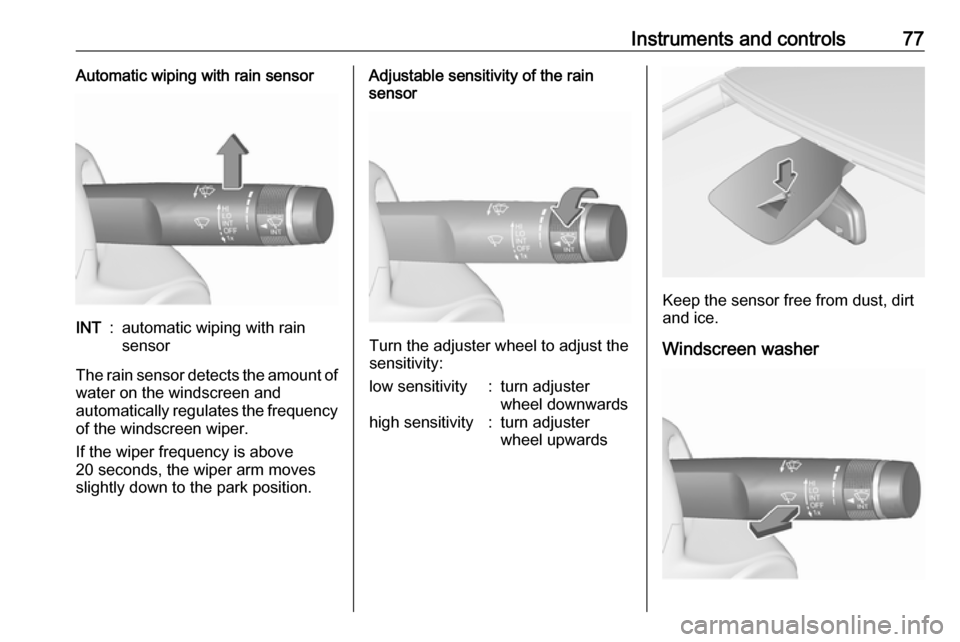
Instruments and controls77Automatic wiping with rain sensorINT:automatic wiping with rain
sensor
The rain sensor detects the amount of water on the windscreen and
automatically regulates the frequency
of the windscreen wiper.
If the wiper frequency is above
20 seconds, the wiper arm moves
slightly down to the park position.
Adjustable sensitivity of the rain
sensor
Turn the adjuster wheel to adjust the
sensitivity:
low sensitivity:turn adjuster
wheel downwardshigh sensitivity:turn adjuster
wheel upwards
Keep the sensor free from dust, dirt
and ice.
Windscreen washer
Page 81 of 267
Instruments and controls79
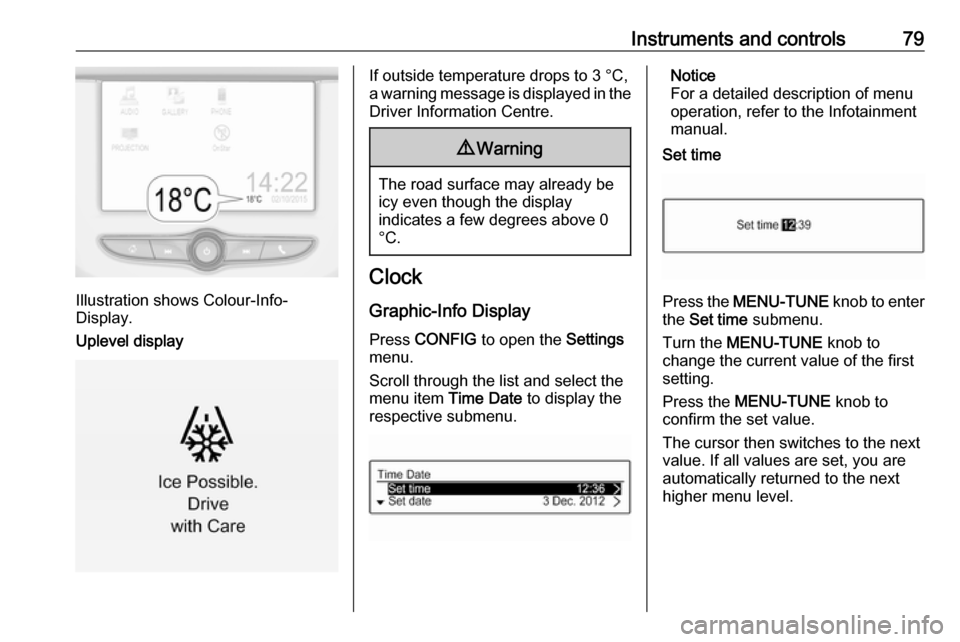
Illustration shows Colour-Info-
Display.
Uplevel display
If outside temperature drops to 3 °C,
a warning message is displayed in the Driver Information Centre.9 Warning
The road surface may already be
icy even though the display
indicates a few degrees above 0
°C.
Clock
Graphic-Info Display
Press CONFIG to open the Settings
menu.
Scroll through the list and select the
menu item Time Date to display the
respective submenu.
Notice
For a detailed description of menu
operation, refer to the Infotainment
manual.
Set time
Press the MENU-TUNE knob to enter
the Set time submenu.
Turn the MENU-TUNE knob to
change the current value of the first setting.
Press the MENU-TUNE knob to
confirm the set value.
The cursor then switches to the next
value. If all values are set, you are
automatically returned to the next
higher menu level.
Page 82 of 267
80Instruments and controlsSet date
Press the MENU-TUNE knob to enter
the Set date submenu.
Turn the MENU-TUNE knob to
change the current value of the first setting.
Press the MENU-TUNE knob to
confirm the set value.
The cursor then switches to the next
value. If all values are set, you are
automatically returned to the next
higher menu level.
Set time format
To switch between the available
options, repeatedly press the
MENU-TUNE knob.
Set date format
To switch between the available
options, repeatedly press the
MENU-TUNE knob.
RDS clock synchronization
The RDS signal of most VHF
transmitters automatically sets the time. RDS time synchronisation cantake a few minutes. Some
transmitters do not send a correct
time signal. In such cases, it is
recommended to switch off the
automatic time synchronisation.
To switch between the options On
and Off, repeatedly press the
MENU-TUNE knob.
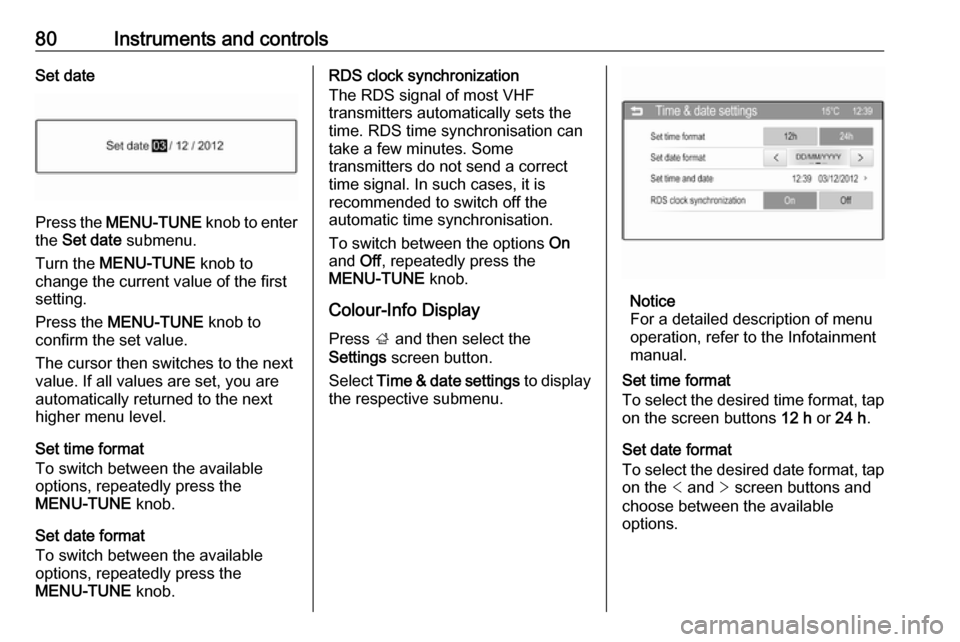
Colour-Info Display
Press ; and then select the
Settings screen button.
Select Time & date settings to display
the respective submenu.
Notice
For a detailed description of menu
operation, refer to the Infotainment
manual.
Set time format
To select the desired time format, tap on the screen buttons 12 h or 24 h .
Set date format
To select the desired date format, tap
on the < and > screen buttons and
choose between the available options.
Page 83 of 267
Instruments and controls81Set time and date
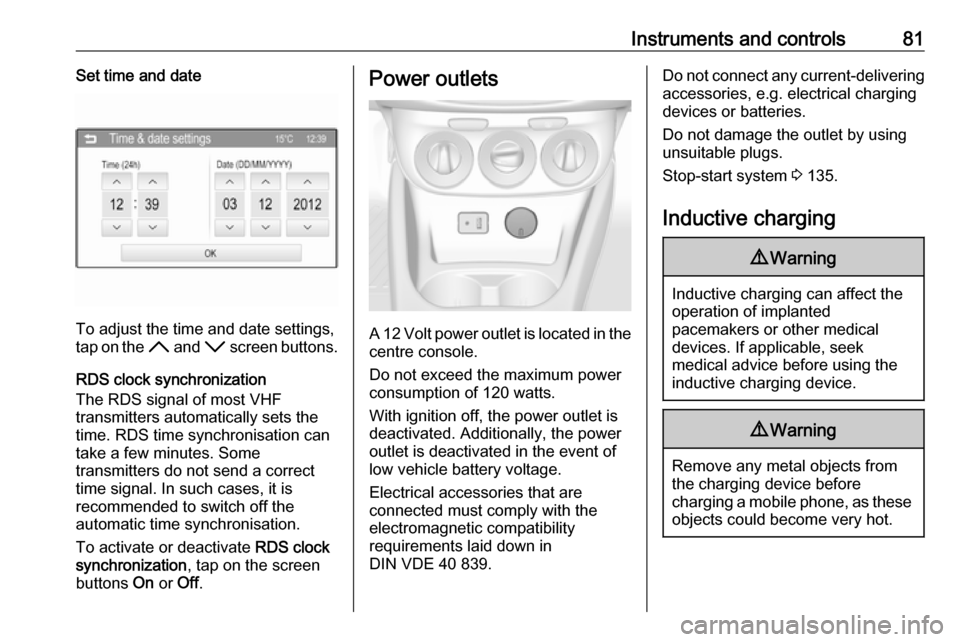
To adjust the time and date settings,
tap on the H and I screen buttons.
RDS clock synchronization
The RDS signal of most VHF
transmitters automatically sets the
time. RDS time synchronisation can take a few minutes. Some
transmitters do not send a correct
time signal. In such cases, it is
recommended to switch off the
automatic time synchronisation.
To activate or deactivate RDS clock
synchronization , tap on the screen
buttons On or Off.
Power outlets
A 12 Volt power outlet is located in the
centre console.
Do not exceed the maximum power
consumption of 120 watts.
With ignition off, the power outlet is
deactivated. Additionally, the power outlet is deactivated in the event of
low vehicle battery voltage.
Electrical accessories that are
connected must comply with the
electromagnetic compatibility
requirements laid down in
DIN VDE 40 839.
Do not connect any current-delivering accessories, e.g. electrical charging
devices or batteries.
Do not damage the outlet by using
unsuitable plugs.
Stop-start system 3 135.
Inductive charging9 Warning
Inductive charging can affect the
operation of implanted
pacemakers or other medical
devices. If applicable, seek
medical advice before using the
inductive charging device.
9 Warning
Remove any metal objects from
the charging device before
charging a mobile phone, as these
objects could become very hot.
Page 84 of 267
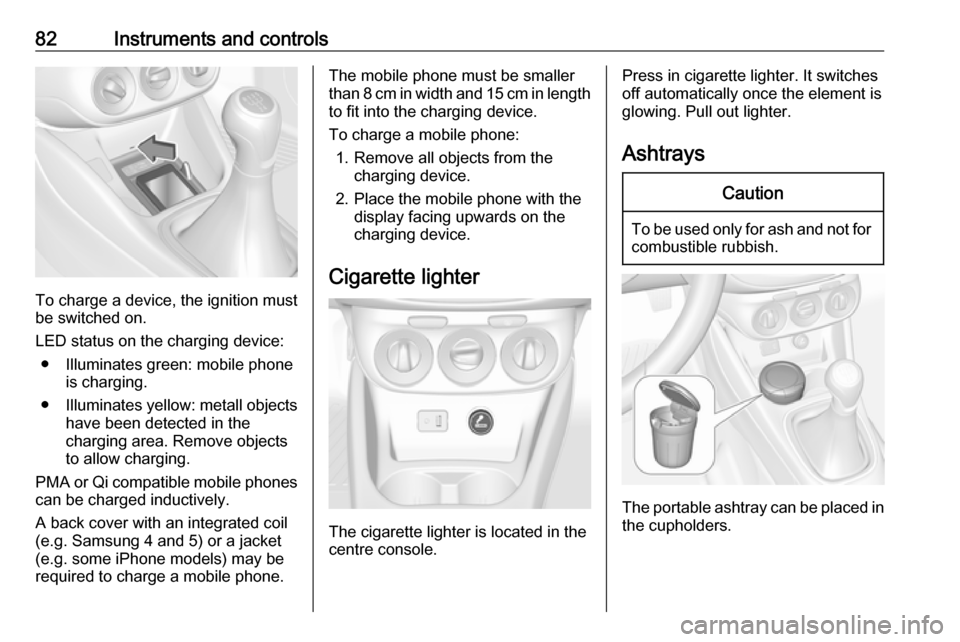
82Instruments and controls
To charge a device, the ignition must
be switched on.
LED status on the charging device: ● Illuminates green: mobile phone is charging.
● Illuminates yellow: metall objects
have been detected in the
charging area. Remove objects
to allow charging.
PMA or Qi compatible mobile phones can be charged inductively.
A back cover with an integrated coil
(e.g. Samsung 4 and 5) or a jacket
(e.g. some iPhone models) may be
required to charge a mobile phone.
The mobile phone must be smaller
than 8 cm in width and 15 cm in length
to fit into the charging device.
To charge a mobile phone: 1. Remove all objects from the charging device.
2. Place the mobile phone with the display facing upwards on the
charging device.
Cigarette lighter
The cigarette lighter is located in the
centre console.
Press in cigarette lighter. It switches off automatically once the element is
glowing. Pull out lighter.
AshtraysCaution
To be used only for ash and not for combustible rubbish.
The portable ashtray can be placed in
the cupholders.
Page 88 of 267
86Instruments and controlsEngine coolant temperaturegauge
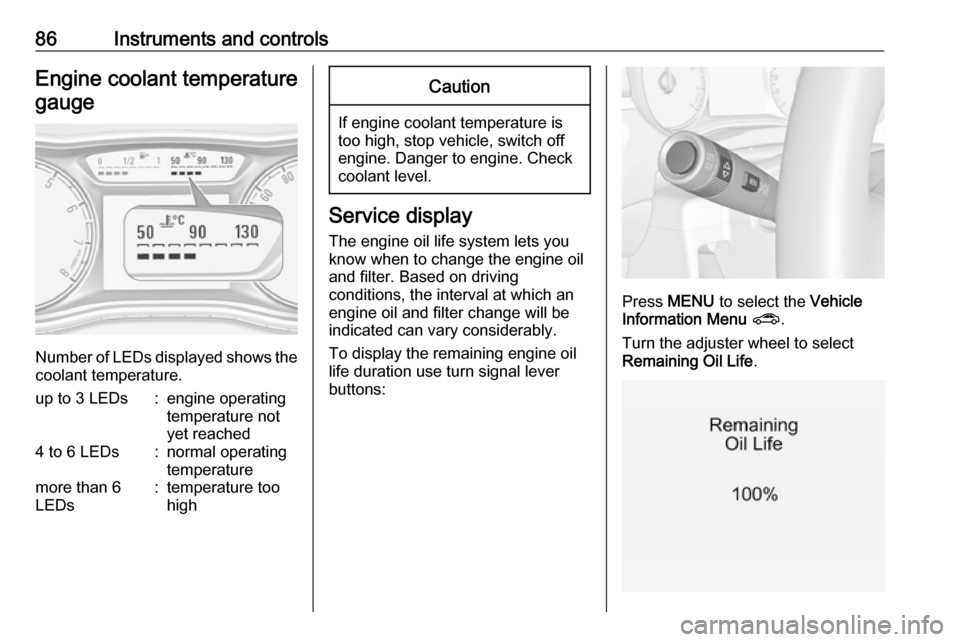
Number of LEDs displayed shows the coolant temperature.
up to 3 LEDs:engine operating
temperature not
yet reached4 to 6 LEDs:normal operating
temperaturemore than 6
LEDs:temperature too
highCaution
If engine coolant temperature is
too high, stop vehicle, switch off
engine. Danger to engine. Check
coolant level.
Service display
The engine oil life system lets you
know when to change the engine oil
and filter. Based on driving
conditions, the interval at which an
engine oil and filter change will be
indicated can vary considerably.
To display the remaining engine oil
life duration use turn signal lever
buttons:
Press MENU to select the Vehicle
Information Menu ? .
Turn the adjuster wheel to select
Remaining Oil Life .
Page 89 of 267

Instruments and controls87The remaining engine oil life duration
is displayed in percent in the Driver
Information Centre.
Reset
Press SET/CLR on turn signal lever
for several seconds to reset. The
remaining engine oil life duration
menu must be active. Switch on
ignition, but not the engine.
The system must be reset every time
the engine oil is changed to ensure
proper functionality. Seek the
assistance of a workshop.
Next serviceWhen the system has calculated that
engine oil life has diminished, a
warning message appears in the
Driver Information Centre. Have
engine oil and filter changed by a
workshop within one week or
300 miles (whichever occurs first).
Driver Information Centre 3 96.
Service information 3 235.Control indicators
The control indicators described are
not present in all vehicles. The
description applies to all instrument
versions.
Depending on the equipment, the
position of the control indicators may vary. When the ignition is switched
on, most control indicators will
illuminate briefly as a functionality
test.
The control indicator colours mean:red:danger, important reminderyellow:warning, information, faultgreen:confirmation of activationblue:confirmation of activationwhite:confirmation of activation
Page 91 of 267
Instruments and controls89Control indicators in the centre
console
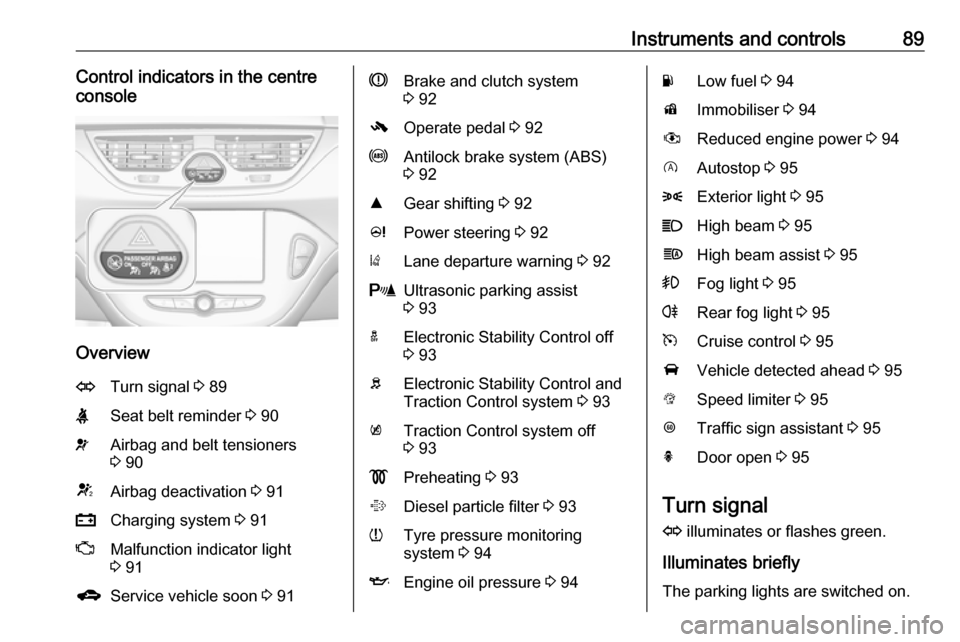
Overview
OTurn signal 3 89XSeat belt reminder 3 90vAirbag and belt tensioners
3 90VAirbag deactivation 3 91pCharging system 3 91ZMalfunction indicator light
3 91gService vehicle soon 3 91RBrake and clutch system
3 92-Operate pedal 3 92uAntilock brake system (ABS)
3 92RGear shifting 3 92cPower steering 3 92)Lane departure warning 3 92rUltrasonic parking assist
3 93aElectronic Stability Control off
3 93bElectronic Stability Control and
Traction Control system 3 93kTraction Control system off
3 93!Preheating 3 93%Diesel particle filter 3 93wTyre pressure monitoring
system 3 94IEngine oil pressure 3 94YLow fuel 3 94dImmobiliser 3 94#Reduced engine power 3 94DAutostop 3 958Exterior light 3 95CHigh beam 3 95fHigh beam assist 3 95>Fog light 3 95rRear fog light 3 95mCruise control 3 95AVehicle detected ahead 3 95LSpeed limiter 3 95LTraffic sign assistant 3 95hDoor open 3 95
Turn signal
O illuminates or flashes green.
Illuminates briefly
The parking lights are switched on.
Page 93 of 267
Instruments and controls91Deployment of the belt pretensioners
or airbags is indicated by continuous
illumination of v.9 Warning
Have the cause of the fault
remedied immediately by a
workshop.
Belt pretensioners, airbag system
3 40, 3 43.
Airbag deactivation
V illuminates yellow.
Illuminates for approx. 60 seconds
after the ignition is switched on. The
front passenger airbag is activated.
* illuminates yellow.
The front passenger airbag is
deactivated 3 48.
9 Danger
Risk of fatal injury for a child using
a child restraint system together
with activated front passenger
airbag.
Risk of fatal injury for an adult
person with deactivated front
passenger airbag.
Charging system
p illuminates red.
Illuminates when the ignition is
switched on and extinguishes shortly
after the engine starts.
Illuminates when the engine is
running
Stop, switch off engine. Vehicle
battery is not charging. Engine
cooling may be interrupted. The
brake servo unit may cease to be
effective. Seek the assistance of a
workshop.
Malfunction indicator light Z illuminates or flashes yellow.
Illuminates when the ignition is
switched on and extinguishes shortly
after the engine starts.
Illuminates when the engine is
running
Fault in the emission control system. The permitted emission limits may be exceeded. Seek the assistance of a
workshop immediately.
Flashes when the engine is
running
Fault that could lead to catalytic converter damage. Ease up on the
accelerator until the flashing stops.
Seek the assistance of a workshop
immediately.
Service vehicle soon
g illuminates yellow.
Additionally, a warning message is
displayed in the Driver Information
Centre.
The vehicle requires a service.
Seek the assistance of a workshop.
Vehicle messages 3 102.