phone VAUXHALL INSIGNIA 2014.5 Infotainment system
[x] Cancel search | Manufacturer: VAUXHALL, Model Year: 2014.5, Model line: INSIGNIA, Model: VAUXHALL INSIGNIA 2014.5Pages: 143, PDF Size: 2.57 MB
Page 34 of 143
34Basic operation
■ In the vehicle contacts list: notesfield
■ For POI entries: information on business hours, menu (e.g.
restaurant), prices etc.
Notice
The data are ordered depending on
the application active, e.g. in the
phone application, the phone
numbers are displayed first.
Starting navigation
To start route guidance to a
destination, select one of the
addresses stored for the contact chosen or the quick function icon next to the respective contact in the
contacts list. The destination details
view is displayed 3 62.
Initiating a phone call
To initiate a phone call, select one of
the phone numbers stored for the contact or the quick function icon next
to the respective contact in the
contacts list. The outgoing call menu
is displayed 3 86.Adding new contacts
To add information from the
application menus to the vehicle contacts list, open the respective
application.Navigation application
Select or enter a destination 3 70.
The destination details view is
displayed.
Select the Save screen button. A
menu is displayed.Phone application
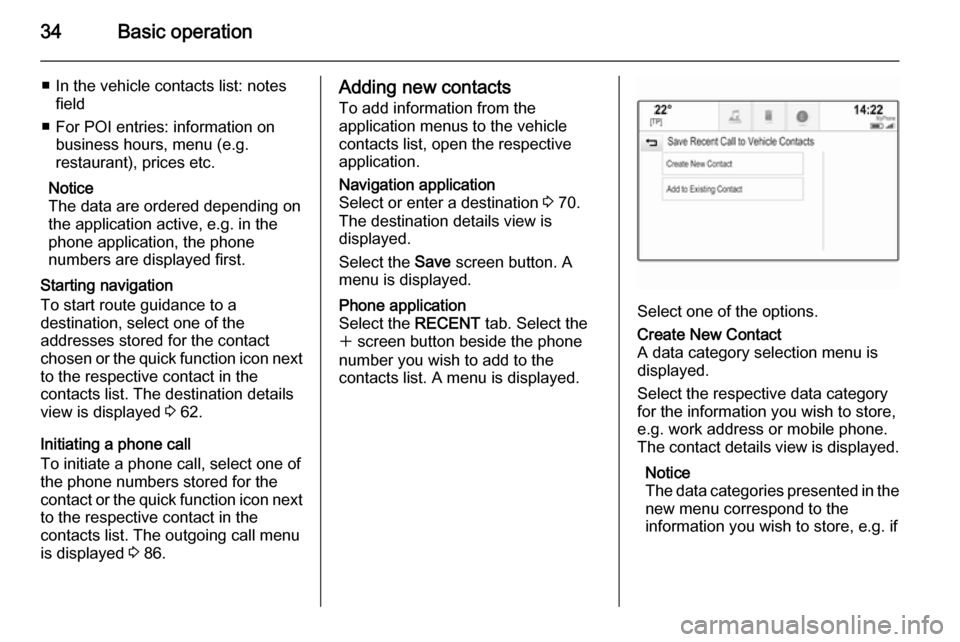
Select the RECENT tab. Select the
w screen button beside the phone
number you wish to add to the
contacts list. A menu is displayed.
Select one of the options.
Create New Contact
A data category selection menu is displayed.
Select the respective data category
for the information you wish to store,
e.g. work address or mobile phone.
The contact details view is displayed.
Notice
The data categories presented in the
new menu correspond to the
information you wish to store, e.g. if
Page 35 of 143
Basic operation35
the information to be stored is an
address, only address types are
presented in the list.
Complete the entry and select the
Save screen button to save the
contact.Add to Existing Contact
The vehicle contacts list is displayed. Select the desired contact.
The contact details view is displayed
with the information to be added
shown separately on the right side of the screen.
Select the respective data category
for the information you wish to store,
e.g. work address or mobile phone.
If you choose an existing data
category, the existing information is
overwritten.
Select the Save screen button to save
the new information.
Editing contacts
To modify a contact, select the
desired contact entry in the vehicle
contacts list.
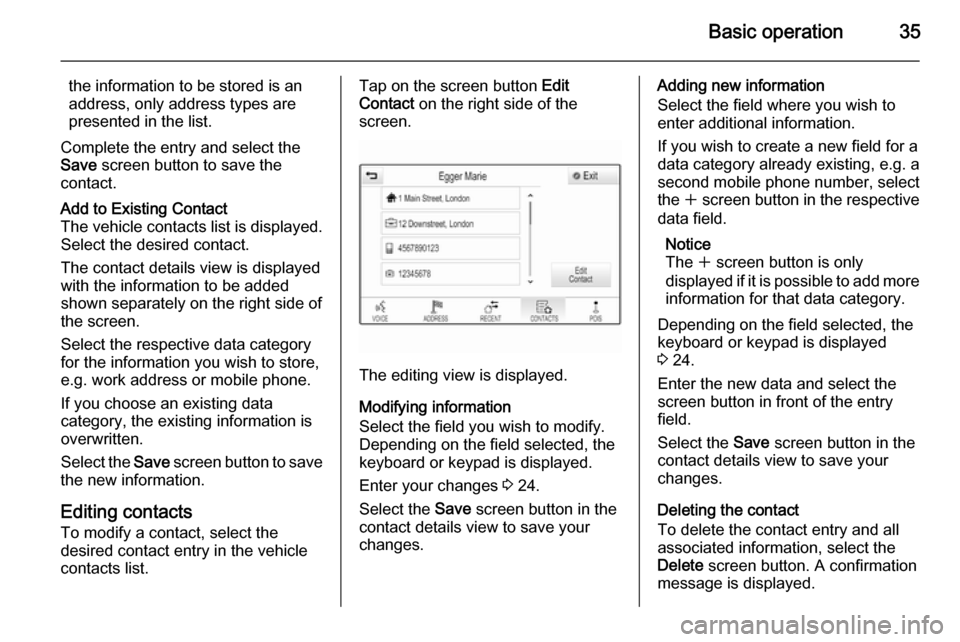
Tap on the screen button Edit
Contact on the right side of the
screen.
The editing view is displayed.
Modifying information
Select the field you wish to modify.
Depending on the field selected, the
keyboard or keypad is displayed.
Enter your changes 3 24.
Select the Save screen button in the
contact details view to save your
changes.
Adding new information
Select the field where you wish to
enter additional information.
If you wish to create a new field for a data category already existing, e.g. a
second mobile phone number, select
the w screen button in the respective
data field.
Notice
The w screen button is only
displayed if it is possible to add more information for that data category.
Depending on the field selected, the
keyboard or keypad is displayed
3 24.
Enter the new data and select the
screen button in front of the entry
field.
Select the Save screen button in the
contact details view to save your
changes.
Deleting the contact
To delete the contact entry and all
associated information, select the
Delete screen button. A confirmation
message is displayed.
Page 40 of 143

40Basic operation
MenuActionTouch screenTouch padNavigation menuSending current audio
information to the Driver
Information Centre1 finger, move in the direction of the Driver
Information CentrePanning map1 finger, move across the screen2 fingers, move up, down,
left or rightCentring map1 finger, tap on a location on the map you wish it to centre aroundZoom in on the mapw screen button2 fingers, move apart
(spread)Zoom out on the map─ screen button2 fingers, move together
(pinch)Phone menuSending current audio
information to the Driver
Information Centre1 finger, move in the direction of the Driver
Information CentreCharacter
recognition
functionDraw character1 finger, move across the screen1 finger, move across the
padStart destination search2 fingers, press and hold on
the padClosing function2 fingers, press on the pad
Page 45 of 143
Basic operation45
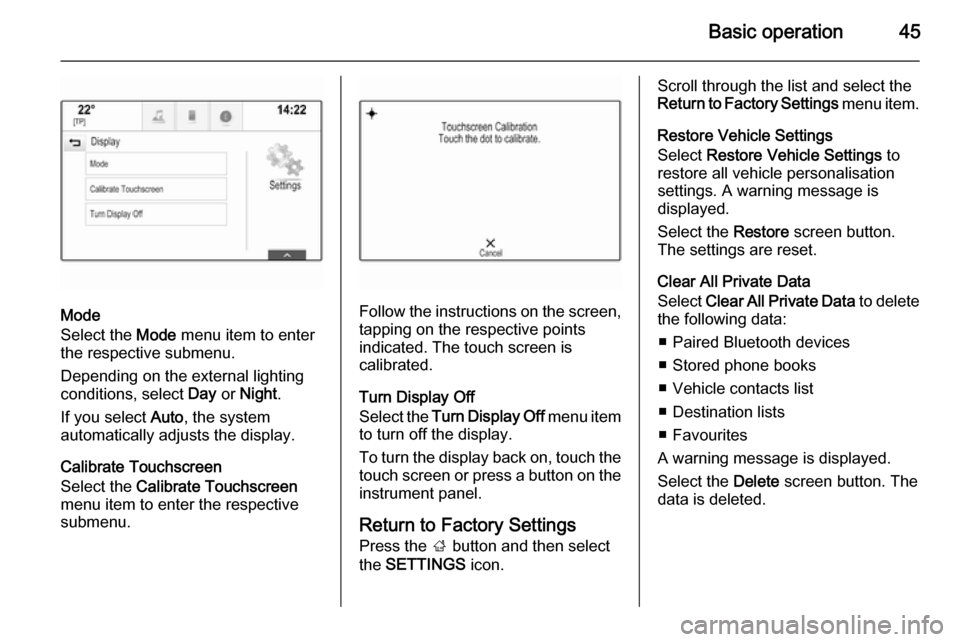
Mode
Select the Mode menu item to enter
the respective submenu.
Depending on the external lighting
conditions, select Day or Night .
If you select Auto, the system
automatically adjusts the display.
Calibrate Touchscreen
Select the Calibrate Touchscreen
menu item to enter the respective
submenu.Follow the instructions on the screen,
tapping on the respective points
indicated. The touch screen is
calibrated.
Turn Display Off
Select the Turn Display Off menu item
to turn off the display.
To turn the display back on, touch the touch screen or press a button on the
instrument panel.
Return to Factory Settings
Press the ; button and then select
the SETTINGS icon.
Scroll through the list and select the
Return to Factory Settings menu item.
Restore Vehicle Settings
Select Restore Vehicle Settings to
restore all vehicle personalisation
settings. A warning message is
displayed.
Select the Restore screen button.
The settings are reset.
Clear All Private Data
Select Clear All Private Data to delete
the following data:
■ Paired Bluetooth devices■ Stored phone books
■ Vehicle contacts list
■ Destination lists
■ Favourites
A warning message is displayed.
Select the Delete screen button. The
data is deleted.
Page 55 of 143
External devices55External devicesGeneral information.....................55
Playing audio ............................... 57
Playing movies ............................. 59
Using apps ................................... 60General information
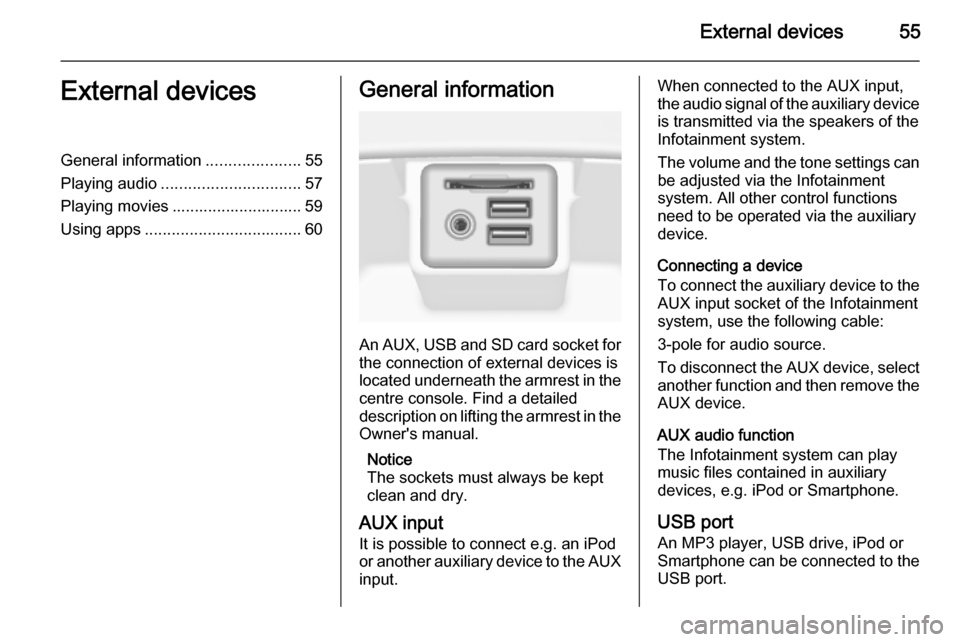
An AUX, USB and SD card socket for
the connection of external devices is
located underneath the armrest in the centre console. Find a detailed
description on lifting the armrest in the
Owner's manual.
Notice
The sockets must always be kept
clean and dry.
AUX input It is possible to connect e.g. an iPod
or another auxiliary device to the AUX
input.
When connected to the AUX input,
the audio signal of the auxiliary device is transmitted via the speakers of the
Infotainment system.
The volume and the tone settings can
be adjusted via the Infotainment
system. All other control functions
need to be operated via the auxiliary
device.
Connecting a device
To connect the auxiliary device to the AUX input socket of the Infotainment
system, use the following cable:
3-pole for audio source.
To disconnect the AUX device, select
another function and then remove the
AUX device.
AUX audio function
The Infotainment system can play
music files contained in auxiliary
devices, e.g. iPod or Smartphone.
USB port An MP3 player, USB drive, iPod or
Smartphone can be connected to the USB port.
Page 56 of 143
56External devices
When connected to the USB port, the
devices mentioned above can be
operated via the controls and menus
of the Infotainment system.
Notice
Not all MP3 players, USB drives,
iPod models or Smartphones are
supported by the Infotainment
system.
Connecting/disconnecting a device
Connect the USB device or iPod to
the USB port. For the iPod, use the
appropriate connection cable.
Notice
If a non-readable USB device or iPod is connected, a corresponding
error message will appear and the
Infotainment system will
automatically switch to the previous
function.
To disconnect the USB device or
iPod, select another function and then remove the USB storage device.Caution
Avoid disconnecting the device
during playback. This may
damage the device or the
Infotainment system.
USB audio function
The Infotainment system can play music files contained in USB storage
devices or iPod/iPhone products.
USB movie function
The Infotainment system can play
movies contained in USB storage
devices.
SD card
An SD card may be inserted in the SD
card slot.
When inserted, the SD card can be
operated via the controls and menus
of the Infotainment system.
Notice
Not all SD card types are supported
by the Infotainment system.
Inserting/removing an SD cardCaution
Never attempt to use an SD card
that has been cracked, deformed
or repaired using adhesive tape.
Doing so may damage the
equipment.
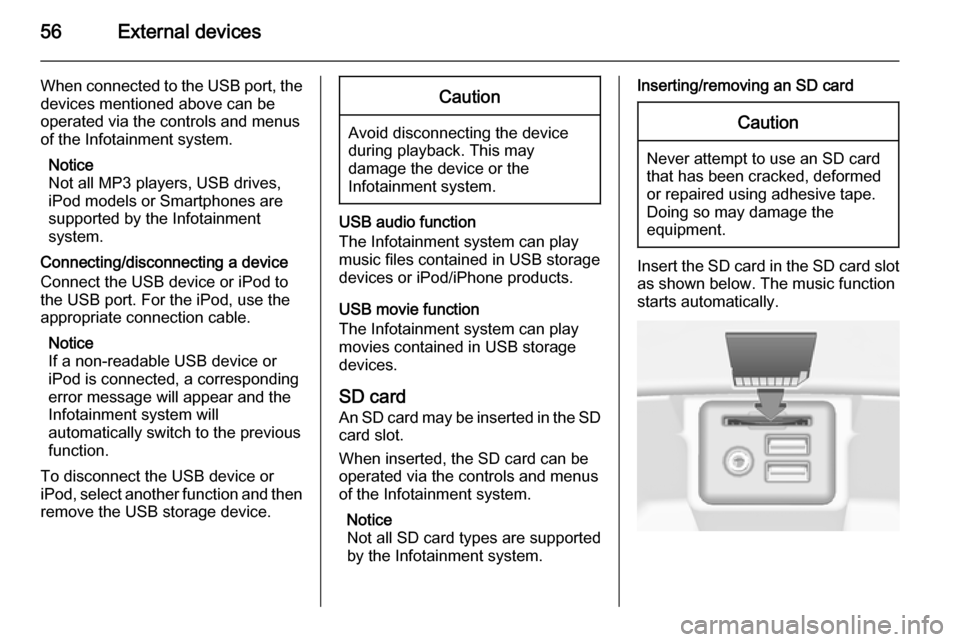
Insert the SD card in the SD card slot
as shown below. The music function
starts automatically.
Page 57 of 143

External devices57
Notice
If a non-readable SD card is connected, a corresponding error
message will appear and the
Infotainment system will
automatically switch to the previous
function.
To remove the SD card, first activate
another function. Then, gently push
the SD card deeper into the slot. The
SD card is pushed out of the slot and
may be removed.Caution
Avoid disconnecting the device
during playback. This may
damage the device or the
Infotainment system.
SD audio function
The Infotainment system can play music files stored on the SD card.
SD movie function
The Infotainment system can play movies stored on the SD card.
Bluetooth
Bluetooth enabled audio sources
(e.g. music mobile phones, MP3
players featuring Bluetooth, etc.),
which support the Bluetooth music profiles A2DP and AVRCP can be
connected wirelessly to the
Infotainment system.
Connecting a device
Find a detailed description on the
Bluetooth connection 3 87.
Bluetooth audio function
The Infotainment system can play
music files contained in Bluetooth
devices like iPod or Smartphone.
File formats Only devices formatted in the FAT32,
NTFS and HFS+ file systems are
supported.
Notice
Some files may not be played
properly. This might be due to a
different recording format or the
condition of the file.Files from online shops to which
Digital Rights Management (DRM)
has been applied cannot be played.
The Infotainment system can play the following audio and movie files stored on external devices.
Audio files
The playable audio file formats
are .mp3, .wma, .aac, .m4a and .aif.
When playing a file with ID3 tag
information, the Infotainment system
can display information, e.g. on the
track title and artist.
Movie files
The playable movie file formats
are .avi, .mpg, .mp4, .xvid and .wmv.
Common audio and video
combinations for mobile devices are
generally supported.
Playing audio
Starting playback If not connected, connect the device
3 55.
Page 60 of 143

60External devices
Fast forwarding or rewinding
Tap and hold the t or v buttons to
rewind or fast forward.
Video menu To display the video menu, select the
MENU screen button in the
interaction selector bar.
Find a detailed description of the
menu 3 57.
Using apps The Infotainment system supports the
operation of apps via the controls on the Infotainment system.
Before an application can be
operated using the controls and
menus of the Infotainment system,
the respective application has to be
installed via a smartphone.
Activating the Tethering function on the smartphone
Activate the Tethering and the
Bluetooth functions on the
smartphone (see user guide of the
smartphone).Notice
Tethering has to be set up correctly
depending on the network provider.
Connect the smartphone to the
Infotainment system via Bluetooth
3 87.
Creating a new account Press the ; button and then select
the Apps icon to display a welcome
screen.
To setup a new account, select the
respective screen button at the
bottom of the screen. You are led through various setup screens.
First, a list of all phones paired to the
system is displayed. Select the phone
with which you want to establish an
Internet connection to the app store.
Then a keyboard for the entry of an
email address is displayed. Enter
your email address.
In the menu displayed afterwards, a
PIN code needs to be set. Select the
New PIN entry field. A keyboard is
displayed. Select the desired digits.
To confirm the PIN code, select theConfirm New PIN entry field. The
keyboard is redisplayed. Enter the
PIN code again. Confirm your input.
A menu for country selection is
displayed. Scroll through the list and
select the desired country.
Last, the privacy policy of the app
store is displayed. Select the Agree
screen button to create the account.
The apps main menu is displayed.
Installing new apps
Press the ; button and then select
the Apps icon to display the apps
main menu.
Select the Apps screen button at the
bottom of the screen to display the apps menu.
All
To display a list of all apps available,
select the All screen button at the
bottom of the screen.
Scroll through the list and select the
desired app. A submenu with detailed information on the respective app is
displayed.
Page 69 of 143

Navigation69
The contacts list and POI data is
stored on the connected USB device
in the folders "F:\myContacts"
respective "F:\myPOIs", where "F:\" is
the root folder of the USB device.
Notice
This function may only be carried out if a USB device with sufficient
storage space is connected.
Downloading contacts data
You can exchange your vehicle
contacts list data with Infotainment
systems in other cars:
To upload the data to a USB device,
see "Uploading navigation data to a
USB device" above.
Connect the USB device to the
Infotainment system of another car
3 55.
A message is displayed that prompts
you to confirm the download.
After confirmation, the contacts data
is downloaded to the Infotainment
system.
The downloaded contacts are then
selectable via the CONTACTS menu
3 32.Creating and downloading user
defined POIs (My POIs)
In addition to the predefined POIs
already stored in the Infotainment
system, you can create user defined
POIs that meet your personal
requirements. After creation, such
user defined POIs can be
downloaded to the Infotainment
system.
For each POI, you need to define the
GPS coordinates (longitude and
latitude values) of the respective
location and a descriptive name.
After downloading the POI data to the Infotainment system, you will find the
respective POIs as selectable
destinations in the My POIs menu,
see "Selecting a point of interest" in
chapter "Destination input" 3 70.
Creating a text file with POI data
Create a text file (e.g. by using a
simple text editor software) with an
arbitrary name and the file
extension .poi, e.g. "TomsPOIs.poi".
Enter the POI data into the text file in
the following format:
Longitude coordinate, Latitude
coordinate, "Name of POI",
"Additional information", "Phone
number"
Example:
7.0350000, 50.6318040, "Michaels
Home", "Bonn, Hellweg 6",
"02379234567" , see image above.
The GPS coordinates must be
expressed in decimal degrees and
can be taken, e.g., from a
topographical map.
Page 70 of 143
70Navigation
The additional information and phonenumber strings are optional.
The POI name and the additional
information string may not exceed 60 characters each. The phone number
string may not exceed 30 characters.
The POI data of each destination
address must be entered in a single
separate line, see image above.
Storing the POI data on a USB drive
In the root directory of a USB drive,
create a folder named " myPOIs",
e.g. "F:\myPOIs", where "F:\" is the
root directory of the USB drive.
In the "myPOIs" folder, store the text
file with your POIs, e.g. "F:\myPOIs
\TomsPOIs.poi".
Notice
Optionally, subfolders may be
created in the "myPOIs" folder and
several POI files stored.
Downloading the POI data to the
Infotainment system
Connect the USB device with your
user defined POI data to the USB port
3 55 of the Infotainment system.A message is displayed that prompts
you to confirm the download.
After confirmation, the POI data will
be downloaded to the Infotainment
system.
The downloaded POIs are then
selectable as destinations via the My
POIs menu, see "Selecting a point of
interest" in chapter "Destination input" 3 70.
Destination input The navigation application provides
different options to set a destination
for route guidance.
Press the ; button and then select
the NAV icon to display the navigation
map.
Entering an address via
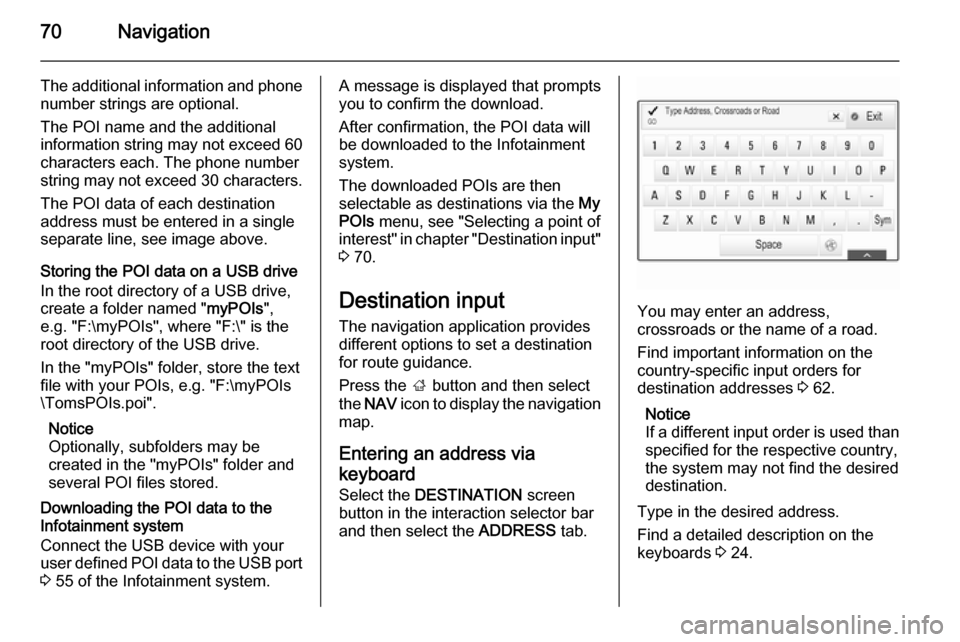
keyboard Select the DESTINATION screen
button in the interaction selector bar
and then select the ADDRESS tab.
You may enter an address,
crossroads or the name of a road.
Find important information on the country-specific input orders for
destination addresses 3 62.
Notice
If a different input order is used than specified for the respective country,
the system may not find the desired
destination.
Type in the desired address.
Find a detailed description on the
keyboards 3 24.