manual VAUXHALL INSIGNIA 2014.5 Owner's Guide
[x] Cancel search | Manufacturer: VAUXHALL, Model Year: 2014.5, Model line: INSIGNIA, Model: VAUXHALL INSIGNIA 2014.5Pages: 321, PDF Size: 8.98 MB
Page 129 of 321
Lighting127
Activation
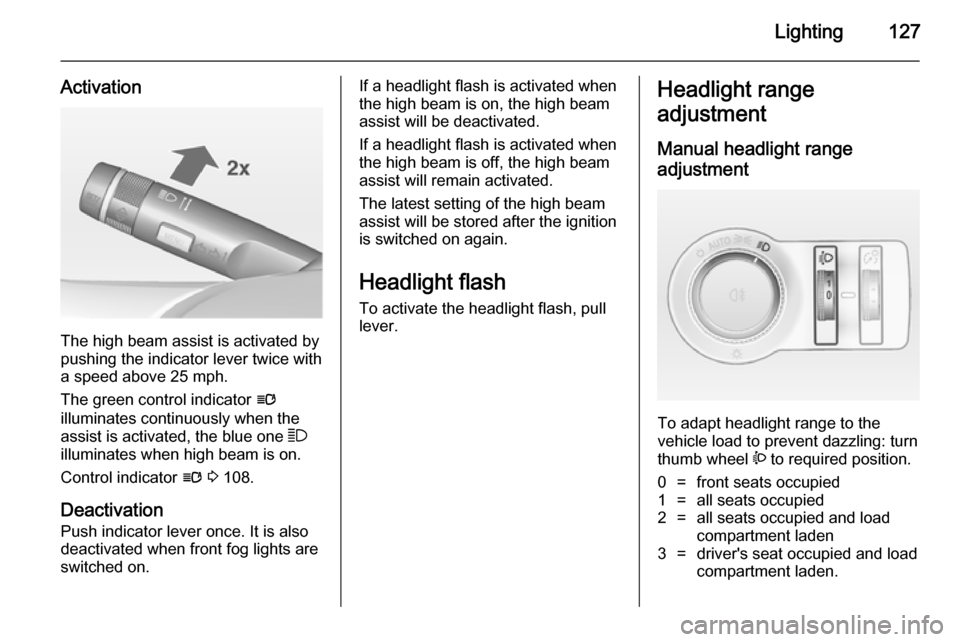
The high beam assist is activated by
pushing the indicator lever twice with
a speed above 25 mph.
The green control indicator l
illuminates continuously when the
assist is activated, the blue one 7
illuminates when high beam is on.
Control indicator l 3 108.
Deactivation
Push indicator lever once. It is also deactivated when front fog lights are
switched on.
If a headlight flash is activated when
the high beam is on, the high beam
assist will be deactivated.
If a headlight flash is activated when
the high beam is off, the high beam
assist will remain activated.
The latest setting of the high beam
assist will be stored after the ignition
is switched on again.
Headlight flash To activate the headlight flash, pull
lever.Headlight range
adjustment
Manual headlight range
adjustment
To adapt headlight range to the
vehicle load to prevent dazzling: turn
thumb wheel ? to required position.
0=front seats occupied1=all seats occupied2=all seats occupied and load
compartment laden3=driver's seat occupied and load
compartment laden.
Page 133 of 321
Lighting131
Fault in Adaptive forward
lighting system When the system detects a failure in
the Adaptive forward lighting system,
the system moves to a preset position to avoid dazzling of oncoming traffic.
If this is not possible, the affected
headlight will be automatically
switched off. In any case, one
headlight will stay on. A warning is
displayed in the Driver Information Centre.
Hazard warning flashers
Operated with the ¨ button.
In the event of an accident with airbag
deployment the hazard warning
flashers are activated automatically.
Turn and lane-change
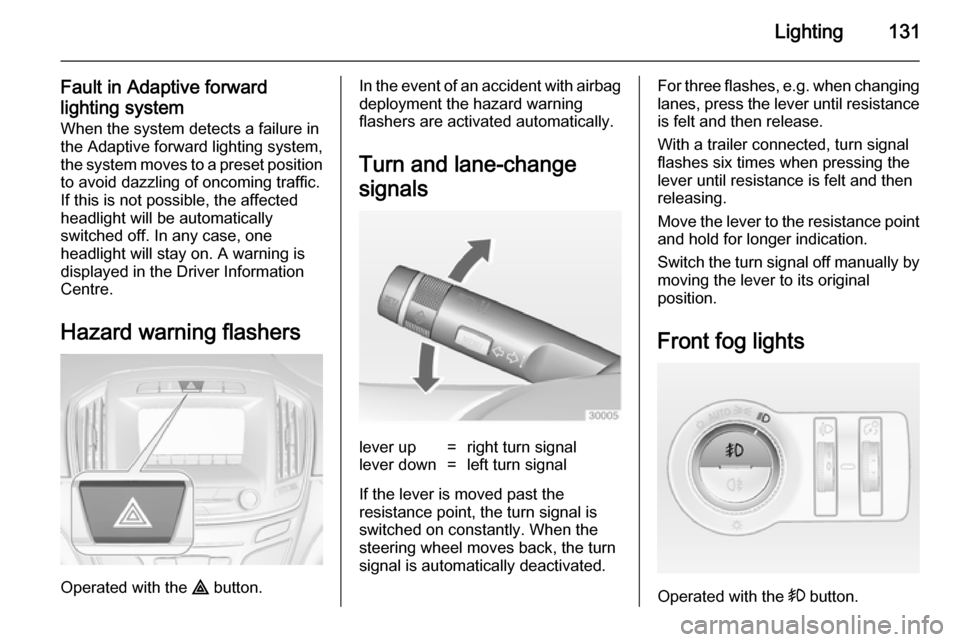
signalslever up=right turn signallever down=left turn signal
If the lever is moved past the
resistance point, the turn signal is
switched on constantly. When the
steering wheel moves back, the turn
signal is automatically deactivated.
For three flashes, e.g. when changing lanes, press the lever until resistance
is felt and then release.
With a trailer connected, turn signal
flashes six times when pressing the
lever until resistance is felt and then
releasing.
Move the lever to the resistance point
and hold for longer indication.
Switch the turn signal off manually by moving the lever to its original
position.
Front fog lights
Operated with the > button.
Page 144 of 321
142Climate control
Manual settingsClimate control system settings can
be manually adapted by using the air
distribution buttons and the fan speed controller as follows. Manual
changing of settings will deactivate
the automatic mode.
Fan speed Z
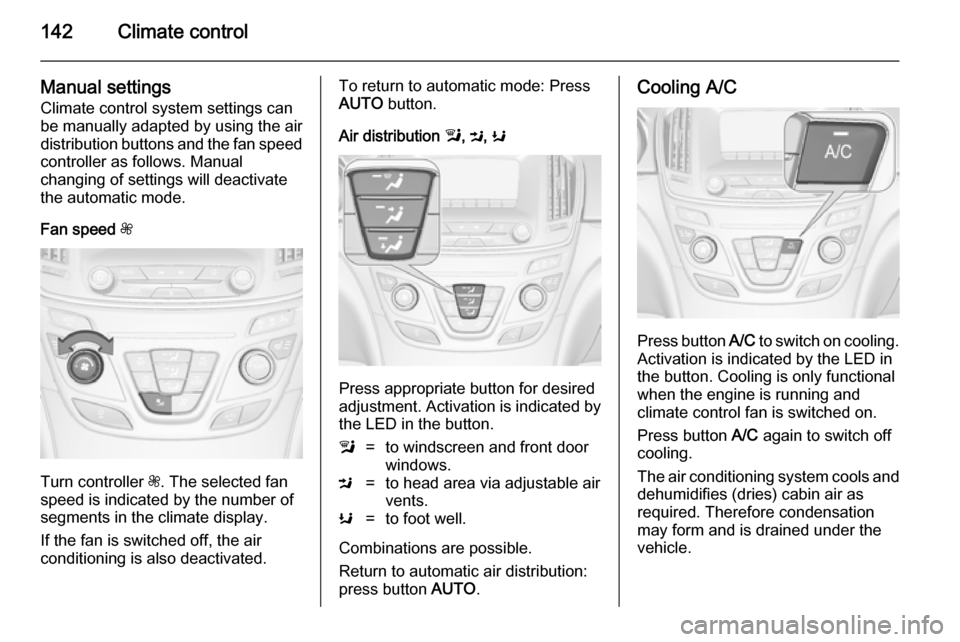
Turn controller Z. The selected fan
speed is indicated by the number of segments in the climate display.
If the fan is switched off, the air
conditioning is also deactivated.
To return to automatic mode: Press AUTO button.
Air distribution l, M , K
Press appropriate button for desired
adjustment. Activation is indicated by the LED in the button.
l=to windscreen and front door
windows.M=to head area via adjustable air
vents.K=to foot well.
Combinations are possible.
Return to automatic air distribution:
press button AUTO.
Cooling A/C
Press button A/C to switch on cooling.
Activation is indicated by the LED in
the button. Cooling is only functional
when the engine is running and
climate control fan is switched on.
Press button A/C again to switch off
cooling.
The air conditioning system cools and
dehumidifies (dries) cabin air as
required. Therefore condensation
may form and is drained under the
vehicle.
Page 145 of 321
Climate control143
If no cooling or drying is required,
switch off the cooling system for fuel
saving reasons.
System ON/OFF X
Cooling, fan and automatic mode can
be switched off by pressing button X.
When the system is deactivated, the
LED in the button X is off.
Activation by pressing button X or
cooling button A/C or automatic mode
button AUTO. Activation is indicated
by the LED in the button.
Manual air recirculation 4Press button 4 to activate air
recirculation mode. Activation is
indicated by the LED in the button.
Select air recirculation to assist in cooling the interior or in blocking
outside odors or exhaust. When
recirculation is selected, a partial
ventilation to refresh the interior air
will occur every 10 minutes.
Press button 4 again to deactivate
recirculation mode.
In warm and very humid ambient air
conditions, the windscreen might mist up from outside, when cold air is
directed to it. If windscreen mists up
from outside, activate windscreen
wiper and deactivate l.
Basic settings Some basic settings can be changedin the vehicle personalisation menu in the Colour-Info-Display.
Select the relevant settings in
Settings , I Vehicle in the Colour-Info-
Display.
Colour-Info-Display 3 117.
Vehicle personalisation 3 121.Dual automatic climate
control system
The dual automatic climate control
allows different climatisation
temperatures for driver and front
passenger side.
In Automatic mode temperature, fan
speed and air distribution are
regulated automatically.
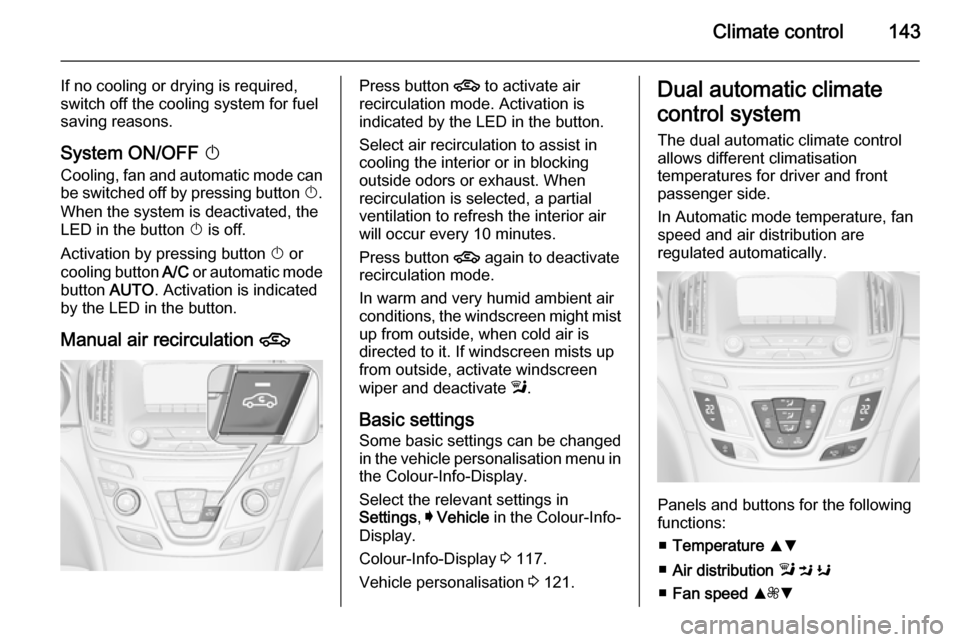
Panels and buttons for the following
functions:
■ Temperature RS
■ Air distribution l M K
■ Fan speed R ZS
Page 148 of 321
146Climate control
Setting of automatic rear window
heating based on cool outside
temperatures can be changed in the
vehicle personalisation menu in the
Colour-Info-Display.
Select the relevant setting in Settings,
I Vehicle in the Colour-Info-Display.
Colour-Info-Display 3 117.
Vehicle personalisation 3 121.
Notice
If the V button is pressed while the
engine is running, an Autostop will
be inhibited until the V button is
pressed again.
If the V button is pressed while the
engine is in an Autostop, the engine
will restart automatically.
Stop-start system 3 156.
Manual settings Climate control system settings can
be manually adapted by using the air
distribution buttons and the fan speed
controller as follows. Manual
changing of settings will deactivate
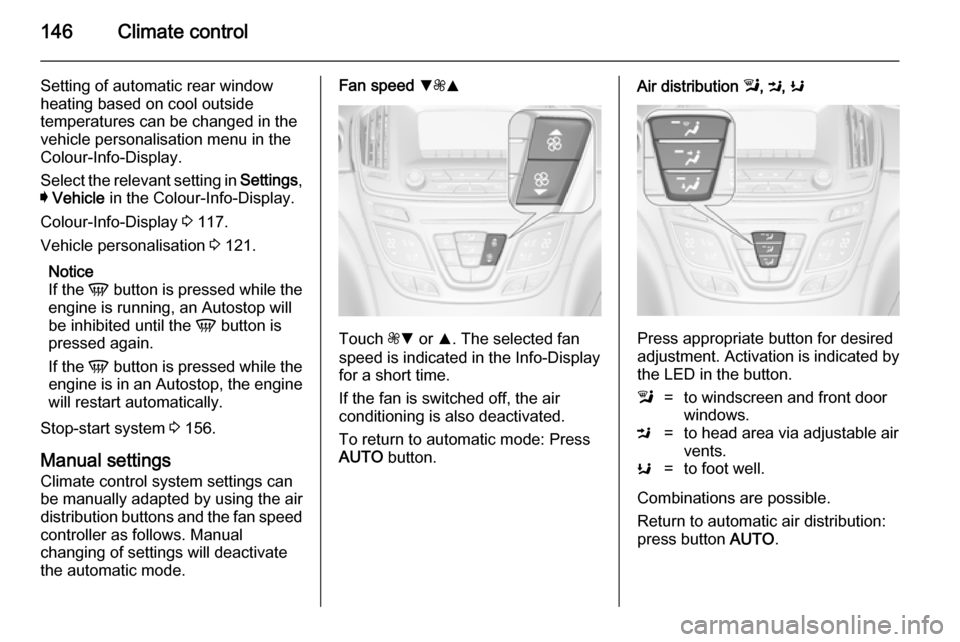
the automatic mode.Fan speed S
ZR
Touch ZS or R. The selected fan
speed is indicated in the Info-Display for a short time.
If the fan is switched off, the air
conditioning is also deactivated.
To return to automatic mode: Press AUTO button.
Air distribution l, M , K
Press appropriate button for desired
adjustment. Activation is indicated by the LED in the button.
l=to windscreen and front door
windows.M=to head area via adjustable air
vents.K=to foot well.
Combinations are possible.
Return to automatic air distribution:
press button AUTO.
Page 149 of 321
Climate control147
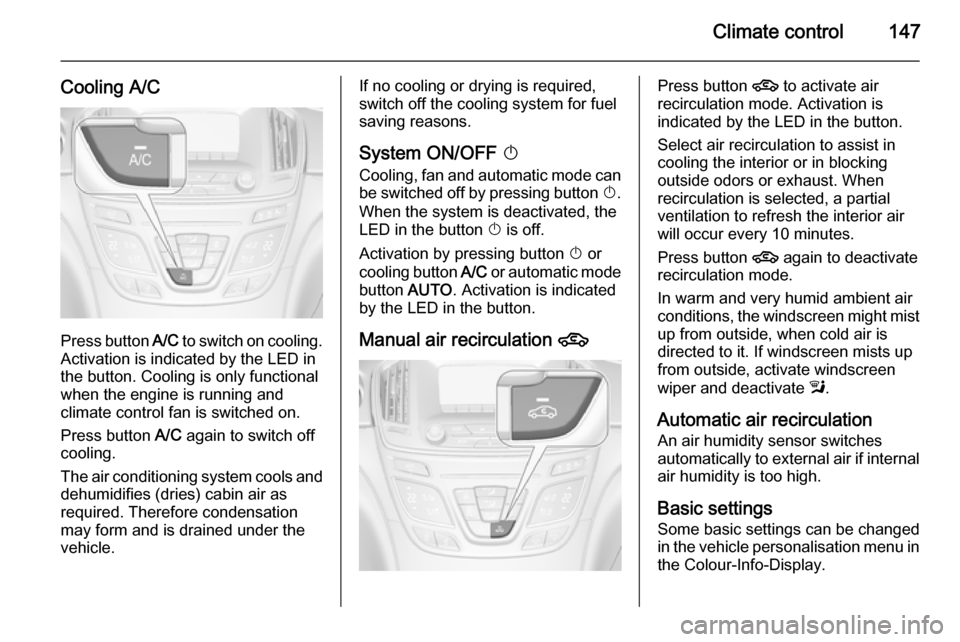
Cooling A/C
Press button A/C to switch on cooling.
Activation is indicated by the LED in
the button. Cooling is only functional
when the engine is running and
climate control fan is switched on.
Press button A/C again to switch off
cooling.
The air conditioning system cools and
dehumidifies (dries) cabin air as
required. Therefore condensation
may form and is drained under the
vehicle.
If no cooling or drying is required,
switch off the cooling system for fuel
saving reasons.
System ON/OFF X
Cooling, fan and automatic mode can
be switched off by pressing button X.
When the system is deactivated, the
LED in the button X is off.
Activation by pressing button X or
cooling button A/C or automatic mode
button AUTO. Activation is indicated
by the LED in the button.
Manual air recirculation 4Press button 4 to activate air
recirculation mode. Activation is
indicated by the LED in the button.
Select air recirculation to assist in cooling the interior or in blocking
outside odors or exhaust. When
recirculation is selected, a partial
ventilation to refresh the interior air
will occur every 10 minutes.
Press button 4 again to deactivate
recirculation mode.
In warm and very humid ambient air
conditions, the windscreen might mist up from outside, when cold air is
directed to it. If windscreen mists up
from outside, activate windscreen
wiper and deactivate l.
Automatic air recirculation An air humidity sensor switches
automatically to external air if internal air humidity is too high.
Basic settingsSome basic settings can be changed
in the vehicle personalisation menu in
the Colour-Info-Display.
Page 153 of 321

Driving and operating151Driving and operatingDriving hints............................... 151
Starting and operating ...............152
Engine exhaust .......................... 159
Automatic transmission .............. 160
Manual transmission ..................164
Drive systems ............................ 165
Brakes ........................................ 165
Ride control systems .................168
Driver assistance systems .........173
Fuel ............................................ 204
Trailer hitch ................................ 211Driving hints
Control of the vehicleNever coast with engine not
running (except during Autostop)
Many systems will not function in this
situation (e.g. brake servo unit, power steering). Driving in this manner is a
danger to yourself and others. All
systems function during an Autostop,
but there will be a controlled reduction
in power steering assist and vehicle
speed is reduced.
Stop-start system 3 156.
Pedals
To ensure the pedal travel is
uninhibited, there must be no mats in the area of the pedals.Steering
If power steering assist is lost
because the engine stops or due to a
system malfunction, the vehicle can
be steered but may require increased
effort.
Control indicator c 3 106.Caution
Vehicles equipped with hydraulic
power steering:
If the steering wheel is turned until it reaches the end of its travel, and
is held in that position for more
than 15 seconds, damage may occur to the power steering
system and there may be loss of
power steering assist.
Page 155 of 321
Driving and operating153
Ignition on power mode: press and
hold Engine Start/Stop button for
6 seconds without operating clutch or brake pedal. The green LED in the
button illuminates, diesel engine is
preheating. Control indicators light up
and the most electrical functions are
operable.
Engine start: operate clutch pedal
(manual transmission) or brake pedal (automatic transmission) and press
Engine Start/Stop button once more.
Release button after starting
procedure begins.
Ignition off: press Engine Start/Stop
button briefly in each mode or when
engine is running. Some functions
remain active until driver's door is
opened, if ignition was on before.
Steering wheel lock
The steering wheel lock activates
automatically when:
■ the vehicle is stationary and
■ the ignition has been switched off and
■ the driver's door is opened.To release steering wheel lock, open
and close driver's door and switch on accessory mode or start the engine
directly.9 Warning
If the vehicle battery is discharged,
the vehicle must not be towed,
tow-started or jump-started as the
steering wheel lock cannot be
disengaged.
Emergency operation on
vehicles with electronic key
system
If either the electronic key fails or the
battery of the electronic key is weak,
the Driver Information Centre may
display No Remote Detected or
Replace Battery in Remote Key when
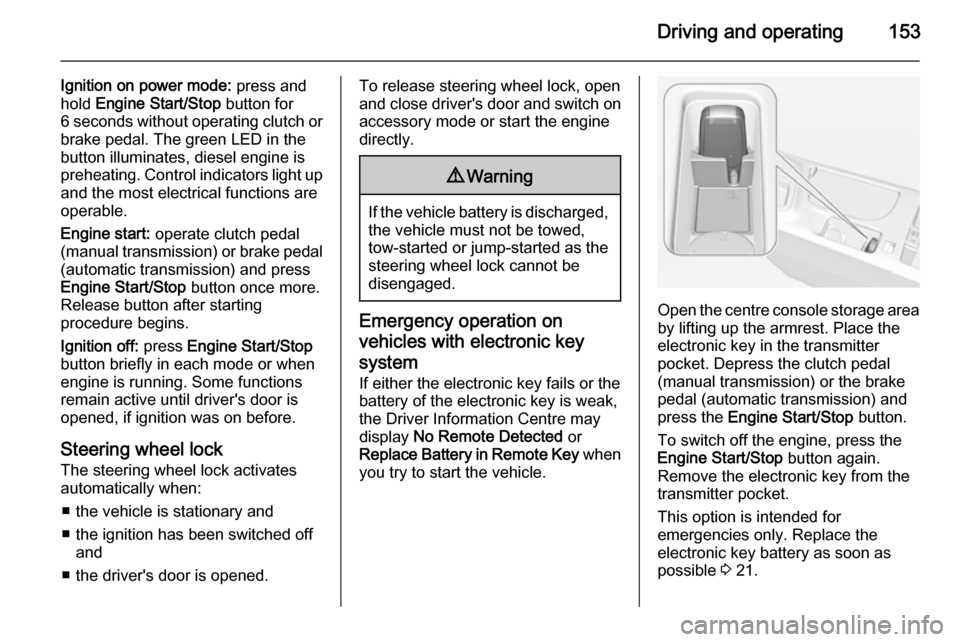
you try to start the vehicle.Open the centre console storage area by lifting up the armrest. Place the
electronic key in the transmitter
pocket. Depress the clutch pedal
(manual transmission) or the brake
pedal (automatic transmission) and
press the Engine Start/Stop button.
To switch off the engine, press the Engine Start/Stop button again.
Remove the electronic key from the
transmitter pocket.
This option is intended for
emergencies only. Replace the
electronic key battery as soon as
possible 3 21.
Page 156 of 321

154Driving and operating
For unlocking or locking the doors see
fault in radio remote control unit or
electronic key system 3 22.
Retained power off
The following electronic systems can
work until the driver's door is opened
or for 10 minutes after the ignition is
switched off:
■ Power windows
■ Sunroof
■ Power outlets
Power to the Infotainment system will continue to operate for 30 minutes
when ignition is off, regardless of
whether any door will be opened.Starting the engine
Vehicles with ignition switch
Manual transmission: operate clutch
and brake pedal.
Automatic transmission: operate
brake pedal and move selector lever
to P or N.
Do not operate accelerator pedal.
Diesel engine: turn the key to position 2 for preheating until control
indicator ! extinguishes.
Turn key briefly to position 3 and
release: an automatic procedure operates the starter with a short delay
until the engine is running, see
Automatic Starter Control.
Before restarting or to switch off the
engine, turn key back to position 0.
During an Autostop, the engine can
be started by depressing the clutch
pedal 3 156.
Vehicles with power button
Manual transmission: operate clutch
and brake pedal.
Page 157 of 321

Driving and operating155
Automatic transmission: operate
brake pedal and move selector lever
to P or N.
Do not operate accelerator pedal.
Press and release Engine Start/Stop
button: an automatic procedure
operates the starter with a short delay
until the engine is running, see
Automatic Starter Control.
Before restarting or to switch off the
engine, press Engine Start/Stop
button once more.
During an Autostop, the engine can
be started by depressing the clutch
pedal 3 156.Starting the vehicle at low
temperatures
Starting the engine without additional
heaters is possible down to -25 °С for diesel engines and -30 °C for petrol
engines. Required is an engine oil
with the correct viscosity, the correct
fuel, performed services and a
sufficiently charged vehicle battery.
With temperatures below -30 °C the
automatic transmission requires a
warming phase of approx. 5 minutes.
The selector lever must be in position
P .
Automatic Starter Control
This function controls the engine
starting procedure. The driver does
not have to hold the key in position 3
or to hold Engine Start/Stop button
pressed. Once applied, the system
will go on starting automatically until
the engine is running. Because of the checking procedure, the engine startsrunning after a short delay.Possible reasons for a non-startingengine:
■ Clutch pedal not operated (manual transmission)
■ Brake pedal not operated or selector lever not in P or N
(automatic transmission)
■ Timeout occurred
Turbo engine warm-up Upon start-up, engine available
torque may be limited for a short time, especially when the engine
temperature is cold. The limitation is
to allow the lubrication system to fully
protect the engine.
Overrun cut-off The fuel supply is automatically cut-
off during overrun, i.e. when the
vehicle is driven with a gear engaged but accelerator pedal is released.