ESP VAUXHALL INSIGNIA 2014 Infotainment system
[x] Cancel search | Manufacturer: VAUXHALL, Model Year: 2014, Model line: INSIGNIA, Model: VAUXHALL INSIGNIA 2014Pages: 143, PDF Size: 2.53 MB
Page 36 of 143

36Basic operation
If you wish to create a new field for analready existing data category, e.g. a
second mobile phone number, select
the w screen button in the respective
data field.
Notice
The w screen button is only
displayed if it is possible to add more information for that data category.
Depending on the field selected, the
keyboard or keypad is displayed
3 24.
Enter the new data and select the
screen button in front of the entry field
indicating the selected field.
Select the Save screen button in the
contact details view to save your
changes.
Deleting the contact
To delete the contact entry and all
associated information, select the
Delete screen button. A confirmation
message is displayed.
Confirm the message. The entry is
deleted.
Page 39 of 143

Basic operation39
MenuActionTouch screenTouch padMedia menuSending current audio
information to the Driver
Information Centre1 finger, move in the direction of the Driver
Information CentreChanging track2 fingers, move left or right
to skip to previous or next
trackChanging media source2 fingers, move up or down
to skip to previous or next
media sourceBrowsing2 fingers, press and hold
the touch padActivating quick play1 finger, tap and hold
respective menu item
Page 41 of 143

Basic operation41Tone settingsIn the tone settings menu, the tone
characteristics can be set. If adjusted
in one main menu, they are globally
set within all source modes. The
menu may be accessed from each
individual audio main menu.
Notice
A customised set of tone settings
may be stored as a favourite. Find a detailed description 3 28.
To open the tone settings menu, select the MENU screen button in the
respective audio main menu. Select
Tone Settings .Treble
Use this setting to enhance or
attenuate the high frequencies of the
audio sources.
Adjust the setting using the ─ or w
screen buttons.
Midrange Use this setting to enhance or
attenuate the midrange frequencies
of the audio source.
Adjust the settings using the ─ or w
screen buttons.
Bass
Use this setting to enhance or
attenuate the deep frequencies of the
audio sources.
Adjust the settings using the ─ or w
screen buttons.
Balance and fader
In the illustration at the right side of
the menu, define the point within the passenger compartment which is to
have the best sound.To adjust the settings, use the n,
o , p and q screen buttons.
To quickly change between the front and rear speakers, select the Front or
Rear screen button at the top and
bottom of the vehicle diagram.
Tap on the centre point guideline to
reset the setting to zero.
Surround
(if Surround system equipped)
Use this setting to enhance or
attenuate the surround effect.
Adjust the settings using the ─ or w
screen buttons.
Equaliser modes(if no Surround system equipped)
Select one of the screen buttons in
the interaction selector bar to
optimise the tone for the specific
styles of music.
Select the Custom screen button, if
you wish to define the tone settings
yourself.
Page 43 of 143
Basic operation43
To adjust the startup and shutdown
sounds, select the ─ or w screen
buttons.
Notice
If the respective source is active, the
volume may be adjusted directly
using the m knob.
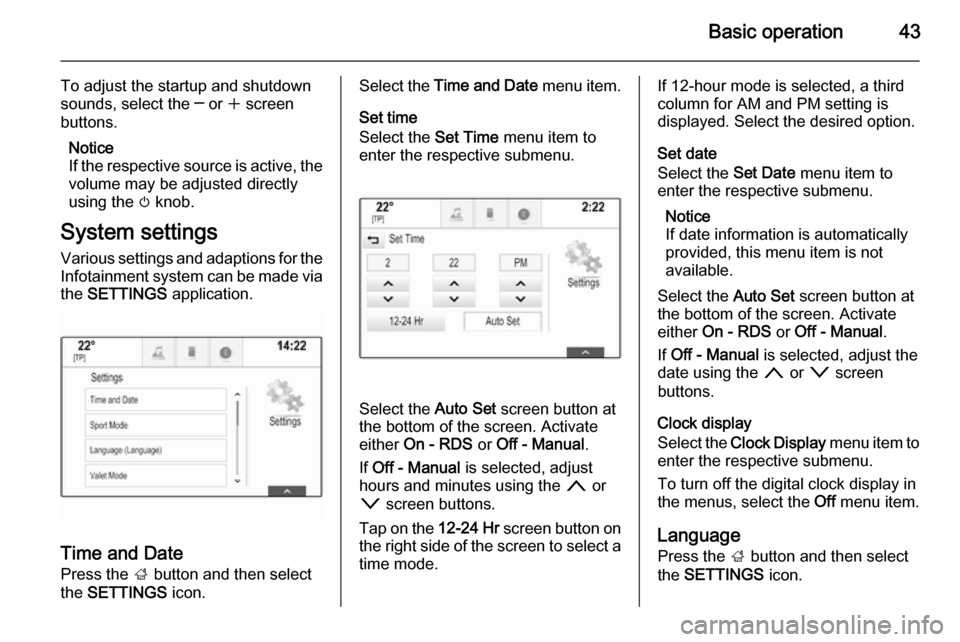
System settings Various settings and adaptions for the
Infotainment system can be made via
the SETTINGS application.
Time and Date
Press the ; button and then select
the SETTINGS icon.
Select the Time and Date menu item.
Set time
Select the Set Time menu item to
enter the respective submenu.
Select the Auto Set screen button at
the bottom of the screen. Activate
either On - RDS or Off - Manual .
If Off - Manual is selected, adjust
hours and minutes using the n or
o screen buttons.
Tap on the 12-24 Hr screen button on
the right side of the screen to select a time mode.
If 12-hour mode is selected, a third
column for AM and PM setting is
displayed. Select the desired option.
Set date
Select the Set Date menu item to
enter the respective submenu.
Notice
If date information is automatically
provided, this menu item is not
available.
Select the Auto Set screen button at
the bottom of the screen. Activate
either On - RDS or Off - Manual .
If Off - Manual is selected, adjust the
date using the n or o screen
buttons.
Clock display
Select the Clock Display menu item to
enter the respective submenu.
To turn off the digital clock display in
the menus, select the Off menu item.
Language
Press the ; button and then select
the SETTINGS icon.
Page 44 of 143
44Basic operation
Scroll through the list and select the
Language menu item.
Notice
The language currently active is
marked with 9.
Scroll through the list and select the desired language.
Valet mode
If valet mode is activated, all vehicle
displays are locked and no changes
may be performed within the system.
Notice
Vehicle-related messages and the
rear backup camera remain
enabled.
Locking the system
Press the ; button and then select
the SETTINGS icon.
Scroll through the list and select the
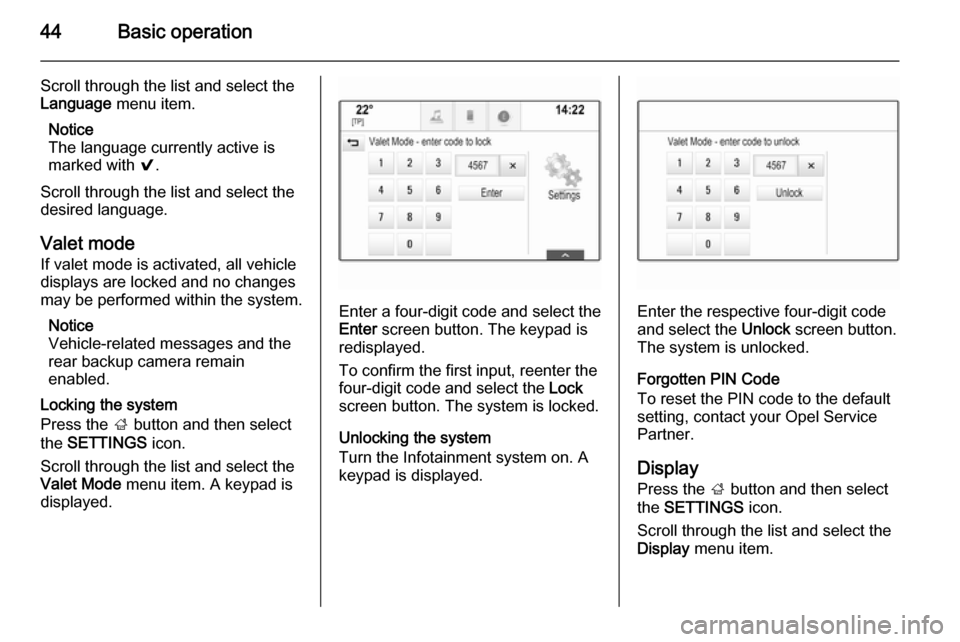
Valet Mode menu item. A keypad is
displayed.
Enter a four-digit code and select the
Enter screen button. The keypad is
redisplayed.
To confirm the first input, reenter the
four-digit code and select the Lock
screen button. The system is locked.
Unlocking the system
Turn the Infotainment system on. A
keypad is displayed.Enter the respective four-digit code
and select the Unlock screen button.
The system is unlocked.
Forgotten PIN Code
To reset the PIN code to the default
setting, contact your Opel Service
Partner.
Display Press the ; button and then select
the SETTINGS icon.
Scroll through the list and select the
Display menu item.
Page 45 of 143

Basic operation45
Mode
Select the Mode menu item to enter
the respective submenu.
Depending on the external lighting
conditions, select Day or Night .
If you select Auto, the system
automatically adjusts the display.
Calibrate Touchscreen
Select the Calibrate Touchscreen
menu item to enter the respective
submenu.Follow the instructions on the screen,
tapping on the respective points
indicated. The touch screen is
calibrated.
Turn Display Off
Select the Turn Display Off menu item
to turn off the display.
To turn the display back on, touch the touch screen or press a button on the
instrument panel.
Return to Factory Settings
Press the ; button and then select
the SETTINGS icon.
Scroll through the list and select the
Return to Factory Settings menu item.
Restore Vehicle Settings
Select Restore Vehicle Settings to
restore all vehicle personalisation
settings. A warning message is
displayed.
Select the Restore screen button.
The settings are reset.
Clear All Private Data
Select Clear All Private Data to delete
the following data:
■ Paired Bluetooth devices■ Stored phone books
■ Vehicle contacts list
■ Destination lists
■ Favourites
A warning message is displayed.
Select the Delete screen button. The
data is deleted.
Page 46 of 143
46Basic operation
Restore Radio Settings
Select Restore Radio Settings to
reset the following data:
■ Tone settings
■ Volume settings
■ Speech settings
■ Application tray
■ Contacts sources.
A warning message is displayed.
Select the Restore screen button.
The settings are reset.
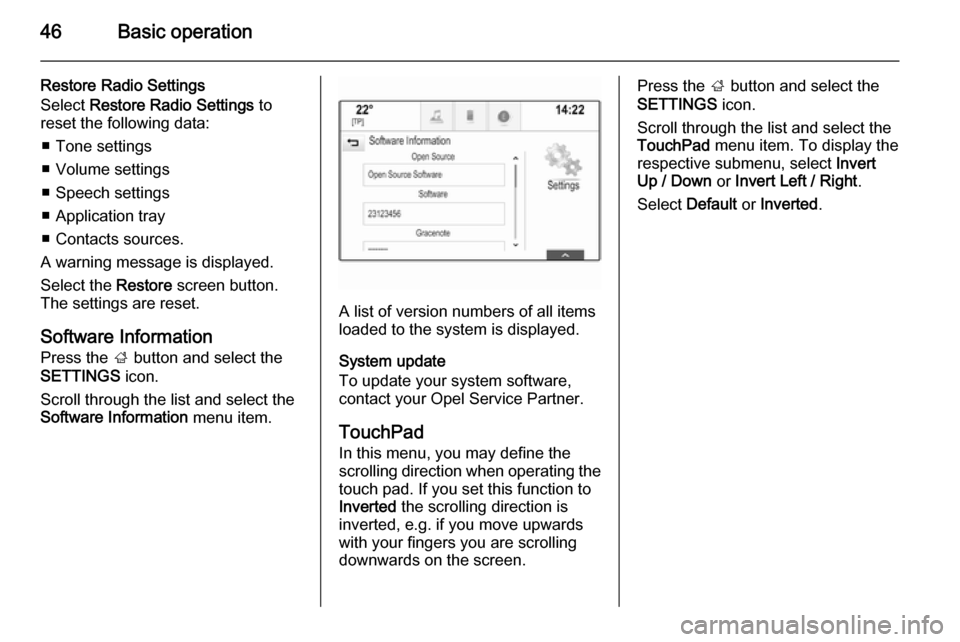
Software Information
Press the ; button and select the
SETTINGS icon.
Scroll through the list and select the
Software Information menu item.
A list of version numbers of all items
loaded to the system is displayed.
System update
To update your system software,
contact your Opel Service Partner.
TouchPad In this menu, you may define the
scrolling direction when operating the touch pad. If you set this function to
Inverted the scrolling direction is
inverted, e.g. if you move upwards
with your fingers you are scrolling downwards on the screen.
Press the ; button and select the
SETTINGS icon.
Scroll through the list and select the
TouchPad menu item. To display the
respective submenu, select Invert
Up / Down or Invert Left / Right .
Select Default or Inverted .
Page 47 of 143

Radio47RadioUsage.......................................... 47
Station search .............................. 47
Waveband menus ........................48
Radio data system (RDS) ............49
Digital audio broadcasting ...........50Usage
The radio function is part of the
AUDIO application.
Activating the radio function
Press the RADIO button.
Selecting the waveband
Repeatedly press the RADIO button
on the instrument panel to toggle between the different wavebands.
Station search
Automatic station search
Press the t or v buttons to play the
previous or next station.
Manual station search Press and hold the t or v buttons.
Release the respective button when
the desired frequency has almost
been reached.
Station lists
In the station lists, all receivable radio stations within the current reception
area are available for selection.
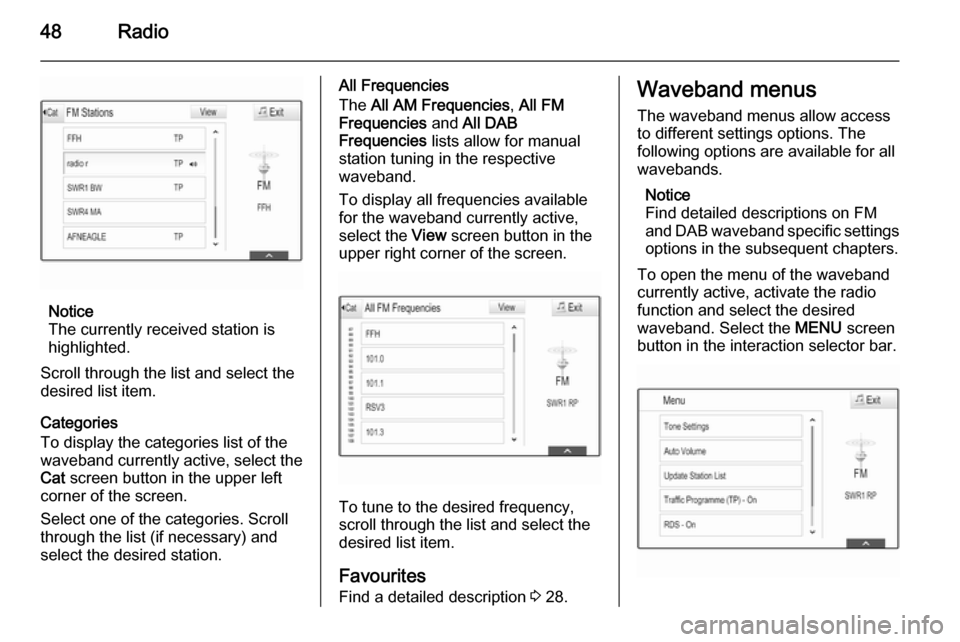
To display the station list of the
waveband currently active, you may
optionally:
■ Tap anywhere on the screen.
■ Select the BROWSE screen button
on the left side of the screen.
■ Turn the MENU knob.
The station list is displayed.
Page 48 of 143
48Radio
Notice
The currently received station is
highlighted.
Scroll through the list and select the
desired list item.
Categories
To display the categories list of the
waveband currently active, select the Cat screen button in the upper left
corner of the screen.
Select one of the categories. Scroll
through the list (if necessary) and
select the desired station.
All Frequencies
The All AM Frequencies , All FM
Frequencies and All DAB
Frequencies lists allow for manual
station tuning in the respective waveband.
To display all frequencies available
for the waveband currently active,
select the View screen button in the
upper right corner of the screen.
To tune to the desired frequency,
scroll through the list and select the
desired list item.
Favourites
Find a detailed description 3 28.
Waveband menus
The waveband menus allow access
to different settings options. The
following options are available for all
wavebands.
Notice
Find detailed descriptions on FM
and DAB waveband specific settings options in the subsequent chapters.
To open the menu of the waveband
currently active, activate the radio
function and select the desired
waveband. Select the MENU screen
button in the interaction selector bar.
Page 49 of 143
Radio49
Tone SettingsFind a detailed description 3 41.
Auto volume / Bose Audio-Pilot Find a detailed description 3 42.
Update Station List If the stations stored in a waveband-
specific station list can no longer be received, select Update Station List .
Notice
If a waveband-specific station list is
updated, the corresponding
category list (if available) is also
updated.
Updating Station List is displayed on
the screen until the search has been
completed.
Traffic Programme (TP)(Not available for AM waveband)
To constantly receive traffic news, set
Traffic Programme (TP) - On .
Find a detailed description 3 49.Radio data system (RDS)
RDS is a service of FM stations that
considerably improves the finding of the desired station and its fault-free
reception.
Advantages of RDS ■ On the display, the programme name of the station appears
instead of its frequency.
■ During a station search the Infotainment system tunes in to
RDS stations only.
■ The Infotainment system always tunes into the best receivable
broadcasting frequency of the set
station by means of AF (alternative frequency).
■ Depending on the station received,
the Infotainment system displays
radio text that can contain e.g.
information on the current
programme.
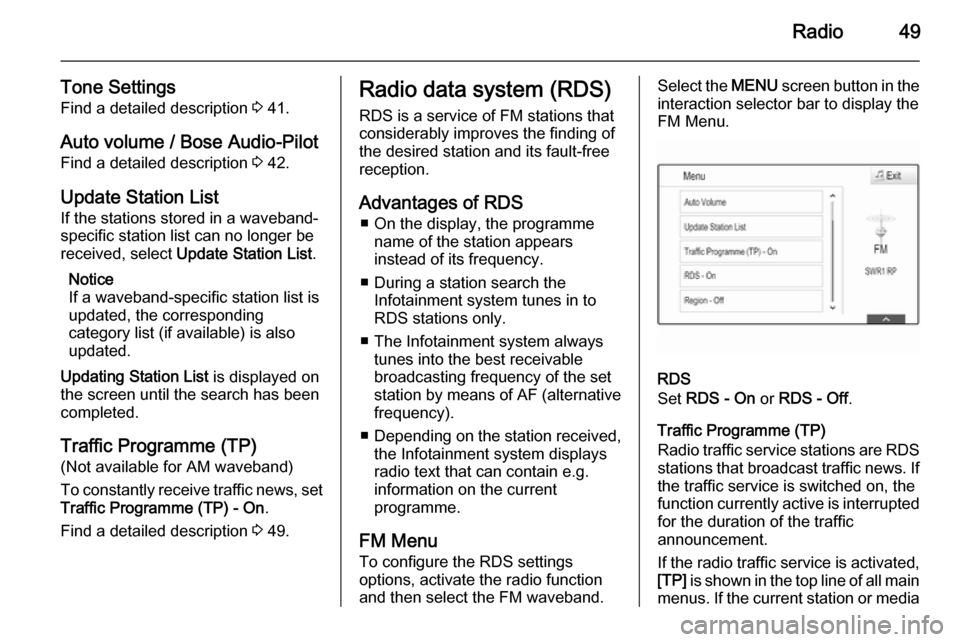
FM Menu
To configure the RDS settings
options, activate the radio function
and then select the FM waveband.Select the MENU screen button in the
interaction selector bar to display the
FM Menu.
RDS
Set RDS - On or RDS - Off .
Traffic Programme (TP)
Radio traffic service stations are RDS
stations that broadcast traffic news. If the traffic service is switched on, the
function currently active is interrupted for the duration of the traffic
announcement.
If the radio traffic service is activated,
[TP] is shown in the top line of all main
menus. If the current station or media