alarm VAUXHALL INSIGNIA 2014 Owner's Manual
[x] Cancel search | Manufacturer: VAUXHALL, Model Year: 2014, Model line: INSIGNIA, Model: VAUXHALL INSIGNIA 2014Pages: 321, PDF Size: 8.83 MB
Page 13 of 321

In brief11
1Power windows .....................39
2 Central locking system ..........22
3 Exterior mirrors .....................36
4 Light switch ........................ 121
Headlight range
adjustment ......................... 123
Front/rear fog lights ............127
Instrument illumination .......129
5 Side air vents ...................... 144
6 Turn and lane-change
signals, headlight flash,
low/high beam, high beam
assist ................................... 127
Exit lighting ......................... 131
Parking lights ...................... 128
Buttons for Driver
Information Centre ..............106
7 Cruise control .....................170
Speed limiter ....................... 171
Adaptive cruise control .......172
Forward collision alert .........1808Instruments .......................... 95
Driver Information Centre .... 106
9 Buttons for Driver
Information Centre ..............106
10 Windscreen wiper and
washer, headlight washer,
rear wiper and washer .........83
11 Centre air vents .................. 144
12 Sport/Tour mode ................167
Traction Control system .....165
Electronic Stability Control . 166
Hazard warning flashers ....127
Parking assist/Advanced
parking aid ......................... 186
Lane departure warning .....200
13 Anti-theft alarm system
status LED ........................... 33
14 Colour-Info-Display ............113
15 Glovebox .............................. 66
Fuse box ............................ 23516Control indicator for airbag
activation/deactivation .......100
Control indicator for front
passenger seat belt .............99
17 Controls for Colour-Info-
Display operation ................113
18 CD-slot
19 Climate control system ........ 133
20 Electric parking brake .........163
21 Touchpad ............................ 113
22 Manual transmission ..........161
Automatic transmission ......156
23 Ashtray ................................. 89
24 Eco button for stop-start
system ................................. 152
Fuel selector button ..............97
25 Ignition/Power switch ..........148
26 Horn ..................................... 82
27 Steering wheel adjustment ..81
28 Bonnet release lever ..........214
29 Storage compartment ...........67
Page 20 of 321
18In brief
To restart the engine, depress the
clutch pedal again.
Stop-start system 3 152.
ParkingCaution
Do not park the vehicle on an
easily ignitable surface. The high
temperature of the exhaust
system could ignite the surface.
■ Always apply the parking brake.
Apply electric parking brake by
pulling switch m for approx. one
second.
Activate the manual parking brake
without pushing the release button. Apply as firmly as possible on a
downhill slope or uphill slope.
Depress foot brake at the same
time to reduce operating force.
■ If the vehicle is on a level surface or
uphill slope, engage first gear or set
the selector lever to position P
before switching off the ignition. On
an uphill slope, turn the front
wheels away from the kerb.
If the vehicle is on a downhill slope, engage reverse gear or set theselector lever to position P before
switching off the ignition. Turn the
front wheels towards the kerb.
■ After running at high engine speeds
or with high engine loads, operate
the engine briefly at a low load or
run in neutral for approx.
30 seconds before switching off, in
order to protect the turbocharger.
■ Switch off the engine and ignition. Turn the steering wheel until it
locks.
Automatic transmission: key can
only be removed with selector lever in P.
■ Close the windows and the sunroof.
■ Lock the vehicle and activate the anti-theft alarm system 3 22,
3 33.
■ The engine cooling fans may run after the engine has been switched
off 3 213.
Keys, locks 3 19, Laying the vehicle
up for a long period of time 3 212.
Page 22 of 321
20Keys, doors and windowsRadio remote control
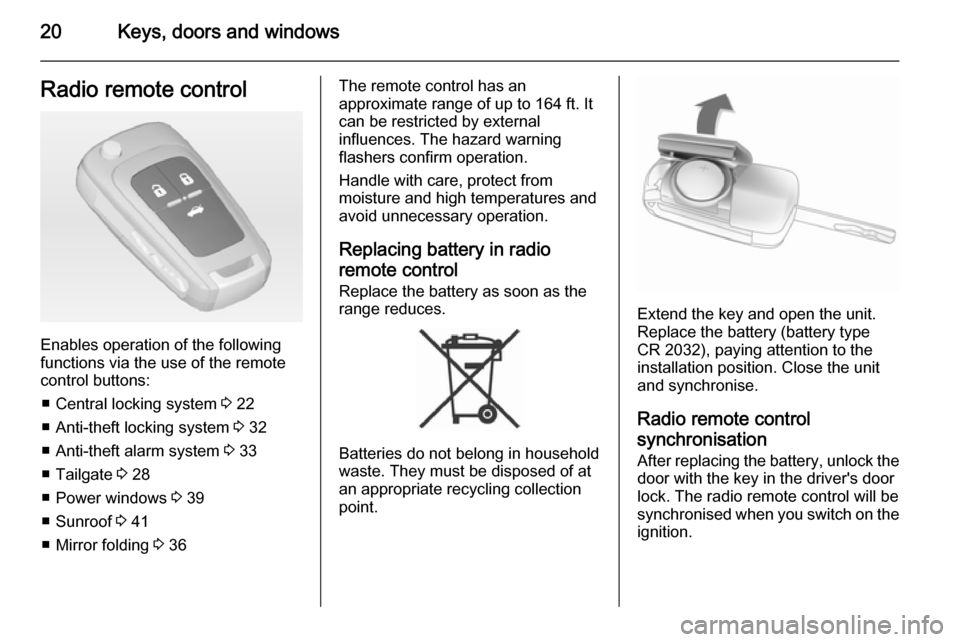
Enables operation of the following
functions via the use of the remote control buttons:
■ Central locking system 3 22
■ Anti-theft locking system 3 32
■ Anti-theft alarm system 3 33
■ Tailgate 3 28
■ Power windows 3 39
■ Sunroof 3 41
■ Mirror folding 3 36
The remote control has an
approximate range of up to 164 ft. It
can be restricted by external
influences. The hazard warning
flashers confirm operation.
Handle with care, protect from
moisture and high temperatures and
avoid unnecessary operation.
Replacing battery in radio remote control Replace the battery as soon as the
range reduces.
Batteries do not belong in household
waste. They must be disposed of at
an appropriate recycling collection
point.
Extend the key and open the unit.
Replace the battery (battery type
CR 2032), paying attention to the installation position. Close the unit
and synchronise.
Radio remote control
synchronisation
After replacing the battery, unlock the
door with the key in the driver's door
lock. The radio remote control will be
synchronised when you switch on the
ignition.
Page 35 of 321
Keys, doors and windows33
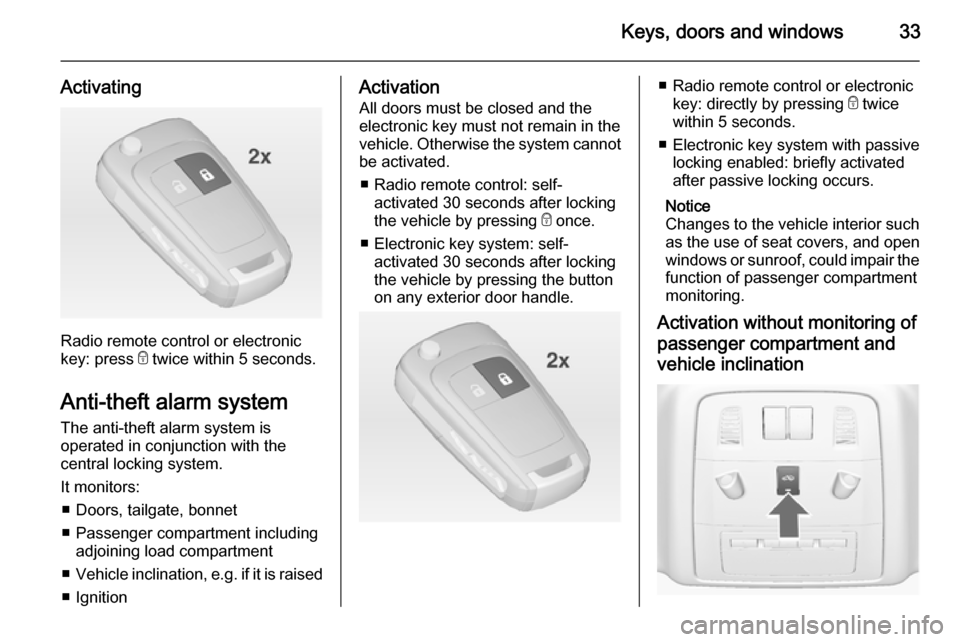
Activating
Radio remote control or electronic
key: press e twice within 5 seconds.
Anti-theft alarm system The anti-theft alarm system is
operated in conjunction with the
central locking system.
It monitors: ■ Doors, tailgate, bonnet
■ Passenger compartment including adjoining load compartment
■ Vehicle inclination, e.g. if it is raised
■ Ignition
Activation
All doors must be closed and the electronic key must not remain in the
vehicle. Otherwise the system cannot be activated.
■ Radio remote control: self- activated 30 seconds after locking
the vehicle by pressing e once.
■ Electronic key system: self- activated 30 seconds after locking
the vehicle by pressing the button
on any exterior door handle.■ Radio remote control or electronic
key: directly by pressing e twice
within 5 seconds.
■ Electronic key system with passive locking enabled: briefly activated
after passive locking occurs.
Notice
Changes to the vehicle interior such
as the use of seat covers, and open windows or sunroof, could impair the
function of passenger compartment
monitoring.
Activation without monitoring of
passenger compartment and
vehicle inclination
Page 36 of 321
34Keys, doors and windows
Switch off the monitoring of
passenger compartment and vehicle
inclination when animals are being
left in the vehicle, because of high
volume ultrasonic signals or
movements triggering the alarm. Also switch off when the vehicle is on a
ferry or train.
1. Close tailgate, bonnet, windows and sunroof.
2. Press button o. LED in the
button o illuminates for a
maximum of 10 minutes.
3. Close doors.
4. Activate the anti-theft alarm system.
Status message is displayed in the
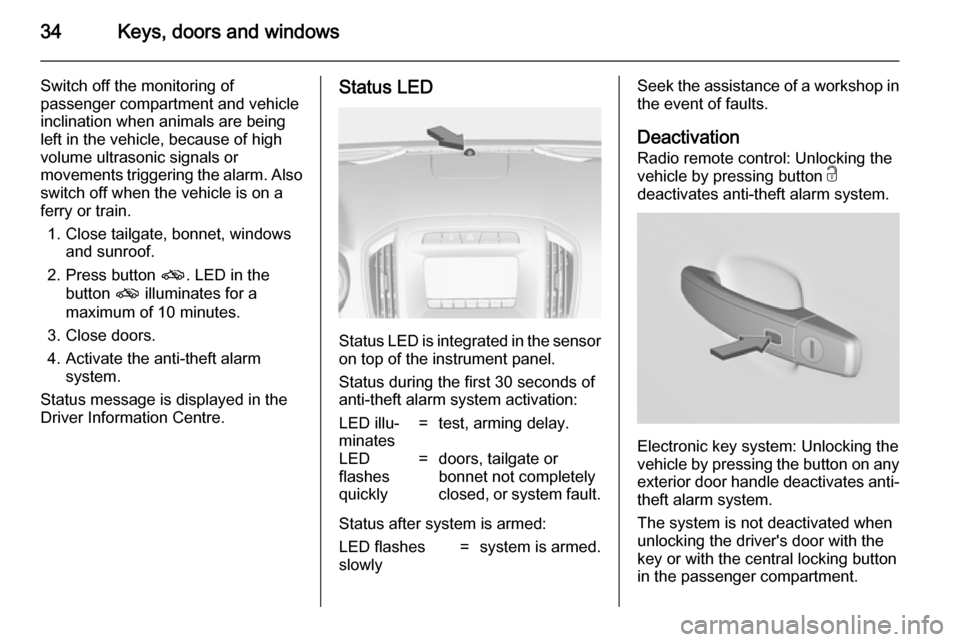
Driver Information Centre.Status LED
Status LED is integrated in the sensor
on top of the instrument panel.
Status during the first 30 seconds of
anti-theft alarm system activation:
LED illu‐
minates=test, arming delay.LED
flashes
quickly=doors, tailgate or
bonnet not completely
closed, or system fault.
Status after system is armed:
LED flashes
slowly=system is armed.Seek the assistance of a workshop in
the event of faults.
Deactivation
Radio remote control: Unlocking the
vehicle by pressing button c
deactivates anti-theft alarm system.
Electronic key system: Unlocking the
vehicle by pressing the button on any
exterior door handle deactivates anti-
theft alarm system.
The system is not deactivated when
unlocking the driver's door with the
key or with the central locking button
in the passenger compartment.
Page 37 of 321

Keys, doors and windows35
AlarmWhen triggered, the alarm sounds via a separate battery-backed power
sounder, and the hazard warning
lights flash simultaneously. The
number and duration of alarm signals
are stipulated by legislation.
The anti-theft alarm system can be
deactivated only by pressing the
button c or by pressing the switch on
the door handle (electronic key
system) or switching on the ignition.
A triggered alarm, which has not been interrupted by the driver, will be
indicated by the hazard warning
lights. They will flash quickly three
times when the vehicle is unlocked
next time with the radio remote
control. Additionally a warning
message is displayed in the Driver
Information Centre after switching on
the ignition.
Vehicle messages 3 115.
If the vehicle's battery is to be
disconnected (e.g. for maintenance
work), the alarm siren must be
deactivated as follows: switch theignition on then off, then disconnect
the vehicle's battery within
15 seconds.
Immobiliser The system is part of the ignition
switch and checks whether the
vehicle is allowed to be started with
the key being used.
The immobiliser is activated
automatically after the key is removed
from the ignition switch.
If control indicator d flashes when the
ignition is on, there is a fault in the
system; the engine cannot be started. Switch off the ignition and repeat start
attempt.
If control indicator d continues
flashing, attempt to start the engine
using the spare key and seek the
assistance of a workshop.
Notice
The immobiliser does not lock the
doors. You should always lock the
vehicle after leaving it and switch on the anti-theft alarm system 3 22,
3 33.Control indicator d 3 104.
Page 117 of 321
Instruments and controls115
Valet mode
Some functions of the Driver
Information Centre and the Colour-
Info-Display can be limited for some
drivers.
Activation or deactivation of valet
mode can be set in the menu
Settings in the vehicle personalisation
menu.
Vehicle personalisation 3 117.
For more information see
Infotainment system manual.
Smartphone controller The smartphone controller allows a
smartphone to access vehicle data
via WLAN or Bluetooth connection.
This data can then be displayed and analysed on the smartphone.Vehicle messages
Messages are indicated in the Driver
Information Centre (DIC), in some
cases together with a warning and
signal buzzer.
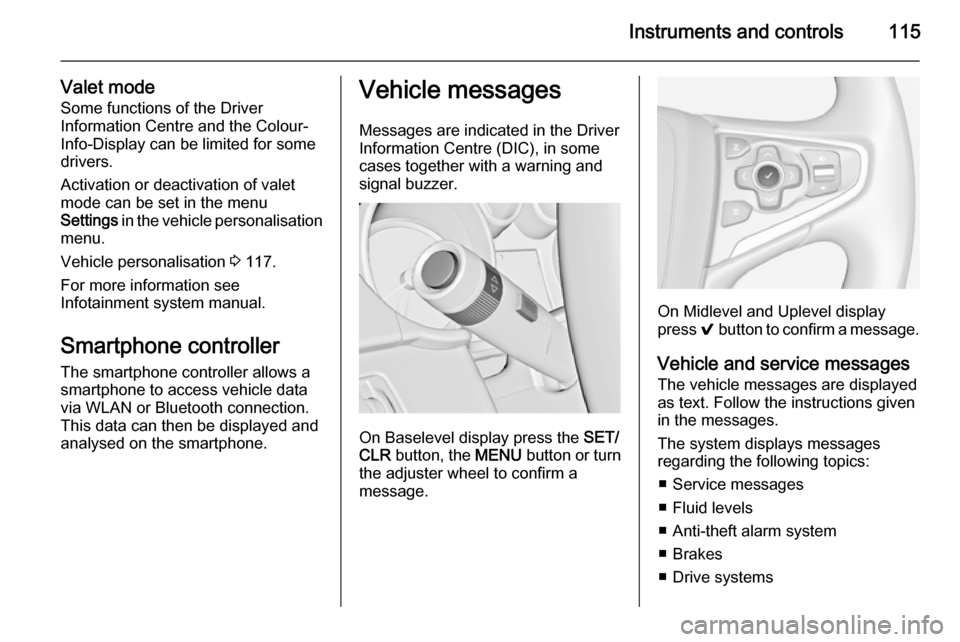
On Baselevel display press the SET/
CLR button, the MENU button or turn
the adjuster wheel to confirm a
message.
On Midlevel and Uplevel display
press 9 button to confirm a message.
Vehicle and service messages
The vehicle messages are displayed
as text. Follow the instructions given
in the messages.
The system displays messages
regarding the following topics:
■ Service messages
■ Fluid levels
■ Anti-theft alarm system
■ Brakes
■ Drive systems
Page 156 of 321

154Driving and operating
■ The stop-start system is manuallydeactivated
■ the bonnet is opened
■ the driver's seat belt is unfastened and the driver's door is opened
■ the engine temperature is too low
■ the charging level of the vehicle battery is below a defined level
■ the brake vacuum is not sufficient
■ the vehicle is driven at least at walking speed
■ the climate control system requests
an engine start
■ the air conditioning is manually switched on
If the bonnet is not fully closed, a
warning message is displayed in the
Driver Information Centre.
If an electrical accessory, e.g. a
portable CD player, is connected to
the power outlet, a brief power drop during the restart might be noticeable.Parking
■ Do not park the vehicle on an easily
ignitable surface. The high
temperature of the exhaust system
could ignite the surface.
■ Always apply parking brake. Pull electric parking brake switch
m for approx. one second.
Apply manual parking brake
without pressing release button.
Apply as firmly as possible on
downhill or uphill slopes. Depress the foot brake at the same time to
reduce operating force.
■ Switch off the engine and ignition. Turn the steering wheel until the
steering wheel lock engages.
■ If the vehicle is on a level surface or
uphill slope, engage first gear or set
the selector lever to P before
switching off the ignition. On an
uphill slope, turn the front wheels
away from the kerb.
If the vehicle is on a downhill slope, engage reverse gear or set theselector lever to P before switchingoff the ignition. Turn the front
wheels towards the kerb.
■ Lock the vehicle and activate the anti-theft alarm system.
Notice
In the event of an accident with
airbag deployment, the engine is
turned off automatically if the vehicle comes to a standstill within a certain
time.
Page 215 of 321

Vehicle care213
■ Open bonnet, close all doors andlock the vehicle.
■ Disconnect the clamp from the negative terminal of the vehicle
battery. Beware that all systems are
not functional, e.g. anti-theft alarm
system.
Putting back into operation
When the vehicle is to be put back into
operation:
■ Connect the clamp to the negative terminal of the vehicle battery.
Activate the electronics of the
power windows.
■ Check tyre pressure.
■ Fill up the washer fluid reservoir.
■ Check the engine oil level.
■ Check the coolant level.
■ Fit the number plate if necessary.
End-of-life vehicle
recovery
Information on end-of-life vehicle
recovery centres and the recycling of
end-of-life vehicles is available on ourwebsite, where legally required. Only
entrust this work to an authorised
recycling centre.
Gas vehicles must be recycled by a
service centre authorised for gas
vehicles.Vehicle checks
Performing work9 Warning
Only perform engine compartment
checks when the ignition is off.
The cooling fan may start
operating even if the ignition is off.
Page 220 of 321
218Vehicle care
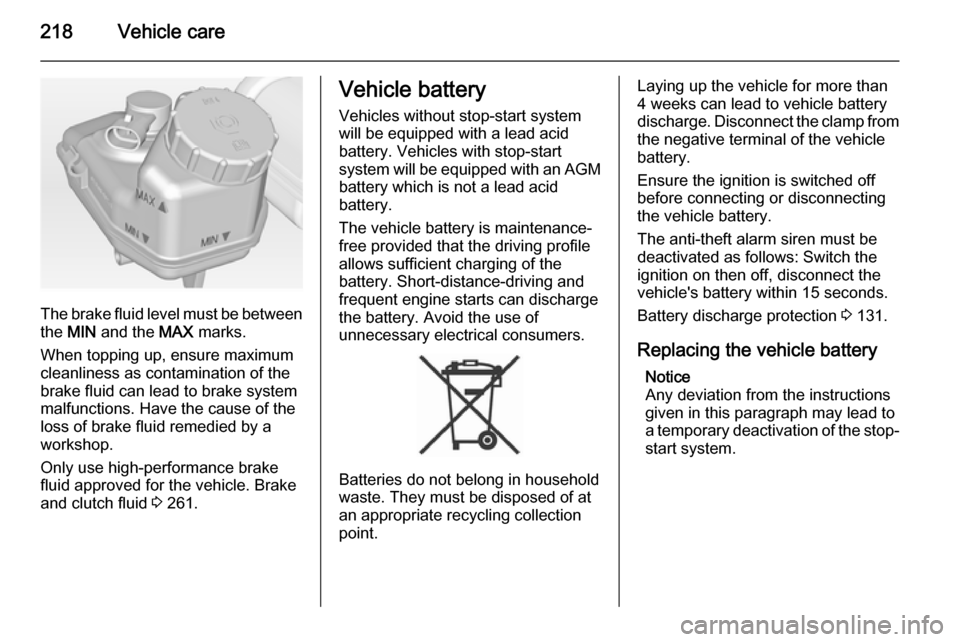
The brake fluid level must be betweenthe MIN and the MAX marks.
When topping up, ensure maximum cleanliness as contamination of the
brake fluid can lead to brake system
malfunctions. Have the cause of the
loss of brake fluid remedied by a
workshop.
Only use high-performance brake
fluid approved for the vehicle. Brake
and clutch fluid 3 261.
Vehicle battery
Vehicles without stop-start system
will be equipped with a lead acid
battery. Vehicles with stop-start
system will be equipped with an AGM battery which is not a lead acid
battery.
The vehicle battery is maintenance-
free provided that the driving profile
allows sufficient charging of the
battery. Short-distance-driving and
frequent engine starts can discharge
the battery. Avoid the use of
unnecessary electrical consumers.
Batteries do not belong in household
waste. They must be disposed of at
an appropriate recycling collection
point.
Laying up the vehicle for more than
4 weeks can lead to vehicle battery
discharge. Disconnect the clamp from the negative terminal of the vehicle
battery.
Ensure the ignition is switched off
before connecting or disconnecting
the vehicle battery.
The anti-theft alarm siren must be
deactivated as follows: Switch the
ignition on then off, disconnect the
vehicle's battery within 15 seconds.
Battery discharge protection 3 131.
Replacing the vehicle battery Notice
Any deviation from the instructions
given in this paragraph may lead to
a temporary deactivation of the stop-
start system.