Eco VAUXHALL INSIGNIA 2015 Owner's Guide
[x] Cancel search | Manufacturer: VAUXHALL, Model Year: 2015, Model line: INSIGNIA, Model: VAUXHALL INSIGNIA 2015Pages: 321, PDF Size: 8.99 MB
Page 51 of 321
Seats, restraints49Power seat adjustment9Warning
Care must be taken when
operating the power seats. There
is a risk of injury, particularly for
children. Objects could become
trapped.
Keep a close watch on the seats
when adjusting them. Vehicle
passengers should be informed
accordingly.
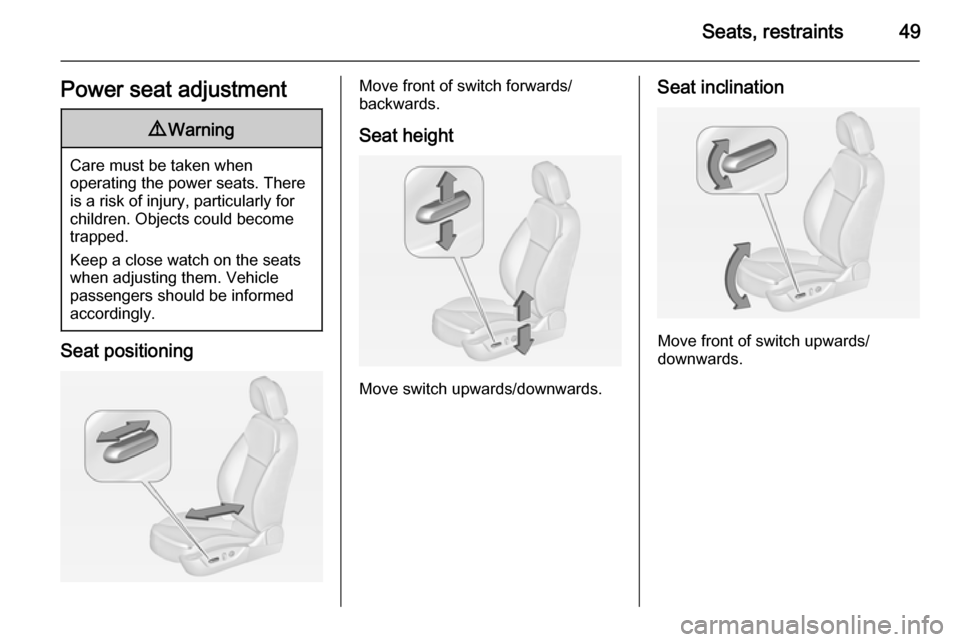
Seat positioning
Move front of switch forwards/
backwards.
Seat height
Move switch upwards/downwards.
Seat inclination
Move front of switch upwards/
downwards.
Page 53 of 321
Seats, restraints51
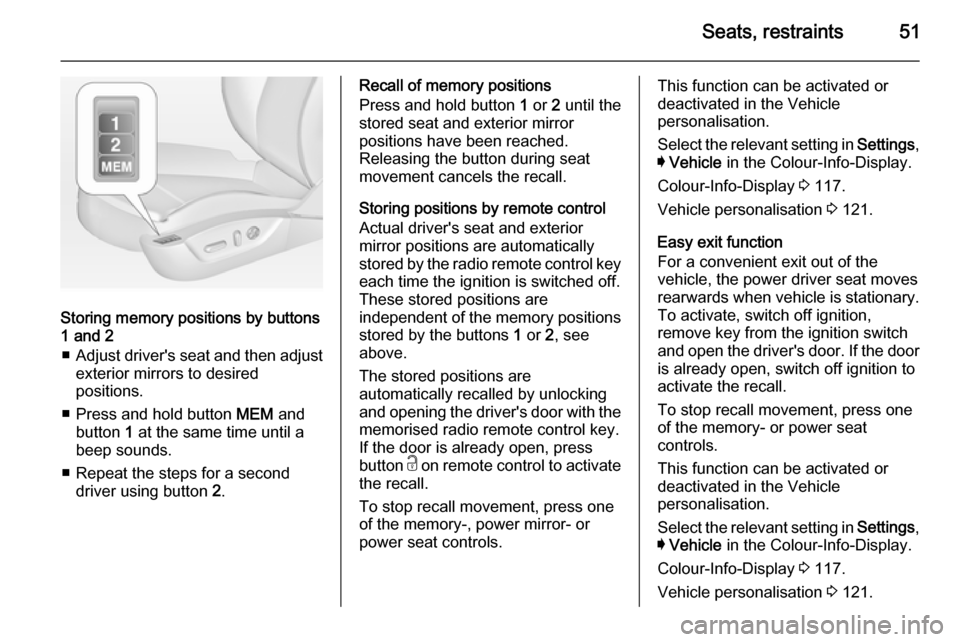
Storing memory positions by buttons
1 and 2
■ Adjust driver's seat and then adjust
exterior mirrors to desired
positions.
■ Press and hold button MEM and
button 1 at the same time until a
beep sounds.
■ Repeat the steps for a second driver using button 2.
Recall of memory positions
Press and hold button 1 or 2 until the
stored seat and exterior mirror
positions have been reached.
Releasing the button during seat
movement cancels the recall.
Storing positions by remote control
Actual driver's seat and exterior
mirror positions are automatically
stored by the radio remote control key
each time the ignition is switched off.
These stored positions are
independent of the memory positions
stored by the buttons 1 or 2, see
above.
The stored positions are
automatically recalled by unlocking
and opening the driver's door with the
memorised radio remote control key.
If the door is already open, press
button c on remote control to activate
the recall.
To stop recall movement, press one
of the memory-, power mirror- or
power seat controls.This function can be activated or
deactivated in the Vehicle
personalisation.
Select the relevant setting in Settings,
I Vehicle in the Colour-Info-Display.
Colour-Info-Display 3 117.
Vehicle personalisation 3 121.
Easy exit function
For a convenient exit out of the
vehicle, the power driver seat moves
rearwards when vehicle is stationary.
To activate, switch off ignition,
remove key from the ignition switch
and open the driver's door. If the door
is already open, switch off ignition to
activate the recall.
To stop recall movement, press one
of the memory- or power seat
controls.
This function can be activated or
deactivated in the Vehicle
personalisation.
Select the relevant setting in Settings,
I Vehicle in the Colour-Info-Display.
Colour-Info-Display 3 117.
Vehicle personalisation 3 121.
Page 54 of 321
52Seats, restraints
Safety function
If the driver's seat encounters
resistance during movement, the
recall may stop. After removing the
obstruction, press and hold the
appropriate power seat position
button for the memory item for
two seconds. Try recalling the
memory position again. If the recall
does not operate, consult a
workshop.
Overload
If the seat setting is electrically
overloaded, the power supply is
automatically cut-off for a short time.
Notice
After an accident in which airbags
have been deployed, the memorised settings for each position button willbe deactivated.Armrest
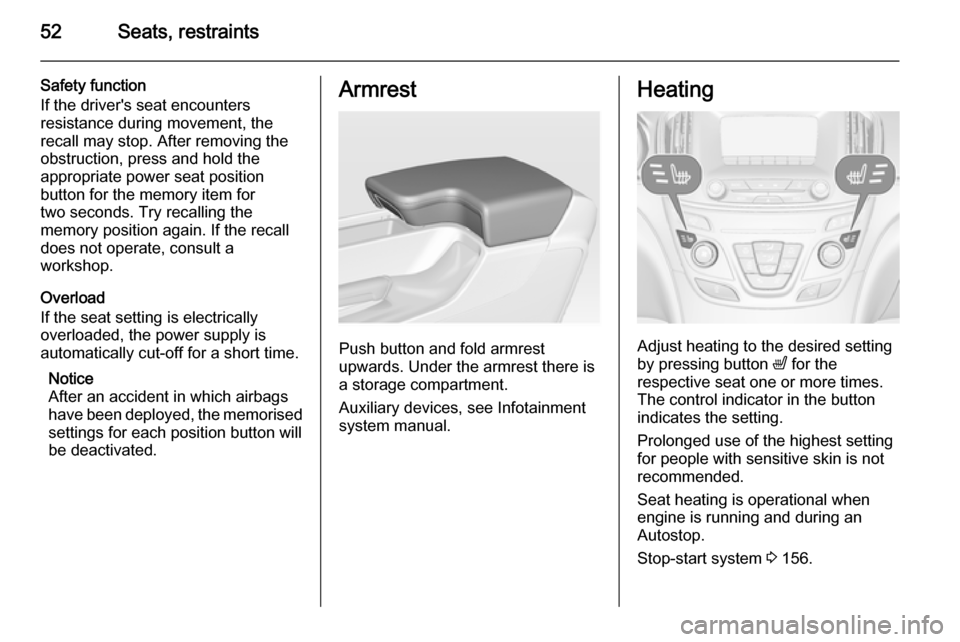
Push button and fold armrest
upwards. Under the armrest there is
a storage compartment.
Auxiliary devices, see Infotainment
system manual.
Heating
Adjust heating to the desired setting
by pressing button ß for the
respective seat one or more times.
The control indicator in the button
indicates the setting.
Prolonged use of the highest setting
for people with sensitive skin is not
recommended.
Seat heating is operational when engine is running and during an
Autostop.
Stop-start system 3 156.
Page 59 of 321
Seats, restraints57Airbag system
The airbag system consists of a
number of individual systems
depending on the scope of
equipment.
When triggered the airbags inflate
within milliseconds. They also deflate
so quickly that it is often unnoticeable during the collision.9 Warning
If handled improperly the airbag
systems can be triggered in an
explosive manner.
Notice
The airbag systems and belt
pretensioner control electronics are
located in the centre console area.
Do not put any magnetic objects in
this area.
Do not stick anything on the airbag
covers and do not cover them with
other materials.
Each airbag is triggered only once.
Have deployed airbags replaced by
a workshop. Furthermore, it might be necessary to have the steering
wheel, the instrument panel, parts of
the panelling, the door seals,
handles and the seats replaced.
Do not make any modifications to
the airbag system as this will
invalidate the vehicle type approval.
When the airbags inflate, escaping
hot gases may cause burns.
Control indicator v for airbag systems
3 104.
Child restraint systems on front
passenger seat with airbag
systems Warning according to ECE R94.02:
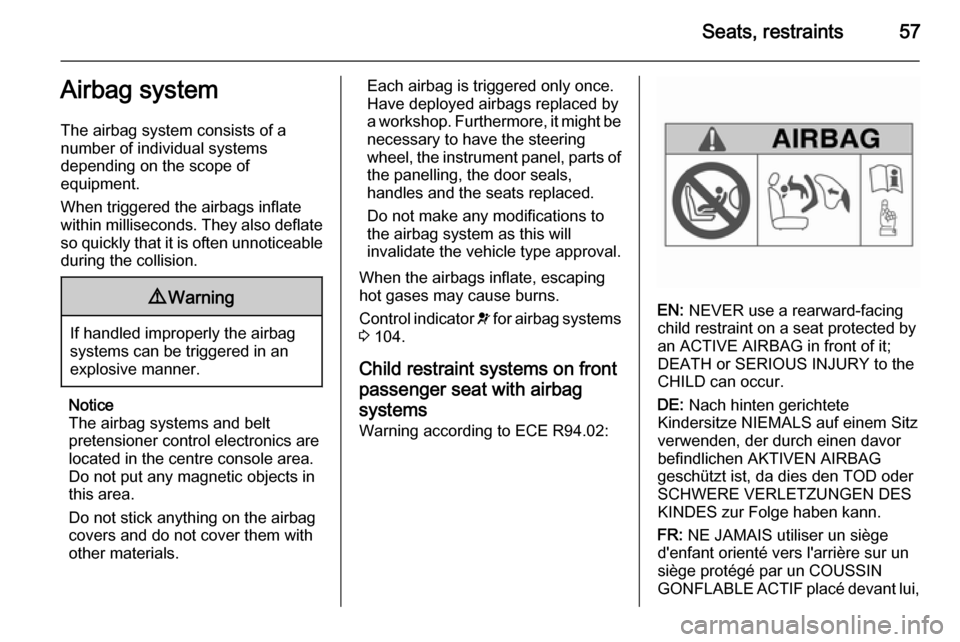
EN: NEVER use a rearward-facing
child restraint on a seat protected by
an ACTIVE AIRBAG in front of it;
DEATH or SERIOUS INJURY to the
CHILD can occur.
DE: Nach hinten gerichtete
Kindersitze NIEMALS auf einem Sitz
verwenden, der durch einen davor
befindlichen AKTIVEN AIRBAG
geschützt ist, da dies den TOD oder
SCHWERE VERLETZUNGEN DES
KINDES zur Folge haben kann.
FR: NE JAMAIS utiliser un siège
d'enfant orienté vers l'arrière sur un
siège protégé par un COUSSIN
GONFLABLE ACTIF placé devant lui,
Page 65 of 321
Seats, restraints63
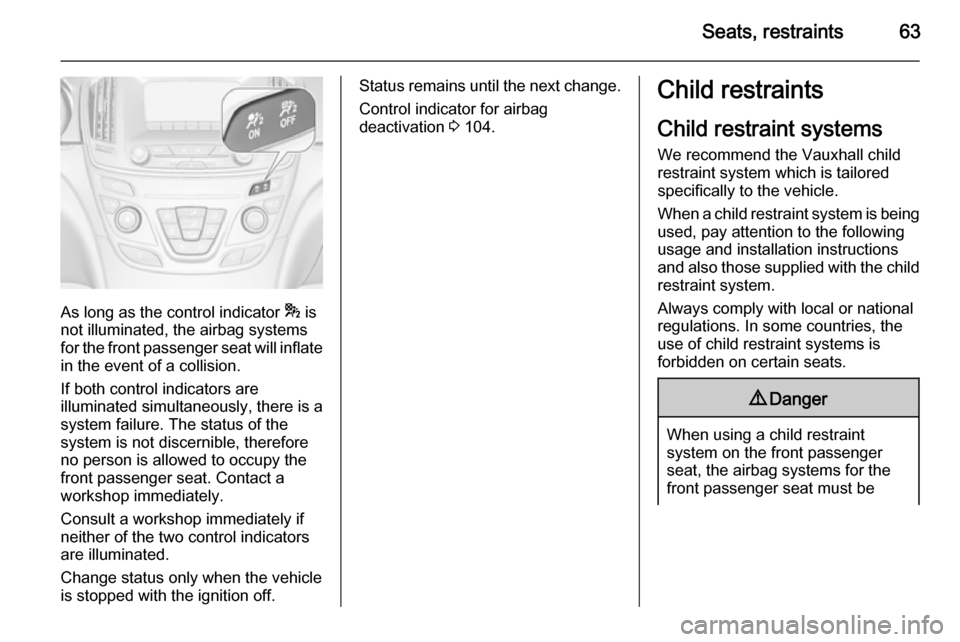
As long as the control indicator * is
not illuminated, the airbag systems
for the front passenger seat will inflate
in the event of a collision.
If both control indicators are
illuminated simultaneously, there is a
system failure. The status of the
system is not discernible, therefore
no person is allowed to occupy the
front passenger seat. Contact a
workshop immediately.
Consult a workshop immediately if
neither of the two control indicators
are illuminated.
Change status only when the vehicle is stopped with the ignition off.
Status remains until the next change.
Control indicator for airbag
deactivation 3 104.Child restraints
Child restraint systems
We recommend the Vauxhall child
restraint system which is tailored
specifically to the vehicle.
When a child restraint system is being used, pay attention to the following
usage and installation instructions
and also those supplied with the child
restraint system.
Always comply with local or national
regulations. In some countries, the
use of child restraint systems is
forbidden on certain seats.9 Danger
When using a child restraint
system on the front passenger
seat, the airbag systems for the
front passenger seat must be
Page 84 of 321
82Storage
Sports Tourer, Country Tourer
Stow the first aid kit in the space
behind a strap on the inside of the
tailgate.
Roof rack system
Roof rack For safety reasons and to avoid
damage to the roof, the vehicle
approved roof rack system is
recommended.
Follow the installation instructions
and remove the roof rack when not in
use.
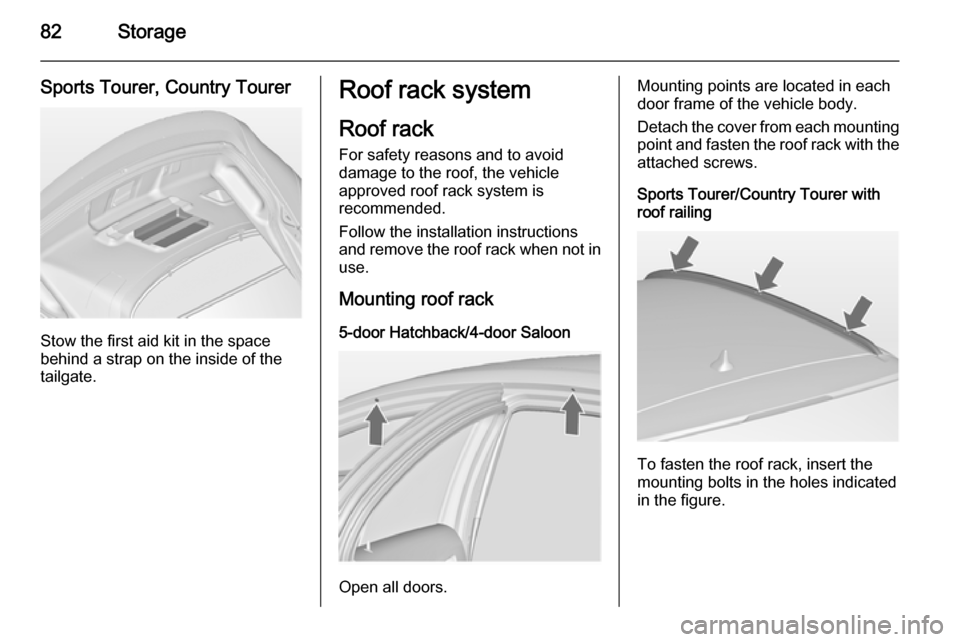
Mounting roof rack 5-door Hatchback/4-door Saloon
Open all doors.
Mounting points are located in each
door frame of the vehicle body.
Detach the cover from each mounting
point and fasten the roof rack with the attached screws.
Sports Tourer/Country Tourer with roof railing
To fasten the roof rack, insert the
mounting bolts in the holes indicated
in the figure.
Page 88 of 321
86Instruments and controlsHeated steering wheel
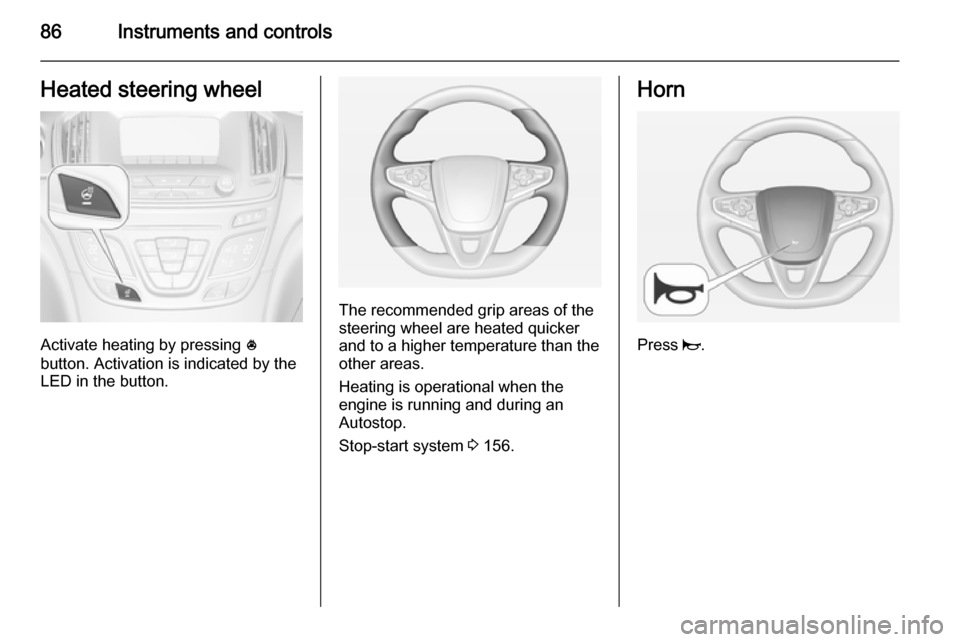
Activate heating by pressing *
button. Activation is indicated by the
LED in the button.
The recommended grip areas of the
steering wheel are heated quicker
and to a higher temperature than the
other areas.
Heating is operational when the
engine is running and during an
Autostop.
Stop-start system 3 156.
Horn
Press j.
Page 92 of 321
90Instruments and controls
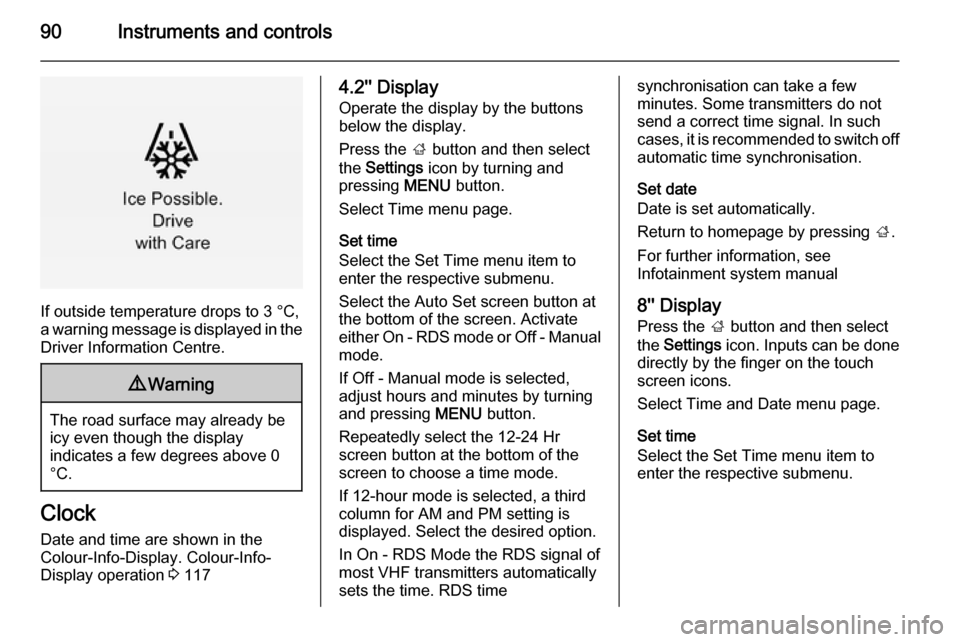
If outside temperature drops to 3 °C,
a warning message is displayed in the Driver Information Centre.
9 Warning
The road surface may already be
icy even though the display
indicates a few degrees above 0
°C.
Clock
Date and time are shown in the
Colour-Info-Display. Colour-Info-
Display operation 3 117
4.2'' Display
Operate the display by the buttons
below the display.
Press the ; button and then select
the Settings icon by turning and
pressing MENU button.
Select Time menu page.
Set time
Select the Set Time menu item to
enter the respective submenu.
Select the Auto Set screen button at
the bottom of the screen. Activate
either On - RDS mode or Off - Manual mode.
If Off - Manual mode is selected,
adjust hours and minutes by turning
and pressing MENU button.
Repeatedly select the 12-24 Hr
screen button at the bottom of the
screen to choose a time mode.
If 12-hour mode is selected, a third
column for AM and PM setting is
displayed. Select the desired option.
In On - RDS Mode the RDS signal of
most VHF transmitters automatically
sets the time. RDS timesynchronisation can take a few
minutes. Some transmitters do not
send a correct time signal. In such
cases, it is recommended to switch off
automatic time synchronisation.
Set date
Date is set automatically.
Return to homepage by pressing ;.
For further information, see
Infotainment system manual
8'' Display
Press the ; button and then select
the Settings icon. Inputs can be done
directly by the finger on the touch screen icons.
Select Time and Date menu page.
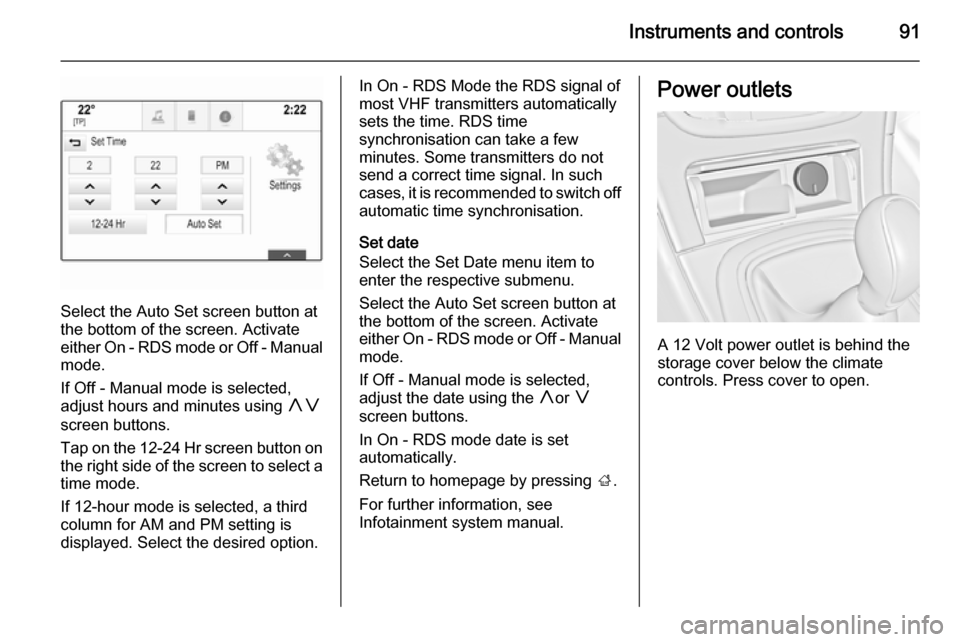
Set time
Select the Set Time menu item to
enter the respective submenu.
Page 93 of 321
Instruments and controls91
Select the Auto Set screen button at
the bottom of the screen. Activate
either On - RDS mode or Off - Manual
mode.
If Off - Manual mode is selected,
adjust hours and minutes using hg
screen buttons.
Tap on the 12-24 Hr screen button on the right side of the screen to select a
time mode.
If 12-hour mode is selected, a third column for AM and PM setting is
displayed. Select the desired option.
In On - RDS Mode the RDS signal of
most VHF transmitters automatically
sets the time. RDS time
synchronisation can take a few
minutes. Some transmitters do not
send a correct time signal. In such
cases, it is recommended to switch off automatic time synchronisation.
Set date
Select the Set Date menu item to
enter the respective submenu.
Select the Auto Set screen button at
the bottom of the screen. Activate
either On - RDS mode or Off - Manual
mode.
If Off - Manual mode is selected,
adjust the date using the hor g
screen buttons.
In On - RDS mode date is set
automatically.
Return to homepage by pressing ;.
For further information, see
Infotainment system manual.Power outlets
A 12 Volt power outlet is behind the
storage cover below the climate
controls. Press cover to open.
Page 101 of 321
Instruments and controls99Speedometer
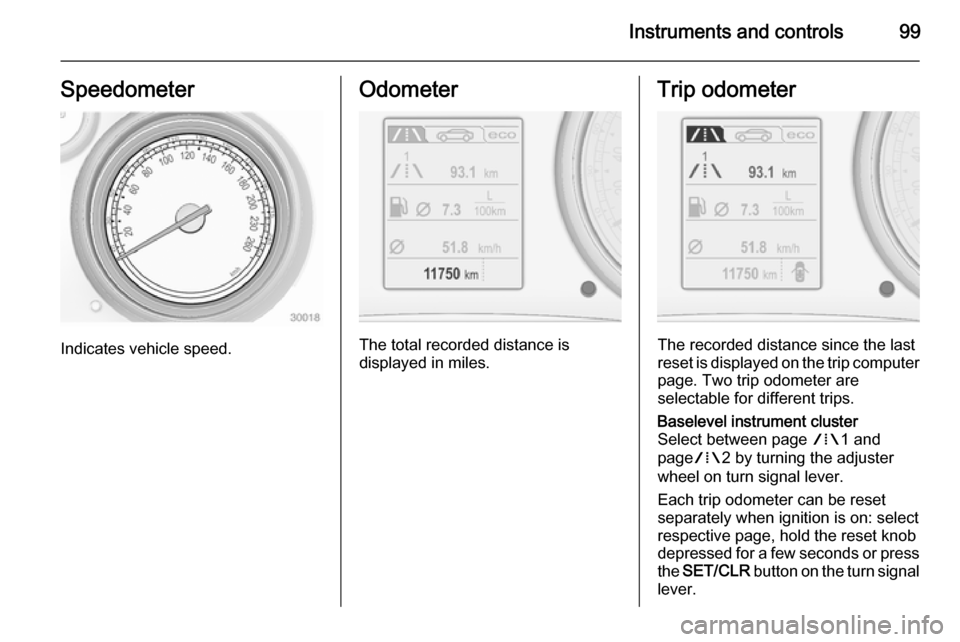
Indicates vehicle speed.
Odometer
The total recorded distance is
displayed in miles.
Trip odometer
The recorded distance since the last
reset is displayed on the trip computer page. Two trip odometer are
selectable for different trips.
Baselevel instrument cluster
Select between page W1 and
page W2 by turning the adjuster
wheel on turn signal lever.
Each trip odometer can be reset
separately when ignition is on: select
respective page, hold the reset knob
depressed for a few seconds or press
the SET/CLR button on the turn signal
lever.