Eco VAUXHALL INSIGNIA 2015 Repair Manual
[x] Cancel search | Manufacturer: VAUXHALL, Model Year: 2015, Model line: INSIGNIA, Model: VAUXHALL INSIGNIA 2015Pages: 321, PDF Size: 8.99 MB
Page 176 of 321
174Driving and operating
Increase speedWith cruise control active, hold thumb
wheel turned to RES/+ or briefly turn
to RES/+ repeatedly: speed
increases continuously or in small
increments.
Alternatively accelerate to the desired speed and store by turning to SET/-.
Reduce speed
With cruise control active, hold thumb wheel turned to SET/- or briefly turn to
SET/- repeatedly: speed decreases
continuously or in small increments.
Deactivation
Press button y, control indicator m in
instrument cluster illuminates white.
Cruise control is deactivated. Last
used set speed is stored in memory
for later speed resume.
Automatic deactivation: ■ vehicle speed below approx. 20 mph,
■ vehicle speed above approx. 125 mph,
■ the brake pedal is depressed,■ the clutch pedal is depressed for a few seconds,
■ selector lever in N,
■ engine speed in a very low range,
■ the Traction Control system or Electronic Stability Control is
operating,
■ Forward collision alert has been triggered.
Resume stored speed Turn thumb wheel to RES/+ at a
speed above 20 mph. The stored
speed will be obtained.
Switching off Press button m, control indicator m in
instrument cluster extinguishes. The
stored speed is deleted.
Pressing button L for activating
speed limiter or switching off the
ignition also switches off cruise
control and deletes the stored speed.Speed limiter
The speed limiter prevents the
vehicle exceeding a preset maximum
speed.
The maximum speed can be set at a
speed above 15 mph.
The driver can only accelerate up to
the preset speed. Deviations from the
limited speed may occur when driving downhill.
The preset speed limit is displayed in
the Driver Information Centre when
the system is active.
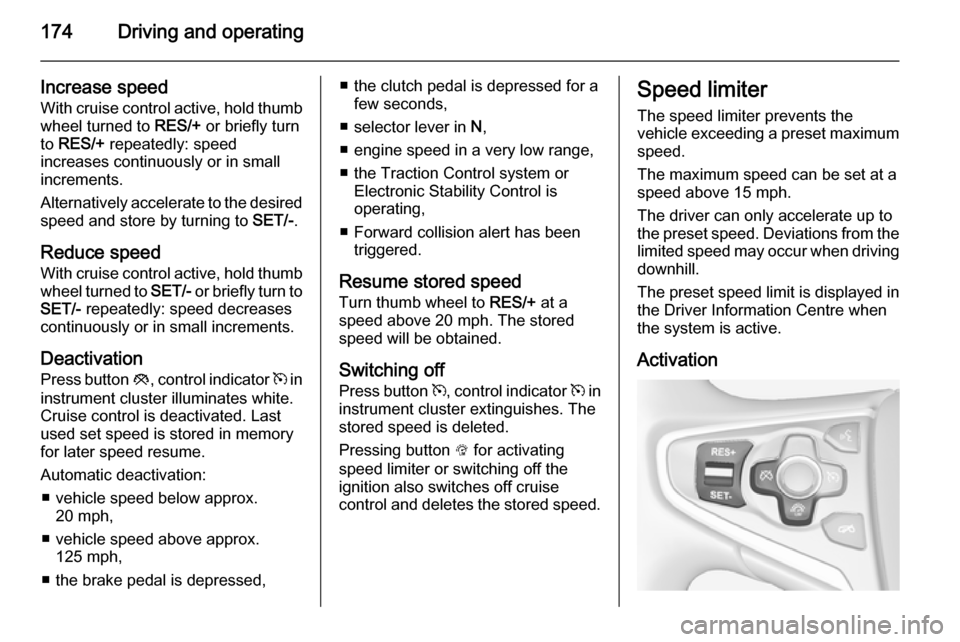
Activation
Page 179 of 321
Driving and operating177
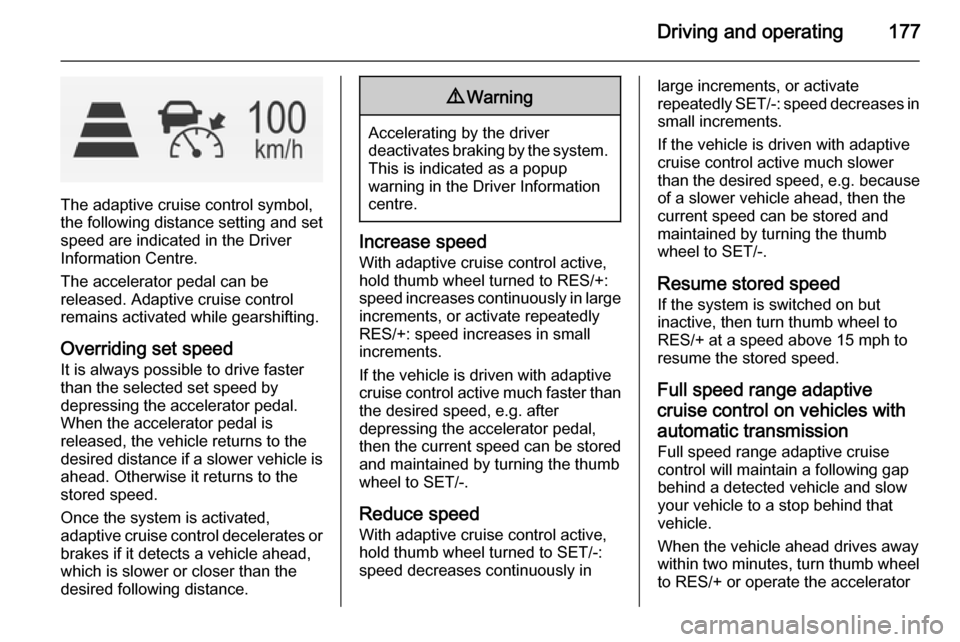
The adaptive cruise control symbol,
the following distance setting and set speed are indicated in the Driver
Information Centre.
The accelerator pedal can be
released. Adaptive cruise control
remains activated while gearshifting.
Overriding set speed It is always possible to drive faster
than the selected set speed by
depressing the accelerator pedal.
When the accelerator pedal is
released, the vehicle returns to the
desired distance if a slower vehicle is
ahead. Otherwise it returns to the
stored speed.
Once the system is activated,
adaptive cruise control decelerates or
brakes if it detects a vehicle ahead,
which is slower or closer than the
desired following distance.
9 Warning
Accelerating by the driver
deactivates braking by the system. This is indicated as a popup
warning in the Driver Information
centre.
Increase speed
With adaptive cruise control active,
hold thumb wheel turned to RES/+: speed increases continuously in large increments, or activate repeatedly
RES/+: speed increases in small
increments.
If the vehicle is driven with adaptive cruise control active much faster than
the desired speed, e.g. after
depressing the accelerator pedal,
then the current speed can be stored and maintained by turning the thumb
wheel to SET/-.
Reduce speed
With adaptive cruise control active,
hold thumb wheel turned to SET/-:
speed decreases continuously in
large increments, or activate
repeatedly SET/-: speed decreases in small increments.
If the vehicle is driven with adaptive cruise control active much slower
than the desired speed, e.g. because
of a slower vehicle ahead, then the
current speed can be stored and
maintained by turning the thumb
wheel to SET/-.
Resume stored speed
If the system is switched on but
inactive, then turn thumb wheel to
RES/+ at a speed above 15 mph to
resume the stored speed.
Full speed range adaptivecruise control on vehicles with
automatic transmission Full speed range adaptive cruisecontrol will maintain a following gap
behind a detected vehicle and slow
your vehicle to a stop behind that
vehicle.
When the vehicle ahead drives away
within two minutes, turn thumb wheel
to RES/+ or operate the accelerator
Page 181 of 321
Driving and operating179
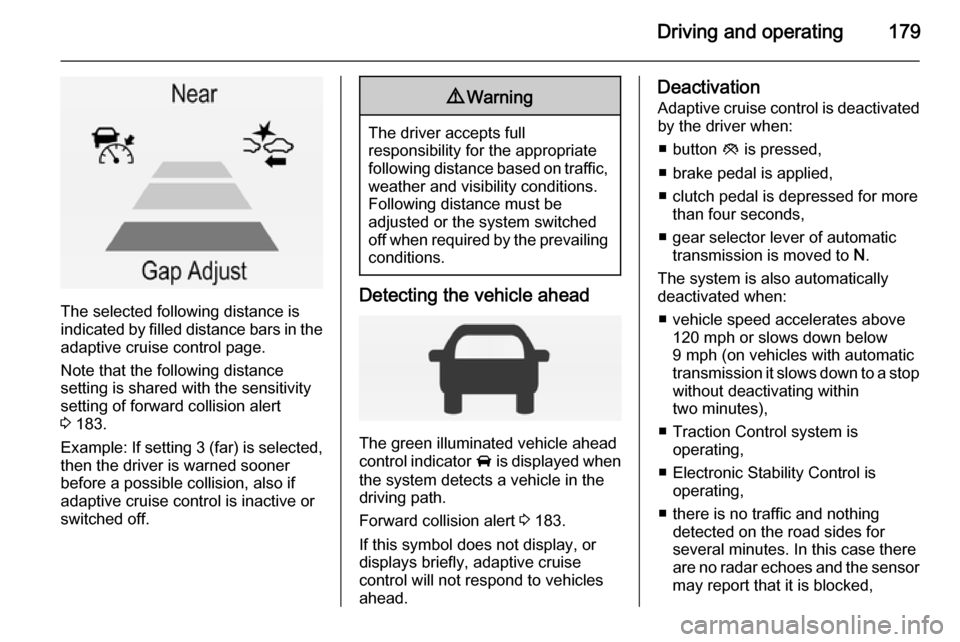
The selected following distance is
indicated by filled distance bars in the
adaptive cruise control page.
Note that the following distance
setting is shared with the sensitivity
setting of forward collision alert
3 183.
Example: If setting 3 (far) is selected,
then the driver is warned sooner
before a possible collision, also if
adaptive cruise control is inactive or
switched off.
9 Warning
The driver accepts full
responsibility for the appropriate
following distance based on traffic, weather and visibility conditions.
Following distance must be
adjusted or the system switched
off when required by the prevailing
conditions.
Detecting the vehicle ahead
The green illuminated vehicle ahead
control indicator A is displayed when
the system detects a vehicle in the driving path.
Forward collision alert 3 183.
If this symbol does not display, or displays briefly, adaptive cruise
control will not respond to vehicles
ahead.
Deactivation
Adaptive cruise control is deactivated by the driver when:
■ button y is pressed,
■ brake pedal is applied,
■ clutch pedal is depressed for more than four seconds,
■ gear selector lever of automatic transmission is moved to N.
The system is also automatically
deactivated when:
■ vehicle speed accelerates above 120 mph or slows down below
9 mph (on vehicles with automatic
transmission it slows down to a stop without deactivating within
two minutes),
■ Traction Control system is operating,
■ Electronic Stability Control is operating,
■ there is no traffic and nothing detected on the road sides for
several minutes. In this case there
are no radar echoes and the sensor
may report that it is blocked,
Page 184 of 321
182Driving and operating
Hill and trailer considerations
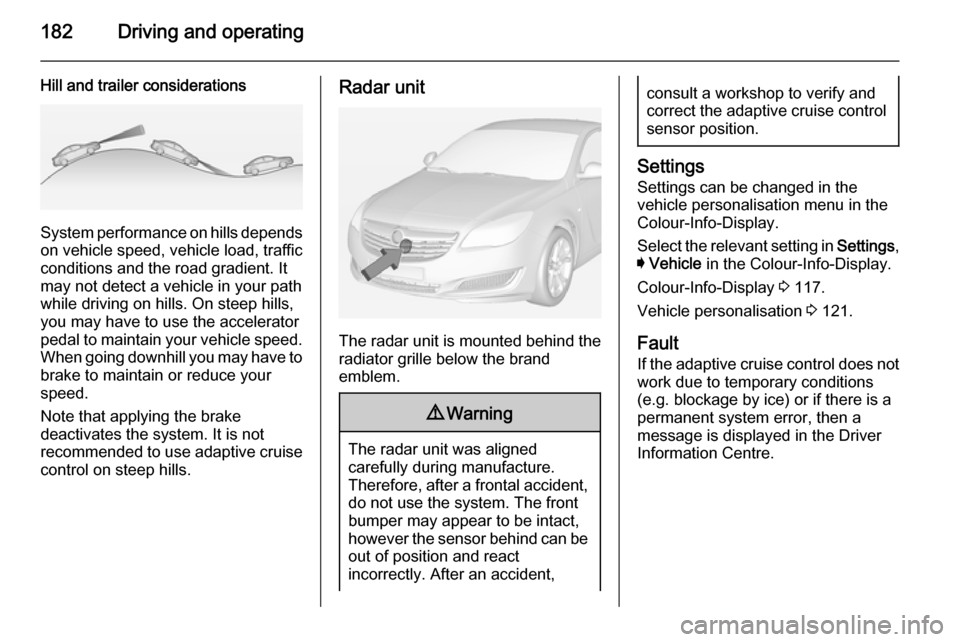
System performance on hills depends
on vehicle speed, vehicle load, traffic
conditions and the road gradient. It
may not detect a vehicle in your path
while driving on hills. On steep hills,
you may have to use the accelerator
pedal to maintain your vehicle speed.
When going downhill you may have to brake to maintain or reduce your
speed.
Note that applying the brake
deactivates the system. It is not
recommended to use adaptive cruise
control on steep hills.
Radar unit
The radar unit is mounted behind the
radiator grille below the brand
emblem.
9 Warning
The radar unit was aligned
carefully during manufacture.
Therefore, after a frontal accident, do not use the system. The front
bumper may appear to be intact,
however the sensor behind can be
out of position and react
incorrectly. After an accident,
consult a workshop to verify and
correct the adaptive cruise control
sensor position.
Settings
Settings can be changed in the
vehicle personalisation menu in the
Colour-Info-Display.
Select the relevant setting in Settings,
I Vehicle in the Colour-Info-Display.
Colour-Info-Display 3 117.
Vehicle personalisation 3 121.
Fault
If the adaptive cruise control does not
work due to temporary conditions
(e.g. blockage by ice) or if there is a
permanent system error, then a
message is displayed in the Driver
Information Centre.
Page 185 of 321
Driving and operating183
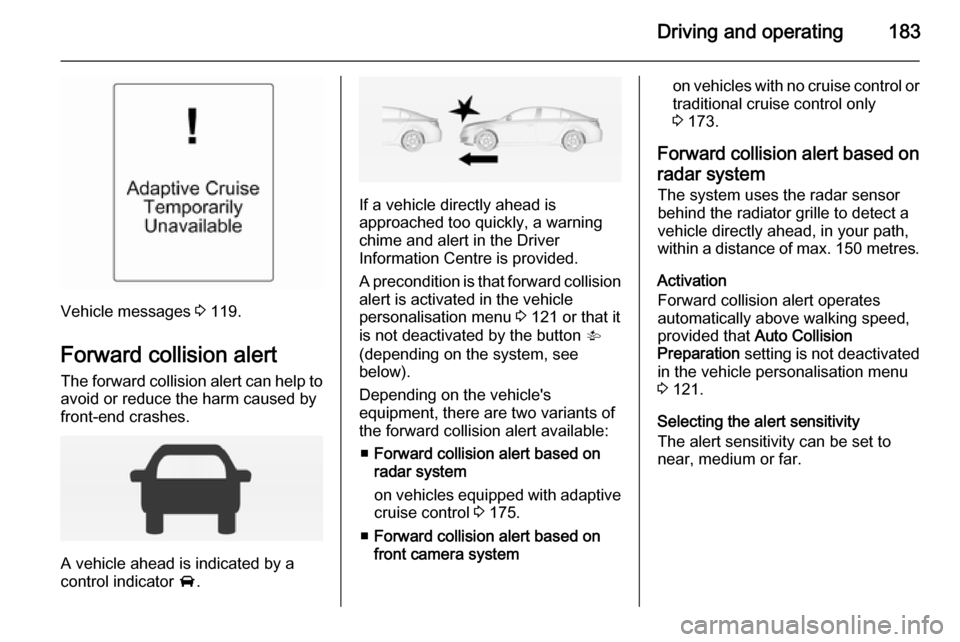
Vehicle messages 3 119.
Forward collision alert The forward collision alert can help to
avoid or reduce the harm caused by
front-end crashes.
A vehicle ahead is indicated by a
control indicator A.
If a vehicle directly ahead is
approached too quickly, a warning
chime and alert in the Driver
Information Centre is provided.
A precondition is that forward collision
alert is activated in the vehicle
personalisation menu 3 121 or that it
is not deactivated by the button V
(depending on the system, see
below).
Depending on the vehicle's
equipment, there are two variants of
the forward collision alert available:
■ Forward collision alert based on
radar system
on vehicles equipped with adaptive cruise control 3 175.
■ Forward collision alert based on
front camera system
on vehicles with no cruise control or traditional cruise control only
3 173.
Forward collision alert based on radar system
The system uses the radar sensor
behind the radiator grille to detect a
vehicle directly ahead, in your path,
within a distance of max. 150 metres.
Activation
Forward collision alert operates
automatically above walking speed,
provided that Auto Collision
Preparation setting is not deactivated
in the vehicle personalisation menu
3 121.
Selecting the alert sensitivity
The alert sensitivity can be set to
near, medium or far.
Page 188 of 321
186Driving and operating
General information for bothvariants of forward collision alert9 Warning
Forward collision alert is just a
warning system and does not
apply the brakes. When
approaching a vehicle ahead too
rapidly, it may not provide you
enough time to avoid a collision.
The driver accepts full
responsibility for the appropriate
following distance based on traffic, weather and visibility conditions.
The complete attention of the
driver is always required while
driving. The driver must always be
ready to take action and apply the
brakes.
System limitations
The system is designed to warn only for vehicles, but may react also to
other metallic objects.
In the following cases, forward
collision alert may not detect a vehicle ahead or sensor performance may be limited:
■ on winding roads,
■ when weather limits visibility, e.g. fog, rain, or snow,
■ when the sensor is blocked by snow, ice, slush, mud, dirt, or
windscreen damage.
Following distance
indication
The following distance indication
displays the distance to a preceding
moving vehicle. The system uses,
depending on the vehicle equipment,
either the radar behind the radiator
grille or the front camera in the
windscreen to detect the distance of
a vehicle directly ahead in your lane.
It is active at speeds above 25 mph.
When a preceding vehicle is detected
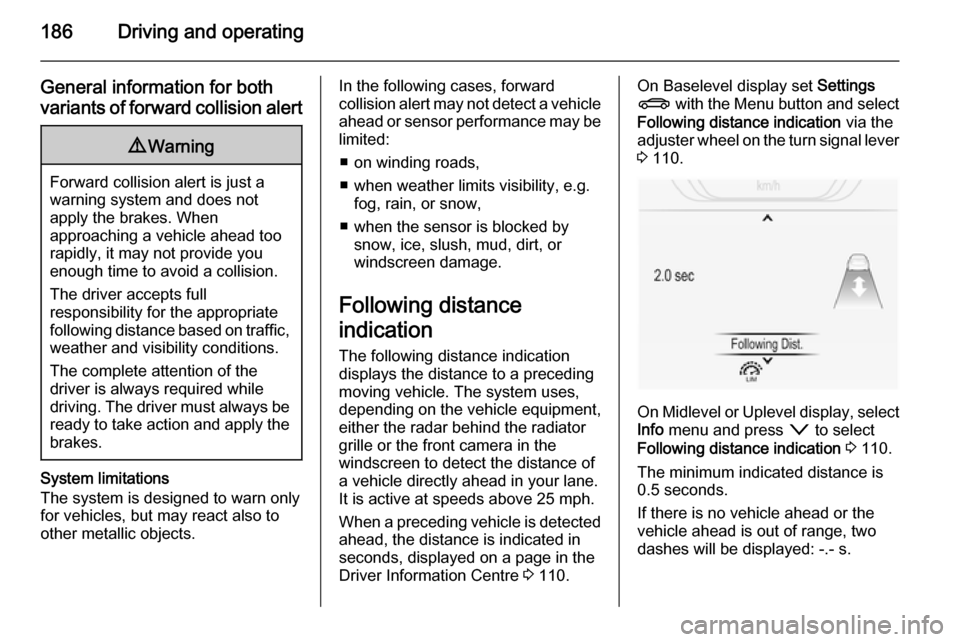
ahead, the distance is indicated in
seconds, displayed on a page in the
Driver Information Centre 3 110.On Baselevel display set Settings
X with the Menu button and select
Following distance indication via the
adjuster wheel on the turn signal lever 3 110.
On Midlevel or Uplevel display, select
Info menu and press o to select
Following distance indication 3 110.
The minimum indicated distance is
0.5 seconds.
If there is no vehicle ahead or the vehicle ahead is out of range, two
dashes will be displayed: -.- s.
Page 191 of 321

Driving and operating189Parking assist9Warning
The driver bears full responsibility
for the parking manoeuvre.
Always check the surrounding
area when driving backwards or
forwards while using parking
assist system.
Front-rear parking assist
The front-rear parking assist
measures the distance between the vehicle and obstacles in front and
behind the vehicle. The system gives acoustic signals and display
messages.
The system has four ultrasonic
parking sensors each in the rear and front bumper.
It uses two different acoustic warning
signals for the front and rear
monitoring areas, each with a
different tone frequency.
Activation
When reverse gear is engaged, the
front and rear parking assist is ready
to operate.
An illuminated LED in the parking
assist button r indicates that the
system is ready to operate.
When driving forward at low speeds,
the front parking assist can also be
activated by pressing the parking
assist button r.
Once the button r is pressed within
an ignition cycle, the front parking
assist is always reactivated when the vehicle underruns a certain value.
Indication
The system warns the driver with
acoustic signals against potentially
hazardous obstacles in front of or
behind the vehicle. An obstacle
detection is indicated by beeps
sounding respective from the front or
rear of the vehicle. The intervall
between the beeps becomes shorter
as the vehicle gets closer to the
obstacle. when the distance is less
than 30 cm, a continuous tone
sounds.
Page 194 of 321
192Driving and operating
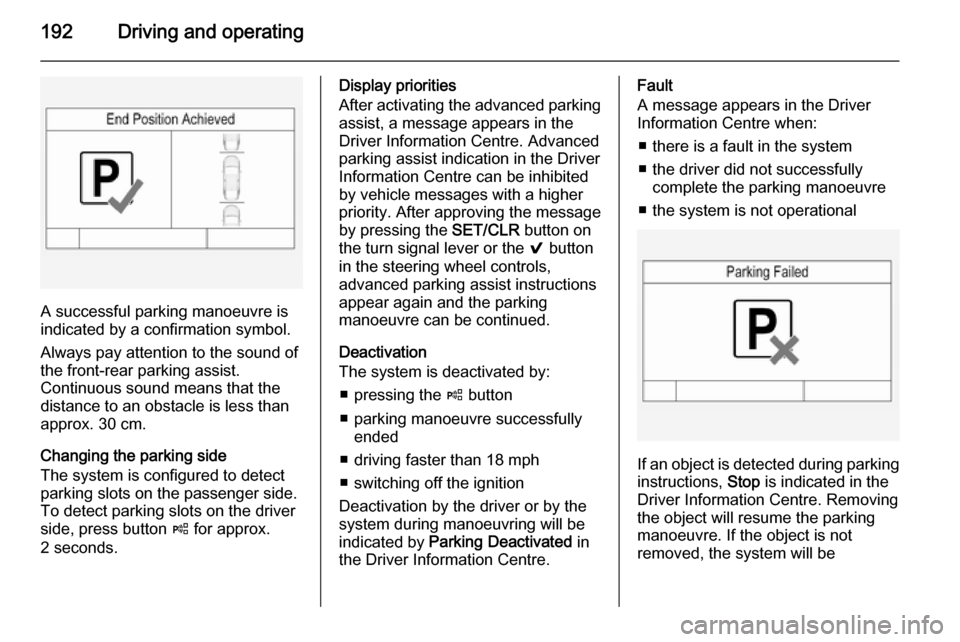
A successful parking manoeuvre is
indicated by a confirmation symbol.
Always pay attention to the sound of
the front-rear parking assist.
Continuous sound means that the
distance to an obstacle is less than approx. 30 cm.
Changing the parking side
The system is configured to detect
parking slots on the passenger side.
To detect parking slots on the driver
side, press button ( for approx.
2 seconds.
Display priorities
After activating the advanced parking assist, a message appears in the
Driver Information Centre. Advanced
parking assist indication in the Driver
Information Centre can be inhibited
by vehicle messages with a higher
priority. After approving the message
by pressing the SET/CLR button on
the turn signal lever or the 9 button
in the steering wheel controls,
advanced parking assist instructions
appear again and the parking
manoeuvre can be continued.
Deactivation
The system is deactivated by:
■ pressing the ( button
■ parking manoeuvre successfully ended
■ driving faster than 18 mph
■ switching off the ignition
Deactivation by the driver or by the system during manoeuvring will beindicated by Parking Deactivated in
the Driver Information Centre.Fault
A message appears in the Driver
Information Centre when:
■ there is a fault in the system
■ the driver did not successfully complete the parking manoeuvre
■ the system is not operational
If an object is detected during parking instructions, Stop is indicated in the
Driver Information Centre. Removing
the object will resume the parking
manoeuvre. If the object is not
removed, the system will be
Page 197 of 321
Driving and operating195
exterior mirror and extends rearwardsby approx. 3 metres. The height of the
zone is approx. between 0.5 metres
and 2 metres off the ground.
The system is deactivated if the
vehicle is towing a trailer.
Side blind spot alert is designed to ignore stationary objects such as
guardrails, posts, curbs, walls and
beams. Parked vehicles or oncoming vehicles are not detected.
Fault Occasional missed alerts can occurunder normal circumstances.
Side blind spot alert does not operate when the left or right corners of the
rear bumper are covered with mud,
dirt, snow, ice, slush, or in heavy
rainstorms. Cleaning instructions
3 260.
In the event of a fault in the system or if the system does not work due to
temporary conditions, a message is
displayed in the Driver Information
Centre (DIC). Seek the assistance of
a workshop.Lane change alert
Additional to the side blind spot alert
3 193, lane change alert recognizes
rapidly approaching vehicles from
behind on parallel lanes next to your
vehicle.
If the vehicle is equipped with lane
change alert, side blind spot alert is
always included.
The system alerts visually in each
exterior mirror when detecting rapidly approaching vehicles from behind.
The radar distance sensors are
located in the rear bumper.9 Warning
Lane change alert does not
replace driver vision.
Before changing a lane, always
check all mirrors, look over the
shoulder and use the turn signal.
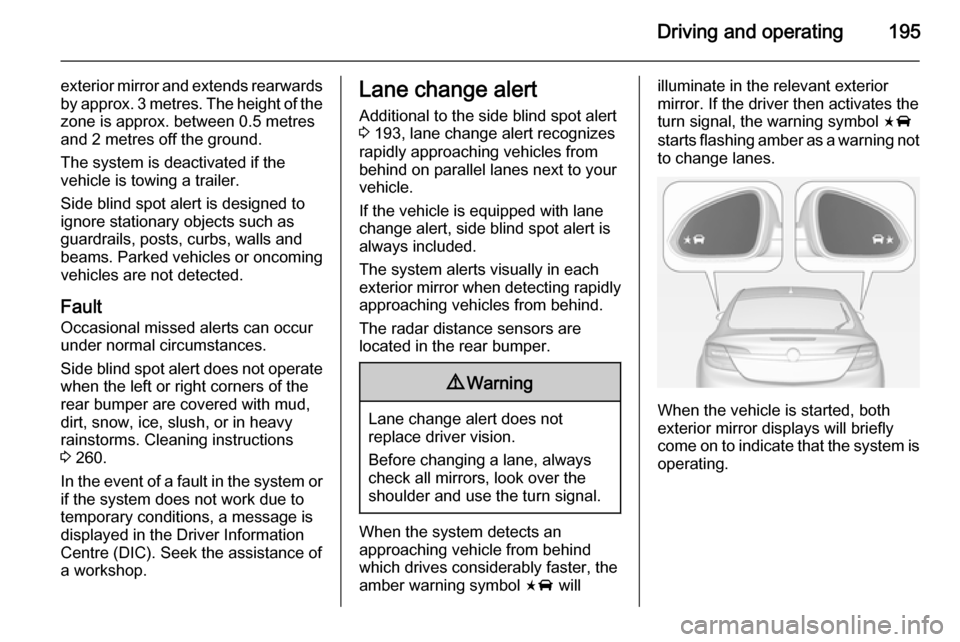
When the system detects an
approaching vehicle from behind
which drives considerably faster, the
amber warning symbol F will
illuminate in the relevant exterior
mirror. If the driver then activates the
turn signal, the warning symbol F
starts flashing amber as a warning not to change lanes.
When the vehicle is started, both
exterior mirror displays will briefly come on to indicate that the system is operating.
Page 200 of 321
198Driving and operating
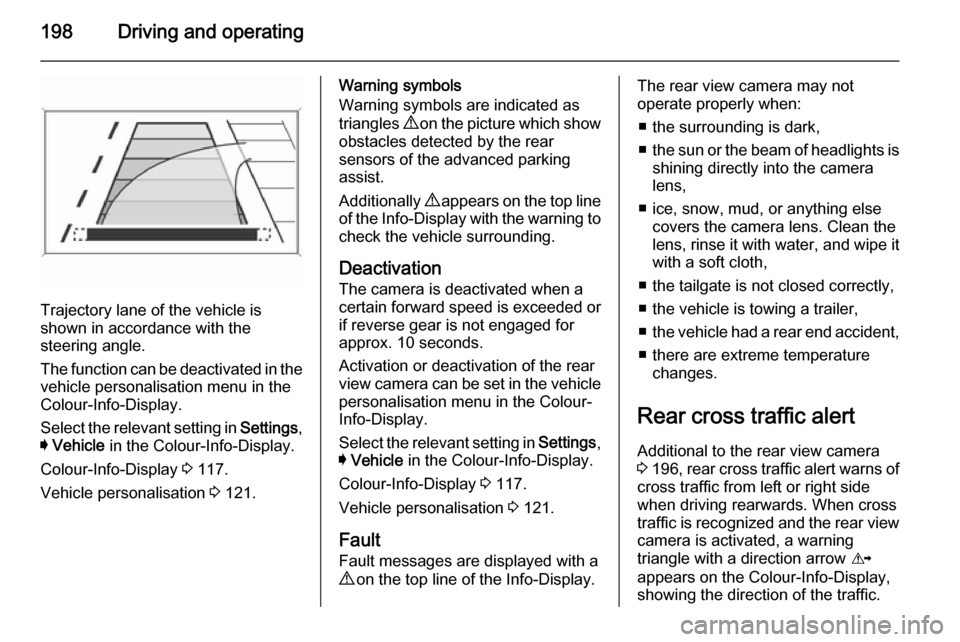
Trajectory lane of the vehicle is
shown in accordance with the
steering angle.
The function can be deactivated in the
vehicle personalisation menu in the
Colour-Info-Display.
Select the relevant setting in Settings,
I Vehicle in the Colour-Info-Display.
Colour-Info-Display 3 117.
Vehicle personalisation 3 121.
Warning symbols
Warning symbols are indicated as
triangles 9 on the picture which show
obstacles detected by the rear
sensors of the advanced parking
assist.
Additionally 9 appears on the top line
of the Info-Display with the warning to
check the vehicle surrounding.
Deactivation The camera is deactivated when a
certain forward speed is exceeded or
if reverse gear is not engaged for
approx. 10 seconds.
Activation or deactivation of the rear
view camera can be set in the vehicle
personalisation menu in the Colour-
Info-Display.
Select the relevant setting in Settings,
I Vehicle in the Colour-Info-Display.
Colour-Info-Display 3 117.
Vehicle personalisation 3 121.
Fault
Fault messages are displayed with a
9 on the top line of the Info-Display.The rear view camera may not
operate properly when:
■ the surrounding is dark,
■ the sun or the beam of headlights is
shining directly into the camera
lens,
■ ice, snow, mud, or anything else covers the camera lens. Clean the
lens, rinse it with water, and wipe it
with a soft cloth,
■ the tailgate is not closed correctly,
■ the vehicle is towing a trailer,
■ the vehicle had a rear end accident,
■ there are extreme temperature changes.
Rear cross traffic alert Additional to the rear view camera
3 196 , rear cross traffic alert warns of
cross traffic from left or right side
when driving rearwards. When cross
traffic is recognized and the rear view
camera is activated, a warning
triangle with a direction arrow K
appears on the Colour-Info-Display, showing the direction of the traffic.