radio VAUXHALL INSIGNIA 2016 Owner's Manual
[x] Cancel search | Manufacturer: VAUXHALL, Model Year: 2016, Model line: INSIGNIA, Model: VAUXHALL INSIGNIA 2016Pages: 327, PDF Size: 9.26 MB
Page 8 of 327
6In briefIn briefInitial drive informationVehicle unlocking
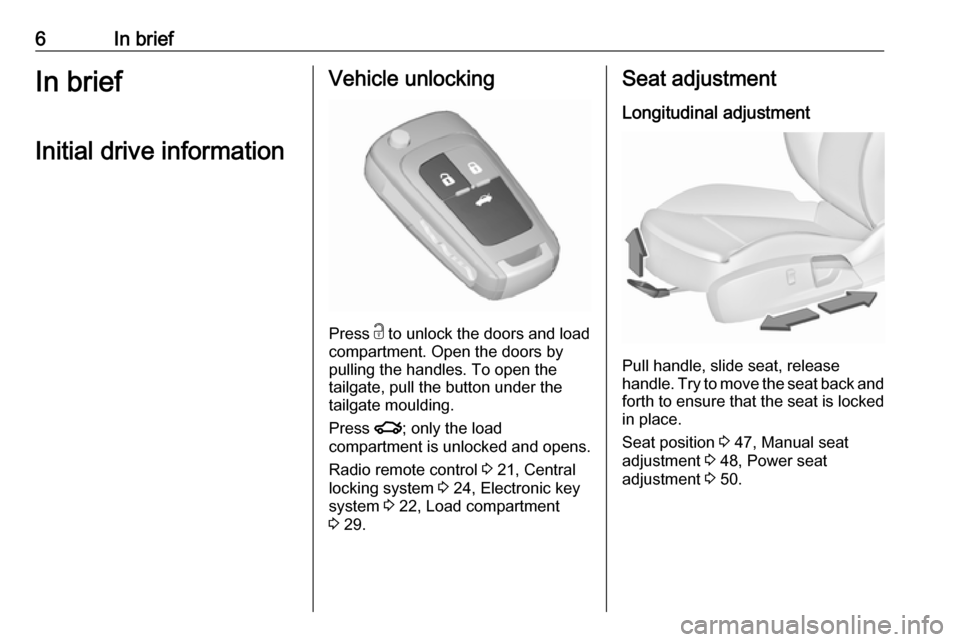
Press c
to unlock the doors and load
compartment. Open the doors by
pulling the handles. To open the
tailgate, pull the button under the
tailgate moulding.
Press x; only the load
compartment is unlocked and opens.
Radio remote control 3 21, Central
locking system 3 24, Electronic key
system 3 22, Load compartment
3 29.
Seat adjustment
Longitudinal adjustment
Pull handle, slide seat, release
handle. Try to move the seat back and forth to ensure that the seat is locked
in place.
Seat position 3 47, Manual seat
adjustment 3 48, Power seat
adjustment 3 50.
Page 21 of 327

In brief19●Lock the vehicle with button e on
the radio remote control.
Activate the anti-theft alarm
system 3 34.
● The engine cooling fans may run
after the engine has been
switched off 3 226.Caution
After running at high engine
speeds or with high engine loads,
operate the engine briefly at a low load or run in neutral for
approx. 30 seconds before
switching off, in order to protect
the turbocharger.
Keys, locks 3 20, Laying the vehicle
up for a long period of time 3 225.
Page 22 of 327

20Keys, doors and windowsKeys, doors and
windowsKeys, locks ................................... 20
Keys .......................................... 20
Car Pass .................................... 21
Radio remote control .................21
Electronic key system ................22
Memorised settings ...................23
Central locking system ..............24
Automatic locking ......................27
Child locks ................................. 28
Doors ........................................... 29
Load compartment ....................29
Vehicle security ............................ 33
Anti-theft locking system ...........33
Anti-theft alarm system ..............34
Immobiliser ................................ 36
Exterior mirrors ............................ 37
Convex shape ........................... 37
Electric adjustment ....................37
Folding mirrors .......................... 37
Heated mirrors ........................... 38
Automatic dimming ....................38
Parking assist ............................ 38Interior mirrors............................. 39
Manual anti-dazzle ....................39
Automatic anti-dazzle ................39
Windows ...................................... 39
Windscreen ............................... 39
Manual windows ........................40
Power windows ......................... 40
Heated rear window ..................42
Sun visors .................................. 42
Roller blinds ............................... 42
Roof ............................................. 43
Sunroof ...................................... 43Keys, locks
KeysCaution
Do not attach heavy or bulky items to the ignition key.
Replacement keys
The key number is specified in the
Car Pass or on a detachable tag.
The key number must be quoted
when ordering replacement keys as it
is a component of the immobiliser
system.
Locks 3 270, Radio remote control
3 21, Electronic key 3 22, Central
locking 3 24, Starting the engine
3 158.
The code number of the adapter for
the locking wheel nuts is specified on
a card. It must be quoted when
ordering a replacement adapter.
Wheel changing 3 260.
Page 23 of 327
Keys, doors and windows21Lock cylinders
Designed to free-wheel if they are forcefully rotated without the correct
key or if the correct key is not fully
inserted. To reset, turn cylinder with
the correct key until its slot is vertical, remove key and then re-insert it. If the
cylinder still free-wheels, turn the key through 180° and repeat operation.
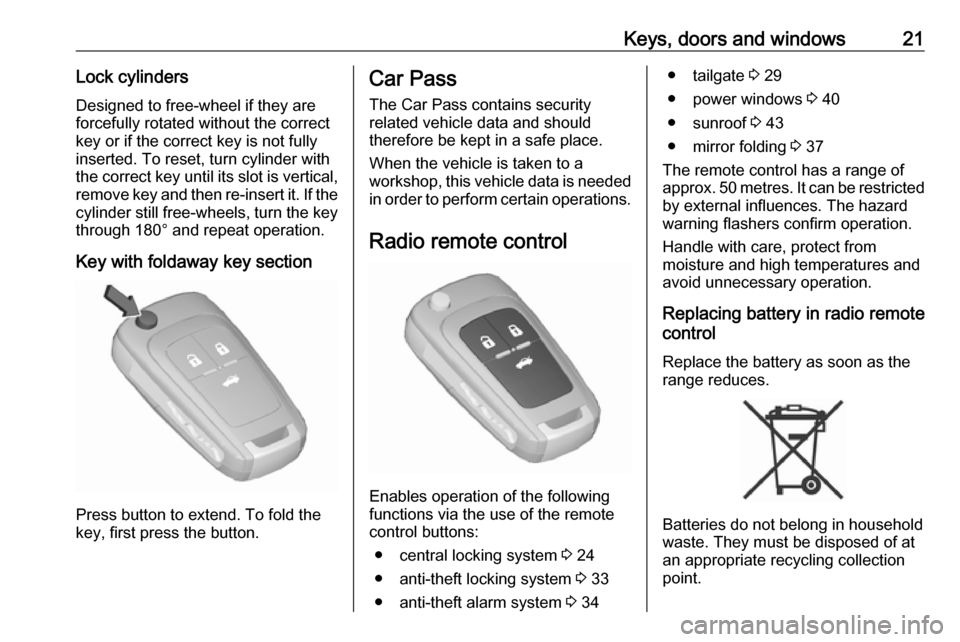
Key with foldaway key section
Press button to extend. To fold the
key, first press the button.
Car Pass
The Car Pass contains security
related vehicle data and should
therefore be kept in a safe place.
When the vehicle is taken to a
workshop, this vehicle data is needed
in order to perform certain operations.
Radio remote control
Enables operation of the following
functions via the use of the remote control buttons:
● central locking system 3 24
● anti-theft locking system 3 33
● anti-theft alarm system 3 34
● tailgate 3 29
● power windows 3 40
● sunroof 3 43
● mirror folding 3 37
The remote control has a range of
approx. 50 metres. It can be restricted
by external influences. The hazard
warning flashers confirm operation.
Handle with care, protect from
moisture and high temperatures and
avoid unnecessary operation.
Replacing battery in radio remote
control
Replace the battery as soon as the
range reduces.
Batteries do not belong in household
waste. They must be disposed of at
an appropriate recycling collection
point.
Page 24 of 327

22Keys, doors and windows
Extend the key and open the unit.
Replace the battery (battery type CR 2032), paying attention to the
installation position. Close the unit
and synchronise.
Radio remote control
synchronisation
After replacing the battery, unlock the
door with the key in the driver's door
lock. The radio remote control will be
synchronised when you switch on the
ignition.
Fault
If the central locking system cannot
be operated with the radio remote
control, the cause may be one of the
following:
● Fault in radio remote control.
● The range is exceeded.
● The battery voltage is too low.
● Frequent, repeated operation of the radio remote control while notin range, which will require re-
synchronisation.
● Overload of the central locking system by operating at frequent
intervals, the power supply is
interrupted for a short time.
● Interference from higher-power radio waves from other sources.
Manual unlocking 3 24.Electronic key system
Enables a keyless operation of the
following functions:
● central locking system 3 24
● tailgate 3 29
● ignition switching on and starting the engine 3 158
The electronic key simply needs to be on the driver's person.
Additionally, the electronic key
includes the functionality of the radio
remote control 3 21.
Handle with care, protect from
moisture and high temperatures and
avoid unnecessary operation.
Page 25 of 327

Keys, doors and windows23Notice
Do not put the electronic key in the
load compartment or in front of the
Info-Display.
Replacing battery in electronic
key
Replace the battery as soon as the
system no longer operates properly or the range is reduced. The need for battery replacement is indicated by a
message in the Driver Information
Centre 3 119.
Battery replacement, see 'Radio
remote control' 3 21.
Electronic key synchronisation
The electronic key synchronises itself automatically during every starting
procedure.Fault
If the central locking cannot be
operated or the engine cannot be
started, the cause may be one of the
following:
● Fault in electronic key.
● Electronic key is out of reception range.
● The battery voltage is too low.
● Overload of the central locking system by operating at frequent
intervals; the power supply is
interrupted for a short time.
● Interference from higher-power radio waves from other sources.
To rectify the cause of the fault,
change the position of the electronic
key.
Manual unlocking 3 24.
Memorised settings
Whenever the ignition is switched off, the following settings are
automatically memorised by the
remote control unit or the electronic
key:● automatic climate control
● lighting
● Infotainment system
● central locking system
● Sport mode settings
● comfort settings
The saved settings are automatically used the next time the ignition is
switched on with the memorised key
with remote control unit 3 155 or
electronic key 3 22.
A precondition is that Personalisation
by Driver is activated in the personal
settings of the Info-Display. This must
be set for each remote control unit or
electronic key which is used.
Also memorised are the adjustments
of the driver's seat and exterior
mirrors, independent of the memory
positions 3 50.
Power seat automatically moves into the saved position when unlocking
and opening the driver's door with the
memorised remote control or
electronic key and Auto Memory
Recall in the Info-Display is activated.
Vehicle personalisation 3 121.
Page 29 of 327
Keys, doors and windows27Fault in radio remote control unit
or electronic key system
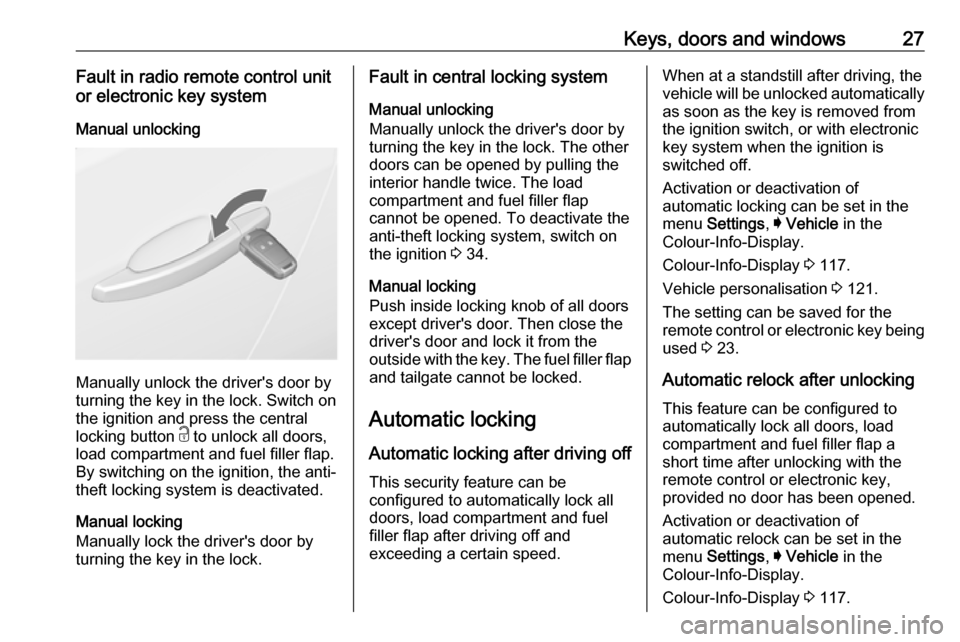
Manual unlocking
Manually unlock the driver's door by
turning the key in the lock. Switch on
the ignition and press the central
locking button c to unlock all doors,
load compartment and fuel filler flap.
By switching on the ignition, the anti-
theft locking system is deactivated.
Manual locking
Manually lock the driver's door by
turning the key in the lock.
Fault in central locking system
Manual unlocking
Manually unlock the driver's door by
turning the key in the lock. The other
doors can be opened by pulling the
interior handle twice. The load
compartment and fuel filler flap
cannot be opened. To deactivate the
anti-theft locking system, switch on
the ignition 3 34.
Manual locking
Push inside locking knob of all doors
except driver's door. Then close the
driver's door and lock it from the
outside with the key. The fuel filler flap
and tailgate cannot be locked.
Automatic locking Automatic locking after driving off This security feature can be
configured to automatically lock all
doors, load compartment and fuel
filler flap after driving off and
exceeding a certain speed.When at a standstill after driving, the
vehicle will be unlocked automatically
as soon as the key is removed from
the ignition switch, or with electronic
key system when the ignition is
switched off.
Activation or deactivation of
automatic locking can be set in the
menu Settings , I Vehicle in the
Colour-Info-Display.
Colour-Info-Display 3 117.
Vehicle personalisation 3 121.
The setting can be saved for the
remote control or electronic key being used 3 23.
Automatic relock after unlocking
This feature can be configured to
automatically lock all doors, load
compartment and fuel filler flap a
short time after unlocking with the
remote control or electronic key,
provided no door has been opened.
Activation or deactivation of
automatic relock can be set in the
menu Settings , I Vehicle in the
Colour-Info-Display.
Colour-Info-Display 3 117.
Page 31 of 327
Keys, doors and windows29Doors
Load compartment Tailgate
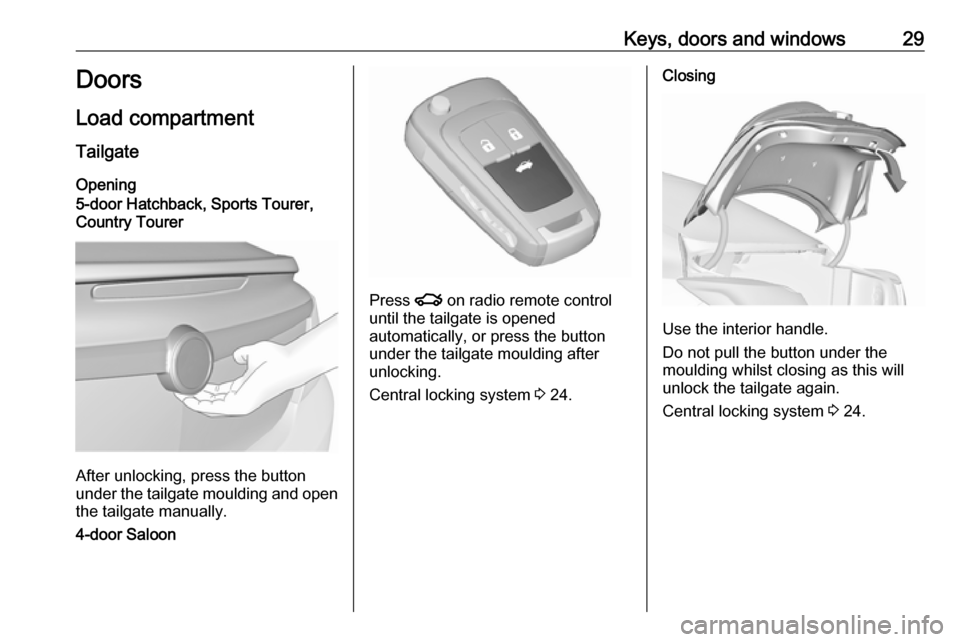
Opening
5-door Hatchback, Sports Tourer,
Country Tourer
After unlocking, press the button
under the tailgate moulding and open the tailgate manually.
4-door Saloon
Press x on radio remote control
until the tailgate is opened
automatically, or press the button
under the tailgate moulding after
unlocking.
Central locking system 3 24.
Closing
Use the interior handle.
Do not pull the button under the
moulding whilst closing as this will unlock the tailgate again.
Central locking system 3 24.
Page 32 of 327
30Keys, doors and windowsPower tailgate9Warning
Take care when operating the
power tailgate. Risk of injury,
particularly to children.
Keep a close watch on the
movable tailgate when operating.
Ensure that nothing becomes
trapped during operating and no
one is standing within the moving
area.
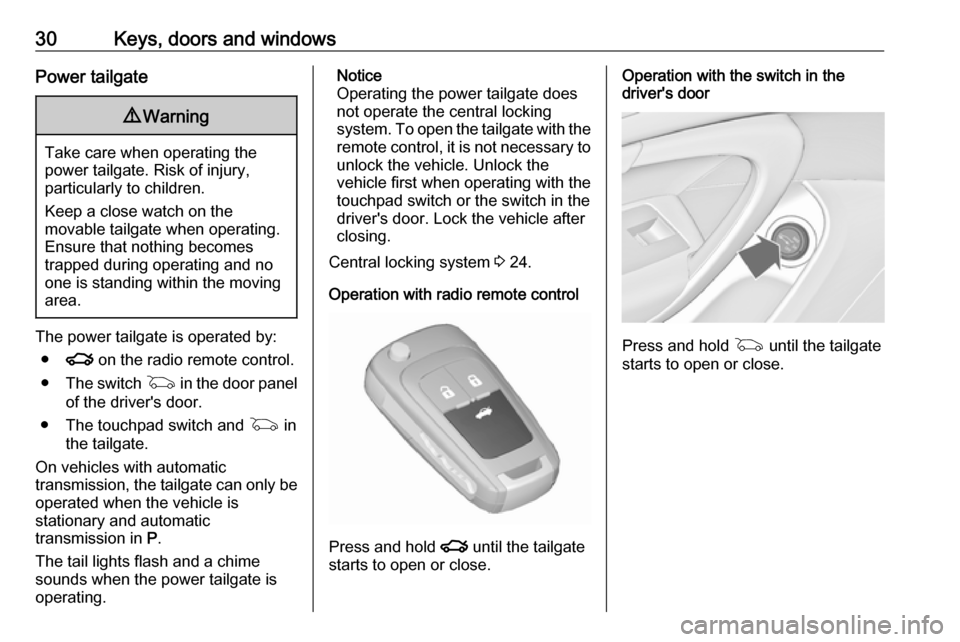
The power tailgate is operated by:
● x on the radio remote control.
● The switch G in the door panel
of the driver's door.
● The touchpad switch and G in
the tailgate.
On vehicles with automatic transmission, the tailgate can only be operated when the vehicle is
stationary and automatic
transmission in P.
The tail lights flash and a chime
sounds when the power tailgate is
operating.
Notice
Operating the power tailgate does
not operate the central locking
system. To open the tailgate with the remote control, it is not necessary to
unlock the vehicle. Unlock the
vehicle first when operating with the
touchpad switch or the switch in the
driver's door. Lock the vehicle after
closing.
Central locking system 3 24.
Operation with radio remote control
Press and hold x until the tailgate
starts to open or close.
Operation with the switch in the
driver's door
Press and hold G until the tailgate
starts to open or close.
Page 33 of 327
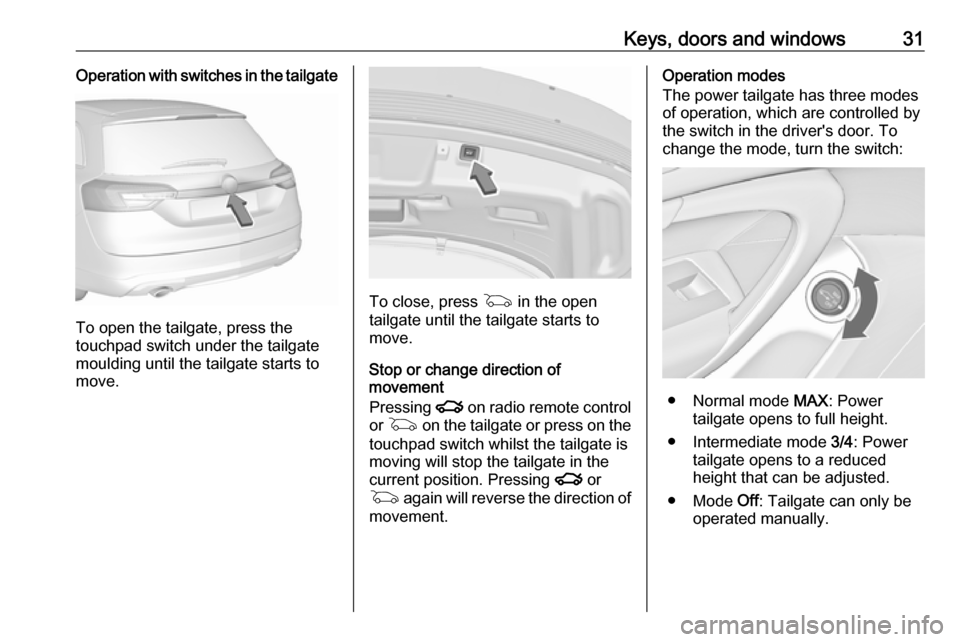
Keys, doors and windows31Operation with switches in the tailgate
To open the tailgate, press the
touchpad switch under the tailgate
moulding until the tailgate starts to
move.
To close, press G in the open
tailgate until the tailgate starts to
move.
Stop or change direction of
movement
Pressing x on radio remote control
or G on the tailgate or press on the
touchpad switch whilst the tailgate is
moving will stop the tailgate in the
current position. Pressing x or
G again will reverse the direction of
movement.
Operation modes
The power tailgate has three modes
of operation, which are controlled by
the switch in the driver's door. To
change the mode, turn the switch:
● Normal mode MAX: Power
tailgate opens to full height.
● Intermediate mode 3/4: Power
tailgate opens to a reduced
height that can be adjusted.
● Mode Off: Tailgate can only be
operated manually.