warning VAUXHALL INSIGNIA 2019 Owners Manual
[x] Cancel search | Manufacturer: VAUXHALL, Model Year: 2019, Model line: INSIGNIA, Model: VAUXHALL INSIGNIA 2019Pages: 345, PDF Size: 9.61 MB
Page 235 of 345

Driving and operating233on the right there is the view from front
or the rear displayed, according to the gear engaged. The parking sensorscomplete the information on the view.
Activation Panoramic view system is activated: ● engaging reverse gear
● touching the camera icon ë in
the Info Display
● approaching too close to an object ahead
Functionality
Rear view
Rear view displays an image of the
area behind the vehicle on the right
part of the screen when reverse gear
is engaged.
A warning triangle 9 may be
displayed on the screen when
obstacles are detected by the rear
sensors of the parking assist. This
triangle changes from yellow to red
and increases in size the closer the
object gets.The previous content of the Info
Display appears when the vehicle is
shifted out of reverse gear after a short delay. To return to the previous
display content sooner, press the
camera icon in the Info Display.
Driving faster than 7 mph in a forward
gear will deactivate the panoramic
system also.
Surround view
Surround view displays an image of
the area surrounding the vehicle from
above, along with the front or rear
camera views in the Info Display.
Front view
Front view displays an image of the
area in front of the vehicle on the right
part of the screen. The view displays
after shifting from reverse gear to a
forward gear, or by touching the
camera icon in the Info Display. Front
view also displays objects
automatically detected within 30 cm.
The front view is only displayed up to a speed of 7 mph in a forward gear.Deactivation
Panoramic view system is
deactivated:
● driving faster than 7 mph
● touching the camera icon ë in
the Info Display
● shifting into neutral or P with automatic transmission.
General information9 Warning
The panoramic view system does
not replace driver vision. It will not display children, pedestrians,
cyclists, crossing traffic, animals,
or any other objects outside of the camera view areas, e. g. below the
bumper, or underneath the
vehicle.
Do not drive or park the vehicle
using only the panoramic view
system.
Always check the surrounding of
the vehicle before driving.
Page 236 of 345
234Driving and operating9Warning
Displayed images may be further
or closer than they appear. The
area displayed is limited and
objects that are close to either
edge of the bumper or under the
bumper are not displayed on the
screen.
9 Warning
The panoramic view cameras
have blind spot areas and will not
display all objects near the edges
of the vehicle. Folding side mirrors that are out of position will not
display the panoramic view
correctly.
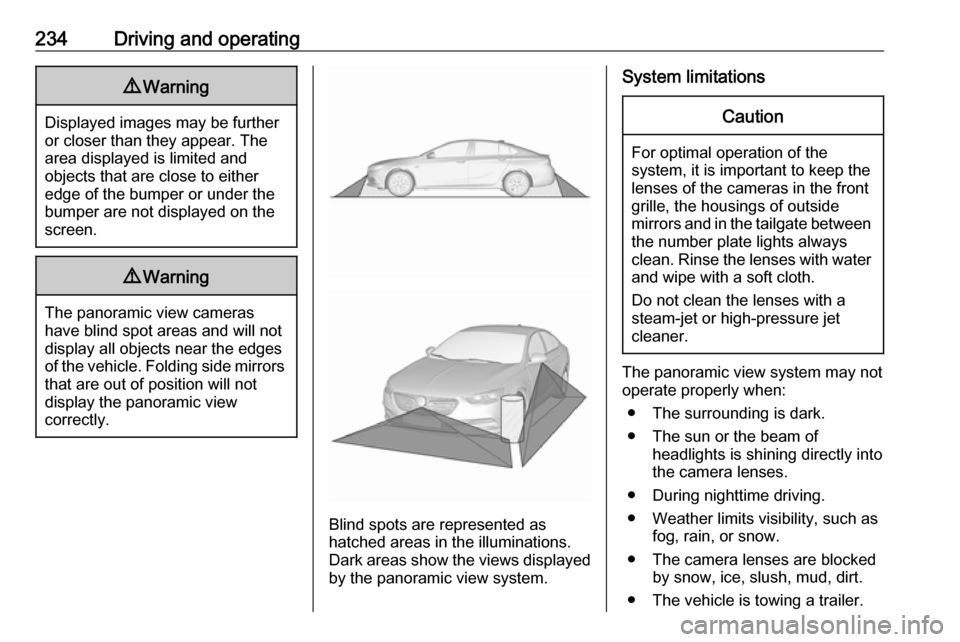
Blind spots are represented as
hatched areas in the illuminations.
Dark areas show the views displayed by the panoramic view system.
System limitationsCaution
For optimal operation of the
system, it is important to keep the
lenses of the cameras in the front
grille, the housings of outside
mirrors and in the tailgate between the number plate lights always
clean. Rinse the lenses with water and wipe with a soft cloth.
Do not clean the lenses with a
steam-jet or high-pressure jet
cleaner.
The panoramic view system may not
operate properly when:
● The surrounding is dark.
● The sun or the beam of headlights is shining directly into
the camera lenses.
● During nighttime driving.
● Weather limits visibility, such as fog, rain, or snow.
● The camera lenses are blocked by snow, ice, slush, mud, dirt.
● The vehicle is towing a trailer.
Page 237 of 345
Driving and operating235● The vehicle had an accident.
● There are extreme temperature changes.
Rear view camera The rear view camera assists the
driver when reversing by displaying a view of the area behind the vehicle.
The view of the camera is displayed
in the Info-Display.9 Warning
The rear view camera does not
replace driver vision. Note that
objects that are outside the
camera's field of view and the
parking assist sensors, e.g. below
the bumper or underneath the
vehicle, are not displayed.
Do not reverse or park the vehicle
using only the rear view camera.
Always check the surrounding of
the vehicle before driving.
Activation
Rear view camera is automatically
activated when reverse gear is
engaged.
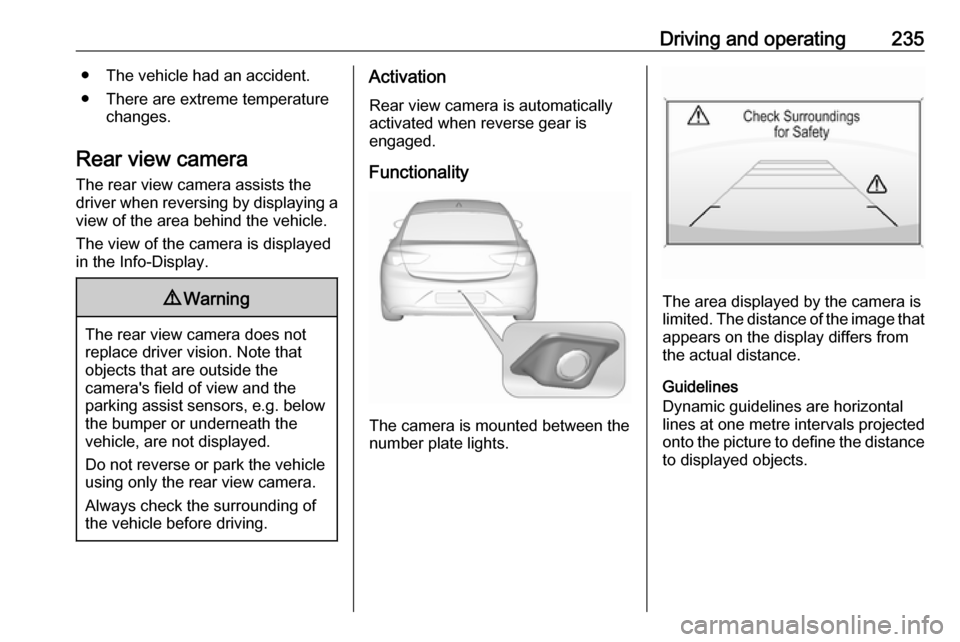
Functionality
The camera is mounted between the
number plate lights.
The area displayed by the camera is
limited. The distance of the image that
appears on the display differs from
the actual distance.
Guidelines
Dynamic guidelines are horizontal
lines at one metre intervals projected
onto the picture to define the distance
to displayed objects.
Page 238 of 345
236Driving and operating
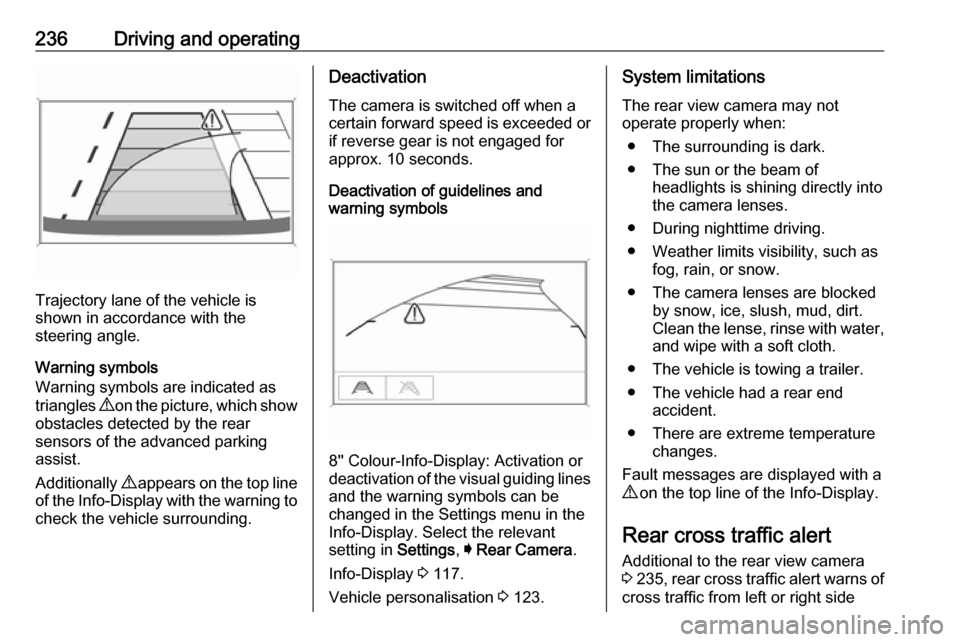
Trajectory lane of the vehicle is
shown in accordance with the
steering angle.
Warning symbols
Warning symbols are indicated as
triangles 9 on the picture, which show
obstacles detected by the rear
sensors of the advanced parking
assist.
Additionally 9 appears on the top line
of the Info-Display with the warning to
check the vehicle surrounding.
Deactivation
The camera is switched off when a
certain forward speed is exceeded or
if reverse gear is not engaged for
approx. 10 seconds.
Deactivation of guidelines and
warning symbols
8'' Colour-Info-Display: Activation or
deactivation of the visual guiding lines and the warning symbols can be
changed in the Settings menu in the
Info-Display. Select the relevant
setting in Settings, I Rear Camera .
Info-Display 3 117.
Vehicle personalisation 3 123.
System limitations
The rear view camera may not
operate properly when:
● The surrounding is dark.
● The sun or the beam of headlights is shining directly into
the camera lenses.
● During nighttime driving.
● Weather limits visibility, such as fog, rain, or snow.
● The camera lenses are blocked by snow, ice, slush, mud, dirt.
Clean the lense, rinse with water,
and wipe with a soft cloth.
● The vehicle is towing a trailer.
● The vehicle had a rear end accident.
● There are extreme temperature changes.
Fault messages are displayed with a
9 on the top line of the Info-Display.
Rear cross traffic alert
Additional to the rear view camera
3 235 , rear cross traffic alert warns of
cross traffic from left or right side
Page 239 of 345
Driving and operating237when driving rearwards. When cross
traffic is recognized and the rear view
camera is activated, a warning
triangle with a direction arrow K
appears on the Colour-Info-Display,
showing the direction of the traffic.
Furthermore, three beeps will sound
from the speaker on the respective
side.
The radar distance sensors are
located in the rear bumper.
9 Warning
The rear cross traffic alert does not
replace driver vision. Note that
objects that are outside sensors,
e.g. below the bumper or
underneath the vehicle, are not
displayed.
Pedestrians, children or animals
are not detected.
Do not reverse the vehicle by only
looking at the Info-Display and
check the surrounding behind and
around the vehicle before
reversing.
Activation
Rear cross traffic alert is
automatically activated together with
the rear view camera when reverse
gear is engaged.
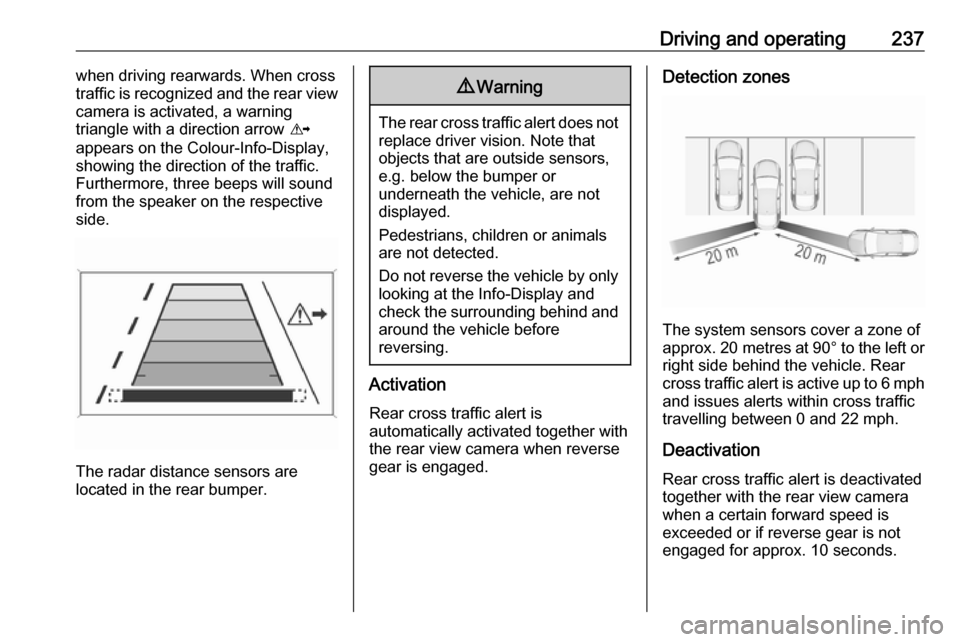
Detection zones
The system sensors cover a zone of
approx. 20 metres at 90° to the left or
right side behind the vehicle. Rear cross traffic alert is active up to 6 mph and issues alerts within cross traffic
travelling between 0 and 22 mph.
Deactivation
Rear cross traffic alert is deactivated
together with the rear view camera
when a certain forward speed is
exceeded or if reverse gear is not
engaged for approx. 10 seconds.
Page 241 of 345
Driving and operating239Add on signs● additional hints to traffic signs
● restriction of trailer towing
● tractor constraints
● wet warning
● ice warning
● time constraints
● distance constraints
● direction arrows
Speed limit signs and no passing
signs are displayed in the Driver
Information Centre until the next
speed limit sign or end of speed limit is detected or up to a defined sign
timeout.
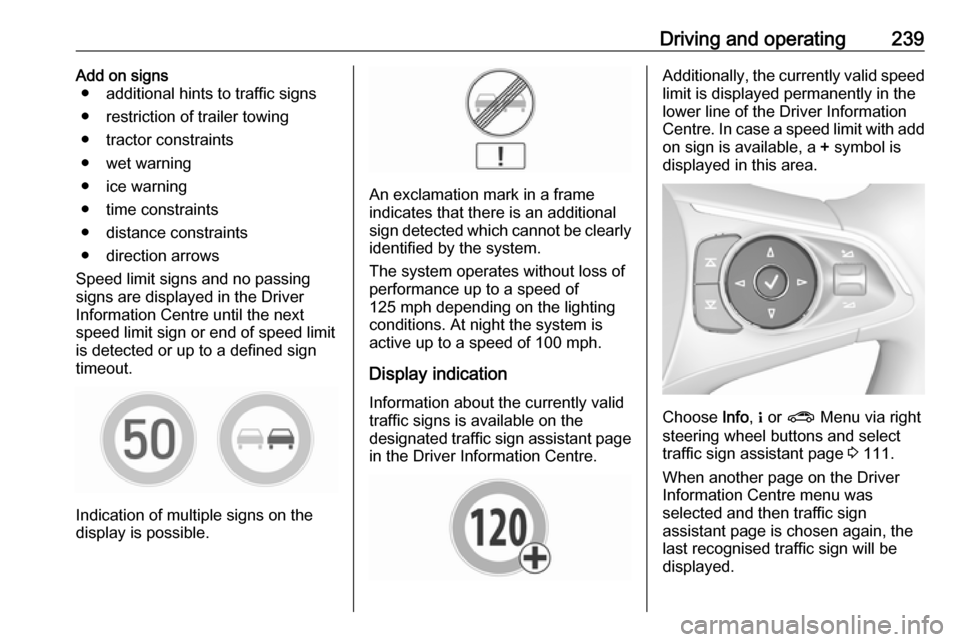
Indication of multiple signs on the
display is possible.
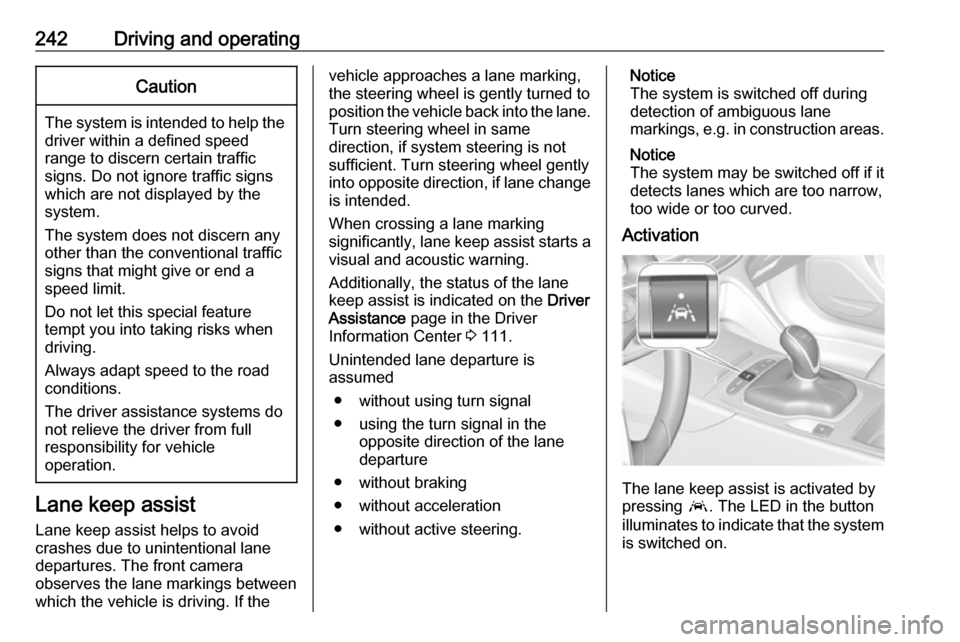
An exclamation mark in a frame
indicates that there is an additional
sign detected which cannot be clearly
identified by the system.
The system operates without loss of
performance up to a speed of
125 mph depending on the lighting
conditions. At night the system is
active up to a speed of 100 mph.
Display indication Information about the currently valid
traffic signs is available on the
designated traffic sign assistant page
in the Driver Information Centre.
Additionally, the currently valid speed
limit is displayed permanently in the
lower line of the Driver Information
Centre. In case a speed limit with add on sign is available, a + symbol is
displayed in this area.
Choose Info, " or ? Menu via right
steering wheel buttons and select
traffic sign assistant page 3 111.
When another page on the Driver
Information Centre menu was
selected and then traffic sign
assistant page is chosen again, the
last recognised traffic sign will be
displayed.
Page 244 of 345
242Driving and operatingCaution
The system is intended to help thedriver within a defined speed
range to discern certain traffic
signs. Do not ignore traffic signs
which are not displayed by the
system.
The system does not discern any other than the conventional traffic
signs that might give or end a
speed limit.
Do not let this special feature
tempt you into taking risks when
driving.
Always adapt speed to the road
conditions.
The driver assistance systems do not relieve the driver from full
responsibility for vehicle
operation.
Lane keep assist
Lane keep assist helps to avoid
crashes due to unintentional lane
departures. The front camera
observes the lane markings between
which the vehicle is driving. If the
vehicle approaches a lane marking, the steering wheel is gently turned to
position the vehicle back into the lane. Turn steering wheel in same
direction, if system steering is not
sufficient. Turn steering wheel gently
into opposite direction, if lane change is intended.
When crossing a lane marking
significantly, lane keep assist starts a
visual and acoustic warning.
Additionally, the status of the lane
keep assist is indicated on the Driver
Assistance page in the Driver
Information Center 3 111.
Unintended lane departure is
assumed
● without using turn signal● using the turn signal in the opposite direction of the lane
departure
● without braking
● without acceleration
● without active steering.Notice
The system is switched off during
detection of ambiguous lane
markings, e.g. in construction areas.
Notice
The system may be switched off if it
detects lanes which are too narrow,
too wide or too curved.
Activation
The lane keep assist is activated by
pressing a. The LED in the button
illuminates to indicate that the system
is switched on.
Page 246 of 345
244Driving and operating● Weather limits visibility, such asfog, rain, or snow.
● The sensor in the windscreen is blocked by snow, ice, slush, mud,dirt, windscreen damage or
affected by foreign items, e.g.
stickers.
● The sun is shining directly into the camera lens.
● Close vehicles ahead
● Banked roads
● Road edges
● Roads with poor lane markings
● Sudden lighting changes
● Vehicle modifications, e.g. tyres.
Switch off the system if the system is
disturbed by tar marks, shadows,
road cracks, temporary or
construction lane markings, or other
road imperfections.9 Warning
Always keep your attention on the
road and maintain proper vehicle
position within the lane, otherwise
vehicle damage, injury or death
could occur.
Lane keep assist does not
continuously steer the vehicle.
The system may not keep the
vehicle in the lane or give an alert,
even if a lane marking is detected.
The steering of the lane keep
assist may not be sufficient to
avoid a lane departure.
The system may not detect hands-
off driving due to external
influences (road condition and
surface, weather etc). The driver
has full responsibility to control the vehicle and is always required tokeep the hands on the steeringwheel while driving.
Using the system while towing a
trailer or on slippery roads could
cause loss of control of the vehicle
and a crash. Switch the system off.
Fuel
Fuel for petrol engines
Only use unleaded fuel that complies
with European standard EN 228 or
equivalent.
The engine is capable of running with
fuel that contains up to 10% ethanol
(e.g. named E10).
Use fuel with the recommended
octane rating. A lower octane rating can reduce engine power and torque
and slightly increases fuel
consumption.
Page 249 of 345
Driving and operating2479Danger
Fuel is flammable and explosive.
No smoking. No naked flames or
sparks.
If you can smell fuel in your
vehicle, have the cause of this
remedied immediately by a
workshop.
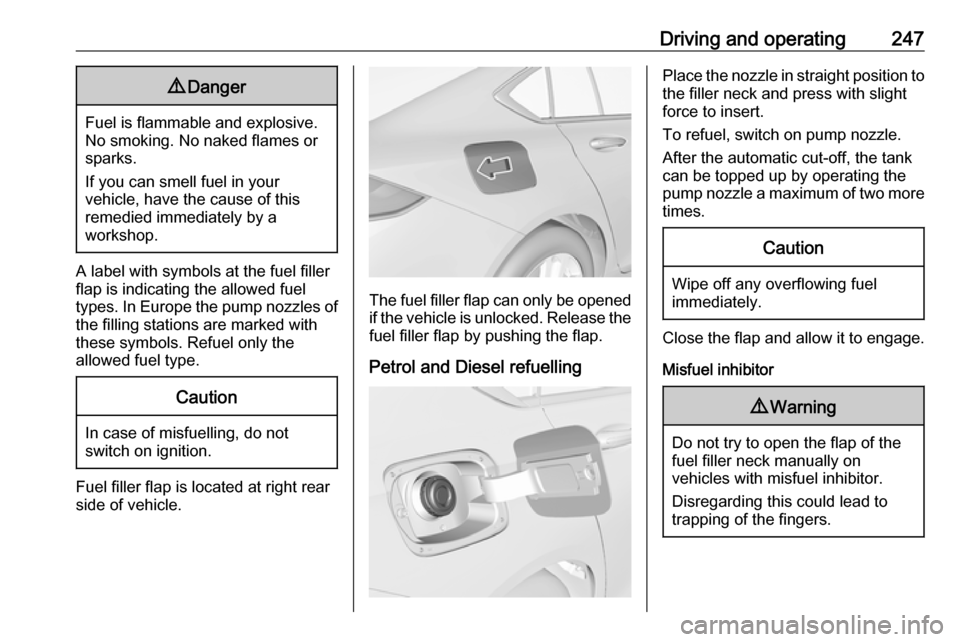
A label with symbols at the fuel filler
flap is indicating the allowed fuel
types. In Europe the pump nozzles of the filling stations are marked with
these symbols. Refuel only the
allowed fuel type.
Caution
In case of misfuelling, do not
switch on ignition.
Fuel filler flap is located at right rear
side of vehicle.
The fuel filler flap can only be opened
if the vehicle is unlocked. Release the
fuel filler flap by pushing the flap.
Petrol and Diesel refuelling
Place the nozzle in straight position to the filler neck and press with slight
force to insert.
To refuel, switch on pump nozzle.
After the automatic cut-off, the tank can be topped up by operating the
pump nozzle a maximum of two more
times.Caution
Wipe off any overflowing fuel
immediately.
Close the flap and allow it to engage.
Misfuel inhibitor
9 Warning
Do not try to open the flap of the
fuel filler neck manually on
vehicles with misfuel inhibitor.
Disregarding this could lead to
trapping of the fingers.
Page 252 of 345
250Driving and operatingRear axle load
When the trailer is coupled and the
towing vehicle fully loaded, the
permissible rear axle load (see
identification plate or vehicle
documents) may be exceeded by
80 kg
(engines B20NFT / B20DTH /
D20DTR: 90 kg), the gross vehicle
weight rating must not be exceeded.
If the permissible rear axle load is
exceeded, a maximum speed of
60 mph applies.
Towing equipmentCaution
The folding coupling ball bar
cannot be removed from the
vehicle. When driving without a
trailer, fold in the coupling ball bar.
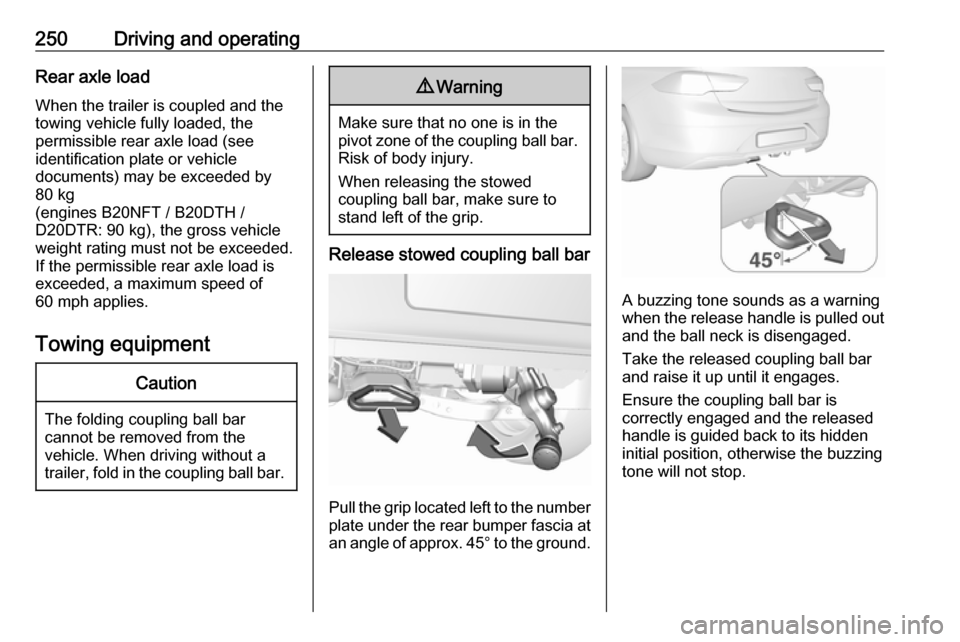
9 Warning
Make sure that no one is in the
pivot zone of the coupling ball bar. Risk of body injury.
When releasing the stowed
coupling ball bar, make sure to
stand left of the grip.
Release stowed coupling ball bar
Pull the grip located left to the number
plate under the rear bumper fascia at an angle of approx. 45° to the ground.
A buzzing tone sounds as a warning
when the release handle is pulled out and the ball neck is disengaged.
Take the released coupling ball bar
and raise it up until it engages.
Ensure the coupling ball bar is
correctly engaged and the released
handle is guided back to its hidden
initial position, otherwise the buzzing tone will not stop.