sensor VAUXHALL MERIVA 2014.5 User Guide
[x] Cancel search | Manufacturer: VAUXHALL, Model Year: 2014.5, Model line: MERIVA, Model: VAUXHALL MERIVA 2014.5Pages: 237, PDF Size: 7.59 MB
Page 121 of 237

Lighting119Interior lighting
Instrument panel
illumination control
Brightness of the following lights can
be adjusted when the exterior lights
are on:
■ Instrument panel illumination
■ Info-Display
■ Illuminated switches and operation elements
Turn thumb wheel A until the required
brightness is obtained.
On vehicles with light sensor the
brightness can only be adjusted when the exterior lights are on and the light
sensor detects night conditions.
Interior lights
During entry and exit of the vehicle,
the front and rear courtesy lights
automatically switch on and then off
after a delay.
Notice
In the event of an accident with
airbag deployment the courtesy
lights are turned on automatically.
Front courtesy lightOperate rocker switch:w=automatic switching on
and off.press u=on.press v=off.
Rear courtesy lights
Illuminate in conjunction with the front
courtesy light depending on rocker
switch position.
Page 137 of 237
Driving and operating135Stop-start system
The stop-start system helps to save
fuel and to reduce the exhaust
emissions. When conditions allow, it
switches off the engine as soon as the vehicle is at a low speed or at a
standstill, e.g. at a traffic light or in a
traffic jam. It starts the engine
automatically as soon as the clutch is
depressed. A vehicle battery sensor
ensures that an Autostop is only performed if the vehicle battery is
sufficiently charged for a restart.
Activation
The stop-start system is available as soon as the engine is started, the
vehicle starts-off and the conditions
as stated below in this section are
fulfilled.Deactivation
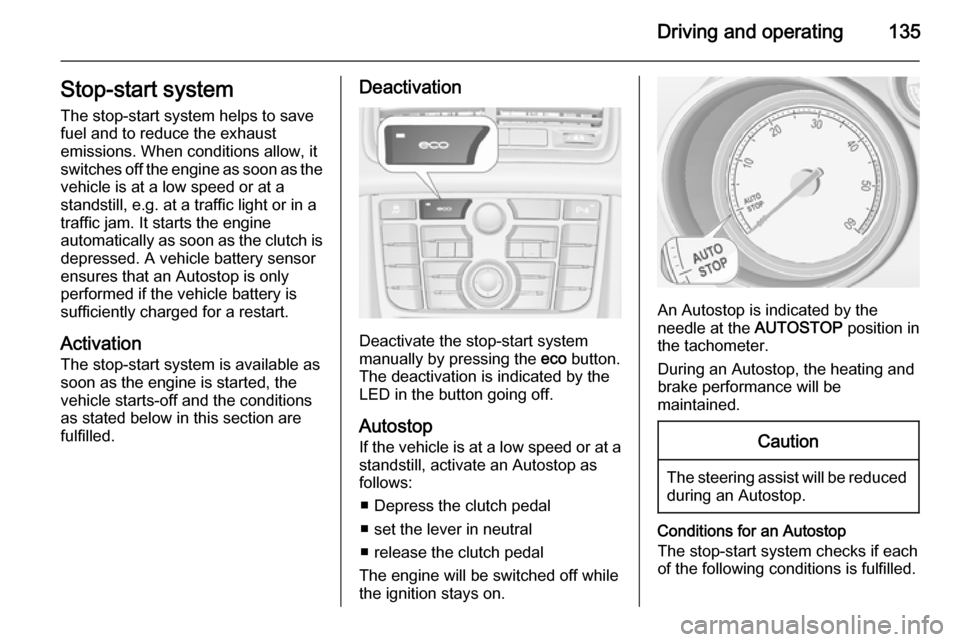
Deactivate the stop-start system
manually by pressing the eco button.
The deactivation is indicated by the
LED in the button going off.
Autostop
If the vehicle is at a low speed or at a standstill, activate an Autostop as
follows:
■ Depress the clutch pedal
■ set the lever in neutral
■ release the clutch pedal
The engine will be switched off while
the ignition stays on.
An Autostop is indicated by the
needle at the AUTOSTOP position in
the tachometer.
During an Autostop, the heating and
brake performance will be
maintained.
Caution
The steering assist will be reduced during an Autostop.
Conditions for an Autostop
The stop-start system checks if each
of the following conditions is fulfilled.
Page 151 of 237
Driving and operating149
The system consists of four ultrasonicparking sensors in the rear bumper. If
the vehicle is equipped with a front
parking assist, the system consists of
four additional ultrasonic parking
sensors in the front bumper.
Control indicator r 3 96.
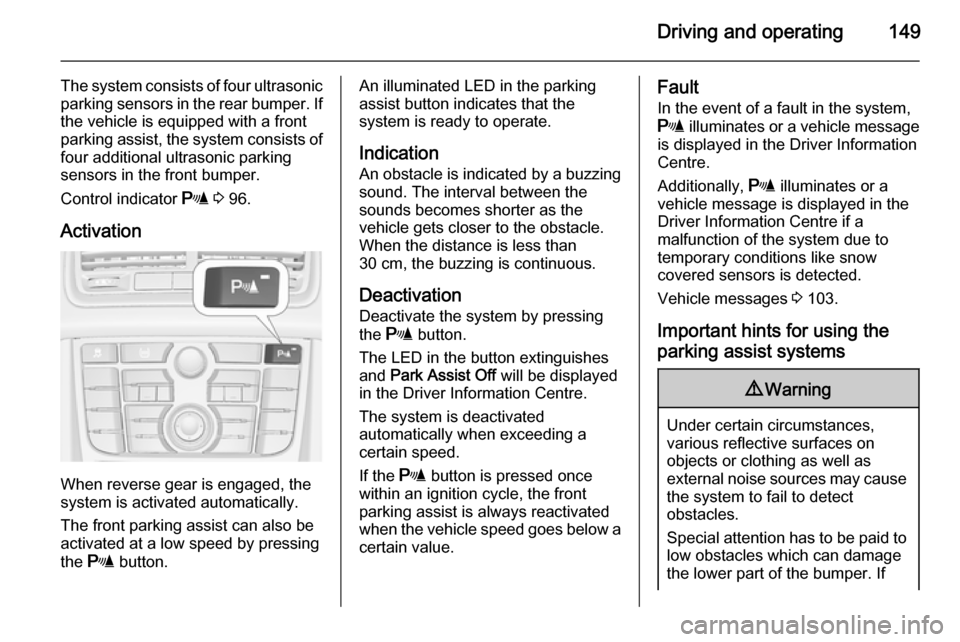
Activation
When reverse gear is engaged, the
system is activated automatically.
The front parking assist can also be activated at a low speed by pressing
the r button.
An illuminated LED in the parking
assist button indicates that the
system is ready to operate.
Indication An obstacle is indicated by a buzzing
sound. The interval between the sounds becomes shorter as the
vehicle gets closer to the obstacle.
When the distance is less than
30 cm, the buzzing is continuous.
Deactivation
Deactivate the system by pressing
the r button.
The LED in the button extinguishes and Park Assist Off will be displayed
in the Driver Information Centre.
The system is deactivated
automatically when exceeding a
certain speed.
If the r button is pressed once
within an ignition cycle, the front
parking assist is always reactivated
when the vehicle speed goes below a
certain value.Fault
In the event of a fault in the system,
r illuminates or a vehicle message
is displayed in the Driver Information
Centre.
Additionally, r illuminates or a
vehicle message is displayed in the Driver Information Centre if a
malfunction of the system due to
temporary conditions like snow
covered sensors is detected.
Vehicle messages 3 103.
Important hints for using the
parking assist systems9 Warning
Under certain circumstances,
various reflective surfaces on
objects or clothing as well as
external noise sources may cause the system to fail to detect
obstacles.
Special attention has to be paid to
low obstacles which can damage
the lower part of the bumper. If
Page 152 of 237
150Driving and operatingsuch obstacles leave the detectionarea of the sensors during
approach of the vehicle, a
continuous warning tone will
sound.Caution
Performance of the sensors can
be reduced when sensors are
covered, e.g. by ice or snow.
Performance of the parking assist
systems can be reduced due to
heavy loading.
Special conditions apply if there
are taller vehicles involved (e.g.
off-road vehicles, mini vans,
vans). Object identification in the
upper part of these vehicles
cannot be guaranteed.
Objects with a very small reflection
cross-section, e.g. objects of
narrow size or soft materials, may
not be detected by the system.
Parking assist will not avoid a
collision with objects which are out
of the detection range of the
sensors.
Notice
The parking assist system
automatically detects factory-fitted
towing equipment. It is deactivated
when the connector is plugged in.
The sensor may detect a non-
existent object (echo disturbance)
caused by external acoustic or
mechanical disturbances.
Notice
If engaging a forward gear and
exceeding a certain speed, the rear
parking assist will be deactivated
when the rear carrier system is
extended.
If engaging reverse at first, the
parking assist will detect the rear
carrier system and provide a buzzing
sound. Press r or D briefly to
deactivate the parking assist.
Rear view camera
The rear view camera assists the
driver when reversing by displaying a view of the area behind the vehicle.
The view of the camera is displayed
in the Colour-Info-Display.9 Warning
The rear view camera does not
replace driver vision. Note that
objects that are outside the
camera's field of view and the
advanced parking assist sensors,
e.g. below the bumper or
underneath the vehicle, are not
displayed.
Do not reverse the vehicle by only looking at the Info-Display and
check the surrounding behind and
around the vehicle before
reversing.
Activation
Rear view camera is automatically
activated when reverse gear is
engaged.
Page 153 of 237
Driving and operating151
Functionality
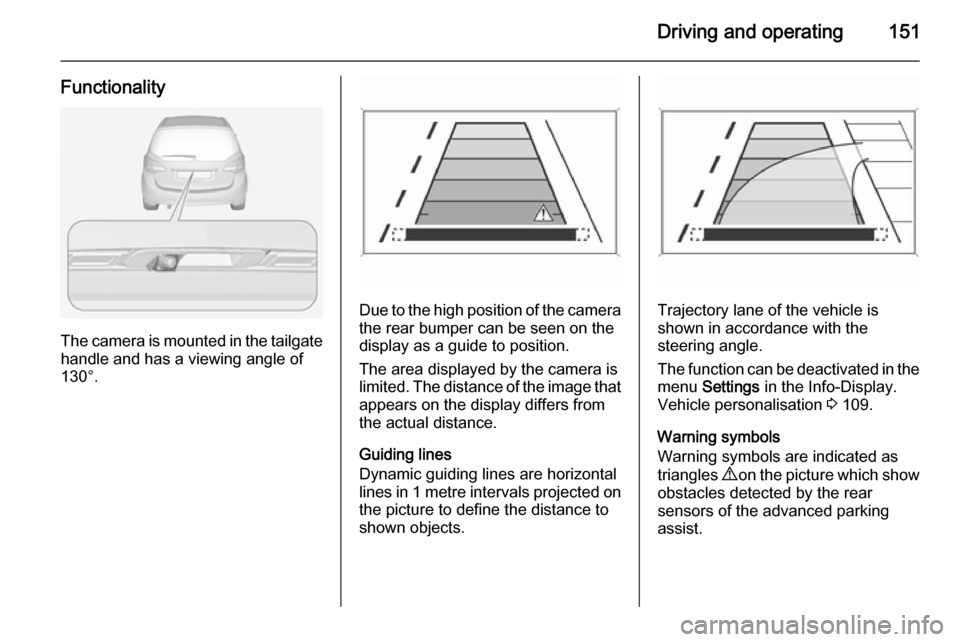
The camera is mounted in the tailgatehandle and has a viewing angle of
130°.
Due to the high position of the camera
the rear bumper can be seen on the
display as a guide to position.
The area displayed by the camera is
limited. The distance of the image that
appears on the display differs from
the actual distance.
Guiding lines
Dynamic guiding lines are horizontal
lines in 1 metre intervals projected on
the picture to define the distance to
shown objects.Trajectory lane of the vehicle is
shown in accordance with the
steering angle.
The function can be deactivated in the menu Settings in the Info-Display.
Vehicle personalisation 3 109.
Warning symbols
Warning symbols are indicated as
triangles 9 on the picture which show
obstacles detected by the rear
sensors of the advanced parking
assist.
Page 188 of 237
186Vehicle care
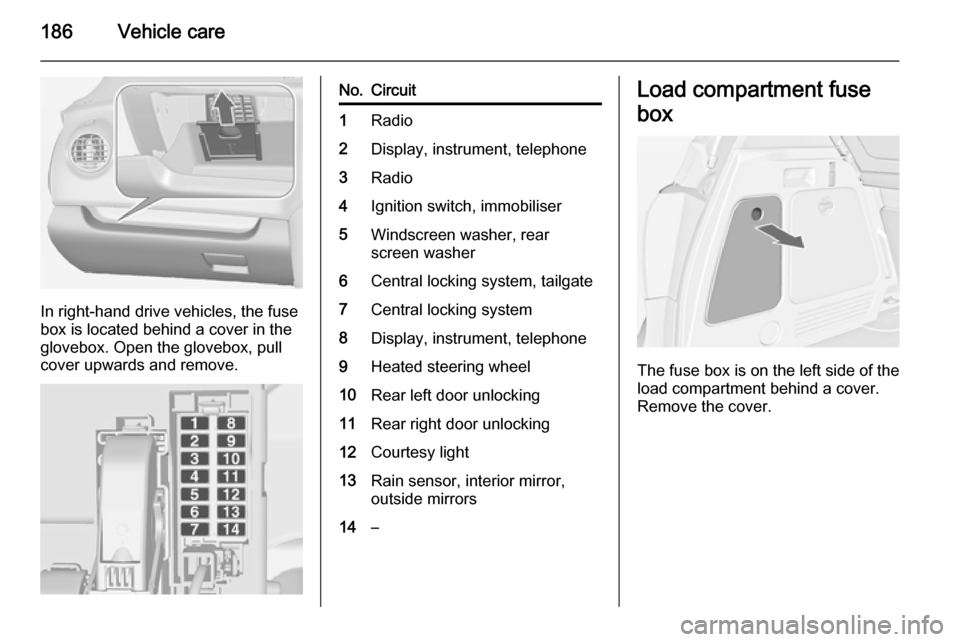
In right-hand drive vehicles, the fuse
box is located behind a cover in the
glovebox. Open the glovebox, pull
cover upwards and remove.
No.Circuit1Radio2Display, instrument, telephone3Radio4Ignition switch, immobiliser5Windscreen washer, rear
screen washer6Central locking system, tailgate7Central locking system8Display, instrument, telephone9Heated steering wheel10Rear left door unlocking11Rear right door unlocking12Courtesy light13Rain sensor, interior mirror,
outside mirrors14–Load compartment fuse
box
The fuse box is on the left side of the
load compartment behind a cover.
Remove the cover.