lock VAUXHALL MOVANO_B 2014 Owner's Guide
[x] Cancel search | Manufacturer: VAUXHALL, Model Year: 2014, Model line: MOVANO_B, Model: VAUXHALL MOVANO_B 2014Pages: 201, PDF Size: 4.74 MB
Page 66 of 201
64Storage
Store the partition wall to one side of
the load compartment when not in
use.
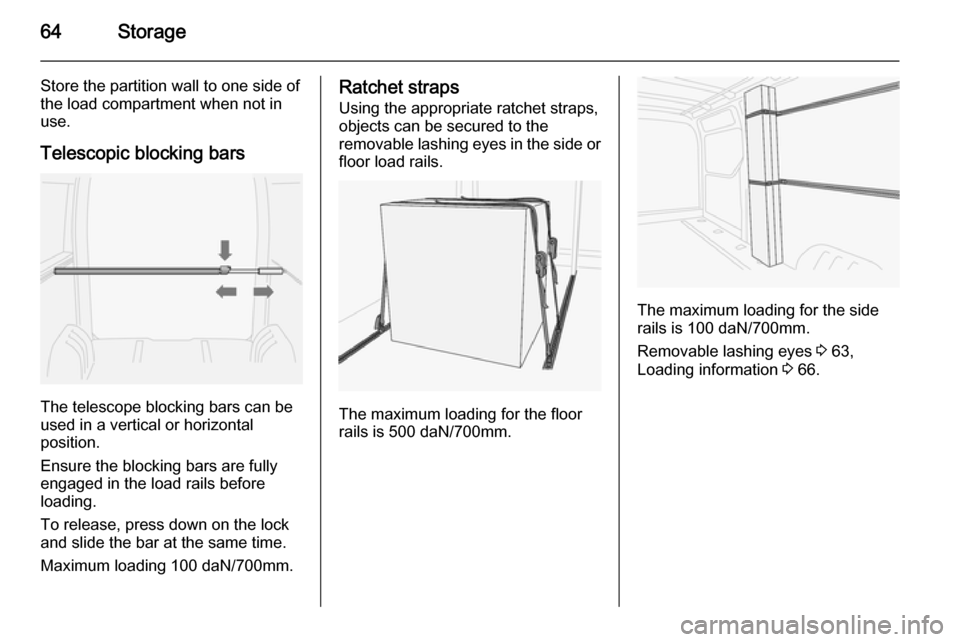
Telescopic blocking bars
The telescope blocking bars can be
used in a vertical or horizontal
position.
Ensure the blocking bars are fully
engaged in the load rails before
loading.
To release, press down on the lock
and slide the bar at the same time.
Maximum loading 100 daN/700mm.
Ratchet straps
Using the appropriate ratchet straps,
objects can be secured to the
removable lashing eyes in the side or floor load rails.
The maximum loading for the floor
rails is 500 daN/700mm.
The maximum loading for the side
rails is 100 daN/700mm.
Removable lashing eyes 3 63,
Loading information 3 66.
Page 70 of 201
68Instruments and controlsInstruments and
controlsControls ....................................... 68
Warning lights, gauges and indi‐
cators ........................................... 73
Information displays .....................83
Vehicle messages ........................ 83
Trip computer ............................... 85
Tachograph .................................. 86Controls
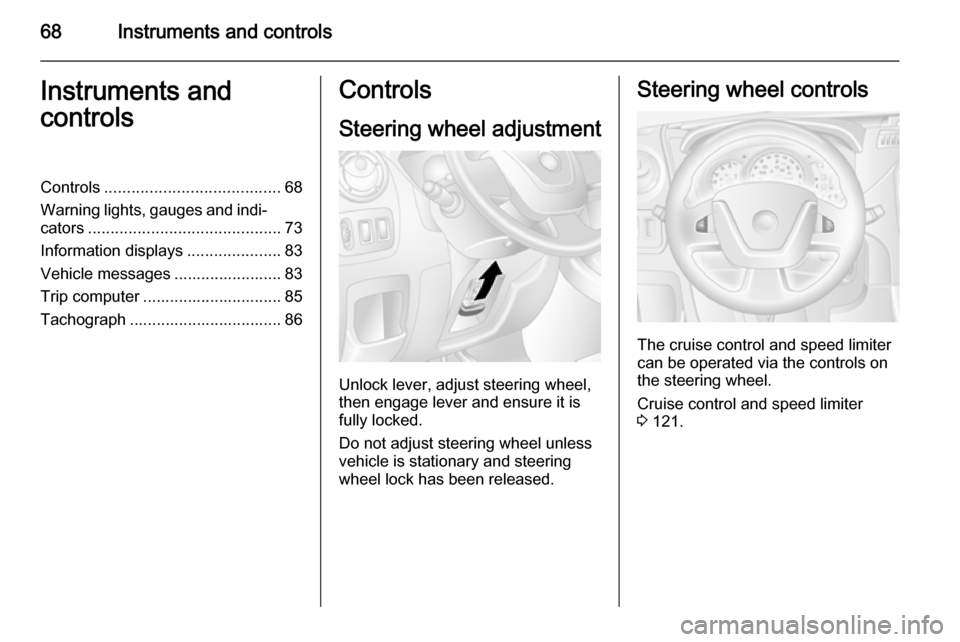
Steering wheel adjustment
Unlock lever, adjust steering wheel,
then engage lever and ensure it is fully locked.
Do not adjust steering wheel unless
vehicle is stationary and steering
wheel lock has been released.
Steering wheel controls
The cruise control and speed limiter
can be operated via the controls on
the steering wheel.
Cruise control and speed limiter
3 121.
Page 73 of 201
Instruments and controls719Warning
The road surface may already be
icy even though the display
indicates a few degrees above 0
°C.
Clock
Depending on vehicle, the current
time and/or date may appear in the
information display 3 83 or the
Driver Information Centre 3 83.
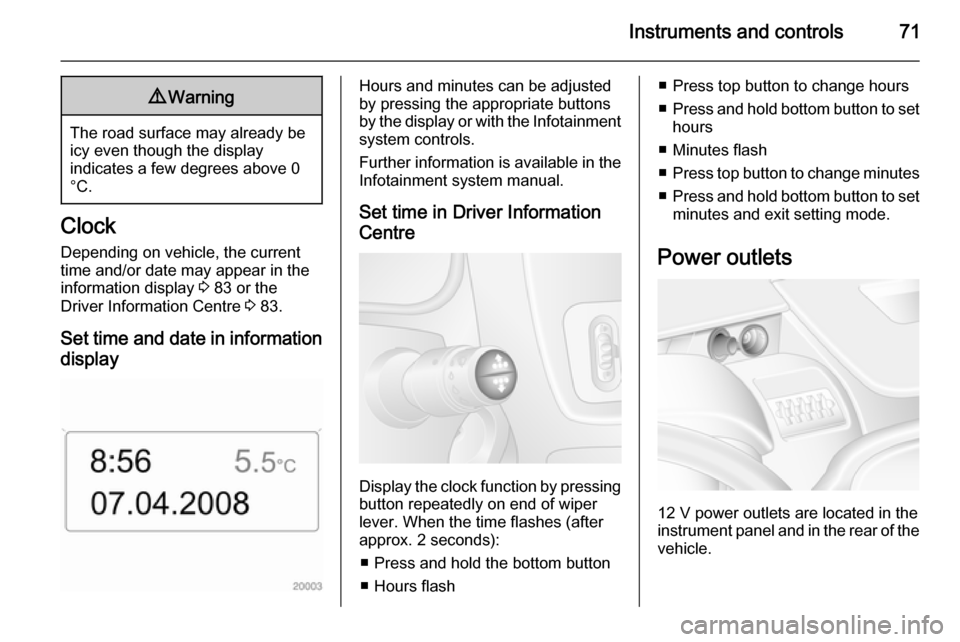
Set time and date in information display
Hours and minutes can be adjusted
by pressing the appropriate buttons
by the display or with the Infotainment
system controls.
Further information is available in the
Infotainment system manual.
Set time in Driver Information
Centre
Display the clock function by pressing button repeatedly on end of wiper
lever. When the time flashes (after
approx. 2 seconds):
■ Press and hold the bottom button
■ Hours flash
■ Press top button to change hours
■ Press and hold bottom button to set
hours
■ Minutes flash
■ Press top button to change minutes
■ Press and hold bottom button to set
minutes and exit setting mode.
Power outlets
12 V power outlets are located in the instrument panel and in the rear of the
vehicle.
Page 82 of 201

80Instruments and controls9Warning
Stop. Do not continue your
journey. Consult a workshop.
Brake system 3 118.
Brake pad wear
F illuminates yellow.
Illuminates when the brake pads are
worn 3 118.
Seek the assistance of a workshop.
Antilock brake system
(ABS)
u illuminates yellow.
Illuminates briefly when the ignition is switched on. The system is ready for
operation when u extinguishes.
If control indicators u and A
illuminate with the messages CHECK
ABS and CHECK ESP in the Driver
Information Centre 3 83, there is a
fault in the ABS. The brake system
remains operational but without ABS
regulation.
If control indicators u, A , R and
C illuminate, the ABS and ESP are
deactivated and the message
BRAKING FAULT is displayed. Seek
the assistance of a workshop.
Antilock brake system 3 118.
Upshift k or j illuminates yellow.
Illuminates when gearshifting is
recommended for fuel saving
reasons.
Electronic Stability
Program
v flashes or illuminates yellow.
Illuminates for a few seconds when
the ignition is switched on.Flashing during driving
The system is actively engaged.
Engine output may be reduced and
the vehicle may be braked
automatically to a small degree
3 120.
Illuminates during driving The system is switched off. The
message ESP OFF will also appear in
the Driver Information Centre 3 83.
ESP® Plus
3 120, Traction Control
system 3 119.
Engine coolant
temperature
W illuminates red.
Illuminates when the engine is
running If W illuminates (possibly in
combination with control indicator
C ), stop vehicle and switch off
engine.
Page 83 of 201
Instruments and controls81Caution
Coolant temperature too high.
Check coolant level 3 135.
If there is sufficient coolant, consult a workshop.
Preheating
! illuminates yellow.
Preheating is activated.Only
activates when outside temperature is low.
Diesel particle filter
8
Not used.
Diesel particle filter 3 79, 3 112.
Engine oil pressure I illuminates red.
Illuminates briefly when the ignition is
switched on.
Illuminates when the engine is
runningCaution
Engine lubrication may be
interrupted. This may result in
damage to the engine and/or
locking of the drive wheels.
1. Depress clutch.
2. Select neutral gear, set selector lever to N.
3. Move out of the flow of traffic as quickly as possible without
impeding other vehicles.
4. Switch off ignition.
9 Warning
When the engine is off,
considerably more force is needed
to brake and steer.
Do not remove key until vehicle is stationary, otherwise the steeringwheel lock could engage
unexpectedly.
Check oil level before seeking
assistance of a workshop 3 134.
Low fuel
Y illuminates yellow.
Illuminates when the ignition is
switched on and extinguishes shortly
after the engine starts.
Illuminates when the engine isrunning
Fuel level in the tank is too low. Refuel immediately.
Never run the tank dry.
Refuelling 3 127.
Catalytic converter 3 112.
Bleeding the diesel fuel system
3 139.
Drain fuel filter
Q illuminates yellow.
Illuminates when the ignition is
switched on and extinguishes shortly after the engine starts.
Page 85 of 201
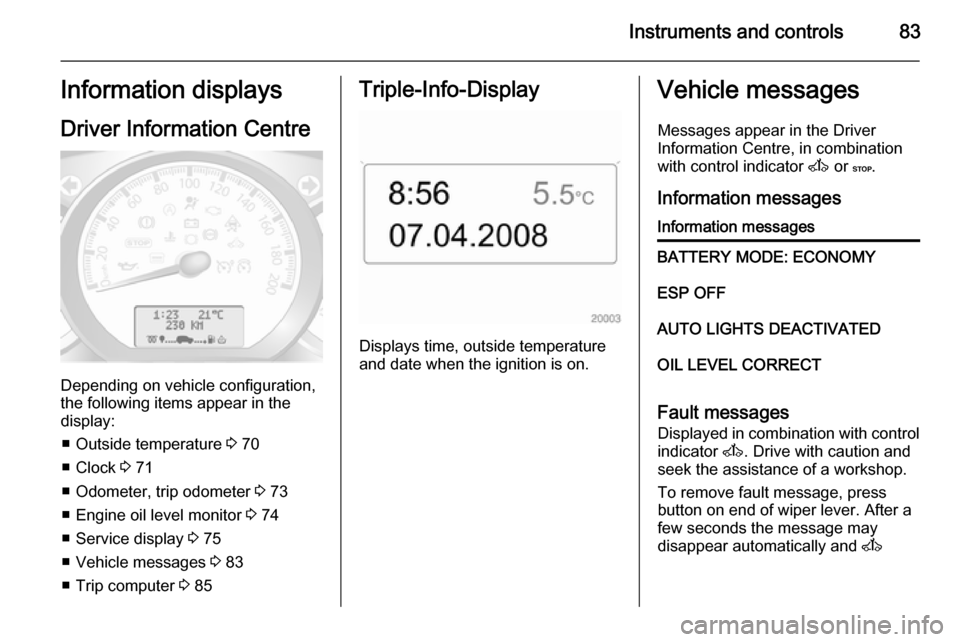
Instruments and controls83Information displaysDriver Information Centre
Depending on vehicle configuration,
the following items appear in the
display:
■ Outside temperature 3 70
■ Clock 3 71
■ Odometer, trip odometer 3 73
■ Engine oil level monitor 3 74
■ Service display 3 75
■ Vehicle messages 3 83
■ Trip computer 3 85
Triple-Info-Display
Displays time, outside temperature
and date when the ignition is on.
Vehicle messages
Messages appear in the Driver
Information Centre, in combination
with control indicator A or C.
Information messagesInformation messagesBATTERY MODE: ECONOMYESP OFFAUTO LIGHTS DEACTIVATEDOIL LEVEL CORRECT
Fault messages Displayed in combination with control
indicator A. Drive with caution and
seek the assistance of a workshop.
To remove fault message, press
button on end of wiper lever. After a
few seconds the message may
disappear automatically and A
Page 87 of 201
Instruments and controls85Trip computer
The trip computer provides
information on driving data, which is
continually recorded and evaluated electronically.
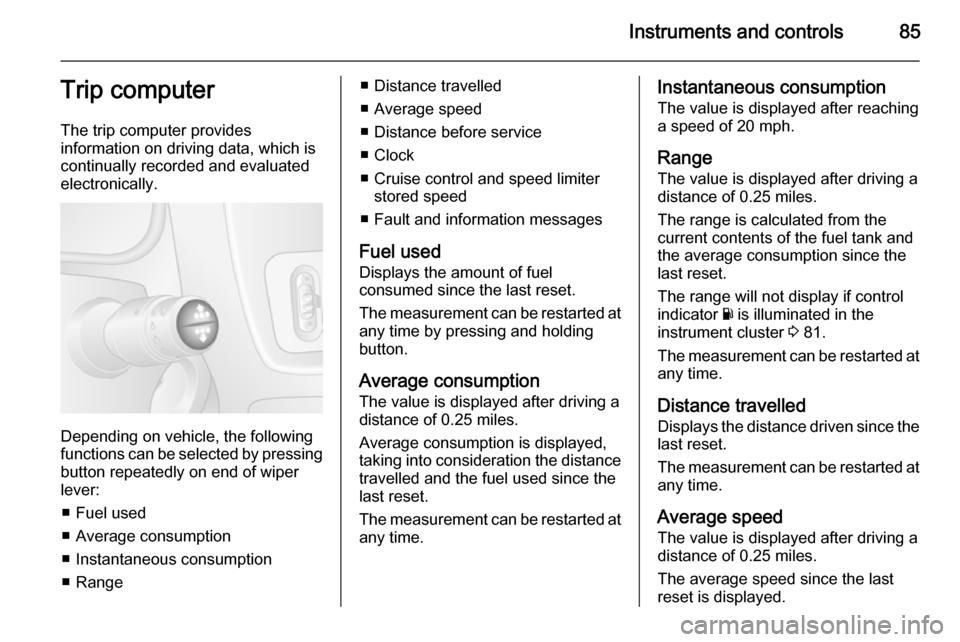
Depending on vehicle, the following
functions can be selected by pressing button repeatedly on end of wiper
lever:
■ Fuel used
■ Average consumption
■ Instantaneous consumption
■ Range
■ Distance travelled
■ Average speed
■ Distance before service
■ Clock
■ Cruise control and speed limiter stored speed
■ Fault and information messages
Fuel used Displays the amount of fuel
consumed since the last reset.
The measurement can be restarted at
any time by pressing and holding
button.
Average consumption
The value is displayed after driving a distance of 0.25 miles.
Average consumption is displayed,
taking into consideration the distance
travelled and the fuel used since the
last reset.
The measurement can be restarted at
any time.Instantaneous consumption
The value is displayed after reaching
a speed of 20 mph.
Range The value is displayed after driving a
distance of 0.25 miles.
The range is calculated from the
current contents of the fuel tank and
the average consumption since the
last reset.
The range will not display if control
indicator Y is illuminated in the
instrument cluster 3 81.
The measurement can be restarted at
any time.
Distance travelled Displays the distance driven since the
last reset.
The measurement can be restarted at
any time.
Average speed The value is displayed after driving adistance of 0.25 miles.
The average speed since the last
reset is displayed.
Page 101 of 201
Climate control99
Neutral position or no stored
programme activated Press P button until their is no stored
programme number visible in the
display.
Adjusting the temperature To adjust the temperature of the
heating, turn the rotary knob located
on the control panel.Turn
clockwise=increase temperatureTurn anti-
clockwise=decrease temperature
Rear air conditioning
system
The rear air conditioning system is
actuated in conjunction with the front
passenger compartment air
conditioning system.
Bus
Rear air vents
Additional air conditioning is supplied
to the rear passenger compartment
via the overhead air vents.
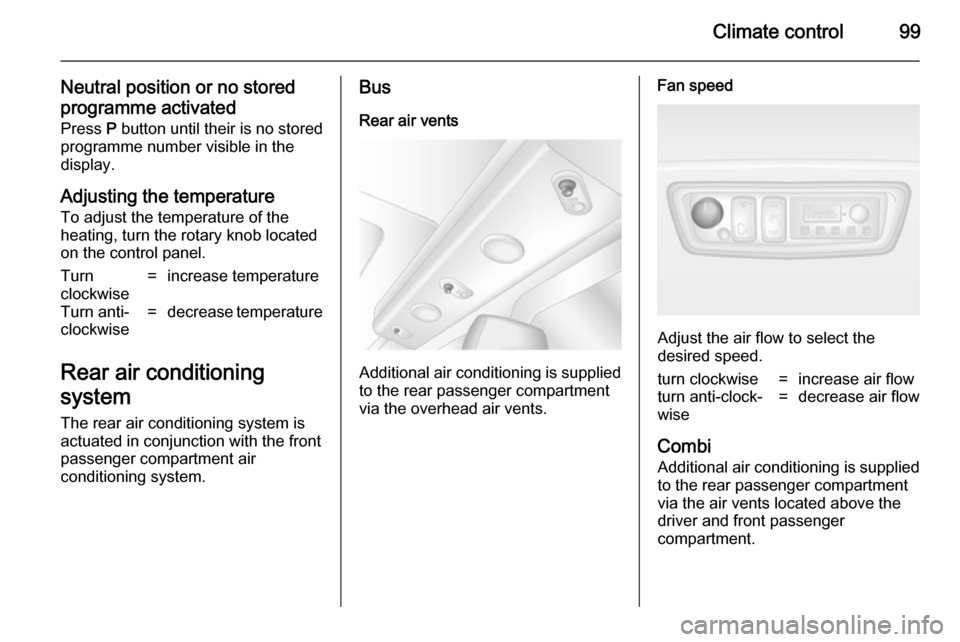
Fan speed
Adjust the air flow to select the
desired speed.
turn clockwise=increase air flowturn anti-clock‐
wise=decrease air flow
Combi
Additional air conditioning is supplied to the rear passenger compartment
via the air vents located above the
driver and front passenger
compartment.
Page 104 of 201

102Climate control
Batteries do not belong in household
waste. They must be disposed of at
an appropriate recycling collection
point.
Remote control fault displayscobA=Poor signal –
adjust positionconP=No signal – move closerbALo=Battery low –
change batteryErr=System error –
consult workshopAdd,
AddE=System in learning
mode
Teach remote control
If the vehicle battery is reconnected, the LED in the instrument panel
button illuminates and the system
configures the remote control menu
automatically. If the LED flashes,
press OK button on remote control,
select Add or AddE and confirm.
Additional remote control units may
also be configured. Press the button
until LED flashes, switch on the
remote control, select Add and
confirm.
AddE teaches the current remote
control unit exclusively and blocks all
previously configured units. Add
teaches up to 4 remote control units,
but only one unit can operate the
system at any one time.
Operation
Heating Y
Select Y in the menu bar and confirm.
The predetermined heating duration,
e.g. L 30, flashes in the display. The
factory setting is 30 minutes.
To temporarily adjust the heating
duration, adjust with the q or r
button and confirm. The value can be
set from 10 to 120 minutes. Due to the power consumption, note the heatingduration.
To switch off, select Y in the menu bar
again and confirm.
Ventilation x
Select x in the menu bar and confirm.
The ventilation duration can be
accepted or adjusted. The duration
shown is accepted without
confirmation.To switch off, select x in the menu bar
again and confirm.
Programming P
Up to 3 preset departure times can be
programmed, either during one day or over one week.
■ Select P in the menu bar and
confirm
■ Select desired preset memory number 1, 2 or 3 and confirm
■ Select day and confirm
■ Select hour and confirm
■ Select minutes and confirm
■ Select Y or x and confirm
■ If necessary, adjust the runtime duration prior to departure andconfirm
The next preset memory number to
be activated is underlined and the
weekday is displayed. Repeat the
procedure to programme the other
preset memory numbers.
Pressing button X during the
procedure will exit without storing programme adjustments.
Page 108 of 201

106Driving and operatingDriving and operatingDriving hints............................... 106
Starting and operating ...............106
Engine exhaust .......................... 112
Manual transmission ..................113
Manual transmission automa‐
ted .............................................. 114
Brakes ........................................ 118
Ride control systems .................119
Driver assistance systems .........121
Fuel ............................................ 127
Trailer hitch ................................ 129
Auxiliary features .......................130Driving hints
Control of the vehicleNever coast with engine not
running (except during Autostop)
Many systems will not function in this
situation (e.g. brake servo unit, power steering). Driving in this manner is a
danger to yourself and others. All
systems function during an Autostop,
but there will be a controlled reduction
in power steering assist and vehicle
speed is reduced.
Stop-start system 3 108.
Pedals
To ensure the pedal travel is
uninhibited, there must be no mats in the area of the pedals.
Power steering Never leave the steering wheel on full
lock when the vehicle is stationary as this may damage the power steering
pump.Starting and operating
New vehicle running-in
Do not brake unnecessarily hard for
the first few journeys and after new
disc brake pads have been fitted.
During the first drive, smoke may
occur because of wax and oil
evaporating off the exhaust system.
Park the vehicle in the open for a
while after the first drive and avoid
inhaling the fumes.
During the running-in period fuel and
engine oil consumption may be
higher and the cleaning process of the diesel particle filter may take
place more often. Autostop may be inhibited to allow for charging the
vehicle battery.
Stop-start system 3 108.
Diesel particle filter 3 112.