service VAUXHALL MOVANO_B 2015.5 Infotainment system
[x] Cancel search | Manufacturer: VAUXHALL, Model Year: 2015.5, Model line: MOVANO_B, Model: VAUXHALL MOVANO_B 2015.5Pages: 139, PDF Size: 1.84 MB
Page 71 of 139

Navigation71
Updating the SD card and Navigation
system
Updates are issued regularly, e.g. for
map and safety camera revisions.
These updates are only available via the TomTom HOME software, which
is accessed via the SD card.
Using the TomTom HOME software,
it is possible to:
■ Update the Navigation system (maps, safety cameras etc.),
■ Subscribe to LIVE services,
■ Save the system data onto your computer,
■ Add or delete data,
■ Customise the system,
■ Share map corrections with the community ( Map Share™ ),
■ Download the full TomTom™ Navigation system user manual.
The TomTom HOME software menus
guide you through these operations.System update
To get the best from the Navigation
system, update it as often as
possible. Map Share™ map updates,
for example, can be shared with the
entire community of system users.
Main functions of TomTom HOME
applicationDownload new and extra maps
Select the Add Maps icon to access
the menu where maps can be
downloaded.Downloading voices, points of
interest, etc.
Select the Add Traffic, Voices, Safety Cameras, etc. icon to:
■ download voices to customise the system,
■ download points of interest, etc.
Notice
In certain countries it is illegal to
download and activate the camera warning option and this could lead to prosecution.Save the SD card and system data
System data can be saved on your
computer and also restored, if
necessary.
It is recommended that the system
data is saved on a regular basis.
Saving the data allows it to be
recovered if, for example, the SD card is lost or damaged.Download instructions
It is possible to access to the full
TomTom™ Navigation system user
manual for the system.Customise the system
It is also possible to customise the
system by installing new points of
interest and synthesised voices and
by changing the colour scheme.
USB memory stick (NAVI 50)
A USB memory stick is required for
the Navigation system, to contain,
among other things, a digital map of
the towns and roads in your country.
Notice
Use a USB memory stick with a minimum 4 GB of storage capacity.
Page 72 of 139

72Navigation
After delivery of a new vehicle, there
is a maximum of 90 days in which to
update the digital map for free. After
this time has elapsed, a fee is
charged for map updates.
Notice
To avoid possible technical issues,
only use a compatible USB memory stick for operating and updating the
Navigation system. Do not insert
USB memory stick in any other
device (e.g. digital camera, mobile
phone, etc.), or in another vehicle.
Software installation
To update the digital maps and to
benefit from exclusive downloadable
services, an account must be created
on the Naviextras.com website and
the free software must be installed.Creating an account
Create your internet account via the
Naviextras.com website. Select e.g.,
the "Register" option on the web page and enter the appropriate details.Installing the software
Install the software on your computer
by downloading from https://
dacia.naviextras.com/toolbox.Follow the on-screen instructions to
install the software and launch the
online application.Registering the Navigation system
The Navigation system must be
registered with your new internet
account.
Insert an empty USB memory stick in
the Navigation system's USB slot. On the display screen, select NAVI,
followed by Options then Map update .
To ensure all content is saved in the Navigation system's memory, select Options then Update . Wait for the
update to complete before ejecting
the USB memory stick.
Insert the USB memory stick in your
computer's USB slot while connected to the Internet. When the online
application is launched and the USB memory stick is recognised, the
system (or software) name appears in
the application window. The
Navigation system is registered into
your user profile.After the initial set-up, the USB
memory stick is automatically
recognised by the Navigation system
and by the online application.
Updating the USB memory stick and
Navigation system
Updates are issued regularly, e.g. for
map and safety camera revisions.
Notice
In certain countries it is illegal to
download and activate the camera warning option and this could lead to prosecution.
These updates are only available via the online application catalogue,
which is accessed via the USB
memory stick.
Using the online application, it is
possible to:
■ Update the Navigation system (maps, safety cameras etc.),
■ Upgrade to premium POI content,
■ Add or delete data,
■ Customise the system.
The online application menus guide
you through these operations.
Page 80 of 139

80Navigation
5.SETTINGS
Refer to (NAVI 80) "Setting up the
navigation system" below.
◆ Turn off voice guidance
◆ Route planning
◆ Show POI on map
◆ Manage POIs
◆ Voice
◆ EV settings
◆ Set home location
◆ Manage saved locations
◆ Switch map
◆ Change map colours
◆ Car symbol
◆ Advanced
6. NAVIGATION SERVICES
Refer to (NAVI 80) "LIVE
services" below.
◆ Traffic
◆ Speed Cameras
◆ Local search
◆ My TomTom live
◆ Weather7. ITINERARIES
Refer to (NAVI 80) "Edit Itinerary"
in the "Guidance" section 3 98.
8. r : Return to previous screenMap screen
To access the map screen without navigation, on the Home page press
MENU , then Navigation followed by
View Map on the display screen.
Press anywhere on the map. The
cursor indicates the current selected
position. To scroll within the map,
drag the cursor in the required
direction.
To access the map screen with
navigation, on the Home page press
MENU followed by Navigation on the
display screen and enter a
destination. Refer to (NAVI 80)
"Destination input" 3 90.
The map screen (with or without route guidance) contains the following
controls and information:
1. Speed limit (illuminates red and flashes if speed limit is exceeded)
2. o: Change scale (zoom in/out)
3. Name of the next major road or road sign information, if
applicable
4. ô Outside air quality
5. g : Phone information
6. Outside temperature
7. Clock
8. Traffic information, e.g. route incidents, reception indicator,
traffic map
Page 82 of 139

82Navigation
■ Entries can be corrected duringinput with the k keyboard
character.
■ Press the r button to stop using
the keyboard and return to the
previous screen.
GUIDED TOURS
CD35 BT USB NAVI
The system offers tutorials to enable
quick familiarisation with the different
functions.
Select Guided tours in the main
menu, then the required tour:
■ Remote control operation
■ Driving view
■ Menu options
■ Browse map
■ Route planning
■ Itinerary planning
■ Traffic information
■ Warnings and notifications
■ Quick menu
■ TomTom HOMELIVE SERVICES
CD35 BT USB NAVI - Live services
Live services includes road safety
alerts, up-to-date traffic information
with HD Traffic™, local search with
Google™ and a weather forecast.
These features are available for a free
3 month trial period, after which a
subscription is required. Visit the
TomTom website and refer to the
Services section to subscribe to LIVE
services .
Notice
LIVE services are not available in
some countries or regions.
To check the status of your
subscription at any time, select My
Services in the LIVE services menu.
Some features will not be available for
selection in the main menu until a
subscription to live services has been
set up. To access these features,
select LIVE services from the
Navigation system main menu.Safety alerts
This service includes the location of
mobile speed cameras in real-time,
fixed speed cameras and accident
blackspots.
The latest fixed camera updates can
be downloaded via the
TomTom HOME™ website.
This service can be activated or
deactivated at any time via Safety
Alerts in the LIVE services menu.HD Traffic™
To only receive up-to-date, real-time
traffic information and to plan the best
route to your destination, select HD
Traffic in the LIVE services menu.
Notice
The HD Traffic service is named
Traffic if a subscription has not been
activated.Google™ local search
This service allows you to use a
keyword to quickly find any Point of
Interest (POI) and set it as a
destination.
Page 83 of 139

Navigation83
Weather
The weather forecast service
provides up to 5 days of weather
reports for your current location and
your chosen destination.
NAVI 80 - Live services
In addition to the free navigation
services ( e.g. traffic information, fixed
speed cameras), extra features can
be added by subscribing to paid LIVE services.
LIVE services include up-to-date
traffic information with "HD Traffic™ ",
updates and locations of fixed and
mobile speed cameras, local search,
weather forecast and the "My
TomTom LIVE" subscription status.
Notice
LIVE services are not available in
some countries or regions.
The following menus are displayed: ■ Traffic /HD Traffic
Select to receive up-to-date, real-
time traffic information.Notice
The HD Traffic service is named
Traffic if a subscription has not been
activated.
■ Speed cameras
Displays alerts and location of
mobile speed cameras in real-time, fixed speed cameras and accident
blackspots.
Notice
Speed camera information is
updated online by the entire
community of system users.
Switch function off via the "Speed
Cameras" menu in "LIVE services", if required.
Notice
In certain countries it is illegal to
download and activate the camera warning option and this could lead to
prosecution.
■ Local search
This service allows you to use a keyword to quickly find any Point of
Interest (POI) and set it as a
destination.■ My TomTom LIVE
Displays expiry date of subscribed services. Renew subscriptions via
the Store.
Notice
A valid email address must be
entered to use this service.
Notice
Invoices are sent to the entered
email address, with (if necessary) the install instructions and user
information for the applications,
services or other downloaded
content.
■ Weather
The weather forecast service
provides up to 5 days of weather
reports for your current location and your chosen destination.
IMAGE VIEWER
CD35 BT USB NAVI - IMAGE
VIEWER
The system can be used to view
images. Select Image viewer in the
main menu; the image gallery opens
and an image can be selected.
Page 91 of 139
Navigation91
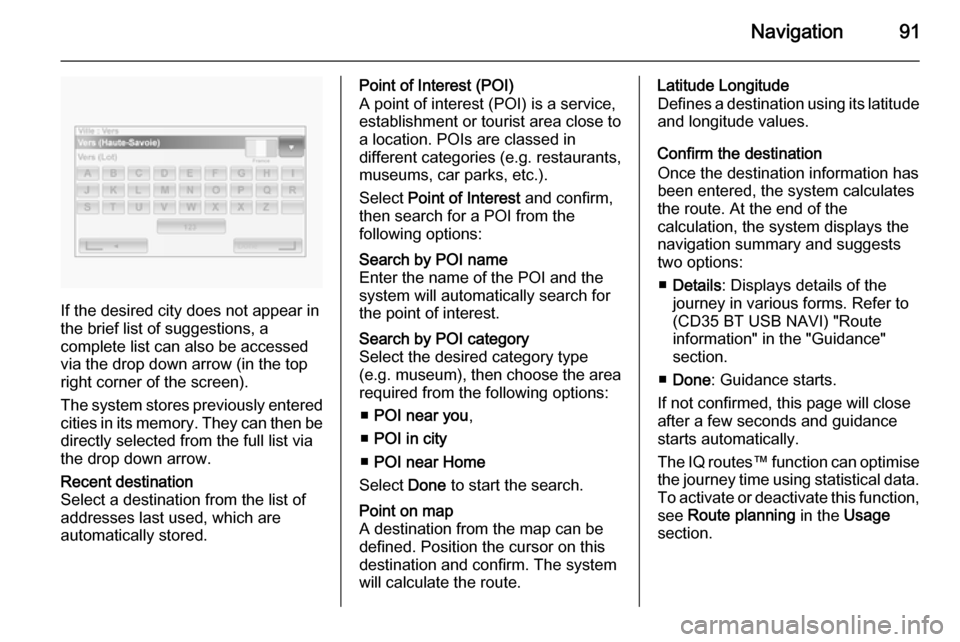
If the desired city does not appear in
the brief list of suggestions, a
complete list can also be accessed via the drop down arrow (in the top
right corner of the screen).
The system stores previously entered
cities in its memory. They can then be directly selected from the full list via
the drop down arrow.
Recent destination
Select a destination from the list of
addresses last used, which are
automatically stored.Point of Interest (POI)
A point of interest (POI) is a service,
establishment or tourist area close to
a location. POIs are classed in
different categories (e.g. restaurants,
museums, car parks, etc.).
Select Point of Interest and confirm,
then search for a POI from the
following options:Search by POI name
Enter the name of the POI and the
system will automatically search for
the point of interest.Search by POI category
Select the desired category type
(e.g. museum), then choose the area
required from the following options:
■ POI near you ,
■ POI in city
■ POI near Home
Select Done to start the search.Point on map
A destination from the map can be defined. Position the cursor on this
destination and confirm. The system
will calculate the route.Latitude Longitude
Defines a destination using its latitude
and longitude values.
Confirm the destination
Once the destination information has
been entered, the system calculates the route. At the end of the
calculation, the system displays the
navigation summary and suggests
two options:
■ Details : Displays details of the
journey in various forms. Refer to
(CD35 BT USB NAVI) "Route
information" in the "Guidance"
section.
■ Done : Guidance starts.
If not confirmed, this page will close
after a few seconds and guidance
starts automatically.
The IQ routes™ function can optimise the journey time using statistical data.
To activate or deactivate this function, see Route planning in the Usage
section.
Page 97 of 139

Navigation97
Address
Enter part or all of an address using
the keyboard, e.g.:
■ Country
■ Postcode
■ Town/City
■ Street
■ House number
Notice
Full addresses can only be entered
if they are recognised by the
Navigation system.
When entering an address for the first
time, the country of the destination
will be requested. Use the keyboard
to enter the name of the country
required.
Suggestions may be shown on the
display during input. Press to select a destination shown in the display, or
press List to access the full list for the
current part of the address.Notice
When entering an address, certain
letters and numbers are unavailable
for selection (grayed-out) based on
the addresses recognised by the
Navigation system.
Proceed in the same way to enter a
Postcode or enter details for Town/
City , Street and Number .
The address is automatically stored in the memory, available for future
selection.
For keyboard operation, refer to
(NAVI 80) "Operating keyboards in
the display" in the "Usage" section
3 73.Recent destinations
Select from a list of previous
destinations that have been
automatically stored.Local search
Select a nearby Point of Interest (POI)
by entering key words using the
keyboard.Notice
Local search is only available by
subscribing to paid LIVE services.
For further information, refer to
(NAVI 80) "LIVE services" in the
"Usage" section 3 73.Point of Interest
POIs can be selected as a destination
using the following search options:
■ POI categories: Select a POI category type (e.g.
petrol station, restaurant, parking), then select a search area ( e.g. POI
nearby , POI in town , POI at home .
Enter a town/city name and press
Done to confirm selection.
■ POI names: Enter name of a POI and select to
begin a search.Point on Map
Select a destination by using the
digital map.
To scroll within the map, drag the
cursor in the required direction, then
confirm the position as a destination.
Page 98 of 139

98Navigation
Latitude Longitude
Enter the co-ordinates of the
destination.
Confirm the destination
When a destination has been
selected, the route appears on the
map and a route summary is provided in the y tab.
Press the LIVE tab to view real-time
traffic information. For further
information, refer to (NAVI 80) "LIVE
services" in the "Usage" section
3 73.
Press Done to confirm the route.
Add and save a favouriteAdd to saved locations
From the Home page, press MENU
then Navigation followed by Drive
to... on the display screen.
Select Recent destinations and
choose a destination from the
displayed list.
Press < (to open a pop-up menu)
then Add to saved locations , give a
name to the destination using the
keyboard, then press Next.A message is displayed asking if the
saved address should be set as the
Home address. Select Yes or No. A
message is displayed confirming that
the address has been saved.Add Favourite
On the Home page, press f to open
the favourites menu and select
Navigation .
To set a saved destination as a
favourite, press < (to open a pop-up
menu), then Add Favourite .
Choose from the displayed list to add a saved destination to the favourites.
For further information, refer to
(NAVI 80) "Favourites" in the
"Introduction" section 3 22.
Delete a favourite
On the Home page, press f to open
the favourites menu and select
Navigation .
Press < and select Remove all
Favourites or select a favourite from
the displayed list then press Remove
a Favourite . A confirmation message
is displayed. Press Delete to confirm.
For further information, refer to
(NAVI 80) "Favourites" in the
"Introduction" section 3 22.
Guidance ROUTE INFORMATION CD35 BT USB NAVI - Route
information
To view the route before guidance
begins, select View route after a
destination has been entered.
Select the details of the route from the
following options:Browse as text
Shows the route plan. Several details of the route will appear:
■ direction change arrows,
■ road types,
■ road names,
■ distance before a junction.Browse as images
Shows changes in direction as
images.
Page 100 of 139

100Navigation
Notice
These options can also be accessed during route guidance by pressing
on the 'Journey information' (e.g.
estimated arrival time, total
remaining distance) area of the
display screen.
Refer to (NAVI 50) "Information on
the display" in the "Usage" section 3 73.Simulate navigation
This function enables you to see a
rapid view of the suggested route.
The following options are available:r=Start or pause the route simulationf=Move to previous
manoeuvree=Move to next
manoeuvre1x / 4x / 8x=Increase the speed of
the route simulationr=Return to previous
screenNAVI 80 - Route information
To view the route before guidance
begins, press < (to open a pop-up
menu), then select Route details after
a destination has been entered.
The following options are available: ■ Display instructions :
Displays the route plan. The following details are shown: ◆ direction change arrows
◆ road types
◆ road names
◆ distance before a fork in the road
(km/miles)
■ Display route map :
View a map of the route.
■ Display route demo :
View a demonstration of the route.
■ Route summary :
Return to the previous screen.
The details of the journey time, distance and the type of journey are
displayed. Refer to (NAVI 80)
"IQ routes™" in the "Destination
input" section 3 90.■ Display destination :
View changes in direction as
images.
■ Display traffic on route :
Displays an overview of all traffic incidents affecting the current
journey, with a detailed incident by
incident view.
With a subscription to LIVE
services, the "Live" tab provides a
more detailed overview of the
journey (e.g. traffic delays, fixed
and mobile speed cameras).
For further information, refer to
(NAVI 80) "LIVE services" in the
"Usage" section 3 73.
EDIT ITINERARY
CD35 BT USB NAVI - Edit Itinerary
To modify the route, select Find
alternative from the main menu. The
following options are available:Calculate alternative
Calculates an alternative to the route
already planned. The system will look
for another route from your current
location to the destination.
Page 101 of 139

Navigation101
Avoid roadblock
Select this if there is a roadblock or a
line of traffic ahead which was not
indicated by the Traffic info service.
How much of the route to be avoided
can be chosen: Avoid 100m, 500m,
2000m or 5000m.
The system will recalculate the route avoiding the section of the route for
the selected distance.Recalculate original
Returns to the original route.Avoid part of route
Avoids a specific part of the route, such as a road or a junction. Choose the road to be avoided from the list of roads on the route.Minimise traffic delays
Select this menu to plan the route
based on the latest traffic information.Travel via...
Select this to change the route so that
it passes a particular location, e.g. to
pick someone up. The location is
chosen in the same way the
destination is chosen, so all the sameoptions can be selected: Address,
Favourite , Point of Interest and Point
on map .
The system will calculate a new route to the destination that passes the
chosen location.
NAVI 50 - Edit Itinerary
This function makes it possible to
view the route plan to the destination
entered.
The following information will appear: ■ Direction change arrows
■ Road number
■ Distance before a direction change
Press Options to change and sort the
details of the route.
The following options are available: ■ Summary
Shows each waypoint and the
destination, including the waypoint distance, time left to next waypoint
and arrival time.■ Normal
Shows each manoeuvre, with
street or place names, distance,
and route section numbers.
This option also shows signpost information, access and
manoeuvre restrictions, warnings
and system preference information.
■ Road list
Shows only the main sections of the
route using road names/numbers.
This option also shows the length of each section, time left to next
section, arrival time and average
direction.
Alternatively, these itinerary options
can be changed by pressing the
"Direction and distance to next
change of direction" tab on the display during route guidance. Press
Options to change and sort the details
of the route.
Refer to (NAVI 50) "Information on the display", "Map screen" in the Usage
section 3 73.