remote control VAUXHALL MOVANO_B 2015.5 Owner's Manual
[x] Cancel search | Manufacturer: VAUXHALL, Model Year: 2015.5, Model line: MOVANO_B, Model: VAUXHALL MOVANO_B 2015.5Pages: 215, PDF Size: 5.11 MB
Page 8 of 215
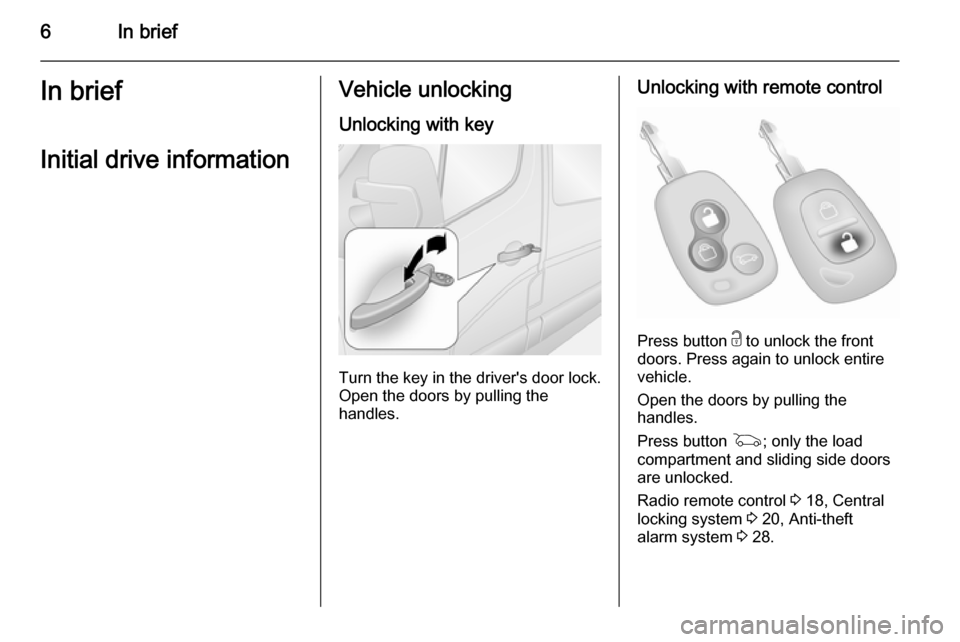
6In briefIn briefInitial drive informationVehicle unlockingUnlocking with key
Turn the key in the driver's door lock.
Open the doors by pulling the
handles.
Unlocking with remote control
Press button c to unlock the front
doors. Press again to unlock entire
vehicle.
Open the doors by pulling the
handles.
Press button G; only the load
compartment and sliding side doors
are unlocked.
Radio remote control 3 18, Central
locking system 3 20, Anti-theft
alarm system 3 28.
Page 13 of 215

In brief11
1Fixed air vents .................... 107
2 Headlight range
adjustment ........................... 90
Ultrasonic parking assist .....130
Traction control system ......124
Electronic stability program 125
3 Side air vents .....................106
4 Light switch .......................... 89
Turn and lane-change
signals .................................. 91
High beam and low beam,
headlight flash ......................90
Sidelights .............................. 89
Automatic light control .......... 89
Exit lighting ........................... 95
Front fog lights .....................92
Rear fog light ........................ 92
5 Instruments .......................... 74
Transmission display ............77
Driver Information Centre ...... 846 Horn ..................................... 70
Driver airbag ........................ 50
7 Remote control on
steering wheel .......................69
Cruise control .....................126
8 Windscreen wiper,
windscreen washer system ..70
Trip computer ........................ 86
9 Coin tray ............................... 61
10 Power outlet ......................... 72
11 Centre air vents .................. 106
12 Storage compartment ...........61
13 Front passenger airbag .........50
Storage compartment ..........61
14 Glovebox .............................. 62
15 Cupholders ........................... 62
16 Climate control system ......... 96
17 Cigarette lighter .................... 73
Power outlet ......................... 7218Gear lever, Manual
transmission ........................ 117
Manual transmission
automated ........................... 118
19 Cruise control and speed
limiter ................................. 126
Manual transmission
automated,
Winter and Laden modes ....120
Idle speed control ...............111
Stop-start system ................111
20 Ignition switch with
steering wheel lock ............110
21 Steering column controls .....70
22 Steering wheel adjustment ..69
23 Bonnet release lever ..........140
24 Auxiliary heater ...................102
25 Storage compartment ..........61
Fuse box ............................ 157
Page 19 of 215
In brief17
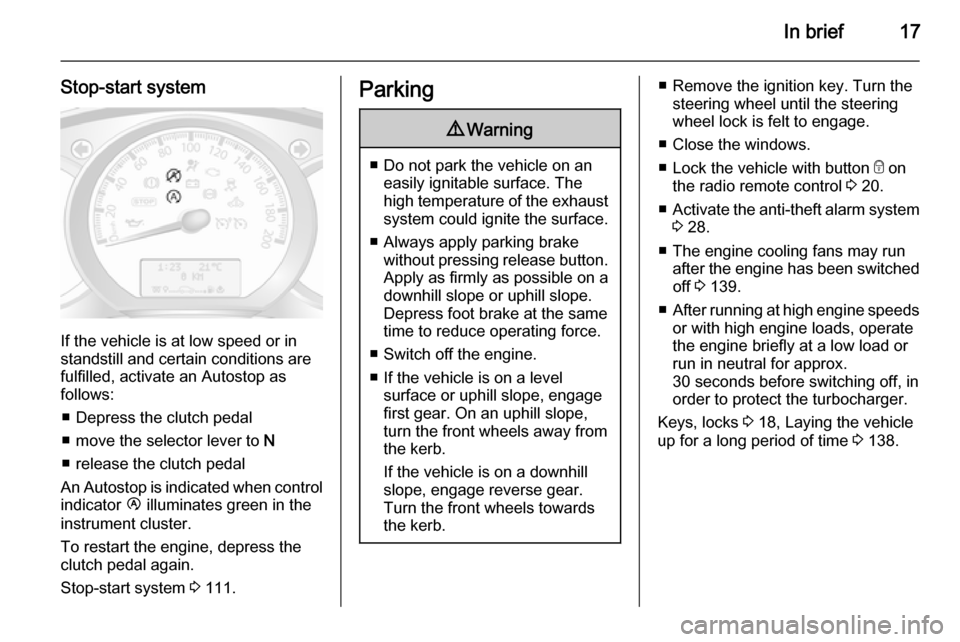
Stop-start system
If the vehicle is at low speed or in
standstill and certain conditions are
fulfilled, activate an Autostop as
follows:
■ Depress the clutch pedal
■ move the selector lever to N
■ release the clutch pedal
An Autostop is indicated when control
indicator Ï illuminates green in the
instrument cluster.
To restart the engine, depress the
clutch pedal again.
Stop-start system 3 111.
Parking9 Warning
■ Do not park the vehicle on an
easily ignitable surface. The
high temperature of the exhaust system could ignite the surface.
■ Always apply parking brake without pressing release button.Apply as firmly as possible on a
downhill slope or uphill slope.
Depress foot brake at the same
time to reduce operating force.
■ Switch off the engine.
■ If the vehicle is on a level surface or uphill slope, engage
first gear. On an uphill slope,
turn the front wheels away from the kerb.
If the vehicle is on a downhill
slope, engage reverse gear.
Turn the front wheels towards
the kerb.
■ Remove the ignition key. Turn the steering wheel until the steering
wheel lock is felt to engage.
■ Close the windows.
■ Lock the vehicle with button e on
the radio remote control 3 20.
■ Activate the anti-theft alarm system
3 28.
■ The engine cooling fans may run after the engine has been switchedoff 3 139.
■ After running at high engine speeds
or with high engine loads, operate
the engine briefly at a low load or
run in neutral for approx.
30 seconds before switching off, in
order to protect the turbocharger.
Keys, locks 3 18, Laying the vehicle
up for a long period of time 3 138.
Page 20 of 215

18Keys, doors and windowsKeys, doors and
windowsKeys, locks ................................... 18
Doors ........................................... 24
Vehicle security ............................ 28
Exterior mirrors ............................ 30
Interior mirrors ............................. 32
Windows ...................................... 33
Roof ............................................. 35Keys, locks
Keys Replacement keys
The key number is specified in the
Car Pass or on a detachable tag.
The key number must be quoted
when ordering replacement keys as it
is a component of the immobiliser
system.
Locks 3 175.
Lock cylinders
Designed to free-wheel if they are
forcefully rotated without the correct
key or if the correct key is not fully
inserted. To reset, turn cylinder with
the correct key until its slot is vertical, remove key and then re-insert it. If the
cylinder still free-wheels, turn the key through 180° and repeat operation.
Car Pass
The Car Pass contains security
related vehicle data and should
therefore be kept in a safe place.When the vehicle is taken to a
workshop, this vehicle data is needed in order to perform certain operations.
Radio remote control
Used to operate: ■ Central locking system
■ Anti-theft locking system
■ Anti-theft alarm system
Depending on model, the vehicle may use a 2-button or 3-button remote
control.
Page 21 of 215
Keys, doors and windows19
The remote control has a range of
approx. 5 metres. It can be affected
by external influences. The hazard
warning flashers confirm operation.
Handle with care, protect it from
moisture and high temperatures and
avoid unnecessary operation.
Fault If the central locking system cannot
be operated with the remote control,
it may be due to the following:
■ Range exceeded.
■ Battery voltage too low.
■ Frequent, repeated operation of the
remote control while not in range,
which will require reprogramming
by a workshop.
■ Interference from higher-power radio waves from other sources.
Unlocking 3 20.
Remote control battery
replacement
Replace the battery as soon as the
range reduces.
Batteries do not belong in household
waste. They must be disposed of at
an appropriate recycling collection
point.
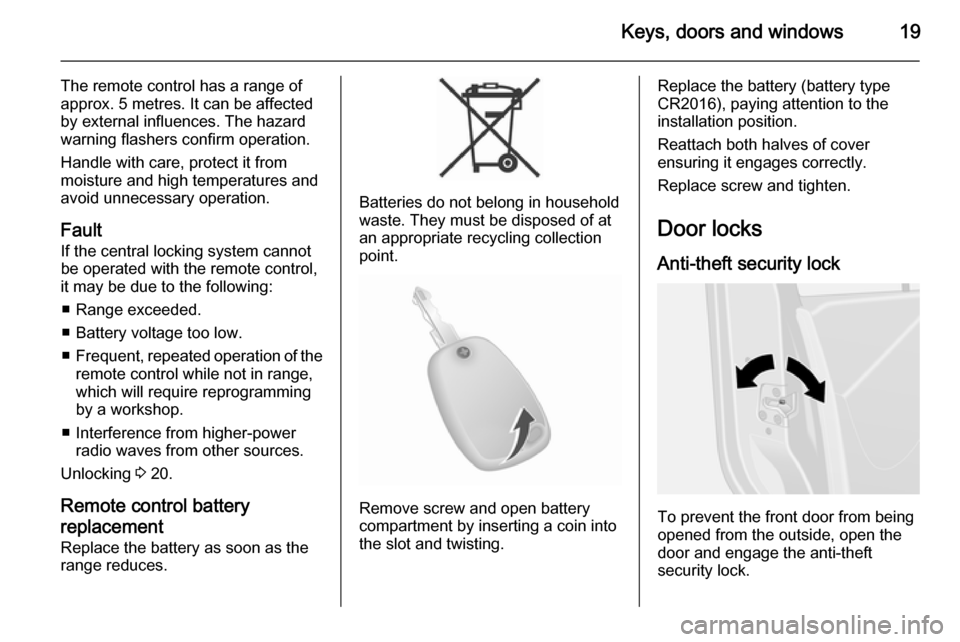
Remove screw and open battery
compartment by inserting a coin into
the slot and twisting.
Replace the battery (battery type
CR2016), paying attention to the
installation position.
Reattach both halves of cover
ensuring it engages correctly.
Replace screw and tighten.
Door locks
Anti-theft security lock
To prevent the front door from being
opened from the outside, open the
door and engage the anti-theft
security lock.
Page 22 of 215
20Keys, doors and windows
Using a suitable tool, turn the lock
switch on the door to the locked
position. The door cannot be opened
from outside.
The anti-theft security lock remains
engaged even after unlocking the
vehicle with the remote control. The
door can only be opened from inside
or by using the manual key.
To disengage, turn the switch to the
unlocked position.
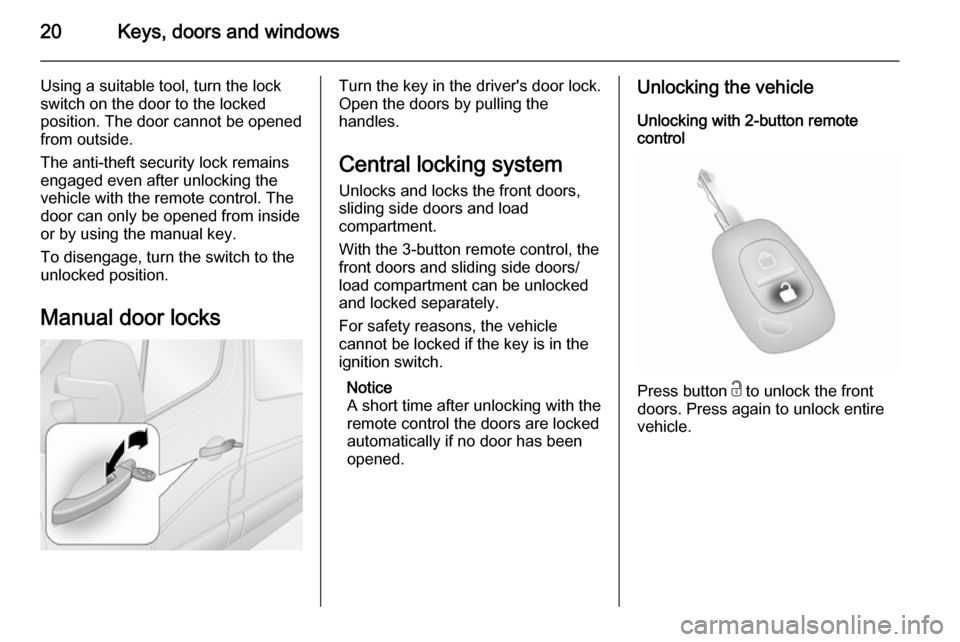
Manual door locksTurn the key in the driver's door lock.
Open the doors by pulling the
handles.
Central locking system Unlocks and locks the front doors,
sliding side doors and load
compartment.
With the 3-button remote control, the
front doors and sliding side doors/
load compartment can be unlocked
and locked separately.
For safety reasons, the vehicle
cannot be locked if the key is in the
ignition switch.
Notice
A short time after unlocking with the
remote control the doors are locked
automatically if no door has been
opened.Unlocking the vehicle
Unlocking with 2-button remote
control
Press button c to unlock the front
doors. Press again to unlock entire
vehicle.
Page 23 of 215
Keys, doors and windows21
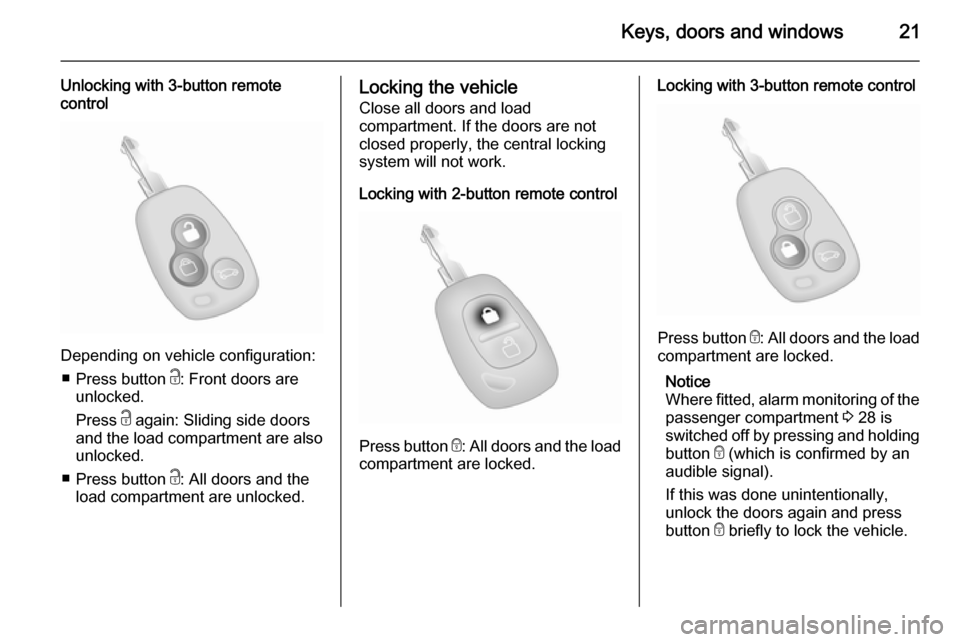
Unlocking with 3-button remote
control
Depending on vehicle configuration:
■ Press button c: Front doors are
unlocked.
Press c again: Sliding side doors
and the load compartment are also
unlocked.
■ Press button c: All doors and the
load compartment are unlocked.
Locking the vehicle
Close all doors and load
compartment. If the doors are not
closed properly, the central locking
system will not work.
Locking with 2-button remote control
Press button e: All doors and the load
compartment are locked.
Locking with 3-button remote control
Press button e: All doors and the load
compartment are locked.
Notice
Where fitted, alarm monitoring of the passenger compartment 3 28 is
switched off by pressing and holding
button e (which is confirmed by an
audible signal).
If this was done unintentionally,
unlock the doors again and press
button e briefly to lock the vehicle.
Page 24 of 215
22Keys, doors and windows
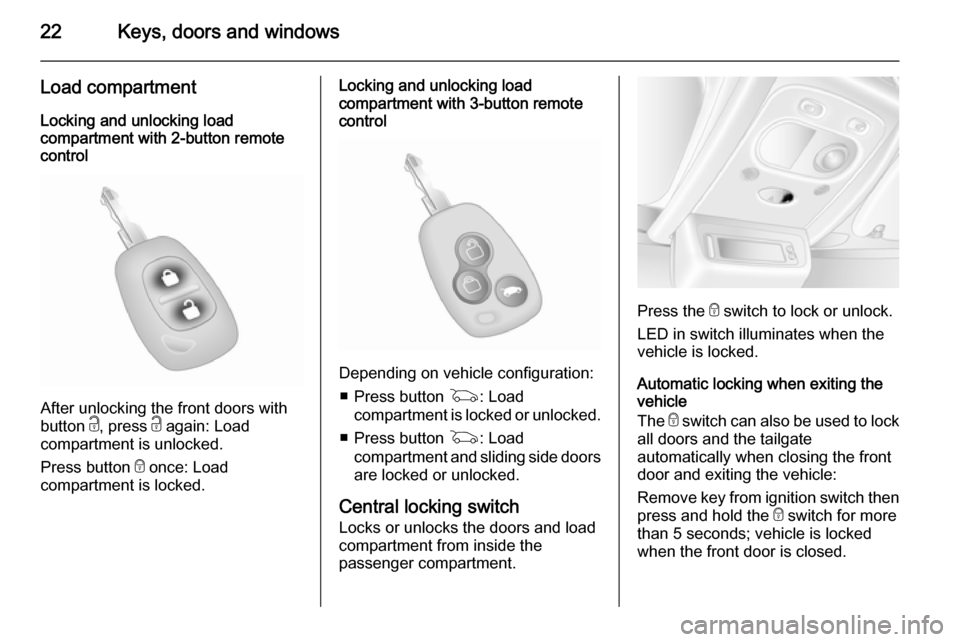
Load compartmentLocking and unlocking load
compartment with 2-button remote
control
After unlocking the front doors with
button c, press c again: Load
compartment is unlocked.
Press button e once: Load
compartment is locked.
Locking and unlocking load
compartment with 3-button remote
control
Depending on vehicle configuration:
■ Press button G: Load
compartment is locked or unlocked.
■ Press button G: Load
compartment and sliding side doors
are locked or unlocked.
Central locking switch Locks or unlocks the doors and loadcompartment from inside the
passenger compartment.
Press the e switch to lock or unlock.
LED in switch illuminates when the vehicle is locked.
Automatic locking when exiting the
vehicle
The e switch can also be used to lock
all doors and the tailgate
automatically when closing the front
door and exiting the vehicle:
Remove key from ignition switch then press and hold the e switch for more
than 5 seconds; vehicle is locked when the front door is closed.
Page 25 of 215
Keys, doors and windows23
Fault in remote control systemUnlocking
Manually unlock the front door by
turning the key in the lock.
Switch on the ignition and press the
central locking switch e to open all
doors and the load compartment.
Locking
Manually lock the front door by
turning the key in the lock.
Fault in central locking system
Unlocking
Manually unlock the front door by turning the key in the lock. The other
doors can be opened by pulling the interior handles.
Locking
Push inside locking knob of all doors
except driver's door. Then close the
driver's door and lock it from the
outside with the key.Power door locks
Bus For safety, it is possible for the driver
to operate the passenger door locks
remotely.
All doors must be fully closed and
automatic locking deactivated 3 24.
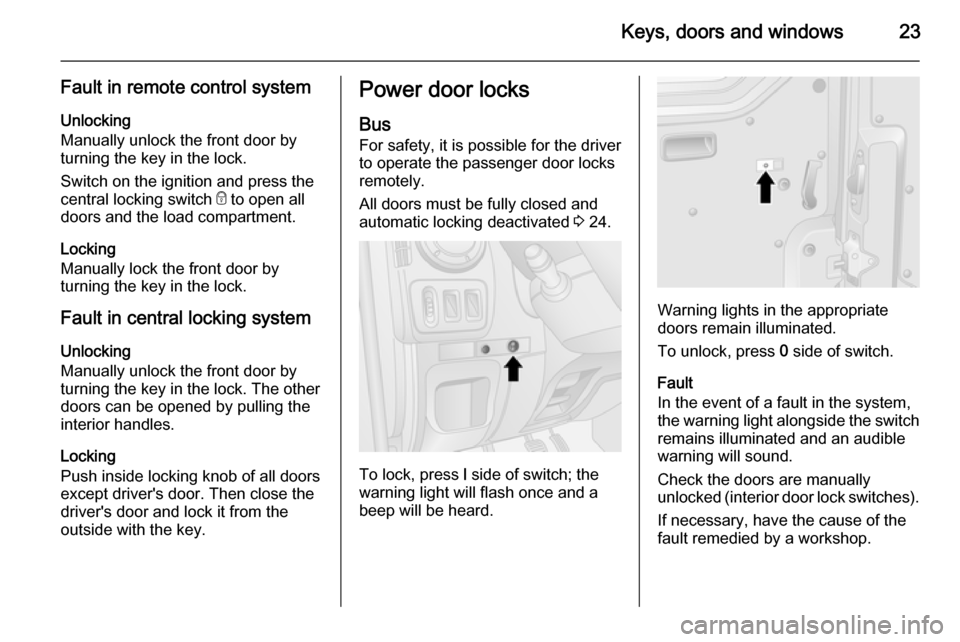
To lock, press l side of switch; the
warning light will flash once and a
beep will be heard.
Warning lights in the appropriate
doors remain illuminated.
To unlock, press 0 side of switch.
Fault
In the event of a fault in the system,
the warning light alongside the switch remains illuminated and an audiblewarning will sound.
Check the doors are manually
unlocked (interior door lock switches).
If necessary, have the cause of the
fault remedied by a workshop.
Page 30 of 215
28Keys, doors and windows
When opening the doors to 270º, the
doors are retained in the fully open
position by magnets on the body side.9 Warning
Ensure extended opening doors
are secured when fully opened.
Opened doors may slam closed due to the force of the wind!
When closing the doors, secure each
locking stay to the catch on the door
frame.
The rear doors can be locked from
inside the vehicle with the interior lock
switch.
Close the left-hand door before the
right-hand door.
Vehicle security
Anti-theft locking system9 Warning
Do not use the system if there are
people in the vehicle! The doorscannot be unlocked from the
inside.
The system deadlocks the doors. All
doors must be closed or the system
cannot be activated.
Notice
The anti-theft locking system cannot be activated when the hazard
warning lights or sidelights are
switched on.
Activation and deactivation are not
possible with the central locking
switch.
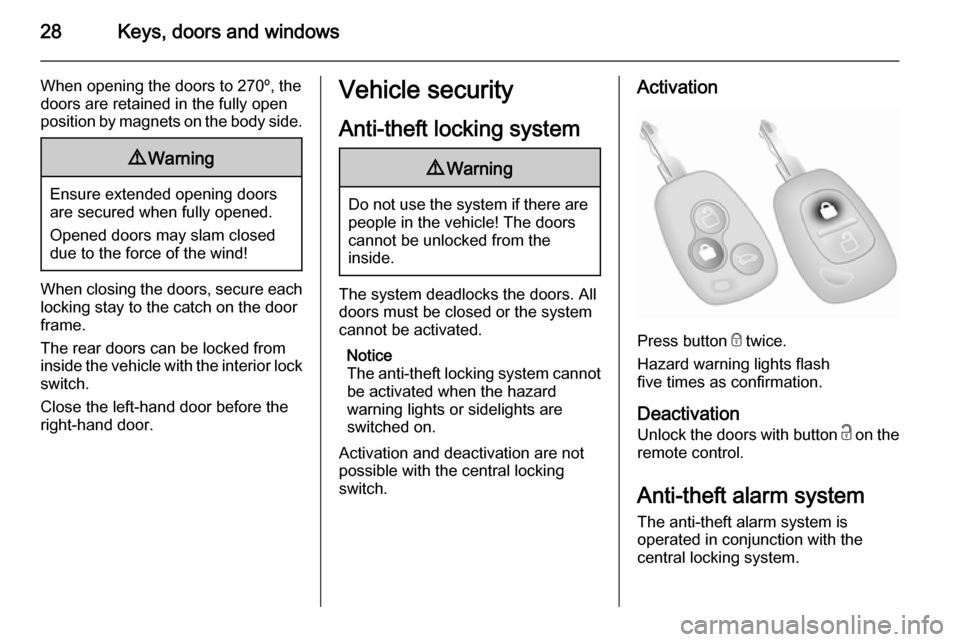
Activation
Press button e twice.
Hazard warning lights flash
five times as confirmation.
Deactivation
Unlock the doors with button c on the
remote control.
Anti-theft alarm system The anti-theft alarm system is
operated in conjunction with the
central locking system.