engine VAUXHALL MOVANO_B 2015 User Guide
[x] Cancel search | Manufacturer: VAUXHALL, Model Year: 2015, Model line: MOVANO_B, Model: VAUXHALL MOVANO_B 2015Pages: 209, PDF Size: 4.92 MB
Page 78 of 209
76Instruments and controls
If the engine oil level is correct when
the ignition is switched on OIL LEVEL
CORRECT appears briefly in the
Driver Information Centre.
If the engine oil is above the minimum level, press the trip computer button
on the end of the wiper lever within
30 seconds of switching on the
ignition. The message OIL LEVEL is
displayed in combination with the squares that correspond to the oil
level.
As the oil level diminishes, the
squares in the display are replaced
with dashes.▢▢▢▢▢▢=Maximum level▢▢▢- - -=Intermediate level- - - - - -=Minimum level
If the minimum engine oil level is
reached TOP-UP OIL LEVEL is
displayed in combination with control
indicator A after the ignition is
switched on for 30 seconds. Check
and top up engine oil 3 137.
To exit the oil level monitor display,
press either trip computer button.
Trip computer 3 86.
Service display
When the ignition is switched on, the
remaining distance before the next
service is due may be shown briefly in the Driver Information Centre. Based
on driving conditions, the interval at
which a service will be indicated can
vary considerably.
When the remaining distance before
the next service is less than
1800 miles or 2 months, SERVICE
IN appears in the Driver Information
Centre.
When the distance reaches 0 miles or the service date is due, control
indicators o and A illuminate in the
instrument cluster and SERVICE
DUE appears in the Driver
Information Centre.
The vehicle needs a service. Seek the
assistance of a workshop.
Resetting the service displayAfter a service, the service display
must be reset: if available, select the
distance before service display in the
Driver Information Centre, then press
and hold button on end of wiper leverfor approx. 10 seconds until the
distance before service is displayed
continuously.
Trip computer 3 86.
Driver Information Centre 3 84.
Service information 3 174.
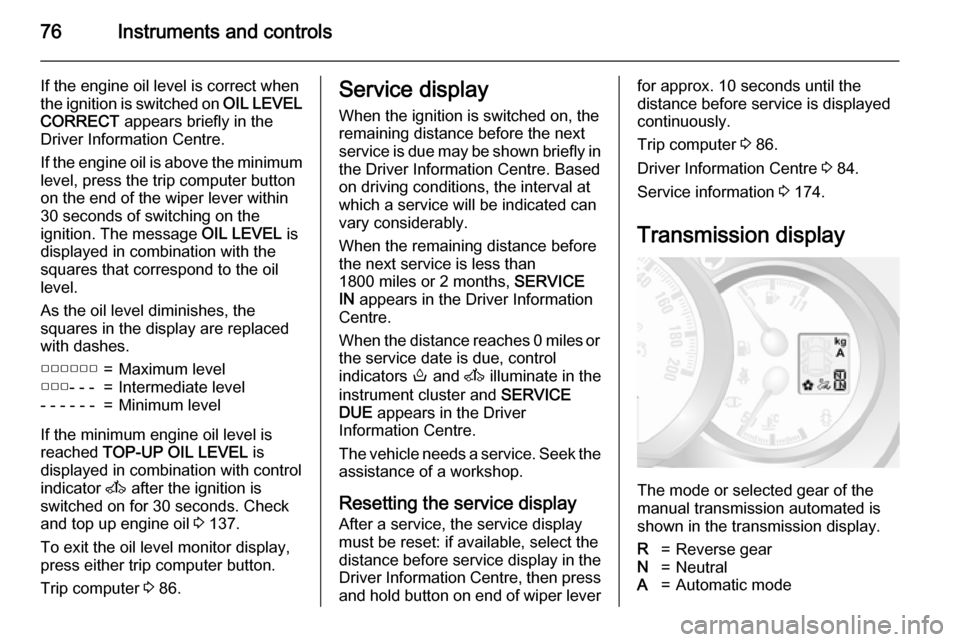
Transmission display
The mode or selected gear of the
manual transmission automated is shown in the transmission display.
R=Reverse gearN=NeutralA=Automatic mode
Page 82 of 209

80Instruments and controlsCharging system
p illuminates red.
Illuminates when the ignition is
switched on and extinguishes shortly
after the engine starts.
Illuminates when the engine isrunning
Stop, switch off engine. Vehicle
battery is not charging. Engine
cooling may be interrupted. The
brake servo unit may cease to be
effective. Seek the assistance of a
workshop.
Malfunction indicator light
Z illuminates or flashes yellow.
Illuminates briefly when the ignition is switched on.
Illuminates when the engine is
running
Fault in the emission control system.
The permitted emission limits may be
exceeded. Seek the assistance of a
workshop immediately.Flashes when the engine is
running
Fault that could lead to catalytic
converter damage. Ease up on the
accelerator until the flashing stops.
Seek the immediate assistance of a
workshop.
Service vehicle soon A illuminates yellow.
Illuminates briefly when the ignition is
switched on.
The vehicle needs a service.
May illuminate in combination with
another control indicator or a
message in the Driver Information
Centre 3 84.
Illuminates if cleaning of the diesel
particle filter is required and
automatic cleaning does not occur
3 115.
Seek the assistance of a workshop
immediately.
Stop engine
C illuminates red.Illuminates for a few seconds when
the ignition is switched on.
If C illuminates (possibly in
combination with W and/or R), stop
engine immediately and seek the
assistance of a workshop.
Depending on the type of fault, a
warning message may also appear in the Driver Information Centre 3 84.
Brake system R illuminates red.
Illuminates briefly when the ignition is
switched on.
Control indicator R remains
illuminated after the ignition is
switched on if the parking brake is
applied 3 122.
When the parking brake is released,
R illuminates (possibly in
combination with C) if the brake fluid
level is too low 3 141.
Page 83 of 209
Instruments and controls819Warning
Stop. Do not continue your
journey. Consult a workshop.
Brake system 3 121.
Brake pad wear
F illuminates yellow.
Illuminates when the brake pads are
worn 3 121.
Seek the assistance of a workshop.
Antilock brake system
(ABS)
u illuminates yellow.
Illuminates briefly when the ignition is switched on. The system is ready for
operation when u extinguishes.
If control indicators u and A
illuminate with the messages CHECK
ABS and CHECK ESP in the Driver
Information Centre 3 84, there is a
fault in the ABS. The brake system
remains operational but without ABS
regulation.
If control indicators u, A , R and
C illuminate, the ABS and ESP are
deactivated and the message
BRAKING FAULT is displayed. Seek
the assistance of a workshop.
Antilock brake system 3 121.
Upshift k or j illuminates yellow.
Illuminates when gearshifting is
recommended for fuel saving
reasons.
ECO mode 3 108.
Electronic Stability
Program
b flashes or illuminates yellow.
Illuminates for a few seconds when
the ignition is switched on.Flashing during driving
The system is actively engaged.
Engine output may be reduced and the vehicle may be braked
automatically to a small degree
3 124.
Illuminates during driving The system is unavailable.
May illuminate together with control
indicator A 3 80. A corresponding
message also appears in the Driver
Information Centre 3 84.
ESP® Plus
3 124, Traction Control
system 3 123.
Electronic Stability
Program off
Ø
Not used.
ESP® Plus
3 124, Traction Control
system 3 123.
Page 84 of 209
82Instruments and controlsEngine coolant
temperature
W illuminates red.
Illuminates when the engine is running
If W illuminates (possibly in
combination with control indicator
C ), stop vehicle and switch off
engine.Caution
Coolant temperature too high.
Check coolant level 3 138.
If there is sufficient coolant, consult a workshop.
Preheating
! illuminates yellow.
Preheating is activated.Only
activates when outside temperature is low.
Diesel particle filter
8
Not used.
Diesel particle filter 3 80, 3 115.
Tyre pressure monitoring
system
w illuminates or flashes.
Illuminates
Tyre pressure loss. Stop immediately and check tyre pressure.
Control indicator w illuminates
together with C 3 80 and a
corresponding message appears in
the Driver Information Centre when a
puncture or severely under-inflated
tyre is detected.
Flashes
Fault in system. After a delay the
control indicator illuminates
continuously. Consult a workshop.
Control indicator w illuminates
together with A 3 80 and a
corresponding message appears inthe Driver Information Centre when a tyre without a pressure sensor ismounted (e.g. spare wheel).
Tyre pressure monitoring system
3 157.
Engine oil pressure
I illuminates red.
Illuminates briefly when the ignition is switched on.
Illuminates when the engine is runningCaution
Engine lubrication may be
interrupted. This may result in
damage to the engine and/or
locking of the drive wheels.
1. Depress clutch.
2. Select neutral gear, set selector lever to N.
Page 85 of 209
Instruments and controls83
3. Move out of the flow of traffic asquickly as possible without
impeding other vehicles.
4. Switch off ignition.9 Warning
When the engine is off,
considerably more force is needed
to brake and steer. During an
Autostop the brake servo unit will still be operational.
Do not remove key until vehicle is stationary, otherwise the steeringwheel lock could engage
unexpectedly.
Check oil level before seeking
assistance of a workshop 3 137.
Low fuel
Y illuminates yellow.
Illuminates when the ignition is
switched on and extinguishes shortly
after the engine starts.
Illuminates when the engine is
running
Fuel level in the tank is too low. Refuel immediately.
Never run the tank dry.
Refuelling 3 131.
Catalytic converter 3 116.
Bleeding the diesel fuel system
3 143.
Drain fuel filter
Q illuminates yellow.
Illuminates when the ignition is
switched on and extinguishes shortly
after the engine starts.
Illuminates when the engine is running
Indicates the presence of water in the diesel. Seek the assistance of a
workshop immediately.
Stop-start system \
Not used.Ï illuminates or flashes yellow /
green.
Illuminates
Illuminates green during an Autostop.
If Ï illuminates yellow there is a fault
in the stop-start system. Seek the
assistance of a workshop.
Flashes Flashes green during an automatic
restart.
Stop-start system 3 111.
Exterior light 9 illuminates green.
Illuminated when the exterior lights
are on 3 89.
High beam P illuminates blue.
Illuminated when high beam is on and during headlight flash 3 90.
Page 86 of 209
84Instruments and controlsFog light
> illuminates green.
Illuminated when the front fog lights
are on 3 91.
Rear fog light
r illuminates yellow.
Illuminated when the rear fog light is
on 3 92.
Cruise control m , U illuminates green or yellow.
m illuminates green when a certain
speed is stored.
U illuminates green when the system
is on.
Speed limiter U illuminates yellow.
U illuminates yellow when the
system is on.
Cruise control, Speed limiter 3 125.Tachograph
& illuminates when there is a fault
3 88.
Door open
U illuminates red.
Illuminates with the ignition switched
on when a door or the tailgate is open.
Vehicles with manual transmission
automated; control indicator
illuminates in transmission display indicating relevant open door.Information displays
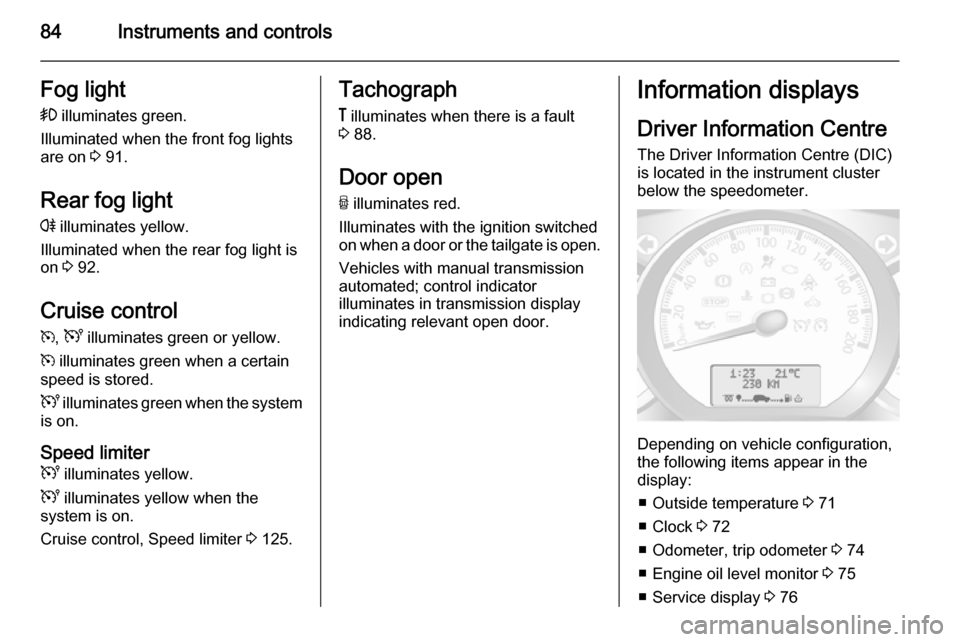
Driver Information Centre The Driver Information Centre (DIC)
is located in the instrument cluster
below the speedometer.
Depending on vehicle configuration,
the following items appear in the
display:
■ Outside temperature 3 71
■ Clock 3 72
■ Odometer, trip odometer 3 74
■ Engine oil level monitor 3 75
■ Service display 3 76
Page 87 of 209
Instruments and controls85
■ Vehicle messages 3 85
■ Trip computer 3 86
Some of the displayed functions differ
when the vehicle is being driven or at a standstill. Some functions are only
available when the vehicle is being
driven.
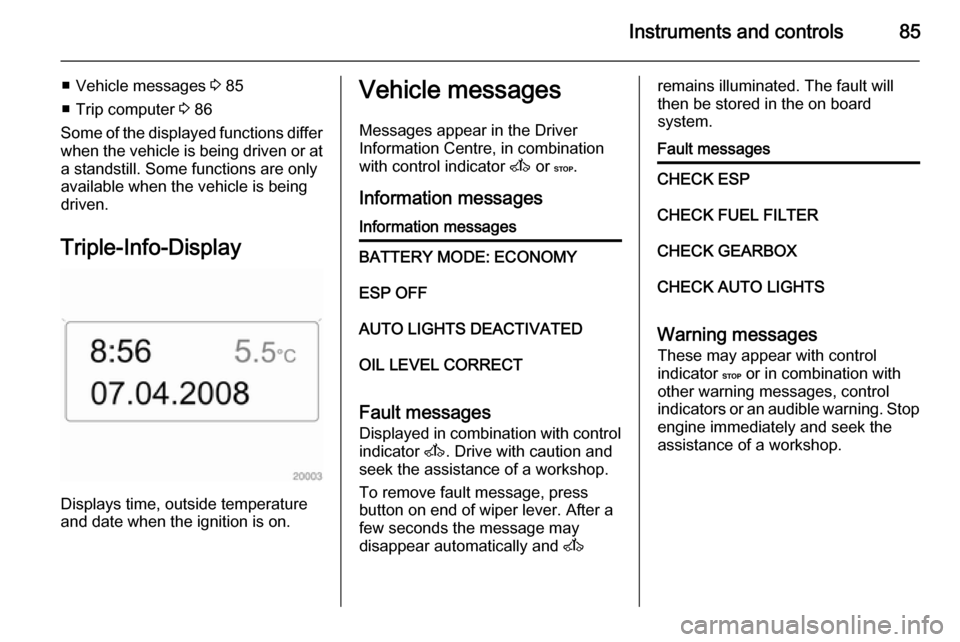
Triple-Info-Display
Displays time, outside temperature
and date when the ignition is on.
Vehicle messages
Messages appear in the Driver
Information Centre, in combination
with control indicator A or C.
Information messagesInformation messagesBATTERY MODE: ECONOMYESP OFFAUTO LIGHTS DEACTIVATEDOIL LEVEL CORRECT
Fault messages Displayed in combination with control
indicator A. Drive with caution and
seek the assistance of a workshop.
To remove fault message, press
button on end of wiper lever. After a
few seconds the message may
disappear automatically and A
remains illuminated. The fault will
then be stored in the on board
system.Fault messagesCHECK ESPCHECK FUEL FILTERCHECK GEARBOXCHECK AUTO LIGHTS
Warning messages
These may appear with control
indicator C or in combination with
other warning messages, control
indicators or an audible warning. Stop
engine immediately and seek the
assistance of a workshop.
Page 88 of 209
86Instruments and controls
Warning messagesINJECTION FAULTENGINE OVERHEATINGGEARBOX OVERHEATING
Warning chimesWhen starting the engine or
whilst driving
Only one warning chime will sound at
a time.
The warning chime regarding
unfastened seat belts has priority
over any other warning chime.
■ If seat belt is not fastened.
■ If a certain speed is exceeded with the parking brake applied.
■ If the parking assist detects an object.
■ If the vehicle has manual transmission automated and the
clutch temperature is too high.
■ If the vehicle speed briefly exceeds
a set limit.
■ During closing of the power sliding door.
■ If the sliding door is open and the parking brake is released.
■ During activation and deactivation of alarm monitoring of vehicle
inclination.
When the vehicle is parked and/ or the driver's door is opened ■ When the key is in the ignition switch.
■ With exterior lights on.
■ If the vehicle has manual transmission automated; neutral is
not selected or the foot brake has
not been depressed. A
corresponding message appears in the Driver Information Centre.Trip computer
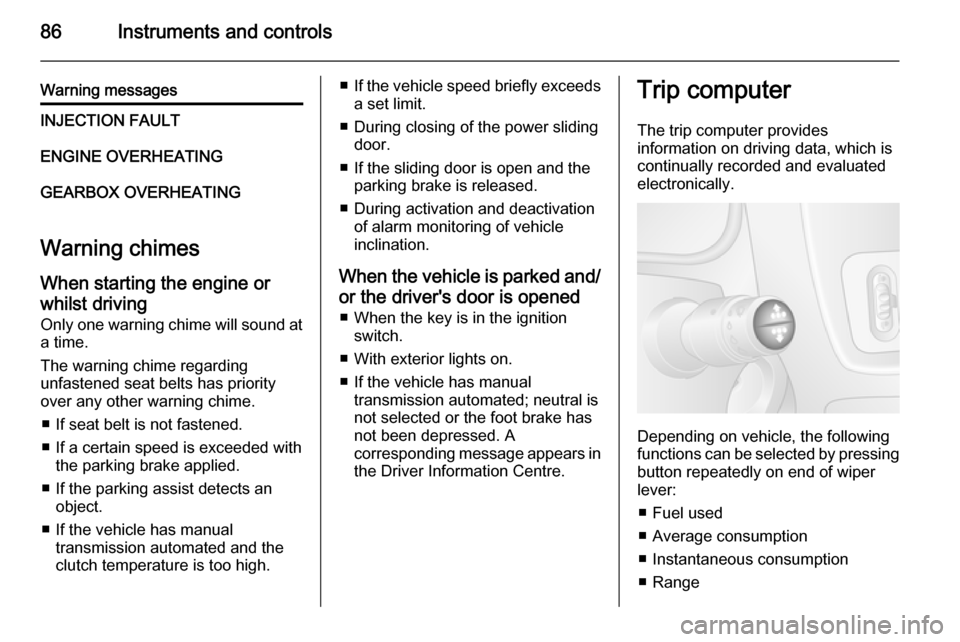
The trip computer provides
information on driving data, which is
continually recorded and evaluated electronically.
Depending on vehicle, the following
functions can be selected by pressing button repeatedly on end of wiper
lever:
■ Fuel used
■ Average consumption
■ Instantaneous consumption
■ Range
Page 91 of 209
Lighting89LightingExterior lighting............................ 89
Interior lighting ............................. 92
Lighting features ..........................94Exterior lighting
Light switch
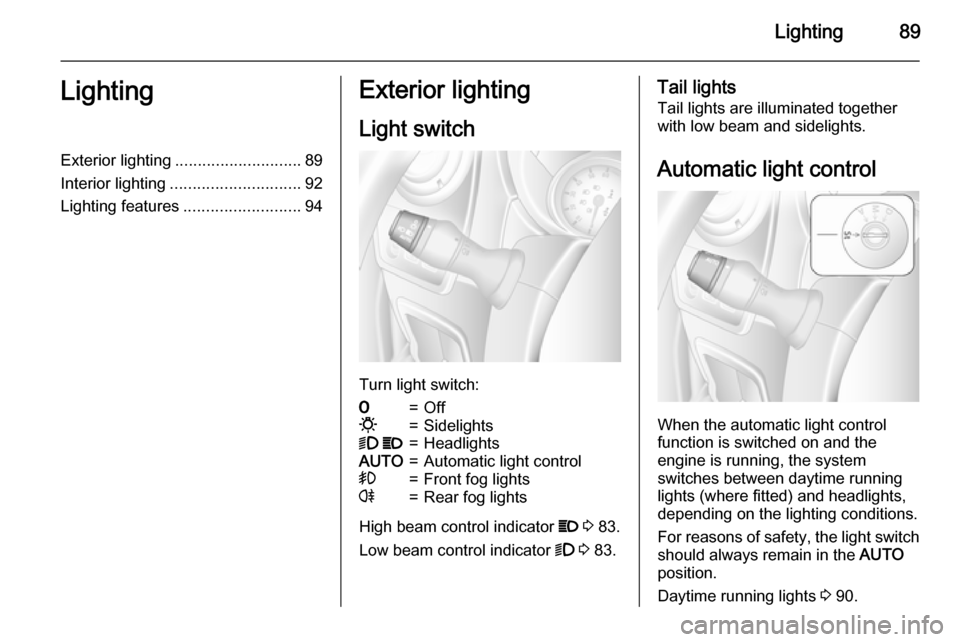
Turn light switch:
7=Off0=Sidelights9 P=HeadlightsAUTO=Automatic light control>=Front fog lightsr=Rear fog lights
High beam control indicator P 3 83.
Low beam control indicator 9 3 83.
Tail lights
Tail lights are illuminated together
with low beam and sidelights.
Automatic light control
When the automatic light control
function is switched on and the
engine is running, the system
switches between daytime running
lights (where fitted) and headlights,
depending on the lighting conditions.
For reasons of safety, the light switch
should always remain in the AUTO
position.
Daytime running lights 3 90.
Page 98 of 209
96Climate controlClimate controlClimate control systems ............... 96
Air vents ..................................... 106
Maintenance .............................. 107Climate control systems
Heating and ventilation
system
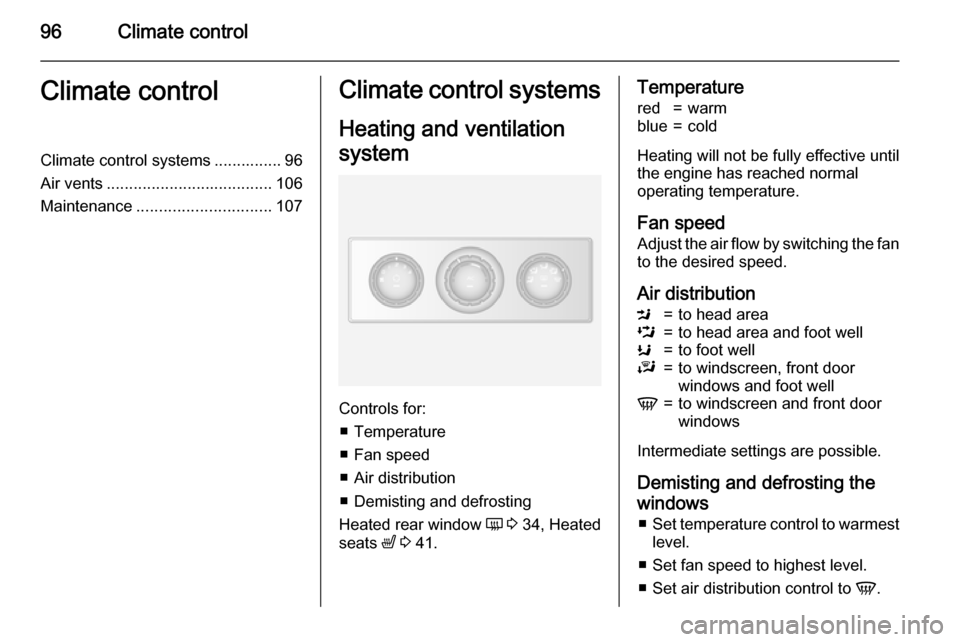
Controls for: ■ Temperature
■ Fan speed
■ Air distribution
■ Demisting and defrosting
Heated rear window Ü 3 34, Heated
seats ß 3 41.
Temperaturered=warmblue=cold
Heating will not be fully effective until
the engine has reached normal
operating temperature.
Fan speed Adjust the air flow by switching the fan
to the desired speed.
Air distribution
M=to head areaL=to head area and foot wellK=to foot wellJ=to windscreen, front door
windows and foot wellV=to windscreen and front door
windows
Intermediate settings are possible.
Demisting and defrosting thewindows ■ Set temperature control to warmest
level.
■ Set fan speed to highest level.
■ Set air distribution control to V.