esp VAUXHALL MOVANO_B 2016 User Guide
[x] Cancel search | Manufacturer: VAUXHALL, Model Year: 2016, Model line: MOVANO_B, Model: VAUXHALL MOVANO_B 2016Pages: 233
Page 93 of 233

Instruments and controls91Tyre pressure monitoring system
3 177.
Warning chimes
When starting the engine or whilst driving
Only one warning chime will sound at
a time.
The warning chime regarding
unfastened seat belts has priority
over any other warning chime.
● If seat belt is not fastened 3 47.
● If a certain speed is exceeded with the parking brake applied
3 135.
● If the parking assist detects an object or a fault is present
3 142.
● If the vehicle has manual transmission automated and the
clutch temperature is too high 3 130.
● If the vehicle speed briefly exceeds a set limit 3 77.
● During closing of the power sliding door 3 26.● If the sliding door is open and the
parking brake is released 3 26.
● During activation and deactivation of alarm monitoring
of vehicle inclination 3 31.
● If the AdBlue level falls below a certain amount or a fault is
present 3 125.
● If the lane departure warning system detects an unintended
lane change and when the
system is activated 3 146.
When the vehicle is parked and/or the driver's door is opened
● When the key is in the ignition switch.
● With exterior lights on.
● If the vehicle has manual transmission automated 3 130;
the parking brake has not been
applied, neutral is not selected or the brake pedal has not been
depressed. A corresponding
message may also appear in the
Driver Information Centre (DIC)
3 89.● If the sliding side door exterior
handle is in the open position
when unlocking the vehicle 3 26.
● If the engine is in an Autostop but
not switched off. Stop-start
system 3 119.
Page 98 of 233
96LightingDaytime running lights 3 97.
Automatic headlight activation
During poor lighting conditions the
headlights are switched on.
High beam
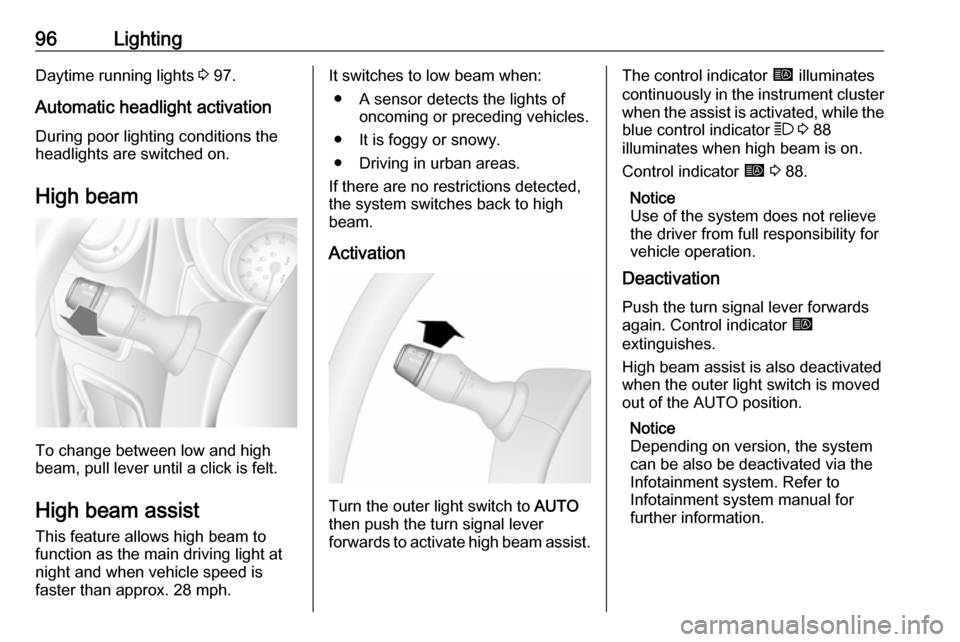
To change between low and high
beam, pull lever until a click is felt.
High beam assist This feature allows high beam to
function as the main driving light at
night and when vehicle speed is
faster than approx. 28 mph.
It switches to low beam when:
● A sensor detects the lights of oncoming or preceding vehicles.
● It is foggy or snowy.
● Driving in urban areas.
If there are no restrictions detected, the system switches back to high
beam.
Activation
Turn the outer light switch to AUTO
then push the turn signal lever
forwards to activate high beam assist.
The control indicator í illuminates
continuously in the instrument cluster when the assist is activated, while the
blue control indicator 7 3 88
illuminates when high beam is on.
Control indicator í 3 88.
Notice
Use of the system does not relieve
the driver from full responsibility for
vehicle operation.
Deactivation
Push the turn signal lever forwards
again. Control indicator í
extinguishes.
High beam assist is also deactivated when the outer light switch is moved
out of the AUTO position.
Notice
Depending on version, the system
can be also be deactivated via the
Infotainment system. Refer to
Infotainment system manual for
further information.
Page 100 of 233
98LightingAdaptive forward lighting
Cornering light Depending on the steering angle,
vehicle speed and gear selected
when cornering, an additional light
will illuminate the corner of the road
on the respective side.
The cornering light is switched off
automatically after prolonged use and
at vehicle speeds above 25 mph.
Hazard warning flashers
Operated by pressing ¨.
In the event of hard braking, the
hazard warning flashers may turn on automatically. Switch off by pressing
¨ .
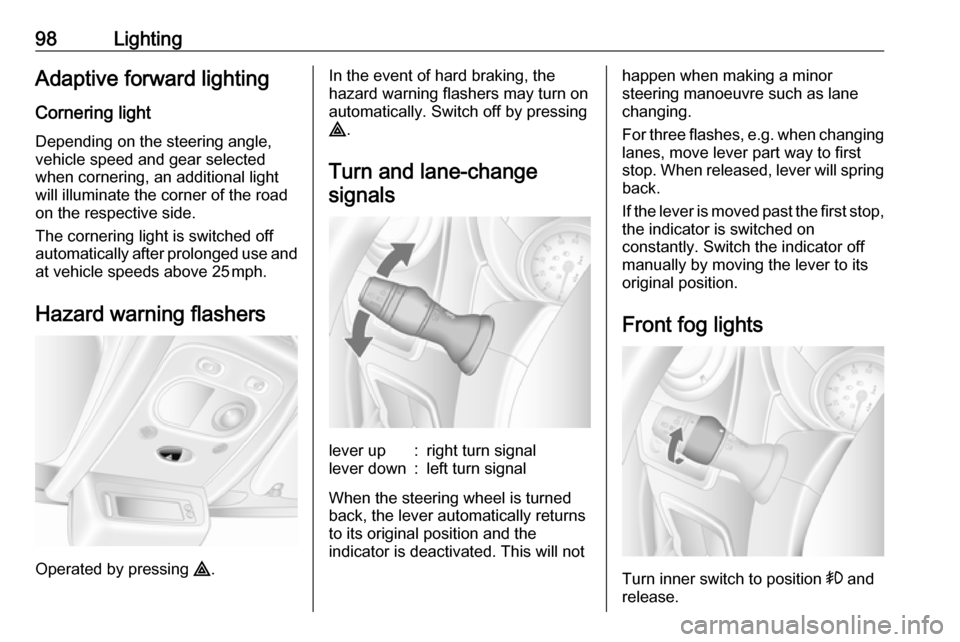
Turn and lane-change signalslever up:right turn signallever down:left turn signal
When the steering wheel is turned
back, the lever automatically returns
to its original position and the
indicator is deactivated. This will not
happen when making a minor
steering manoeuvre such as lane
changing.
For three flashes, e.g. when changing lanes, move lever part way to first
stop. When released, lever will spring
back.
If the lever is moved past the first stop,
the indicator is switched on
constantly. Switch the indicator off
manually by moving the lever to its
original position.
Front fog lights
Turn inner switch to position > and
release.
Page 110 of 233
108Climate controlThe display will remain illuminated forapprox. 15 seconds after the ignition
is switched off.
Operating the rear compartment
additional heating
Press Y to operate heating. Y will
appear in the display to indicate that
the heating is operating.
Changing the period for which
heating is operating
With the heating switched off ( Y
extinguished in display), press m for
approx. 3 seconds until the time
period for which heating is provided
flashes in the display.
Press m or n to adjust the heating
duration. The duration is set when the
display extinguishes.
Programming the heating mode
It is possible to store up to three
programmes which allow the heating
to be switched on.
Press P the appropriate number of
times to select the desired stored programme.Press m or n briefly; the
programming time flashes in the
display.
Press m or n to adjust to the
desired time, then, as soon as the
time display stops flashing, adjust the day by pressing m or n .
The time and day are set when the
display stops flashing and the clock is displayed.
Recalling a programming mode
To activate a stored programme,
press P the appropriate number of
times until the corresponding number appears on the display.
Neutral position or no stored
programme activated
Press P until there is no stored
programme number visible in the
display.
Adjusting the temperature To adjust the temperature of the
heating, turn the rotary knob located
on the control panel.turn clockwise:increase
temperatureturn anti-clock‐
wise:decrease
temperature
Rear air conditioning
system
The rear air conditioning system is
actuated in conjunction with the front
passenger compartment air
conditioning system.
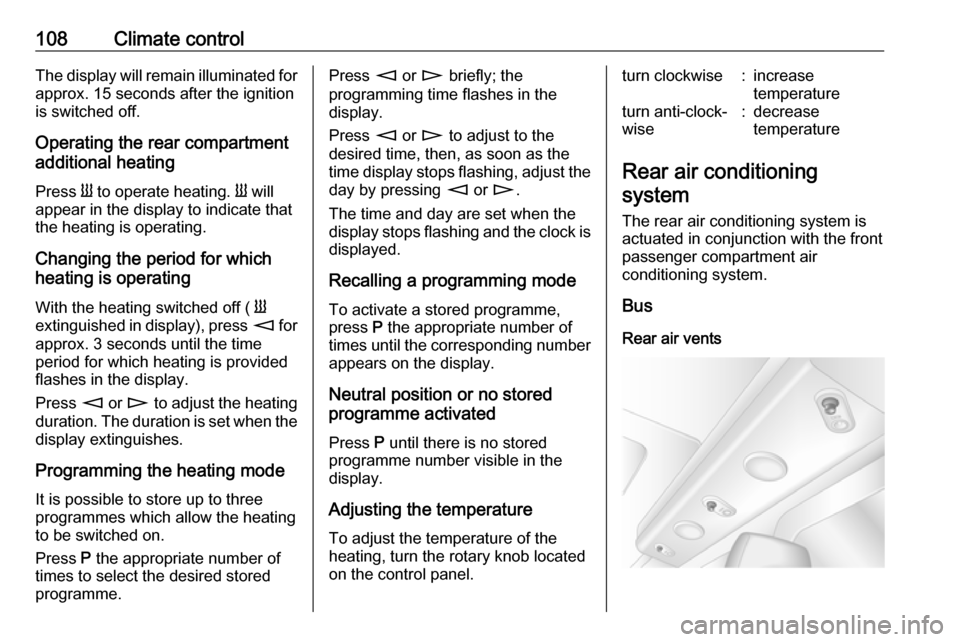
Bus
Rear air vents
Page 116 of 233
114Climate controlBus
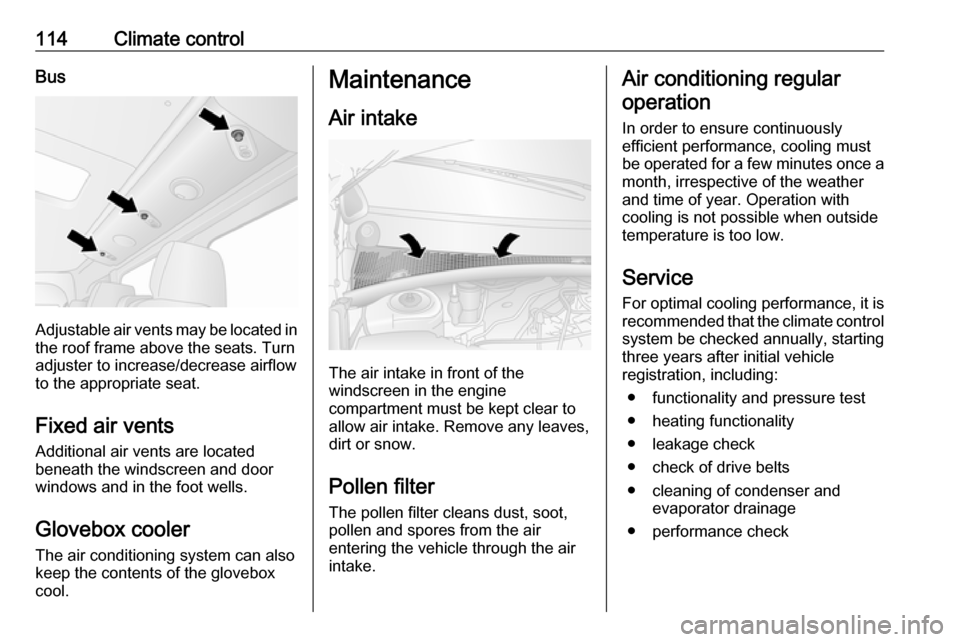
Adjustable air vents may be located inthe roof frame above the seats. Turn
adjuster to increase/decrease airflow
to the appropriate seat.
Fixed air vents Additional air vents are located
beneath the windscreen and door
windows and in the foot wells.
Glovebox cooler
The air conditioning system can also
keep the contents of the glovebox
cool.
Maintenance
Air intake
The air intake in front of the
windscreen in the engine
compartment must be kept clear to
allow air intake. Remove any leaves,
dirt or snow.
Pollen filter The pollen filter cleans dust, soot,
pollen and spores from the air
entering the vehicle through the air
intake.
Air conditioning regular
operation
In order to ensure continuously
efficient performance, cooling must
be operated for a few minutes once a
month, irrespective of the weather
and time of year. Operation with
cooling is not possible when outside
temperature is too low.
ServiceFor optimal cooling performance, it is
recommended that the climate control system be checked annually, starting
three years after initial vehicle
registration, including:
● functionality and pressure test
● heating functionality
● leakage check
● check of drive belts
● cleaning of condenser and evaporator drainage
● performance check
Page 118 of 233
116Driving and operatingDriving hints
Driving economically
ECO mode
ECO mode is a function that
optimises fuel consumption. It affects engine power and torque,
acceleration, gear shift indication,
heating, air conditioning and electrical consumers.
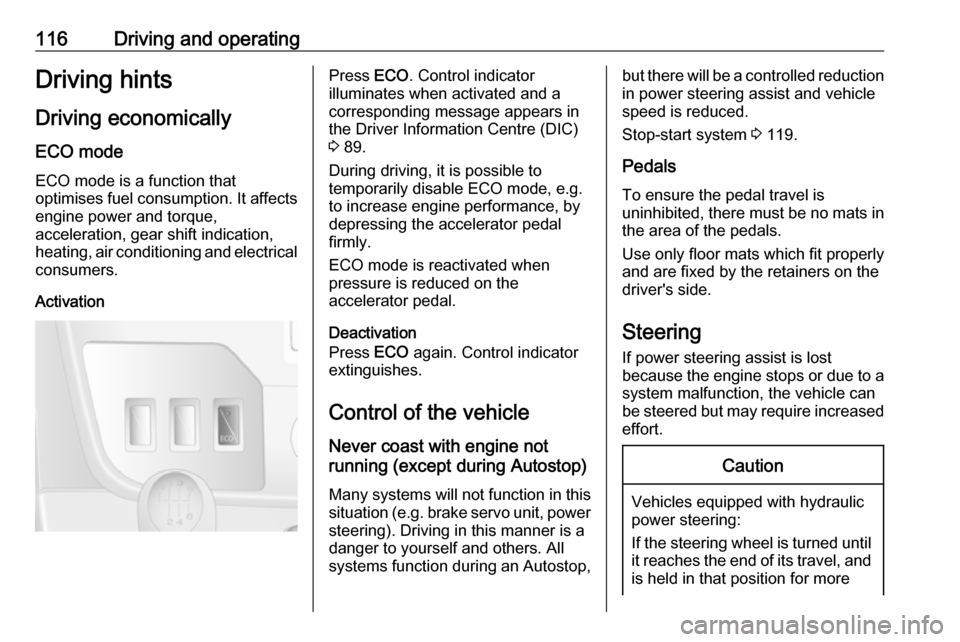
ActivationPress ECO. Control indicator
illuminates when activated and a corresponding message appears in
the Driver Information Centre (DIC)
3 89.
During driving, it is possible to
temporarily disable ECO mode, e.g.
to increase engine performance, by
depressing the accelerator pedal
firmly.
ECO mode is reactivated when
pressure is reduced on the
accelerator pedal.
Deactivation
Press ECO again. Control indicator
extinguishes.
Control of the vehicle
Never coast with engine not
running (except during Autostop)
Many systems will not function in this
situation (e.g. brake servo unit, power
steering). Driving in this manner is a
danger to yourself and others. All
systems function during an Autostop,but there will be a controlled reduction
in power steering assist and vehicle
speed is reduced.
Stop-start system 3 119.
Pedals To ensure the pedal travel is
uninhibited, there must be no mats in
the area of the pedals.
Use only floor mats which fit properly
and are fixed by the retainers on the
driver's side.
Steering
If power steering assist is lost
because the engine stops or due to a system malfunction, the vehicle can
be steered but may require increased
effort.Caution
Vehicles equipped with hydraulic
power steering:
If the steering wheel is turned until it reaches the end of its travel, and
is held in that position for more
Page 120 of 233
118Driving and operatingStarting the engine
Manual transmission: operate clutch.
Manual transmission automated:
operate brake; transmission
automatically shifts to N.
Do not accelerate.
Turn the key to position 2 for
preheating, and hold until control
indicator N extinguishes from the
Driver Information Centre (DIC).
Turn key to position 3 and release.
The increased engine speed
automatically returns to normal idling
speed as the engine temperature
rises.
Start attempts should not last longer
than 15 seconds. If engine does not
start, wait 15 seconds before
repeating starting procedure. If
necessary, depress accelerator
before repeating starting procedure.
Before restarting or to switch off the
engine, turn key back to 0.
During an Autostop, the engine can
be started by depressing the clutch
pedal. Stop-start system 3 119.
Turbo engine warm-up Upon start-up, engine available
torque may be limited for a short time,
especially when the engine
temperature is cold. The limitation is
to allow the lubrication system to fully protect the engine.Idle speed control
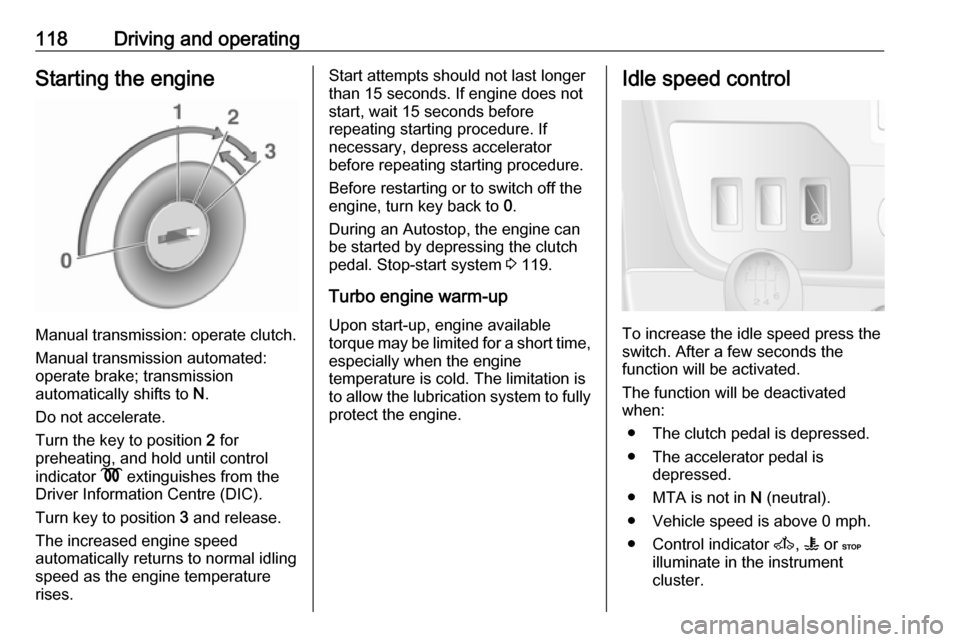
To increase the idle speed press the
switch. After a few seconds the
function will be activated.
The function will be deactivated
when:
● The clutch pedal is depressed.
● The accelerator pedal is depressed.
● MTA is not in N (neutral).
● Vehicle speed is above 0 mph. ● Control indicator A, W or C
illuminate in the instrument
cluster.
Page 121 of 233
Driving and operating119To increase or decrease the fast idle
speed rate, consult a workshop.
Notice
When the fast idle function is
activated, the stop-start system is
automatically deactivated.
Stop-start system 3 119.
Overrun cut-off
The fuel supply is automatically cut off
during overrun, i.e. when the vehicle
is driven with a gear engaged but
accelerator is released.
Stop-start system The stop-start system helps to save
fuel and to reduce the exhaust
emission. When conditions allow, it
switches off the engine as soon as the
vehicle is at a low speed or at a
standstill, e.g. at a traffic light or in a
traffic jam. It starts the engine
automatically as soon as the clutch is depressed. A vehicle battery sensor
ensures that an Autostop is only performed if the vehicle battery is
sufficiently charged for a restart.Activation
The stop-start system is available as soon as the engine is started, the
vehicle starts-off and the conditions
as stated below in this section are
fulfilled.
Deactivation
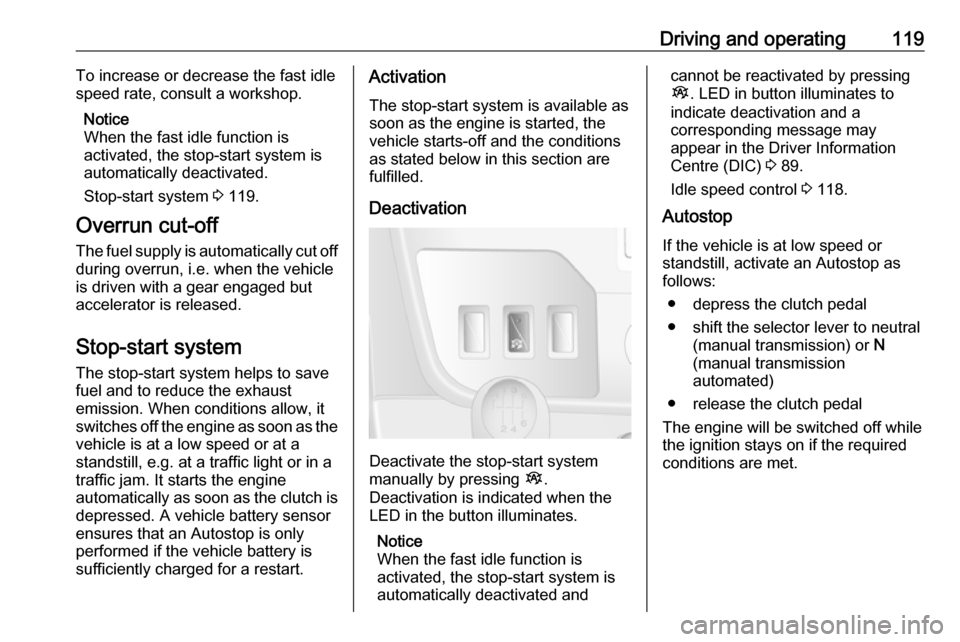
Deactivate the stop-start system
manually by pressing Î.
Deactivation is indicated when the
LED in the button illuminates.
Notice
When the fast idle function is
activated, the stop-start system is
automatically deactivated and
cannot be reactivated by pressing
Î . LED in button illuminates to
indicate deactivation and a
corresponding message may
appear in the Driver Information
Centre (DIC) 3 89.
Idle speed control 3 118.
Autostop
If the vehicle is at low speed or
standstill, activate an Autostop as
follows:
● depress the clutch pedal
● shift the selector lever to neutral (manual transmission) or N
(manual transmission
automated)
● release the clutch pedal
The engine will be switched off while
the ignition stays on if the required conditions are met.
Page 123 of 233

Driving and operating121If the selector lever has been shifted
out of neutral (manual transmission)
or N (manual transmission
automated) or other conditions are
not met, start using the ignition key.
The green control indicator Ï will
extinguish in the instrument cluster
when the engine is restarted.
If the selector lever is shifted out of
neutral (manual transmission) or N
(manual transmission automated) before depressing the clutch first, a
restart will not take place.
Restart of the engine by the stop- start system
The selector lever must be in neutral (manual transmission) or N (manual
transmission automated) to enable an
automatic restart.
If one of the following conditions
occurs during an Autostop, the
engine will be restarted automatically
by the stop-start system. Control
indicator Ï will flash green in the
instrument cluster during an
automatic engine restart.● the stop-start system is manually
deactivated
● the bonnet is opened
● the driver's seat belt is unfastened and the driver's door
is opened
● the engine temperature is too low
● the vehicle battery is discharged
● the brake vacuum is not sufficient
● the vehicle starts to move
● the defrosting function is activated
● the climate control system requests an engine start
● the predetermined timing has been exceeded
If an electrical accessory, e.g. a
portable CD player, is connected to
the power outlet, a brief power drop during restart might be noticeable.
If the Infotainment system is active,
audio sound may briefly be reduced
or interrupted during the restart.
Warning chimes 3 91.Fault
If control indicator Ï illuminates
yellow, there is a fault in the stop-start system 3 88. A corresponding
message also appears in the DIC
3 89. Seek the assistance of a
workshop.
Parking9 Warning
● Do not park the vehicle on an
easily ignitable surface. The
high temperature of the
exhaust system could ignite the
surface.
● Always apply parking brake without pressing release
button. Apply as firmly as
possible on a downhill slope or
uphill slope. Depress brake
pedal at the same time to
reduce operating force.
● Switch off the engine.
● If the vehicle is on a level surface or uphill slope, engage
Page 125 of 233
Driving and operating123Remote control
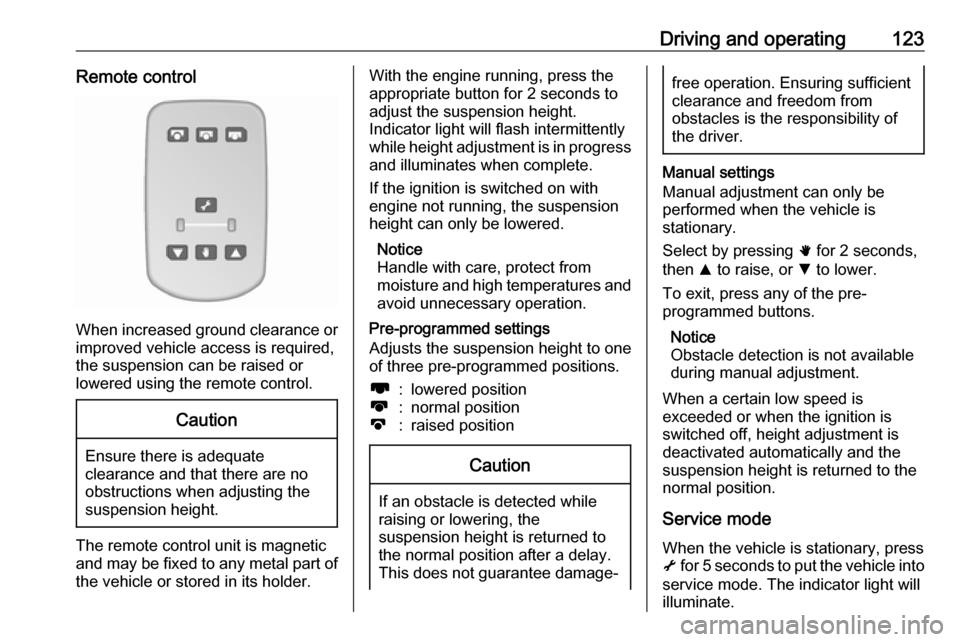
When increased ground clearance orimproved vehicle access is required,the suspension can be raised or
lowered using the remote control.
Caution
Ensure there is adequate
clearance and that there are no
obstructions when adjusting the
suspension height.
The remote control unit is magnetic
and may be fixed to any metal part of the vehicle or stored in its holder.
With the engine running, press theappropriate button for 2 seconds to
adjust the suspension height.
Indicator light will flash intermittently
while height adjustment is in progress
and illuminates when complete.
If the ignition is switched on with
engine not running, the suspension
height can only be lowered.
Notice
Handle with care, protect from
moisture and high temperatures and
avoid unnecessary operation.
Pre-programmed settings
Adjusts the suspension height to one
of three pre-programmed positions.l:lowered positionk:normal positionj:raised positionCaution
If an obstacle is detected while
raising or lowering, the
suspension height is returned to the normal position after a delay.
This does not guarantee damage-
free operation. Ensuring sufficient
clearance and freedom from
obstacles is the responsibility of the driver.
Manual settings
Manual adjustment can only be
performed when the vehicle is
stationary.
Select by pressing h for 2 seconds,
then R to raise, or S to lower.
To exit, press any of the pre-
programmed buttons.
Notice
Obstacle detection is not available
during manual adjustment.
When a certain low speed is
exceeded or when the ignition is
switched off, height adjustment is deactivated automatically and the
suspension height is returned to the
normal position.
Service mode
When the vehicle is stationary, press
i for 5 seconds to put the vehicle into
service mode. The indicator light will
illuminate.