ESP VAUXHALL MOVANO_B 2016 Owner's Guide
[x] Cancel search | Manufacturer: VAUXHALL, Model Year: 2016, Model line: MOVANO_B, Model: VAUXHALL MOVANO_B 2016Pages: 233
Page 131 of 233
Driving and operating129
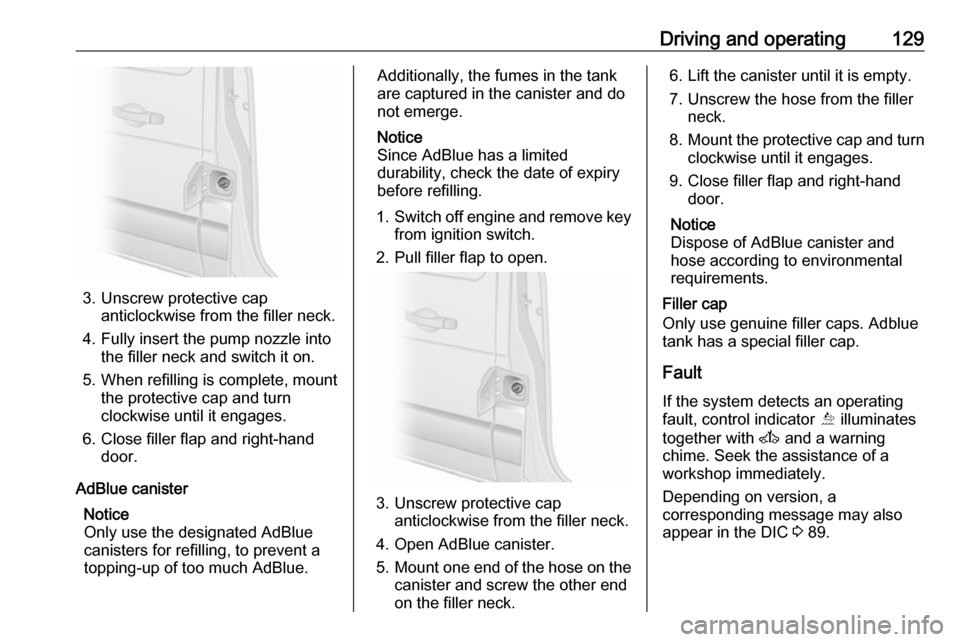
3. Unscrew protective capanticlockwise from the filler neck.
4. Fully insert the pump nozzle into the filler neck and switch it on.
5. When refilling is complete, mount the protective cap and turn
clockwise until it engages.
6. Close filler flap and right-hand door.
AdBlue canister Notice
Only use the designated AdBlue canisters for refilling, to prevent a
topping-up of too much AdBlue.
Additionally, the fumes in the tank
are captured in the canister and do
not emerge.
Notice
Since AdBlue has a limited
durability, check the date of expiry
before refilling.
1. Switch off engine and remove key
from ignition switch.
2. Pull filler flap to open.
3. Unscrew protective cap anticlockwise from the filler neck.
4. Open AdBlue canister.
5. Mount one end of the hose on the
canister and screw the other end
on the filler neck.
6. Lift the canister until it is empty.
7. Unscrew the hose from the filler neck.
8. Mount the protective cap and turn
clockwise until it engages.
9. Close filler flap and right-hand door.
Notice
Dispose of AdBlue canister and
hose according to environmental requirements.
Filler cap
Only use genuine filler caps. Adblue
tank has a special filler cap.
Fault
If the system detects an operating fault, control indicator Õ illuminates
together with A and a warning
chime. Seek the assistance of a
workshop immediately.
Depending on version, a
corresponding message may also
appear in the DIC 3 89.
Page 134 of 233

132Driving and operatingwarning may sound as a signal to
depress the brake pedal or apply the
parking brake.
Switch off engine if stopping for a
lengthy period, e.g. in traffic jams.
When the vehicle is parked and the
driver's door is opened, a warning
chime will sound if neutral is not
selected or the brake pedal has not
been depressed.
Engine braking
Automatic mode
When driving downhill, the manual
transmission automated does not
shift into higher gears until a fairly
high engine speed has been reached. It shifts down in good time when
braking.
Manual mode
To utilise the engine braking effect,
select a lower gear in good time when
driving downhill.Rocking the vehicle
Rocking the vehicle is only
permissible if the vehicle is stuck in
sand, mud, snow or a hole. Move the
selector lever between R and A/M (or
between + and -) in a repeat pattern,
while applying light pressure to the
accelerator pedal. Do not race the
engine and avoid sudden
acceleration.
Parking
Apply the parking brake. The most
recently engaged gear (see
transmission display) remains
engaged. With N, no gear is engaged.
When the ignition is switched off, the
transmission no longer responds to
movement of the selector lever.
If the ignition is not switched off, or the
parking brake has not been applied, a
warning chime will sound upon
opening the driver's door.
Manual mode If a higher gear is selected when the
engine speed is too low, or a lower
gear when the speed is too high, theshift is not executed. This prevents
the engine from running at too low or too high an engine speed.
If engine speed is too low, the
transmission automatically shifts to a
lower gear.
If engine speed is too high, the
transmission only switches to a higher gear via kickdown.
Electronic driving programmes
Winter mode V
Page 136 of 233

134Driving and operatingInterruption of power supplyThe clutch is not disengaged if there
is an interruption of the power supply
when a gear is engaged. The vehicle
cannot move.
If the vehicle battery is discharged,
start the vehicle using jump leads
3 188.
If the cause of the fault is not a
discharged vehicle battery, seek the
assistance of a workshop.
If neutral cannot be selected, the
vehicle must only be towed with the
drive wheels raised off the ground
3 190.
Towing the vehicle 3 190.Brakes
The brake system comprises two
independent brake circuits.
If a brake circuit fails, the vehicle can
still be braked using the other brake
circuit. However, braking effect is
achieved only when you depress the
brake pedal firmly. You need to use
considerably more force for this. The
braking distance is extended. Seek
the assistance of a workshop before
continuing your journey.
When the engine is not running, the
support of the brake servo unit
disappears once the brake pedal has
been depressed once or twice.
Braking effect is not reduced, but
braking requires significantly greater
force. It is especially important to bear this in mind when being towed.
Control indicator R 3 85.
Antilock brake system
Antilock brake system (ABS)
prevents the wheels from locking.ABS starts to regulate brake pressure as soon as a wheel shows a tendency to lock. The vehicle remains
steerable, even during hard braking.
ABS control is made apparent
through a pulse in the brake pedal
and the noise of the regulation
process.
For optimum braking, keep the brake
pedal fully depressed throughout the
braking process, despite the fact that
the pedal is pulsating. Do not reduce
the pressure on the pedal.
Control indicator u 3 86.
Fault
If control indicators u and A
illuminate with the messages CHECK
ABS and CHECK ESP in the Driver
Information Centre (DIC), there is a fault in the ABS. The brake system
remains operational but without ABS
regulation.
Page 137 of 233
Driving and operating1359Warning
If there is a fault in the ABS, the
wheels may be liable to lock due
to braking that is heavier than
normal. The advantages of ABS are no longer available. During
hard braking, the vehicle can no longer be steered and may
swerve.
If control indicators u, A , R and
C illuminate, the ABS and ESP are
deactivated and the message
BRAKING FAULT is shown in the
DIC. Seek the assistance of a
workshop.
Have the cause of the fault remedied by a workshop.
Parking brake9 Warning
Always apply parking brake firmly
without operating the release
button, and apply as firmly as
possible on a downhill or uphill
slope.
To release the parking brake, pull
the lever up slightly, press the
release button and fully lower the
lever.
To reduce the operating forces of
the parking brake, depress the
brake pedal at the same time.
Control indicator R 3 85.
Parking 3 121.
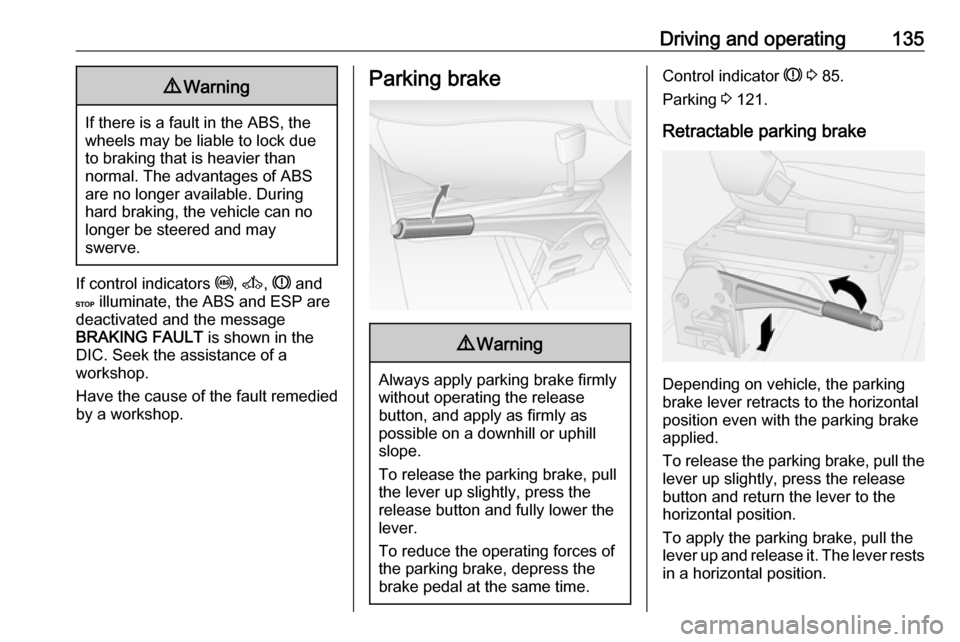
Retractable parking brake
Depending on vehicle, the parking
brake lever retracts to the horizontal
position even with the parking brake
applied.
To release the parking brake, pull the lever up slightly, press the release
button and return the lever to the
horizontal position.
To apply the parking brake, pull the
lever up and release it. The lever rests
in a horizontal position.
Page 138 of 233

136Driving and operatingBrake assistIf the brake pedal is depressed
quickly and forcefully, maximum
brake force is automatically applied
(full braking).
Maintain steady pressure on the
brake pedal for as long as full braking
is required. Maximum brake force is
automatically reduced when the
brake pedal is released.
Brake assist is not available during an
Autostop. Stop-start system 3 119.
Hill start assist
The system helps prevent unintended movement when driving away on
inclines.
When releasing the brake pedal after
stopping on an incline (with the
selector lever in a forward gear or
reverse gear), the brakes remain on
for a further 2 seconds. The brakes
release automatically as soon as the
vehicle begins to accelerate.Caution
The Hill start assist cannot
completely prevent vehicle
movement in all situations
(extremely steep gradients, etc.).
If necessary, depress the brake
pedal to prevent the vehicle from
rolling forwards or backwards.
The Hill start assist is not active
during an Autostop. Stop-start system 3 119.
Ride control systems
Traction Control system The Traction Control system (TC) is a
component part of the Electronic
Stability Program (ESP® Plus
) which
improves driving stability when
necessary, regardless of the type of
road surface or tyre grip, by
preventing the drive wheels from
spinning.
As soon as the drive wheels starts to spin, engine output is reduced and
the wheel spinning the most is braked
individually. This considerably
improves the driving stability of the
vehicle on slippery road surfaces.
TC is operational as soon as the
ignition is switched on and control
indicator b extinguishes in the
instrument cluster. A corresponding message also appears in the Driver
Information Centre (DIC) 3 89.
When TC is active b flashes.
Page 139 of 233
Driving and operating1379Warning
Do not let this special safety
feature tempt you into taking risks
when driving.
Adapt speed to the road
conditions.
Control indicator b 3 86.
Trailer stability assist (TSA) 3 151.
Enhanced Traction function
If necessary, in the event of soft
ground, mud or snow-covered road
surfaces, the Traction control system
(TC) can be deactivated to enhance
traction:
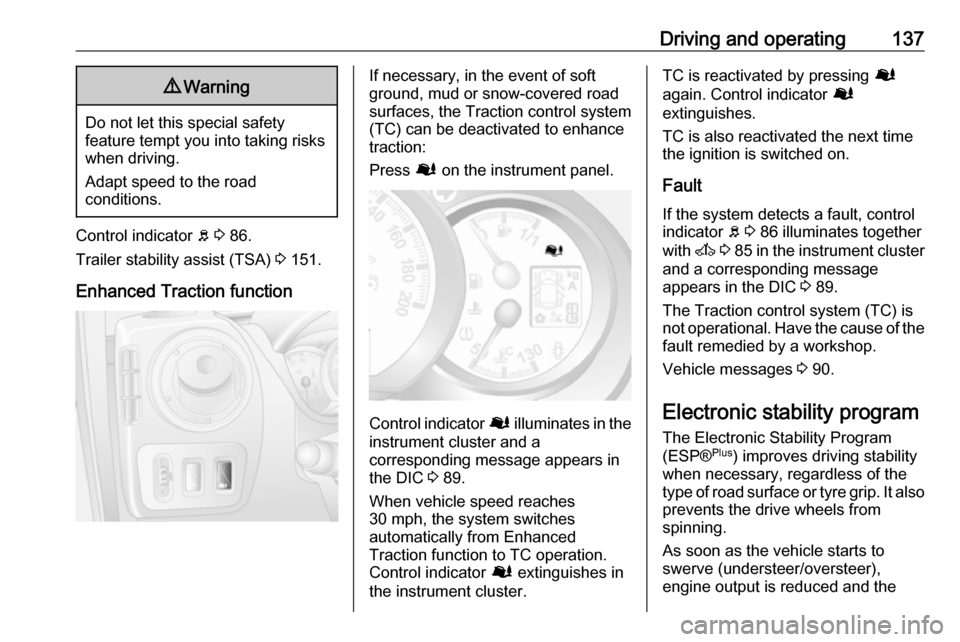
Press Ø on the instrument panel.
Control indicator Ø illuminates in the
instrument cluster and a
corresponding message appears in
the DIC 3 89.
When vehicle speed reaches 30 mph, the system switches
automatically from Enhanced
Traction function to TC operation.
Control indicator Ø extinguishes in
the instrument cluster.
TC is reactivated by pressing Ø
again. Control indicator Ø
extinguishes.
TC is also reactivated the next time
the ignition is switched on.
Fault
If the system detects a fault, control indicator b 3 86 illuminates together
with A 3 85 in the instrument cluster
and a corresponding message
appears in the DIC 3 89.
The Traction control system (TC) is
not operational. Have the cause of the fault remedied by a workshop.
Vehicle messages 3 90.
Electronic stability program
The Electronic Stability Program
(ESP® Plus
) improves driving stability
when necessary, regardless of the type of road surface or tyre grip. It also
prevents the drive wheels from
spinning.
As soon as the vehicle starts to
swerve (understeer/oversteer),
engine output is reduced and the
Page 140 of 233
138Driving and operatingwheels are braked individually. This
considerably improves the driving
stability of the vehicle on slippery road
surfaces.
ESP® Plus
is operational as soon as
the ignition is switched on and control
indicator b extinguishes in the
instrument cluster. A corresponding
message also appears in the Driver
Information Centre (DIC) 3 89.
When ESP® Plus
comes into action b
flashes.9 Warning
Do not let this special safety
feature tempt you into taking risks
when driving.
Adapt speed to the road
conditions.
Control indicator b 3 86.
Trailer stability assist (TSA) 3 151.
Enhanced Traction function
If necessary, in the event of soft
ground, mud or snow-covered road
surfaces, ESP® Plus
can be
deactivated to enhance traction:
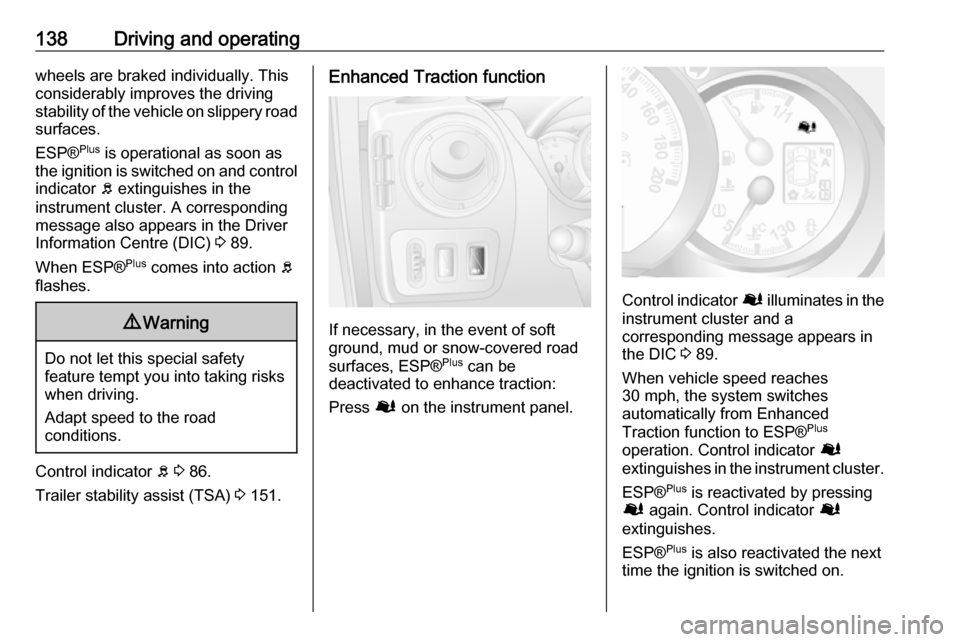
Press Ø on the instrument panel.
Control indicator Ø illuminates in the
instrument cluster and a
corresponding message appears in
the DIC 3 89.
When vehicle speed reaches
30 mph, the system switches
automatically from Enhanced
Traction function to ESP® Plus
operation. Control indicator Ø
extinguishes in the instrument cluster.
ESP® Plus
is reactivated by pressing
Ø again. Control indicator Ø
extinguishes.
ESP® Plus
is also reactivated the next
time the ignition is switched on.
Page 141 of 233
Driving and operating139Fault
If the system detects a fault, control indicator b 3 86 illuminates together
with A 3 85 in the instrument cluster
and a corresponding message
appears in the DIC 3 89.
The Electronic Stability Program
(ESP® Plus
) is not operational. Have
the cause of the fault remedied by a
workshop.
Vehicle messages 3 90.Driver assistance
systems9 Warning
Driver assistance systems are
developed to support the driver
and not to replace the driver's
attention.
The driver accepts full
responsibility when driving the
vehicle.
When using driver assistance
systems, always take care
regarding the current traffic
situation.
Cruise control
The cruise control can store and
maintain speeds of 20 mph and
above. Deviations from the stored
speeds may occur when driving uphill or downhill. The stored speed will
flash in the Driver Information Centre
(DIC) 3 89.
For safety reasons the cruise control
cannot be activated until the brake
pedal has been operated once.
Do not use the cruise control if it is not advisable to maintain a constant
speed.
With manual transmission
automated, only activate cruise
control in automatic mode.
Control indicators m and U 3 89.
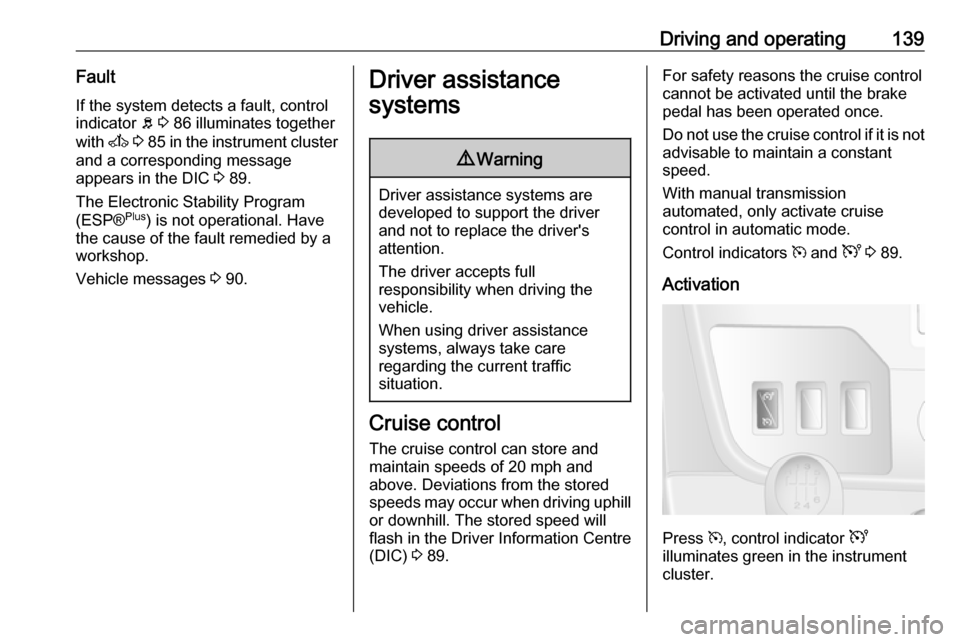
Activation
Press m, control indicator U
illuminates green in the instrument
cluster.
Page 142 of 233
![VAUXHALL MOVANO_B 2016 Owners Guide 140Driving and operatingCruise control is now in standby mode
and a corresponding message
appears in the DIC.
Accelerate to the desired speed and
press < or ]. The current speed is
now stored and ma](/img/38/19557/w960_19557-141.png "VAUXHALL MOVANO_B 2016 Owners Guide 140Driving and operatingCruise control is now in standby mode
and a corresponding message
appears in the DIC.
Accelerate to the desired speed and
press < or ]. The current speed is
now stored and ma")
140Driving and operatingCruise control is now in standby mode
and a corresponding message
appears in the DIC.
Accelerate to the desired speed and
press < or ]. The current speed is
now stored and maintained and the
accelerator pedal can be released.
Control indicator m illuminates green
in the instrument cluster together with
U and a corresponding message
appears in the DIC.
Vehicle speed can be increased by depressing the accelerator pedal.
The stored speed flashes in the
instrument cluster. When the
accelerator pedal is released, the
previously stored speed is resumed.
Cruise control remains activated
while gearshifting.
The speed is saved until the ignition
is switched off.
Increase speed
With cruise control active, the vehicle speed can be increased continuously
or in small increments by holding
down or tapping < repeatedly.
When the switch is released the
current speed is stored and
maintained.
Alternatively, accelerate to the
desired speed and store by pressing
< .
Reduce speed
With cruise control active, the vehicle speed can be decreased
continuously or in small increments
by holding down or tapping ]
repeatedly.
When the switch is released the
current speed is stored and
maintained.
Deactivation
Press §: cruise control is deactivated
and the green control indicator m
extinguishes in the instrument cluster.
Page 143 of 233
Driving and operating141Automatic deactivation:● vehicle speed drops below 20 mph
● the brake pedal is depressed
● the clutch pedal is depressed
● selector lever in N
The speed is stored and a
corresponding message appears in
the DIC.
Reactivation Press R at a speed above 20 mph.
If the stored speed is much higher
than the current speed, the vehicle
will accelerate powerfully until the
stored speed is obtained.
Pressing < will also reactivate the
cruise control function, but at the
current vehicle speed only, not the stored speed.
Deleting the stored speedPress m: Green control indicators
U and m extinguish in the instrument
cluster.Cruise control speed limiter
The speed limiter prevents the
vehicle exceeding a preset maximum speed above 20 mph.
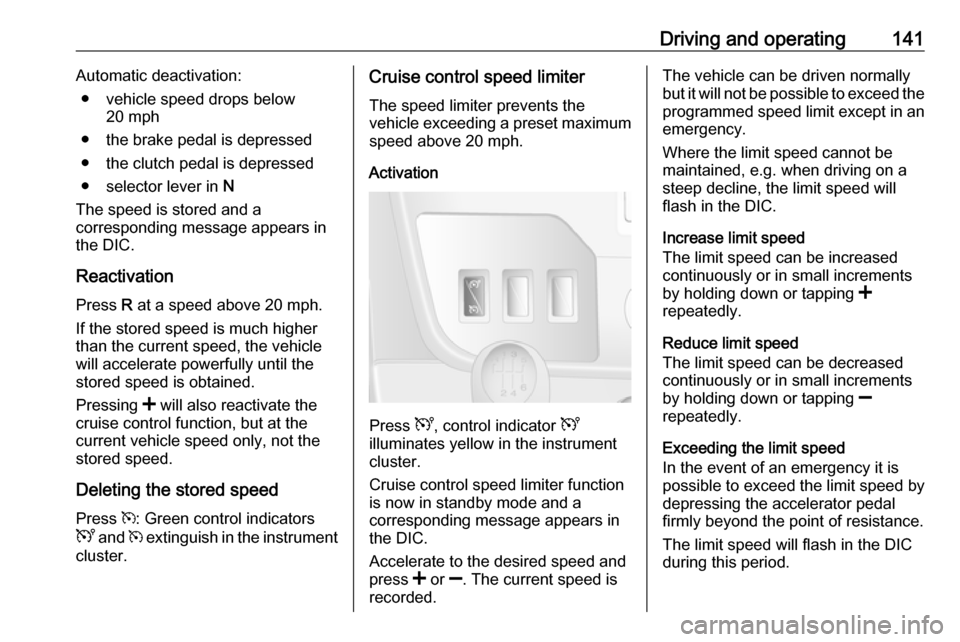
Activation
Press U, control indicator U
illuminates yellow in the instrument
cluster.
Cruise control speed limiter function
is now in standby mode and a
corresponding message appears in
the DIC.
Accelerate to the desired speed and
press < or ]. The current speed is
recorded.
The vehicle can be driven normally
but it will not be possible to exceed the programmed speed limit except in an
emergency.
Where the limit speed cannot be
maintained, e.g. when driving on a
steep decline, the limit speed will
flash in the DIC.
Increase limit speed
The limit speed can be increased
continuously or in small increments
by holding down or tapping <
repeatedly.
Reduce limit speed
The limit speed can be decreased
continuously or in small increments
by holding down or tapping ]
repeatedly.
Exceeding the limit speed
In the event of an emergency it is possible to exceed the limit speed by
depressing the accelerator pedal
firmly beyond the point of resistance.
The limit speed will flash in the DIC
during this period.