AUX VAUXHALL MOVANO_B 2016 Owner's Manual
[x] Cancel search | Manufacturer: VAUXHALL, Model Year: 2016, Model line: MOVANO_B, Model: VAUXHALL MOVANO_B 2016Pages: 233
Page 1 of 233
Vauxhall MovanoOwner's Manual
Page 5 of 233

Introduction3Vehicle specific dataPlease enter your vehicle's data on
the previous page to keep it easily
accessible. This information is
available in the sections "Service and
maintenance" and "Technical data"
as well as on the identification plate.
Introduction
Your vehicle is a designed
combination of advanced technology, safety, environmental friendliness
and economy.
This Owner's Manual provides you
with all the necessary information to
enable you to drive your vehicle
safely and efficiently.
Make sure your passengers are
aware of the possible risk of accident
and injury which may result from
improper use of the vehicle.
You must always comply with the
specific laws and regulations of the
country that you are in. These laws
may differ from the information in this Owner's Manual.When this Owner's Manual refers to aworkshop visit, we recommend your
Vauxhall Authorised Repairer.
All Vauxhall Authorised Repairers
provide first-class service at
reasonable prices. Experienced
mechanics trained by Vauxhall work
according to specific Vauxhall
instructions.
The customer literature pack should
always be kept ready to hand in the
vehicle.
Using this manual ● This manual describes all options
and features available for this
model. Certain descriptions,
including those for display and
menu functions, may not apply to your vehicle due to model
variant, country specifications,
special equipment or
accessories.
● The "In brief" section will give you
an initial overview.● The table of contents at the beginning of this manual and
within each section shows where the information is located.
● The index will enable you to search for specific information.
● This Owner's Manual depicts left-
hand drive vehicles. Operation is
similar for right-hand drive
vehicles.
● The Owner's Manual uses the factory engine designations. The
corresponding sales
designations can be found in the
section "Technical data".
● Directional data, e.g. left or right, or front or back, always relate to
the direction of travel.
● The vehicle display screens may not support your specific
language.
● Display messages and interior labelling are written in bold
letters.
Page 6 of 233

4IntroductionDanger, Warnings andCautions9 Danger
Text marked 9 Danger provides
information on risk of fatal injury.
Disregarding this information may
endanger life.
9 Warning
Text marked 9 Warning provides
information on risk of accident or
injury. Disregarding this
information may lead to injury.
Caution
Text marked Caution provides
information on possible damage to
the vehicle. Disregarding this
information may lead to vehicle
damage.
Symbols
Page references are indicated with 3.
3 means "see page".
Thank you for choosing a Vauxhall.
We wish you many hours of
pleasurable driving.
Your Vauxhall Team
Page 14 of 233

12In brief22Steering wheel adjustment ..73
23 Bonnet release lever ..........155
24 Auxiliary heater ...................109
25 Storage compartment ..........64
Fuse box ............................ 171Exterior lighting
Turn outer light switch:
7:off0:sidelights9 P:headlightsAUTO:automatic light control:
headlights are switched on
and off automatically.
Lighting 3 95, Automatic light
control 3 95, Headlight warning
device 3 91, Adaptive forward
lighting 3 98.
Front and rear fog lights
Turn inner light switch:
>:front fog lightsr:rear fog lights
Front and rear fog lights 3 98,
3 99.
Page 34 of 233
32Keys, doors and windowsvehicle, or if the auxiliary heater
3 109 is set for a timed or remote
controlled start.
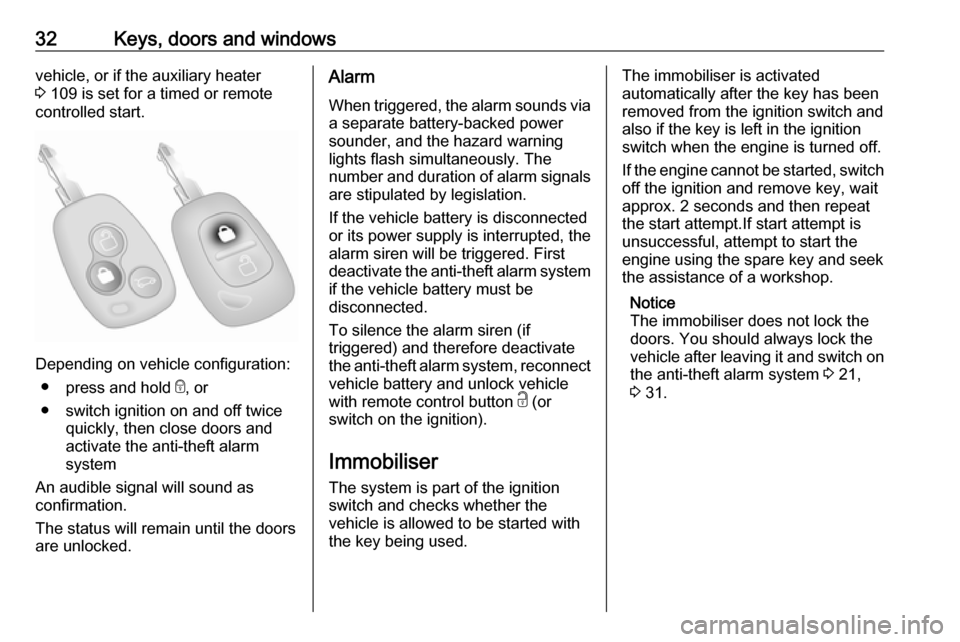
Depending on vehicle configuration:
● press and hold e, or
● switch ignition on and off twice quickly, then close doors and
activate the anti-theft alarm
system
An audible signal will sound as
confirmation.
The status will remain until the doors
are unlocked.
Alarm
When triggered, the alarm sounds via a separate battery-backed power
sounder, and the hazard warning
lights flash simultaneously. The
number and duration of alarm signals
are stipulated by legislation.
If the vehicle battery is disconnected
or its power supply is interrupted, the
alarm siren will be triggered. First
deactivate the anti-theft alarm system if the vehicle battery must be
disconnected.
To silence the alarm siren (if
triggered) and therefore deactivate
the anti-theft alarm system, reconnect vehicle battery and unlock vehicle
with remote control button c (or
switch on the ignition).
Immobiliser
The system is part of the ignition
switch and checks whether the
vehicle is allowed to be started with
the key being used.The immobiliser is activated
automatically after the key has been
removed from the ignition switch and
also if the key is left in the ignition
switch when the engine is turned off.
If the engine cannot be started, switch off the ignition and remove key, wait
approx. 2 seconds and then repeat
the start attempt.If start attempt is
unsuccessful, attempt to start the
engine using the spare key and seek
the assistance of a workshop.
Notice
The immobiliser does not lock the doors. You should always lock the
vehicle after leaving it and switch on the anti-theft alarm system 3 21,
3 31.
Page 57 of 233

Seats, restraints55Child restraints
Child restraint systems
We recommend the Vauxhall child
restraint system which is tailored
specifically to the vehicle.
When a child restraint system is being used, pay attention to the following
usage and installation instructions
and also those supplied with the child
restraint system.
Always comply with local or national
regulations. In some countries, the
use of child restraint systems is
forbidden on certain seats.9 Warning
When using a child restraint
system on the front passenger
seat, the airbag systems for the
front passenger seat must be
deactivated; if not, the triggering of the airbags poses a risk of fatal
injury to the child.
This is especially the case if rear-
facing child restraint systems are
used on the front passenger seat.
Airbag deactivation 3 53.
Airbag label 3 49.
The rear seats are the most
convenient location to fasten a child
restraint system.
Children should travel facing
rearwards in the vehicle as long as
possible. This makes sure that the
child's backbone, which is still very
weak, is under less strain in the event
of an accident.
Child locks 3 25.
Selecting the right system Suitable are restraint systems that
comply with valid UN ECE
regulations. Check local laws and
regulations for mandatory use of child restraint systems.
Ensure that the child restraint system to be installed is compatible with the
vehicle type.
Ensure that the mounting location of
the child restraint system within the
vehicle is correct, see following
tables.Allow children to enter and exit the
vehicle only on the side facing away
from the traffic.
When the child restraint system is not
in use, secure the seat with a seat belt or remove it from the vehicle.
Child restraint systems could be
fastened with ISOFIX mounting
brackets, Top-tether if available, and/
or a three-point seat belt. Refer to the following tables.
Notice
Do not affix anything on the child
restraint systems and do not cover
them with any other materials.
A child restraint system which has
been subjected to stress in an
accident must be replaced.
Page 105 of 233
Climate control103Climate controlClimate control systems.............103
Heating and ventilation system 103
Air conditioning system ...........104
Electronic climate control system .................................... 105
Rear heating system ...............107
Rear air conditioning system ...108
Auxiliary heater ........................109
Air vents ..................................... 113
Adjustable air vents .................113
Fixed air vents ......................... 114
Glovebox cooler ......................114
Maintenance .............................. 114
Air intake ................................. 114
Pollen filter ............................... 114
Air conditioning regular operation ................................ 114
Service .................................... 114Climate control systems
Heating and ventilation system
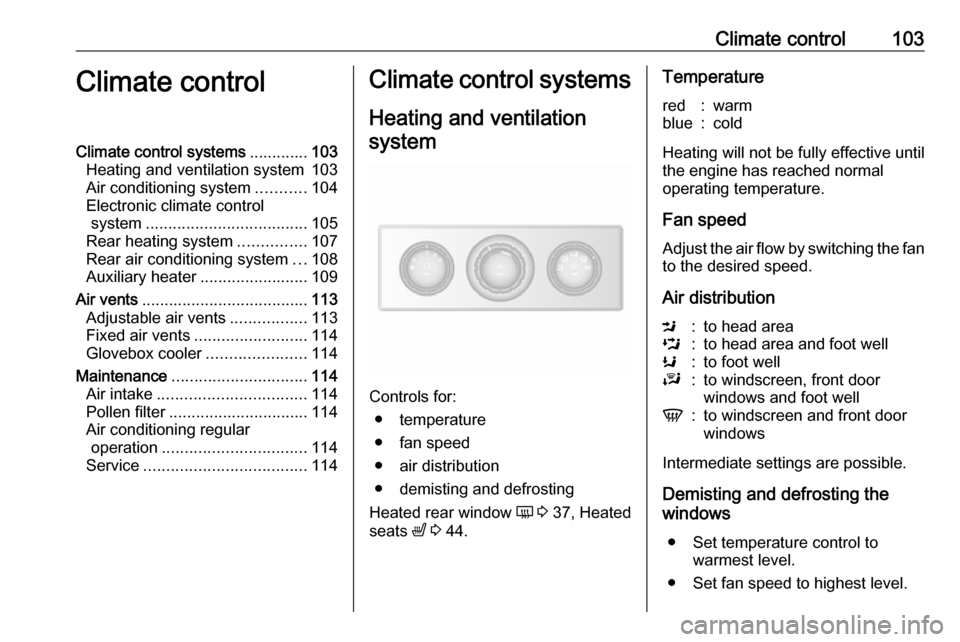
Controls for: ● temperature
● fan speed
● air distribution
● demisting and defrosting
Heated rear window Ü 3 37, Heated
seats ß 3 44.
Temperaturered:warmblue:cold
Heating will not be fully effective until
the engine has reached normal
operating temperature.
Fan speed
Adjust the air flow by switching the fan
to the desired speed.
Air distribution
M:to head areaL:to head area and foot wellK:to foot wellJ:to windscreen, front door
windows and foot wellV:to windscreen and front door
windows
Intermediate settings are possible.
Demisting and defrosting the
windows
● Set temperature control to warmest level.
● Set fan speed to highest level.
Page 111 of 233
Climate control109Additional air conditioning is supplied
to the rear passenger compartment
via the overhead air vents.
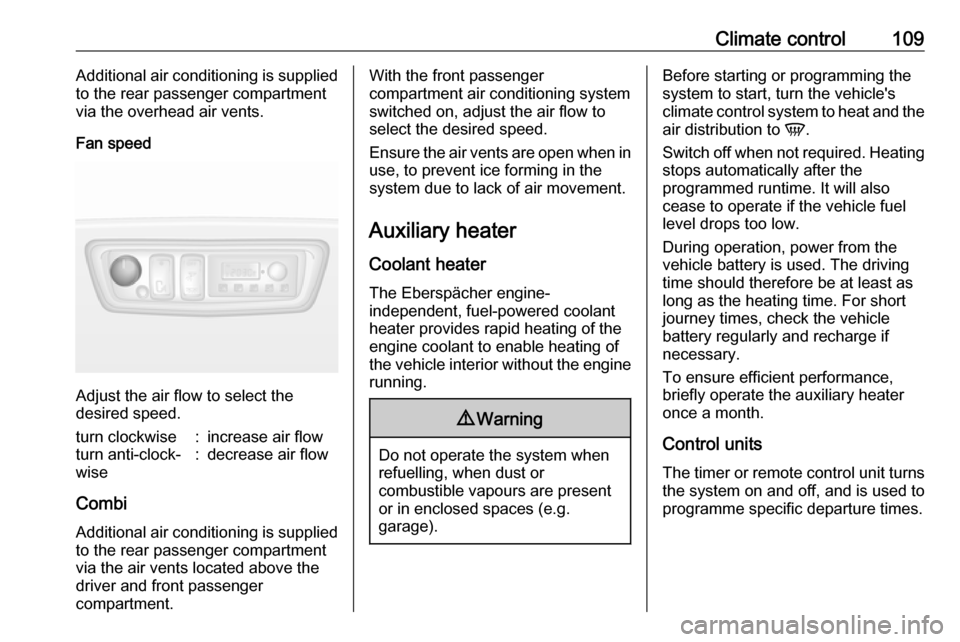
Fan speed
Adjust the air flow to select the
desired speed.
turn clockwise:increase air flowturn anti-clock‐
wise:decrease air flow
Combi
Additional air conditioning is supplied
to the rear passenger compartment
via the air vents located above the
driver and front passenger
compartment.
With the front passenger
compartment air conditioning system
switched on, adjust the air flow to
select the desired speed.
Ensure the air vents are open when in use, to prevent ice forming in the
system due to lack of air movement.
Auxiliary heater
Coolant heater The Eberspächer engine-
independent, fuel-powered coolant
heater provides rapid heating of the
engine coolant to enable heating of
the vehicle interior without the engine
running.9 Warning
Do not operate the system when
refuelling, when dust or
combustible vapours are present
or in enclosed spaces (e.g.
garage).
Before starting or programming the
system to start, turn the vehicle's
climate control system to heat and the
air distribution to V.
Switch off when not required. Heating stops automatically after the
programmed runtime. It will also
cease to operate if the vehicle fuel
level drops too low.
During operation, power from the
vehicle battery is used. The driving
time should therefore be at least as
long as the heating time. For short
journey times, check the vehicle
battery regularly and recharge if
necessary.
To ensure efficient performance,
briefly operate the auxiliary heater
once a month.
Control units The timer or remote control unit turns
the system on and off, and is used to programme specific departure times.
Page 117 of 233

Driving and operating115Driving and
operatingDriving hints ............................... 116
Driving economically ...............116
Control of the vehicle ...............116
Steering ................................... 116
Starting and operating ...............117
New vehicle running-in ............117
Ignition switch positions ...........117
Starting the engine ..................118
Idle speed control ....................118
Overrun cut-off ........................ 119
Stop-start system ....................119
Parking .................................... 121
Air suspension ......................... 122
Engine exhaust .......................... 124
Diesel particle filter ..................124
Catalytic converter ...................124
AdBlue ..................................... 125
Manual transmission ..................130
Manual transmission automa‐ ted .............................................. 130
Transmission display ...............130
Starting the engine ..................131
Selector lever .......................... 131Manual mode........................... 132
Electronic driving programmes 132
Fault ........................................ 133
Interruption of power supply ....134
Brakes ........................................ 134
Antilock brake system .............134
Parking brake .......................... 135
Brake assist ............................. 136
Hill start assist ......................... 136
Ride control systems .................136
Traction Control system ..........136
Electronic stability program .....137
Driver assistance systems .........139
Cruise control .......................... 139
Speed limiter ........................... 142
Parking assist .......................... 142
Rear view camera ...................144
Lane departure warning ..........146
Fuel ............................................ 148
Fuel for diesel engines ............148
Refuelling ................................ 148
Fuel consumption - CO 2-
Emissions .............................. 149
Trailer hitch ................................ 150
General information .................150
Driving characteristics and towing tips .............................. 150
Trailer towing ........................... 150Towing equipment ...................151
Trailer stability assist ...............151
Auxiliary features .......................152
Power take-off ......................... 152
Page 154 of 233
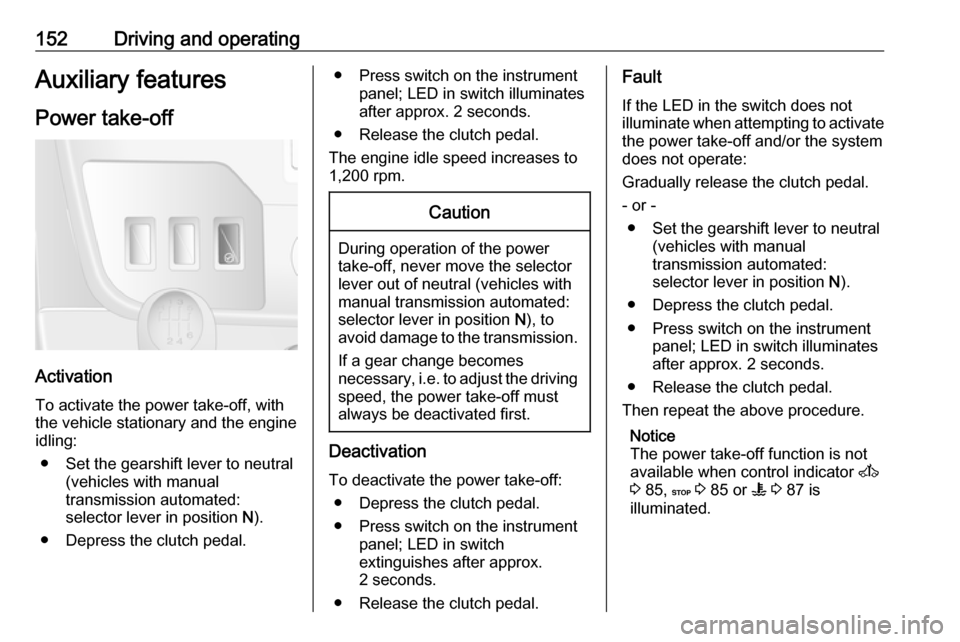
152Driving and operatingAuxiliary features
Power take-off
Activation
To activate the power take-off, with
the vehicle stationary and the engine
idling:
● Set the gearshift lever to neutral (vehicles with manual
transmission automated:
selector lever in position N).
● Depress the clutch pedal.
● Press switch on the instrument panel; LED in switch illuminatesafter approx. 2 seconds.
● Release the clutch pedal.
The engine idle speed increases to
1,200 rpm.Caution
During operation of the power
take-off, never move the selector
lever out of neutral (vehicles with
manual transmission automated:
selector lever in position N), to
avoid damage to the transmission.
If a gear change becomes
necessary, i.e. to adjust the driving
speed, the power take-off must always be deactivated first.
Deactivation
To deactivate the power take-off: ● Depress the clutch pedal.
● Press switch on the instrument panel; LED in switch
extinguishes after approx.
2 seconds.
● Release the clutch pedal.
Fault
If the LED in the switch does not
illuminate when attempting to activate the power take-off and/or the system
does not operate:
Gradually release the clutch pedal.
- or - ● Set the gearshift lever to neutral (vehicles with manual
transmission automated:
selector lever in position N).
● Depress the clutch pedal.
● Press switch on the instrument panel; LED in switch illuminatesafter approx. 2 seconds.
● Release the clutch pedal.
Then repeat the above procedure.
Notice
The power take-off function is not
available when control indicator A
3 85, C 3 85 or W 3 87 is
illuminated.