steering VAUXHALL MOVANO_B 2017.5 User Guide
[x] Cancel search | Manufacturer: VAUXHALL, Model Year: 2017.5, Model line: MOVANO_B, Model: VAUXHALL MOVANO_B 2017.5Pages: 259, PDF Size: 6.15 MB
Page 100 of 259
98Instruments and controlsIlluminates
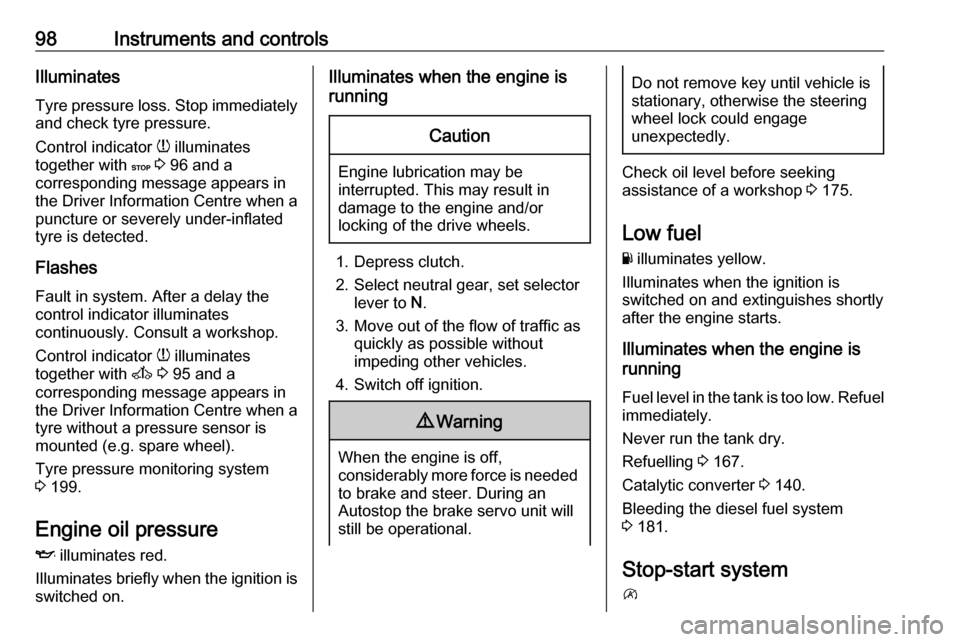
Tyre pressure loss. Stop immediately
and check tyre pressure.
Control indicator w illuminates
together with C 3 96 and a
corresponding message appears in
the Driver Information Centre when a puncture or severely under-inflated
tyre is detected.
Flashes
Fault in system. After a delay the
control indicator illuminates
continuously. Consult a workshop.
Control indicator w illuminates
together with A 3 95 and a
corresponding message appears in
the Driver Information Centre when a
tyre without a pressure sensor is
mounted (e.g. spare wheel).
Tyre pressure monitoring system
3 199.
Engine oil pressure
I illuminates red.
Illuminates briefly when the ignition is
switched on.Illuminates when the engine is
runningCaution
Engine lubrication may be
interrupted. This may result in
damage to the engine and/or
locking of the drive wheels.
1. Depress clutch.
2. Select neutral gear, set selector lever to N.
3. Move out of the flow of traffic as quickly as possible without
impeding other vehicles.
4. Switch off ignition.
9 Warning
When the engine is off,
considerably more force is needed
to brake and steer. During an
Autostop the brake servo unit will still be operational.
Do not remove key until vehicle is
stationary, otherwise the steeringwheel lock could engage
unexpectedly.
Check oil level before seeking
assistance of a workshop 3 175.
Low fuel
Y illuminates yellow.
Illuminates when the ignition is
switched on and extinguishes shortly
after the engine starts.
Illuminates when the engine is
running
Fuel level in the tank is too low. Refuel
immediately.
Never run the tank dry.
Refuelling 3 167.
Catalytic converter 3 140.
Bleeding the diesel fuel system
3 181.
Stop-start system
\
Page 102 of 259

100Instruments and controlsInformation displaysDriver Information Centre The Driver Information Centre is
located in the instrument cluster
below the speedometer.
Depending on vehicle configuration,
the following items appear in the
display:
● outside temperature 3 84
● clock 3 85
● odometer, trip odometer 3 88
● engine oil level monitor 3 90
● service display 3 90
● vehicle messages 3 101
● trip computer 3 102
Some of the displayed functions differ
when the vehicle is being driven or at a standstill. Some functions are only
available when the vehicle is being
driven.
Info display
The central display in the
Infotainment system displays the time (and/or outside temperature,
depending on version) and
Infotainment system information.
Press X to switch the Infotainment
system on. Alternatively, it
automatically switches on when the
ignition is switched on.
Depending on system, the
Infotainment system is operated via
buttons and rotary knobs on the
Infotainment system fascia, the
steering column controls, the voice
recognition system (if available) or via
the touchscreen display.Touchscreen operation
Make the appropriate selection from
the available menus and options by
touching the display screen with the
finger.
For further information, refer to the
Infotainment system manual.
Page 111 of 259
Lighting109The lights operate automatically
when the ignition is switched on.
If the vehicle is equipped with the
automatic light control function, the
system switches between daytime running lights and headlights
automatically depending on the
lighting conditions. Automatic light
control 3 106.
Adaptive forward lighting
Cornering light
Depending on the steering angle,
vehicle speed and gear selected
when cornering, an additional light
will illuminate the corner of the road
on the respective side when the
headlights are switched on.
The cornering light is switched off
automatically after prolonged use and at vehicle speeds above 25 mph.Hazard warning flashers
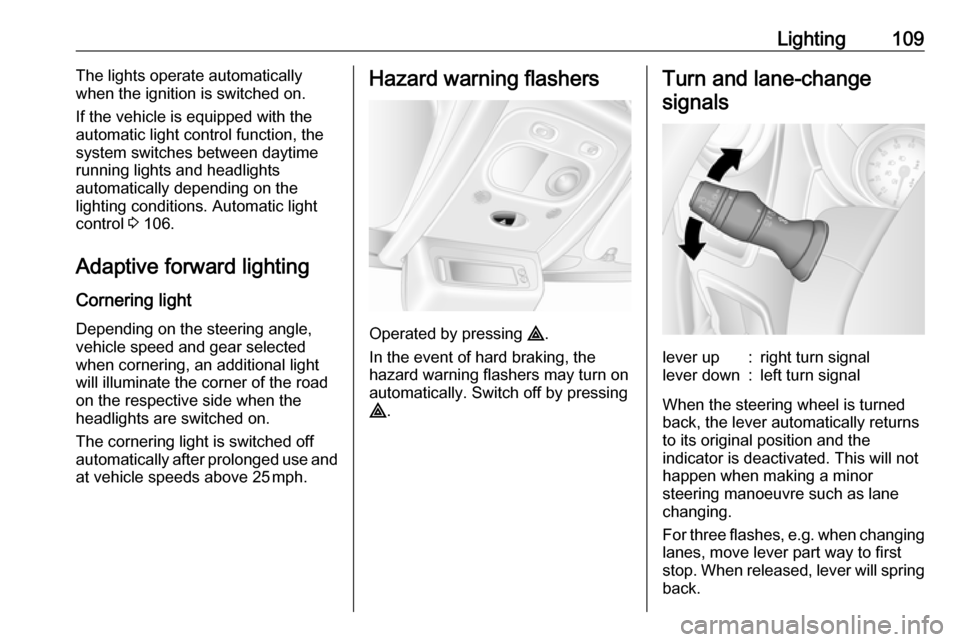
Operated by pressing ¨.
In the event of hard braking, the
hazard warning flashers may turn on automatically. Switch off by pressing
¨ .
Turn and lane-change
signalslever up:right turn signallever down:left turn signal
When the steering wheel is turned
back, the lever automatically returns
to its original position and the
indicator is deactivated. This will not happen when making a minor
steering manoeuvre such as lane
changing.
For three flashes, e.g. when changing lanes, move lever part way to first
stop. When released, lever will spring
back.
Page 115 of 259
Lighting113Lighting features
Exit lighting
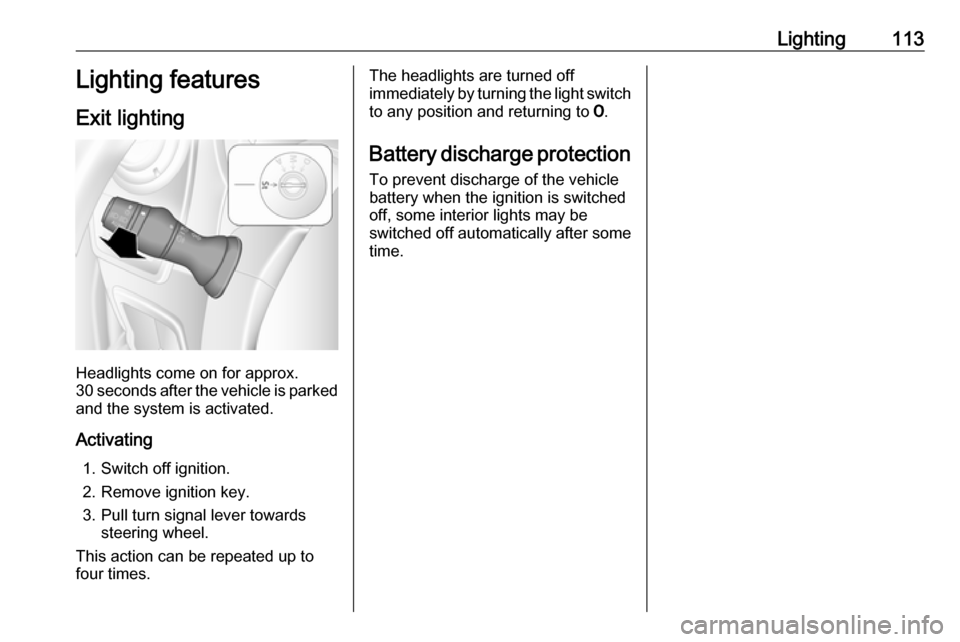
Headlights come on for approx.
30 seconds after the vehicle is parked
and the system is activated.
Activating 1. Switch off ignition.
2. Remove ignition key.
3. Pull turn signal lever towards steering wheel.
This action can be repeated up to
four times.
The headlights are turned off immediately by turning the light switch
to any position and returning to 7.
Battery discharge protection To prevent discharge of the vehicle
battery when the ignition is switched
off, some interior lights may be
switched off automatically after some
time.
Page 132 of 259

130Driving and operatingDriving and
operatingDriving hints ............................... 131
Driving economically ...............131
Control of the vehicle ...............131
Steering ................................... 131
Starting and operating ...............132
New vehicle running-in ............132
Ignition switch positions ...........132
Starting the engine ..................133
Idle speed control ....................134
Overrun cut-off ........................ 134
Stop-start system ....................134
Parking .................................... 137
Air suspension ......................... 138
Engine exhaust .......................... 140
Diesel particle filter ..................140
Catalytic converter ...................140
AdBlue ..................................... 141
Manual transmission ..................148
Manual transmission automa‐ ted .............................................. 148
Transmission display ...............148
Starting the engine ..................149
Selector lever .......................... 149Manual mode........................... 150
Electronic driving programmes 150
Fault ........................................ 151
Interruption of power supply ....152
Brakes ........................................ 152
Antilock brake system .............152
Parking brake .......................... 153
Brake assist ............................. 154
Hill start assist ......................... 154
Ride control systems .................154
Traction Control system ..........154
Electronic stability program .....155
Limited-slip rear axle ...............157
Driver assistance systems .........157
Cruise control .......................... 157
Speed limiter ........................... 161
Parking assist .......................... 161
Rear view camera ...................163
Lane departure warning ..........165
Fuel ............................................ 166
Fuel for diesel engines ............166
Refuelling ................................ 167
Fuel consumption - CO 2-
Emissions .............................. 168
Trailer hitch ................................ 169
General information .................169
Driving characteristics and towing tips .............................. 169
Trailer towing ........................... 169Towing equipment ...................170
Trailer stability assist ...............170
Auxiliary features .......................170
Power take-off ......................... 170
Page 133 of 259
Driving and operating131Driving hints
Driving economically
ECO mode ECO mode is a function that
optimises fuel consumption. It affects
engine power and torque,
acceleration, gear shift indication,
heating, air conditioning and electrical consumers.
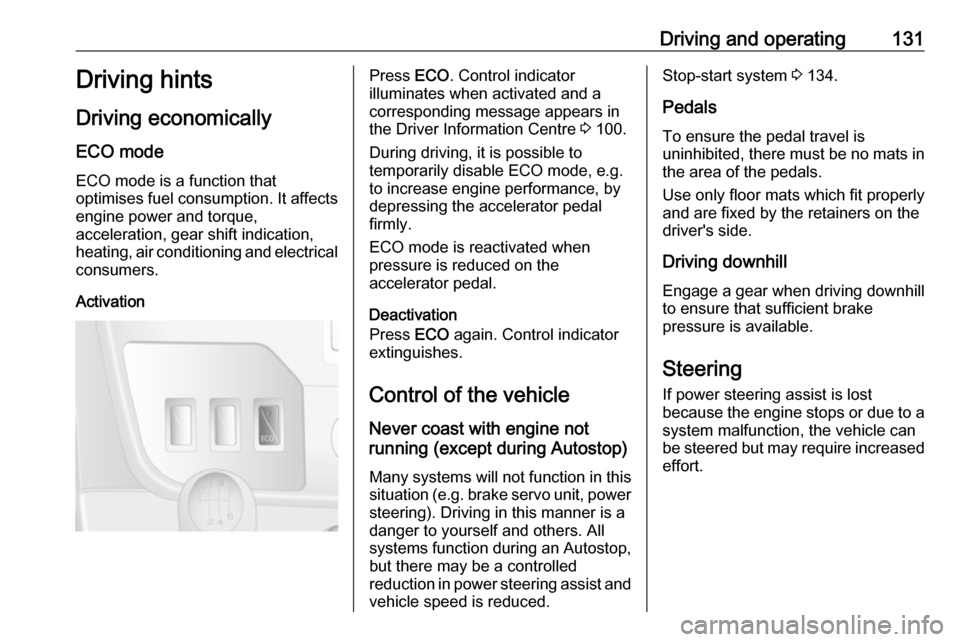
ActivationPress ECO. Control indicator
illuminates when activated and a corresponding message appears in
the Driver Information Centre 3 100.
During driving, it is possible to
temporarily disable ECO mode, e.g.
to increase engine performance, by
depressing the accelerator pedal
firmly.
ECO mode is reactivated when
pressure is reduced on the
accelerator pedal.
Deactivation
Press ECO again. Control indicator
extinguishes.
Control of the vehicle
Never coast with engine not
running (except during Autostop)
Many systems will not function in this
situation (e.g. brake servo unit, power
steering). Driving in this manner is a
danger to yourself and others. All
systems function during an Autostop,
but there may be a controlled
reduction in power steering assist and
vehicle speed is reduced.Stop-start system 3 134.
Pedals To ensure the pedal travel is
uninhibited, there must be no mats in
the area of the pedals.
Use only floor mats which fit properly and are fixed by the retainers on the
driver's side.
Driving downhill
Engage a gear when driving downhill
to ensure that sufficient brake
pressure is available.
Steering If power steering assist is lost
because the engine stops or due to a system malfunction, the vehicle can
be steered but may require increased
effort.
Page 134 of 259
132Driving and operatingCaution
Vehicles equipped with hydraulic
power steering:
If the steering wheel is turned until it reaches the end of its travel, and
is held in that position for more
than 15 seconds, damage may
occur to the power steering
system and there may be loss of
power steering assist.
Starting and operating
New vehicle running-in
Do not brake unnecessarily hard for
the first few journeys and after new
disc brake pads have been fitted.
During the first drive, smoke may
occur because of wax and oil
evaporating off the exhaust system.
Park the vehicle in the open for a
while after the first drive and avoid
inhaling the fumes.
During the running-in period fuel and engine oil consumption may be
higher and the cleaning process of the diesel particle filter may take
place more often. Autostop may be
inhibited to allow for charging the
vehicle battery.
Stop-start system 3 134.
Diesel particle filter 3 140.
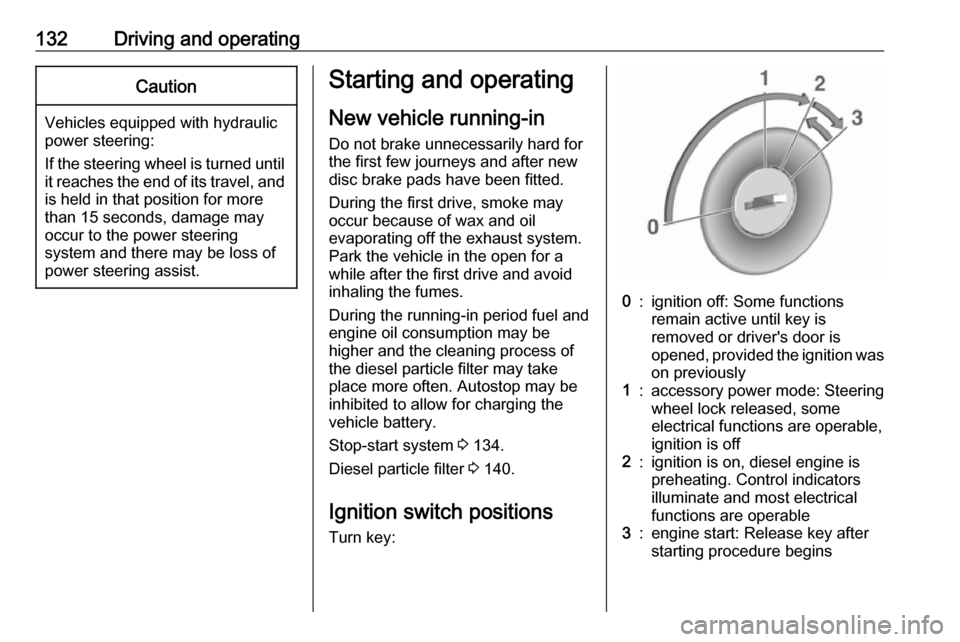
Ignition switch positions Turn key:0:ignition off: Some functions
remain active until key is
removed or driver's door is
opened, provided the ignition was
on previously1:accessory power mode: Steering wheel lock released, some
electrical functions are operable,
ignition is off2:ignition is on, diesel engine is
preheating. Control indicators
illuminate and most electrical
functions are operable3:engine start: Release key after
starting procedure begins
Page 135 of 259
Driving and operating133Steering wheel lockRemove key from ignition switch and
turn steering wheel until it engages.9 Danger
Never remove the key from
ignition switch during driving as
this will cause steering wheel lock.
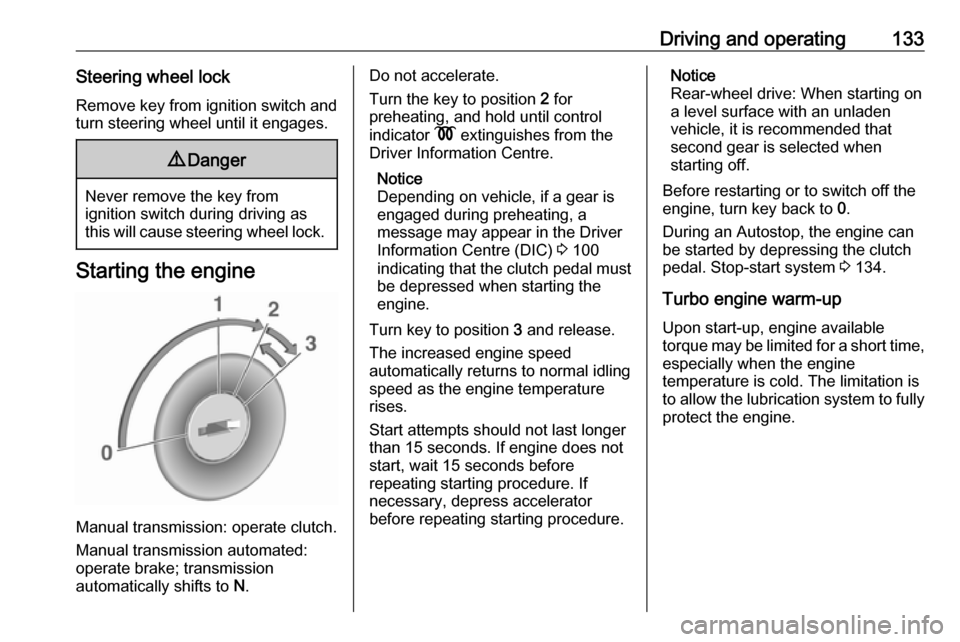
Starting the engine
Manual transmission: operate clutch.
Manual transmission automated:
operate brake; transmission
automatically shifts to N.
Do not accelerate.
Turn the key to position 2 for
preheating, and hold until control
indicator N extinguishes from the
Driver Information Centre.
Notice
Depending on vehicle, if a gear is
engaged during preheating, a
message may appear in the Driver
Information Centre (DIC) 3 100
indicating that the clutch pedal must be depressed when starting the
engine.
Turn key to position 3 and release.
The increased engine speed
automatically returns to normal idling
speed as the engine temperature
rises.
Start attempts should not last longer
than 15 seconds. If engine does not
start, wait 15 seconds before
repeating starting procedure. If
necessary, depress accelerator
before repeating starting procedure.Notice
Rear-wheel drive: When starting on
a level surface with an unladen
vehicle, it is recommended that
second gear is selected when
starting off.
Before restarting or to switch off the
engine, turn key back to 0.
During an Autostop, the engine can
be started by depressing the clutch
pedal. Stop-start system 3 134.
Turbo engine warm-up
Upon start-up, engine available
torque may be limited for a short time, especially when the engine
temperature is cold. The limitation is
to allow the lubrication system to fully
protect the engine.
Page 137 of 259
Driving and operating135Deactivation
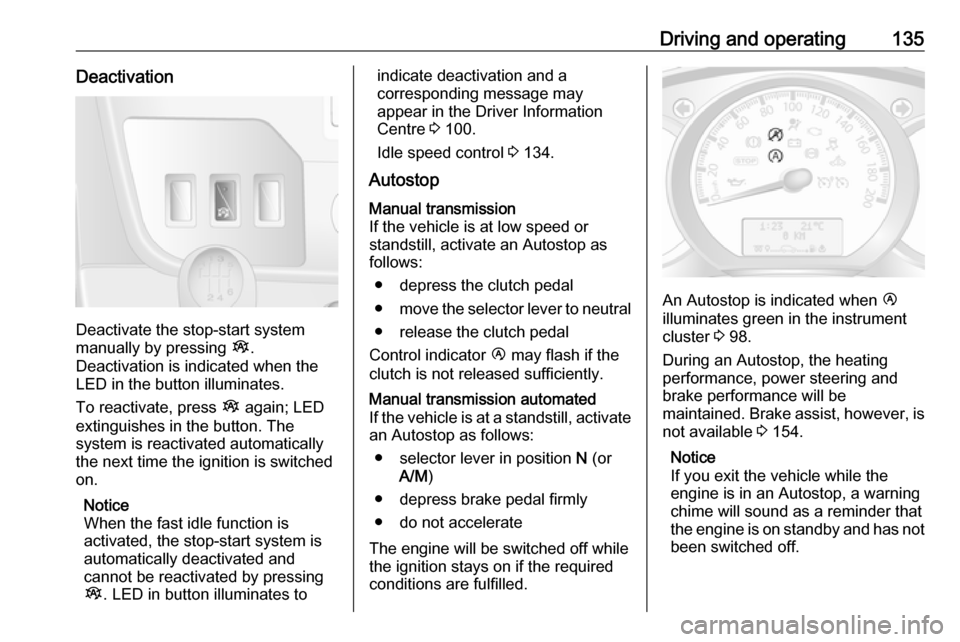
Deactivate the stop-start system
manually by pressing Î.
Deactivation is indicated when the
LED in the button illuminates.
To reactivate, press Î again; LED
extinguishes in the button. The
system is reactivated automatically
the next time the ignition is switched
on.
Notice
When the fast idle function is
activated, the stop-start system is
automatically deactivated and
cannot be reactivated by pressing
Î . LED in button illuminates to
indicate deactivation and a
corresponding message may
appear in the Driver Information Centre 3 100.
Idle speed control 3 134.
AutostopManual transmission
If the vehicle is at low speed or
standstill, activate an Autostop as
follows:
● depress the clutch pedal
● move the selector lever to neutral
● release the clutch pedal
Control indicator Ï may flash if the
clutch is not released sufficiently.Manual transmission automated
If the vehicle is at a standstill, activate an Autostop as follows:
● selector lever in position N (or
A/M )
● depress brake pedal firmly
● do not accelerate
The engine will be switched off while
the ignition stays on if the required conditions are fulfilled.
An Autostop is indicated when Ï
illuminates green in the instrument
cluster 3 98.
During an Autostop, the heating
performance, power steering and
brake performance will be
maintained. Brake assist, however, is
not available 3 154.
Notice
If you exit the vehicle while the
engine is in an Autostop, a warning
chime will sound as a reminder that
the engine is on standby and has not been switched off.
Page 140 of 259
138Driving and operating● Close the windows.
● Turn the ignition key to position
0 and remove it. Turn the
steering wheel until the
steering wheel lock is felt to
engage.
Lock the vehicle 3 22 and activate the
anti-theft locking system 3 32 and
anti-theft alarm system 3 32.
Air suspension
Operates automatically when the
vehicle is driven. The air suspension
system constantly adjusts the ride
height according to the vehicle load.
Caution
To ensure safe operation of the air
suspension system, do not exceed the maximum permissible gross
vehicle weight rating. Refer to
identification plate 3 222 or the
vehicle documents.
For further information on the air
suspension system, refer to the
operating instructions supplied.
Master switchCaution
The air suspension system must
be switched off when the vehicle is being towed, jump‐started, raised
off the ground or transported.
Do not switch off the air
suspension system when driving.
Jump starting 3 211, Towing the
vehicle 3 213.
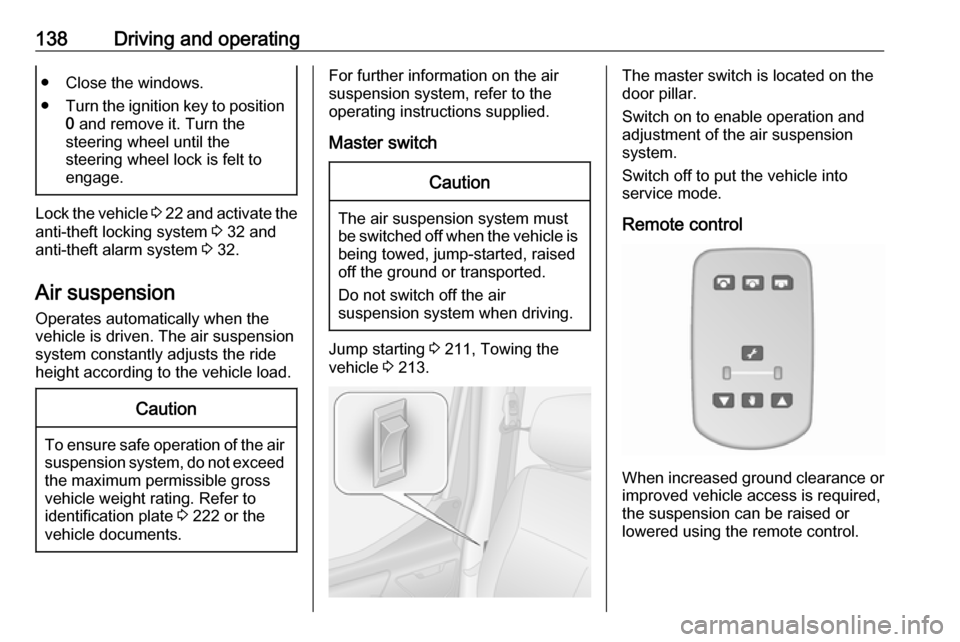
The master switch is located on the
door pillar.
Switch on to enable operation and
adjustment of the air suspension
system.
Switch off to put the vehicle into
service mode.
Remote control
When increased ground clearance or improved vehicle access is required,the suspension can be raised or
lowered using the remote control.